 EN
EN Deutsch
 Español
 Français
 Italiano
 Português
 Nederlands
 Polski
 Bahasa Indonesia
 Русский
 Українська
 العربية
 עברית
עברית हिन्दी
 日本語
日本語 한국어
한국어2026-07-23 · Season 3
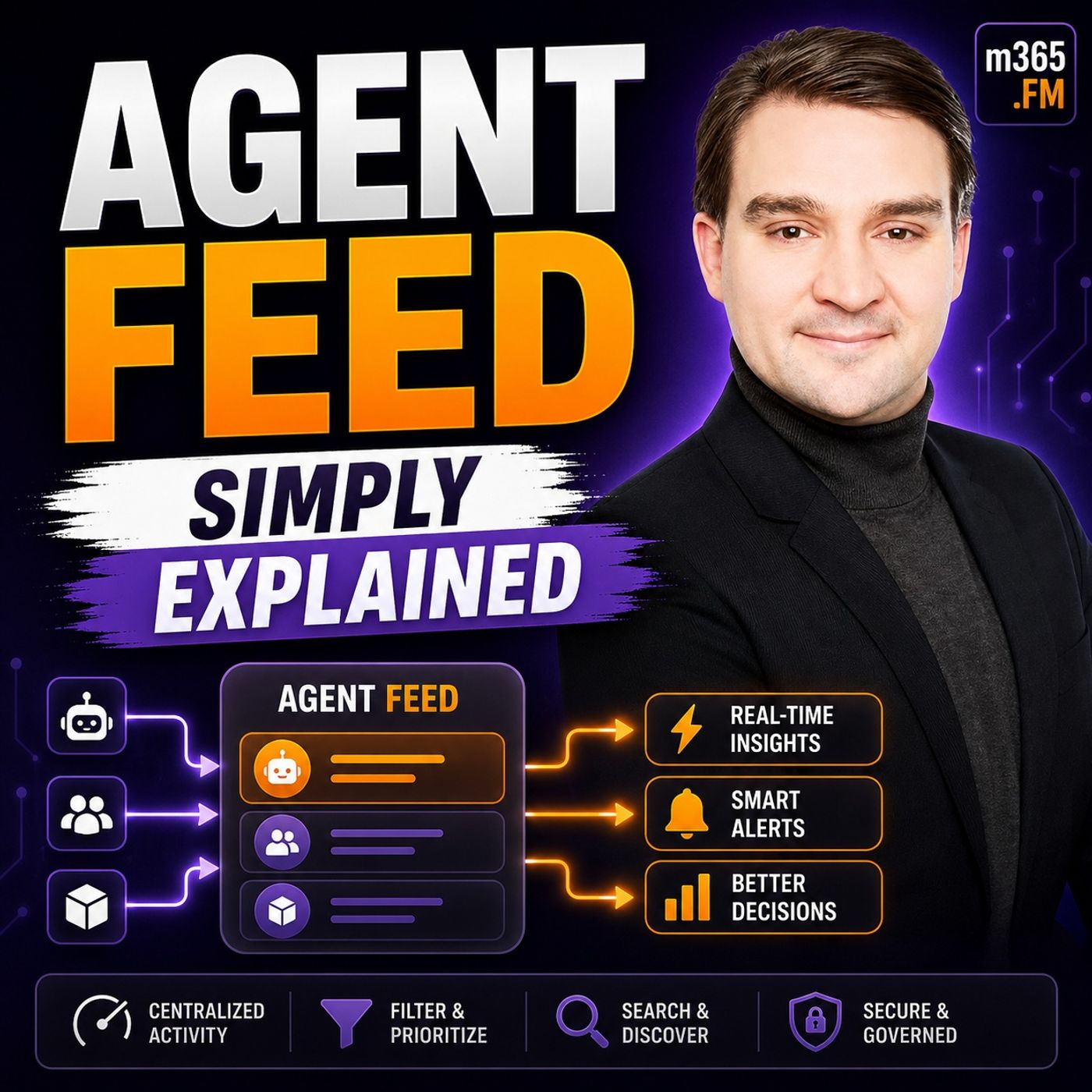
Agent Feed - Simply Explained
Show notes
Welcome to another episode of Knowledge Nuggets with Mirko Peters. Today we're exploring Agent Feed, Microsoft's new supervision experience for https://www.m365.fm/ai-agents-simply-explained/ inside https://www.m365.fm/power-apps-simply-explained/. As AI agents become capable of processing emails, reviewing documents, creating records, and automating entire business processes, a new challenge emerges. How do you actually supervise them? If an AI agent processes hundreds of insurance claims, procurement requests, or customer service cases every day, how do you know it made the right decisions? More importantly, what happens when the agent encounters something it doesn't understand? Blind automation may increase speed, but without oversight it also increases risk. Microsoft created Agent Feed to solve exactly this problem. Instead of hiding AI agents behind the scenes, Agent Feed brings their work directly into the business applications people already use every day. It allows business users—not just IT administrators—to monitor agents, review their actions, and step in whenever human judgment is required. In https://www.m365.fm/agent-feed-simply-explained/, we'll explain how Agent Feed works, how it connects to Power Apps and https://www.m365.fm/categories/copilot-talk/ Studio, and why human supervision remains one of the most important parts of enterprise AI. WHY AI AGENTS NEED SUPERVISION An AI agent is very different from a chatbot. A chatbot waits for instructions, answers questions, and ends the conversation. An AI agent receives a goal and begins working independently. It can read emails, create records, update databases, process documents, and complete entire business workflows without requiring constant user interaction. That autonomy is incredibly powerful. However, real business processes are rarely perfect. Documents arrive with missing information. Policies contain exceptions. Customers provide incomplete details. Regulations sometimes conflict with business rules. An agent cannot simply guess. Without supervision, it may create incorrect records, approve requests that should be rejected, or become stuck without anyone realizing there's a problem. Traditionally, IT departments were expected to monitor these systems, but IT teams rarely possess the business expertise necessary to make policy decisions or resolve complex exceptions. Microsoft's solution is straightforward: allow business users—the people who understand the process best—to supervise AI agents directly inside the applications where they already work. WHAT IS AGENT FEED? Agent Feed is Microsoft's supervision hub for AI agents running inside model-driven Power Apps. Instead of opening a separate administration portal or AI dashboard, business users see agent activity directly alongside the applications they already use throughout the day. The interface typically contains three important areas. One section displays the AI agents currently working within the application. Another presents tasks generated by those agents, while an insights panel provides visibility into completed work, pending reviews, and overall agent activity. The most important concept is that users don't need to search for agents. The agents bring work directly to them. Whenever an AI agent completes a task, encounters an exception, or requires a business decision, the activity automatically appears inside Agent Feed. This transforms Power Apps into much more than a business application. It becomes the central command center where humans and AI agents collaborate throughout the workday. THE THREE SUPERVISION TOOLS Agent Feed provides three primary supervision patterns that balance automation with human oversight. The first is Log for Review. This is the most passive supervision model. The agent completes its work independently and simply records what happened for later inspection. Users can review the activity whenever convenient without interrupting the automated workflow. The second is Request Assistance. Here the agent recognizes that it has encountered a situation beyond its capabilities. Instead of guessing, it pauses execution and creates a task requesting human input. The workflow resumes only after the user provides guidance, ensuring complex business decisions always remain under human control. The third tool is Invoke Data Entry. Rather than automatically creating business records, the agent extracts information from emails, documents, or attachments, pre-populates fields inside Dataverse, and presents the proposed values for approval. Users simply review the suggestions, make corrections if necessary, and approve the final record before it becomes official. Together, these three approaches provide varying levels of supervision depending on the sensitivity of the business process. HOW THE POWER APPS MCP SERVER MAKES IT WORK Behind Agent Feed sits the Power Apps MCP Server, where MCP stands for Model Context Protocol. Rather than requiring every AI agent to implement custom integrations with every application, MCP provides a standardized communication protocol that allows agents and business applications to work together consistently. You can think of MCP as a universal adapter. Agents send standardized requests through the protocol, while the Power Apps MCP Server handles communication with Dataverse and the model-driven application. This standardization dramatically reduces integration complexity while allowing developers to build agents that work consistently across different business systems. Instead of creating custom connectors for every new application, agents simply communicate through MCP using a shared language understood throughout Microsoft's AI ecosystem. A REAL-WORLD INSURANCE CLAIMS EXAMPLE One of the clearest demonstrations of Agent Feed involves insurance claims processing. Imagine a Claim Intake Agent monitoring a shared mailbox. Whenever a customer submits a new insurance claim, the agent reads the email, extracts customer details, identifies policy numbers, determines the reported incident, and prepares a new Dataverse record. Rather than immediately creating the claim, the agent uses Invoke Data Entry to present its suggested values inside Agent Feed. The claims adjuster compares the extracted information with the original email and simply approves the proposed record if everything looks correct. Next, a Coverage Determination Agent analyzes the customer's insurance policy. Most claims can be processed automatically. However, suppose water entered a customer's basement, and the available information doesn't clearly indicate whether the source was groundwater or a broken window. The policy treats those situations differently. Recognizing the ambiguity, the agent doesn't make an assumption. Instead, it creates a Request Assistance task asking the adjuster to investigate. Once the human decision has been made, the agent immediately continues processing the claim and finally records its completed work using Log for Review. Throughout the entire process, automation handled repetitive work while human expertise remained responsible for policy interpretation and judgment. WHY HUMAN-IN-THE-LOOP MATTERS Microsoft designed Agent Feed around an important principle known as human-in-the-loop AI. The goal isn't to replace people. The goal is to allow AI agents to perform repetitive, predictable work while humans focus exclusively on situations requiring experience, judgment, empathy, or business expertise. Agents process documents faster than people. They can review thousands of records, classify emails, and perform routine validation almost instantly. Humans, however, remain responsible for interpreting ambiguous situations, making exceptions, approving sensitive decisions, and ensuring organizational policies are followed correctly. Agent Feed creates a practical collaboration model where automation handles volume while people maintain responsibility for business outcomes. Instead of competing with each other, humans and AI become complementary members of the same operational workflow. HOW AGENT FEED FITS INTO THE MICROSOFT AI ECOSYSTEM Agent Feed represents only one component of Microsoft's broader vision for enterprise AI. Agents themselves are typically created using Microsoft Copilot Studio, where organizations build AI-powered business assistants using low-code or code-first approaches. https://www.m365.fm/power-automate-simply-explained/ enables those agents to trigger workflows across hundreds of connected business systems, while Dataverse stores the business information agents read and update throughout their work. Microsoft has also announced broader governance capabilities that will eventually provide centralized administration, policy management, monitoring, and activity tracking for enterprise AI agents across entire organizations. Within this ecosystem, Agent Feed serves as the daily operational interface where business users collaborate with the AI agents supporting their work. Rather than introducing yet another application, Microsoft embeds AI supervision directly into Power Apps, allowing organizations to adopt intelligent automation without disrupting existing business workflows. WHY THIS MATTERS FOR BUSINESS USERS One of the most important aspects of Agent Feed is that it isn't designed primarily for developers. It's designed for business experts. Claims adjusters understand insurance policies. Procurement managers understand purchasing rules. HR professionals understand employment policies. Customer service teams understand their customers. These are the people best positioned to supervise AI agents. Instead of spend Become a supporter of this podcast: https://www.spreaker.com/podcast/m365-fm-microsoft-365-azure-cloud-power-platform-ai--6704921/support.
Apple Podcasts · Spotify · YouTube · YouTube Music · Deezer
Host: Mirko Peters
Guests
Related articles
Transcript
Read the full transcript
Today's topic is one that almost everyone has heard of, but almost no one can actually explain. I'm talking about AI agents. You've probably heard the term in a meeting, read it in a blog post or seen it in a headline. Everyone's talking about them. But ask someone to define one, and the answers get fuzzy real fast. The hype is loud, the definitions are vague, and the phrase gets thrown around so loosely, it's lost almost all its meaning. Here's the most common mistake people make. They think an agent is just a chatbot with a fancier name. You ask it something, it replies, that's not an agent, that's a chatbot. And there is a real difference between the two. So what changed? Why is everyone suddenly obsessed with agents? And more importantly, why should you care if you're not a developer? By the end of this episode, you'll understand what an AI agent actually is, why Microsoft built a whole framework around them, and why this matters for the way you work. What exactly is an AI agent? You already know how a chatbot works, you type something, it responds. That's a conversation, it's reactive, it waits for you to say something, then it replies. An agent is different, it doesn't just answer. It acts, think, decide, act, that's the simplest definition I can give you. Here's how it works. First, the agent thinks. It uses a large language model to reason about what you actually need, not just what you typed, but what you meant. If you say book a meeting with Sarah next Tuesday, the agent doesn't just repeat that back to you, it thinks about what that request really means, then it decides. It breaks your request into steps. Book a meeting, becomes a plan, check your calendar, find a free slot, check Sarah's availability, send an invite. The agent doesn't guess, it creates a sequence of actions. Finally, it acts, it calls tools and services to make it happen. It doesn't tell you how to book a meeting, it books the meeting. It doesn't explain how to check the weather, it checks the weather and gives you the answer. So think about the difference, a chatbot is reactive. It waits for your next question. An agent is proactive, you give it a goal and it goes off and works on it. It might come back with questions if it needs more information, but it doesn't need you to hold its hand through every step. A chatbot is like a reference desk at a library. You ask where a book is and they point you to the right aisle. An agent is like a personal assistant who has keys to the building. You say, "I need information about our top clients for tomorrow's meeting." And they go find it, organize it and hand you a briefing document. You didn't tell them where to look or what format to use. They figured it out, but the secret isn't just the LLM. The language model is smart, but by itself it's just a brain with no hands. What makes something an agent is the combination of three things. Reasoning, the ability to think through a problem. Tools, the ability to act on the world. And memory, the ability to remember what happened before. Put those three together and you have something that doesn't just answer questions, it gets things done. Before the framework, the fragmented landscape. So if agents are so useful, why isn't everyone already building them? The short answer is that until recently it was a messy process. And you had to stitch together multiple tools yourself, kind of like trying to build a car by buying parts from different manufacturers and hoping they fit together. Microsoft's first attempt at fixing this was semantic kernel, an SDK for integrating AI into applications. Powerful stuff, but it was a toolbox, not a blueprint. It gave you the pieces you still had to figure out how to assemble them. Then came Autogen from Microsoft Research. This framework explored multi-agent conversations where AI agents talk, debate and collaborate. Cutting edge, yes, but it was experimental, not built for production systems. So developers had a tough choice, semantic kernel was stable and enterprise ready, but lacked the advanced orchestration patterns. Autogen had the cool multi-agent capabilities, but wasn't something you'd run in a live environment. Each had its own learning curve, its own way of doing things, its own community. And it wasn't just Microsoft. Other frameworks popped up. Langchain, crew AI, doesn't others. The ecosystem was all over the place. If you wanted to build agents at work, you had to become an expert in a rapidly changing world. Which framework do you learn? Which one will survive? Which one is Microsoft actually backing? For a beginner, it was overwhelming. Imagine you're a developer at a company exploring AI agents. You research and find five different frameworks, each with its own documentation, its own patterns, its own community. You don't know where to start. You don't know which one to bet your time on. That fragmentation created a real barrier. It wasn't just about learning a tool. It was about betting on an entire ecosystem. And as agent use cases moved from experiments into real business processes, Microsoft realized this wasn't sustainable. They needed one framework, one unified approach, one answer to the question. How do I build an agent? What is Microsoft agent framework? So Microsoft took the two frameworks they had, semantic kernel and autogen, and combined them into one. The result is the Microsoft agent framework, a single unified SDK that brings together the enterprise stability of semantic kernel with the cutting edge multi agent patterns from autogen. The teams that built those two frameworks now work together on this one. This framework launched in preview in late 2025 and reached version 1.0 in July, 2026. That timeline is important because it tells you this isn't a research project or an experiment. It's a production-ready product. Microsoft is saying, "Build your real systems on this." It's also open source. You can find it on GitHub with over 7,000 stars and more than 100 contributors. The community is active. There are weekly office hours where you can talk to the engineering team directly. That's not something you get with a closed product. The framework supports Python and Benet as first class languages, whether you're a CI developer or a Python developer, you get the same experience. That's a big deal because many AI frameworks are Python only. Microsoft made a deliberate choice to treat both languages equally. And here's something that might surprise you. The framework supports over seven different model providers. Microsoft Foundry, Azure OpenAI, OpenAI, Anthropic Cloud, Amazon Bedrock, Google Gemini, even local models through Alama. You write your agent logic once and it works across all of them. You're not locked into one provider, switch from OpenAI to Anthropic, and you change a configuration value, not your entire code base. The framework has two major components. Agents are the building blocks, individual reasoning units that can think and act. Workflows are the orchestration layer that ties multiple agents together. You can have one agent doing one job or a whole team working on a complex task. There's also something called declarative definitions. You define an agent's behavior in a YAML file. That means your agent configuration is version controllable, put it in Git, review it in pull requests, deploy it through CI/CD pipelines. For enterprise teams, that's a huge advantage. But here's what I want you to understand. This framework isn't just for developers building complex systems. It's designed for enterprise scenarios, security, compliance, observability, human in the loop approvals. These are built in, not bolted on. And that's what makes it different from the experimental frameworks that came before. The building blocks, agents, tools, memory, workflows. Let's break it down into the four core concepts. Get these right, and you understand 90% of what this framework does. First up agents, they're the fundamental unit. Each agent has a name, a set of instructions, and access to tools. It's a reasoning unit that can think and act. You tell it who it is, what it should do, and what resources it can use. Everything else flows from that. Next tools, these are the hands of the agent, functions, APIs, or external services the agent can call, whether data, calendar access, database queries, file operations. The agent doesn't know how to do these things by itself. It needs tools to reach out into the world and take action. You can write simple functions yourself, or they can be MCP servers, model context protocol. That's a standard way to connect agents to external services. Think of it as a universal plug. If a service supports MCP, your agent can use it without custom integration code, then there's memory. This is the brain's storage, two types exist. Session level memory is short term. It remembers what happened during a single conversation. Context providers are long term. They remember preferences and facts across multiple conversations. Memories what makes an agent feel intelligent. Without it, every interaction starts from scratch. You introduce yourself, and the next time you talk, it's forgotten. With memory, the agent knows who you are, what you've discussed, and what you care about. It's the difference between talking to a stranger and talking to a colleague who knows your work. Finally, workflows. This is the orchestration layer where you define multiple agents working together. Workflows can be sequential. Step A, then step B. They can be concurrent. Multiple agents working in parallel on different parts of the same problem. Or they can be conditional. If this happens, go here. If that happens, go there. Workflows also support check-pointing. If something fails halfway through, the system can resume from where it left off. It doesn't start over. That's important for long-running tasks that might take hours or involve multiple steps. Human and the loop patterns are built in too. Agents can pause and ask for approval before taking sensitive actions. If an agent is about to send an email or approve a payment, it can stop and wait for a human to say yes. That's essential for regulated industries. Here's a real-world example. Imagine a sales preparation agent. You have a meeting with a client tomorrow. You tell the agent, "Help me prepare." It checks your calendar to confirm the time. It pulls CRM data to see the client's history. It searches marketing materials for relevant case studies. It generates a briefing document and a PowerPoint presentation. Or without you doing anything. That's not a chatbot. That's an agent. Why should you care? The practical value. So you understand what the framework is. But here's the thing. Why should you care if you're not a developer-building AI systems? The answer is that this framework doesn't just live in a developer's terminal. It powers tools that everyday business users interact with. Agents built with the framework can be published directly to Microsoft Teams and Copilot Chat. That means your organization's agents live where you already work. You don't need a separate app to install and you log in to remember or a learning curve. You just open Teams and the agent is there. For IT and business decision makers, this matters even more. The framework provides enterprise controls that actually matter. You get identity management through EntraID, Access Control, so agents only see what they're supposed to audit trails. So you know what every agent did and when and data governance. So sensitive information stays protected. And here's a problem you might not have thought about. Shadow AI is real. Agents are using unsanctioned AI tools every day, pasting company data into public chatbots, uploading sensitive documents to unknown servers and hoping for the best. IT teams know this is happening, but they can't stop it by banning tools. People will find a way. This framework gives IT a way to offer approved, secure agents that still feel modern. Instead of telling employees, don't use AI. You can say, use these agents instead. They're safe, they're governed, and they work with your data. There's also the problem of agents sprawl and it's already happening. These are creating agents faster than anyone can track. The framework gives you a single place to manage, monitor, and govern all of them. You can see which agents are being used, which ones are collecting dust and which ones need attention. Cost visibility is another big one. You can see exactly how much each agent costs to run, which agents are expensive, which ones are efficient and where to optimize. That's not something you get with a collection of random tools and scripts. The bottom line is this. This framework makes AI agents practical, safe, and manageable for real organizations. There's not just about building cool technology, it's about building something that works in a real business with real constraints. Security, compliance, budget, governance, if you're responsible for any of those things, this framework matters to you. How it fits into the bigger picture. So where does the agent framework actually fit? It's not a standalone product. It's one piece of a much bigger puzzle. Let's look at how everything connects. Start with Azure AI Foundry. Think of it this way. The agent framework is how you build your agents and Foundry is where they live and run. It handles all the heavy lifting, infrastructure, scaling, monitoring, security. You build locally, you deploy to Foundry, and your agent runs in a production environment with enterprise controls. Simple. Now, if you're not a developer, you've got another option, co-pilot studio. This is the low-code path. You use a visual interface to define what your agent does, connect it to data sources, and publish it to teams. No code required. The agent framework is for developers who want full control. They complement each other. Deep customization, use the framework, need to move fast, use co-pilot studio. Then there's Microsoft 365 co-pilot, the user-facing side. Agents built with the framework can show up right inside co-pilot. So users interact with them through a familiar interface, the same co-pilot they already use for work. No new tool to learn, no new workflow to adopt. But here's where the real value shines, the intelligence layer. It has three parts. Work IQ connects to your personal data, email, calendar, chats. Every IQ connects to organizational knowledge, documents, policies, shared resources, and fabric IQ connects to business data. Sales numbers, customer records, operational metrics. Agents can pull from all three. That's what makes them truly useful. They don't just answer general questions. They have context. They know who you are, what you're working on, and what data matters to your business. When an agent prepares a briefing document for a sales meeting, it's not guessing. It's pulling from your calendar, your CRM, your marketing materials, and your company's knowledge base. All in one request. And it all works with Microsoft's security model. Enter ID for identity, intune for device management, defender for threat protection. If your organization already uses these tools, the framework fits right in. No need to build a separate security layer. For organizations already using Microsoft 365, Azure, and Power Platform, this framework is the natural next step. You're not starting from scratch. You're extending what you already have. The long term vision? Simple. Agents become as common as apps. Every business process gets an agent layer, not replacing people but helping them work faster with better information and fewer repetitive tasks. This framework is how you build that layer. Getting started, your first step. Here's the good news. You don't need to be an AI expert to get started. There are two paths. The no-code path is co-pilot studio. Visual interface, drag, drop, configure, no code required. You can have something working in hours, not days. If your goal is to solve a specific business problem fast, this is your path. The code path is the agent framework itself. You install the packages for Python or Punch and Net, and you use the VS Code extension. And the extension is worth talking about because it includes AI-powered skills. You tell it what you want. Create a sales prep agent that checks my calendar and pulls CRM data, and it scaffolds the entire project for you. Code configuration files everything. It's not a blank page. It's a running start. The extension also includes something called the agent inspector. This is a visual tool that shows you what your agent is doing in real-time step-by-step. You can see it thinking. You can see which tools it's calling. You can see where it's getting stuck. It's like having a debugger that speaks plain English. If you're already using semantic kernel or auto-gen, there are migration assistance that analyzes your existing code and generates a step-by-step migration plan. You don't have to start from scratch. The framework is open source. The GitHub repo is at GitHub, COM, Microsoft, agent framework. Sample's documentation, discussion forums, all there. The community is active. There are weekly office hours where you can talk to the engineering team directly. That's not something you get with most frameworks. The key message is this. Start small. Build a single agent that does one useful thing. Maybe it checks your calendar. Maybe it summarizes your emails. Maybe it looks up customer information. See how it feels. Then scale up. The most important thing is to understand the concepts. And that's what this episode was about. Let me wrap it up by tying these pieces together. An agent isn't a chatbot. It's a system that thinks, decides, and acts on its own. The framework exists because building agents the old way meant juggling incompatible tools and frameworks that didn't talk to each other. That fragmentation made everything confusing. So Microsoft built one way to build, one way to deploy, and one way to manage. No more switching between frameworks or stitching together mismatched pieces. For beginners, here's the simple takeaway. AI agents aren't magic. They're structured systems that reason, use tools, and remember context. Microsoft gave you a complete framework to build them. And it's production ready right now. This isn't hype. Agents are becoming a normal part of how we work just like apps and websites did years ago. The tools are here. The community is active, and your first agent is closer than you think. If you want to explore more, start with the GitHub repo and the VS Code extension. Subscribe on your favorite podcast platform and share this with someone starting their journey.