 EN
EN Deutsch
 Español
 Français
 Italiano
 Português
 Nederlands
 Polski
 Bahasa Indonesia
 Русский
 Українська
 العربية
 עברית
עברית हिन्दी
 日本語
日本語 한국어
한국어2026-07-16 · Season 3
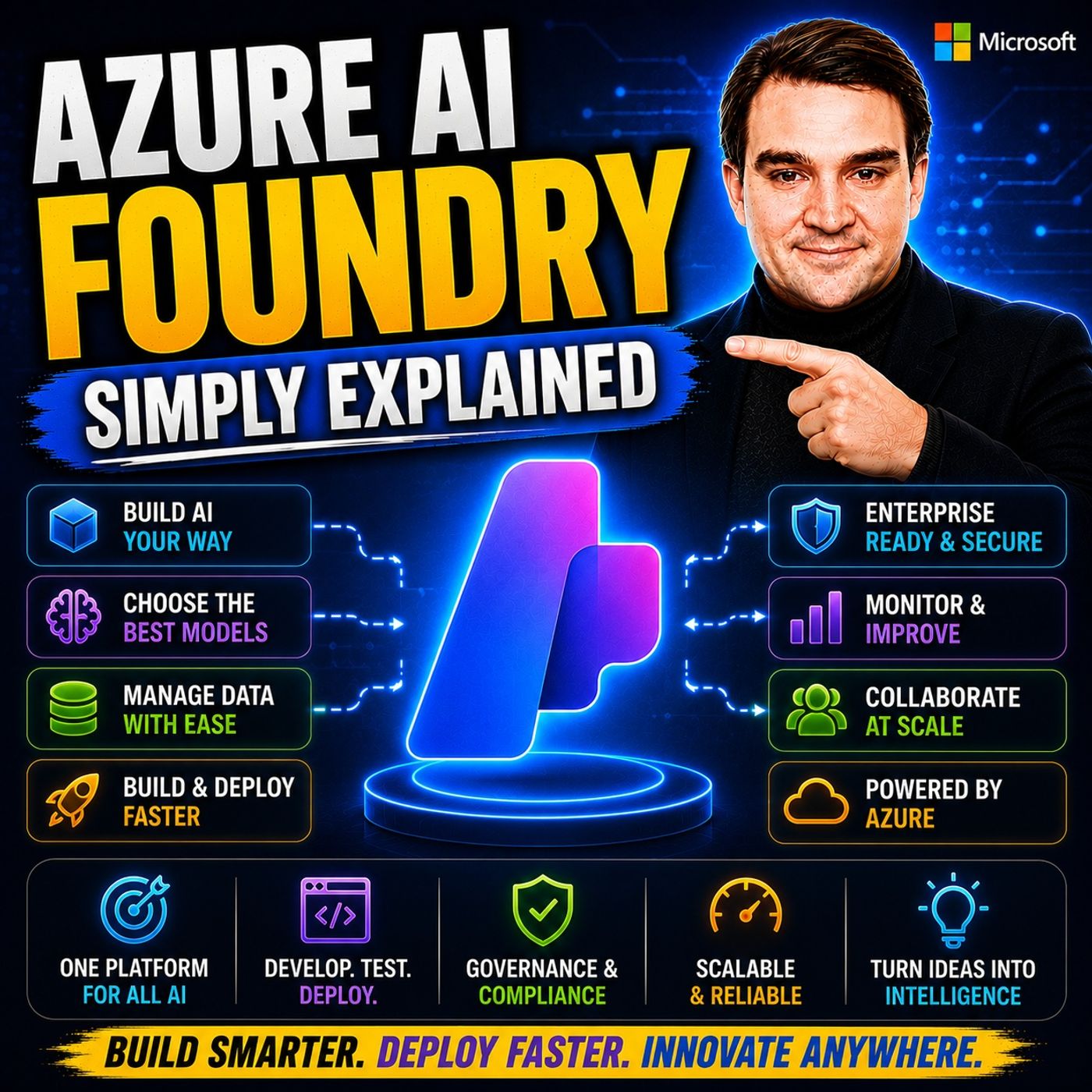
Azure AI Foundry - Simply Explained
Show notes
Artificial Intelligence is evolving faster than almost any other technology, and with new models, frameworks, and AI services appearing almost every month, it's becoming increasingly difficult to know where to start. Microsoft has also renamed and expanded its AI platform several times—from Cognitive Services to Azure AI Services, Azure AI Studio, Azure AI Foundry, and now Microsoft Foundry—leaving many developers unsure what the platform actually does. In this episode of Microsoft Knowledge Nuggets, we explain Azure AI Foundry in simple terms and show how Microsoft's unified AI development platform brings together foundation models, AI agents, development tools, evaluation, security, and deployment into one enterprise-ready environment. Whether you're building AI copilots, autonomous agents, chatbots, or custom AI applications, Azure AI Foundry provides everything you need from development to production. WHY AZURE AI FOUNDRY CHANGES HOW AI APPLICATIONS ARE BUILT Before Azure AI Foundry, developers often had to provision Azure OpenAI, Azure AI Search, Azure Machine Learning, storage accounts, Key Vault, monitoring services, and networking individually before writing a single line of application code. Azure AI Foundry removes that complexity by providing a single, unified development platform where models, security, projects, evaluation tools, agent frameworks, and deployment services are already integrated. Instead of spending days configuring infrastructure, developers can immediately focus on building intelligent applications while Azure manages the underlying platform. We also explain the difference between the older hub-based architecture and the modern Foundry Project model, and why Microsoft recommends using the new project-based experience for all new AI solutions. FOUNDRY PROJECTS, MODEL CATALOG, AND ENTERPRISE AI DEVELOPMENT At the center of Azure AI Foundry are Foundry Projects—isolated workspaces that organize every AI solution independently while sharing centralized governance, billing, and security. Each project contains its own model deployments, AI agents, knowledge sources, evaluations, monitoring, and collaboration tools. We also explore the massive Model Catalog, which includes OpenAI models like GPT-4o and GPT-4.1, Microsoft's Phi family, Meta Llama, Mistral, DeepSeek, Claude, Cohere, and thousands of additional foundation models. You'll learn how developers can compare models based on quality, latency, cost, safety, and performance before deploying the best model for each specific business scenario. BUILDING AI AGENTS WITH TOOLS, KNOWLEDGE, MEMORY, AND PLAYGROUNDS One of Azure AI Foundry's most powerful capabilities is AI Agent development. This episode explains how developers create intelligent agents by combining five core building blocks: instructions that define behavior, foundation models that provide reasoning, tools such as web search and code interpreter, enterprise knowledge stored through Azure AI Search, and memory that allows conversations to continue across sessions. You'll also discover the Agent Playground, where developers can visually build, test, evaluate, and troubleshoot agents before deploying them through APIs or integrating them directly into Microsoft Teams and custom applications. Rather than simply creating chatbots, Azure AI Foundry enables developers to build AI systems that can reason, retrieve information, perform actions, and automate complex business workflows. ENTERPRISE SECURITY, AZURE INTEGRATION, AND SCALABLE AI DEPLOYMENT Azure AI Foundry is designed for enterprise production environments rather than experimental AI projects. We explain how it integrates with Microsoft Entra ID, Azure Key Vault, Azure Storage, Azure AI Search, managed identities, role-based access control (RBAC), private networking, monitoring, and built-in Content Safety services. The Foundry Agent Service automatically manages runtime execution, scalability, authentication, logging, and AI safety while Azure handles infrastructure behind the scenes. This allows organizations to deploy AI applications that meet enterprise governance, compliance, and security requirements without manually assembling dozens of Azure services. GETTING STARTED WITH AZURE AI FOUNDRY Getting started with Azure AI Foundry is surprisingly straightforward. This episode walks through creating your first Foundry resource, setting up a new project, deploying a foundation model, building your first AI agent, testing it inside the Agent Playground, connecting enterprise knowledge with Azure AI Search, and gradually expanding toward production-ready AI applications. Whether you're an Azure developer, AI engineer, software architect, or Microsoft partner exploring generative AI, Azure AI Foundry provides one of the most complete enterprise AI development platforms available today. After listening to this episode, you'll understand how Microsoft's AI ecosystem fits together and why Azure AI Foundry has become the foundation for building secure, scalable, and intelligent AI solutions on Azure. Become a supporter of this podcast: https://www.spreaker.com/podcast/m365-fm-microsoft-365-azure-cloud-power-platform-ai--6704921/support.
Apple Podcasts · Spotify · YouTube · YouTube Music · Deezer
Host: Mirko Peters
Guests
Related articles
- Azure File Sync Managed Identity
- Microsoft Fabric AI Skills
- Microsoft Teams Sprawl Governance
- Microsoft Fabric Notebooks and Lakehouse
Transcript
Read the full transcript
What exactly is Azure AI Foundry? Is it just another service Microsoft added or is it something bigger? Over the past year, Microsoft has been making AI announcements left and right. It's easy to feel lost. I'm Mercospitus from Microsoft Knowledge Nuggets. By the end of this episode, you'll know what Foundry actually is and why it matters. No marketing fluff. We'll break it down into clear parts, what it is, what's inside, and how it all connects. Why everyone is confused about the name? Confusion starts with the name. Foundry has gone through more name changes than I can count. First, it was cognitive services, then Azure AI Services, then Azure AI Studio, then Azure AI Foundry. And as of late last year, it's officially Microsoft Foundry. Same product four or five names in about three years. That alone is confusing, but it gets more complicated right now. Two versions of the platform run side by side. The classic hub-based architecture is the old way. The new Foundry project model is the modern version. Both live at the same URL, AIazure.com. You go there and find a toggle button that switches between two completely different architectures. It's not just a new look. It's a different way of organizing everything underneath. This confuses beginners because when you search for help, you find articles about hubs and classic projects. Those articles are still accurate. Microsoft supports both versions. But the new features, agent capabilities, and everything Microsoft is investing in only come to Foundry projects. You could follow an old tutorial, set up a hub, and then discover you can't use the latest tools. That's a real headache, so here's my advice. Ignore the old stuff. Modern Foundry is where Microsoft is putting everything. If you're starting fresh today, skip the hubs and go straight to Foundry projects. That's where the new capabilities live, so what Azure AI Foundry actually is. Let's start from scratch. What is Azure AI Foundry? It's a unified platform for building, testing, and deploying AI applications all in one place. That's the simplest definition. Think of it like a factory. Raw materials come in. Models, data, tools. Finished applications come out. Chatbots, co-pilots, automation agents. You don't build the factory yourself. Microsoft runs it. You just walk in, grab what you need and start building. This isn't a single product like a word or Excel. Foundry is a container that holds models, tools, projects, and security. Create one Foundry resource and you get the entire model catalog. Thousands of models. You get agent building tools, testing playgrounds, evaluation tools, and security, all bundled together. Now here's a key distinction. Foundry is for developers. If you write Python or CYs or I'd, if you want to build custom AI solutions with code, this is your platform. Looking for a low code, drag, and drop experience. Co-pilot Studio, a different tool for a different audience. Both are valid. Before Foundry building an AI application on Azure meant provisioning separate services. You'd set up Azure OpenAI, cognitive services, Azure Machine Learning, Azure AI Search, then write custom code to stitch them together. A lot of work. Foundry replaces all that. Create one resource and everything is already connected. Models are there. Tools are there. Security is built in. You just start building. That's the point. It's not about adding another tool. It's about removing the friction of managing a dozen separate services. The key organizational unit, Foundry Projects. So you've got your AI factory. But a factory needs organization. That's where Foundry Projects come in. A Foundry Project is an isolated workspace for a specific AI solution. If Foundry is the factory, projects are individual workbenches. Each has its own tools, materials, and workers. Without interfering with each other, the team building a customer support chatbot won't accidentally mess up the HR Assistant project, what lives inside a project. Its own model deployments, agents, knowledge stores, evaluations, and monitoring, everything you need for one solution, all in one place. Here's the core structure. Projects live inside a Foundry resource. The resource is the building and security boundary. The building. Projects are the rooms inside. One building, one front door, one security desk, one build. But each room has its own purpose and its own team. For example, a company called Contoso builds three AI solutions, a customer support agent, an HR Assistant, and a document processing system. With Foundry they create one resource for the whole company. When they create three projects inside it, each project has its own models, agents, and knowledge stores. Teams work independently without stepping on each other's toes. This matters because different teams need different access. The customer support team doesn't need to see HR documents. The document processing team doesn't need refund policies. Projects give you that isolation. At the same time, IT keeps central control, managing one resource, one security policy, one budget, team autonomy with central governance. The heart of Foundry, the model catalog. Think of it this way. Every project needs a brain. In Foundry, that brain lives inside the model catalog. Over 11,000 models, and that's not a typo. You get open AI models like GPT-40 and GPT-4.1, Meta's Lama family, Mistral Deepseek, Microsoft's own five models, and topics Claude, Cohier, models for text, images, code, and embeddings. Right now, this is the largest model catalog you'll find on any cloud platform. Let's break those into two basic types, large language models and small language models. Large ones have billions of parameters GPT-4 has over a trillion, so they can handle complex reasoning, creative writing, and nuanced conversation, but they're expensive and slow. Small models have far fewer parameters. Microsoft's 5.3 has about 3.8 billion, tiny compared to GPT-4, but it's fast and cheap. For focused tasks like extracting data from a form or answering a simple question, it works great. Here's the practical benefit. You can deploy a model in seconds. Pick one from the catalog, click deploy, and it's ready. No provisioning hardware, no configuring networking, no waiting hours for setup, seconds, and before you commit, you can test it in the playground. Try different prompts, adjust settings like temperature and max tokens, see responses instantly. It's a test drive before you buy the car. You're not locked into one model, and that's a huge advantage over using OpenAI's API directly. With Foundry, you can use GPT-4O for complex reasoning where quality matters, FI for simple classification where speed and cost matter, and Meta's Lama for compliance if you need to run models in your own data center. You switch depending on the job. Foundry also includes a comparison tool that helps you evaluate models side by side. Compare by quality how accurate other responses by safety, how well does it resist prompt injection attacks, by cost, the price per million tokens, by speed, how fast does it generate output. That turns model selection from a guessing game into an informed decision. You pick the right tool for the right job, not just the one everyone's talking about. Building AI agents foundry's killer feature. A model alone isn't very useful. You can chat with it in the playground, ask questions, see what it generates, but that's just a conversation. The real magic happens when you build something that can actually do things, and that's where agents come in. And agent is more than a chatbot. A chatbot answers questions. An agent takes action. It can search the web, read files, run calculations, remember what you told it last week, and follow a set of instructions. It's like having an assistant who doesn't just talk. They actually get stuff done. Foundry gives you five components to build an agent. Let me walk through each one. First, instructions. This is where you tell the agent what it should do and how it should behave. Think of it like a job description. You might say, you are a customer support agent. Be friendly and professional. Only answer questions about our return policy. If you don't know the answer, say so, and escalate to a human. Without instructions, the agent does whatever the model feels like. With instructions, it has a clear purpose. Second, the model. This is the brain. It processes every request and generates responses. You pick which model to use, GPT-40 for complex reasoning, five for simple tasks, whatever fits. The model makes the agent smart, but it's only one piece. Third, tools. This is where the agent gets its hands. Tools are capabilities it can use to do things. Web search lets it look up current information. Code interpreter lets it do math and run calculations. File search lets it read documents you upload. Without tools, the agent can only generate text. With tools, it can act on the world. Fourth, knowledge. This is the information the agent can reference. You upload documents, PDFs, JSON files, whatever data your agent needs to answer questions accurately. Foundry uses Azure AI search behind the scenes to index that data and make it searchable. When a customer asks about a specific policy, the agent doesn't guess, it finds the actual document and reads it. Fifth, memory. This lets the agent remember across conversations. You talk to it today and it remembers your preferences. You come back tomorrow and it picks up where you left off. It stores chat summaries and user preferences, so the experience feels personal and continuous. Here's a concrete example from the research I did. I wrote a gift tracker agent in Foundry. The idea is simple. You want to keep track of gifts for your family, what you've given them in the past, what they like, what they don't like and how much you're spending. So the agent has instructions that say, you help plan gifts. Never suggest something they already received. It uses GPT-40 as its brain, web search to find gift ideas online, file search loaded with profiles for each family member. They're likes, dislikes and gift history from the last three years. Code interpreter to calculate budgets and totals and memory. So next time you open a conversation, it remembers you were looking for a birthday gift for your son Adam. You build and test all of this in the agent playground. It's a visual interface where you configure each component, test the agent's responses and see exactly which tools it used and why. Once it's working, you can deploy it. Foundry gives you an API endpoint you can call from any application or you can publish it directly to Microsoft Teams as a co-pilot agent. Either way, your agent goes from idea to production without writing a single line of infrastructure code. Under the hood, the architecture made simple. That's the surface level. But what's actually going on under the hood? Here's the architecture in plain English. When you create a Foundry resource, Azure sets up the whole infrastructure automatically so you don't need to provision storage, configure logging or setup security groups. Everything happens behind the scenes, creating a storage account for your files and logs, setting up monitoring and configuring identity. So all you do is create the resource and start building. Now Foundry uses the cognitive services resource type, the same one used by Azure Open AI and the older AI services like vision and speech. The old hub-based architecture used machine learning services, which is a completely different provider with different billing, networking and governance. That matters because Foundry lives in a simpler, more unified part of Azure's infrastructure. Projects are child resources of the Foundry resource, so they share the same identity and security boundary. When you set up access control at the Foundry level, it flows down to all projects, meaning you don't need to configure security separately for each one. But if you need project specific permissions, you can add those too. Azure doesn't work alone, it connects to other Azure services and Azure AI searches the most important one because that's how your agents find and retrieve knowledge. Key Vault stores, secrets and API keys securely and storage accounts hold files, logs and vector indexes. These connections are managed through what Foundry calls connections, which are pre-configured links that let your agents access these resources without you having to manage credentials manually. The Foundry agent service is the runtime that actually hosts your agents. You can check it as the engine room. When a user sends a request, the agent service handles the coordination, receiving the request, checking the instructions, calling the model, invoking the right tools, retrieving knowledge and generating a response. It also runs safety filters to catch harmful content and handles scaling, so if a thousand users hit your agent at once, it spins up capacity automatically. Everything runs inside Azure's enterprise grade security, where EntraID handles authentication, which overall ensures only authorized people can modify agents. Content safety filters block inappropriate responses. It's the same security infrastructure that runs Microsoft's own services. One more thing, the old Hub and Project architecture still exists. If you've been using Azure AI Foundry for a while, you might have Hub set up and those still work with Microsoft support, but they won't get new agent features like the agent playground, the agent service or the memory capabilities. All of that only comes to the new Foundry projects, so if you're starting fresh or want to build agents, use the new projects. You can't build on the old foundation, how everything connects, the big picture. So what actually happens when someone uses a Foundry application? Imagine a user types a question and that question hits your agent. The agent checks its instructions, picks the right model and starts processing, but it doesn't just guess the answer. It reaches into Azure AI search to find relevant knowledge from your documents, calls a tool like web search for current information, processes all that context and generates a response. Then it stores the conversation in memory, so next time it remembers who you are and what you discussed. And that's the end to end flow. Before Foundry, you needed five separate Azure services and custom code to make that work. Azure Open AI for the model, AI search for knowledge retrieval, a separate service for web search, storage for logs and files, and key vault for secrets. Then you had to write code to wire all of that together, handle authentication, manage errors, and set up monitoring. Foundry does all of that out of the box. You just configure the components and your agent is running. Here's the thing, everything interacts. Change the model and you change the cost and accuracy of every response. Add better knowledge sources and your answers get more accurate. Enable memory and the experience feels personal instead of robotic. These aren't isolated decisions. They're a system. And Foundry gives you the controls to tune that system for your specific needs. This is why enterprises are moving from pilots to production. Foundry gives them the scaffolding to build trustworthy AI applications. Security is built in, monitoring is built in, and evaluation is built in. You're not starting from scratch. You're standing on a platform that handles the hard parts so you can focus on the application. Getting started, your first actions. So where do you start? Head over to AI, Azure.com and create your first Foundry resource. You'll need an Azure subscription, but if you don't have one, sign up for a free account with some credits to play around with. The whole setup takes about a minute. Next, create a project inside that resource and give it a name that matches whatever you're building. Then pick a model from the catalog. I'd recommend starting with GPT-4 Omini because it's cheap, fast, and capable enough for most experiments. You can deploy it with one click. After that, open the agent playground and build a simple agent. Give it instructions like, you are a helpful assistant that answers questions about company policies, then add web search as a tool. Test it by asking a question and watching the trace to see which tools it used and why. Don't try to build everything at once. Pick one use case, maybe a document Q&A bought that answers questions about your company handbook and starts more. Edit working, then expand from there. Add file search with actual documents, add memory, so it remembers users, and add code interpreter if you need calculations. Here's the thing. Foundry includes a built-in AI chatbot that answers questions about the platform itself. If you get stuck, ask it things like, what models are available in my region? Or, how do I add memory to my agent? It searches the documentation and gives you an answer instantly, like having a support engineer build right into the portal. So that's the system, a unified platform that takes models, projects, agents, knowledge and security and wraps them all into something that works together. When you see how everything integrates, the confusion falls away. Foundry isn't just another tool, it's the workshop where you build AI applications. Here's the bottom line. Your biggest win today is simple. Create a Foundry project and build one agent. That's it. If you found this helpful, subscribe for more Plane English breakdowns like this and share this episode with someone who's also confused about Microsoft's AI lineup.