 EN
EN Deutsch
 Español
 Français
 Italiano
 Português
 Nederlands
 Polski
 Bahasa Indonesia
 Русский
 Українська
 العربية
 עברית
עברית हिन्दी
 日本語
日本語 한국어
한국어2026-07-17 · Season 3
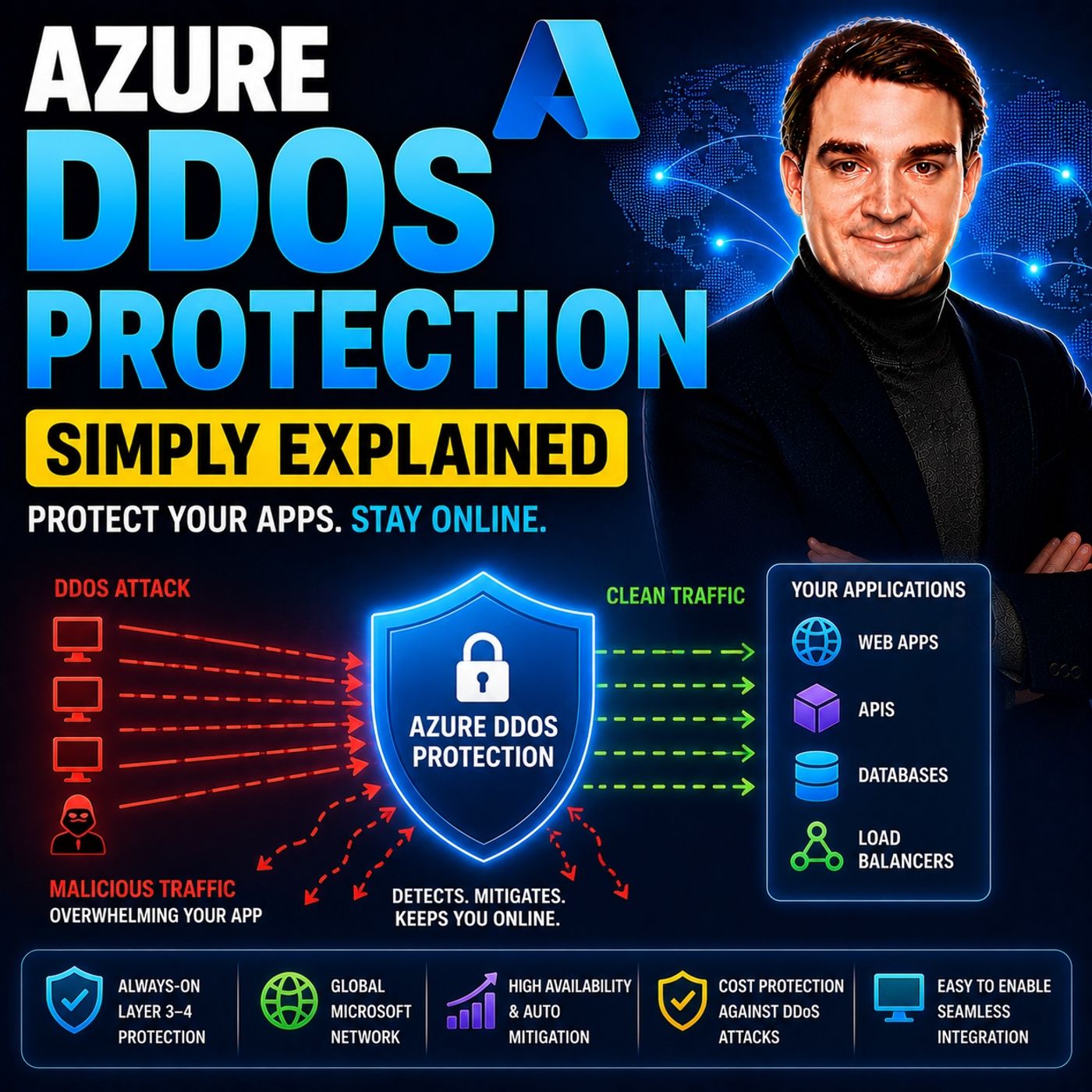
Azure DDoS Protection - Simply Explained
Show notes
Azure DDoS Protection is Microsoft's managed service for defending internet-facing applications against Distributed Denial-of-Service (DDoS) attacks. These attacks attempt to overwhelm websites, APIs, virtual machines, and cloud services with massive amounts of malicious traffic, preventing legitimate users from accessing them. Azure DDoS Protection continuously monitors incoming network traffic, detects abnormal spikes using adaptive machine learning, and automatically mitigates attacks before they can impact your applications. Built on Microsoft's globally distributed network, the service protects workloads running behind Azure Public IP addresses while allowing legitimate traffic to continue flowing normally. UNDERSTANDING HOW DDOS ATTACKS WORK A DDoS attack works like thousands—or even millions—of fake visitors attempting to enter a small store at the same time. Instead of legitimate customers accessing your application, attackers flood your internet connection or servers until genuine users can no longer connect. Modern attacks typically combine multiple techniques, including volumetric attacks that consume bandwidth, protocol attacks that exhaust server resources, and application-layer attacks that target expensive API endpoints. Rather than relying on a single attack method, cybercriminals increasingly launch multi-vector attacks that combine all three simultaneously, making automated detection and mitigation essential for maintaining service availability. AZURE'S BUILT-IN PROTECTION VS PAID DDOS PROTECTION Every Azure customer automatically benefits from Microsoft's always-on infrastructure-level DDoS protection at no additional cost. This baseline service protects the Azure platform itself against large-scale attacks and helps keep Microsoft's global infrastructure operational. However, it is designed to protect Azure rather than individual customer workloads. Azure DDoS Protection adds workload-specific intelligence by learning the normal traffic patterns of your applications and automatically adjusting mitigation thresholds. It also provides real-time monitoring, attack alerts, detailed reports, adaptive tuning, and advanced mitigation capabilities that are unavailable in the free tier, making it significantly more effective for protecting business-critical applications. NETWORK PROTECTION, IP PROTECTION, AND WAF Azure DDoS Protection is available in two deployment models. IP Protection secures individual Public IP addresses, making it ideal for smaller environments with only a few internet-facing services. Network Protection protects every Public IP within an Azure Virtual Network while adding enterprise features such as Rapid Response support from Microsoft engineers, cost protection for attack-related autoscaling, and Web Application Firewall (WAF) discounts. It's important to remember that Azure DDoS Protection focuses on Layers 3 and 4 of the network stack. For Layer 7 application attacks that target websites and APIs using legitimate-looking HTTP requests, organizations should combine DDoS Protection with Azure Web Application Firewall (WAF) running on Application Gateway or Azure Front Door. Together they provide comprehensive defense against both network floods and application-level attacks. WHY DDOS PROTECTION MATTERS FOR EVERY BUSINESS Many organizations assume cybercriminals only target large enterprises, but modern DDoS attacks are highly automated. Botnets constantly scan the internet for vulnerable public endpoints regardless of company size. Even a moderate attack can overwhelm a small application long before it threatens Azure's underlying infrastructure. For businesses running websites, SaaS platforms, APIs, online stores, or customer portals, downtime can quickly translate into lost revenue, damaged reputation, and reduced customer trust. Azure DDoS Protection provides automated mitigation without requiring security teams to manually respond during an attack, allowing organizations to stay online while Microsoft's platform absorbs and filters malicious traffic. BUILDING A LAYERED DEFENSE STRATEGY Azure DDoS Protection is most effective as part of a layered security architecture. Organizations should combine Azure's built-in infrastructure protection with Azure DDoS Protection for workload-specific mitigation, Azure Web Application Firewall for HTTP and API security, Network Security Groups for traffic filtering, and Azure Monitor for alerts and diagnostics. Enabling logging, configuring attack notifications, and regularly reviewing mitigation reports provide valuable visibility into security events while helping organizations improve their defenses over time. By combining intelligent network-layer mitigation with application-layer protection and continuous monitoring, Azure DDoS Protection helps ensure internet-facing workloads remain secure, resilient, and available even during large-scale cyberattacks. Become a supporter of this podcast: https://www.spreaker.com/podcast/m365-fm-microsoft-365-azure-cloud-power-platform-ai--6704921/support.
Apple Podcasts · Spotify · YouTube · YouTube Music · Deezer
Host: Mirko Peters
Related articles
Transcript
Read the full transcript
Welcome to another episode of Microsoft Knowledge nuggets here on M365. FM, I'm your host, Mirko Peters. Today's topic is one that almost everyone has heard of, but few understand, de-doss attacks. Picture this, you run a small online store, nothing huge just a steady business. Orders come in, you ship them out, life is good. Then one day everything goes dark. Your website stops loading, customers start emailing you saying the page won't open, and you check your server dashboard to see a traffic spike like nothing you've ever seen before. Your server is completely overwhelmed. No order is going through, no way to fix it. Here's what actually happened, you got hit by a de-doss attack. Most people have heard the term, but very few understand what it actually is or how Azure protects against it. And that's a problem because if you run anything on the internet, a website, an API, a backend service, this is something you need to know about. By the end of this episode, you'll know exactly what de-doss attacks are, which Azure defenses kick in by default and which ones you might actually need to pay for. What a de-doss attack actually is. So let's start with the basics. What is a de-doss attack? Imagine a tiny coffee shop with one barista. It's a small place, cozy, maybe four tables. The barista can handle maybe 10 customers an hour. Now imagine 10,000 people walk in at once. They don't order anything. They just stand there asking questions, blocking the counter, taking up space. The barista can't serve real customers. The real customers can't even get through the door. The shop is technically open, but it's completely useless. That's a de-doss attack. The name tells you exactly what it is. Distributed means the attack comes from many computers at once, not just one person. It's not one guy with a grudge sitting in his basement. It's thousands, sometimes hundreds of thousands of devices, all sending traffic to your server at the same time. Denial of service means your real users can't get through. The service is denied to the people who actually needed. Now these attacks come in different flavors. The most common one is volumetric. That's the brute force approach. Attackers try to clog your internet pipe with raw traffic. So much data that your connection simply can't handle it. Think of it like trying to pour the entire ocean through a garden hose. Then you have protocol attacks. These target how your server handles connections. Instead of flooding your bandwidth, they exploit the way your server opens and closes connections. They send half-open connection requests over and over until your server runs out of memory and crashes. And then there are application layer attacks. These are the sneaky ones. Instead of sending garbage traffic, they send requests that look perfectly legitimate. A single request to your most expensive API endpoint looks fine, but 10,000 of them from different IPs can bring your app down. The server can't tell the difference between a real user and an attacker because the request itself is valid. Here's the thing about modern attacks. They're not just one of these. They're multi-vector. Attackers hit you on multiple fronts at once. A volumetric flood to saturate your bandwidth. A protocol attack to exhaust your server resources. And application layer attacks to drain your back end. All at the same time. So now you know what DDoS is. The important question is, what does Azure do about it? The free protection you already get. Here's some good news. Every Azure customer gets baseline protection that's always on and always free with nothing to configure or pay for. It's just there automatically. Microsoft calls this infrastructure level DDoS protection and it's not a joke. The same global defense systems that protect Microsoft's own services are running here. And Azure handles over 2,000 DDoS attacks every single day across its infrastructure. That's a lot of real world experience built into the system. But here's the important catch. This free protection protects Azure's network, not necessarily your specific application. Think of it like a security guard at the front gate of a large apartment building. They stop obvious troublemakers. Someone walking in with a crowbar gets caught, but they don't know your neighbor Sally from a complete stranger. They don't know what normal traffic looks like for your specific apartment. So if someone walks in who looks reasonably normal, they'll let them through. That's the free tier. It's a safety net for the platform, not a tailored defense for your workload. Here's what you don't get with the free tier. No visibility, no alerts, no reports, no way to tell an attack even happened. You might be under attack right now and never know it because the free tier doesn't tell you anything. It also doesn't tune itself to your workload. Your small web app and a massive video streaming service get treated the same way. The thresholds are set high because they're designed to protect Azure's infrastructure, not your specific application. And here's the most important part. If a moderate attack hits your specific application, the free tier might not step in. From Azure's perspective, the traffic isn't enough to threaten the platform, so it doesn't trigger any mitigation. But from your perspective, that moderate attack is enough to take your server down completely. Your server can still go down even though Azure's network is fine. The free tier protects Azure. It doesn't always protect you. That's where the paid tier comes in. Azure Deedos protection adds intelligence and visibility on top of that free baseline. And that's what we're going to talk about next. Azure Deedos protection, the two flavors. So Azure Deedos protection comes in two versions. Microsoft calls them SKUs. Network protection is the first one and IP protection is the second. They both do the same core job of protecting against layer three and layer four attacks. But the real difference is in scope, price, and what extras you get. Let's start with network protection. This is the original option, the more complete one. You protect an entire virtual network, which means every single public IP address inside that VNet gets covered automatically. If you add a new VM with a public IP tomorrow, it's protected. You don't have to think about it. For the first 100 public IPs, you're looking at about $2,700 per month. After that, it's roughly $27 per additional IP per month. So if you have a decent size deployment, the per IP cost gets very reasonable. But the price isn't the only thing you get. Network protection includes Deedos rapid response support, a dedicated team of Microsoft engineers you can call during an active attack. They help investigate, manually adjust thresholds if needed, and assist with post-attack analysis. It's like having a SWAT team on speed dial. It also includes cost protection. If an attack causes your resources to auto scale, say your application gateway spins up more instances to handle the flood. Microsoft gives you service credits for that extra cost. You document the attack, submit a claim, and you get the overage back. And there's a WAF discount, too. For application gateway running inside a protected VNet, the WF part of the cost is 100% discounted. You only pay the standard application gateway price. That's a nice saving if you're already using WAF. Now IP protection is the newer, simpler, cheaper option. Instead of protecting an entire virtual network, you protect individual public IP addresses one at a time. Each IP will cost you about 109 niles per month, but you lose some things. No rapid response team, no cost protection, no WAF discount. You get the same core mitigation, the same adaptive tuning, the same metrics and logging, but the enterprise extras are gone. So which one do you choose? Here's a rough rule of thumb. If you have fewer than 15 critical public IPs, IP protection is cheaper. If you have more than 15 network protection makes more financial sense. And if you want that rapid response support or cost protection, network protection is the only option. But here's the thing about cost. Most people focus on the monthly price and forget what an attack actually costs them in downtime. We'll get to that later, but keep it in mind. Now, what about attacks that don't target the network layer at all? What happens when the attack looks like normal web traffic? Layer 7 attacks and where WAF fits. So here's the limitation. Azure DDoS protection only covers layers 3 and 4, the network and transport layers. It looks at IP addresses, ports, protocols and packet rates, but it never inspects the actual content of your HTTP requests. Attackers know this, so they've adapted. Instead of sending garbage traffic that network level defenses catch, they send traffic that looks perfectly legitimate. A single request to your most expensive API endpoint has the right headers and format, but 10,000 of them from different IPs can take your app down. These are application layer attacks, layer 7 attacks, and Azure DDoS protection can't stop them because it doesn't look inside the request. This is where Azure Web Application Firewall or WAF comes into the picture. WAF sits in front of your application and inspects every single HTTP request. It identifies patterns, rate limits, specific endpoints and blocks the suspicious traffic based on the content of the request, not just where it came from. There's a feature called the HTTP DDoS rule set for application gateway WAF. It learns your normal traffic patterns over 24 hours and automatically sets thresholds. If a client suddenly sends way more requests than usual, it gets temporarily blocked. It's adaptive, just like the network level protection, but specifically for HTTP traffic. On top of that, you have rate limiting for deterministic controls. You can say no more than 100 requests per minute to this login endpoint and WAF enforces it. You also have bot protection features like JavaScript challenges and capture. When a client hits a sensitive endpoint, WAF challenges them. A real browser passes the challenge, but a bot usually fails. So the simple way to think about it is this. DDoS protection handles the flood and WAF handles the fakes. You need both for complete coverage. Now let's talk about what everyone asks about next, the real cost and what you actually get for your money. What you actually get for your money. Let's start with the network protection tier since it includes the most features. First up is DDoS Rapid Response Support, a team of Microsoft engineers you can call during an active attack. They help investigate manually adjust thresholds if needed and assist with post-attack analysis. This is only available with the network protection tier, so if you go with IP protection, you don't get it. Then there's cost protection. If an attack causes your resources to auto scale, say your application gateway spins up extra instances to handle the flood, Microsoft gives you service credits for that extra cost. You document the attack, submit a claim, and get the overage back. It's a financial safety net on top of the technical one. There's also a WAF discount. For application gateway running inside a protected V-net, the WAF part of the cost is 100% discounted, so you only pay the standard application gateway price. If you're already using WAF, that's real money back in your pocket. Now, let's look at the features both tier share. With metrics and alerts, you can see real-time thresholds know when you're under attack and set up alerts. No more guessing whether something happened. You get a clear signal. Login gives you three categories. DDoS protection notifications tell you when an attack starts and stops. Mitigation flow logs give you sample traffic data, what was dropped and what was forwarded. Mitigation reports give you aggregate summaries like total packets, top source countries, and attack duration. All of this is useful for post-attack investigation. And then there's adaptive tuning, which is the core intelligence of the service. It learns your normal traffic patterns and adjusts thresholds automatically across three thresholds per IP, TCP, TCP, Syn and UDP. No manual configuration is needed beyond enabling the service. It just works. Before the IP protection tier, you lose the rapid response support, cost protection, and WAF discount, but you keep the adaptive tuning, metrics, and logging. Same core protection, just fewer extras. Now let's look at something that puts all of this into perspective. The largest attack Azure has ever handled. The 15-terrabbit attack. Now let's talk about a massive attack that happened in late 2023. Microsoft blocked the largest DDoS attack in history. It peaked at 15.72 terabits per second to give you an idea of how big that is, imagine downloading the entire Netflix catalog in under two seconds. That's the kind of traffic we're talking about. The attack targeted a single endpoint in Australia. It came from over 500,000 unique IP addresses. The source, an IoT botnet made up of compromised home routers and security cameras. Devices like the ones you probably have in your own home, attackers took control of them and turned them into a coordinated flood of traffic. This was a multi-vector UDP flood with a high-packet rate designed to saturate the connection. But here's the key detail, Azure's global defense system absorbed it automatically. The customer experienced zero service interruption, not a single second of downtime. Microsoft processes over 2,000 DDoS attacks every single day across its global infrastructure. The reason this attack made headlines isn't that it succeeded, it's that it was the largest ever measured, it was notable for being the biggest, not for being the most damaging. This shows two things. First, attacks are getting bigger and more common. Second, Azure's infrastructure handles this scale routinely. The 15 terabit attack was absorbed without anyone noticing because the system was designed for it. But here's the honest truth. For most small to medium businesses, the threat isn't a 15 terabit attack from a botnet. It's something much closer to home. Why small businesses need to care? Let's look at the numbers because they tell a pretty clear story. In 2025, 43% of all cyber attacks targeted small businesses, not big enterprises, not government agencies, but small businesses that don't have a dedicated IT security team. SMBs absorbed nearly 900 million attacks that year, a 71% increase from the year before. And here's the thing, about 85% of those attacks were DDoS. Not ransomware, not data breaches, but DDoS, the attack we've been talking about this whole episode, the average cost to recover from a DDoS incident is about $120,000. Let that sink in. For a small business, that's not just a bad month. It's potentially the difference between staying open and closing your doors. In fact, 12% of small businesses hit by a major DDoS event shut down permanently, not temporarily. Even temporary downtime is brutally expensive. Industry estimates put the average cost at about $5,600 per minute, over $300,000 an hour. For a small business, a four hour outage can cost tens of thousands of dollars in lost sales, recovery costs, and reputational damage. And that's if you recover quickly. API targeted, DDoS attacks on SMBs, surged over 1,100% in a single year. That's not a typo, over 1,100%. Attackers have figured out that APIs are the weak link. They're the front door to your backend systems, and most small businesses don't have them properly protected. This isn't just a problem for big enterprises with large IT teams. It's a problem for anyone who runs a website, an online store, a SaaS product, or any internet-facing service. And here's the part that catches most people of God. Many SMBs don't realize Azure's free protection leaves them exposed to moderate attacks, specifically targeting their workload. They think they're covered because it's Azure, but the free tier is designed to protect Azure's platform, not your specific application. A moderate attack that Azure's infrastructure, barely notices, can take your server down completely. So here's the math. Using IP protection at $200 per month is far cheaper than the average cost of a single attack, $200 a month, versus $120,000 per incident. That's a 600 to 1 ratio. You'd have to be attacked once every 50 years for it to not be worth it. The common misconception is why would anyone attack my small business? The answer is rarely personal. It's automated botnet scanning the internet for vulnerable targets. Your business isn't being singled out. It's just an IP address that responded to a scan. And once the botnet finds you, it doesn't care how small you are. So what should you actually do? Let's put together a practical starting point. Where to start and how to layer your defenses? A complete DDoS strategy isn't just one product. It's a set of layers, each one blocking a different kind of attack. Let's build them from the ground up. Layer one is the default infrastructure protection. It's always on and always free. It handles huge attacks against Azure's platform itself. But here's the thing. It doesn't protect your specific workload from moderate attacks. It's a safety net, not a full solution. Layer two is Azure DDoS protection. This gives you Layer three and Layer four protection tailored to your application. If you have 15 or more critical public IPs and want rapid response support, go with network protection. If you have fewer IPs and want the lowest cost entry point, go with IP protection, enable it on public IPs attached to load balancers, application gateways as your firewalls and virtual machines. Any resource that faces the internet needs coverage. Layer three is application layer protection. This is where you stop Layer seven attacks using WAF. Enable the HTTP DDoS rule set on application gateway or Azure front door. Add rate limiting for specific endpoints, like login pages or expensive APIs. Use bot protection with JavaScript challenges or capture to filter automated traffic. Think of it this way. DDoS protection handles the flood and WAF handles the fakes. Layer four is monitoring and response. Enable diagnostic settings on your protected public IPs. At minimum, turn on DDoS protection notifications and mitigation reports. Set up alerts so you know when an attack starts and stops. Consider the DDoS workbook for monitoring multiple IPs at scale. You can't respond to what you can't see. So here's a practical starting point for most small businesses. First, identify your critical internet facing public IPs. The ones that actually matter to your business. Second, enable DDoS IP protection on each one at $200 per month per IP. Third, if you have an application gateway, enable WAF with the default rule set and the HTTP DDoS rule set. Fourth, set up diagnostic logging and a basic alert. That's not expensive and it covers most common attack scenarios. That's your DDoS defense strategy, layered, practical, and built for what you actually run. Let's tie it all together. You now understand what DDoS attacks are and how Azure protects against them. The free infrastructure layer is a safety net, but it won't protect your specific workload from moderate attacks. Azure DDoS protection adds adaptive tuning, visibility, and application specific defense. IP protection is your low cost entry point. Network protection adds rapid response and cost protection for larger deployments. For application layer attacks, WAF fills the gap that network layer defenses just can't see. The layered approach isn't optional for critical workloads. It's the difference between a successful attack and an unnoticed blip. Start by protecting your most important public IPs. That single step puts you ahead of most people.