 EN
EN Deutsch
 Español
 Français
 Italiano
 Português
 Nederlands
 Polski
 Bahasa Indonesia
 Русский
 Українська
 العربية
 עברית
עברית हिन्दी
 日本語
日本語 한국어
한국어2026-07-15 · Season 3
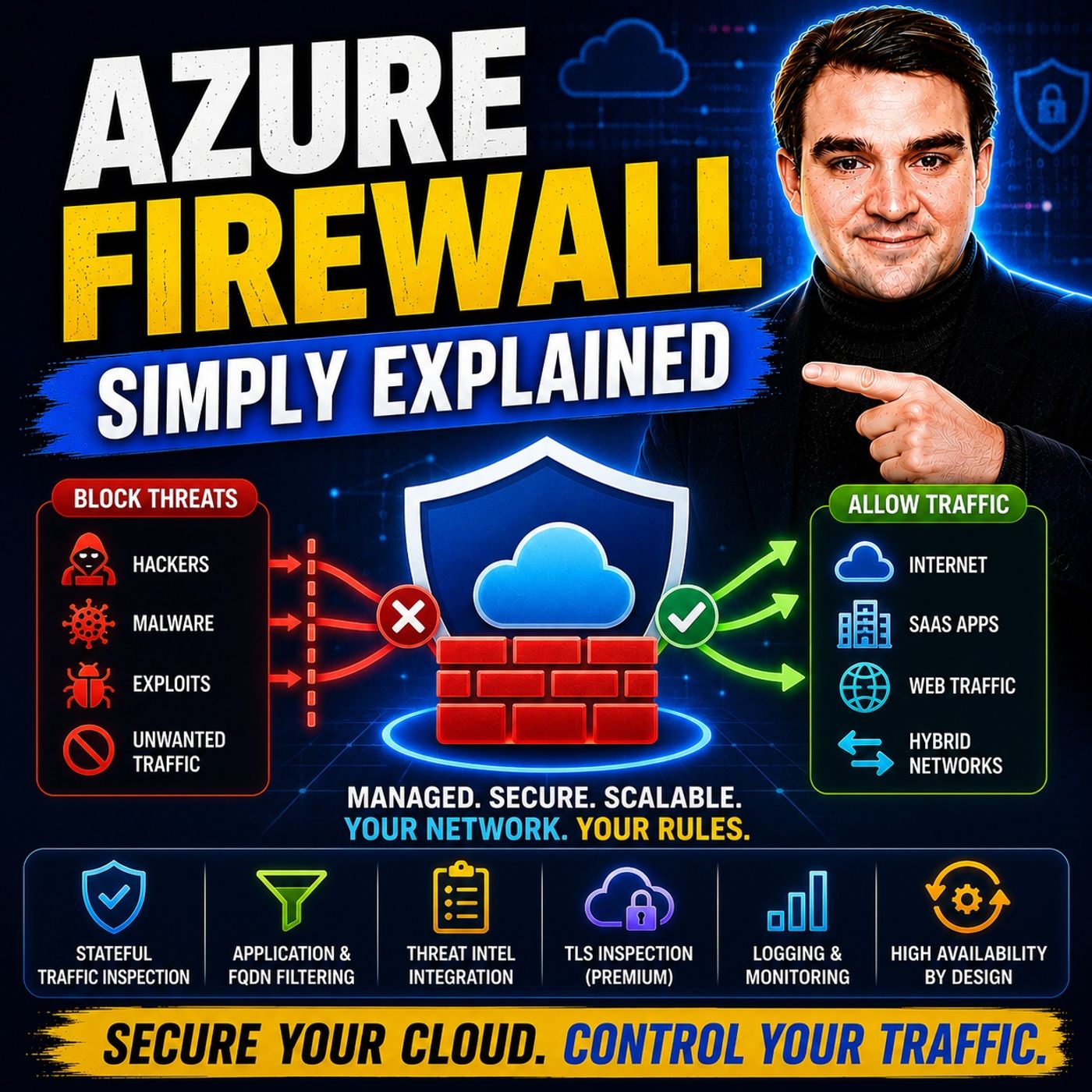
Azure Firewall - Simply Explained
Show notes
Securing a traditional office network was relatively straightforward—you installed a physical firewall at the edge of your network and inspected everything entering or leaving your building. But cloud computing completely changes that model. Applications are distributed across regions, users connect from anywhere in the world, and workloads communicate constantly with each other. In this episode of m365.fm, we explain Azure Firewall in plain English and show why Microsoft built a cloud-native firewall service specifically for modern Azure environments. You'll learn what Azure Firewall actually does, how it differs from traditional hardware firewalls, and how it provides centralized security, traffic inspection, and threat protection across your entire Azure infrastructure. Whether you're new to Azure networking or preparing for Microsoft certifications, this episode gives you a practical understanding of one of Azure's most important security services. WHY CLOUD FIREWALLS ARE DIFFERENT Traditional firewalls were designed for a world where organizations had a single office, one internet connection, and one network perimeter. Azure environments work differently. Applications are spread across multiple virtual networks, cloud regions, hybrid environments, and internet-facing services. We explain the difference between north-south traffic flowing between Azure and the internet and east-west traffic moving between workloads inside your Azure environment. You'll discover why inspecting both traffic directions is essential for preventing attackers from moving laterally through your infrastructure and why Azure Firewall eliminates the need to maintain physical appliances or virtual firewall servers. AZURE FIREWALL ARCHITECTURE, RULES, AND DEPLOYMENT Azure Firewall is a fully managed Firewall-as-a-Service (FWaaS) platform that automatically scales, provides built-in high availability, and integrates directly into Azure networking. This episode explains the three Azure Firewall SKUs—Basic, Standard, and Premium—and helps you understand when each is appropriate. We also explore hub-and-spoke architecture, Virtual WAN integration, NAT rules, network rules, application rules, Rule Collection Groups, IP Groups, routing, and centralized policy management. Through practical examples, you'll learn how Azure Firewall becomes the central inspection point for your Azure environment while simplifying enterprise-scale network security administration. ADVANCED SECURITY FEATURES AND THREAT PROTECTION Azure Firewall offers much more than simple packet filtering. We explain Microsoft's Threat Intelligence integration, Intrusion Detection and Prevention System (IDPS), TLS inspection, URL filtering, web category filtering, custom DNS, and continuously updated threat signatures that help protect organizations against modern cyberattacks. You'll learn how Azure Firewall detects malicious IP addresses, blocks known attack patterns such as SQL injection and malware callbacks, and inspects encrypted HTTPS traffic without requiring administrators to manually update security signatures. These capabilities create multiple layers of defense that work together to protect Azure workloads against evolving threats. BUILDING A MODERN CLOUD SECURITY PLATFORM The episode concludes with practical guidance for implementing Azure Firewall efficiently while balancing security, performance, and operational costs. Learn why hub-and-spoke networking has become Microsoft's recommended architecture, how Azure Firewall Manager simplifies centralized policy management across multiple regions, and how Log Analytics Basic tables, Azure Automation, and private endpoints help reduce ongoing operational costs. We also discuss best practices for selecting the appropriate firewall SKU, enabling Threat Intelligence in alert mode before moving to enforcement, and designing routing so that all traffic is inspected consistently. Whether you're protecting a small Azure deployment or building an enterprise-scale cloud platform, this episode provides the practical foundation needed to deploy Azure Firewall with confidence. Become a supporter of this podcast: https://www.spreaker.com/podcast/m365-fm-microsoft-365-azure-cloud-power-platform-ai--6704921/support.
Apple Podcasts · Spotify · YouTube · YouTube Music · Deezer
Host: Mirko Peters
Related articles
Transcript
Read the full transcript
Picture a security desk at the front of an office building. Someone walks in, shows their badge, and the guard checks them against a list. They sign in and maybe get a visitor pass. Now imagine that same building had no doors or walls. People could walk in from anywhere in the world at any hour. That's the difference between a traditional network and a cloud network. By the end of this episode, you'll understand what Azure Firewall actually is, why Cloud Firewalls work completely differently from the physical boxes most people picture, and how one service inspects and controls traffic across your entire Azure environment. Let's break it down. First, what a firewall is, stripped of the jargon, then why the cloud changes everything about how firewalls need to work, and finally, how Azure Firewall pieces it all together into one system you can use. Grab your coffee. Let's dive in. What is a firewall? Most people have heard the word Firewall a thousand times, but if you asked them to explain what it actually does, they'd probably get a bit fuzzy. So let's keep it simple. A Firewall is a guard at the network door. Every piece of data trying to enter or leave your network has to pass through it, and the firewall inspects each packet to decide whether to let it through or block it. For a long time, firewalls were physical boxes. You bought one, plugged it into your server room, configured it, and maintained it for years. Those boxes worked fine when your network had a clear boundary. One office, one internet connection, a single front door. But the cloud doesn't work that way. Your applications might run in one region, your database in another, and your users are scattered across the world. Some of your services live in Azure, some elsewhere. There is no front door. Here's the thing. You can't install a physical firewall box in a data center you don't own. And even if you could, it wouldn't help because there's no single door to guard anymore. Why cloud firewalls are different? In Azure, you create virtual networks. Think of them as private neighborhoods in the cloud where your applications live. They aren't tied to a physical building. They're just logical spaces. Let's break down the traffic flow. Traffic in these virtual networks moves in two directions. North-South traffic is data coming from the internet into your network or going from your network out to the internet. Think of it like visitors arriving at your building or packages being shipped out. Then there's East West traffic, which is data moving between your own workloads inside Azure, between applications, databases, and storage accounts. That's like people walking between departments inside a company. Both directions need inspection. If a hacker gets into one workload, you don't want them roaming freely to others. That's how breaches spread. Your applications also connect to other services, storage accounts, email servers, third party APIs. And the firewall controls those outbound connections too. It decides what your apps can talk to and what they cannot. Here's the thing. This firewall isn't a box you maintain. You don't patch it, update it, or worry about it running out of capacity. It's a service. Microsoft handles all the infrastructure. You simply define the rules and the service enforces them automatically at scale. So if your traffic spikes at 3 p.m. on a Tuesday, the firewall grows with it. If Microsoft releases a security patch, it's applied without you even noticing. That's the cloud difference. The firewall becomes invisible infrastructure. Introducing Azure Firewall. So what exactly is Azure Firewall? It's a fully managed cloud-native firewall as a service. I'm outful, but here's what it means in practice. You deploy it through the Azure portal in minutes. No hardware to order, no virtual machines to configure, no operating system to patch. Just click a few buttons, define your network, and the firewall is running. It comes with built-in high availability. If one instance fails, another takes over instantly. And it scales automatically. If your traffic doubles, the firewall grows with it. You never have to guess how much capacity you'll need. The simplest way to think about it is like hiring a security team for your cloud office building. You don't manage each guard individually, train them, or schedule their shifts. You set the policies, who's allowed in, what packages are permitted, and they enforce those policies around the clock. Azure Firewall sits at a central point in your network and inspects everything that passes through. It checks traffic against three types of rules. NAT rules, network rules, and application rules will break each one down in a moment. Now, here's something most people don't realize. Azure Firewall comes with built-in threat intelligence. Microsoft constantly monitors global attack patterns and known malicious IP addresses, dangerous domains, and emerging threats all feed into your firewall automatically. So if a hacker group in another country starts targeting Azure customers, your firewall already knows to block them before they even reach your network. The protection improves continuously without you doing anything. No manual updates, no signature downloads, it just happens, not everyone needs the same level of protection. A small business running, a single application has different needs than a bank processing financial transactions. That's why Azure Firewall comes in three versions. The three SKUs, basic, standard, and premium. Let's start with Azure Firewall Basic, the entry-level option built for small businesses and simpler environments. It handles up to about 250 megabits per second of traffic, enough for a modest application or a development setup. Basic includes essential network filtering that inspects traffic and applies rules based on IP addresses and ports, plus threat intelligence in alert mode only. So it warns you when something suspicious appears, but it won't automatically block it. Think of Basic as a security guard who watches the entrance carefully, sees the problem, reports it, but needs permission before stopping anyone. Then there's Azure Firewall Standard, the most common choice for enterprise workloads for good reason. It scales up to about 30 gigabits per second, handling production traffic for most organizations comfortably. With standard, threat intelligence works in both alert and deny mode, so the firewall can automatically block known bad actors without waiting for you. It also adds web category filtering. You can block entire categories like social media or gambling across your whole network and it supports custom DNS configuration. Standard is your fully equipped security team with authority to act. They see a problem and handle it, no waiting for approval. Finally, there's Azure Firewall Premium built for highly sensitive environments like finance, healthcare, government, anything handling regulated data. It scales up to 100 gigabits per second, but the real difference is what it can inspect. Premium adds TLS inspection, which decrypts encrypted traffic, inspects the contents and re-encrypts it before sending it on. That matters because most malicious traffic today hides inside encrypted connections without TLS inspection, you're flying blind. Premium also adds IDPS, intrusion detection and prevention system, with over 67,000 signatures across more than 50 categories updated in real time. It checks every packet for known attack patterns like SQL injection, malware callbacks, and port scanning and drops the traffic immediately when it finds something. Premium also adds URL filtering, letting you allow or block specific web addresses instead of entire categories, granular control at the page level. This is military grade protection, but here's the smart approach, match the SKU to what you actually need. Standard covers most enterprise use cases. Use Premium only where sensitive data requires deep inspection, basic for small environments or development and testing and don't pay for capabilities you won't use. Architecture and traffic flow. Once you've chosen your SKU, the next question is, how to lay out your network so the firewall can actually inspect traffic because here's the thing. A firewall only works if traffic actually passes through it. If you place it in the wrong spot, it might as well not exist. The most common approach is called hub and spoke architecture, picture a bicycle wheel. The hub is the center with spokes radiating outward. In Azure, you create one central virtual network. That's the hub where you're Azure firewall lives. Then you create multiple spoke networks, each one a separate workload or environment, maybe one spoke for your web application, another for your database, a third for your development environment, all traffic between spokes and between spokes and the internet routes through the hub for inspection. You get one security checkpoint for your entire network, efficient, consistent and much easier to manage then, trying to put a firewall in every single spoke. For larger organizations, there's also virtual one and managed networking service with Azure firewall integrated directly into the hub. The big advantage is automation. Virtual one handles the routing for you. So traffic from branch offices, remote users and spoke networks all flows through the firewall without manual configuration. It's more hands-off, but scales better for global deployments. Now, what does the firewall actually inspect? Three things, inbound traffic from the internet, outbound traffic to the internet and east-west traffic between your own workloads inside Azure. That third one is critical. If a breach happens in one workload, east-west inspection stops it from spreading to others. Without it, a hacker who gets into your web server can freely move to your database. With it, that movement is blocked. Here's the key point. Traffic only gets inspected if it passes through the firewall, so the architecture has to force traffic through that central point. You design the network, so there's no alternative path. That's why deployment design matters just as much as the rules themselves. A perfect rule set means nothing if traffic can bypass the firewall entirely. Rules deep dive. Now, let's talk about the rules themselves, because this is how you actually control what gets through. Azure firewall uses three types of rules and each one does a different job. So, Nate Rules Network Address translation. Think of it like a reception desk that hides your internal servers behind the firewall's public IP address. Someone on the internet connects to your firewalls and the firewall translates that public address to the private address of your backend server. The outside world never sees your internal network. Your servers stay invisible. Then you've got network rules. These are based on IP addresses, ports and protocols. Layer three and layer four filtering if you care about the technical terms. You can say, allow traffic from this IP address on port 443 to this other IP address and block everything else. Straight forward and powerful. But here's the limit. Network rules don't understand what kind of traffic it is. They only know where it's going and what port it's using. Third up, application rules. These are smarter. They filter based on fully qualified domain names and URL patterns. So instead of allowing traffic to a specific IP address, you say, allow traffic to Microsoft, come or allow Windows Update Traffic. Now the firewall understands the application layer. It can block or allow based on what the traffic actually is not just where it's headed. Now rules aren't just thrown into a flat list. They're organized into rule collection groups and rule collections. Think of them like folders and subfolders. You might have one group for HR systems, another for finance, each with its own priority. That keeps things organized when you have dozens or hundreds of rules. Order matters a lot. The firewall processes rules in a specific sequence. Enat rules first, then network rules, then application rules. Within each type, rules are processed by priority. Lower numbers get evaluated first. This is important because broad network rules that allow all traffic will be hit first. If a network rule allows everything, the application rules further down may never get evaluated. All your carefully crafted application rules become useless. IP groups are another tool worth knowing about. You create a group of IP addresses, give it a name, and reference it across multiple rules. Change one IP group and every rule using it updates automatically. That saves time and cuts down on errors, especially useful when you have the same set of IPs appearing in multiple rules. Advanced protection features. Rules handle the basics, but Azure Firewall Premium goes much deeper. Let's start with threat intelligence. This is a constantly updated feed from Microsoft of known malicious IPs, domains, and URLs. Every connection your firewall processes gets checked against this feed. When it finds a match, it can alert you or block it automatically. No manual rules to write, no lists to maintain. Microsoft's global security team does that work for you. Then there's IDPS, intrusion detection and prevention system. That's over 67,000 signatures checking every packet for known attack patterns, things like SQL injection attempts, where someone tries to inject malicious database commands through a web form. Port scanning, where attackers probe your network for open doors, malware callbacks, where infected systems try to phone home to a command server. The firewall recognizes the pattern and drops the traffic before it reaches its target. These signatures update in real time. When Microsoft's security teams identify a new attack pattern, it gets added to the feed. Your firewall starts blocking it immediately, no waiting for a patch Tuesday. Now TLS inspection. This is a big one for regulated environments. Encrypted traffic is great for privacy, but it's also great for hiding malicious data. Attackers know this. They wrap their payloads inside HTTPS connections because most firewalls can't see inside them. Premium can, it decrypts the traffic, inspects the payload, re-encrypts it and sends it on its way. The whole process takes milliseconds. Without it, encrypted attacks pass right through undetected. URL filtering goes beyond domain names. You can allow or block specific parts on a website. Maybe you want to allow access to Microsoft, convert block the download page, or allow a specific API endpoint while blocking everything else on that domain. All of this works together. Threat intelligence catches known bad actors. IDPS catches attack patterns. TLS inspection catches hidden payloads. Multiple layers of defense working as one system. How it all connects plus actionable takeaways. So here's how everything fits together. As your firewall isn't just one single service, it's a system of components working as a team. The architecture funnels all traffic through one central point then rules decide what's allowed, while threat intelligence and IDPS catch anything suspicious, and TLS inspection uncovers what's hiding inside encrypted connections. Each layer adds another check, and that's defense in depth in action. If you manage multiple firewalls across different regions, Azure Firewall Manager is your tool. It's free, and you create policies once, and apply them everywhere. You can set global policies that apply to all firewalls, then customize local policies per team or region, one tool to govern your entire firewall estate. Now let's talk cost because firewalls run 24/7 and process a lot of data. A simple way to cut costs is to use the log analytics basic table plan for your firewall logs. You can save up to 80% on ingestion costs. That's the difference between a reasonable bill and a surprising one. For non-production environments, use Azure Automation to stop the firewall outside working hours and start it again in the morning. Dev and test environments don't need protection at 2am, so that's a big saving over time. To reduce data processing charges, review your routing and make sure only necessary traffic passes through the firewall. Use private endpoints for Azure services where possible, letting trusted services talk directly instead of routing everything through inspection. The single most impactful step you can take today is to start with a standard SKU in a hub and spoke architecture. Enable structured logs with the basic table plan and set up threat intelligence in alert mode first. See what's hitting your network before you go full prevention. That gives you visibility without surprises. So that's Azure Firewall, a cloud native security service that inspects traffic, blocks, threats and scales with your network all without you managing a single server. Start with standard in a hub and spoke setup. That's your most impactful step today. Subscribe on your favorite podcast platform and share this with someone starting there as your journey.