 EN
EN Deutsch
 Español
 Français
 Italiano
 Português
 Nederlands
 Polski
 Bahasa Indonesia
 Русский
 Українська
 العربية
 עברית
עברית हिन्दी
 日本語
日本語 한국어
한국어2026-07-15 · Season 3
Azure MCP Server - Simply Explained
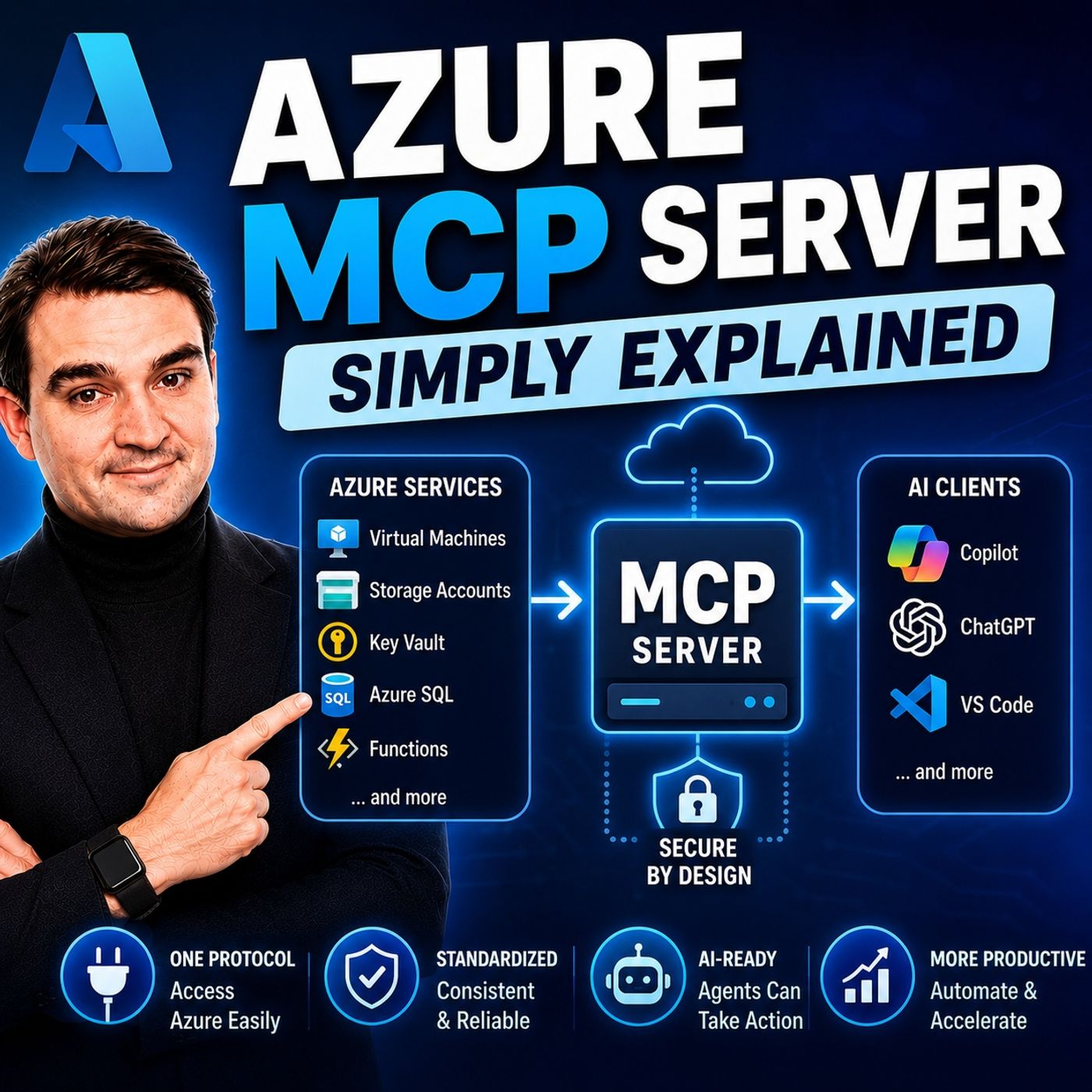
Show notes
Artificial Intelligence is rapidly evolving from simply answering questions to actively performing real work. But for AI agents to become truly useful, they need secure access to cloud resources, databases, monitoring systems, and development tools. That's exactly where the Azure MCP Server comes in. In this episode, we explain Microsoft's Azure Model Context Protocol (MCP) Server in plain English, showing how it enables AI assistants to securely interact with Azure services using natural language instead of custom integrations. Whether you're an Azure administrator, cloud engineer, developer, or AI enthusiast, this episode will help you understand why MCP is becoming one of the most important technologies in Microsoft's AI ecosystem. WHY AI NEEDS A STANDARD WAY TO CONNECT Modern AI agents are expected to perform real business tasks instead of simply generating text. They need access to Azure Storage, Azure Monitor, databases, configuration services, deployment pipelines, and countless other systems. Traditionally, every AI application required custom APIs, authentication logic, error handling, and connectors for each individual service. This approach quickly becomes expensive, difficult to maintain, and nearly impossible to scale across multiple AI platforms. MCP solves this challenge by introducing a universal communication standard between AI agents and external tools. WHAT IS THE MODEL CONTEXT PROTOCOL? The Model Context Protocol (MCP) is an open standard that defines how AI applications discover available tools, access resources, and execute actions through a consistent interface. Instead of building separate integrations for every AI platform, organizations expose their capabilities through a single MCP server that any compatible AI assistant can understand. Created by Anthropic and now supported across the industry, MCP is rapidly becoming the common language for AI integrations, allowing agents such as GitHub Copilot, ChatGPT, Claude, and custom enterprise assistants to interact with business systems using the same protocol. WHAT IS THE AZURE MCP SERVER? The Azure MCP Server is Microsoft's open-source implementation of the Model Context Protocol for Microsoft Azure. Rather than introducing a new Azure service, it acts as a secure bridge between AI agents and Azure resources. AI assistants can query monitoring data, manage storage accounts, update configuration settings, deploy infrastructure, and interact with Azure services using natural language while the server translates those requests into the appropriate Azure SDK and API calls. This dramatically simplifies cloud automation while maintaining enterprise security and governance. SUPPORTED AZURE SERVICES The Azure MCP Server already provides access to a growing collection of Azure services. AI agents can manage Azure Storage, query Azure Cosmos DB, retrieve Azure Monitor logs, update Azure App Configuration, execute Azure CLI commands, and automate deployment workflows through a unified interface. Instead of learning multiple SDKs, authentication models, and APIs, developers and administrators gain a consistent experience across the Azure platform, making cloud operations significantly more efficient. BUILT-IN SECURITY AND GOVERNANCE One of Azure MCP Server's greatest strengths is that it fully respects Azure's existing security model. Authentication relies on Microsoft Entra ID, authorization follows Azure Role-Based Access Control (RBAC), and every action is executed using the authenticated user's existing permissions. AI agents cannot perform operations beyond what the user is already authorized to do. Organizations can further strengthen governance using Azure API Management, allowing administrators to apply policies, auditing, rate limiting, and monitoring without introducing entirely new security models. REAL-WORLD TROUBLESHOOTING WITH AI Imagine an application suddenly fails after deployment. Instead of manually opening Azure Portal, checking multiple services, running Azure CLI commands, and searching through logs, an engineer simply asks an AI assistant to diagnose the issue. Using Azure MCP Server, the AI can inspect Azure Monitor logs, verify application configuration, review deployment settings, identify missing resources, recommend corrective actions, and even automate parts of the remediation process. Troubleshooting becomes an intelligent conversation instead of a lengthy manual investigation. HOW AZURE MCP FITS INTO THE FUTURE Microsoft continues expanding MCP across its ecosystem. Azure DevOps, Azure API Management, Visual Studio, and additional Azure services are already embracing the protocol, while Microsoft's broader AI strategy increasingly centers around intelligent agents working through standardized MCP interfaces. As more Microsoft services and third-party vendors adopt MCP, organizations will be able to build AI solutions once and connect them across an expanding ecosystem without rebuilding integrations for every new AI platform. WHY AZURE PROFESSIONALS SHOULD LEARN MCP For Azure professionals, MCP represents a major shift in cloud operations. Instead of writing custom integrations, managing multiple SDKs, or maintaining separate AI connectors, administrators gain a standardized, reusable integration layer for automation and intelligent cloud management. Understanding Azure MCP today positions developers, architects, and IT professionals for the next generation of AI-powered cloud administration as Microsoft continues embedding intelligent agents throughout the Azure ecosystem. KEY TAKEAWAYS Azure MCP Server provides a secure, standardized bridge between AI agents and Microsoft Azure. By combining the open Model Context Protocol with Azure's existing identity, security, and management capabilities, Microsoft enables AI assistants to discover services, retrieve data, execute operations, and automate complex cloud workflows using natural language. Rather than replacing Azure administration, MCP transforms it into a more intelligent, efficient, and scalable experience that will play a central role in the future of enterprise AI. Become a supporter of this podcast: https://www.spreaker.com/podcast/m365-fm-microsoft-365-azure-cloud-power-platform-ai--6704921/support.
Apple Podcasts · Spotify · YouTube · YouTube Music · Deezer
Host: Mirko Peters
Guests
Related articles
Transcript
Read the full transcript
Today's topic is one that almost everyone has heard of, but few can explain clearly. MCP, you've probably seen it called HTTP for AI agents. But what does that actually mean? By the end of this episode, you'll understand what MCP is, what Azure MCP server does, and why it matters for how AI tools connect to your data. We'll break it down into the major building blocks, starting with the big picture, then the protocol itself, then Microsoft's implementation, and finally a real example you can actually use. The big picture, why this matters now? So here's the situation we're in right now. Everyone is building AI agents, not just tech companies, but banks, hospitals, manufacturers, even small businesses. They're all trying to build AI assistants that can actually do things, not just answer questions, but take real action. Update a record, check inventory, deploy code, or fix a broken server. And here's where the problem shows up. These agents need to connect to real tools and real data. Databases, storage accounts, ticketing systems, CRM platforms. The way most people do this today is the hard way. They write custom integration code for every single tool, every API, every data source. One connector for the database, another for file storage, a third for the monitoring system. Each one needs its own authentication, its own error handling, its own way of formatting requests and responses. This approaches fragile, time-consuming, and it doesn't scale. Every AI assistant you build needs its own pile of glue code to talk to the services it needs. Switch from one AI platform to another, and you rebuild everything from scratch. Most AI demos you see work great in isolation. They answer questions, generate text, look impressive. At the moment they need to touch a real system, they fall apart. That's where the complexity lives. MCP changes this. It gives AI a standard way to reach out and grab what it needs. One protocol, one way of talking to tools. Any AI assistant that speaks MCP can use any MCP server. It's like the difference between having a separate remote control for every device in your house versus one universal remote that works with everything. So let's start with the simplest definition. What is MCP, the protocol explained? What exactly is MCP? Let me explain it in plain English. MCP stands for model context protocol, and it's an open standard that tells AI agents how to talk to external tools, APIs, and data sources. Think of it as a common language for AI. Before MCP, every AI assistant had to learn a different language for every tool it wanted to use. MCP says, let's all agree on one language, and then every tool just needs to speak that one language. Under the hood, it's based on Jason RPC 2.0, a simple message format for sending requests and getting responses. Nothing fancy, and it's been around for years. What MCP adds on top is structure. It defines three key things an AI agent can do with any MCP server, tools, resources, and prompts. Tools are actions the AI can take like creating a record or running a query. Resources are pieces of data the AI can read, like a customer profile or a log file, and prompts are templates that guide how the AI should behave in certain situations. Here's the simplest way to think about it. Imagine you have a universal remote control that remote can talk to your TV, your sound system, your streaming box, your lights. One remote, many devices, MCP is that remote for AI agents. One protocol, many tools, you build one MCP server that exposes your tools and data, and any MCP compatible AI agent can use it. GitHub co-pilot, Claude, chatGPT, custom agents, they all speak the same protocol, and this isn't a proprietary Microsoft thing. MCP was originally created by Anthropic, the company behind Claude, but it's been adopted by OpenAI, Google, Microsoft, and many others. It's becoming the standard way for AI agents to connect to the outside world. Not a vendor lock-in, but an open standard everyone can use. The problem MCP solves. Here's the old way of doing things. Before MCP, every AI integration was a custom project. Say you want your AI assistant to check inventory levels in your database. Great, now you need to write code. You need to figure out authentication. How does the AI prove it's allowed to read that data? You need to handle errors. What happens when the database is down? You need to format the response. How does the database output get turned into something the AI can understand? Weeks of development for one connection to one database. That's the integration tax. One AI assistant, one database, weeks of work. Now multiply that by every tool your AI needs to touch. The CRM, the ticketing system, the file storage, the monitoring logs, each one requires its own custom code, its own authentication pattern, its own error handling, and none of that code works with any other tool. You're building the same thing over and over just slightly different each time. And here's the security problem. Every custom integration has its own authentication. Some use API keys, some use OAuth, some use certificates, some use basic OAuth. You end up with a dozen different ways for your AI to access data and no consistent way to govern any of it. Who has access? What can they do? Where are the logs? Most organizations can't answer those questions for their AI integrations because the integrations were built by different teams at different times with different standards. The fragmentation problem is real. Let's say you build your AI assistant on open AI. You write all your integrations for open AI's function calling format. Then six months later, your company decides to switch to Claude or you want to use both. Now you rebuild every single integration. Same tools, same data, different formats. That's not progress, that's busy work. The real cost adds up fast. Most large organizations already run dozens of AI agents. According to IDC, the average enterprise runs 47 of them. Each one has its own pile of custom connectors. And here's a stat that might surprise you. 68% of CIOs can't even report total AI agents spend. They don't know what they're spending on these integrations because it's scattered across teams, projects, and budgets. MCP flips this whole model. Instead of writing custom code for every AI tool, you build one MCP server. That server exposes your tools and data through a standard interface. Then any MCP compatible agent can use it. Co-pilot, Claude, chatGPT, custom agents, your own internal tools. Write once, use everywhere. That's the shift. What is Azure MCP server? So we've covered the problem MCP solves. Now let's talk about Microsoft's answer to it. The Azure MCP server is Microsoft's official take on MCP. Think of it as a bridge that lets AI agents securely reach into your Azure resources and manage them. And I want to be clear about what this thing actually is. It's not a separate product you buy. It's not a new Azure service. It's a tool, an open source server that sits right between your AI assistant and your Azure environment. It works with GitHub co-pilot agent mode. It works with semantic kernel. It works with Claude desktop. And it works with any custom MCP agent you build yourself. Any client that speaks MCP can connect to it. Once connected, that agent gets access to your Azure resources through plain natural language. You don't need to know the exact API call. You don't need to remember the SDK method. You just ask. Here's the core idea. Azure has dozens of services. Storage, databases, monitoring, configuration, containers. Each one comes with its own SDK, its own API, its own authentication pattern. Azure MCP server wraps all of them into one unified interface, one server, one protocol, all the tools. Why did Microsoft build this? Because the fragmentation problem is especially bad in Azure. Imagine you're building an AI agent that needs to check Azure Monitor logs, update an app configuration setting, and deploy a new container version. That's three different SDKs, three different authentication flows, three different ways of handling errors. Azure MCP server collapses that into one session, one authentication, one consistent way of working. Now, here's the important part. This isn't just for developers. Yes, developers will use it. But the real power is that it enables natural language control of Azure resources. Someone who doesn't know PowerShell or the Azure CLI can ask their AI assistant, show me the last hour of errors for the payment service, and get an answer. The MCP server handles the translation. It turns the natural language request into the appropriate API call, runs it against Azure Monitor, and returns the result. As of today, Azure MCP server is built into Visual Studio 2026. It's open source on GitHub. It's actively maintained by Microsoft's Azure SDK team, and it's in public preview, meaning you can use it right now with more capabilities being added regularly. Core services, you can access. So what can you actually do with Azure MCP server? Let's look at the specific services it can reach. The list is growing, but here's what's supported right now. Azure Storage. You can list storage accounts, manage blob containers, query tables, all through natural language. Instead of writing a script to check your storage, you just ask. Show me the containers in my production storage account. The MCP server handles the API call, formats the response, and gives you the answer. Azure Cosmos DB. This one is huge. You can query databases, manage containers, and run SQL queries against your no-sequel data. If you're building an AI agent that needs to look up customer records or order histories, this is how it gets that data, no custom connector, no SDK code, just a two call through MCP as your monitor. This is where the real power shows up. You can query logs using KQL, Kusto query language, without writing a single KQL command yourself. List workspaces, check available tables, ask, show me the last 24 hours of errors, and the MCP server translates that into the right query, runs it against log analytics, and returns the results. For anyone who's ever struggled with KQL syntax, this alone is worth the price of admission. Azure app configuration. You can manage key value pairs, handle labeled configurations, lock and unlock settings. If your application reads configuration from Azure app configuration, your AI agent can check those values, update them, and verify changes all through conversation. And it's not just services. The Azure CLI and Azure developer CLI, ACD are also exposed as tools. That means your AI agent can run any Azure CLI command directly. It can provision resources, deploy applications, manage infrastructure, the same commands you type into a terminal, but triggered by natural language through an AI assistant. What this means in practice is that one MCP server can replace dozens of SDKs and API calls. You don't need to install the Azure storage SDK, the Cosmos DB SDK, the monitor SDK, and learn three different authentication patterns. You install one MCP server, authenticate ones, and all those capabilities are available through a single interface. Think about a typical troubleshooting scenario. Your application is throwing errors. You need to check the logs, look at the configuration, verify the storage account is accessible, and check the database connection. Before MCP, that's four different tools, four different logins, four different ways of getting information. With Azure MCP server, it's one conversation. Show me the errors, check my config, verify my storage, and test my database connection. The server handles all of it. How it actually works? Let's look under the hood. How does this actually work behind the scenes? Authentication uses EntraID, that's your Azure Active Directory, through the Azure Identity Library. When your AI agent makes a request, it authenticates using your Azure Identity. The same credentials you use to log into the Azure Portal, no separate API keys, no shared service accounts, just your identity. Think of it like a reception desk. The server checks your ID before letting you in. Now, authorization respects Azure R-Back, role-based access control. The MCP server doesn't grant any new permissions. It only allows what your account already has permission to do. If you can read storage accounts in the Portal, the MCP server can read them. If you can't delete databases, the MCP server can't either. It inherits Azure's existing security model. It doesn't add new attack service. So if you already trust Azure to run your applications, you already trust the security model here. For transport, there are two options. Streamable HTTP for remote connections. When your AI assistant is running in the cloud or on a different machine, an STDO for local development, when you're running everything on your own machine, the Streamable HTTP option is the one Microsoft recommends for production because it works well with load balancers and proxies. Think of it like a phone call for remote and a direct conversation for local. Sessions are important here. The MCP server maintains state during a conversation. So when your agent asks a question, gets an answer, and then asks a follow-up question, the server remembers what happened before. Tools can build on previous steps. You can query logs, identify a problem, create a fix, and deploy it all within one session without losing context. It's like having a coffee chat where you pick up right where you left off. The server uses Azure SDKs under the hood, which means it inherits all the built in retry logic and error handling those SDKs provide. If a request fails because of a transient network issue, it retries automatically. If a service is unavailable, it handles the error gracefully. You don't have to write any of that yourself. It's already baked in. Now the security model uses something called on behalf of authentication or OBO. This is important. When your AI agent calls a tool, the MCP server passes your identity through to the downstream service. The storage account sees your identity, not the server's identity. The database sees your identity, not some shared service account. This means every action is attributable to you. Every audit log shows who did what. No anonymous service accounts doing things nobody can trace. The server says, I'm here on behalf of Mirko and the service sees you, not the server. For enterprises that need even more control, you can front MCP servers with Azure API management. This gives you governance policies, rate limiting audit trails and content safety checks at the protocol layer. You can control which tools are available, who can use them and how often. It's the same API management you already use for your REST APIs now applied to MCP tools. Here's the key takeaway. As your MCP server doesn't invent new security mechanisms, it uses the ones Azure already has. Entra ID for authentication, R-Back for authorization, SDKs for reliability, API management for governance. If you already trust Azure to run your applications, you already trust the security model that MCP server uses. Real-world example in action. Let's make this real with an example you'd actually encounter. Imagine you're running a container app on Azure. You go to the URL and you get a 404 error. The app won't start. The Azure portal shows an activation error, but no logs. Nothing helpful, you're stuck. The old way of handling this is painful. You open the portal, you dig through the container app settings, you check the deployment logs, you write CLI commands to pull diagnostic information, you compare configuration files between environments, you manually trace through the startup sequence trying to figure out what's broken, this takes hours, and it assumes you already know what to look for. With Azure MCP server, the experience is completely different. You copy the error message, paste it into co-pilot, enable the Azure MCP tools and let the agent do the diagnosis. That's it. The agent reads your project files, it looks at your app settings. It checks the container app configuration. And it identifies the issue. Your Azure app configuration connection string is a placeholder value. It was never configured for production. When the container app tries to start, it can't connect to app config, throws an exception, and fails to start. The agent doesn't just find the problem. It proposes a fix. Create a real app configuration store. Set the environment variables in the container app. Update the code to read from environment variables instead of hard-coded placeholders redeploy. And it walks you through each step, asking for permission before making changes. Here's where it gets impressive. The agent orchestrates multiple Azure operations and sequence. It queries Azure resource graph to find the container apps related to your project. It identifies the resource group. It creates the app configuration store in that same group. It updates the container app with the new environment variable. It makes the code changes in your project. It kicks off the deployment. And then it verifies the endpoint is working. The whole thing takes minutes. The agent handled every Azure operation. Reading resources, creating new ones, updating configurations, triggering deployments, verifying results. You didn't write a single CLI command. You didn't navigate the portal. You just described the problem and approved the steps. What this means for you is that complex troubleshooting becomes a conversation instead of a manual process. You don't need to be an Azure expert to diagnose and fix issues. The agent brings the expertise. You bring the context and the approval. And you can try this yourself with a test app. You don't need special permissions. You don't need to be a developer. You just need an Azure subscription and an MCP compatible AI assistant. How it all connects, the big picture. So now you understand the parts. MCP is the standard protocol. Azure MCP server is Microsoft's implementation. And Azure services are the tools it connects to. But the real value isn't any single piece. It's that they all work together through one protocol. What does that look like in practice? Imagine a single agent that can query Azure Monitor logs, check app configuration settings, create new resources and deploy updated code all in one session. That's not four separate integrations. That's one MCP server doing four things in sequence with context carried through each step. The output of one tool becomes the input for the next. The session state keeps everything connected. This creates interaction effects. You don't get with isolated tools. The agent reads logs, spots a configuration problem, builds a fix and deploys it. Without you having to manually copy information between steps. The network effect kicks into. As more MCP servers are built, every AI assistant gets access to more capabilities. Microsoft already has MCP servers for Azure DevOps, playwright and document processing. Third parties are building them as well. Each new server adds tools that any MCP compatible agent can use. The ecosystem grows more valuable with every server added. Now let's look at where this is headed. As your MCP server is already built into Visual Studio 2026. The Azure DevOps MCP server is generally available. Azure API management now supports MCP. So enterprises can govern and secure their MCP tools the same way they govern their APIs. And Microsoft announced agent orchestrator at Build 2026. A managed service that handles load balancing, health monitoring and cost attribution across thousands of agents. Early adopters saw a 30 to 45% reduction in per agent compute costs through intelligent model routing. The big picture is clear. MCP is becoming the universal integration layer for AI. And Azure MCP server is the on ramp for Azure users. Organizations that adopt MCP now will be able to plug into any AI platform without rebuilding their integrations. Your tools, your data, your security model, all accessible through one protocol from any AI assistant that speaks it. That's the knowledge nugget for today. MCP gives AI agents a standard way to talk to tools. And Azure MCP server gives them access to your entire Azure environment. If you're building with AI on Azure, start exploring MCP today. Subscribe on your favorite podcast platform and share this with someone starting their journey. Drop a comment if something clicked. I read everyone. I'm Moco Peters and this has been another episode of Microsoft Knowledge Nuggets.