 EN
EN Deutsch
 Español
 Français
 Italiano
 Português
 Nederlands
 Polski
 Bahasa Indonesia
 Русский
 Українська
 العربية
 עברית
עברית हिन्दी
 日本語
日本語 한국어
한국어2026-07-17 · Season 3
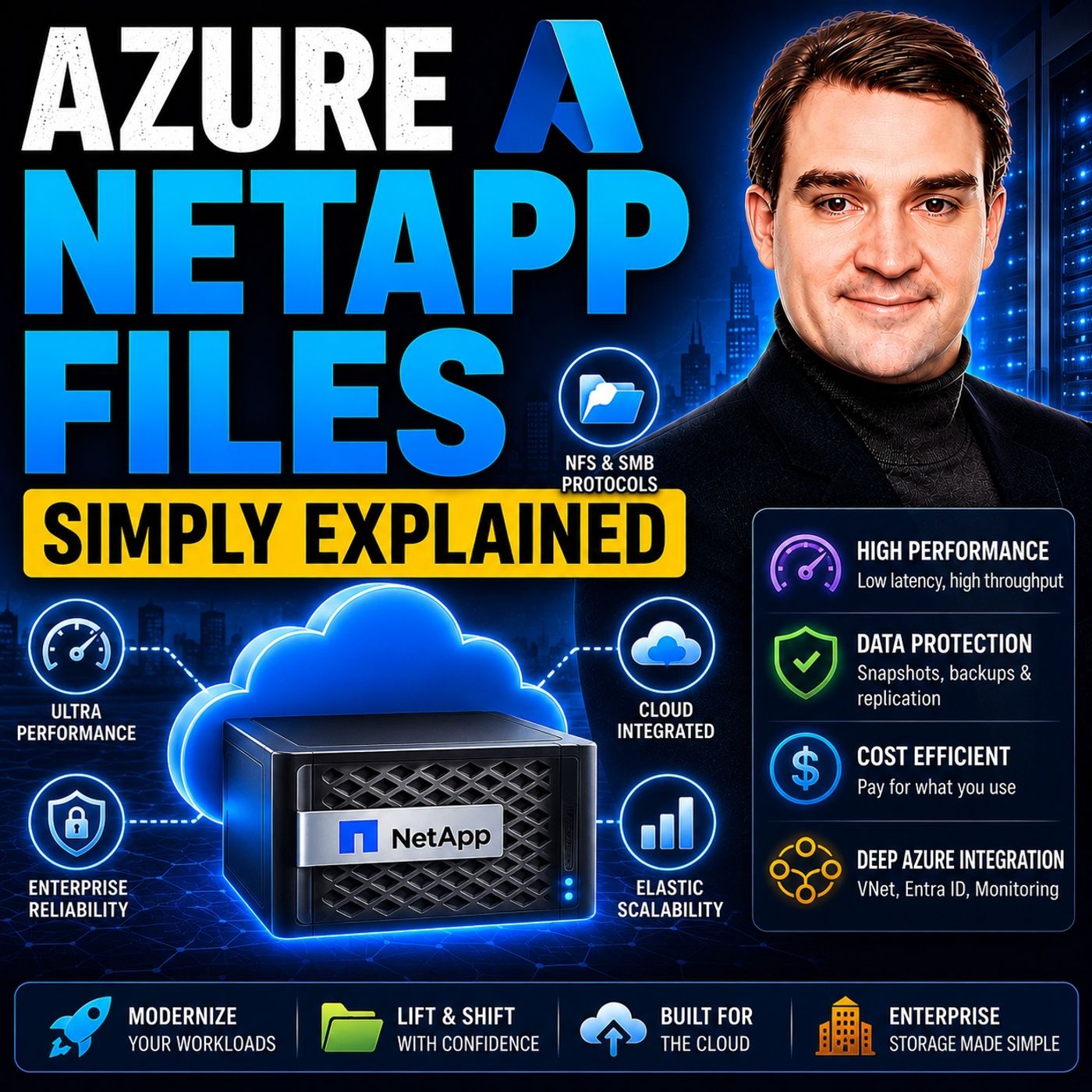
Azure NetApp Files - Simply Explained
Show notes
Azure NetApp Files (ANF) is Microsoft's enterprise-grade, ultra-high-performance file storage service built directly into Azure. Powered by NetApp's industry-leading storage technology, ANF delivers sub-millisecond latency, massive throughput, and exceptional reliability for mission-critical workloads. Unlike traditional cloud file storage, Azure NetApp Files is specifically designed for applications that demand consistent, predictable performance where every millisecond matters. Supporting both SMB and NFS protocols, it integrates seamlessly with Windows and Linux environments while remaining fully managed by Microsoft, eliminating the need to maintain storage infrastructure yourself. WHY AZURE NETAPP FILES EXISTS Most Azure storage services such as Azure Blob Storage, Azure Files, and Managed Disks are perfect for everyday business workloads. However, enterprise applications like SAP HANA, Oracle databases, High-Performance Computing (HPC), and Virtual Desktop Infrastructure (VDI) require dramatically lower latency, significantly higher throughput, and predictable IOPS that standard storage simply cannot deliver. Azure NetApp Files fills this performance gap by providing enterprise storage capable of handling demanding applications that process millions of transactions, large simulations, or thousands of simultaneous users without compromising speed or reliability. ENTERPRISE WORKLOADS THAT BENEFIT FROM ANF Azure NetApp Files shines in environments where storage performance directly impacts business productivity. SAP HANA databases benefit from certified ultra-low latency for transaction logs, backups, and snapshots. High-Performance Computing workloads leverage enormous throughput and hundreds of thousands of IOPS to process massive simulations, engineering models, AI training datasets, and scientific research. Virtual Desktop Infrastructure deployments experience dramatically faster user logins and smoother desktop performance by storing user profiles on high-speed shared storage. In each of these scenarios, faster storage translates directly into improved business outcomes, reduced waiting times, and greater operational efficiency. AZURE NETAPP FILES VS AZURE FILES Although both services provide managed file storage in Azure, they target very different workloads. Azure Files is optimized for general-purpose file sharing, department drives, backups, and cost-effective storage. Azure NetApp Files focuses on premium enterprise performance with significantly lower latency, higher throughput, and substantially greater IOPS. ANF supports much larger volumes, eliminates file-level throughput bottlenecks, and is built for applications where storage speed directly affects application performance. Rather than replacing Azure Files, Azure NetApp Files complements it by serving workloads that simply require a higher class of storage performance. FLEXIBLE SERVICE LEVELS REDUCE COSTS One of the most significant innovations in Azure NetApp Files is Flexible Service Level. Traditionally, storage capacity and performance were tightly linked, forcing organizations to purchase far more storage than they actually needed simply to achieve sufficient throughput. Flexible Service Level separates storage capacity from performance, allowing businesses to independently configure each based on workload requirements. This dramatically reduces overprovisioning, lowers infrastructure costs, and enables organizations to temporarily increase performance during peak processing periods before scaling back down when demand decreases. The result is enterprise-class performance with much greater cost efficiency and flexibility. WHEN SHOULD YOU CHOOSE AZURE NETAPP FILES? Azure NetApp Files should be your storage platform when application performance is business critical. Organizations running SAP HANA, Oracle, SQL Server, Azure VMware Solution, AI workloads, engineering simulations, financial modeling, media rendering, or large-scale Virtual Desktop Infrastructure can benefit tremendously from its low latency and consistent performance. For standard departmental file shares, document collaboration, or everyday business storage, Azure Files remains the better and more economical choice. Azure NetApp Files is the specialized high-performance storage solution for organizations where every millisecond counts and infrastructure speed directly impacts productivity, user experience, and business success. Become a supporter of this podcast: https://www.spreaker.com/podcast/m365-fm-microsoft-365-azure-cloud-power-platform-ai--6704921/support.
Apple Podcasts · Spotify · YouTube · YouTube Music · Deezer
Host: Mirko Peters
Related articles
Transcript
Read the full transcript
Azure already gives you plenty of storage options, blob, files, disk. So why does Azure NetApp files even exist? That's the first question people ask when they hear about it. And it's a fair one. Microsoft keeps adding storage services and it can feel like a new option appears every quarter. So why another one? Here's the thing. Most Azure storage handles general use just fine. Web apps, file shares, backups, the everyday things that keep a business running, but some workloads don't fit that mold. They need ridiculous speed. They need consistent performance under pressure, and they can't afford extra milliseconds of delay. Azure NetApp files is built specifically for those workloads. By the end of this episode, you'll know exactly what A and F is, when to use it, and when to stick with something simpler. We'll cover what it actually is, the three main use cases where it shines and how it compares to Azure files. Let's start with a simple definition. What Azure NetApp files actually is. Azure NetApp files is a managed, high performance enterprise file storage service that lives right inside Azure. This is not some third party add-on or something you bolt on later. It's the first party Microsoft service fully built into the Azure portal, but what sets it apart? Under the hood, it runs on NetApp technology. The same storage system that's been powering on premises data centers for decades, NetApp has been doing enterprise file storage since the 1990s. They understand fast and reliable data. Microsoft partnered with them to bring that expertise into Azure as a managed service. So what does that mean for you? A and F supports both SMB and NFS protocols right out of the box. Windows workloads, Linux workloads, it handles both. You don't have to choose one or the other. The same volume can serve both types of clients if you need it. Performance is where it really stands out. We're talking sub millisecond latency and massive throughput, not fast enough. It's genuinely blazing fast. Here's an analogy. If Azure files is the reliable family sedan that gets you where you need to go, Azure NetApp files is the sports car, built for speed and it handles unlike anything else in the garage. And the best part, it's fully managed. No patching service, no replacing hardware. You just create a volume, choose your performance tier and start using it. Azure and NetApp take care of the rest, but why would you need a sports car for storage? Let's look at the problems regular storage can't solve. The problems, regular storage can't solve. Most cloud storage handles everyday IT, just fine. Web apps, file shares, backups. For most people that's enough, you don't need a Formula One engine to drive to the grocery store. But some workloads are different. Think of them like demanding athletes who need every millisecond and can't afford to wait. Here's the problem. High latency kills database performance. A few extra milliseconds on a log ride can slow down an entire transaction system. Low throughput chokes simulations, turning jobs that should take hours into days. Inconsistent IOPS is another issue. It frustrates VDI users the most. One minute everything's fine. The next, the desktop lags because storage can't keep up. Let me give you a concrete example. A 2.3 terabyte, SAP HANA database backup on regular storage might take an hour. That's an hour of waiting and potential issues. On Azure NetApp files, the same backup completes in two minutes. Not a typo, two minutes. The issue isn't that Azure files is bad. It's a great service for what it's designed to do. But it's optimized for cost. Not peak performance. It gives you good enough speed at a reasonable price and that's fine for most workloads, but not all Azure NetApp files fills that gap. It's built for workloads that can't compromise on speed or consistency. When every millisecond counts, ANF is the answer. So who actually needs this kind of performance? Let's start with one of the biggest users. SAP HANA. Use case number one, SAP HANA. Let's talk about SAP HANA. If you're not in the enterprise database world, you might not have heard of it. But it's one of the most demanding workloads you can run in the cloud. SAP HANA is an in-memory database, meaning it keeps all its data in RAM for speed. But even though data lives in memory, HANA still needs ultra-fast storage for logs, backups, and snapshots. Those rights have to happen quickly and reliably. If storage can't keep up, the whole database slows down. That's why Azure NetApp files is SAP certified. It's listed in the official SAP HANA hardware directory, meaning it's been tested and approved by SAP themselves. That's not a small thing. SAP doesn't certify just any storage solution. They test it thoroughly and only the ones that pass make the list. What kind of performance are we talking about? Submily second latency consistently, and up to four times 500 might be per second of throughput per volume. To put that in perspective, SAP's minimum requirement for HANA log rights is under one millisecond of latency and ANF lives comfortably below that threshold. That matters because latency above one millisecond can slow down database transactions. When you're processing thousands of transactions per second, every extra millisecond adds up. Microsoft even built a special deployment tool called Application Volume Group for HANA. It optimizes volume layout by spreading them across multiple storage endpoints, so no single endpoint becomes a bottleneck. Think of it like having multiple lanes on a highway instead of one narrow road. And the backup numbers are worth talking about. A 2.3 terabyte HANA backup completes in about two minutes on ANF. On conventional storage, that same backup could take 30 to 60 minutes. That's not just a convenience. It changes what's possible with your backup windows. The cost side is interesting too. With flexible service levels, you can match performance exactly to what HANA needs without over-provisioning. You're not paying for extra capacity just to get the throughput you need. SAP is one big use case, but ANF also powers a very different kind of workload, high performance computing. High performance computing, HPC. High performance computing covers a lot of ground. Simulations, rendering, financial modeling, scientific research, anything where you're running massive parallel jobs across hundreds or even thousands of compute nodes. These workloads have a very specific need. They need shared file access with high throughput and low latency. Multiple nodes must read and write the same data sets at the same time. If your storage can't keep up, your compute nodes sit idle waiting for data. And idle compute time is wasted money. Azure NetApp files delivers up to 652,000 IOPS with under 2 milliseconds of latency in benchmark tests. That's a lot of input output operations. And it's fast enough that storage rarely becomes the bottleneck anymore. For really large data sets, there's the large volumes feature. It supports capacities up to two petabytes per volume. That's 2,000 terabytes in a single volume. Think about what that means for a research team working with massive simulation outputs, or a media studio rendering a feature film. Then this breakthrough mode, it pushes throughput up to 50 gigabits per second from a single large volume. That's enough bandwidth to move enormous data sets quickly. Here's a real world example, electronic design automation, or EDA in the chip design industry. Companies like Nvidia and AMD run thousands of simulations at once to verify chip designs before manufacturing. Each simulation reads and writes shared data. The storage system has to handle that concurrent load without slowing down. ANF is built for exactly that pattern. So why not just use Azure files for this? Because Azure files has file level throughput caps, 300 megabytes per second, egress per file. That means even if your storage back end has more capacity, a single large file can't push past that limit. ANF has no file level caps. Each file can saturate the network connection. For workloads dealing with large simulation files, that difference matters. Microsoft's own guidance recommends ANF for HBC workloads up to about 4,000 cores and 6.5 gigabytes per second of throughput. Beyond that, you might need a different architecture, but for the vast majority of HBC scenarios, ANF fits the bill. Third major use case, virtual desktop infrastructure, where user experience is everything. Virtual desktop infrastructure, VDI. Now let's talk about something almost everyone deals with. The desktop experience. Virtual desktop infrastructure or VDI means hosting Windows desktops in the cloud, think as you are virtual desktop or Citrix. Instead of running a full PC on your desk, the desktop lives on a server somewhere and you connect to it remotely. Here's the challenge. User profiles and app data must be stored centrally and accessed quickly. Every time someone logs in, their profile has to load, settings, files, application data. If that storage is slow, the login is slow, and slow logins make people unhappy very fast. This is where ANF makes a real difference. Slow profile load times have been the number one complaint in VDI deployments for years. Users compare it to their old on-premises desktop. And if the cloud version feels slower, they notice immediately. Azure NetApp files solves this with high IOPS and low latency. And I'm not talking about theoretical improvements. Real-world results show logon times dropping from 20 to 30 seconds down to under five seconds when organizations switch from Azure files to ANF for their profile storage. That's the kind of improvement users actually feel. Why does it work so well? Because ANF supports up to 450,000 IOPS per volume, that matters when hundreds of users all log on at the same time in the morning. That's the logon storm. Everyone arrives at nine, and suddenly every profile needs to load simultaneously. A storage system that can't handle that concurrency will slow everyone down. ANF handles it. There's another feature that's incredibly useful for VDI. ANF supports up to 255 snapshots per volume. That means you can instantly revert a user's profile to yesterday's state. If someone's profile gets corrupted or a bad update breaks something, you don't have to restore from backup. You just point to yesterday's snapshot and it's done. That saves hours of support time and the reliability piece matters too. ANF comes with a 99.99% availability SLA. For mission-critical VDI deployments where downtime means lost productivity, that level of reliability is essential. Here's a cost angle you might not expect because ANF is so fast you can actually use smaller, cheaper virtual machines and still get good performance. The storage handles the heavy lifting so your compute doesn't have to. That can offset some of the premium storage cost. And you now see the three pillars SAP HPC VDI. But how does ANF actually compare to its cousin Azure files? How Azure NetApp files compares to Azure files? So both Azure NetApp files and Azure files are managed file shares in Azure. That means you don't patch servers or replace hardware. The real difference comes down to performance and price. Let's compare the raw numbers. Azure files premium caps at 100,000 IOPS per share, which is plenty for many workloads. But ANF hits up to 450,000 IOPS per volume, more than four times that ceiling. When you're running workloads that need serious concurrent access, that gap really matters. Latency tells a similar story. Azure files standard runs around 10 milliseconds and premium brings that down to two to three milliseconds. That's respectable. But ANF delivers sub millisecond latency around 0.5 milliseconds on the ultra tier. That's the difference between storage being a minor factor and storage being essentially invisible. Throughput is where the gap gets even wider. Azure files has file level caps. 300 megabytes per second egress and 200 megabytes per second egress per file. So even if your backend has more capacity, a single large file can't push past that limit. ANF has no file level caps. Each file can use as much throughput as the network allows. And maximum share size, Azure files tops out at 100 terabytes per share. ANF goes up to two petabytes with large volumes. That's 20 times the capacity. So when do you use each one? Azure files is the right choice for general file sharing, department shares, backup targets, and cost sensitive workloads. Think of it as the sedan. Reliable affordable gets the job done. ANF is for workloads where latency and throughput are critical. SAPI Hana, Oracle, SQL Server, HPC, VDI. Any scenario where sub millisecond latency and high IOPS make a real difference to application performance. Now here's the thing about cost. Azure files is cheaper for most use cases and that's by design. But ANF can actually save money in specific scenarios. If it lets you use smaller VMs because the storage is faster, you save on compute costs. If it prevents over provisioning capacity, just to get enough throughput, you save on storage costs. So the total cost picture isn't always straightforward. There's one feature that changes the cost equation entirely, the flexible service level. The flexible service level, right sizing performance. Here's a feature that changes the cost equation. Traditionally, ANF capacity pools had a fixed ratio. The bigger your pool, the more throughput you got, and the smaller your pool, the less throughput you got. That sounds reasonable on the surface, but it created a real problem. Imagine you have a small database, say one terabyte, but it needs high throughput to run properly. Under the old model, you'd have to over provision capacity just to get enough performance. You might need to buy 64 terabytes of storage on the standard tier just to get the throughput that one terabyte actually needs with the other 63 terabytes sitting empty. You're paying for space you don't use. That's not efficient and it's not cheap. Flexible service level changes that completely. It decouples capacity from throughput, two independent knobs instead of one. You decide how much storage you need and separately how much performance you need. They don't have to match. So now you can have a one terabyte pool with one gigabyte per second of throughput. Under the old model, that same performance on the standard tier would have required 64 terabytes of capacity. That's a 64 to one difference. With flexible service level, you pay for exactly what you need. The cost savings are real. In many scenarios, you're looking at 30% or more compared to using the ultra tier for the same performance. And that's before you factor in reserve capacity discounts. The disaster recovery scenario makes this even clearer. Say you need 100 terabytes of capacity for a DR side, but you don't need much throughput until an actual failover happens. Under the old model, you'd have to provision for the performance you might need someday. With flexible service level, you pay for capacity only. 128 megabytes per second baseline throughput and nothing more. When failover happens, you scale throughput up on demand. When it's over, you scale it back down after a 24 hour cool down period. Speaking of scaling, you can increase throughput whenever you need it within limits and after 24 hours, you can scale back down. That's perfect for handling peak loads. Month and processing migration windows, seasonal spikes, without permanently paying for that extra capacity. This feature is currently available in preview across all A and F regions. It's one of the most requested additions to the service and it's already changing how customers think about storage cost. That's the flexible service level in a nutshell, a simple change that solves a big problem. Connection section, putting it all together. So here's the aha moment. Azure NetApp files doesn't compete with Azure files. It fills a specific performance gap, a gap that matters for the right workloads. Now those three use cases we covered, SAP HANA, HPC, VDI, they all share one thing. They need consistent low latency, high throughput, file access. That's the common thread through all of them. Whether it's a database transaction, a simulation job, or a user logging into their desktop, the storage has to deliver without hesitation. No waiting around. Flexible service level makes that performance affordable. Instead of over provisioning capacity you don't need, you pay only for what you use. That changes the whole economics of high performance storage. It makes speed accessible. On top of that, ANF integrates with the rest of the Azure ecosystem. It uses EntraID for access control, snapshots handle backups, and replication covers disaster recovery. It's not an isolated tool, it's part of the broader platform. The real power lies in the combination, not in any single feature. Performance, flexibility, and managed simplicity altogether, you get enterprise grade storage without the enterprise grade overhead. Think of ANF as the specialized tool in your storage toolbox. You don't use it for everything, but when you need it, nothing else works as well. That's its job. Two things you can do right now. First, if you have a workload that complains about storage speed, like slow backups, laggy VDI, or long simulation times, take a closer look. Evaluate whether ANF could solve that bottleneck. It might be the fix you've been searching for. Second, head to the Azure website and use the Azure NetApp files cost calculator. Model your workload, especially with the flexible service level option. You might find that the performance you need costs less than you think. That's often the surprise. One caution though, don't migrate everything to ANF just because it's fast. Use it where it matters most. For general file shares and everyday workloads, Azure files is still the right choice. Save the sports car for the racetrack. That analogy works here. So what's the bottom line? Azure NetApp files is Azure's high performance file storage for workloads that can't compromise on speed. It's the specialized tool for the jobs that need it most. If this episode made ANF click for you, subscribe to Microsoft Knowledge Nuggets for more plain English explanations. Share it with someone starting their Azure journey. And drop a comment if something clicked. We always read them. I'm Mirko Peters.