 EN
EN Deutsch
 Español
 Français
 Italiano
 Português
 Nederlands
 Polski
 Bahasa Indonesia
 Русский
 Українська
 العربية
 עברית
עברית हिन्दी
 日本語
日本語 한국어
한국어2026-07-14 · Season 3
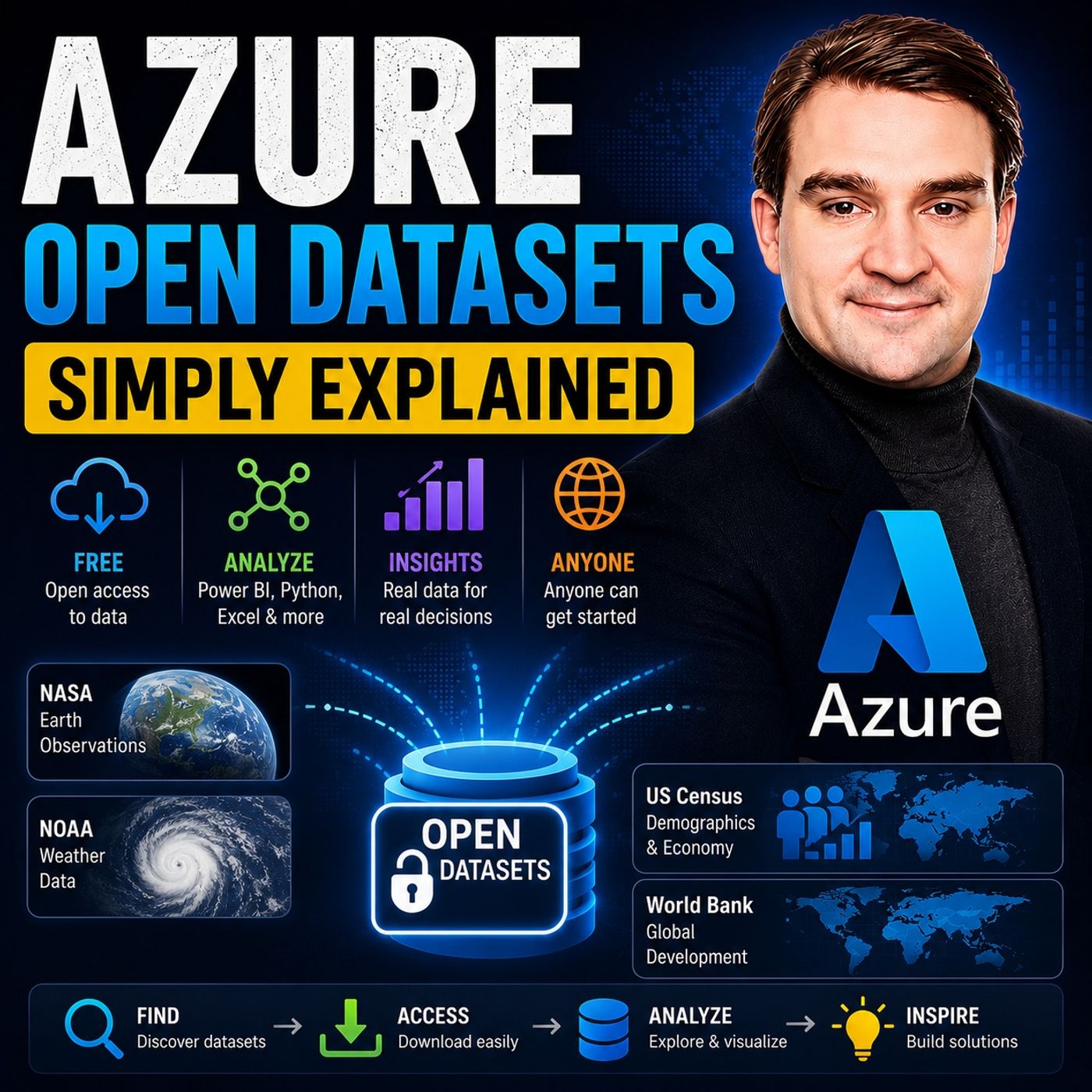
Azure Open Datasets - Simply Explained
Show notes
Finding high-quality data is often the biggest obstacle when learning data science, machine learning, or business analytics. Public datasets are scattered across hundreds of websites, stored in different formats, and frequently require hours of cleaning before they become useful. Azure Open Datasets removes that barrier completely. In this episode of Microsoft Knowledge Nuggets on M365 FM, Mirko Peters explains Azure Open Datasets in plain English and demonstrates how Microsoft provides free, curated, and cloud-hosted datasets that are ready for analytics, AI, and machine learning. Whether you're a beginner, data analyst, Power BI user, data scientist, or Azure professional, this episode shows how to start building data-driven solutions in minutes instead of days. WHAT IS AZURE OPEN DATASETS? Azure Open Datasets is Microsoft's free collection of publicly available datasets hosted directly in Azure. Instead of downloading large ZIP files, cleaning inconsistent formats, and correcting missing values, Microsoft prepares, normalizes, documents, and maintains these datasets for immediate use. Stored in highly optimized formats such as Parquet, Azure Open Datasets enables developers, analysts, and data scientists to focus on generating insights instead of spending valuable time preparing raw data. The datasets themselves are free to access, with users only paying for Azure compute resources if they choose to process them in Azure services. EXPLORE REAL-WORLD DATASETS Azure Open Datasets includes a wide variety of real-world data covering weather, public holidays, demographics, census information, labor statistics, transportation, public safety, healthcare, COVID-19 research, and benchmark machine learning datasets. Popular examples include NOAA weather observations, NYC Taxi Trips, US Census data, San Francisco public safety records, public holiday calendars, and Microsoft's MIND news recommendation dataset. These resources allow students, researchers, and organizations to enrich their own business data with valuable external context for forecasting, analytics, and AI applications. BUILDING BETTER AI AND ANALYTICS Machine learning models rarely succeed using internal business data alone. External signals such as weather conditions, holidays, demographics, and economic indicators often improve forecasting accuracy significantly. Azure Open Datasets makes these enrichment datasets immediately available, allowing organizations to build more accurate predictive models, improve demand forecasting, optimize inventory planning, analyze customer behavior, and develop sophisticated AI solutions without maintaining their own external data pipelines. EASY ACCESS FROM PYTHON, POWER BI, AND AZURE One of the biggest advantages of Azure Open Datasets is accessibility. Developers can access datasets directly from Python using the Azure Machine Learning SDK, while analysts can connect through Power BI, Azure Synapse Analytics, Azure Databricks, Jupyter Notebooks, SQL queries, and Azure Machine Learning workspaces. Since Microsoft publishes standardized storage locations and SDKs, users can begin working with enterprise-quality datasets using only a few lines of code or low-code analytics tools. COSTS, PERFORMANCE, AND BEST PRACTICES Although Azure Open Datasets are free, Azure compute resources used for processing still incur standard Azure charges. The episode explains how to minimize costs by processing data within the same Azure region, sampling datasets before scaling, avoiding unnecessary data movement, and leveraging optimized storage formats like Parquet for high-performance analytics. These best practices help organizations reduce cloud costs while maximizing performance for large-scale analytics and machine learning workloads. KEY TAKEAWAYS Azure Open Datasets dramatically reduces the time required to begin analytics and AI projects by providing clean, curated, cloud-hosted public datasets that are immediately ready for use. Instead of spending days searching for, downloading, and cleaning data, developers and analysts can focus on building dashboards, training machine learning models, creating forecasts, and generating business insights. Whether you're learning data science or building enterprise AI solutions, Azure Open Datasets provides one of the fastest ways to start working with real-world data in the Microsoft Azure ecosystem. Become a supporter of this podcast: https://www.spreaker.com/podcast/m365-fm-microsoft-365-azure-cloud-power-platform-ai--6704921/support.
Apple Podcasts · Spotify · YouTube · YouTube Music · Deezer
Host: Mirko Peters
Guests
Related articles
Transcript
Read the full transcript
Welcome to another episode of Microsoft Knowledge Nuggets. I'm Mirko Peters. Today's topic is one that almost everyone learning data science or machine learning runs into. You've watched a few tutorials, you've got the basics down, but there's one thing that keeps stopping you cold. You don't have any interesting data to practice with. You start searching for public data sets and that's when the trouble begins. You find a government website with weather data, which is great, but the files are in some weird format you've never seen. The column names don't make sense and half the values are missing. You spend hours just trying to open the thing and by the time you've cleaned it up enough to actually use, the excitement is gone. I've been there and it's frustrating. Today's episode removes that barrier completely. By the end of this episode, you'll know what Azure Open Data Sets is and how to grab free, ready to use data in minutes without any scraping, cleaning or headaches. Let's dive in. What Azure Open Data Sets actually is. So what exactly is Azure Open Data Sets? Here's the simplest definition. It's a free library of public data sets that Microsoft has already cleaned and hosted on Azure. Think of it like a library where someone else has already checked every book for torn pages, fixed the spelling errors, and put everything in alphabetical order so you just walk in and grab what you need. Now this is important. It's not a separate paid service you have to sign up for or some premium add-on. It's just data sitting in Azure storage that you can access. That's it. Microsoft has taken public data sets from places like NOAA, the US Census Bureau and City Governments and they've done all the hard work of normalizing the schemers, fixing inconsistencies and setting up refreshed schedules so the data stays current. Contrast that with the old way of doing things. You'd find a data set on some government site, download a zip file full of CSV files each with a different format, open them up and find missing values, weird date formats and columns that don't match between files. Then you'd spend hours, sometimes days, writing code to clean it all up. And by the time you were done, you weren't even sure you'd done it right. Microsoft handles all of that. They normalize the data into consistent schemers, fix the gaps and store it in Park A format, a columnar storage format that makes queries lightning fast. If you've ever tried to query a giant CSV file and waited forever for it to load, you'll appreciate what Park A does. It's optimized for analytics, so your queries run much faster than they would on plain text files. Here's the key point, the data itself is free and Microsoft pays for the storage always. You only pay for compute if you process it and we'll talk about that later. But the data sitting in Azure Storage costs you nothing. Let me give you an analogy to make this concrete. Imagine you're moving into a new office building. In the old way of doing things, you'd get a pile of lumber, dry wool, wiring and plumbing fixtures and you'd have to build each room yourself from scratch. That's what working with raw public data feels like. Azure Open Data Sets is the opposite. These are pre-built rooms of data you can walk into. The weather room is already furnished, the census room has everything labeled and organized. You don't have to assemble anything, you just walk in and start working. The problem Open Data Sets solves, so why did Microsoft build this, what problem were they trying to solve? Let's break it down. Discovery is the first problem. You need reliable public data, but finding it takes time. There are hundreds of government websites, academic repositories and data portals out there. Some are well maintained, some are abandoned and some make you fill out forms or agree to licenses before you can download anything. Just finding a clean, usable dataset might chew up days of searching. Then there's the preparation problem. Raw data from government sources is messy, inconsistent and full of gaps. Take the NOA weather data. It comes from thousands of weather stations around the world, each reporting in slightly different formats. Some stations report temperature in Celsius, others in Fahrenheit, some record precipitation, others don't. And some have years of clean data, while others have huge gaps where the sensor was broken. Cleaning that up by hand is miserable work, scale is another problem. Some of these datasets are huge. The weather data covers decades. The NYC Taxi Data has hundreds of millions of trips, the satellite imagery sits in petabytes. Moving that much data to your compute environment is slow and costly. If you're running a machine learning model on a cloud VM, you don't want to spend hours downloading data before you can even start training. And finally, reproducibility matters. When you're running experiments, you need your data to be consistent. If you download a dataset today and your colleague downloads it next week, you need the same thing. Curated, documented datasets make experiments repeatable. You can publish your results and someone else can verify them using the exact same data. Now, let's clear up a myth. Most people think machine learning is just about the algorithm. But the real insight from Microsoft is that most machine learning problems are impacted by real world factors. Weather, holidays, demographics, economic conditions. If you're trying to predict sales, knowing whether it's a holiday or a rainy Tuesday makes a huge difference. But if you're predicting energy consumption, temperature, and time of day matter. If you're modeling insurance risk, neighborhood demographics are critical. Without these external signals, your model is missing context. It's like trying to predict traffic patterns without knowing what time of day it is. You might get some patterns right, but you'll miss the big picture. And that's the core of the time to data problem. It can take weeks of work just to get usable data. Weeks of searching, downloading, cleaning, and validating. By the time the data is ready, the business question might have changed. Azure Open Data Set collapses that timeline from weeks to minutes. What's in the catalog? Weather and holidays. Let's dive into what's actually in this catalog. The first data set almost everyone finds useful is weather data. Microsoft hosts the NOAA Weather Data Set. It gives you historical and near real-time readings from weather stations all over the world. We're talking temperature, precipitation, wind speed, barometric pressure, the kind of data that affects everything from what people buy to how much energy they use. And it covers decades of data updated regularly. So if you want to look at weather patterns from the 1990s or pull last week's readings, it's all in there. Now, weather data is great. But here's the thing, there's another data set that pairs with it perfectly. Public holidays, Microsoft has a holiday's data set covering 38 countries from 1970 all the way to 2019. So you can look backward for historical analysis or forward for planning. It gives you country-specific holiday flags for any day to change. It's in there. Want to check if that Monday and August is a bank holiday in the UK, one query, and you've got it. Why are these two data sets so powerful together? Weather and holidays dramatically improve time series predictions. Think about retail sales forecasting. If you're trying to predict how many units of a product you'll sell next week, knowing that it's a holiday and that it's going to rain can cut your prediction error by double digits. That's not a small improvement. That's the difference between having too much inventory, sitting in a warehouse, and running out of stock on your best selling item. And here's the thing, most companies don't have this data internally. They have their sales data, sure, but they don't have a clean, reliable source of weather history or holiday calendars. So they either build it themselves, which takes time or they go without, which hurts their predictions. Azure Open Data Set gives them that missing piece instantly, but weather and holidays are just the beginning. What's in the catalog? Census, demographics, and socioeconomic data. The next category matters if you're building models that predict something about people. It's census and demographic data. Microsoft hosts US Census data covering population, income, education levels, and age distribution. And it's available at different geographic levels, no state, county, even census tract. So you can grab the median household income for a specific neighborhood or the population breakdown by age group for an entire state. And there's also the US labor force statistics data set that gives you employment rates, labor participation numbers, and industry breakdowns. You can see how many people work in manufacturing versus services in a given region or how unemployment has changed over time. Why does this matter for beginners? Because if you want to build a model that predicts something about people, this is the perfect place to start. And here's a real example. Imagine you're building a model for an insurance company. You have claims data, ages, amounts, but your model isn't accurate because you're missing context about where these people live. So you enrich that data with census income and education statistics. Suddenly, the model sees patterns it missed before. People in lower income areas file different claims and higher education levels change risk profiles. The model gets better because it has more information about the real world. That's what makes Azure Open Data Sets valuable for beginners. You don't need to be a data engineer to pull census data into your project. It's already cleaned and ready. Join it with your own data and your analysis gain steps it didn't have before. What's in the catalog? Mobility, public safety, and health care. The classic beginner favorite is the NYC TaxiTrips Data Set. It's one of the most well-known public data sets out there millions of trip records would pick up and drop off times locations and fares. Every yellow taxi trip in New York generates a record where they got in, where they got out, how much it cost, how long it took. It's a great data set for learning data analysis. Why do beginners love it? Because it's interesting and visual, load it into Power BI and start making maps of where people travel most. See how fares change throughout the day, spot patterns, which neighborhoods get busy at rush hour, which airports generate the most trips, however affects ride volume. It tells the story, so learning feels like solving a puzzle, not doing homework. Public safety data is next. Microsoft hosts the San Francisco Safety Data, which records crime incidents with type, location, and timestamp. Again, perfect for beginners because the data is immediately meaningful. Build hotspot maps, analyze crime patterns by time of day, it shows how open data supports real civic projects. City planners and police use this to decide where to deploy resources. Then there's the COVID-19 data lake. It's not just one data set. It combines multiple sources, patient outcomes, testing, hospital capacity, policy, mobility. During the pandemic, researchers used it to track the virus, model it, spread, and evaluate interventions. That shows how open data sets can have real world impact when they're accessible. These three data sets, taxi trips, public safety, and COVID-19 share something important. They're not abstract. You don't need to be an expert to understand them. The data is about real people, places, and events. That makes learning easier. There are also benchmark data sets for people learning ML specifically. What's in the catalog? Benchmark ML data sets. So you've got all this real world data from the previous section. But what if you're following a tutorial and you just need a clean, simple data set to practice a specific technique? Azure Open Data Set has you covered there, too. Think of it like a toolbox. You have your power tools for big jobs, but sometimes you just need a simple hammer to learn the basics. That's what these benchmark data sets are for. Take the diabetes data set with 442 samples and 10 features. It's a classic regression problem you'll see in textbooks and tutorials all the time. And it's available right in Azure Open Data sets, ready to load into Azure ML. If you're learning automated ML, this is a great data set to start with. Small enough to iterate quickly, but real enough to teach you the workflow. Then there's the Microsoft News Data Set, called Mind for Short, which is for people interested in recommendation systems. It's a large-scale benchmark with user interactions, news content, and metadata. If you want to build a news recommendation engine, the kind of thing that powers the recommended for use section on news websites. This is the data set to practice on. It's the same kind of data that real recommendation systems use. And there's even a simulated OJ sales data set, built specifically to show how Azure ML scales. You can train thousands of models simultaneously on this data, which is a great way to understand parallel processing and hyper parameter tuning. Here's the thing. If you're following an Azure ML tutorial and you need data, it's probably already in this catalog. Microsoft has made sure that the data sets used in their documentation and learning paths are available through Open Data sets. So you don't have to go searching for the exact file, the tutorial uses. It's already there. But having a great catalog is useless if you can't actually get the data. How to access Open Data sets, Python, Power BI, and Azure ML. So you've seen what's in the catalog, but now the real question is, how do you actually get this data into your hands? The answer depends on which tool you're using, but there are multiple paths, and some of them don't even require an Azure account. Let's break it down. The simplest option is Python. From any Python environment, no Azure account needed, Microsoft publishes a Python package called Azure ML Open Data sets. You install it with PIP, then import any data set directly, for example, from Azure ML. Open Data sets, import NOAD weather. You specify a start date and an end date, and the package handles the rest. It downloads the relevant files from Azure Storage, processes them, and hands you back a pandas data frame. That's it. Three lines of code, and you've got decades of weather data ready to analyze. This works from Jupyter Notebook, VS Code, any Python environment you're comfortable with. Inside Azure Machine Learning, the process is even smoother. You open your workspace, go to the data section, click Create, and then choose from Azure Open Data sets. A catalog pops up showing you everything available. You browse through, pick the data set you want, filter it by date range or geographic area, and register it to your workspace. Once it's registered, as your ML generates a code snippet automatically, that you can use in any pipeline or experiment, so you don't have to remember the storage parts or the import syntax. It's all handled for you. What about Power BI? This is where things get interesting for analysts who don't write code. You can use the Azure Blob Storage connector in Power BI and point it to the public storage URL that Microsoft documents for each data set. So if you want to pull NYC Taxi Data into a dashboard, you find the storage URL on the data sets overview page, plug it into Power BI and start building visualizations. Weather data, taxi trips, public safety incidents, all of it available directly in your reports without any intermediate data engineering. For the SEAL crowd, there's Azure Synapse. You can query open data sets using the open-roadset function against the public block paths. This is serverless SQL, meaning you don't need to provision any storage upfront, you just write a query and Synapse goes and reads the data directly from where it lives. Want to ask how many taxi trips happened on Christmas Day in 2019? You write one SQL query and you've got your answer in seconds. And if you're using Azure Databricks, the same Python SDK works in Databricks notebooks, but you can use Spark DataFrames instead of Pandas, which matters when you're working with larger data sets. The NYC Taxi Data has millions of records. Pandas can handle that, but Spark handles it better. Same import, same syntax, just with Spark under the hood. Here's the common thread across all of these methods. Microsoft publishes the storage account URLs for every data set, and those URLs are public. Anyone can access them from any tool. The Azure Open Data Set SDK is just a convenience layer on top. If you wanted to, you could write your own code to read the raw-parkay files directly from those storage URLs. The SDK just makes it easier by handling the date filtering and conversion for you. The cost question, is it really free? This is the question everyone asks. Is it really free? The short answer is yes, and also no. Here's why it goes both ways. Actually, the data itself is completely free. Microsoft pays for the storage always. It's not a promotion or a limited time offer. It's built into the design of the service. They host it, they pay the bills, and you access it without spending a cent on the data itself. But here's where the costs come in. You pay for compute. That means if you spin up a virtual machine to process the data, you pay for that VM. A Databricks cluster analyzing millions of taxi trips, you pay for that cluster. If you use Synapse Serverless SQL, you pay for the queries you run. These are standard Azure costs. They aren't specific to Open Data Sets, then there's Egress. This one can catch you off-guard. If you move data across Azure regions or move it out of Azure entirely, you pay Egress charges. Typical pricing is around 8 to 9 cents per gigabyte. That doesn't sound like much until you're moving terabytes. And some of these data sets are huge. The weather data alone covers decades and multiple weather stations, reading it all from a different region adds up quickly. There's also the cost of your own storage. Maybe you copy data into your own storage accounts because you want to keep a snapshot or transform it. You pay for that storage at standard Azure rates. Microsoft is transparent about this. If a data set has Egress charges, you'll find it documented on the overview page, no surprise bills. But you need to check before pulling large amounts of data across regions. Here's the key tip for beginners. Keep your compute in the same region as the data set. Every data set has a specified region where it's hosted. If your VM or Databricks cluster is in that same region, you avoid Egress charges entirely. The data stays local, the queries are faster and your bill stays low. Let's look at two real scenarios to make this concrete. Scenario one, you're a beginner pulling a small sample of weather data into a Power BI dashboard, a few thousand rows, maybe a few megabytes. Your compute cost is zero because Power BI handles it. Your Egress is zero because you're not moving much. This costs you nothing beyond your Power BI subscription. Scenario two, you decide to process all NYC taxi data for the last 10 years. We're talking hundreds of millions of trips. You spin up a large data bricks cluster to run the analysis. You're paying for that cluster by the hour. If you're in the wrong region, you're also paying Egress on terabytes of data. This can cost hundreds of dollars in compute alone. Here's the simple takeaway. Don't let the word free fool you into building wasteful pipelines. Sample first, then scale, pull a small subset of the data to explore. Validate your approach. Once you know what you're doing, then scale up to the full data set. That way you're not paying for expensive compute time while you're still figuring out your code. So that's Azure Open Data Sets. It removes the biggest barrier for beginners. Finding and cleaning data. You get free, ready to use data sets in minutes. You don't have to scrape anything. You don't have to clean anything. You just start using the data. If this knowledge nugget helped, subscribe to the show on your favorite podcast platform. Share it with someone who's always wanted to learn data science, but didn't know where to start. Next time we'll pull weather data into a Python notebook, step by step.