 EN
EN Deutsch
 Español
 Français
 Italiano
 Português
 Nederlands
 Polski
 Bahasa Indonesia
 Русский
 Українська
 العربية
 עברית
עברית हिन्दी
 日本語
日本語 한국어
한국어2026-04-23 · Season 2
Build a Self-Healing Microsoft 365 Governance Architecture

Manual m365 governance cannot keep up with today’s rapid business changes. As your environment grows, governance debt builds up. This leads to real risks, such as data exposure and compliance failures.
| Example of Governance Debt | Consequence |
|---|---|
| Unaudited SharePoint permissions | Data exposure incidents |
| Lack of naming conventions for Teams | Operational inefficiency |
| Missing retention policies | Compliance failures |
| Uncontrolled deployment of Copilot | Copilot chaos |
| Lack of centralized governance | Security blind spots |
A self-healing architecture uses automation to detect and fix these issues before they become problems. You can achieve secure, scalable m365 environments without relying on manual intervention.
Key Takeaways
- Manual M365 governance leads to risks like data exposure and compliance failures. Transitioning to automation can mitigate these risks.
- A self-healing architecture uses automation to detect and fix governance issues before they escalate, ensuring a secure environment.
- Challenge common myths about governance, such as the belief that manual processes are always accurate or that automation is only for large organizations.
- Implementing automated workflows for user provisioning and deprovisioning enhances security and compliance while saving time.
- Continuous monitoring and real-time compliance are essential for effective governance, allowing organizations to respond quickly to issues.
- Standardizing policies and using templates simplifies governance enforcement, making it easier to maintain consistency across the organization.
- Investing in training and change management helps teams adapt to new governance tools, increasing user adoption and reducing resistance.
- Regular assessments and clear action plans are crucial for measuring progress and ensuring your governance strategy evolves with your organization.
Manual M365 Governance Challenges

Myths and Misconceptions
Manual Review Accuracy
Many organizations believe that manual m365 governance ensures accuracy and control. In reality, manual checks often lead to missed steps and human error. Access reviews can become overwhelming, especially when requests lack context or relevance. You may spend hours documenting and tracing actions for audits, only to discover gaps later. Manual processes cannot keep up with the pace of change in m365 environments.
Automation Complexity
Another common misconception is that automation is too complex or only suitable for large enterprises. Some think that governance tools can replace leadership or that templates work for every organization without adjustment. These beliefs prevent teams from adopting better solutions. Here are some widespread myths that can hold you back:
- Governance is just an IT problem.
- Strong governance always reduces user adoption.
- Microsoft handles all compliance.
- Governance equals security.
- Governance must be rigid to be effective.
- Only technical experts can lead governance.
- Templates are one-size-fits-all.
- Governance is set-and-forget.
- Only large organizations need governance.
- Collaboration tools can be left unmanaged.
- Governance tools replace leadership.
- Good governance kills innovation.
You need to challenge these myths to build a modern, effective governance strategy.
Governance Debt and Risks
Security Gaps
Manual m365 governance often leads to governance debt. This debt grows when policies and controls do not keep up with changes in your environment. Over time, you face increased risks such as data breaches, loss of customer trust, and even regulatory fines. For example, organizations that choose lower-tier licensing to save costs may expose themselves to security gaps. The introduction of AI tools like Copilot can make sensitive data more accessible, increasing the risk of oversharing and attacks.
Operational Inefficiencies
Manual governance creates inefficiencies that slow down your business. Without structured information, employees waste time searching for documents. Unmanaged permissions and ad-hoc sharing cause delays and confusion. The table below highlights common inefficiencies:
| Inefficiency Type | Description |
|---|---|
| Poor Information Architecture | Unstructured sites and inconsistent content types slow navigation. |
| Misconfigured Permissions & Security | Ad-hoc sharing and unmanaged groups create access delays and governance gaps. |
| Lack of Automation Across Workflows | Manual processes cause delays and duplicated work across departments. |
Manual onboarding and offboarding take hours, increasing the risk of unauthorized access and data loss. Shadow IT can emerge, creating risks outside of IT oversight.
Scalability Issues
Manual m365 governance does not scale as your organization grows. You may find it impossible to keep up with new users, sites, and data. Automation becomes essential to enforce policies and reduce repetitive tasks. Without a structured framework, you risk losing control over compliance and innovation. As your m365 environment expands, only automated governance can support your needs for security, efficiency, and growth.
Automation in M365 Governance
Self-Healing Architecture Overview
Desired State Model
You need a clear vision of what your Microsoft 365 environment should look like. This vision is called the desired state model. It defines the rules, policies, and configurations that keep your organization safe and productive. When you set a desired state, you create a standard for how users, groups, and data should behave in your m365 environment.
A self-healing architecture uses this model as a blueprint. It checks your environment against the desired state and looks for any differences. This approach helps you avoid the pitfalls of manual m365 governance, where mistakes and missed steps can lead to risk. You can use scripting to define these rules and automate their enforcement.
The self-healing model works across several layers. The table below shows how each layer supports strong governance:
| Layer | Description |
|---|---|
| 1 | Products and platforms designed to govern AI agents, ensuring compliance and safe operation. |
| 2 | Executes policy-driven remediation such as job retries and data quarantining. |
| 3 | CI/CD-managed orchestration for safe and reproducible fixes. |
| 4 | Closed loop process: detect, understand, heal, and learn. |
| 5 | Focus on data quality as a first-class concern, combining observability, automation, and governance. |
Detection and Remediation Loop
A self-healing architecture follows a simple but powerful loop: Desired State → Detection → Decision → Remediation. This loop keeps your environment healthy and secure. You define the desired state. The system constantly checks for drift or changes. When it finds a problem, it decides what action to take. Then, it applies remediation to bring everything back to the desired state.
Microsoft Graph and Logic Apps play a key role in this process. They automate identity and access management workflows, handle user provisioning and deprovisioning, and manage group memberships. These tools support lifecycle governance tasks like license assignment and manager updates. You can keep your systems up to date without manual intervention. This closed loop ensures that your cloud governance stays consistent and reliable.
Benefits of Automation
Real-Time Compliance
Automation in microsoft 365 governance automation gives you real-time compliance. You can monitor your environment continuously and respond to issues as soon as they appear. This reduces the manual workload and helps you meet regulations like SOC 2 and HIPAA. Real-time dashboards show you the status of your systems, making it easier to plan and allocate resources.
You also get a unified compliance strategy. This makes it simple to share evidence across teams and creates a more efficient compliance landscape. You can sustain measurable value over time and avoid future governance sprawl.
Syskit Point’s Rules Engine automates the application of governance policies across your M365 environment, ensuring consistent and accurate enforcement. This reduces non-compliance risk and improves operational efficiency, allowing IT teams to focus on more critical tasks.
Reduced MTTR
With microsoft 365 governance automation, you can reduce Mean Time to Recovery (MTTR) for policy drift and incidents. Automation shortens cycle times for rulemaking and policy updates. You can route tasks automatically and track deadlines with ease. Staff can focus on higher-value work instead of tedious manual tasks, which leads to better policy outcomes and higher morale.
Organizations that use automation see many benefits:
- Immediate cost savings from reduced license and storage expenses
- Lower operational costs over time
- Fewer support tickets and less demand for IT help
- Stronger security posture and better protection of organizational data
- Higher employee satisfaction due to improved workspace navigation
You can create a sustainable governance framework that prevents future problems. Automation helps you keep your environment organized, secure, and ready for growth.
Microsoft 365 Governance Automation Framework
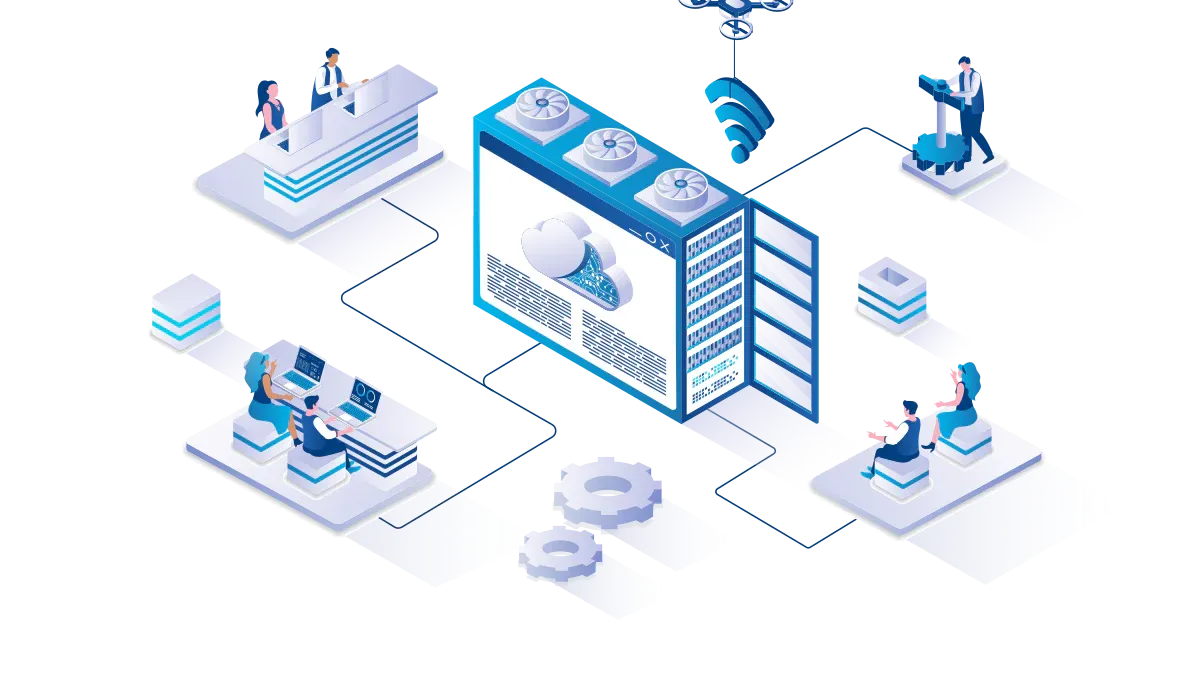
A strong Microsoft 365 governance automation framework helps you move beyond manual m365 governance. You can create a system that adapts to change, reduces risk, and supports your business goals. This framework focuses on three main pillars: policy standardization, automated workflows, and continuous monitoring.
Policy Standardization
Policy standardization gives you a clear set of rules for your m365 environment. You set expectations for how users create, manage, and share resources. This step lays the foundation for effective governance and cloud governance.
Templates and Roles
You can use templates and roles to make policy enforcement simple and repeatable. Templates help you apply consistent settings across sites, teams, and groups. Roles define who is responsible for each governance task. This approach reduces confusion and ensures accountability.
Tip: Start by defining your governance goals and success metrics. Inventory all Microsoft 365 workloads and integrations. Assign clear roles and responsibilities for each governance task.
The table below shows how you can organize your policy standardization efforts:
| Governance Pillar | Focus Area in Microsoft 365 |
|---|---|
| Workspace creation & ownership | Standardize workspace creation using naming conventions, templates, and creation rules. Ensure accountability and enable data stewardship. |
| Lifecycle management & cleanup | Set rules for archiving or deleting inactive workspaces and outdated content to improve data quality and compliance. |
| Monitoring, reporting, & Copilot-readiness | Monitor data use, track access, and enforce policies with regular reporting to support better AI outcomes. |
| Access controls & sharing governance | Implement scalable access review cycles and automated permissions tracking to enhance security and privacy. |
You can also benefit from features like official support, simplified experiences with human-readable templates, and automatic remediation that reverts drifts to your standards.
Automated Workflows
Automated workflows are the engine of microsoft 365 governance automation. They handle repetitive tasks, reduce errors, and free up your IT team for higher-value work. You can use scripting to customize these workflows for your unique needs.
Provisioning and Deprovisioning
Automated provisioning creates user accounts and assigns access rights quickly when a new employee joins. When someone leaves, deprovisioning revokes access right away. This process reduces security risks and ensures compliance with company policies.
- Automated user provisioning and deprovisioning saves time for IT.
- Power Automate connects Microsoft Entra ID with HR systems to create and deactivate accounts based on employee status.
- This integration ensures no delays in access setup and improves offboarding compliance.
- Neo’s automation analyzes tickets, creates accounts, assigns licenses, and removes access safely.
- This reduces human error and lets technicians focus on complex issues.
You can see how automated provisioning and deprovisioning support a secure and agile business environment.
Archiving and Retention
Archiving and retention policies help you manage data throughout its lifecycle. You can use microsoft 365 governance automation to apply these policies without manual steps.
- Map retention requirements to regulations and business needs.
- Apply retention policies automatically, including safeguards against accidental deletion.
- Manage the transition of information from active use to secure destruction.
- Plan your compliance strategy in phases, focusing on both immediate and long-term needs.
- Train users on the importance of compliance and their roles in maintaining it.
Set up a clear data architecture with organized folders and central repositories. Classify data by sensitivity and importance. Use retention labels to control how long data stays in the system. Enable eDiscovery for quick data retrieval during investigations.
Continuous Monitoring
Continuous monitoring is essential for effective governance. You need to track changes, spot violations, and adjust your policies as your environment evolves.
- Use a dynamic governance approach with continuous monitoring.
- Identify daily changes and adjust your governance plans as needed.
- Regularly monitor compliance with governance policies.
- Utilize Microsoft 365 reporting and auditing tools.
- Address violations and update policies when necessary.
Alerts and Reporting
Automated alerts and reporting give you real-time visibility into your m365 environment. You can respond to issues quickly and keep your governance on track.
| Feature | Description |
|---|---|
| Admin Efficiency | Automated governance increases admin efficiency by reducing repetitive tasks and minimizing human error, ensuring compliance is maintained. |
| Transparency | Automated reporting provides complete transparency about the use of Microsoft 365, which is essential for effective governance. |
| Enhanced Visibility | Automation of data governance enhances visibility into systems and critical data flows, which is crucial for managing risks in Microsoft 365. |
Note: Automated alerts help you catch problems early. Automated reporting gives you the data you need to make informed decisions and demonstrate compliance.
You can build a resilient governance framework by combining policy standardization, automated workflows, and continuous monitoring. This approach helps you maintain security, compliance, and operational excellence as your organization grows.
Implementing Automated Workflows
Policy Enforcement
Compliance Center Tools
You need strong policy enforcement to keep your m365 environment secure and compliant. Microsoft 365 governance automation starts with the right tools. The Compliance Center gives you a central place to manage policies, monitor risks, and respond to incidents. You can set up rules for data loss prevention, information barriers, and retention. These tools help you enforce cloud governance standards across your organization.
To implement automated policy enforcement, follow these steps:
- Start with a small set of automated policies.
- Use cloud governance tools to manage and monitor your environment.
- Apply governance policies at the right scope, such as teams, sites, or users.
- Use policy enforcement points to check compliance.
- Use policy as code for repeatable and auditable rules.
- Develop custom solutions with scripting when needed.
This approach helps you build a strong foundation for governance. You can scale your efforts as your needs grow.
Power Automate Integration
In today’s fast-paced IT environment, every second saved counts. Power Automate comes in as an intuitive, low-code automation platform that allows IT teams to build powerful workflows in weeks, not months.
Power Automate supports microsoft 365 governance automation by connecting different services and automating tasks. You can streamline employee onboarding, strengthen data security, and ensure compliance through automated periodic access reviews. Power Automate simplifies compliance tasks by automating access reviews, generating dynamic reports, and routing them for approval. This reduces the burden on IT teams and minimizes compliance risks.
| Benefit | Description |
|---|---|
| Improved Compliance | Automation ensures adherence to policies and regulations across the organization. |
| Consistent Policy Enforcement | Automated baselines maintain uniformity in governance as the organization grows. |
| Time Savings | Reduces the time spent on manual processes, allowing teams to focus on critical tasks. |
| Enhanced Security | Automation helps in maintaining data security through consistent monitoring and reporting. |
Lifecycle Management
Automated Provisioning
Automated lifecycle management is key to effective governance. You can use automated workflows to manage user access from the moment someone joins your organization. Joiner, mover, and leaver workflows automate the management of employees through their lifecycle. Integration with HR systems like Workday and SuccessFactors ensures seamless provisioning. API-driven provisioning supports custom connectors for systems without native support. Identity lifecycle workflows automate tasks such as sending temporary passwords and assigning group memberships.
- Automate manual steps for onboarding and offboarding.
- Ensure security and compliance during deprovisioning.
- Use pre-built templates for common lifecycle tasks.
This reduces errors and speeds up access for new users.
Deprovisioning and Cleanup
Governance also means knowing when to remove access and clean up unused resources. You must identify inactive or orphaned teams and decide whether to archive or delete them. Managing access control for both internal users and external guests is important. Establish policies for archiving, deleting teams, and setting content retention periods. Automated workflows help you enforce these rules and keep your environment organized.
Common challenges include duplication of teams, inconsistent naming, and uncontrolled content growth. Automated workflows address these issues by applying consistent policies and regular reviews. Scripting can help you customize these processes for your unique needs.
By using microsoft 365 governance automation, you create a secure, compliant, and efficient environment. You reduce manual work, improve security, and support your organization’s growth.
Empowering Teams for M365 Automation
Training and Change Management
Upskilling IT and Users
You play a key role in the success of microsoft 365 governance automation. When you invest in training, you help your team adapt to new tools and processes. Start by identifying your audience. Tailor your training to fit the needs of IT staff, business users, and managers. Each group faces different challenges and requires unique skills.
You can make learning easier by providing how-tos and checklists. These resources break down complex tasks into simple steps. Many organizations use Microsoft 365 Learning Pathways to create a central knowledge portal. This portal gives everyone access to guides, videos, and best practices. When you offer clear instructions, you boost confidence and speed up adoption.
Tip: Use short, focused sessions to teach scripting basics. This helps users automate routine tasks and understand the value of automation in governance.
Change management shapes how your organization handles transitions. A structured approach helps you manage change smoothly. You keep users engaged and address resistance before it becomes a problem. Effective change management increases adoption and reduces risks.
- Change management provides a structured approach to managing transitions.
- It ensures user engagement and addresses potential resistance.
- Effective change management maximizes adoption and minimizes risks.
You can follow these steps for a successful rollout:
- Assess readiness across teams.
- Design engagement strategies that fit your culture.
- Implement adoption programs with clear goals.
- Reinforce new behaviors through recognition and support.
User adoption drives the success of microsoft 365 governance automation. When employees feel involved, they support new processes. If you skip this step, you may struggle to achieve your goals.
Shared Responsibility
Roles and Delegation
Governance works best when you share responsibility. Assign clear roles for policy creation, monitoring, and enforcement. You can delegate tasks to IT, business units, or even power users. This approach builds accountability and prevents bottlenecks.
A table can help you organize roles and responsibilities:
| Role | Responsibility |
|---|---|
| IT Administrators | Configure automation, monitor compliance, update policies |
| Business Owners | Define requirements, review access, approve changes |
| Power Users | Support training, report issues, suggest improvements |
You create a culture of shared ownership by involving everyone. This makes governance more effective and sustainable. When you delegate tasks, you free up resources and encourage innovation. You also improve cloud governance by making sure every team understands their part in the process.
Note: Regular reviews of roles and responsibilities keep your governance model up to date. Adjust assignments as your organization grows or changes.
You can empower your teams to manage microsoft 365 governance automation with confidence. Clear roles, ongoing training, and strong change management help you maintain security, compliance, and efficiency.
Secure Collaboration and Data Sharing in M365
Balancing Openness and Security
You want your teams to collaborate freely, but you also need to protect your data. Microsoft 365 governance automation helps you find the right balance. Good governance does not just manage risk; it also makes your organization more efficient and effective. When you set clear policies and procedures, you support both collaboration and security.
- Effective governance and compliance help you balance collaboration and security in Microsoft 365.
- Focus on compliant collaboration, since Microsoft 365 is built with compliance in mind.
- Use governance to improve efficiency, not just to reduce risk.
- Provide continuous monitoring and training so users follow policies without slowing down their work.
- Build a strong policy and procedure framework to support secure collaboration.
Conditional Access
Conditional access gives you control over who can access your resources and when. You can set rules based on user roles, device health, or location. For example, you might allow access only from trusted devices or block sign-ins from risky locations. This approach keeps your environment open for teamwork but safe from unwanted access.
External Sharing Controls
External sharing controls let you decide how people outside your organization can access files and sites. You can allow sharing with trusted partners while blocking unknown users. Set up policies that require approval before sharing sensitive data. Use governance tools to monitor sharing activity and adjust settings as needed. This keeps your data safe while supporting business needs.
Threat Monitoring
You need to monitor your environment at all times. Real-time monitoring helps you spot threats before they cause harm. Microsoft 365 governance automation gives you tools to track changes, flag unusual activity, and respond quickly. Continuous monitoring ensures your policies stay effective as your organization grows.
Automated Incident Response
Automated incident response improves your security outcomes. When a threat appears, automation detects and fixes the problem right away. This limits damage and keeps your data safe. Microsoft 365’s advanced security features, combined with a skilled response team, can stop attackers early. After an incident, you can review what happened and strengthen your defenses. Over time, your organization becomes more resilient and learns from each event.
With scripting, you can customize your incident response workflows. Automation lets you act fast, so you do not have to rely on manual steps. Real-time monitoring and automated response work together to protect your environment and support your governance goals.
Action Plan for Self-Healing M365 Governance
A clear action plan helps you move from manual processes to a self-healing governance model. You can follow these steps to build a secure, efficient, and compliant Microsoft 365 environment.
Assessment and Gap Analysis
Start by understanding where your organization stands. An assessment and gap analysis will show you what works and what needs improvement in your governance strategy. You can use these steps to guide your evaluation:
- Choose an assessment that matches your business goals.
- Answer key questions to focus your analysis.
- Get personalized guidance for your unique scenarios.
- Review recommendations and set priorities for improvement.
- Track your progress with milestones.
You can also use parallel API orchestration to analyze multiple service areas at once. This approach gives you a complete view of your governance landscape. A modular recommendation engine provides tailored insights, while local execution keeps your data private.
Tip: Save your assessment results and revisit them regularly. This helps you measure progress and adjust your governance plan as your needs change.
Implementation Roadmap
After you identify gaps, you need a roadmap to put your governance plan into action. Break your implementation into manageable phases. Start with high-impact areas, such as access controls and data retention. Use automation tools to enforce policies and reduce manual work. Scripting can help you customize workflows for your organization.
- Set clear milestones for each phase.
- Assign roles and responsibilities to your team.
- Use templates and automation to standardize processes.
- Monitor progress and adjust your plan as needed.
You can improve operational efficiency by automating repetitive tasks. This frees up your team to focus on strategic governance goals.
Success Metrics
You need to measure the impact of your self-healing governance efforts. Key metrics show how well your organization adapts to automation and continuous improvement.
| Metric | Before Automation | After Automation | Improvement |
|---|---|---|---|
| Microsoft Secure Score | Lower | Higher | Increased by 15 points |
| MFA Coverage | Below 100% | 100% | Achieved full coverage |
| Operational Efficiency | Baseline | 30% improvement | 120 hours saved/month |
| User Adoption Rate | N/A | 85% | N/A |
| Error Rates in Key Processes | N/A | Near zero | N/A |
MTTR
Mean Time to Recovery (MTTR) measures how quickly you can fix issues in your environment. A lower MTTR means your governance system responds faster to problems. Automation helps you detect and resolve issues in real time, reducing downtime and risk.
Copilot-Safe Coverage
Copilot-safe coverage tracks how well your governance protects sensitive data when using AI tools. You want to reach full coverage to ensure safe and compliant collaboration. Automated policies and continuous monitoring help you achieve this goal.
Note: Regularly review your metrics to keep your governance strategy on track. Celebrate improvements and address any gaps right away.
By following this action plan, you can build a resilient Microsoft 365 governance automation framework. You will support secure collaboration, reduce risk, and prepare your organization for future growth.
You face real risks when you rely on manual Microsoft 365 governance. Cloud misconfigurations cause 80% of data security incidents. Most CISOs have seen data leaks in the past year. Manual processes create bottlenecks and confusion. Automation helps you keep policies and users aligned, even as your environment changes. You gain real-time compliance, stronger security, and better efficiency. Start with the action plan and modernize your governance approach today.
🎧 Listen to this episode
Want a practical explanation of Build a Self-Healing Microsoft 365 Governance Architecture? This episode breaks down the topic in clear language and shows why it matters for Microsoft 365, Azure, Power Platform, security, AI, and modern work.
Listen to this episode if you want to:
- Understand the key concepts behind Build a Self-Healing Microsoft 365 Governance Architecture
- See how it fits into the wider Microsoft technology ecosystem
- Learn where it can create practical value for your organization
You may also enjoy these related M365 FM episodes:
- Build Self-Healing Automation with Telemetry and Observability
- Build Resilient Azure Architecture for Regional Outages
- Cloud Governance as Architecture, Not Feature Management
- Azure Governance Architecture to Control Cost, Security, and Compliance
- Azure Governance Is Enforced Architecture, Not Documentation
Discover more practical Microsoft conversations on M365 FM.
Apple Podcasts · Spotify · YouTube · YouTube Music
Host: Mirko Peters