 EN
EN Deutsch
 Español
 Français
 Italiano
 Português
 Nederlands
 Polski
 Bahasa Indonesia
 Русский
 Українська
 العربية
 עברית
עברית हिन्दी
 日本語
日本語 한국어
한국어2026-08-16 · Season 3
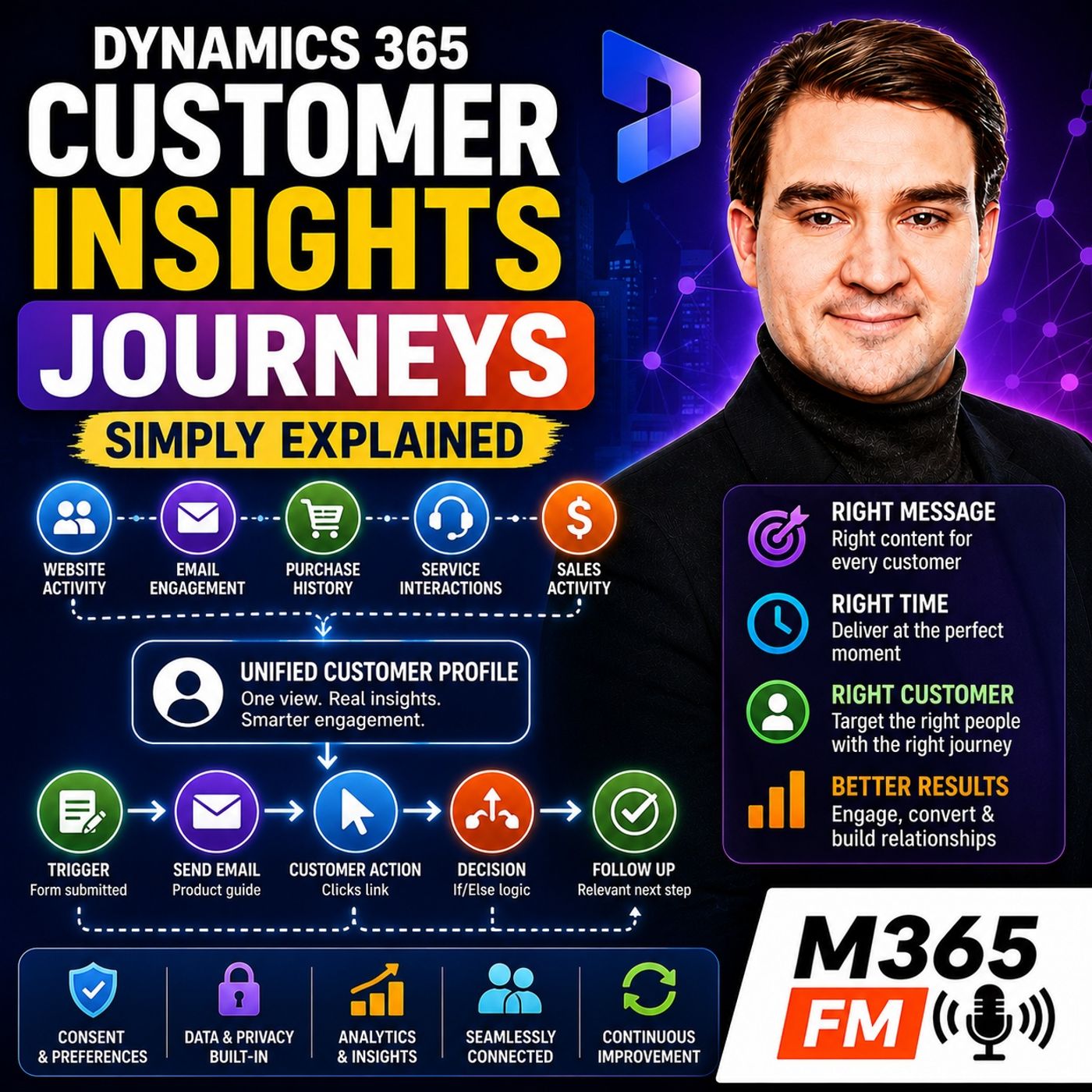
Dynamics 365 Customer Insights Journeys - Simply Explained
Show notes
What exactly is Dynamics 365 Customer Insights - Journeys? Is it simply Microsoft's tool for sending marketing emails, or is it something much larger? In many organizations, Marketing sends emails from one system, Sales manages opportunities somewhere else, website forms create another collection of customer information, and Customer Service maintains its own history. The result is a fragmented customer conversation where messages arrive too late, customers receive irrelevant information, and employees cannot see what other teams have already done. Dynamics 365 Customer Insights - Journeys connects customer information, communication, customer actions, and business processes so organizations can decide who should hear from them, what message they should receive, and when that message should arrive. WHY BUSINESSES NEED CUSTOMER INSIGHTS - JOURNEYS Customers do not experience your organization as separate departments. They experience one company. They do not care that Marketing uses one application, Sales works in Dynamics 365 Sales, Customer Service manages cases somewhere else, and the website has another system behind it. But disconnected systems create disconnected communication. Somebody downloads information about one product and receives a generic email promoting something completely different. A prospect books a demonstration online and then receives another message asking them to book a demonstration. A salesperson calls somebody without realizing that person already submitted a detailed request. None of these experiences necessarily happen because employees are careless. They happen because information is scattered and people cannot manually react quickly enough. Customer Insights - Journeys provides a connected system for planning customer communication around the customer's situation rather than around whichever campaign a department happens to be running. FROM MASS COMMUNICATION TO THE NEXT SENSIBLE MESSAGE The objective is not simply to send more messages. It is to determine the next sensible message. Imagine somebody visits your website and downloads a guide about a specific product. That action tells the organization something about their current interest. Instead of putting that person into a generic monthly mailing list, the business can respond with information related to the guide they requested. Sales can also gain context from that interaction. When somebody eventually contacts the prospect, they do not need to begin the conversation without knowing what the person has already done. Customer communication becomes part of a continuing relationship rather than a sequence of disconnected campaigns. DIFFERENT CUSTOMER MOMENTS NEED DIFFERENT COMMUNICATION Customers move through different stages in their relationship with an organization. Somebody might only have discovered the company yesterday. Another person is comparing solutions. Somebody else has requested a demonstration. Another customer purchased last week and now needs help getting started. Those people should not necessarily receive the same communication. A new prospect may need an introduction. Someone requesting a demonstration needs confirmation and useful next steps. A new customer might need onboarding information rather than another sales promotion. A customer experiencing a support problem may need help before receiving another marketing message. Customer Insights - Journeys allows communication to reflect these different moments. WHAT IS A CUSTOMER JOURNEY? A journey is a visual plan describing how communication should progress. The organization determines who can enter the journey, what should happen first, how long the system should wait, which customer actions matter, and what should happen next. One customer might receive one email and stop. Another customer could click a link, wait two days, receive another message, and eventually move into a completely different branch. The journey provides the map. Customer behavior determines which route through that map is appropriate. THREE QUESTIONS BEFORE BUILDING A JOURNEY Before creating a complicated automation, the episode recommends answering three fundamental questions: Who should enter? What should they receive? When should each message arrive? These questions sound basic, but they force teams to define the actual purpose of the communication. If nobody can clearly explain who the journey is for, why those people should receive the communication, and what outcome the organization expects, adding more automation will not solve the underlying problem. SEGMENT-BASED JOURNEYS One way customers can enter a journey is through a segment. A segment represents a defined group of people who satisfy particular conditions. This works well for planned communication such as an event invitation, product announcement, or newsletter. The organization determines the audience and starts communication according to a planned schedule. The important distinction is that the business determines the starting moment. Customers qualify because they belong to the relevant audience. TRIGGER-BASED JOURNEYS Trigger-based journeys work differently because they begin when something happens. A customer submits a form. Someone registers for an event. A prospect clicks a particular link. A customer reaches another stage in a business process. That event becomes the signal that starts the journey. Instead of waiting for an employee to discover the activity and respond manually, Customer Insights - Journeys can immediately begin the appropriate process. THE HOTEL RECEPTION ANALOGY The transcript compares triggers to the bell at a hotel reception desk. When a guest arrives, the bell tells the receptionist that somebody needs attention. The hotel does not tell the guest to return next Tuesday because that is when the next scheduled campaign happens. A customer trigger works similarly. Something relevant just happened, and the organization can respond while that action still has context. The important part is not simply automation. It is timing. BUILDING THE JOURNEY Once somebody enters, the journey can contain communication steps, waiting periods, conditions, branches, and exit rules. The business might send an email immediately, wait two days, determine whether the customer performed an action, and then choose the appropriate next step. This creates a process that employees can see visually instead of maintaining a long collection of manual reminders and disconnected activities. BRANCHES MAKE JOURNEYS RESPONSIVE Customers do not all behave the same way. Imagine an online event. Everyone who registers receives a confirmation. A reminder goes out before the event. Afterward, however, attendees and people who missed the event should not necessarily receive the same follow-up. Attendees might receive the slides and additional information. People who registered but did not attend could receive the recording with a different message. The journey started the same way for both customers, but their actions created different paths. DO NOT TURN A JOURNEY INTO A MAZE The ability to create branches does not mean every possible customer action needs its own branch. A journey with dozens of conditions quickly becomes difficult for employees to understand, test, troubleshoot, and improve. The transcript recommends concentrating on the moments where a different customer action genuinely requires a different business response. Start with the important decisions. Complexity can be added later when actual customer behavior demonstrates that it is needed. EVERY JOURNEY NEEDS AN END A customer should not remain inside an automated communication process forever. The organization needs to determine when somebody should leave. Perhaps the customer registers for the event, purchases the product, schedules the demonstration, or no longer satisfies the relevant conditions. Clear exit criteria prevent customers from continuing to receive communication designed to convince them to perform an action they have already completed. CUSTOMER DATA PROVIDES THE CONTEXT A journey can only make useful decisions when the customer information underneath it is meaningful. Sales may know about an opportunity. Customer Service may know about a recent support problem. A website form reveals what somebody requested. Purchasing systems contain transaction information. Customer Insights can use relevant information from these different business processes to provide additional customer context. The objective is not to replace every source system. Sales continues managing opportunities. Customer Service continues managing cases. Journeys uses relevant customer information to determine whether particular communication makes sense. CUSTOMER INSIGHTS - DATA AND JOURNEYS Customer Insights - Data can complement Customer Insights - Journeys by bringing information from connected sources together into richer customer profiles. Those profiles and the groups created from them can then support communication in Journeys. Instead of knowing only someone's name and email address, the organization might understand that the person recently purchased a product, visited a particular part of the website, and currently has an open support request. That context can completely change which message should come next. ㅤ Become a supporter of this podcast: https://www.spreaker.com/podcast/m365-fm-microsoft-365-azure-cloud-power-platform-ai--6704921/support.
Apple Podcasts · Spotify · YouTube · Deezer
Host: Mirko Peters
Related articles
Transcript
Read the full transcript
What exactly is Dynamics 365 customer insights journeys? Is it just a tool for sending marketing emails or is it something much bigger? Hero terms the old way of working. Your team sends an email from one tool, tracks names in a spreadsheet, and leaves sales notes somewhere else. A customer fills in a form, but nobody sees it, until the next day. That outcomes how messages get late, repeated, or just plain irrelevant. You open M, Mirko Peters from M365, FFM, and this knowledge nugget puts it in plain English. Customer insights journeys helps a business decide who should hear from them, what message they should receive, and when it should arrive. Think of Microsoft Dynamics 365 as an office building. Customer insights journeys is the communications floor out connected to the customer records and customer actions happening behind the scenes. Why businesses need it? 500 words. Letak-Tam says, "Start with the old way of working." A marketing team keeps email lists in one system. Salespeople record calls and opportunities in Dynamics 365 sales, a website collects form entries, the support team sees customer problems in another place. Every team works hard, but they don't not always see the same customer story. That creates awkward moments. Someone downloads a guide about your product, then receives a generic email about a completely different product. A salesperson calls a prospect who already booked a demo online. Or a customer gets a welcome message after they would be already bought something. None of those messages are mean or careless. The business simply has scattered information and people cannot admit, react fast enough by hand. Customer insights journeys brings customer communication into one connected place. It can use information about what a person has done, what they care about, where they are in their relationship with the business and what sales activity already exists around them. The aim is simple. Send the next sensible message. Imagine a prospect visits your website and downloads a guide. That action shows interest in a topic. Sales might see the download in their customer record and the communications team can send a follow-up that relates to the guide, oh, instead of dropping the person into a random monthly mailing. The prospect does not need to explain themselves again. That matters because customers move through different moments. First, they become aware of a business, then they compare options and ask questions. At some point, they buy, request a demo or sign up. After that, they need help getting started, support when something goes wrong and reasons to stay connected. Some customers later recommend the business to other people. Those are different moments, and they need different communication. A person who has never heard of your company probably needs a clear introduction. Someone who asked for a demo needs a quick confirmation and useful details. A customer who already bought a product might need setup guidance, not another sales pitch. Without a connected system, teams often treat these people like one large mailing list. That out 10 man's, where things break down. Customer Insights Journeys gives you a way to plan communication around the customer, our time-star situation, rather than around whatever email the team happens to send that week. It can support planned communication, such as an event invitation, but it can also respond when a customer takes an action. The difference feels small from the business side, but customers notice it. A planned message says, "I will decide to contact everyone today." "Oh, a responsive message says, "Oh, we noticed what you just did, and this is the next useful step." Oh, now this does know them. The mean every customer action should cause another message. Nobody wants a company following them around the internet with a megaphone. Good communication needs rules, clear reasons, and respect for what people agreed to receive. But when the timing and message fit, the experience feels more human. So don't know what to think of customer Insights Journeys as a machine that sends one email to thousands of people. Think of it as a connected customer communication system that helps a business plan ahead respond to customer actions and keep sales, marketing, and service from talking over each other. Next, we need to define the word that gives this product its name, a journey. The journey builder, a map for customer communication. So what does a journey actually mean inside customer Insights Journeys? A journey is a visual plan for customer communication. You choose who can enter, what should happen next, and the timing for each step. Imagine you walk into a big building. At the entrance, a sign points you one way if you're here for an event, another way if you're here for a meeting. Later, another sign changes based on where you've already been. You don't need to stop and ask a staff member every few minutes. The building guides you based on your purpose. That's exactly how a journey works. You build a path and customer Insights Journeys follows that path for each person. One person may receive an email and stop. Another may click a link, wait two days, then receive a different message. The plan stays the same, but the route changes based on what each person does. Before you build anything, answer three simple questions. Who should enter? What should they receive? When should each message arrive? Those questions sound obvious, but they stop messy communication before it starts. If you can't explain who the journey is for, you probably can't build a useful path for them. People enter a journey in two main ways. The first is through a segment, you start with a defined group of people then invite that group into the journey. Use this for a planned event campaign, a product announcement or a regular newsletter. The second is through a trigger, the journey starts after something happens over registration, a form submission, a link click, or some other action you want to respond to. Instead of waiting for someone to spot that action and send a message manually, the journey can begin right then. Once a person enters, you add the steps. You can send an email, a text message, a push notification to an app. You can also add a wait, so the person has time to read before the next step. You can check a condition 2.0, like whether they clicked a link or completed an action a, then send them down a different path. This is where the map becomes useful. Imagine you invite people to an online event after registration, the journey sends a confirmation email straight away. A few days before the event, it sends a reminder. That part is simple, but people don't all behave the same way, some attend, some register and forget. Some click the joining link but leave early. A journey can check for the action that matters to you, then choose the next step. Attendees might get a follow-up with slides or a recording. People who missed it could receive the recording with a different message. They don't need the same email because they didn't have the same experience. That difference is the whole point. The journey builder lets you place these decisions on the screen as a flow. You see the entry point, the message steps, the wait periods and the branches. For a business user that's much easier than remembering a long list of manual tasks. It also forces you to think about the customer's next step. Suppose someone receives an email about a product. If they open it but don't click, maybe they need a clearer explanation later. If they click a link to request a demo, another message would be pointless because they've already taken the bigger action. The journey can recognize that and move them onto the right path. Customer actions can shape the route in many ways. They might open an email, click a link, submit a form, view a product page, leave items in a cart or a sales record might change because a salesperson moved the opportunity forward. You don't need every possible branch. Too many can turn a simple plan into a maze that nobody on the team understands. Start with the moments where a different customer action should lead to a different response. That gives you a journey, people can manage, test and improve. Also a journey doesn't have to run forever. You decide when somebody exits. Maybe they complete the goal or registering for an event, buying a product, or no longer meeting the conditions. A clear end prevents people from receiving messages that no longer fit. So the builder gives you the map, but a map only works if it recognizes the person walking through it. Customer data and segments. Knowing who you are talking to the map can only guide people properly when it knows who those people are. That sounds simple, but customer information often sits in separate places. A sales record shows an open opportunity. A support record shows a recent issue. A website form shows what someone asked about. Purchase details sit in another business system. Customer insights. Journeys can work with that information to build a usable customer profile. Think of a profile as a filing cabinet for one person. Instead of hunting through loose papers on several desks, you see everything in one place. Contact details, interests, past actions, preferences, and their current relationship with the business. The filing cabinet doesn't replace every source system. It gives your team a clear review of the person. While those systems keep doing their own jobs, sales can still manage opportunities. Service can still manage cases. Journeys can use the information that helps decide whether a message fits. This is where customer insights data can come into the picture. Customer insights. Data brings information together from connected sources and creates deeper customer profiles. Those profiles and the groups built from them can flow into customer insights journeys. So communication uses more than just a name and an email address. For example, you may know someone recently bought a product, visited a certain part of your website, and already has an open support request. That changes the message. A basic email tool may only know that the person belongs to a mailing list. A connected profile gives your team more context. So the message matches what the person is dealing with right now. Once you have the profile, you need a way to choose the right group of people. That group is called a segment. A segment is a set of people who meet rules you define. It isn't a spreadsheet someone exported six months ago and forgot to update. The system checks the rules against customer information so people can enter or leave the segment as their details change. Imagine a labeled drawer inside that filing cabinet. The cabinet holds the full record for each customer. The labeled drawer collects everyone who matches one purpose, our people interested in a product, new leads, customers near a store, or contacts who haven't engaged with your business recently. That distinction helps a lot. You don't create a message and then guess who should receive it. You first describe the audience clearly, then build communication for that audience. A segment could include new prospects who filled out a form in the last month. It could include existing customers who bought a certain product and may need onboarding information. It could include people in a particular region where an event takes place or it could identify contacts who haven't opened recent messages, "au" which tells you they may need fewer messages, a different topic, or no contact for a while. The rules should always match a real business reason. Don't build segments just because the system lets you create lots of them. If nobody can explain why a group exists, nobody can judge whether its messages make sense. Clean data matters here. If a record lists the wrong product, an old email address, or a purchase that never happened, the segment pulls in the wrong person, then the message looks careless, even when the journey itself works exactly as planned. Bad data travels fast. Before building a journey, check the fields you rely on. Ask who updates them when they update and whether the meaning is clear. A field called "customer status" doesn't help much if every team uses it differently. You also need to respect permissions and preferences. People should only receive messages through channels they agreed to use. If someone opts out, that choice needs to travel with their profile. A customer may accept product updates by email, but not text messages, and the system treats those as separate choices. Contact limits matter too. Even a relevant message can become annoying when it arrives too often. Your team should decide how frequently people can hear from you, especially when several journeys might reach the same customer. Good customer communication starts before anyone writes the email. It starts with accurate records, clear audience rules, and respect for what each person allowed. Once that audience is clear, the next decision is how to reach them. Channels and content, email, text, and push, working together. So you omend for "picked your audience". Now you need to pick the right channel. Customer Insights journeys can handle email, text messages, and push notifications all in one journey. But here, O-TIMs, the thing, R, each channel does a different job, so the goal is now, Tim, to blast the same message everywhere. Think about how you contact people in your own life. You send an email when details matter and someone needs time to read them. You send a text for a short reminder, push notifications work when somebody already uses your app and needs a quick nudge inside it. Business communication works the same way. Email is for longer information. You can explain a new service, confirm an event registration, share a guide, or give someone steps to follow. The person reads it when they have time, clicks links, and comes back later. Text messages work better when the message needs attention soon. A short text before an appointment reminds someone of the time, the place, or a joining link. You would attempt put a long brochure in a text "au" that O-T-M's not what the channel is for. Push notifications appear through a mobile app. They can tell someone a task needs attention, a booking changed, or new information is waiting inside the app. For this to work, the person needs the app and needs to allow notifications. Push is now Tim, T, a replacement for email or text "au" et out Tim, is another way to reach someone when the context fits. The person receiving your messages should now admit, feel like three different departments are shouting at them. They should feel like one business understands the conversation. Imagine someone signs up for a service. They get a welcome email with full details and a link to get started. Before their first appointment, a short text reminder. Later, if they use the company app and need to finish a setup task, a push notification points them back to the right screen. Every message has a reason, and every channel fits that moment. Content is the words, images, links, and buttons a person actually sees. This is where communication becomes personal "au" but personal does now, Tim, T, mean just sticking a first name in every subject line and calling it done. Customer information can shape content in useful ways. An email can mention the product someone registered interest in. Show an event location for their region or point an existing customer toward help for the service they already use instead of promoting something irrelevant. That only works when the information is accurate. A message with the wrong name, a product already bought or an old preference can damage trust quickly. So before publishing, check the customer details that fill those personal parts and test with realistic examples, "au" not just a blank test record. Forms also play a key role here. A form lets people raise their hand. They can request a demo, register for an event, ask for more information or update their preferences. When they submit their details and choices add to the customer information your team uses. That gives the customer control "au" instead of assuming what someone wants you let them tell you. The best content answers a simple question. What would be useful for this person right now? Sometimes e-tails are detailed emails, sometimes a short text, and sometimes the best message is no message at all. Plant campaigns are useful, but customer actions can change the timing completely. Plant journeys and real-time triggers. Journeys can start in two main ways, "au" at a planned time, or when a customer action triggers it. A segment-based journey starts with a group you choose. It fits communication that shares a schedule, e-o, like a monthly newsletter, an event invitation, or news about a product release. Imagine a business, plans an online event for people in a certain field. The team builds a segment for that audience and starts the journey on a chosen date. Everyone who matches the rules gets the invitation and the journey handles the reminders. The schedule comes from the business "oh" but that does no unpaid make it impersonal. The audience still needs clear rules and the content still needs to fit them. The business chooses the starting moment because the message relates to a date, a campaign, or a planned announcement. Trigger-based journeys work differently, i.e. they start when someone does something. For example, a customer submits a form, a prospect clicks a link in an email, someone views a product page, requests a demo, a band-ins an online cart, or reaches a new stage in a Dynamics 365 sales record. That action sends a signal into customer insights journeys and begins the right path immediately. Think of a hotel reception desk. When a guest arrives, the bell rings, and the receptionist knows somebody needs attention. They don't know it means send the guest away until next Tuesday. "Oh!" they respond when the guest arrives. A trigger works like that bell. It tells the journey something happened. The journey checks the rules, finds the right customer record, and sends the next message or action your team planned. Suppose someone asks for a demo through your website. A planned campaign might contact demo interested people every Friday or oh. But by then the person may have moved on, spoken to a competitor, or forgotten why they filled the form. A trigger-based journey sends a confirmation right after the form arrives, then gives the sales team the contacts they need for follow-up. The timing matches the customer action, but that does know what it means. The system should send a message every time a person clicks, looks, or scrolls. That would feel like someone following you around a shop and asking, "Oh, are you buying that?" "Oh, every 10 seconds. Journeys need boundaries. You can add weight periods before a follow-up, set rules to stop someone from receiving messages too often, and set exit conditions, so a person leaves the journey once they complete the action it aimed for." For example, a person requests a demo and receives a confirmation email. If they then book a meeting, they can leave the reminder pass because the next message should come from the meeting process, not from a campaign trying to convince them to book. That protects the customer experience and keeps teams from sending conflicting messages. Marketing does know, team did need to keep asking for an action sales already recorded and sales does know it's a team and team need to search through old emails to see what the person received. The practical rule is simple. Use a segment-based journey when a group needs communication around a shared time. Use a trigger-based journey when a customer A-U-R-T-M-X as action should shape the timing. Both can sit inside the same connected platform, but they solve different problems. Oh, one starts with a calendar, the other with a signal. Once messages go out and people respond, your team needs a way to learn from what happened. AI, sales connections, and learning from results. So, U-O and M, reworking in customer insights journeys and now their O-T-M's co-pilot built into help with the tasks that slow a team down. Here O-T-M as the thing. You can use plain language to draft an email, describe an audience you want to find or brainstorm ideas for a journey. Instead of staring at a blank page, you give co-pilot a clear instruction. What message you want, which customer group you, term retargeting, and what action you want people to take. That alone can save you a lot of time, but co-pilot does know your business better than your team does. It can out-and-mint decide whether the wording sounds right for your customers, whether a segment rule includes the right people, or whether a message respects a customer, or a team has choices. A person still needs to check the work. Read the content before it goes out, check the customer fields used in personalized text. Look at the journey rules and ask a simple question. Oh, if I received this message after taking that action, would it make sense? How that check matters even more when journeys connect with Dynamics 365, sales and customer service. A demo request can appear in the customer record, where a salesperson can see exactly what the prospect asked for and what communication they received. A service case can tell the team that a customer needs support right now, or not a cheerful promotion for another product. The customer should know and have to repeat their story. Imagine a prospect who fills out a form asking about a certain service. The journey sends a short confirmation, while the sales team sees the request and the subject that brought the person in. When sales contacts them, the conversation can begin with the actual question instead of "also tell me why you contacted us." It feels more organized because it is. Customer service can also add context. If someone has an open issue, a business can avoid sending the messages that ignore the problem. The goal is now to turn every service ticket into a marketing moment. The goal is to stop separate teams from acting as though the other team does not tempt. Exist. Then you look at the results. Journey analytics can show where the messages reached people, whether people opened or clicked them, how they moved through a journey and where they stopped. Those details help the team ask better questions. Did the message arrive at a poor time? Did the subject line fail to explain the email? Did people click the first link but leave before taking the next action? A report does know to mad. Answer every question by itself, but it gives you a place to look. Change one part of the journey, watch what happens, and use the next version to test a better idea. Keep the first journey small, choose one audience, one clear goal, and one path that your team can explain without a diagram covering an entire wall. Once you see real customer behavior, you can adjust the message, timing, or rules based on what people actually do. Conclusion. One connected customer conversation. Customer Insights Journeys gives you one place to plan customer communication. Using the customer information, messages, and timing that belong to the same conversation. That opens the point. It moves the work beyond sending a campaign and toward responding to people in a way that fits what they are, to, um, already done. Subscribe on your favorite podcast platform for more Microsoft knowledge nuggets in plain English, and share this episode with someone who still thinks Dynamics 365 Marketing only sends email.