 EN
EN Deutsch
 Español
 Français
 Italiano
 Português
 Nederlands
 Polski
 Bahasa Indonesia
 Русский
 Українська
 العربية
 עברית
עברית हिन्दी
 日本語
日本語 한국어
한국어2026-07-21 · Season 3
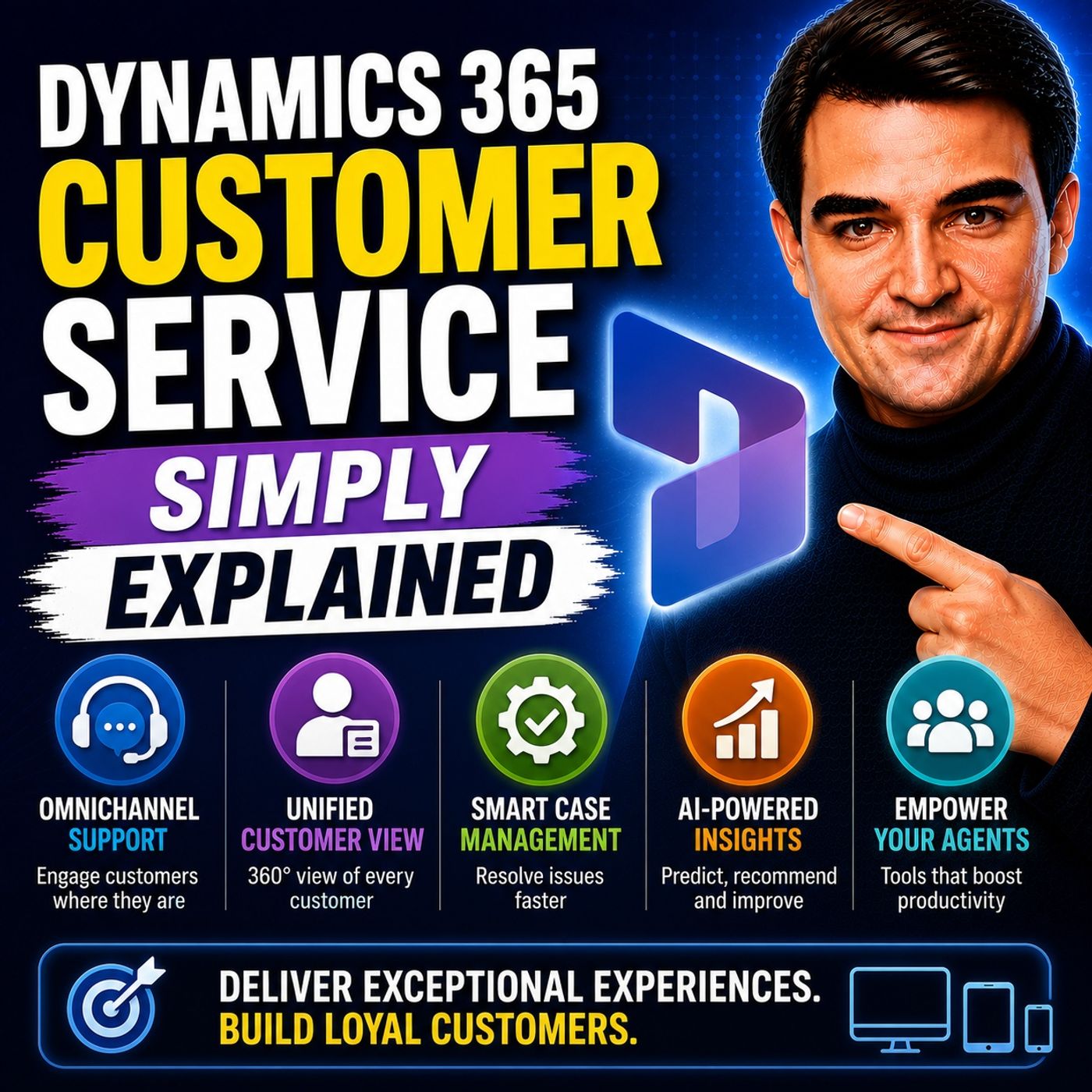
Dynamics 365 Customer Service - Simply Explained
Show notes
Welcome to another episode of Knowledge Nuggets with Mirko Peters. In this episode, we're exploring Microsoft Dynamics 365 Customer Service—Microsoft's intelligent customer support platform that brings every customer interaction together into one connected experience. Many customer support teams struggle with disconnected systems. Emails live in Outlook, phone calls are managed through separate telephony systems, chat conversations happen in different applications, and customer information is scattered across multiple databases. Customers repeat their story every time they switch channels, while support agents waste valuable time searching for context. Dynamics 365 Customer Service solves this challenge by providing a single platform where every interaction, case, communication channel, and AI capability works together seamlessly. WHY CUSTOMER SUPPORT BREAKS Most customer service problems aren't caused by people—they're caused by disconnected systems. Support agents often switch between:
- Outlook
- Phone systems
- Live chat platforms
- CRM applications
- Knowledge bases
- Collaboration tools
Every application contains only part of the customer's history. As a result, customers repeatedly explain the same problem, agents manually copy information between systems, and valuable context gets lost throughout the support process. Instead of improving customer experience, organizations often add even more tools, making the problem worse. Dynamics 365 Customer Service replaces fragmented support with one unified platform where every customer interaction is connected from beginning to end. WHAT IS DYNAMICS 365 CUSTOMER SERVICE? Dynamics 365 Customer Service is Microsoft's cloud-based customer support platform. It manages the complete lifecycle of customer interactions across multiple communication channels. The platform combines:
- Case Management
- Omnichannel Communication
- AI-powered Copilot
- Knowledge Management
- Analytics
- Automation
Built on Microsoft Dataverse, it shares customer information with other Dynamics 365 applications including Sales and Marketing, eliminating duplicate records and manual synchronization while creating a single source of truth across the organization. CASE MANAGEMENT The heart of the platform is Case Management. Every customer issue becomes a single case that collects:
- Emails
- Phone calls
- Chat conversations
- Notes
- Activities
- Attachments
- Resolution history
Agents immediately see the complete customer journey instead of piecing information together from multiple systems. Dynamics also tracks:
- Priority
- Status
- Product information
- Service Level Agreements (SLAs)
- Escalation rules
One of the platform's most valuable AI features is Copilot Case Summaries, which automatically analyze previous conversations and generate concise summaries so agents can understand complex issues in seconds rather than reading lengthy conversation histories. Macros and guided scripts further improve productivity by automating repetitive actions and ensuring consistent support processes across the entire organization. OMNICHANNEL CUSTOMER SERVICE Modern customers expect to communicate through their preferred channel. Dynamics 365 Customer Service supports:
- Live Chat
- Voice
- Social channels
- Messaging platforms
Every conversation is automatically linked to the same customer record and case. Instead of maintaining separate support systems, organizations work from one unified agent workspace. Intelligent routing distributes incoming requests based on:
- Agent skills
- Workload
- Customer priority
- Business rules
This ensures customers reach the right support specialist while balancing workloads across the service team. AI, COPILOT, AND AUTONOMOUS AGENTS Artificial Intelligence plays a central role throughout the platform. Microsoft Copilot assists agents by:
- Summarizing cases
- Drafting customer responses
- Recommending knowledge articles
- Suggesting next actions
Beyond Copilot, Dynamics 365 introduces autonomous AI agents including:
- Case Management Agent
- Customer Intent Agent
- Knowledge Management Agent
- Quality Evaluation Agent
Together these agents automate administrative work such as case creation, identifying customer intent, generating knowledge articles, evaluating service quality, and recommending coaching opportunities. Rather than replacing support professionals, AI reduces repetitive work so agents can focus on solving customer problems. MICROSOFT 365 INTEGRATION Dynamics 365 Customer Service integrates deeply with Microsoft 365. Inside Microsoft Teams, agents can:
- Collaborate on cases
- Start chats
- Make calls
- Create shared workspaces
- Launch Swarming sessions
Complex cases automatically bring together subject matter experts inside Teams without leaving the customer record. Microsoft Outlook integration allows emails to become support cases with a single click while Copilot drafts responses using customer context stored inside Dynamics. Power Automate extends these capabilities even further by automating notifications, approvals, escalations, and integrations with external business systems. SELF-SERVICE AND KNOWLEDGE MANAGEMENT Not every customer issue requires a support agent. Using Microsoft Power Pages, organizations build self-service portals where customers can:
- Search knowledge articles
- Submit support requests
- Track existing cases
- Update information
The same knowledge base serves both customers and internal support agents, ensuring everyone works from identical documentation. AI continuously improves this knowledge base by automatically generating new articles from successfully resolved cases while identifying duplicate content before publication. The result is fewer support tickets, faster resolutions, and more consistent answers across every communication channel. Become a supporter of this podcast: https://www.spreaker.com/podcast/m365-fm-microsoft-365-azure-cloud-power-platform-ai--6704921/support.
Apple Podcasts · Spotify · YouTube · YouTube Music · Deezer
Host: Mirko Peters
Guests
Related articles
Transcript
Read the full transcript
Welcome to another episode of Microsoft Knowledge Nuggets. I'm your host, Mirko Peters. Today's topic is one that almost everyone has faced. Messy customer service. You know the problem. A customer emails an issue, then calls to follow up. The agent on the phone has no idea what the email said. So the customer repeats themselves, gets frustrated, and you lose trust. That's the old way. Dynamics 365 customer service changes that. It pulls every interaction email chat, phone, social media, into one connected platform, one view, one record, one team. Let's break it down into the building blocks, case management, omni-channel, AI agents, integration with teams and outlook, and self-service. By the end, you'll see how it all fits together to turn support into a smooth, automated experience job. The problem. Why customer support breaks? So why does customer support break so often? The answer is almost always the same. Too many tools that don't talk to each other. Support teams juggle separate systems. Email lives in outlook. Phone calls go through a separate provider. Chat runs on a different platform. Your CRM is another thing entirely. And your knowledge base is yet another separate tool. Information gets scattered across all of them. Customers repeat themselves every time they switch channels. They tell the chat agent their story, then call in and tell it again. Agents waste time searching for context, digging through old emails, switching between tabs, trying to piece together what happened before they picked up. Here's a concrete example. A customer sends an email describing a problem. An agent reads it, enters the details manually into the CRM, and starts working. Then the customer calls to check progress. The phone agent has to ask for the case number, search for it, and read through whatever notes were entered. Maybe something got missed in manual entry. Maybe the agent didn't log the call properly. Now you have two partial records and a frustrated customer. The old solution was adding more tools. Buy a better phone system. Get a different chat widget, add a CRM plugin. But that just makes the fragmentation worse. The real solution is a single system that connects everything into one place. One place where every interaction, every channel, every piece of context lives together. That's the Gap Dynamics 365 customer service was built to fill. So what exactly is it? Let's dive in. What is Dynamics 365 customer service? Here's the simplest definition. Dynamics 365 customer service is a cloud platform that manages every customer interaction from start to finish. Then email comes in, a case is created, a customer calls, that same case updates. A chat conversation happens, it's locked against the same record. Everything is tied together. But it's not just a help desk. It's a complete system with case management, communication channels, AI and analytics. Think of it like an airport control tower. Every flight, every customer issue is tracked, routed and resolved from one place. And you can see which ones are on time, which are delayed, which need urgent attention. And you coordinate the response without leaving the tower. Under the hood, it's built on Microsoft Dataverse. That's the same Data Foundation that Dynamics 365 sales marketing and other apps use. So if your sales team uses Dynamics 365 sales, the customer data, account history, contact information, it's all shared. No duplicates, no manual syncing, the platform has two sides. There's the agent workspace, where service reps do their work, C-cases respond to customers, update records. And there's the back end, where routing rules, automation and AI leave. Here's the thing, most users never think about the back end. But it's what makes everything work. And it's part of the broader Microsoft ecosystem. Teams, Outlook, Power Platform, Co-Pilot, they're all connected. A case can trigger a team's message. An email and Outlook can become a case with one click. A Power Automate flow can escalate a case automatically. The pieces are designed to work together. So with that foundation, let's start with the core of any support system, the case. Case management, the heart of the system. So what's a case? Simple. A case is a single customer issue. It's the central record that everything revolves around. Every email, every phone call, every chat message, it all links back to one case record. When an agent opens the workspace, they see a list of active cases. They can filter by priority, by source, by status, high priority cases rise to the top. Cases that came in by phone, sit alongside cases that arrived by email. Everything visible, nothing hidden. Open a case record and you get the full picture. Description of the issue, which product it relates to. Priority level. And an SLA time are ticking down the time you have left to respond or resolve. That time is more than a decoration. It's a hard deadline. If a case is about to breach its SLA, escalation rules kick in automatically. A supervisor gets notified. The case gets reassigned to someone more senior. The system doesn't wait for someone to notice. It acts. One of the most useful features here is co-pilot highlights. When you open a case, co-pilot analyzes the entire history. All the emails, call notes, internal comments, and generates a one paragraph summary. So if you're taking over a case from a colleague, you don't have to read through a week's worth of back and forth. You get the key facts instantly. Who the customer is, what the issue is, what's been tried so far, that alone saves minutes per case. Then there are scripts, step by step guides that appear in the productivity pane while an agent works. If a customer calls about a password reset, the script walks the agent through the exact questions to ask and the steps to follow. It's great for new hires who don't have the experience yet. It's also great for consistency. Every customer gets the same process every time. Scripts can include macros. Macros automate routine actions, updating a case field, sending a templated email, creating a follow-up activity. Instead of clicking through five screens to update a status, the agent clicks one button and the macro does the rest. When the issue is resolved, the agent closes the case. That step can trigger follow-up actions automatically. Send a confirmation email, create a survey invitation through Dynamics Customer Voice, update-related records. The system handles the paperwork so the agent can move to the next case. But cases don't just come from one place. Customers reach out through email, chat, phone, social media. That's where Omni Channel comes in. Omni Channel. One platform, every channel. So picture this. A customer sends you an email in the morning. Then they fire off a chat message at lunch by the afternoon there on the phone and they expect you to know everything they've already said. That's a tall order if each channel runs on its own separate system. Dynamics 365 Contact Center, that's the new name for what used to be called Omni Channel, brings all those channels into a single queue. One place where every incoming interaction lands, no matter how the customer reached out, here's how it works. The system decides who handles each conversation based on rules you set. You can root by skill, technical issues go to technical agents, billing questions go to billing specialists. You can root by workload, tickets get spread evenly so no one gets buried. And you can root by customer tier. Your premium customers skip to the front of the line. The rules are flexible. You set them and the system follows. When an agent picks up a conversation, they see the full history across every channel. The customer doesn't have to repeat themselves. The agent sees that this person emailed yesterday, chatted this morning and is now calling. All in one timeline linked to the same case. Live chat is a good place to start for most organizations. It's high volume low friction. Set it upright and it can cut inbound call volume by 15 to 30% in the first quarter. Customers get quick answers without picking up the phone. Agents handle multiple chats at once. Everyone wins. Voice integration works the same way. Calls get logged automatically. They're transcribed in real time. The transcription links to the case record, sentiment analysis tracks whether the conversation is going well or turning sour. All of it happens without the agent lifting a finger. The bottom line is this. Agents work in the same workspace for every channel. They don't switch apps. They don't log into a separate phone system or open a different chat tool. One interface, one workflow, one record. With so many conversations flowing through, AI becomes the tool that keeps everything moving. Let's talk about that next. AI agents and co-pilot, the brain of the operation. OK, so you've got cases flowing in from every channel. Agents are working through cues. SLAs are ticking down. That's a lot of moving parts. This is where AI becomes the helper that keeps everything on track. Now, there's co-pilot in Dynamics 365. It's the AI assistant built right inside the agent workspace. When an agent opens a case, co-pilot generates a summary of everything that's happened so far. When they need to reply to a customer, co-pilot drafts the email based on the case context. It suggests knowledge articles that might help resolve the issue. Think of it like a senior colleague looking over your shoulder, feeding you the information you need. But co-pilot is just the start. What's more interesting are the dedicated AI agents that run on their own. These aren't tools that wait for an agent to ask a question. They act independently. First up is the case management agent. This one handles the entire case lifecycle from creation to closure. The customer conversation happens, chat, email phone, and the agent automatically creates a case from it. It fills in the relevant fields based on the transcript. It drafts an initial response. It monitors follow-ups. And when the issue is resolved, it closes the case and generates wrap-up notes. The agent doesn't have to create anything manually. The case management agent does it for them. Then there's the customer intent agent. This one learns continuously from every conversation across every channel. It analyzes case notes, transcripts, and summaries to spot new issue patterns. If customers start asking about a product feature that's causing confusion, the intent agent catches that pattern and maps it to a solution. Over time, it builds a library of intents and resolutions the whole team can use. The customer knowledge management agent takes that a step further. When a case gets resolved, especially one that involved creative problem solving, this agent drafts a new knowledge article automatically. It looks at the case timeline, the troubleshooting steps, the resolution, then it structures that information into a clear article. It checks for duplicates first, so you don't end up with five articles about the same issue. Then it suggests publication. No manual effort required. And there's the Quality Evaluation Agent. This one scores every completed interaction against your organization's quality standards. Empathy, tone, process adherence, resolution quality. It identifies low scores and generates coaching recommendations. If an agent's empathy score dropped on a particular call, the agent flags it and suggests specific improvements. Supervisors can drill into the evaluation summary and see exactly where the gap is. Now here's the interesting part. These agents don't work in isolation. The intent agent finds a new pattern. The knowledge management agent drafts an article about it. The case management agent starts using that article to resolve similar issues automatically. They feed into each other. The system gets smarter over time without anyone having to manage it. Co-pilot also plays a role in collaboration. When a case is complex and an agent needs help, co-pilot suggests swarming. Pulling in experts from teams who've solved similar problems before, it identifies the right people based on their history and suggests them as collaborators. One click in a team's channel is created linked to the case with the right experts already in it. The real world effect of all this is straightforward. Agents spend less time on administrative work and more time solving problems. The case management agent handles case creation and closure, the knowledge agent writes articles, the quality agent evaluates performance, the agent focuses on the customer. That's the shift. Speaking of teams, let's see how deep that integration actually goes. Integration, teams, outlook and beyond. Your agents don't live inside Dynamics 365 all day. They work in teams, they breathe outlook. The real power of the system is how deeply it hooks into those tools. Teams is embedded right inside the Dynamics workspace. An agent can see their active chats alongside the cases they're working on. They can start a chat from a case record without leaving the application. They can make calls using the team's dialer directly within Dynamics and those calls get logged automatically to the case timeline. No switching between apps, no copying and pasting compensation threads. Now, when an agent opens a complex case, Dynamics uses AI to suggest colleagues who might help. It looks at who's resolved similar cases before, how fast they resolve them and whether they have the right expertise. Those suggestions appear automatically. The agent clicks a name, starts a chat, and the conversation is linked to the case. That's context working the way it should. Swarming takes collaboration further. Instead of sending a single message and hoping someone responds, the agent creates a team's channel linked to the case with one click. The system pulls in the suggested experts. External specialists who don't even use Dynamics can join that channel and view the case record inside teams. They get full context without needing a license. The case doesn't get stuck waiting for someone to notice a message. Outlook integration is just as deep. A customer sends an email about an issue. From within Outlook an agent can turn that email into a case with one click. The Dynamics panel opens, identifies the sender, and auto-populates the case fields. Customer name, email address, related account, all pulled from the CRM automatically. The email body becomes the case description. The agent doesn't type anything. Copilot inside Outlook can then draft replies based on the case context. Tone, length, language, all adjustable. Customer in Germany, Copilot drafts the response in German. Sensitive situation, it adjusts the tone to be more formal. The agent reviews, edits if needed, and sends. What used to take ten minutes now takes two. For higher volume scenarios, automated email to case handles the whole thing. You configure Dynamics to monitor a support mailbox. When an email arrives, it creates a case automatically, applies routing rules, and assigns it to the right queue. No human touches it until an agent picks it up from their queue. File management is seamless too. When a Dynamics record is linked to a Teams channel, files uploaded to either location sync automatically. No duplicates, no version confusion. Co-authoring works the same way it does in any Microsoft 365 document. Here's something you are. In June, 2026, Microsoft released the service agent within Microsoft 365 Copilot to general availability. This isn't just Copilot inside Dynamics. It's a dedicated agent that lives in Teams Outlook and the Copilot app with access to over 70 tools purpose-built for service scenarios. An agent can manage cases, draft responses, and update records without ever opening the Dynamics workspace. They can work from wherever they are, across whatever tool they're using. The case data stays in Dynamics, but the agent's interface is wherever they need it. Of course, not every issue needs a human. That's where self-service comes in. Self-service and knowledge management. What if customers could solve their own problems without ever talking to an agent? For most people, that's actually the preference. They don't want to wait on hold. They don't want to explain their situation. They want to search, find an answer, move on with their day. Dynamics 365 customer service handles this through PowerPages portals. These are branded websites that live outside your internal systems. Customers come to the portal, search for knowledge articles, submit new cases, and track progress on existing ones. Everything happens through a web browser. No login to your CRM, no phone call. The knowledge base behind that portal is the same one your agents use internally. One source of truth. When an agent updates a knowledge article on their end, the portal reflects that change immediately. Customers see the same information your agents do, no outdated articles, no conflicting answers. Now maintaining a knowledge base has traditionally been a chore. Someone has to write articles, review them, publish them. And when agents are busy handling cases, writing documentation, tends to fall to the bottom of the priority list. Dynamics addresses this with AI-powered article creation. When a case gets resolved, especially one that involves some creative problem-solving co-pilot analyzes the case timeline, the emails, the resolution notes, and drafts a knowledge article automatically. The knowledge management agent takes it a step further. Before creating a new article, it checks existing content to make sure it's not duplicating something already published. It structures the content clearly. Problem, troubleshooting steps, solution. Then it suggests publication, a supervisor reviews and approves, that's it. What used to take an hour of manual writing now happens in minutes. The results, fewer inbound requests because customers find answers on their own. Consistent answers because everyone uses the same knowledge base. Faster resolution for common issues because the information is already written and organized. Here's a concrete example. A customer searches, reset password on your portal. The knowledge base returns a step-by-step article. The customer follows the instructions, resets their password, and never creates a case. That interaction never reaches an agent. The system handled it silently behind the scenes without any human effort, multiply that by hundreds of similar searches, and you start to see the impact. How do you measure that impact? That's what the analytics are for. Analytics and supervisor tools. So you've got cases flowing through AI agents handling routine work, customers self-serving on the portal. How do you know any of it is actually working? That's where the Insights dashboard comes in. The dashboard gives leaders a real-time view of service performance. Total cases created, average resolution time, escalation rate, CSAT scores, and sentiment analysis. It updates continuously, no waiting for end-of-month reports, no pulling data by hand. Here's the thing, raw numbers only tell part of the story. The system generates automated insights that flag trends you might miss. It might tell you that CSAT scores dropped for low priority cases last week or that resolution time spiked for a specific product category. These aren't just alerts, they're signals that something needs attention. The system doesn't wait for you to notice a problem. It points directly to the issue. Agent metrics show you individual performance, case volume, handling time, feedback scores, current workload. You can see who's overloaded, who has capacity, spot-high performers, and identify who needs extra support. Now, this is where the Equality Evaluation Agent we talked about earlier comes back into play. A supervisor can drill into any agent's conversation summaries and see the quality scores the agent generated. If an agent's empathy score is low on certain calls, the Evaluation Summary highlights it and suggests specific coaching improvements, like, adjust tone on sensitive interactions, or follow the script for password reset calls more closely. The recommendations are concrete and actionable, forecasting and scheduling use AI to predict call volume based on historical patterns. If next Tuesday is likely to be 20% busier than usual, the system flags it and suggests staffing adjustments, so supervisors can schedule more agents for that shift without guessing. Power BI Integration lets you build custom reports for deeper analysis. If your leadership team wants a specific view, cases by region resolution time by product line, CSET, by agent tenure, you can build it without leaving the Power BI ecosystem. The data flows from dataverse directly into your dashboards. Let's tie it all together. So here's what we covered. Dynamics 365 customer service is more than a help desk. It's a connected platform. Case management is at its core. OmniChannel brings every conversation into one queue. AI agents handle the busy work. It integrates deeply with teams and outlook, self-service portals deflect common issues. An analytics tell you whether it's all working. The real value, less context switching for agents, faster resolution for customers, and a support operation that runs smoother on every level. Here's your homework. Think about one part of your support process that feels broken. Maybe it's the gap between email and your CRM. Maybe it's customers repeating themselves. Maybe it's agents drowning in manual data entry. Could a unified platform fix it? That's the question worth sitting with. If you found this useful, subscribe and check out our next episode on Dynamics 365 sales. How the same platform powers your sales team from lead to close. I'm Mucopetus from N365 FM.