 EN
EN Deutsch
 Español
 Français
 Italiano
 Português
 Nederlands
 Polski
 Bahasa Indonesia
 Русский
 Українська
 العربية
 עברית
עברית हिन्दी
 日本語
日本語 한국어
한국어2026-08-19
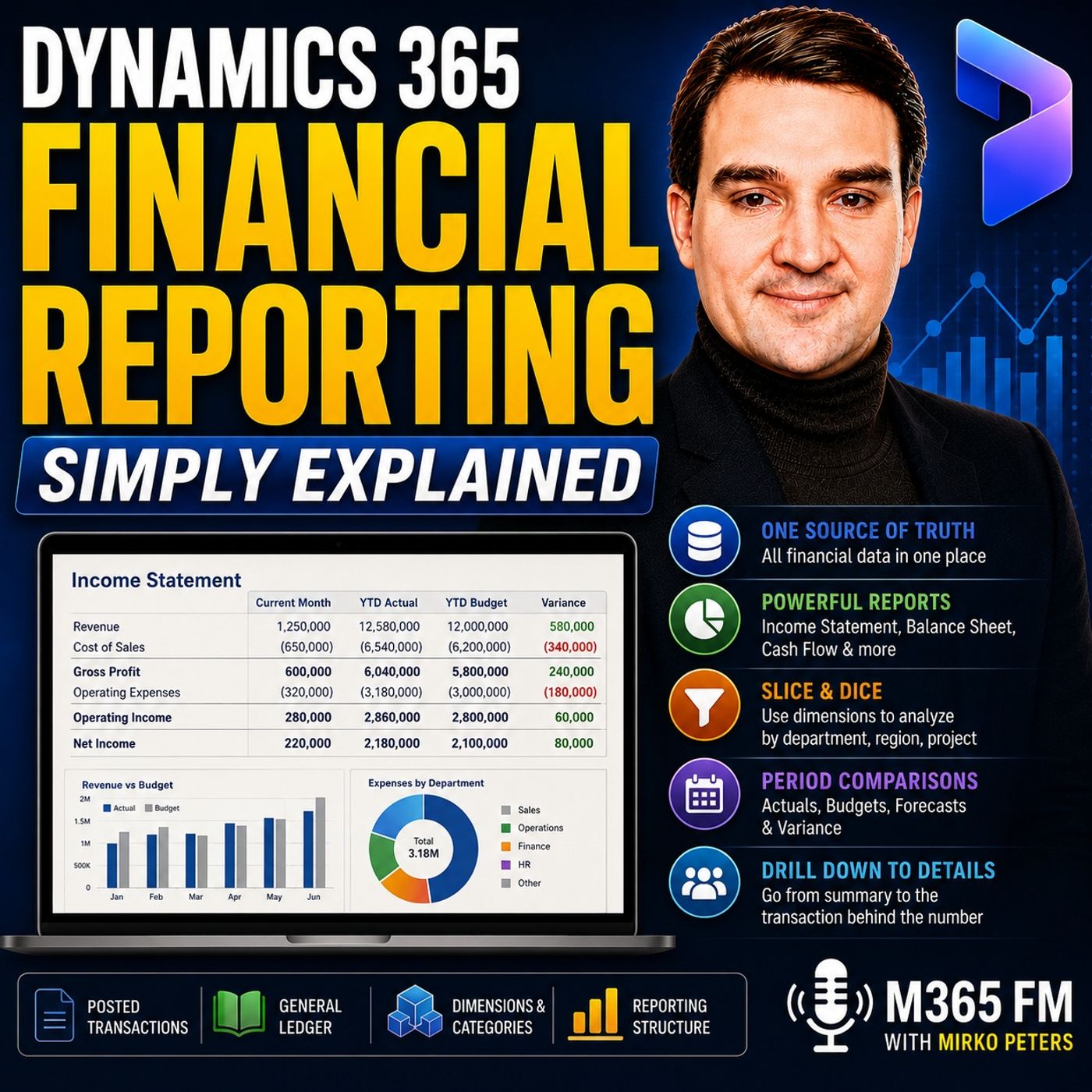
Dynamics 365 Financial Reporting - Simply Explained
Show notes
Dynamics 365 Financial Reporting turns the financial data already posted in Dynamics 365 Finance into structured reports that finance teams, managers, auditors, and executives can actually use. Instead of rebuilding financial statements in multiple spreadsheets every month, organizations can use the general ledger, main accounts, financial dimensions, reporting categories, and predefined report structures to create consistent income statements, balance sheets, cash flow reports, trial balances, and budget-versus-actual reports. In this episode of M365 FM, Mirko Peters explains how Dynamics 365 Financial Reporting works and how organizations can move from financial transactions to reports people can trust.ㅤ WHAT IS DYNAMICS 365 FINANCIAL REPORTING? Financial Reporting is the Dynamics 365 Finance capability used to create, maintain, generate, and view financial statements based on general ledger information.It isn't another accounting ledger. Transactions such as invoices, payments, journals, payroll entries, and inventory adjustments are posted in Dynamics 365 Finance first. Financial Reporting then reads those financial results and organizes them into meaningful statements.Think of the general ledger as the financial filing cabinet and Financial Reporting as the report room that organizes those records into something people can understand.ㅤ THE GENERAL LEDGER IS THE FOUNDATION Every useful financial report starts with correctly structured accounting data.The general ledger contains the financial impact of customer invoices, supplier bills, payroll, bank payments, inventory adjustments, and other business transactions. Each amount is assigned to a main account representing what happened financially.Cash, sales revenue, rent expense, wages, accounts receivable, accounts payable, loans, and taxes can each have their own main accounts.Financial statements don't create these numbers. They organize and summarize balances that already exist in the ledger.ㅤ MAIN ACCOUNT TYPES AND CATEGORIES Main account types provide broad accounting classifications. Profit and loss accounts represent revenue and expenses for a period, while balance sheet accounts represent assets, liabilities, and equity.Main account categories provide another reporting layer.Several individual bank accounts, petty cash accounts, and clearing accounts might all belong to a broader cash category. A financial report can therefore show one clean cash line while finance retains the detailed accounts underneath it.Correct account types and categories make financial statements significantly easier to build and maintain.ㅤ FINANCIAL DIMENSIONS ADD BUSINESS CONTEXT Main accounts explain what happened financially. Financial dimensions explain where, who, or which part of the organization was responsible.Dimensions might represent departments, cost centers, business units, regions, locations, or projects.For example, three transactions could all post to the same rent expense account while their dimensions identify Head Office, Warehouse, and Retail North.Finance can see total rent expense while individual managers can analyze the portion associated with their area of responsibility.ㅤ FINANCIAL DIMENSIONS VS FINANCIAL TAGS Not every piece of transaction information should become a financial dimension.Dimensions are most useful for reusable values organizations expect to report against repeatedly, such as department, cost center, region, or business unit.Financial tags are better suited to flexible transaction references such as invoice numbers, purchase order numbers, payment references, or external system IDs.Creating dimensions for thousands of unique transaction references can make the financial structure unnecessarily complicated.ㅤ DEFAULT FINANCIAL REPORTS Dynamics 365 Finance includes 22 default financial reports that organizations can use as starting points.These include common reports such as income statements, balance sheets, cash flow reports, detailed and summary trial balances, rolling expense reports, budget-versus-actual reports, and other financial views.Organizations don't necessarily need to design every statement from scratch. A default report can be opened, compared against actual ledger balances, and adjusted to match the company's account structure and reporting requirements.ㅤ FINANCIAL REPORTING VS POWER BI, EXCEL AND OTHER TOOLS Dynamics 365 Finance provides several reporting technologies, and each serves a different purpose.Financial Reporting is designed for structured general-ledger-based financial statements. Power BI is better suited to interactive dashboards, visual analysis, filters, trends, and management questions.Excel remains useful for additional analysis, calculations, checks, and familiar data exploration.SSRS is generally suited to fixed-format operational documents and detailed reports, while Electronic Reporting focuses on structured files such as tax submissions, bank files, XML, and CSV outputs.Using the appropriate tool reduces the need to force every reporting requirement into Excel.ㅤ HOW ROW DEFINITIONS WORK A row definition controls what appears down the left side of a financial statement.For an income statement, rows might include Revenue, Cost of Sales, Gross Margin, Operating Expenses, and Net Result.Rows can reference individual main accounts, ranges of accounts, account categories, dimension combinations, or calculated totals.Gross margin, for example, doesn't necessarily point directly to an account. It can be calculated by subtracting cost of sales from revenue.Row definitions therefore determine what the report is actually reporting.ㅤ HOW COLUMN DEFINITIONS WORK Column definitions determine how financial information is displayed across the report.Columns might show the current month, year-to-date results, previous-year results, budget, actuals, forecast figures, or variance between actual and budget.A management income statement could therefore contain Current Month, Year to Date, Budget, and Variance columns without requiring someone to export the report into Excel and manually create comparison formulas.ㅤ REPORT DEFINITIONS A report definition connects the row and column structures into a report users can generate.For example, finance might create an Income Statement Rows definition and combine it with a Monthly Actual, Budget and Variance column definition.The resulting report definition could become the Monthly Management Income Statement.This modular approach means organizations can reuse the same financial statement structure with different periods, comparisons, and reporting views rather than rebuilding reports repeatedly.ㅤ REPORTING TREES Reporting trees allow organizations to structure financial reports around different reporting units.These units might represent legal entities, regions, departments, business units, or other organizational structures.A company with subsidiaries could generate results for each individual subsidiary and then provide a combined group view. A regional organization might show North, South, and West individually while also producing a company-wide total.This allows the same reporting framework to serve both local managers and centralized finance teams.ㅤ SUMMARY, DETAIL AND DRILL-DOWN Financial reports don't need to remain static pages.Users can begin with a summary showing figures such as total revenue, costs, and net result and then move into additional detail when a number requires investigation.If operating expenses are significantly above budget, finance can drill into the amount and inspect the transactions behind it, including journal entries, dates, vouchers, and related details.This turns a financial statement into a starting point for analysis instead of simply a document distributed at month-end.ㅤ FILTERING FINANCIAL REPORTS The same report can answer different questions by changing parameters and filters.Users can change report dates, currencies, detail levels, financial dimensions, and other attributes.A finance manager might begin with a company-wide income statement and then filter the same structure to a specific business unit or another reporting period.This reduces the need to maintain separate spreadsheet versions for every department or management question.ㅤ SCHEDULING AND MULTI-ENTITY REPORTING Financial reports can be generated on recurring schedules such as daily, weekly, monthly, or annually.This can support regular management packs, budget reviews, period-close processes, and group reporting.Organizations operating several legal entities can also use Financial Reporting to create views spanning multiple companies and support reporting currency requirements while individual entities continue maintaining their own accounting records.ㅤ REPORT RETENTION AND AUDIT COPIES Generated financial reports have retention considerations. The script notes that newly generated reports receive a 90-day expiration date by default, which appropriately authorized users can modify.It also highlights an important consideration for historical reporting: when saved reports are rerun or users drill into their details, current transaction data can be used.Organizations requiring an immutable audit copy of a finalized reporting period should therefore export the finalized report to Excel or PDF and retain it according to their normal records-management process.ㅤ Become a supporter of this podcast: https://www.spreaker.com/podcast/m365-fm-microsoft-365-azure-cloud-power-platform-ai--6704921/support.
Apple Podcasts · Spotify · YouTube · Deezer
Host: Mirko Peters
Guests
Related articles
- Mastering Dynamics 365 Financial Reporting: Moving Beyond Excel
- Financial Dimensions vs Financial Tags in Dynamics 365 Finance: Which Should You Use?
Transcript
Read the full transcript
So why does month end still involve five different spreadsheet versions, someone hunting for the right file and a manager waiting for an answer that should already be obvious? You might have one ledger, several departments and thousands of transactions, but you still can't tell a single financial story cleanly. That's where Dynamics 365 Finance comes in. I'm Mirko Peters from M365, FM. And this knowledge nugget explains how posted financial data turns into reports people can actually read. Think of each transaction as a document filed once in a central cabinet, then read in different ways without rebuilding the numbers every time. Let's start with the records inside that cabinet. The foundation, general ledger, main accounts and categories. The general ledger is the master financial record of a company and every posted transaction ends up there in some form. A customer invoice, a supplier bill, a payroll entry, a bank payment, or a stock adjustment, or leave an accounting record behind. Think of the general ledger as a large filing cabinet with a strict rule, "Oh, you don't put a rent bill into the same drawer as product sales, and you don't put a bank balance with employee wages." Each amount needs a financial home. That home starts with a main account and it answers one simple question, "What does this money relate to?" Cash sits in one main account, sales revenue in another, and rent expense, wages, accounts receivable, accounts payable, loans and tax each have their own. So when your company pays a monthly rent bill, Dynamics 365 Finance records that amount against a rent expense account. And when a customer pays an invoice, the revenue lands in a sales account, while the unpaid amount lands in accounts receivable. The account tells Finance what happened financially. This structure matters because a financial statement doesn't invent the numbers "AO." It reads and groups numbers already posted in the general ledger. If the accounting records land in the wrong place, no report design can fix the meaning later without manual work. Now, main accounts also have types and an account type gives Dynamics 365 Finance a broad classification. Profit and loss accounts record revenue and expenses for a period, and their combined balance contributes to the year and result. Balance sheet accounts record what the company owns, what it owes, and the owner's interest, AO, assets, liabilities and equity. Cash is normally an asset, a bank loan is normally a liability, sales revenue belongs to profit and loss and rent belongs to expense. That may sound like basic accounting and it is, but it's also the first control point for reporting because the system needs to know whether an account belongs on an income statement or a balance sheet. There's also a special total account type which can add together a range of account balances or you might use this when you want a total across a defined interval, though many Finance teams build their statement totals directly in financial reporting. Account types stay broad and that's where main account categories come in "AO." They create a more useful reporting group inside that broad classification. For example, asset accounts can sit in categories like cash, fixed assets, accounts receivable or short term investments, while liability accounts might sit in accounts payable, tax payable or long term debt. The difference is simple. Account type tells you the general accounting class and main account category tells you the reporting group you want people to see. Imagine you have several bank accounts, a petty cash account and a cash clearing account, "O." Each can have its own main account because Finance needs that level of detail. Yet all of them can belong to the cash category, so a report can show one clean cash line when that's all the reader needs. That's why the default financial reports use main account categories "O." They need a familiar structure before they can show balances in sections like assets, liabilities, revenue or expenses. Clean setup pays off later because when main accounts follow clear rules, account types are correct and categories match the way your company reads its financial statements. Reporting becomes much easier. You start with data that already has a place. Accounts explain what happened financially, but leaders usually ask more than that "O." They also want to know where it happened, who spent the money and which part of the business produced the result. Financial dimensions, adding the questions. Leaders actually ask. A main account tells you what the money relates to "O" - simple enough. But financial dimensions add the business context around that amount. They answer the questions leaders ask when they see a total. Which department spent it? Which location earned it? Which business unit? Was it tied to a project? Let's look at rent expense. Your company might pay rent for a head office, a warehouse and several retail sites. If every payment posts to rent expense you see the total bill, that's useful, but it doesn't tell a regional manager what their side costs. A financial dimension fills in that gap. You could add department finance, sales or operations, or cost center, business unit, region or project. Those values sit with the accounting entry when it posts. So the account stays rent expense, but the entry tells a fuller story. One payment might read rent expense, head office. Another. Rent expense, warehouse. A third. Rent expense, retail north. Same account, different business meaning. That gives finance one consistent account structure while letting leaders view results through their part of the company. The sales director looks at sales. The warehouse manager looks at warehouse. Finance sees the total across everyone. This removes a common spreadsheet habit. Without dimensions, someone exports ledger balances and starts adding columns by hand. Sort filter copy numbers into a new workbook, then try to explain why the department total doesn't match the company total. With dimensions entered when the transaction posts that work starts from a better place. The detail already belongs to the accounting record, but it only works when values stay consistent. If one person selects north region, another selects north, and a third uses north zero one. The report splits what should be one balance into separate lines. Finance needs clear names, clear ownership, and rules about which values people can use. Dynamics 365 finance supports that through account rules. Depending on the account, the system can require a dimension or limit the values users can select. For example, an expense account may need a cost center, while a bank account may only need a business unit. You don't need the same detail for every account. Here's a simple rule. Use a financial dimension when you expect to reuse the value and report balances by it over time. Department is reusable. Cost center is reusable. Region is reusable. Project 2. If your finance team tracks balances and costs by project, invoice number is different. Purchase order number is different. Those values often belong to one transaction or one short-lived piece of work. Creating a financial dimension for every invoice number leaves you with thousands of unique values. Nobody wants on a statement. That's where financial tags fit better. A financial tag stores a flexible reference, "Oh", an invoice number, purchase order, payment reference, or external system ID. It sits on the accounting entry for detail and analysis, but doesn't carry the same structure role as a financial dimension. Financial dimensions take part in the account structure. The system checks whether the value is valid and finance can use it to summarize balances. Financial tags are lighter. They label a transaction without turning that label into a permanent reporting segment. So don't create a dimension called invoice number just to find invoices later. Use transaction details or financial tag for that. One more setup point worth knowing. Financial reporting can use the dimensions already in your system without extra reporting tools. On the financial reporting setup page, finance chooses which dimensions appear for, report design, and viewing and in what order that order matters more than it sounds. If your reports normally read main account department, cost center, project, people learn where to look. If the order changes from one report to another, reading details becomes slower and mistakes easier. Once each entry carries the right reusable labels, the ledger can answer more than "What did we spend?" It answers where, who, and which part of the business. And with that detail in place, Dynamics 365 Finance can turn those posted entries into a financial statement. What financial reporting actually is. So once your ledger entries include the right accounts and dimensions, what does financial reporting actually do with them? Financial reporting is the add-in in Dynamics 365 Finance for creating, maintaining and viewing financial statements. That sounds technical, so let's use plain English. It's the part of Dynamics 365 Finance that turns your general ledger balances into reports, AU, income statement, balance sheet, cash flow, trial balance or budget versus actual report. It isn't a new ledger, nobody posts an invoice into financial reporting or pays a supplier from it. The posting happens in Dynamics 365 Finance, and financial reporting reads the results afterward. It's also not just a dashboard with a few charts. A dashboard lets you scan a trend quickly. A financial statement gives a structured view, AU account groups, totals, reporting periods, comparisons, and the ability to inspect the detail behind a number. Think of it as the report room connected to the general ledger, the ledger records transactions. Financial reporting arranges them into the format, your finance team, managers, auditors, or board members need to read. Behind the scenes, financial reporting uses a financial data mark that refreshes from the general ledger. A data mark is a reporting copy of financial data. Arrange so reports can run without slowing down people entering invoices or posting journals. That separation helps AU Finance can review a statement while other users keep working. You don't need to export every balance into a spreadsheet just to create a clean, monthly report. Microsoft includes 22 default financial reports with Dynamics 365 Finance. You get an income statement, balance sheet, cash flow report, detailed trial balance, summary trial balance, rolling expense reports, and budget versus actual reports. Plus reports for weekly sales and discounts, all the details, ratios, or a balance sheet next to an income statement. But that doesn't mean everyone matches your company on day one. The report layout may look right, but your own main accounts and categories still need to map to the rows correctly. If your company calls an account group direct costs, while the default report expects cost of sales, someone needs to review that setup. Start with a default report anyway. It gives you a working example, a familiar structure, and a much faster starting point than building every report from an empty page. Open it, compare the balances with your ledger, check the account groupings, and adjust only what your business needs. Now Dynamics 365 Finance has several reporting tools, and this is where people often get mixed up. Financial reporting handles general ledger, out, based financial statements. SSRS, AU, SQL Server Reporting Services, AU, usually handles formatted business documents and detailed reports, like invoices, purchase orders, customer statements, or long transaction lists. It's built for pages that need a fixed layout. Electronic reporting handles files that need to go somewhere else, AU, bank files, tax submissions, XML files, CSV files, or other regulated formats. That tool focuses on sending or receiving structured data. Power BI handles interactive analysis. You use Power BI when you want charts, filters, trends, and management views that help people explore questions, which region has the fastest growing costs? How does actual spending compare with budget across several months? Financial reporting handles the formal statement. Power BI helps people investigate the pattern around it. Excel gives finance a familiar place to check numbers or do extra analysis, but it doesn't need to become the place where every financial statement starts from scratch. Each tool has a job, choose the right one, and reporting becomes less about rebuilding numbers and more about reading them. Building a report, rows, columns, and report definitions. Every financial statement starts with a shape. You have to decide what runs down the left side, what goes across the top, and how the report brings those two together. In Dynamics 365 Finance, we call those parts row definitions, column definitions, and report definitions. Letotim start with the rows. A row definition controls the left side of your statement. It tells the system which accounts account categories or dimension combinations to pull in. It also says what to call each line and where totals should appear. Think about a normal income statement, revenue at the top, cost of sales next, then gross margin, below that come operating expenses, and at the bottom, net result. Each of those lines needs its own instructions. Revenue might point to a group of sales accounts, while cost of sales points to cost accounts. Gross margin does no, ten point to any account at all, AO. It calculates a total by subtracting cost of sales from revenue. That utimst the job of a row definition. It tells financial reporting which posted balances belong on each line, and it tells the report how to add or subtract those lines when you need a calculated total. You can build a row around individual main accounts, a range of accounts, or a main account category. Categories save a lot of setup work. For example, a balance sheet normally separates assets, liabilities, and equity. Within assets, you might show cash, accounts receivable, fixed assets, and inventory. If those accounts already sit in the right main account categories, the default balance sheet rows can use those groups without listing every account one by one. That gives you a cleaner design. Finance still keeps separate accounts for separate balances, but the reader sees only the level of detail that makes sense for a formal statement. If they need more detail, they can look deeper. The statement itself does not need to become a phone book of account numbers. Rows answer one question. What are we reporting? Columns answer another. How do we want to view it? A column definition controls the information that runs across the page. You might show the current month, year-to-date results, last year our TM chatets, year-to-date results, budget, actuals, or the difference between actual and budget. A simple income statement could start with a description column. Next you might show actual for the current period, then year-to-date, then budget, then variance. That variance column calculates the difference automatically, so managers don't know, could temity, need to open Excel and create another formula after the report runs. You can also place periods side-by-side, A/O, maybe January through December, maybe this quarter beside the same quarter last year, maybe actual results beside a forecast. The rows decide the subjects and the columns decide the view. Put those two pieces together and you have most of a financial statement. But the system still needs a place where you name the report until Dynamics 365 Finance, which row and column definitions belong together. That outmits the report definition. A report definition combines the rows and columns into something people can generate. It also controls settings like rounding and how negative amounts appear. Here outtm is a concrete example. You might create a row definition called income statement rows, then a column definition called monthly actual budget and variance. The report definition connects them and gives the finished report, a name "IU", maybe monthly management income statement. That separation is useful because you can reuse the parts. One row definition for an income statement might work with a monthly column layout, a year-to-date layout and a prior year comparison layout. You do not need to rebuild the same revenue and expense structure every time somebody asks a new question. Now, some companies need one report for one company. Others need a report that follows a larger company structure. That outmits where a reporting tree comes in. A reporting tree lets you organize financial results into reporting units. Those units can represent legal entities, regions, departments, business units or another part of the company structure. Imagine a group with three subsidiaries. The parent company wants to see each subsidiary on its own, then one combined total for the group. A reporting tree can describe that structure "A,U", each subsidiary has a reporting unit and the group total above them. The same approach works for regions. You might show north, south and west as separate units, then include a total for the whole company. Or a department leader might only need to see their own unit, while the finance team needs the full view. One report definition can connect to one reporting tree at a time, so choose the structure that matches the question the report needs to answer. For people new to this, report designer includes a wizard that helps you start building these parts without facing every option at once. You choose the report type, work through the basic choices and create a starting design. As your finance team becomes more comfortable, they can edit the row definitions, column definitions, report definitions and reporting trees directly. That gives them more control over calculations, layout, grouping and the way dimensions appear. The goal is now attempt to build the most complicated report possible. It outmodes to build a report where every line answers a real business question, every column makes the comparison clear and the numbers match the ledger. Running, reading and maintaining reports. A report only becomes useful when people can read it, question it and trust what they see. After you generate a financial report, you are now to be logged into one static page. You can change the report date, choose a currency, switch between summary and detail and apply filters for financial dimensions or attributes. That means the same report can answer different questions without someone copying it into a new workbook. A finance manager might start with the full company income statement for the current month. Then they can filter it to one business unit, view it in a different currency or change the date to compare another period. The report design stays in place. The view changes for the question at hand. Two views matter here. Summary view gives you the higher level financial story out total revenue, total costs, net result. Detail view gives you more lines to inspect when a total does not to match look right. And that brings us to drill down. Imagine an operating expense line looks much higher than budget. Instead of sending an email, exporting a ledger list and trying to match account numbers manually, you can drill into that amount from the report. You can follow the balance into the transactions behind it. That lets you see the journal entries, dates, vouchers and other details that created the number. The report becomes a starting point for a conversation, not the final answer printed on a page. This is especially helpful during month and someone asks, "Oh, why did warehouse costs rise? How you start with the warehouse view, find the expense line, drill into the transactions and see whether the increase came from rent, repairs, staffing or a one-time charge." Finance spends less time searching for the source and more time explaining the result. Reports can also run on a schedule. A team might generate reports daily, weekly, monthly or annually depending on the job. Monthly management packs are the obvious example, but schedules can also help teams prepare regular budget reviews or recurring group reports. For companies with several legal entities, financial reporting can support reports across those entities and can convert currencies for reporting needs. A group finance team may need each company in its local currency, but leadership may need one view in a reporting currency. The structure needs careful setup, but the reader does not make it, need to rebuild the report from separate files every month. Here are Temmers, one maintenance detail worth remembering. Newly generated reports receive an expiration date of 90 days by default. Users with the right security permissions can change that period, including setting a report never to expire. The person who generates a report can delete their own report. Users with the financial reporting security duty can delete reports created by other users and manage report expiration settings. That protects the report list from becoming a long archive of old runs nobody can identify. But be careful with all the reports too. Starting with financial reporting released 10.0. 45. When you rerun a saved report or drill into its detail, Dynamics 365 Finance uses the current transaction data. If someone edited an underlying transaction after the report first ran, the drill down detail can differ from what you saw originally. The saved top level balances don't now tim t change, but the supporting detail can. So if Finance needs an unchangeable audit copy for a closed period, export the finalized report to Excel or PDF and keep that file under your normal records process, one final warning about the ad in itself. If someone uninstalls the financial reporting ad in, Dynamics 365 Finance permanently deletes previously created reports, report designs and configurations. Microsoft does no TMT support recovery for that action. Treat it like removing a shared Finance workspace, not like deleting an app from your phone. Formal statements help Finance explain the numbers in a controlled format. For faster visual scanning and trend questions, another tool fits alongside them. Wear Power BI and Excel fit. So where do Power BI and Excel actually fit? Financial reporting handles your formal statements, the ones auditors need. Power BI takes care of charts, trends and interactive management views. Revenue by region, budget versus actual. Excel still has its place too. Your team uses it for checks, calculations and sharing numbers in a format everyone already knows. The financial analysis workspace includes Power BI content for common views, but keep each dashboard focused on one question. Don't cram everything onto the same screen, the best part, all these tools read from the same Finance records, everything works together. Closing. Build the ledger first. A clear report doesn't start with the layout. It starts much earlier, clean main accounts, reusable dimensions. Without that foundation, nothing else matters. Start with a default report, test it against your real balances, then change only what your company needs. Subscribe for more Microsoft knowledge nuggets from Mirko Peters at M365 FM and share this with someone who still thinks Dynamics 365 Finance reporting begins and ends with Excel.