 EN
EN Deutsch
 Español
 Français
 Italiano
 Português
 Nederlands
 Polski
 Bahasa Indonesia
 Русский
 Українська
 العربية
 עברית
עברית हिन्दी
 日本語
日本語 한국어
한국어2026-05-26 · Season 2
From Microsoft Lync to Teams with Carsten Lund Meilbak [MVP]
![From Microsoft Lync to Teams with Carsten Lund Meilbak [MVP]](https://d3wo5wojvuv7l.cloudfront.net/t_rss_itunes_square_1400/images.spreaker.com/original/43f2590365f3110707cfbd0fb3be6214.jpg)
Quick answer: Microsoft Lync to Teams migration history is covered in this M365 FM episode with a practical focus on how it works, where it fits, and the architecture, security, governance, or operational choices that matter in real Microsoft environments.
You witness the evolution of collaboration every day in your modern workplace. Organizations now rely on digital tools to connect teams and streamline communication. Microsoft 365 and AI-powered solutions like Copilot transform workplace collaboration, making communication faster and more efficient. The M365 FM Podcast delivers real-world insights that help you understand these changes. The shift from traditional methods to digital and hybrid work models shapes how you approach communication and teamwork.
| Statistic Description | Value |
|---|---|
| Average meetings per employee in hybrid work | 18 meetings per week (Microsoft, 2022) |
| Increase in meetings during the pandemic | 252% more meetings than before (Microsoft, 2022) |
| Digital overload impact | Increased meetings and emails at all hours (Microsoft, 2023) |
Key Takeaways
- Collaboration has evolved from traditional methods to digital tools, enhancing communication and teamwork.
- Digital platforms like Microsoft Teams and M365 streamline collaboration, making it easier to connect and share ideas.
- Remote and hybrid work models are now common, requiring effective online collaboration to maintain team productivity.
- Video conferencing tools improve engagement and understanding among team members, fostering better collaboration.
- AI and automation in collaboration tools help teams work faster and focus on high-impact projects.
- Building a culture of open communication and trust is essential for successful collaboration in any team.
- Managing digital overload is crucial; prioritize asynchronous communication and limit the number of tools used.
- Investing in training and support for new technologies will prepare teams for the future of collaboration.
Evolution of Collaboration: From Past to Present
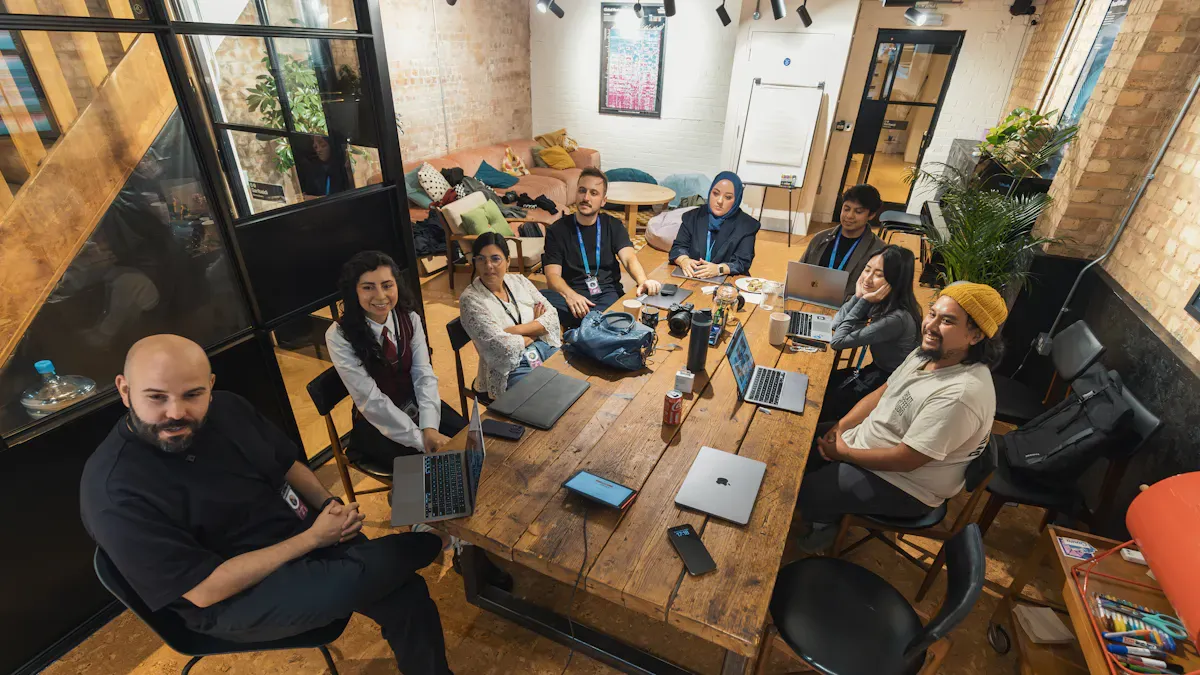
Workplace Collaboration Defined
You experience workplace collaboration when you share ideas, solve problems, and work toward common goals with others. Collaboration means more than just working together. It involves exchanging information, building trust, and supporting each other. You see collaboration in meetings, emails, and digital chats. It shapes how you approach teamwork and business transformation. The evolution of collaboration has changed how you connect and communicate at work.
Traditional Collaboration Methods
You once relied on face-to-face meetings, phone calls, and paper memos to collaborate. These methods helped you build relationships and share information. You used conference rooms for brainstorming sessions. You depended on physical documents for project updates. The invention of the telephone in the early 20th century made communication faster. Personal computers in the 1970s allowed you to complete tasks quickly and store information efficiently. You saw the first email sent in 1971, which marked a new era for workplace collaboration.
Tip: You can still use traditional methods to build trust and strengthen relationships, even as digital tools become more common.
Key Milestones in Collaboration
You witnessed many milestones that shaped the evolution of collaboration. Each milestone brought new ways to connect and work together. Here are some key moments:
- Invention of the telephone in the early 20th century
- 1970s: Advent of personal computers
- 1971: First email sent on ARPANET
- 1989: Unveiling of the World Wide Web
- 1990s: Widespread adoption of the internet
- 1993: World Wide Web released to the public domain
- 2000s: Rise of smartphones, social media platforms, cloud computing, and e-commerce
- Introduction of Voice over Internet Protocol (VoIP)
- Emergence of digital collaboration tools like Zoom and Slack
- 2020: Accelerated adoption of remote work technologies due to the pandemic
- Shift towards remote and flexible work arrangements
- Recognition of the importance of diversity and inclusivity
You saw the transformation from simple teamwork to complex, tech-enabled collaboration. The internet and email revolutionized communication. Cloud computing made data and applications accessible from anywhere. You now use digital platforms to connect with colleagues across the globe. The evolution of collaboration continues as new technologies emerge.
| Time Period | Key Developments | Impact on Collaboration |
|---|---|---|
| Late 1970s - Early 1980s | Introduction of personal computers | First step in digitizing the workplace, enabling faster task completion and information storage |
| 1990s | Internet and email | Revolutionized communication, enabling instant messaging and remote collaboration, blurring work-life boundaries |
| 2000s | Rise of cloud computing | Made data and applications accessible from anywhere, enhancing remote collaboration capabilities |
You play a role in this ongoing evolution of collaboration. You adapt to new tools and methods. You help shape the future of workplace collaboration by embracing change and learning new skills.
Digital Collaboration and Technology Shifts
Email and Messaging Tools
You have seen how email and messaging tools changed the way you communicate at work. These tools let you send messages instantly, which is much faster than using telegraphs or fax machines. You can now share ideas and updates with your team in seconds. This speed helps you make decisions quickly and keeps everyone on the same page. Messaging platforms like Microsoft Teams, Slack, and Zoom allow you to work with people in different locations. You can chat, share files, and even use video calls for face-to-face conversations. AI-powered assistants now help you write messages with the right grammar and tone, making your communication more effective.
- Email and messaging tools increase the speed of communication.
- You can collaborate in real-time, no matter where you are.
- AI tools help you write clear and professional messages.
Rise of Microsoft Teams and M365
You rely on Microsoft Teams and Microsoft 365 to support your daily collaboration. These platforms have become essential for digital collaboration in the modern workplace. Microsoft Teams reached 320 million users in November 2023. This growth shows how much you depend on these tools for teamwork and communication. The remote work culture has made virtual collaboration spaces more important than ever. Microsoft 365 plans to add immersive spaces in Teams in 2024, which will make your collaborative experiences even more engaging. You can use threaded conversations, direct and group chats, and integrated video calls to connect with your team. These features help you keep your discussions organized and tied to specific projects.
- Microsoft Teams and M365 support real-time collaboration.
- You can reduce app-switching and keep all your work in one place.
- These tools help you stay connected and productive, even when working remotely.
Note: The M365 FM Podcast shares real-world examples and expert advice on how to use Microsoft 365 for effective collaboration. You can learn best practices and new strategies from industry leaders.
Cloud Collaboration Platforms
Cloud collaboration platforms give you the power to work together from anywhere. You can access files, join meetings, and share ideas in real-time. These platforms create digital environments that feel like in-person meetings. You can use 3D avatars, interactive whiteboards, and immersive meeting spaces for visual collaboration. Persistent virtual workspaces let you keep your content and conversations in one place, so you never lose track of your projects. Cloud platforms connect your team instantly, whether you are in the office or working remotely. You can use features like @mentions, activity streams, and unified messaging to make your collaboration smooth and efficient.
- Cloud platforms make visual collaboration easy and engaging.
- You can hold online meetings, share files, and work together in real-time.
- These tools help you eliminate disjointed communication and boost productivity.
You see how digital collaboration tools have become essential for workplace collaboration. They help you connect, share, and create in ways that were not possible before.
Post-Pandemic Collaboration Trends
Remote and Hybrid Work Models
You have seen the workplace change quickly in the post-pandemic world. Many organizations now use remote and hybrid team models. These models let you work from home or split your time between home and the office. Over 80% of office employees say hybrid and remote work is now their permanent setup. You find that this flexible, hybridized and empathetic mode gives you more control over your schedule and work-life balance.
You rely on online collaboration tools to stay connected with your team. These tools help you share ideas and complete projects, even when you are not in the same place. The post-pandemic shift has made team collaboration more important than ever. You and your coworkers depend on each other to get work done. However, 75% of remote employees say collaboration suffered during the work-from-home period. Many workers felt isolated and missed in-person brainstorming. About 25% of workers found themselves working alone in silos.
You can help your hybrid team succeed by joining regular team-building activities and making sure everyone feels included. A good hybrid work model gives equal chances for growth and access to resources, no matter where you work.
Video Conferencing and Virtual Meetings
You use video conferencing and virtual meetings every day in the post-pandemic workplace. These tools let you see your coworkers’ faces and body language, which helps you understand their feelings and ideas. Turning on your camera during meetings can help you focus and avoid distractions.
| Benefit | Description |
|---|---|
| Engagement | Video conferencing boosts engagement among team members. |
| Productivity | These tools increase productivity in remote settings. |
| Collaboration | They make collaboration clearer and more effective. |
| Cost Efficiency | Video meetings lower communication costs. |
You notice that video meetings help your hybrid team stay connected and productive. They give you new ways of working together, even when you are far apart. You can share screens, chat, and solve problems in real time.
Humanizing Collaboration and Inclusivity
You play a key role in making collaboration more human and inclusive in the post-pandemic era. Organizations that focus on inclusivity see higher employee engagement and job satisfaction. You can use inclusive communication practices, like active listening and open questions, to help everyone feel heard.
Tip: Build trust and psychological safety in your team to encourage open dialogue and better collaboration.
You can also join cross-functional projects and set shared goals with your coworkers. Technology helps you connect with people across different spaces and time zones. When you feel engaged and connected, you work better and help your workplace succeed. In fact, engaged employees show a 14% increase in productivity and a 23% rise in profitability. The post-pandemic world asks you to embrace new ways of working and support your hybrid team with empathy and strong communication.
Modern Workplace Collaboration Tools

AI and Automation in Collaboration
You see artificial intelligence and automation changing how you collaborate at work. AI-powered features help you move from decision to delivery faster. Smart dashboards show you priorities and blockers, so your team stays aligned. Automation handles repetitive tasks, which lets you focus on high-impact projects. Predictive insights help you use resources wisely and avoid overload. In 2024, 72% of companies using AI in collaboration tools reported higher productivity. Many organizations also saw cost savings and revenue growth from these tools.
| Benefit Type | Description |
|---|---|
| Faster execution | AI helps teams move from decision to delivery in project management without unnecessary blockers. |
| Smarter resource use | Predictive insights reveal bandwidth issues and suggest reallocation for effective work distribution. |
| Less manual work | Automation of repetitive tasks allows teams to focus on high-impact initiatives. |
| Stronger alignment | Smart dashboards keep everyone informed about priorities, blockers, and next steps. |
| Stronger security and compliance | Platforms ensure strict access controls and encrypted data handling for compliance. |
| Increased productivity | 72% of companies using AI collaboration tools reported productivity gains in 2024. |
| Cost savings and revenue growth | Companies leading in generative AI adoption have seen over 10% of EBIT tied to AI gains. |
You can use tools like Microsoft Teams, Slack, and ClickUp to boost productivity and reduce time spent on routine tasks. These tools help you communicate, organize, and deliver results quickly.
Security and Governance Considerations
You must keep your workplace secure as you adopt new digital collaboration platforms. Security and governance challenges can include understanding changing regulations, managing complex cloud environments, and keeping control over who accesses your data. You may find it hard to merge cloud governance with existing systems. Sometimes, you need special skills to manage cloud security well.
| Challenge | Description |
|---|---|
| Understanding Regulatory Landscape | Staying updated with rapidly changing regulatory requirements demands constant vigilance and flexibility for compliance across different jurisdictions. |
| Complexities of Cloud Environments | Managing security across various cloud models (public, private, hybrid) complicates governance, requiring a comprehensive framework that fits these diverse models. |
| Lack of Visibility and Control | Organizations often face unauthorized access issues due to insufficient visibility over their cloud assets, complicating governance efforts. |
| Integration With Existing Systems | Merging cloud governance with existing on-premise security controls can lead to inconsistencies and conflicts, increasing administrative complexity. |
| Implementation Gap | The need for specific knowledge and skills in cloud security governance can hinder effective deployment and administration if qualified professionals are lacking. |
You may also face resistance from employees who see security rules as extra work. Clear communication and involving your team in decisions can help. Limited resources can stretch your efforts, so you should prioritize risks and use automation to maximize effectiveness. You need to balance strong security with smooth operations.
Best Practices for Digital Collaboration
You can make digital collaboration more effective by following best practices. Start by building a culture of open communication with regular check-ins and feedback. Choose workplace collaboration tools that fit your business goals and team structure. Integrate your tools to avoid overload and confusion. Provide training and support so everyone knows how to use the tools well.
- Foster a culture of open communication with regular check-ins and feedback channels.
- Select collaboration tools that align with business goals and team structures.
- Streamline and integrate collaboration tools to avoid tool overload.
- Provide onboarding and support to ensure effective tool usage.
- Define clear roles and collaboration protocols for meetings and decision-making.
- Encourage feedback and iteration to refine collaboration processes.
- Prioritize security and compliance in collaboration platforms.
- Track collaboration metrics and KPIs to evaluate effectiveness.
- Align IT and business outcomes to larger organizational objectives.
You should also set clear roles and protocols for meetings. Track your progress with collaboration metrics. Align your IT and business outcomes with your larger goals. Digital-first collaboration keeps everyone connected, even in hybrid or remote work models. You can support cloud and process transformation by standardizing best practices and creating team agreements.
| Tool | Key Features |
|---|---|
| Slack | Channel-based messaging, 2,600+ app integrations, AI-powered recaps, voice and video huddles. |
| Microsoft Teams | Integration with Microsoft 365, security and compliance features, structured channels, extensive meeting capabilities. |
| Zoom | Persistent messaging, automated voicemail, multi-language captions, social features for company culture. |
| Asana | Connects strategic goals to daily tasks, AI understanding of business context, 300+ integrations. |
| Trello | Visual task management with drag-and-drop cards, Power-Ups for extended functionality, accessible free tier. |
| ClickUp | All-in-one platform with 100+ features, custom fields, AI-powered task handling. |
| Miro | Infinite canvas, 300+ templates, real-time collaboration features. |
| Coda | Blends documents and applications, real-time syncing, AI capabilities. |
| Notion | Flexible pages for knowledge management, collaborative editing features. |
| Nectar | Peer-to-peer recognition, points-based rewards system, integration with communication platforms. |
| Workvivo | Social experience for corporate intranet, activity feeds, recognition features. |
You can choose from many workplace collaboration tools to fit your needs. These tools help you enhance communication, foster engagement, and maintain company culture in any workplace.
Challenges and Benefits of Collaboration Today
Overcoming Distance and Time Zones
You often work with people in different cities or countries. This can make collaboration harder. Time zone differences sometimes mean you cannot meet at the same time. You can solve this by setting core hours when everyone is available. Project management tools help you share updates even when your team is offline. Recording meetings lets everyone catch up later. Scheduling tools like Google Calendar or World Time Buddy make it easier to plan meetings. You can also use technology like noise-cancelling headsets and good cameras for clear communication. Regular virtual team-building activities help you feel connected. Leaders who stay flexible and adapt to team needs make global teams stronger.
Tip: Set clear rules for when to focus, join meetings, and chat informally. This helps everyone understand how to work together, even from far away.
Managing Digital Overload
You use many apps and platforms every day. Too many tools can make you feel stressed or overwhelmed. This is called digital overload. You might get too many messages or lose important information. You may also feel pressure to always be online, which can hurt your work-life balance. Sometimes, you do not have the right skills to use new technology, which adds stress.
| Evidence | Description |
|---|---|
| Technostress Model | New technology can cause stress if you do not have the right skills or support. |
| Asynchronous Communication | Working at your own pace helps reduce burnout and supports different work styles. |
| Ethical Analytics | Tracking your own work trends helps you spot burnout and improve your balance. |
You can manage digital overload by encouraging asynchronous work. This means you do not have to reply right away. You can also use analytics to check your work habits and make changes if needed.
Enhancing Productivity and Innovation
You see many benefits when you use collaboration well in your workplace. Teams that work together finish tasks faster and make fewer mistakes. Companies that support collaboration often keep their employees longer. They also complete tasks more effectively. Studies show that collaboration can boost productivity by 25% or more. Organizations that use internal tools for collaboration see big gains in how much work gets done. High-performing companies often focus on teamwork and open communication. This leads to more creative ideas and better results.
Note: Building trust and giving proper training helps your team avoid silos and confusion. Make sure everyone knows their role and feels safe to share ideas.
You can help your workplace succeed by supporting effective communication, using the right tools, and encouraging everyone to take part.
Effective Collaboration Today
Characteristics of Successful Teams
You can spot a successful team by how its members interact and achieve goals together. Teams that excel at collaboration share several important traits. They communicate openly and make sure everyone stays informed. Trust forms the foundation, allowing you to share ideas without fear. When you feel safe, you take risks and suggest new solutions. Teams with a mix of skills and backgrounds solve problems more creatively. A shared purpose keeps everyone motivated and focused.
| Characteristic | Description |
|---|---|
| Clear Communication | Teams keep open lines so everyone stays engaged and informed. |
| Trust and Psychological Safety | You feel safe to speak up and take risks without negative consequences. |
| Complementary Skills and Diversity | Teams benefit from different skills and viewpoints, which leads to better problem-solving. |
| Shared Sense of Purpose | Everyone works toward the same goal, which boosts motivation and effectiveness. |
Google's Project Aristotle found that psychological safety was the most important dynamic for successful teams, enabling them to harness diverse ideas and improve innovation and decision-making.
- Companies in the top quartile for ethnic and cultural diversity on executive teams are 33% more likely to have industry-leading profitability (McKinsey & Company, 2018).
When you build a team with these characteristics, you create an environment where collaboration thrives and everyone can do their best work.
Practical Tips for Organizations
You can improve collaboration in your organization by focusing on culture and structure. High-performing companies like Patagonia show that a strong culture supports effective teamwork. Leaders play a key role by modeling open communication and encouraging everyone to participate. You should create formal meeting agendas to keep discussions on track. Ice-breaker questions help team members connect and build trust. When you start a new team, hold a kick-off event to set shared goals and create a sense of ownership.
- Prepare formal meeting agendas and keep communication styles in mind.
- Always use ice-breaker questions to build authentic connections.
- Hold a formal kick-off event for new teams to create a shared sense of ownership.
You can also use digital tools to support collaboration, but remember that technology works best when you combine it with a positive culture. Encourage feedback and celebrate team achievements. When you make collaboration a priority, your workplace becomes more productive and innovative.
Future of Workplace Collaboration
You will see big changes in how you collaborate at work in the coming years. Experts predict that artificial intelligence will play a much larger role. You will need to learn new skills to work alongside AI tools. The role of AI will shift from being just an assistant to becoming a central part of how you design jobs and organize teams. You will need strong soft skills, such as communication and adaptability, to succeed in this new environment.
- Experts foresee a significant evolution in workplace collaboration driven by AI, emphasizing the need for new skills and leadership strategies.
- The role of AI will transition from being a mere assistant to a central element in job design, necessitating well-rounded employees with strong soft skills.
- Organizations will need to adapt to a future where human-machine collaboration is paramount, impacting recruitment, role definitions, and team management.
- The World Economic Forum indicates that 77% of employers recognize the necessity for reskilling their workforce to effectively collaborate with AI by 2030.
You will need to adapt quickly as technology changes. Organizations that invest in training and support will help you succeed. The future of collaboration will depend on your ability to blend human creativity with the power of new tools. By staying open to change, you can help shape a workplace where everyone works together more effectively.
You have seen workplace collaboration evolve through these milestones:
- Introduction of personal computers in the 1980s.
- World Wide Web and email in the 1990s.
- Mobile and cloud technologies in the 2000s.
- Real-time collaboration tools in the 2010s.
- Remote and hybrid work models today.
To stay ahead, you should foster clear communication, encourage knowledge sharing, and choose user-friendly tools like Microsoft 365. Insights from the M365 FM Podcast help you build high-performing teams and harness AI for better results. As you adapt, you shape a future where flexible, collaborative work drives success.
FAQ
What is workplace collaboration?
Workplace collaboration means you work with others to share ideas and solve problems. You use tools and communication to reach common goals. This helps your team succeed.
How do digital tools improve collaboration?
Digital tools let you connect with your team quickly. You share files, chat, and hold meetings online. These tools help you work together from anywhere.
Why is Microsoft 365 important for teamwork?
Microsoft 365 gives you apps like Teams, Word, and Excel. You use these to organize projects, chat, and share documents. This makes teamwork easier and faster.
How can you avoid digital overload?
You can set clear work hours and use fewer apps. Try asynchronous communication so you do not need to reply right away. Track your habits to spot stress early.
What is the M365 FM Podcast?
The M365 FM Podcast gives you expert advice on Microsoft 365. You learn practical tips and hear real stories from IT leaders. This helps you use technology better.
How do you build trust in remote teams?
You build trust by sharing feedback and listening to your team. Use video calls to connect face-to-face. Celebrate achievements and encourage open communication.
🎧 Listen to this episode
Want a practical explanation of From Microsoft Lync to Teams with Carsten Lund Meilbak [MVP]? This episode breaks down the topic in clear language and shows why it matters for Microsoft 365, Azure, Power Platform, security, AI, and modern work.
Listen to this episode if you want to:
- Understand the key concepts behind From Microsoft Lync to Teams with Carsten Lund Meilbak [MVP]
- See how it fits into the wider Microsoft technology ecosystem
- Learn where it can create practical value for your organization
You may also enjoy these related M365 FM episodes:
- Teams Telephony - Simply Explained
- ARM Templates vs Bicep: Why Azure Teams Are Switching
- Microsoft Teams Hidden Features with Josh Blalock [MVP]
- High-Stakes Hybrid Events with Microsoft Teams and Mesh
- Microsoft Teams Governance with Entra ID as the Control Plane
Discover more practical Microsoft conversations on M365 FM.
Last reviewed: July 2026.
Who Should Listen
This episode is for Microsoft administrators, architects, developers, security professionals, and business leaders who need a practical foundation before making implementation, operations, or governance decisions.
🎧 You Should Also Listen To
- AI Agents — A strongly related next step for extending this topic.
- Power Platform — A strongly related next step for extending this topic.
- Microsoft Teams — A strongly related next step for extending this topic.
Official Microsoft MVP profile: Carsten Lund Meilbak on Microsoft MVP
Apple Podcasts · Spotify · YouTube · YouTube Music
Host: Mirko Peters