 EN
EN Deutsch
 Español
 Français
 Italiano
 Português
 Nederlands
 Polski
 Bahasa Indonesia
 Русский
 Українська
 العربية
 עברית
עברית हिन्दी
 日本語
日本語 한국어
한국어2026-07-13 · Season 3
Graph API - Simply Explained
Show notes
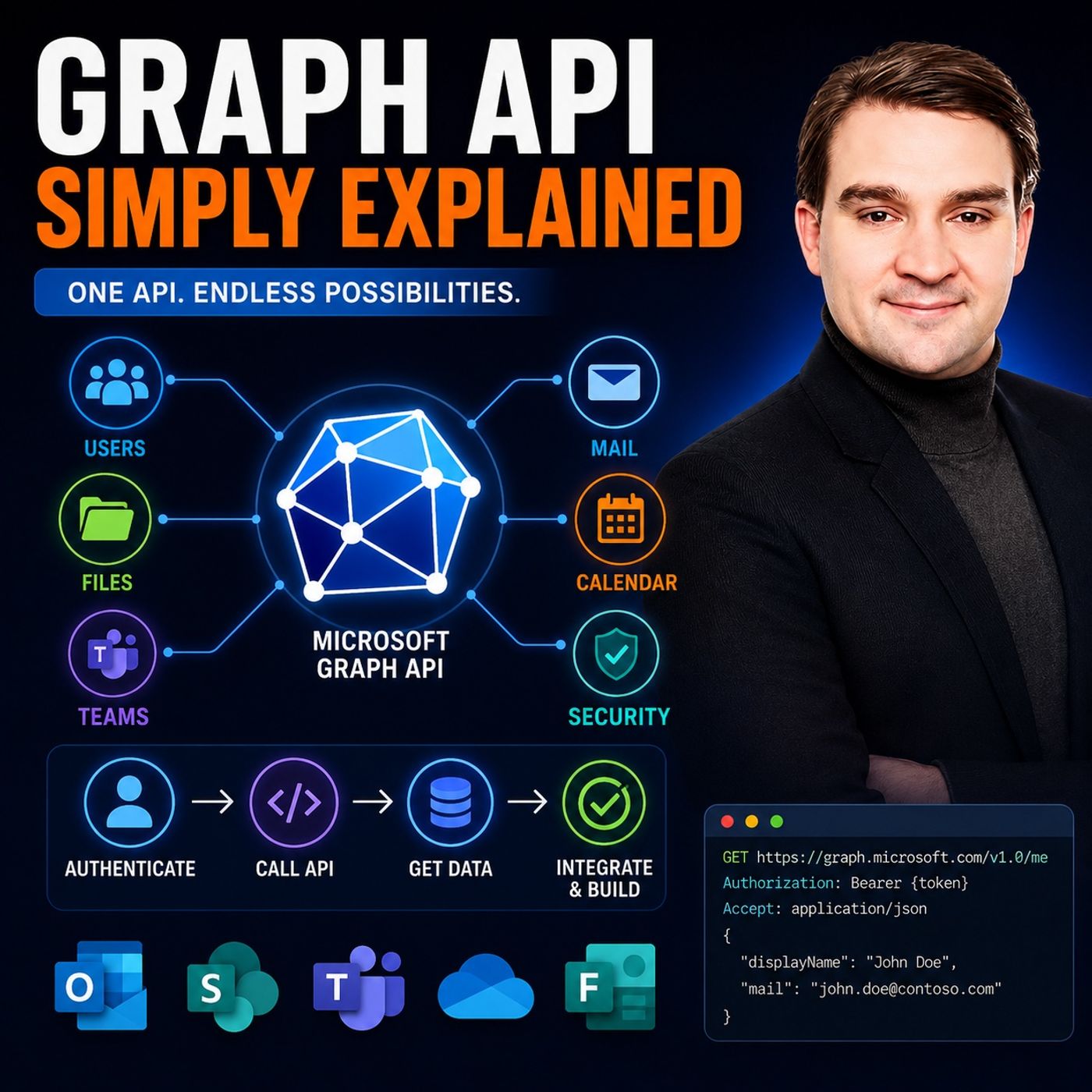
Microsoft Graph API is one of the most important technologies in the Microsoft ecosystem, yet it's often misunderstood. Is it a database? A service? Or simply another developer tool? In this episode of Microsoft Knowledge Nuggets on M365 FM, Mirko Peters breaks down Microsoft Graph API in plain English using simple real-world analogies that make even complex concepts easy to understand. Whether you're an IT administrator, developer, Power Platform maker, or Microsoft 365 enthusiast, you'll learn why Graph has become the universal gateway to Microsoft's cloud services and why it's now essential for automation, integrations, and AI-powered solutions. FROM DISCONNECTED APIS TO ONE UNIFIED PLATFORM Before Microsoft Graph, every Microsoft service had its own API. Exchange Online, SharePoint, Azure Active Directory (now Microsoft Entra ID), OneDrive, and Microsoft Teams all required separate authentication methods, documentation, and programming models. Automating even simple business processes meant working with multiple technologies simultaneously. Microsoft Graph changed that by introducing one unified API endpoint that connects every major Microsoft 365 service through a consistent interface, dramatically simplifying development and automation. UNDERSTANDING GRAPH THROUGH SIMPLE ANALOGIES Rather than diving into technical documentation, this episode explains Microsoft Graph using relatable examples. Imagine Microsoft 365 as a modern office building where every service represents a different department. Instead of visiting each room individually, Microsoft Graph acts as the central reception desk that coordinates everything behind the scenes. This simple analogy makes it easy to understand how Graph connects users, files, calendars, mailboxes, Teams, SharePoint sites, and security information into one interconnected platform. HOW AUTHENTICATION, PERMISSIONS, AND SECURITY WORK Every Graph request starts with authentication through Microsoft Entra ID before authorization determines exactly which resources an application can access. The episode explains delegated permissions, app-only permissions, OAuth tokens, consent, scopes, and Microsoft's least-privilege security model without unnecessary technical complexity. You'll also understand why Graph is considered one of the most secure ways to access Microsoft 365 data and how administrators maintain complete control over application permissions. AUTOMATING MICROSOFT 365 WITH GRAPH API Microsoft Graph enables organizations to automate virtually every aspect of Microsoft 365. From creating users and assigning licenses to managing Teams, SharePoint documents, Outlook mailboxes, OneDrive files, calendars, Microsoft Defender alerts, and security operations, Graph provides a single interface for enterprise automation. The episode also demonstrates how developers, administrators, and IT professionals can build powerful workflows while reducing complexity compared to legacy Microsoft APIs. GRAPH API FOR POWER PLATFORM AND LOW-CODE USERS You don't have to be a professional developer to benefit from Microsoft Graph. Power Automate, Power Apps, Microsoft Copilot, and Graph Explorer make Graph accessible to citizen developers and business users through low-code experiences. Even advanced Graph endpoints can be integrated using custom HTTP actions, allowing organizations to build sophisticated automations without writing large amounts of code. This opens enterprise-grade automation capabilities to a much wider audience. WHY GRAPH API IS THE FUTURE OF MICROSOFT 365 Microsoft continues to retire older technologies while investing heavily in Graph API. Legacy APIs such as Exchange Web Services are reaching end of life, while new Microsoft 365 capabilities increasingly become available only through Graph. Understanding Graph today prepares organizations for future AI experiences, Microsoft Copilot integrations, intelligent agents, Power Platform automation, and enterprise cloud development. KEY TAKEAWAYS Microsoft Graph API is the universal gateway to Microsoft 365. One endpoint provides secure access to users, mail, files, Teams, SharePoint, calendars, devices, security data, and much more. Whether you're building applications, automating business processes, integrating Microsoft services, or preparing for the AI era, Graph API forms the foundation of the modern Microsoft cloud. Understanding how it works is one of the most valuable skills for anyone working with Microsoft technologies today. Become a supporter of this podcast: https://www.spreaker.com/podcast/m365-fm-microsoft-365-azure-cloud-power-platform-ai--6704921/support.
Apple Podcasts · Spotify · YouTube · YouTube Music · Deezer
Host: Mirko Peters
Guests
Related articles
Transcript
Read the full transcript
What exactly is the Microsoft Graph API? Is it a database, a service, or just something for developers? I hear these questions all the time, and honestly, the confusion makes sense. Microsoft throws a lot of names at you. Graph, Graph API, Graph Explorer, Graph SDK, it's easy to get lost in all that. So here's what we're going to do today. I'm going to explain what Graph actually is in plain English using one simple analogy that will stick with you. By the end of this episode, you'll see how it connects everything in Microsoft 365. And why it matters, whether you're an admin, a developer, or someone who just wants to automate your work. The old way, before Microsoft Graph, imagine the Microsoft ecosystem about 10 years ago. Every single service spoke its own language, exchange had its own API. SharePoint had a completely different one, Azure AD, another one entirely. And if you wanted to work with Teams or OneDrive, more APIs with their own rules. So if you were a developer or an admin, trying to automate something, say, create a new user, give them a mailbox, and add them to a SharePoint site. You had to learn three different APIs with three different authentication methods. Each one had its own way of logging in, making requests and handling errors. It was slow, complex, and it meant a lot of manual work that should have been automated. Microsoft looked at the situation and realized they needed something better. A single unified doorway into everything. That's what Graph is. What is an API? A simple definition. Before we go further, let's get on the same page about what an API actually is. Think of it like a waiter in a restaurant. You sit down, tell them your order, they go to the kitchen, the food gets made, and they bring it back to you. You don't need to know how the kitchen works. You just need the waiter. Now, before Graph came along, imagine a building with 10 different restaurants, each with its own kitchen and its own waiter. If you wanted food from three different restaurants, you had to talk to three different waiters, each with a different menu and ordering process. That was the old Microsoft world. Graph API is the master waiter who works with every kitchen at once. You place a single order and Graph talks to Exchange SharePoint Teams and everything else behind the scenes. It uses standard HTTP methods, get to read data, post to create something new, patch to update, and delete to remove. Think of it as a universal translator for all of Microsoft services, one language, one way of ordering, and everything gets delivered to your table. What is Microsoft Graph? The Office Building analogy. So here's the analogy that makes this all click. Imagine Microsoft 365 as a modern office building. It has different rooms that each server purpose. Exchange Online is the mail room for your email. SharePoint is the filing room for documents. Teams is the conference room for meetings. One drive is your personal desk drawer. An enter ID is the security desk at the front entrance. Now before Graph, if you needed something from each of these rooms, you had to walk to each one separately. A file from SharePoint meant walking to the filing room, checking someone's email meant the mail room, setting up a Teams meeting meant the conference room. Every room had its own door, key, and rules. Microsoft Graph changes that completely. Graph API is like the reception desk at the front of the building. You walk in, tell the receptionist what you need, John's email, the sales Teams SharePoint files, and a new Teams channel. And they take care of it. One conversation, one person, everything handled. But here's the thing. Under the hood, Graph isn't just a simple list of data. It's a Graph database, which means everything is connected. Users are connected to groups, groups are connected to files. Files are connected to Teams channels. And Teams channels are connected to meetings. It's a web of relationships, not a flat list. So when you ask for something, Graph understands not just what you're asking for, but how it connects to everything else. Now you'll hear about two versions of Graph. There's V1.0, the stable production ready version where Microsoft guarantees nothing will break or change unexpectedly. Then there's Beta, where new features show up first. Beta features are experimental and might change or not work perfectly, but they give you early access to the latest capabilities. Most people should start with V1.0 and only dip into Beta when they need something specific. And here's the best part. You only need to remember one address, one single endpoint, Graph, Microsoft.com. That's it. Whether you're working with users, email, files, Teams or security, every request goes to the same place, one URL, one doorway. That's the whole point. How does it work? Authentication and permissions. So how does this actually work in practice? Let's walk through the front door together. Every request to Graph starts by proving who you are. That's authentication. You're basically saying, hello, I'm Merco and here's my ID. Entra ID handles that check. It verifies your credentials, makes sure you're really you and then issues a digital pass. Show your driver's license at the reception desk and you're in. But getting in the building is only half the story. Next comes authorization. What are you actually allowed to see and do? Being inside doesn't give you access to every room. You might reach the mail room but not the filing room. You might read files but not delete them. That's where permissions come into play. In Graph, those permissions are called scopes. Think of them like a keycard. Your keycard might say, read users only or read and write all mail. Each scope defines a specific level of access. And here's the important part. You don't automatically get everything. You have to request each scope explicitly and someone with admin rights has to approve it. That's deliberate. Microsoft built Graph on the principle of least privilege, meaning you only get access to what you actually need. Two main types of scopes exist. Delegated permissions let an application act on behalf of a user. So if you're using an app that reads your calendar, it's using delegated permissions. It's doing what you would do just through the app. App-only permissions are different. That's when an application has its own identity separate from any user. This is common for background services and automated scripts that run without anyone logged in. An app-only permission can read all mailboxes in the organization even if no user is signed in. So what does an actual Graph call look like? It's surprisingly simple. Send a get request to a URL like graph, Microsoft.com, v1.0 users, and you get a list of all users. Or graph.microsoft.com.v1.0.me for your own profile. The response comes back as clean, JSON data, a structured format, any app or script can understand and use immediately. No complex passing, no custom connectors, just a URL and a response. That's really all there is to it. Authenticate, get your token, make your request, get your data. The complexity all happens behind the scenes. What can you automate? Real-world building blocks. So what does this look like in practice? What can you build with that unified doorway? Let's look at some real examples. Start with users and groups. Every company has an onboarding process, someone new joins, and you need to create their account, assign licenses, add them to the right distribution groups and set up their manager. Before Graph, that meant logging into multiple admin centers or running separate PowerShell modules. With Graph, you write one script that creates the user, assigns the license, adds them to groups, and updates their manager, all in a single workflow. Offboarding works the same way in reverse. Now move to Mail and Calendar. You can build automations that read your inbox, schedule meetings based on email content or send automated notifications when something changes. Imagine a support system that reads incoming emails, creates a ticket, and sends a calendar invite to the right team member, or without anyone touching a keyboard. Files are where Graph really delivers. SharePoint and OneDrive hold most of your organization's documents, with Graph you can search across all of them. Organize files into folders, manage permissions, and build custom document workflows. Need to find every file related to a specific project that was modified in the last week? One Graph call handles it. Teams Automation is a common use case right now. You can create channels, post messages, manage meetings, and add members to Teams programmatically. Think about a scenario where a new project kicks off. Graph creates the team, adds the members, sets up the channels, and posts a welcome message, all automatically. And then there's Security. Graph gives you access to alerts from Microsoft Defender, lets you investigate incidents, and even trigger response actions. If a threat is detected, you can pull the alert, gather context about the affected user, and take action. All through the same endpoint you use for everything else. The pattern stays the same every time. Authenticate call the right endpoint take action. Users mail files team security, although it's the same flow. And here's a rule of thumb that served me well. If you can do it in the admin center, you can automate it with Graph. Graph API for non-developers. Now here's the part that surprises a lot of people. You don't have to be a developer to use the Graph API. Microsoft built several bridges that let anyone tap into Graph's power without writing code. The biggest bridge is Power Platform. Both Power Automate and Power Apps give you a low-code way to connect to Graph. Power Automate comes with pre-built connectors that speak Graph for you. Want to send an email when a SharePoint file changes? There's a connector for that. Want to create a Teams meeting when someone fills out a form? There's a connector for that too. You just drag, drop, and configure what you need. But what if the pre-built connector doesn't have the exact action you need? No problem. Power Automate lets you send custom HTTP requests to any Graph endpoint. Copy a URL from the Graph documentation, paste it into Power Automate, and build a workflow around it. No coding required, just configuration. Power Apps takes it even further. You can build apps that display live user profiles, show org charts, pull file data from SharePoint or let managers approve requests, all powered by Graph behind the scenes. Your users never see the API, just a clean interface that works. And if you want to test things out first, there's Graph Explorer. It's a web-based playground where you can run queries against your tenant's data, see the responses, and figure out exactly what you need. No code, no setup, just a browser. Test an endpoint, see what data comes back, then build your automation with confidence. Microsoft is making Graph accessible to everyone. They want citizen developers, people in HR, finance operations, to build automations without waiting for IT. Graph is the engine, but Power Platform is the steering wheel. You don't need to know how the engine works to drive the car. Why it matters today and tomorrow. Now here's the thing about Microsoft Graph. It's not just a nice to have anymore. It's becoming the only path forward. Exchange web services or EWS is being retired. That's the old API developers have used for years to work with mailboxes and calendars. By October 1, 2026, Calendar Interoperability with Services like Google Workspace will move entirely to Graph. If you're still running on EWS, you're running on borrowed time. And there's another deadline, December 31, 2026. After that date, if you want to modify sensitive properties on received emails, things like the subject, body, or recipients, you'll need new advanced permissions, the old mail. Read Write permission won't cut it anymore. You'll need mail advanced, read Write, and it requires admin consent. Microsoft is locking things down and Graph is the key. So here's the bottom line. Microsoft is consolidating everything into Graph. Legacy APIs are shutting down. New features only show up in Graph. If you want to integrate with Microsoft 365 in any meaningful way, Graph is the standard. It's not optional anymore. Organizations that learn Graph now are preparing their automation for the future. The connected platform keeps expanding. New endpoints release regularly, and every month there's something new you can do. The sooner you understand how it works, the easier it is to adapt when the next change comes. Security and permissions, build for safety. With all that power, you might wonder about security. Microsoft built it into Graph's DNA from day one. Here's the thing. The core principle is least privilege. You only get access to what you ask for. Nothing more. If you request permission to read user profiles, you can't suddenly start reading mail. Every scope is explicit, and every permission must be granted and consented to. For broad scopes like reading all mailboxes or modifying user accounts, admin consent is required. That adds a governance layer. An administrator has to explicitly approve that level of access. It's not automatic, and that prevents rogue apps or scripts from grabbing permissions they shouldn't have. App registrations create clear security boundaries. Every application that talks to Graph has its own identity in Enter ID. You can see exactly which apps have which permissions, who approved them, and when they were last used. No back doors. Everything is audited and trackable. If something suspicious happens, you can trace it back to the specific app and permission that was used. Now let's clear up a common point of confusion. Delegated versus app-only permissions. Delegated means the app acts on behalf of a user. App-only means the app has its own identity. You choose the right level for your scenario, which lets you build secure automations without over complicating things. Microsoft treats Graph as a high-value surface, so they invest heavily in its security, continuous monitoring, threat detection, regular audits. When you use Graph, you're not just getting a powerful API. You're getting Microsoft's full security infrastructure behind it. The one API to rule them all. Let's sum this up. Microsoft Graph API is the unified reception desk for all of Microsoft 365, one endpoint, one way of working, access to everything. The real value isn't any single features. It's the integration. One call can connect users, files, mail and teams. That's what makes it powerful. And that's what makes it the foundation of modern Microsoft Cloud automation. Understanding Graph means understanding how the modern Microsoft Cloud works. If you want to see how to build your first power automate flow using Graph, click the video right here. Subscribe on your favorite podcast platform and share this with someone just starting their journey. I'll see you in the next one.