 EN
EN Deutsch
 Español
 Français
 Italiano
 Português
 Nederlands
 Polski
 Bahasa Indonesia
 Русский
 Українська
 العربية
 עברית
עברית हिन्दी
 日本語
日本語 한국어
한국어2026-07-24 · Season 3
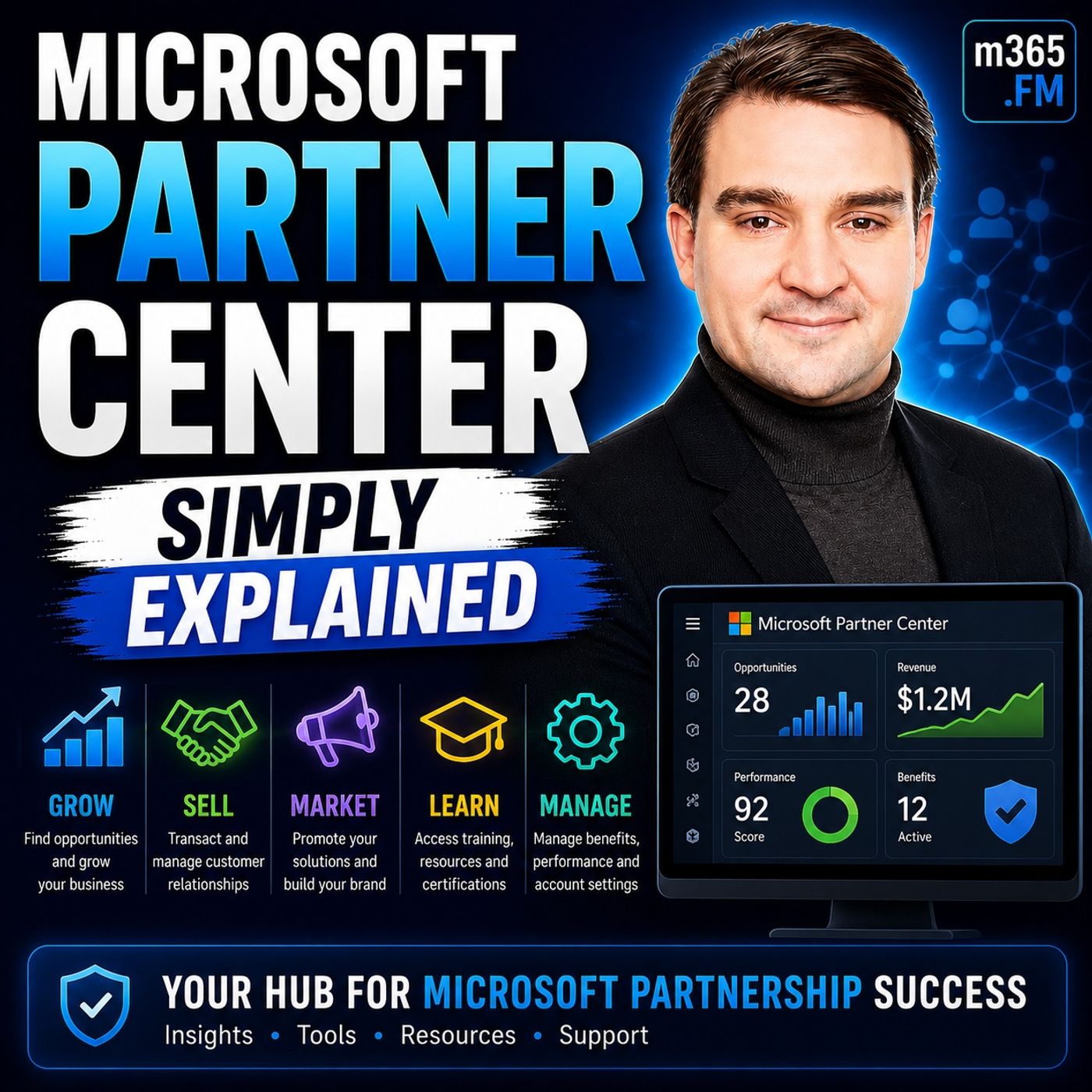
Microsoft Partner Center - Simply Explained
Show notes
Welcome to another episode of Knowledge Nuggets with Mirko Peters. Today we're exploring https://www.m365.fm/categories/simply-explained/ Partner Center, the central platform every Microsoft partner uses to manage their relationship with Microsoft. Most people have heard the name Partner Center, but very few can clearly explain what it actually does. Some assume it's only for large resellers managing millions of dollars in Microsoft licensing. Others believe it's simply a billing portal or a place to download software benefits. In reality, it's much more than that. Whether you're a one-person consulting business, a managed service provider, an independent software vendor, or a global systems integrator, Partner Center is the operational hub that connects your business to Microsoft's entire partner ecosystem. In https://www.m365.fm/microsoft-partner-center-simply-explained/, we'll explain what Microsoft Partner Center is, who uses it, how it supports customer management, benefits, incentives, and certifications, and why it has become one of the most important platforms for every Microsoft partner. We'll also look at Microsoft's new FY26 partner benefits and explain how the Launch, Core, and Expanded tiers work. WHAT IS MICROSOFT PARTNER CENTER? Microsoft Partner Center is Microsoft's unified portal for managing every aspect of a company's Microsoft partnership. If your business sells Microsoft 365, builds Azure applications, develops https://www.m365.fm/power-platform-solutions/, creates software for AppSource, or provides consulting services around Microsoft technologies, you're considered a Microsoft partner. Partner Center becomes your central management portal. Instead of using multiple disconnected websites for memberships, certifications, incentives, customer management, billing, and support, everything is available from a single dashboard. A useful analogy is to think of Microsoft products as the offices inside a large office building. Microsoft 365, Azure, Dynamics 365, and Power Platform are where your daily work happens. Partner Center is the reception desk that coordinates everything behind the scenes. It manages your relationship with Microsoft, routes information, tracks benefits, and keeps your business connected to the Microsoft ecosystem. Rather than performing customer work directly, Partner Center supports the business operations that allow Microsoft partners to grow successfully. FROM MULTIPLE PORTALS TO ONE PLATFORM Partner Center exists because Microsoft's previous partner experience had become extremely fragmented. Partners previously managed memberships through one portal, incentives through another, customer relationships through CSP systems, certifications elsewhere, and support requests through separate websites. None of these systems communicated particularly well with each other. Updating company information often meant repeating the same changes multiple times, while partner status, memberships, and benefits were sometimes inconsistent across different portals. Microsoft eventually consolidated these systems into Partner Center, creating one centralized experience with a single login, one dashboard, and one source of truth for every aspect of the Microsoft partnership. Although the migration from the old Partner Membership Center presented challenges for many organizations, today's partners benefit from a significantly simpler experience where nearly every partner activity can be managed from one location. WHO USES PARTNER CENTER? Partner Center supports several different types of Microsoft partners. Large Direct Bill Partners purchase licenses directly from Microsoft while managing customer billing, technical support, and commercial relationships themselves. These organizations use Partner Center to manage large customer portfolios and oversee their Microsoft business. Indirect Providers operate one level below Microsoft by supplying licenses and services to networks of smaller resellers. They manage billing infrastructure, support processes, and relationships between Microsoft and reseller organizations. The largest group consists of Indirect Resellers. These include many consulting firms, managed service providers, and Microsoft specialists who work directly with customers while purchasing Microsoft services through an indirect provider. Even very small consulting businesses benefit from Partner Center because it provides access to internal-use software, customer management, incentives, certifications, and Microsoft partner benefits regardless of company size. MANAGING CUSTOMERS THROUGH CSP One of Partner Center's most important roles is supporting the https://www.m365.fm/microsoft-cloud-solution-provider-csp-simply-explained/ (CSP) program. CSP defines how Microsoft cloud subscriptions move from Microsoft to partners and ultimately to customers. Partner Center maintains these commercial relationships by linking customers, subscriptions, billing information, and support requests into one management experience. Partners can provision Microsoft 365 tenants, manage Azure subscriptions, renew licenses, assign services, and monitor customer environments without constantly switching between different administrative systems. For organizations managing dozens or hundreds of customers, Partner Center becomes the operational backbone that keeps these relationships organized while simplifying billing and support. Instead of tracking subscriptions manually, partners manage everything through one centralized dashboard. THE FY26 PARTNER BENEFIT TIERS Microsoft recently reorganized partner benefits into three clearly defined packages: Launch, Core, and Expanded. The Launch tier is designed for newer and smaller partners beginning their Microsoft journey. It provides Microsoft 365 Business Premium licenses, Microsoft Teams Enterprise, annual Azure credits, and Visual Studio Enterprise to help organizations establish their practice using Microsoft's own technologies. The Core tier expands these capabilities for growing partners by providing additional capacity, enhanced support options, and greater flexibility in how benefits are used across the organization. The highest level is Expanded, aimed at mature Microsoft partners with established practices. This tier introduces advanced capabilities including Microsoft 365 Copilot, Copilot Studio, Microsoft Defender, https://www.m365.fm/microsoft-intune-simply-explained/, Microsoft Entra ID Premium, additional Azure benefits, and premium support designed for organizations deeply invested in Microsoft's cloud ecosystem. Rather than being separate programs, these tiers represent a growth path that mirrors the development of a successful Microsoft partner business. UNDERSTANDING THE BENEFITS Many partners underestimate the value already available through Partner Center. Organizations receive Microsoft 365 licenses for internal use, Azure credits for development and testing, Visual Studio Enterprise subscriptions, security products, identity services, endpoint management, and—in qualifying benefit packages—Microsoft 365 Copilot licenses for internal adoption. These benefits are intended to help partners build expertise before delivering solutions to customers. Instead of purchasing every internal license separately, many Microsoft partners can significantly reduce operational costs simply by taking advantage of the benefits already included with their partner package. Partner Center also tracks incentive payments, certifications, solution designations, competencies, and partner achievements, giving organizations a complete overview of their Microsoft relationship from one location. GETTING STARTED Getting started with Partner Center begins by registering through Microsoft's partner portal using an organization's Microsoft Entra ID tenant. After company verification, administrators configure organizational information, assign appropriate user roles, and review the benefits available to their organization. One important recommendation is establishing proper role-based access control so employees receive only the permissions required for their responsibilities. Microsoft also recommends maintaining an emergency "break-glass" administrator account to ensure organizations never lose access to their Microsoft environment if primary administrators become unavailable. Once the initial setup is complete, partners should explore the dashboard carefully, paying particular attention to customer management, benefits, incentives, certifications, and business insights before expanding into more advanced partner capabilities. THE FUTURE OF PARTNER CENTER Microsoft continues investing heavily in Partner Center. New AI-powered assistants are helping partners create support requests more efficiently by automatically gathering relevant account information before cases reach Microsoft support. Partner Center APIs continue evolving to improve automation, while new security requirements such as mandatory multifactor authentication strengthen partner security throughout the platform. Microsoft is also modernizing billing APIs, customer agreement management, and automation capabilities to simplify partner operations while reducing administrative overhead. These improvements reflect Microsoft's broader strategy of making Partner Center not only an administrative portal but an intelligent business platform that actively supports partner growth. Become a supporter of this podcast: https://www.spreaker.com/podcast/m365-fm-microsoft-365-azure-cloud-power-platform-ai--6704921/support.
Apple Podcasts · Spotify · YouTube · YouTube Music · Deezer
Host: Mirko Peters
Guests
Related articles
Transcript
Read the full transcript
Today's topic is one that almost everyone has heard of, but almost nobody can explain. Microsoft Partner Center. You've seen that name in emails from Microsoft, maybe you caught it in a webinar, and you probably wondered, "Is this just a portal for resellers or is it something much bigger?" Here's the thing, most people think Partner Center is only for huge companies moving millions in Microsoft licenses. It isn't, whether you're a one-person consulting shop, a managed service provider with a handful of clients or a software company building on Azure, Partner Center is how you manage your entire Microsoft relationship. Miss it and you're leaving money and tools on the table, especially with the FY26 benefit tiers coming soon. By the end of this episode, you'll know what Partner Center actually is, who it's for, and what those tiers mean for your business. Grab your coffee and let's dive in. What Microsoft Partner Center actually is? Here's the simplest definition. Microsoft Partner Center is the single website where partners manage their entire relationship with Microsoft, one place for everything. So what does Microsoft Partner actually mean? In plain English, it's any business that builds on, resels, or consults around Microsoft products. If your company sets up Microsoft 365 for clients, builds custom software on Azure, or resels licenses, you're a partner. Plane and simple. Partner Center handles four main areas, and each one matters. Benefits come first. Those are the licenses, credits, and tools Microsoft gives you for being a partner. Without Partner Center, you'd never know what you qualify for. Incentives get tracked here too, the money Microsoft pays you for selling their products. Customer relationships stay linked between you, your clients, and Microsoft's billing systems, so invoicing and support flow correctly. And certifications and solution designations prove your team knows what they're doing, which builds trust with customers. Think of it like an office building. The actual work happens in the offices, your day-to-day tools like Microsoft 365 and Azure, but Partner Center is the front desk and mail room. Everything gets routed, tracked, and organized. You don't live there, but without it, nothing flows. If you remember the old Partner Membership Center, or PMC, you know the story. When Microsoft moved everything from PMC to Partner Center a few years ago, it was a huge migration. Many partners lost historical records and saw membership statuses show up wrong. It was messy, no doubt about it. But that migration gave us the current platform. One consolidated hub instead of a dozen disconnected portals, and that's a big improvement. The old way versus the new way. Welcome to another episode of Microsoft Knowledge Nuggets here on M365, FM and Mercospiters. Today's topic is one that almost everyone has heard of, but few truly understand Microsoft Partner Center. But to know what it actually is, you have to understand the pain it's solved. Imagine running your business across half a dozen websites that don't talk to each other. That was the old way. One portal for membership and competencies. A completely different one for incentives and co-op funds. Another for customer management through the Cloud Solution Provider Program. A separate support portal. And yet another just for your certifications. None of them share data. Update your company address in one portal, and it stayed wrong in the others. Earn a bonus in one system, and you couldn't see it in your main dashboard. Your membership showed active in one place and expired in another. Partner spent more time managing portals than actually growing their business. Microsoft saw this was broken, so they built Partner Center, one login, one dashboard, one source of truth for your entire partnership. Your benefits, your incentives, your customers, your certifications, all in one place. But here's the thing about migrations. They are rarely clean. When Microsoft moved partners from the old Partner Membership Center to Partner Center, data didn't always transfer perfectly. Some partners lost years of historical membership records. Others found their solution designations showing as expired even though they had paid for renewal. It took months, sometimes years to clean up, and some partners are still dealing with the aftermath. The good news? If you are signing up today, that pain is largely in the past. You get the unified system from day one, one login, one dashboard, one view of your partnership, no more portal hopping. Who is Partner Center for? So who actually uses this thing? It depends on your role in the Microsoft ecosystem. Let's break it down into the three main types. First, you have direct build partners. These are the big players. They buy licenses directly from Microsoft and manage their own billing relationships. They handle their own credit risk, their own support, their own customer relationships. Partner Center is their command center for everything. Next are indirect providers. Think of them as the wholesalers in the middle. They buy from Microsoft in bulk and distribute to smaller partners. They handle the billing infrastructure, the support escalation parts, and the relationship management for the resellers underneath them. Then you have indirect resellers. This is where most small businesses and consulting firms fit. You are the ones talking to the customer every day. You sell Microsoft 365 Azure and Dynamics 365, but you don't buy directly from Microsoft. You buy through an indirect provider. Partner Center is how you track commissions, manage those customer relationships, and access your benefits. Now you will hear a term a lot in this world. CSP, Cloud Solution Provider. It is the program that defines how partners sell Microsoft Cloud services. The chain goes like this. Microsoft sells to the indirect provider, the indirect provider sells to the reseller and the reseller sells to the customer. Partner Center is the tool that makes that chain work. But here's the thing, even small consulting firms and manage service providers need Partner Center. If you have five clients on Microsoft 365, you are a partner. You need Partner Center to manage those relationships, access your internal use licenses, and track any incentives you might earn. One quick warning on setup. Watch out for the viral user problem. When someone in your company signs up for Partner Center using their work email, the system creates a tenant automatically. If another person signs up with a different email domain, you can end up with duplicate or orphaned accounts. It is a mess to untangle. So when you set up your account, make sure you are doing it under your company's primary Microsoft Entra ID tenant. Do not create a new one by accident. The three benefit tiers launch core expanded. So you know who you are in the system. The next question is always the same. What do I actually get? That's what the FY26 benefits refresh answers. Microsoft restructured everything for February 26 into three clear buckets. Launch core and expanded. Let's start with launch. This is the entry point for newer or smaller partners. Microsoft gives you enough to run your business and start building your practice without a big upfront commitment. Here's what that looks like. Five users for Microsoft 365 Business Premium. Five users for Teams Enterprise. $700 in annual Azure credits. And a Visual Studio Enterprise license for your developers. That's the foundation for a small team. Core is the middle tier. This one's for partners who are growing. You have clients. You're building something real and you need more capacity. Everything expands here. More licenses. More Azure credit flexibility access to premium support incidents. The Azure credit amount stays at $700. But how you apply it opens up in new ways. Expanded is the top tier. It's for established partners with a mature practice. And this is where the benefits really show up. You get co-pilot Microsoft 365 co-pilot co-pilot studio. You get advanced security defender for business. Entra ID premium in tune premium support with faster response times. And significantly more as your credits. This is the tier for the partner who is all in on Microsoft. Here's the thing about these tiers. They're designed as a progression. You don't jump straight to expanded. You started launch, grow into core. And when your practice is mature enough, you move to expanded. Microsoft built the program for that journey. One big change in FY26 is co-pilot specific designations on specific tiers. Now unlock Microsoft 365 co-pilot licenses for internal use. If you're a small business, this is a huge deal. You can build real AI expertise internally before you ever sell it to a client. Now about the price. It adjusted slightly in February, 2026. Microsoft says the value still outweighs the cost. For most partners it does. But it went up, but a tier is just a label. What matters is what you actually get to use. That's where most partners get confused. They see the tier name and the marketing materials, but don't know what's actually available to them right now. So let's break that down. What you actually get? Benefits? Breakdown. Everyone asks about Azure credits. At launch and core, it's $700 per year. Not per month per year. What changed in FY26 is how they're delivered. It's now at the organizational level, not tied to individual users. You can pool them maybe 300 for a test environment this quarter, 400 for a proof of concept next. You decide. Then there are the software benefits. Visual Studio Enterprise. Microsoft 365 Business Premium for five users. That gets you word excel outlook teams plus the security features like Defender for Business and Entra IDP2. Teams Enterprise for five users. These are internal use rights. You use them to run your own business, build demos and setup development environments. They're not for resale. Here's where the real value hides for most small partners. Security tools. Depending on your tier, you get Defender for Business, Entra ID premium and Intune. Most partners I talk to are paying separately for endpoint protection and identity management. That's why you should always check your benefits tab before buying another security license. Now the co-pilot licenses, this is the new stuff. Through specific solution designations and specializations, you can get Microsoft 365 co-pilot licenses for your internal use. The exact count depends on which designations you hold. A modern work solution designation might get you five co-pilot licenses, add a security specialization, and you get more. The partner success expanded benefits package adds another two. If you're building AI expertise, your partner benefits are the cheapest way to get co-pilot in your own environment, but something is no longer included. Legacy on premises software downloads and transferable product keys. If you relied on your partner benefits for Windows Server or SQL Server licenses, those days are over. Microsoft removed them in the FY26 refresh. You can still get them through normal licensing channels. Just not through the partner program. This is a cloud first program now. Think of it like a filing cabinet. Each tier is a draw. The launch draw has the basics. The tools you need to run a small business. The core draw adds more capacity and more options. The expanded draw has everything. Advanced security, AI tools, premium support, you open the draw that matches where you are. The trick is knowing which draw you have access to and actually opening it. How to get started? Now that you understand what's available, the next question is, how do you actually get started? Let's break it down. The process begins at partner, Microsoft.com. You sign in using your Microsoft Entra ID account. That's your work email connected to your company's tenant. Then you fill out your organization profile with the basics, company name, address, tax ID, all that standard stuff. Microsoft uses that information to verify your legitimate business. Here's something that catches almost everyone off guard. The phone number field is extremely picky. 10 characters maximum, no spaces, no dashes, no country codes. So if your number is 555123567, you enter it as 555123567. I've seen partners stuck on this for days, simply because they typed their number the way any normal person would. Once you submit your profile, Microsoft checks your business details before granting full access. That verification step can take anywhere from a few hours to a few days, depending on your region and how complex your business structure is. Don't worry if it doesn't happen instantly. After you're verified, you need to assign roles to your team. Not everyone needs admin access to partner center. Your billing person needs to see payments and incentives. Your sales team manages customer relationships. Your developers need access to benefits, but your receptionist doesn't need any of that. Use the role-based access control to give each person exactly what they need and nothing more. That prevents security headaches down the road. One thing I strongly recommend, create a break-glass account. This is an emergency admin account in Microsoft Enter ID that has global admin privileges, but isn't tied to any individual user. If your only admin leaves the company or loses their phone with the Authenticator app, you're locked out. A break-glass account saves you from that nightmare. Microsoft recommends this as a standard best practice and for good reason. Once your account structure is set up, take some time to explore the dashboard. Don't jump straight into customer management. Instead, check the Insights tab to see what data Microsoft has about your business. Look at the Benefits tab to see what's already available to you. Browse the Incentives tab to understand what programs you might qualify for. The dashboard is your home base, so get comfortable with it before you start doing anything else. But here's the thing, even when you follow every step perfectly, things can still go wrong. Let's talk about that next. Common pitfalls and how to avoid them. Now let's talk about what can go wrong, because even when you do everything right, Partner Center has a way of surprising you. The most common support issues fall into a few buckets. Sign-in and account access problems like forgotten passwords, two-factor authentication failures or account lockouts. Account setup and enrollment issues like that phone number formatting problem, credit card declines, or the viral user problem. And then there's just not knowing how to properly create a support ticket. One of the biggest headaches right now is the newcomers experience transition. Microsoft moved CSP subscriptions to a new billing model a while back, and it's still causing confusion. Seet adjustments don't work like they used to. Term commitments lock you in for one or three years, and billing frequency mismatches between what you set up and what you actually charged. If your migrating customer is from legacy plans, triple check every subscription before you confirm, then there's the incentive program confusion. Here's a scenario I hear all the time. A partner gets a payment from Microsoft, say $8,000, and has no idea what it's for. They just see a deposit in their bank account. The earnings report in Partner Center shows the details. Which program it came from? Which customer it's tied to when it was earned? But most partners never check that report. Don't be that partner. Check your earnings tab regularly. If you're automating things through the Partner Center API, watch out for rate limiting. Microsoft throttles API calls if you make too many too fast. You'll get a 4.39 error. The fix is to implement retry logic with exponential back off. Wait a few seconds, try again, wait longer, try again. It's standard practice, but a lot of partners don't build it into their automation and then wonder why their scripts break. Billing discrepancies are another common pain point. The dashboard shows one number, the CSV export shows another and the actual charge on your credit card is different. That happens because different parts of the system refresh at different times. The dashboard is near real time, but the CSV export is a snapshot from when you downloaded it. And the actual charge comes from the billing cycle. They should match, but they don't always. If you see a discrepancy, wait 24 hours and check again. If it's still off, that's when you open a support ticket. And one more thing, don't create support tickets on behalf of other users. If your colleague has a problem, they need to create the ticket themselves. When you create it for them, the system attaches your role information, not theirs. The support agent sees your permissions, not the actual user's permissions and it delays everything. Have them open their own ticket. The future of Partner Center. So Partner Center is changing. Microsoft is adding more automation and intelligence into the platform. And there are a few key updates you need to know about. First up is the Partner Center AI assistant. Think of it like having a personal support agent who already knows your setup. You describe your problem in plain English and the AI prefills a support request based on your history. It figures out your workspace, pinpoints the likely issue and fills in the ticket for you. If it can't solve it, it passes everything to a human agent so you don't have to explain the same problem three times. That's the real time saver. Now let's talk security. By April, 2026, every API call to Partner Center will need multi-factor authentication. If you're automating anything, every app plus user API call must include an MFA token. Microsoft gave Partners a heads-up back in October 2025 with a grace period and that period is almost over. If your automation isn't MFA ready, it will break. Simple as that. MFA is becoming the standard everywhere and Partner Center is no exception. The billing API is also getting a refresh. Microsoft is moving from the old synchronous API to a new asynchronous version built on Microsoft Graph and the migration deadline was March 2026. If you're still on the old one, you're already behind. The new system uses shared access signature tokens and a request reply pattern that's more reliable and can handle larger volumes. It's a much cleaner setup. There's also a new Microsoft customer agreement at a station API and the compliance deadline was January 2026. This lets you digitally attest that your customers have accepted the agreement. No more chasing down signed PDFs. That's a huge time saver. And Microsoft is deprecating the old graph. Windows.net tokens, so you'll need to switch to API. Partner Center.Microsoft.com. If your integration still use the old endpoints migrate as soon as possible because those old tokens will stop working. So here's the big picture. Partner Center is becoming more automated, more intelligent and more integrated. The partners who get ahead of these changes will have a real advantage. The ones who ignore them will find their automation breaking, their support tickets delayed and their benefits unused. This isn't just about new features. It's about a platform that works harder for you. Here's what you need to remember. Partner Center isn't just a reseller portal. It's the central hub for your entire Microsoft partnership. Three benefit tiers. Launch, core and expanded. Each with real tools and credits you can use today. $700 in Azure Credits, Microsoft 365 licenses, security tools, and even co-pilot for the right designations. These are real benefits, not just marketing talk. And there's a clear path to get started at partner. Microsoft.com. Here's your challenge. Log in to Partner Center this week and check your benefits tab. You might be surprised what's already available. Most partners never look. So don't be most partners. If this episode helped you connect the dots, subscribe to Microsoft Knowledge Nuggets on your favorite podcast platform and share it with someone just starting their partner journey. They'll thank you later. I'm Merco Peters and thanks for listening.