 EN
EN Deutsch
 Español
 Français
 Italiano
 Português
 Nederlands
 Polski
 Bahasa Indonesia
 Русский
 Українська
 العربية
 עברית
עברית हिन्दी
 日本語
日本語 한국어
한국어2026-07-17 · Season 3
SCCM vs Intune: Key Differences | Simply Explained
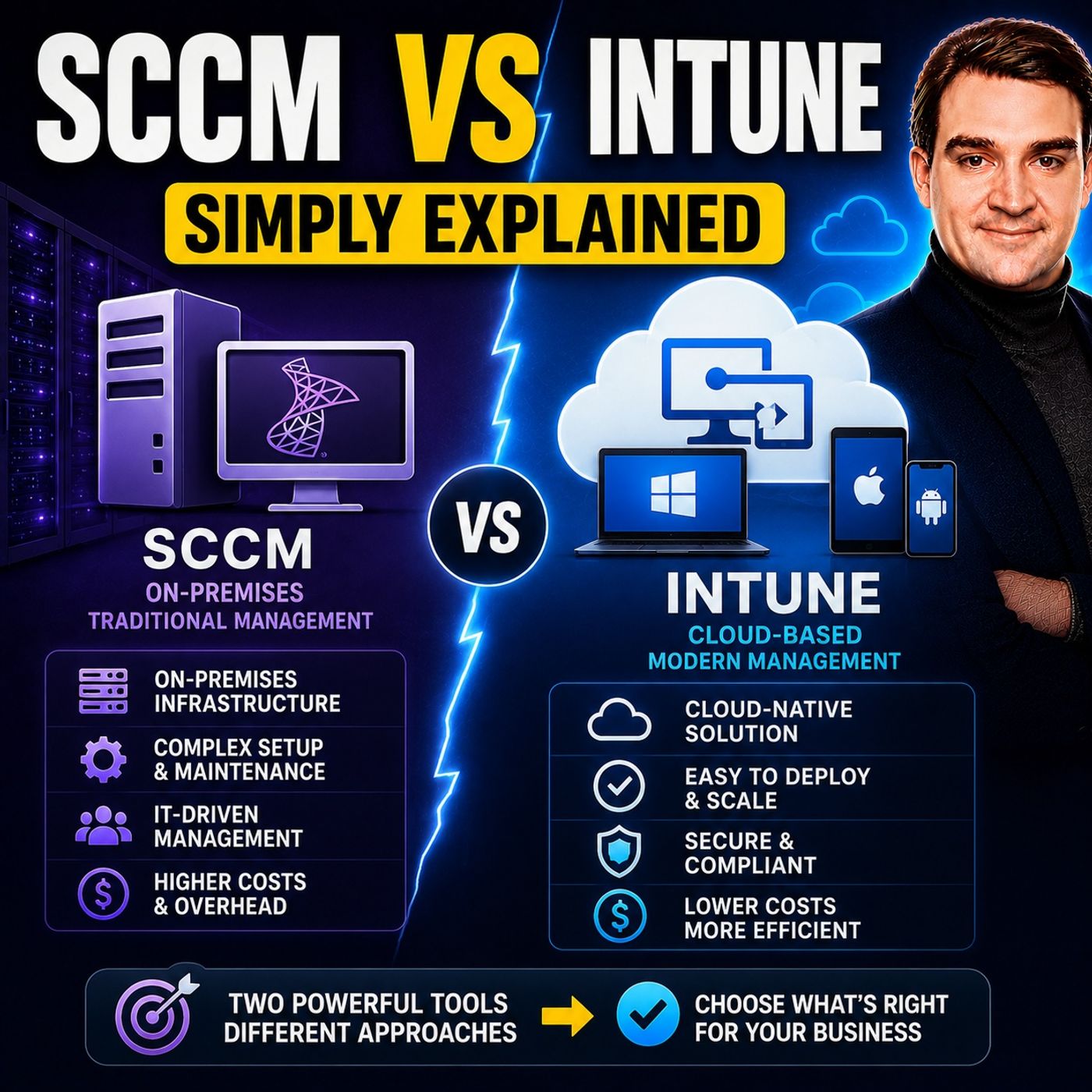
Quick answer: SCCM vs Intune is covered in this M365 FM episode with a practical focus on what it is, how it works, and the decisions that matter for architecture, adoption, security, governance, or day-to-day operations.
In today's fast-paced IT world, knowing the differences between SCCM vs Intune can make a big difference in how you manage your organization's devices. Each solution offers unique benefits that cater to different needs. For instance, if you're managing a remote workforce, you might lean toward Intune for its cloud capabilities. On the other hand, SCCM provides robust control for Windows devices in complex environments. Understanding these differences helps you choose the right tool for your specific situation, ensuring effective IT management.
Key Takeaways
- SCCM is ideal for managing large groups of Windows devices in complex environments.
- Intune offers cloud-based management, making it perfect for remote work and diverse operating systems.
- SCCM automates software distribution and patch management, enhancing operational efficiency.
- Intune supports a Bring Your Own Device (BYOD) policy, allowing management of various devices.
- Consider your organization's infrastructure needs when choosing between SCCM and Intune.
- Both SCCM and Intune can be used together in a co-management setup for flexibility.
- Evaluate your organization's specific needs to select the best solution for IT management.
- Intune's cloud-native approach can lead to lower costs and easier scalability for smaller businesses.
SCCM vs Intune Overview
What is SCCM?
SCCM, or System Center Configuration Manager, is a powerful tool from Microsoft designed for managing large groups of computers. It excels in environments where you need centralized control over Windows devices. With SCCM, you can automate software distribution, manage updates, and enforce security policies. This on-premises configuration manager has been a staple in IT management for over two decades.
Here are some key functions and capabilities of SCCM:
| Function/Capability | Description |
|---|---|
| Centralised Management | Simplifies management across platforms while decreasing complexity and administrative expenses. |
| Automated Software Distribution | Automates the deployment process for software, apps, and operating systems, improving efficiency. |
| Patch Management | Controls software updates and patches, reducing security vulnerabilities and risks. |
| Hardware and Software Inventory | Tracks assets, identifies potential issues, and maximizes licensing agreements. |
| Remote Control Capabilities | Enables IT administrators to resolve problems and offer support remotely. |
| Security | Enforces security policies and ensures compliance with organizational standards. |
| Reporting | Provides robust reporting features for monitoring device health and performance. |
What is Microsoft Intune?
Microsoft Intune is a cloud-based service that helps you manage devices and applications from anywhere. It supports a wide range of operating systems, including Windows, macOS, iOS, and Android. Intune simplifies device enrollment and management, making it an excellent choice for organizations embracing remote work and hybrid environments.
Intune integrates seamlessly with other Microsoft 365 services, enhancing its functionality. Here’s how it connects with key components:
| Integration Component | Functionality |
|---|---|
| Azure Active Directory (Azure AD) | Manages identity and access, enabling Conditional Access policies for resource access. |
| Microsoft Defender for Endpoint | Provides security and threat protection for devices managed by Intune. |
| Microsoft 365 | Integrates with Intune for a comprehensive endpoint management solution within the cloud ecosystem. |
In modern IT management, both SCCM and Microsoft Intune play crucial roles. SCCM is ideal for organizations with complex environments that require deep control over Windows devices. In contrast, Intune offers flexibility and ease of use, making it perfect for businesses that prioritize cloud-based solutions. Understanding these tools helps you make informed decisions about your IT management strategy.
SCCM vs Intune: Key Differences
Infrastructure Requirements
When it comes to infrastructure, SCCM and Microsoft Intune take different approaches. SCCM, or Microsoft Configuration Manager, requires a robust on-premises setup. Here are some key infrastructure requirements for deploying SCCM in a large organization:
- Choose one primary site for central management with normal WAN connectivity.
- Opt for multiple sites when scale, geography, or network costs make a single site inefficient.
- Add secondary sites only when local distribution and management benefits outweigh added complexity.
- Design for growth from day one, allowing for increases in client count and content libraries.
- Plan for fault tolerance, ensuring distribution points do not rely on a single server.
- Properly size SQL storage and backups for performance and recovery.
- Conduct capacity planning for server CPU, memory, SQL performance, disk I/O, content storage, endpoint count, and bandwidth.
On the other hand, Microsoft Intune operates in the cloud, which simplifies many of these requirements. Here’s a quick comparison of the infrastructure needs for both solutions:
| Component | Intune | SCCM |
|---|---|---|
| Primary Server | Microsoft-hosted (Azure) | On-premises site server(s) |
| Database | Azure SQL (managed) | SQL Server (self-managed) |
| Content Distribution | Azure CDN / Microsoft Graph | Distribution Points (DPs) |
| Network Requirements | Internet access required | LAN/WAN, can be isolated |
| Administration | Intune admin center (web) | ConfigMgr console (Windows app) |
Device Support
Device support is another area where SCCM and Intune differ significantly. SCCM primarily focuses on Windows devices, including servers. It traditionally manages domain-joined on-premises Windows devices but can extend to cloud-joined devices through co-management and a Cloud Management Gateway (CMG). Here’s a breakdown of device support:
| Platform | Supported Devices |
|---|---|
| Intune | Windows Client OS, iPadOS, Android, iOS, MacOS, Server OS |
| SCCM | Windows devices (including servers) |
With Intune, you get broader support for various operating systems, making it a great choice for organizations adopting a Bring Your Own Device (BYOD) policy. This flexibility allows you to manage a diverse range of devices, enhancing your mobile device management (MDM) capabilities.
Deployment Models
Deployment models also set SCCM and Intune apart. SCCM requires additional servers and distribution points as you scale, which can complicate management. In contrast, Intune offers unlimited device support with auto-scaling cloud infrastructure. Here’s a quick look at the deployment models:
| Deployment Model | Microsoft Intune | SCCM (Configuration Manager) |
|---|---|---|
| Scalability | Unlimited devices, auto-scaling cloud infrastructure | Requires additional servers and DPs as you scale |
Organizations often deploy SCCM and Intune in hybrid or cloud environments. Co-management allows Windows devices managed by SCCM to also enroll in Intune. This strategy lets you split management workloads and migrate them in controlled phases. It reduces the risk of a hard cutover and allows you to validate Intune policy enforcement before decommissioning on-premises infrastructure.
By integrating both SCCM and Intune, you can create a unified device management strategy that meets your organization's unique needs.
Use Cases
When it comes to choosing between SCCM and Intune, understanding their use cases can help you make an informed decision. Each solution shines in different scenarios, so let’s break it down.
SCCM Use Cases
SCCM is a powerhouse for organizations that need to manage a large number of Windows devices. Here are some common use cases:
- Rolling out software updates
- Implementing endpoint protection
- Determining endpoint inventory and status (device health)
- Enforcing compliance settings
- Distributing software to endpoint devices
- Handling Windows 10 upgrades
- Supporting traditional Windows Workgroup client devices
These capabilities make SCCM ideal for enterprises with complex IT environments that require detailed control over their devices.
Intune Use Cases
On the other hand, Intune caters to modern device management needs, especially in organizations that embrace remote work and BYOD policies. Here’s a quick look at some of its key use cases:
| Use Case | Description |
|---|---|
| App Deployment | Install a new mobile app on all employees’ devices. |
| Compliance Policy Enforcement | Enforce a policy that requires all devices to be encrypted. |
| Remote Actions | Remotely wipe a lost or stolen device, monitor compliance with security policies, etc. |
Intune’s flexibility allows you to manage a diverse range of devices, making it a great choice for businesses that prioritize cloud-based solutions.
Licensing and Costs
Licensing and costs can significantly impact your decision between SCCM and Intune. Here’s how they compare:
| Cost Category | Intune | SCCM |
|---|---|---|
| Licensing | Included in M365 E3/E5 | Windows Server CALs, System Center licenses, SQL Server licenses |
| Infrastructure | None (cloud-hosted) | Servers, SQL, storage, network |
| IT Staff | Lower overhead | Higher (infrastructure management) |
With Intune, you benefit from a cloud-hosted model that eliminates the need for extensive on-premises infrastructure. This can lead to lower overall costs, especially for smaller organizations.
However, SCCM may involve higher upfront costs due to its licensing requirements and the need for physical servers. You should also consider indirect costs associated with both solutions, such as administrative overhead and network bandwidth consumption during deployments.
Features Comparison
Both SCCM and Intune come with unique features that cater to different organizational needs. Here’s a comparison of their key features:
| Feature | SCCM | Intune |
|---|---|---|
| Architecture | On-premises architecture, suitable for large enterprises. | Cloud-based solution, ideal for smaller to medium-sized businesses. |
| Automation and Scripting | Extensive automation capabilities, advanced scripting requirements. | Supports automation and scripting for streamlined management tasks. |
| Update Management | Excels in software update management for diverse devices. | Efficiently manages updates for mobile devices and applications. |
| Community Support | Well-established community and extensive documentation. | Supportive community with comprehensive documentation. |
| Compliance and Reporting | Robust capabilities for compliance and reporting. | Essential features for compliance and reporting. |
By understanding these features, you can better assess which solution aligns with your organization’s endpoint management strategy.
Security Features
When it comes to security, both SCCM and Intune offer robust features, but they approach security management differently. Understanding these differences can help you choose the right tool for your organization's needs.
SCCM Security Features
SCCM provides a strong foundation for managing security in on-premises environments. Here are some key security features:
- Endpoint Protection: SCCM integrates with Microsoft Defender to protect devices from malware and other threats.
- BitLocker Management: You can manage BitLocker encryption for Windows devices, ensuring that sensitive data remains secure.
- Compliance Monitoring: SCCM uses SQL-based queries and built-in reporting to help you monitor compliance across your devices.
While SCCM is effective for environments with strict compliance needs, such as healthcare and finance, it requires skilled administrators to manage its infrastructure.
Intune Security Features
On the other hand, Intune takes a cloud-based approach to security, which offers several advantages:
- Conditional Access: This feature ensures that only compliant devices can access corporate resources. This is crucial for maintaining compliance in regulated industries.
- Real-time Compliance Monitoring: Intune provides immediate insights into device compliance, allowing you to respond quickly to any issues.
- Integration with Microsoft Defender: Intune enhances data protection by integrating with Microsoft Defender for endpoint protection, providing threat detection and remediation capabilities.
Here’s a quick comparison of the security features of both solutions:
| Feature | SCCM | Intune |
|---|---|---|
| Management Type | On-premises | Cloud-based |
| Compliance Monitoring | SQL-based queries and built-in reporting | Real-time compliance monitoring |
| Device Support | Primarily Windows | Windows, macOS, iOS, Android |
| Conditional Access | Not natively supported | Supported, crucial for Zero Trust architecture |
| Security Features | Endpoint Protection, BitLocker Management | Conditional Access, Compliance Policies |
| User Self-Service | N/A | Company Portal app for app installation |
| Operational Overhead | High, requires infrastructure and skilled admins | Low, no site server maintenance needed |
Intune's flexibility makes it ideal for organizations that support Bring Your Own Device (BYOD) policies. You can securely manage personal devices accessing corporate resources, which is increasingly important in today's remote work environment.
Pros and Cons of SCCM
Advantages of SCCM
SCCM offers several advantages, especially for organizations with complex IT infrastructures. Here are some key benefits:
| Advantage | Description |
|---|---|
| Enhanced Operational Efficiency | SCCM automates software distribution and patch management, reducing manual processes and human error. |
| Improved Security Posture | SCCM ensures consistent updates and compliance with security policies, mitigating cyber threats. |
| Centralized Management | You can manage diverse devices and applications from a single platform, streamlining operations. |
With SCCM, you can also demonstrate your capability in streamlining IT operations. Many employers value SCCM-certified professionals for their ability to optimize software deployment. This certification shows that you can handle automated patching and asset inventory management effectively.
Additionally, SCCM provides tools for compliance management and auditing. These tools help you adhere to regulatory standards, ensuring accurate reporting and proactive monitoring. You’ll maintain visibility into system health and compliance status, which is crucial for any organization.
Disadvantages of SCCM
While SCCM has its strengths, it also comes with some challenges. Here are a few disadvantages to consider:
- Managing patches on a hybrid network with non-Windows operating systems can be complex.
- Patch deployment is time-consuming, requiring activities like selecting updates and creating update lists.
- Cleaning up expired patches can be challenging, necessitating manual edits and re-replication.
- Conflicts between WSUS and SCCM Group Policy settings often lead to common SCAN errors, complicating troubleshooting.
- Real-time patch failure reports are not available, requiring additional configurations for compliance scanning.
- Third-party application patching is not well-supported, which means you might need to do manual work and have expertise for integration with SCUP.
- Some third-party vendors do not provide compatible CAB files, necessitating custom packaging efforts.
- Additional configurations are needed for third-party application patching, such as Group Policy Settings.
- Uninstallation of patches is not natively supported, requiring manual methods.
- There is no native method to suppress restart notifications in the latest version.
To address these challenges, organizations should implement aggressive automation and centralization. Using tools like SCCM and Windows Server Update Services (WSUS) can significantly streamline the patch management process. This approach reduces the manual workload and minimizes errors, making your job easier.
Pros and Cons of Intune
Advantages of Intune
Intune offers several advantages that make it a strong choice for organizations, especially those adopting cloud-first strategies. Here are some key benefits:
- Cloud-Native Scalability: You can manage devices globally without the need for on-premises servers. This flexibility allows your organization to grow without worrying about infrastructure limitations.
- Cross-Platform Coverage: Intune supports various operating systems, including Windows, macOS, iOS, and Android. This means you can manage all your devices from a single platform, simplifying your IT management.
- Policy-Driven Automation: Intune automates compliance and security enforcement. You can set policies that ensure devices meet your organization’s standards without manual intervention.
- Enhanced Security Features: With real-time compliance policies and remote wipe capabilities, Intune helps protect your data. If a device is lost or stolen, you can quickly remove access to sensitive information.
- Improved Talent Acquisition: Embracing a cloud-first approach allows for better talent acquisition by supporting flexible work arrangements. This can enhance employee satisfaction and productivity.
Intune simplifies device management for remote and mobile workforces. Here’s how:
| Feature | Description |
|---|---|
| Device Enrollment | Streamlines the process of registering devices for management by automatically installing applications. |
| Configuration Management | Remotely configures settings and restrictions on devices to ensure compliance with company policies. |
| Security Policies | Enforces security measures remotely to protect devices and data. |
| Monitoring and Reporting | Provides visibility into device compliance, usage, and security issues. |
| Remote Support | Facilitates troubleshooting and assistance, reducing downtime for users in a remote work environment. |
Disadvantages of Intune
While Intune has many strengths, it also comes with some challenges. Here are a few disadvantages to consider:
- Policy and App Sync Delays: Sometimes, you might experience delays in policy and app synchronization. This can hinder real-time visibility and quick remediation.
- Limited Reporting Capabilities: Intune's reporting features may not meet all your needs. You might need to rely on external tools for comprehensive reporting, adding complexity to your management tasks.
- Challenges with Non-Microsoft Store Apps: Deploying non-Microsoft Store apps can lead to delays and complications. This can be frustrating if you rely on specific applications for your operations.
- Recurring Licensing Costs: The ongoing licensing fees may be burdensome for smaller businesses. You’ll want to factor this into your budget planning.
- Integration Challenges: Integrating Intune with other tools, like SCCM, isn’t always seamless. This can create management issues if you’re trying to use both solutions together.
Despite these challenges, many organizations find ways to overcome limitations in Intune. For example, they can utilize Advanced Analytics for better data visualization and streamline application deployment through Enterprise App Management.
By weighing the pros and cons of Intune, you can make an informed decision about whether it’s the right fit for your organization’s needs.
Choosing Between SCCM and Intune
Factors to Consider
When deciding between SCCM and Intune, you should evaluate several key factors. Each solution has its strengths, and understanding these can help you make the right choice for your organization. Here’s a quick comparison of important factors:
| Factor | SCCM | Intune |
|---|---|---|
| Deployment Architecture | On-premises | Cloud-based |
| Management Capabilities | Windows-centric, complex environments | Mobile-focused, integrates with Azure |
| Operating System Support | Primarily Windows | Supports various operating systems |
| Update Management | Manual updates, slower feature updates | Semi-annual updates, focuses on security and stability |
| Application Deployment | More complex | Streamlined for mobile devices |
| Security Features | Focus on on-premises security | Future innovations in cloud security |
This table highlights how SCCM is more suited for organizations with complex IT environments, while Intune shines in mobile and cloud-focused scenarios.
Choosing between SCCM and Intune can feel overwhelming, but understanding their differences makes it easier. SCCM excels in complex, on-premises environments, while Intune shines in cloud-based, flexible settings.
Here are some tips to guide your decision:
- Evaluate Your Environment: If you manage a large number of Windows devices, SCCM might be your best bet.
- Consider Remote Work Needs: For a remote workforce, Intune offers seamless management across various devices.
- Look at Real-World Examples: Many organizations have successfully transitioned to Intune, cleaning up unnecessary GPOs and establishing security baselines.
| Step | Description |
|---|---|
| 1 | Delivered a modern SCCM and Intune infrastructure for a major enterprise client. |
| 2 | Designed a new SCCM hierarchy to transition from legacy systems. |
| 3 | Configured Microsoft Intune in the new Microsoft 365 tenant for hybrid device management. |
| 4 | Migrated and validated key OS deployment task sequences and business-critical application packages. |
Ultimately, the right choice depends on your specific needs and goals. By assessing your organization's requirements, you can confidently select the solution that best fits your IT management strategy.
FAQ
What is the main difference between SCCM and Intune?
SCCM is an on-premises solution focused on managing Windows devices, while Intune is a cloud-based service that supports multiple operating systems, including mobile devices.
Can I use SCCM and Intune together?
Yes! You can use both solutions in a co-management setup. This allows you to manage Windows devices with SCCM while also leveraging Intune for cloud-based management.
Is Intune suitable for small businesses?
Absolutely! Intune's cloud-based model makes it ideal for small businesses. You can manage devices without needing extensive on-premises infrastructure.
How does Intune enhance security?
Intune offers features like Conditional Access and real-time compliance monitoring. These help ensure that only secure and compliant devices access your organization's resources.
What types of devices can I manage with Intune?
You can manage a wide range of devices with Intune, including Windows PCs, macOS, iOS, and Android devices. This flexibility supports diverse work environments.
Are there any training resources for SCCM and Intune?
Yes! Microsoft provides extensive documentation, tutorials, and community forums for both SCCM and Intune. These resources can help you get started and troubleshoot issues.
How often does Microsoft update Intune?
Microsoft regularly updates Intune, typically every month. These updates include new features, security enhancements, and performance improvements.
Can I automate tasks in SCCM?
Yes! SCCM supports automation for various tasks, such as software deployment and patch management. This helps streamline your IT operations and reduce manual work.
🎧 Listen to this episode
Want a practical explanation of SCCM vs Intune? This episode breaks down the topic in clear language and shows why it matters for Microsoft 365, Azure, Power Platform, security, AI, and modern work.
Listen to this episode if you want to:
- Understand the key concepts behind SCCM vs Intune
- See how it fits into the wider Microsoft technology ecosystem
- Learn where it can create practical value for your organization
You may also enjoy these related M365 FM episodes:
- Microsoft Intune - Simply Explained
- Building a Secure Microsoft-First MSP: Intune, Defender & Entra ID at Scale with Albin Klinaku [MVP]
- Build Reliable Intune and Entra ID Agents with Azure AI Foundry
- Automate Intune Device Cleanup with Azure Automation
- Harden Intune Deployment for Zero Trust Compliance
Discover more practical Microsoft conversations on M365 FM.
Last reviewed: July 2026.
Who Should Listen
This episode is for Microsoft 365 administrators, architects, IT leaders, and practitioners who need a practical understanding of SCCM vs Intune before planning, implementing, or supporting it.
Apple Podcasts · Spotify · YouTube · YouTube Music
Host: Mirko Peters