 EN
EN Deutsch
 Español
 Français
 Italiano
 Português
 Nederlands
 Polski
 Bahasa Indonesia
 Русский
 Українська
 العربية
 עברית
עברית हिन्दी
 日本語
日本語 한국어
한국어2026-05-02 · Season 2
Power Platform Governance Without Creating More Shadow IT
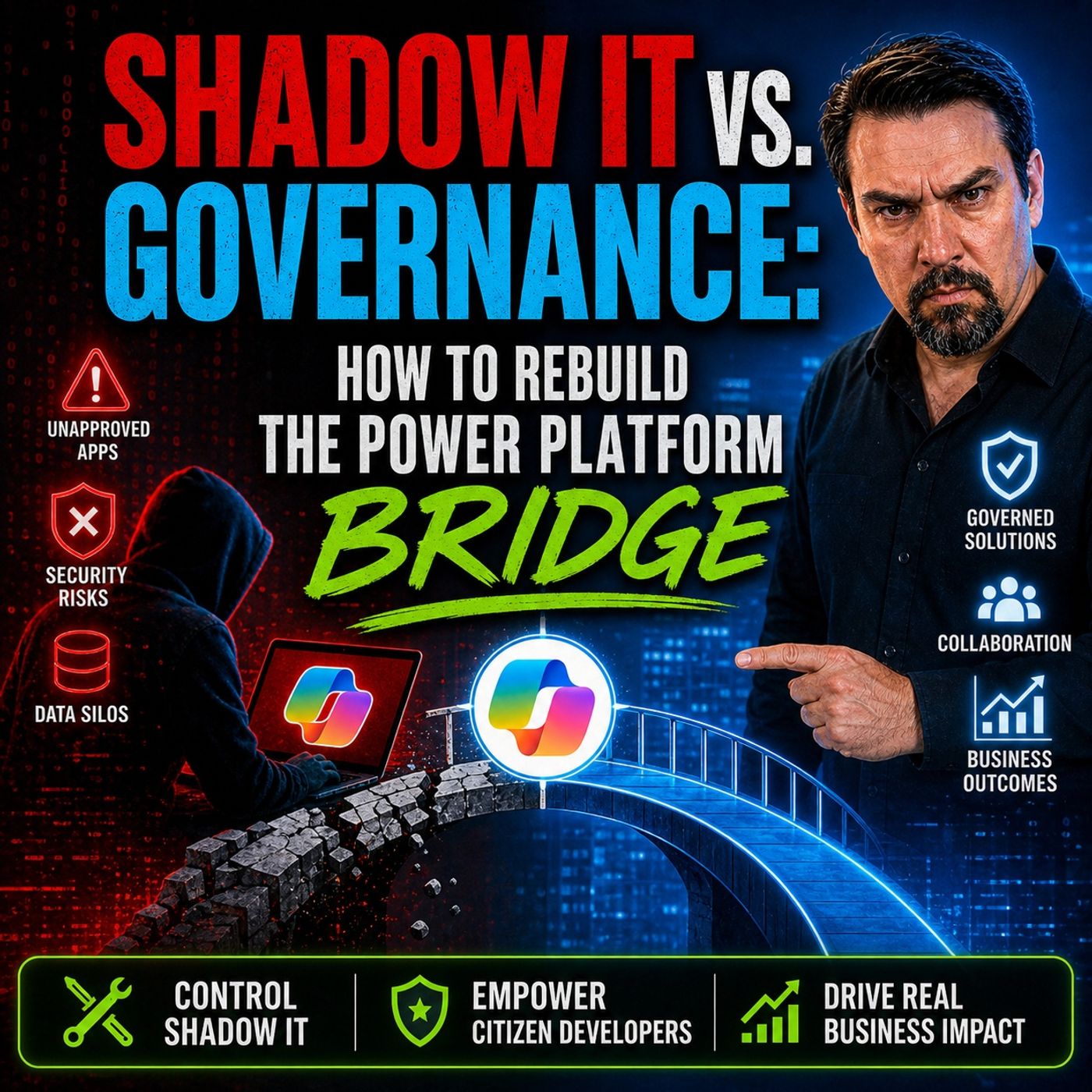
You want to stop shadow IT before it disrupts your business. Environment routing in Microsoft Power Platform gives you the tools to do just that. You can empower Makers to create solutions without losing control. This approach shifts your role from gatekeeping to platform enablement. Automated governance and isolated environments help you protect data and keep innovation secure.
Key Takeaways
-
Environment routing in Power Platform helps prevent shadow IT by directing users to the right workspace automatically.
-
Establishing clear governance policies reduces security risks and ensures compliance with regulations.
-
Personal Developer Environments (PDEs) provide makers with secure spaces to innovate without affecting others.
-
Regularly monitor and adjust environment routing to maintain effective governance and adapt to changing business needs.
-
Create multiple environments to support different use cases, keeping the default workspace organized and secure.
-
Involve makers in policy reviews to balance security and innovation, fostering a collaborative environment.
-
Use automated guardrails to enforce governance rules, reducing the risk of policy violations and speeding up solution delivery.
-
Document environment strategies and share them with users to enhance understanding and compliance across the organization.
Power Platform Governance and Shadow IT
Shadow IT Risks
You face real risks when shadow IT grows in your organization. Shadow IT happens when users build apps, flows, or reports in Power Platform without IT oversight. These unmanaged solutions can create security gaps. Unauthorized apps may not get updates or proper security checks. Hackers can find these weak spots and cause data breaches or other cyber threats.
You also risk breaking compliance rules. In regulated industries like healthcare and finance, shadow IT can lead to heavy penalties if regulators find non-compliant apps. You may see operational inefficiencies as well. Unmanaged environments can slow down your business and make it hard to track important data. Organizations without strong power platform governance often have three to five times more unmanaged environments than those with structured adoption programs. In sectors like banking and logistics, shadow IT is a major liability.
-
Data breaches from unauthorized apps
-
Compliance risks in regulated industries
-
Operational inefficiencies from unmanaged environments
Governance Challenges
You need power platform governance to keep your data safe and your business running smoothly. Many IT departments struggle with common governance challenges. Users sometimes get too much access to data sources, which can lead to unauthorized access. Without proper audit trails, you cannot track who did what or ensure compliance. Old apps that do not get updates can become security risks.
Custom connectors, if not checked, can bring compliance problems. Poor data classification means sensitive data might get mishandled. If you do not manage AI and automation features, you could break important regulations. Personal environments can create data silos, making it hard for the power platform center of excellence to oversee everything. Misconfigured DLP policies can send data to the wrong places.
-
Lack of audit trails and monitoring
-
Inadequate lifecycle management of apps and flows
-
Unverified third-party connectors
-
Poor data classification
-
Noncompliant use of AI and automation
-
Personal environments leading to data silos
-
Misconfigured DLP policies
Maker Innovation vs. IT Control
You want to encourage innovation, but you also need control. This balance is at the heart of power platform governance. The power platform center of excellence helps you find the right model for your organization. You can choose a centralized model, where IT makes all governance decisions. This gives you strong control and consistent standards, but it can slow down innovation.
A federated model shares responsibility between IT and business units. This balances control with agility, but you need strong coordination. The hub and spoke model uses a central power platform center of excellence with departmental champions. This approach scales well and maintains standards while letting local teams innovate. You need to invest in training your champions for this model to work.
|
Model Type |
Description |
Pros |
Cons |
|---|---|---|---|
|
Centralized Model |
IT department leads all governance decisions |
Strong control, consistent standards |
Can slow innovation, may lack business context |
|
Federated Model |
Shared responsibility between IT and business units |
Balances control with agility |
Requires strong coordination |
|
Hub and Spoke Model |
Central CoE with departmental champions |
Scales well, maintains standards while enabling local innovation |
Requires investment in champion training |
The power platform center of excellence guides you in setting up the right governance model. You can support your Makers while keeping your data secure and compliant.
What Is Environment Routing
 Image Source: unsplash
Environment Routing Overview
Environment routing in the power platform helps you manage where users start their journey. When you sign in to a Power Apps portal for the first time, the system decides which environment you enter. This process does not require you to make a choice. The platform automatically sends you to a specific environment, such as a Default or Onboarding environment. You gain a secure workspace right away. This approach keeps your work separate from others and supports better governance.
Tip: Environment routing gives you a clear starting point. You avoid confusion and reduce the risk of shadow IT by making sure every user lands in the right place.
How Routing Works in Power Platform
You do not need to worry about picking the right environment. The power platform uses environment routing to direct you to your personal developer environment. This means you get a private space to build apps and solutions. Others cannot access your work unless you share it. The system uses rules set by administrators to decide where you go. These rules can send different users to different environments based on their roles or needs.
-
You get routed to your own developer environment automatically.
-
You do not need to select an environment manually.
-
Your workspace stays private and secure.
-
Administrators set rules to match users with the right environment.
-
Makers can focus on innovation without worrying about governance gaps.
Multi-Rule Routing System
The power platform supports a multi-rule routing system. This system lets administrators create several rules to guide users to the right environment. Each rule has a name, a target environment group, and an audience. The rules follow a priority order. The first rule that matches your profile decides your destination. If no rule matches, you go to the default environment. This setup ensures every user finds the right workspace.
|
Feature |
Description |
|---|---|
|
Portal-Level Enablement |
Choose which portals (like Power Apps or Copilot Studio) use routing through the admin center. |
|
Flexible Rule Definition |
Create rules with a name, target environment group, and audience (everyone or specific groups). |
|
Priority-Based Rule Engine |
Rules are checked in order; the first match sets your environment. |
|
Environment Provisioning |
Route users to existing or new developer environments; use default if no match. |
|
Built-In Governance |
Routed environments follow policies for data retention, AI, sharing, and more. |
You gain control and flexibility with this system. The power platform ensures that every environment follows your organization’s policies. You can support innovation while keeping your data safe.
Setting Up Environment Routing
Planning Environment Strategy
You need a clear plan before you set up environment routing in the power platform. A strong strategy helps you prevent shadow IT and supports both innovation and compliance. You can follow these steps to build a solid foundation for power platform governance:
-
Create multiple environments for different use cases. This avoids overloading the default workspace and supports environment segmentation.
-
Clean up stale objects on a regular schedule. This reduces risk and keeps your environments organized.
-
Track the value and usage of each solution. Move important solutions to secure environments for better policy enforcement.
-
Give clear guidelines for safe innovation spaces. Makers need to know where they can experiment.
-
Document the purpose of each environment. Share this information with your internal maker community.
-
Use clear criteria to route new projects to the right environment from the start.
Tip: Documenting your environment strategies and sharing them with all users helps everyone understand the rules. This reduces confusion and supports better power platform governance.
Identifying User Groups
You should start by identifying user groups in your organization. Each group may have different needs for power platform development. For example, some users focus on power apps, while others work with power automate or power bi. You can use security groups to organize users and control access to environments. This supports both security and policy enforcement.
-
Assign users to groups based on their roles and responsibilities.
-
Use these groups to manage permissions and apply dlp policies.
-
Review group membership regularly to keep your environment secure.
Mapping Business Needs
You must map business needs to your environment strategies. This ensures that every user lands in the right workspace and follows the correct governance rules. The table below shows key factors to consider:
|
Factor Consideration |
Description |
|---|---|
|
Organization of Developer Environments |
Directs makers to the right environment instead of the default. |
|
Governance Rules |
Sets the framework for managing environments and user access. |
|
Flexibility for Makers |
Allows users to adapt based on their needs and skills. |
|
Communication of Environment Strategy |
Keeps everyone informed and reduces resistance to changes. |
|
Isolation During Development |
Lets you assess app life cycles and avoid interference between apps. |
|
Balancing Isolation and Data Sharing |
Weighs the need for security against the benefits of collaboration. |
You should align your environment segmentation with business goals. This helps you enforce dlp policies and maintain strong power platform governance.
Creating Routing Rules
You need effective routing rules to direct users to the right environment. Good rules support environment segmentation, policy enforcement, and data loss prevention. Here are best practices for creating routing rules in the power platform:
-
Limit the number of change requests when setting up users in bulk. This avoids inconsistencies in power platform development.
-
Monitor service representative capacity using reports. This helps you manage workloads in power automate and power apps.
-
Use attributes like shift schedules to optimize assignments.
-
Manage queues with skill-based routing and automatic assignment for work items in power automate.
-
Use classification rules to improve assignment performance and reduce delays.
You should also:
-
Create apps within a solution in power apps to keep your work organized.
-
Build flows within a solution in power automate to prevent clutter.
-
Avoid using the default environment for development. This improves security and makes policy enforcement easier.
-
Set up multiple environments to support application lifecycle management in power platform development.
Using Security Groups
Security groups play a key role in environment routing. You can follow these steps to enhance security and governance:
-
Create an Azure AD security group for each user group.
-
Assign each security group to the correct power platform environment.
-
Set up environment routing rules to direct new users based on their group membership.
This approach helps you enforce dlp policies and maintain control over who can access each environment.
Developer Environments
Developer environments give makers a safe space to build and test solutions. You should avoid common pitfalls when setting up these environments:
-
Do not overcomplicate solutions with custom code. Use low-code features in power apps, power automate, and power bi.
-
Always plan your environment strategies and application lifecycle management. This prevents version control issues.
-
Optimize flows in power automate to avoid performance bottlenecks.
-
Design your data model carefully for power bi and power apps.
-
Set up security and permissions thoughtfully to support governance and policy enforcement.
-
Document your work and share knowledge with your team.
Note: Good documentation and knowledge transfer help you avoid long-term maintenance problems in power platform development.
Monitoring and Adjusting Routing
You must monitor your environment routing to make sure it works as planned. Use these steps to keep your power platform governance strong:
-
Set up alerts to monitor the health of apps and flows in power apps, power automate, and power bi.
-
Track success rates for apps and flows. This helps you spot issues early and fix them before they affect users.
-
Use alerts to get notified about connection failures or permission errors.
-
Review performance thresholds over 24-hour periods. This helps you find real problems, not just temporary glitches.
Governance isn’t a one-time setup—it’s a living system. As adoption grows, revisit your environment policies, connector classifications, and API catalog. Retire obsolete agents. Educate new makers. And always keep your eye on the security posture.
You should review and adjust your environment strategies and dlp policies regularly. This keeps your environment segmentation effective and supports ongoing policy enforcement. Regular reviews help you adapt to new business needs and maintain strong data loss prevention.
Benefits of Environment Routing
 Image Source: pexels
Enhanced Visibility
You gain better visibility when you use environment routing in Power Platform. As an administrator, you can see who is building solutions in Power Apps, Power Automate, and Power BI. Weekly reports show you which users are active and what connectors they use. This helps you spot trends and identify risks early. You can track how many apps, flows, and dashboards your makers create.
-
You receive weekly reports that detail user activity.
-
You see which connectors are used in each environment.
-
You can monitor growth in Power Apps, Power Automate, and Power BI solutions.
This level of insight supports strong Power Platform governance. You can make informed decisions about resource allocation and policy updates. When you know what happens in each environment, you can respond quickly to issues and support your makers more effectively.
Automated Guardrails
Environment routing gives you automated guardrails that protect your organization. These guardrails set clear boundaries for how users work in Power Apps, Power Automate, and Power BI. You do not need to check every solution by hand. The system enforces governance rules automatically.
The automated guardrails provided by environment routing in Power Platform help reduce policy violations by establishing structured boundaries and controls that govern how citizen developers can create and manage applications and flows.
You benefit from several built-in controls:
-
You separate development, testing, and production workloads into different environments.
-
You apply Data Loss Prevention (DLP) policies to control which connectors can share data.
-
You manage connectors by setting approved and blocked lists for third-party integrations.
With these controls, you reduce Power Platform security incidents by up to 80%. You also speed up the deployment of approved automations. Pre-approved templates and streamlined review processes help you move from weeks to days. Automated guardrails make Power Platform governance easier and more reliable.
Improved Compliance
You improve compliance when you use environment routing in Power Platform. Personal Developer Environments (PDEs) give each maker a secure space to build and test solutions. Microsoft IT has seen stronger security and compliance after adopting PDEs. You can track growth in apps, flows, and Copilot agents, which shows better governance and compliance.
-
Microsoft IT uses PDEs for stronger security and compliance.
-
PDEs have led to a 32% month-over-month growth in apps, flows, and Copilot agents.
-
A defense contractor reduced review cycles from 6–8 weeks to 2–3 weeks with a structured Center of Excellence and automated compliance checks.
-
Centers of Excellence can cut review cycles by 40–60% using pre-approved patterns and automated checks.
You can meet regulatory requirements more easily with these improvements. Automated compliance checks help you avoid manual errors. You keep your Power Platform, Power Apps, Power Automate, and Power BI solutions secure and compliant. This supports your overall governance strategy and builds trust with your stakeholders.
Accelerated Solution Delivery
You want to deliver solutions faster in your organization. Environment routing in power platform helps you do this by giving every maker a clear starting point. When you sign in, you get instant access to your own development space. You do not need to wait for IT to set up an environment. You can start building in power apps, power automate, or power bi right away.
Environment routing removes confusion. You know exactly where to go to create your app or dashboard. This saves time and reduces mistakes. You do not have to worry about affecting other users or shared environments. Your work stays safe and separate. This makes it easier for you to experiment and learn new features in power platform.
Here is a table that shows how environment routing speeds up solution delivery for makers:
|
Benefit Type |
Description |
|---|---|
|
Simplified Maker Onboarding |
New makers receive immediate access to their own isolated development space, speeding up their learning process. |
|
Enhanced Governance |
Automatic separation of development efforts into personal environments reduces accidental impacts on shared environments. |
|
Reduced Support Burden |
Fewer requests related to environment confusion allow administrators to focus on strategic initiatives. |
|
Improved Tenant Organization |
Clear separation of personal environments leads to a more organized Power Platform tenant. |
|
Instant Access |
Makers are directed to their personal sandbox, enabling immediate creation and experimentation. |
|
Safe Development |
Personal environments provide a secure space for exploration without affecting others. |
|
Increased Productivity |
Dedicated environments allow makers to focus on development tasks without distractions. |
|
Streamlined Learning |
Personal environments encourage exploration of Power Platform capabilities without fear of errors. |
You see faster results because you do not need to wait for approvals or extra setup. You can test your ideas in power apps and power bi without risk. If you make a mistake, it does not affect anyone else. This gives you the freedom to try new things and learn quickly.
Administrators also benefit from environment routing. They spend less time answering support questions about where to build or how to stay compliant. They can focus on improving governance and compliance policies for power platform. This means your organization stays secure while you innovate.
You also help your team stay organized. Each maker has a personal space for power apps, power automate, and power bi projects. This makes it easier to track progress and manage compliance. You can move successful solutions into production environments when they are ready. This keeps your power platform tenant clean and efficient.
Tip: Use your personal environment to explore new features in power bi and power apps. You can learn at your own pace and share your best solutions with your team when you feel confident.
With environment routing, you speed up solution delivery, improve compliance, and support a culture of innovation. You help your organization get more value from power platform while keeping data safe.
Common Pitfalls and Solutions
Overly Restrictive Policies
You may want to protect your organization, but overly restrictive policies can slow down innovation and frustrate makers. When you set up environment routing, you need to find the right balance between security and flexibility. Here are some common restrictive policies that can impact your Power Platform governance:
-
Route makers to their own personal development environment. This isolates development activities from production and reduces accidental disruptions.
-
Do not allow maker permissions in test and production environments. This prevents unauthorized changes and ensures only approved applications get deployed.
-
Control access using security roles with least privileges. This minimizes the impact of security breaches.
-
Limit sharing with Everyone. Broad sharing permissions can lead to security vulnerabilities.
If you apply these policies too strictly, you may block makers from collaborating or testing their solutions. You need to review your governance rules regularly and adjust them to support both security and innovation.
Tip: Involve makers in policy reviews. Their feedback helps you create governance that protects your data without slowing down development.
User Adoption Challenges
You may face resistance when you introduce new environment routing and governance frameworks. Makers often worry about losing access or facing complex rules. You can overcome these challenges with clear communication and strong support. The table below shows strategies that help boost user adoption:
|
Strategy Type |
Description |
|---|---|
|
Identity and Access Management |
Use automated provisioning and de-provisioning for easy onboarding and offboarding. |
|
Data Security |
Apply data masking and customer-managed keys for better protection. |
|
Network Security |
Use Azure Firewall and Network Security Groups for layered defense. |
|
Threat Protection |
Enable Microsoft Defender for Cloud Apps to guard against threats. |
|
Security Training |
Include security training in Power Platform onboarding. |
|
Governance Framework |
Share clear guidelines and rules with makers to build trust. |
You can also use these approaches:
-
Communicate the benefits of environment routing and governance tools to makers.
-
Offer comprehensive training programs to build user confidence.
-
Foster a user-centric experience with intuitive interfaces and community engagement.
When you support makers with training and clear information, you help them embrace new governance models and use the platform effectively.
Exception Handling
You need a plan for handling exceptions in your environment routing and governance processes. Sometimes, makers need access to special connectors or environments for urgent projects. If you do not have a clear exception process, you risk delays and confusion.
Set up a simple request system for exceptions. Define who can approve requests and how long approvals take. Document each exception and review them regularly to ensure they align with your governance goals.
Note: Transparent exception handling builds trust. Makers know you support their needs while maintaining strong governance.
You can prevent most pitfalls by reviewing your environment policies, communicating clearly, and supporting makers with training and flexible exception handling. This approach helps you maintain effective governance and encourages innovation across your organization.
Measuring Outcomes in Power Platform
Reduced Shadow IT Incidents
You can measure the impact of environment routing in Power Platform by tracking shadow IT incidents. When you use environment routing, you see fewer unauthorized apps and flows in Power Apps and Power BI. You gain control over each environment, which helps you enforce governance and compliance. You notice a drop in security risks because users build solutions in managed spaces. You can use clear metrics to show progress. The table below highlights key outcomes after you implement environment routing:
|
Metric |
Value |
|---|---|
|
Reduction in security incidents |
|
|
Increase in production deployments |
50-70% |
|
Faster time-to-production for solutions |
40% |
You see fewer shadow IT cases because users follow governance rules. You track these numbers in weekly reports. You can share results with your team to show how environment routing improves Power Platform adoption.
Productivity Gains
You boost productivity when you route users to the right environment in Power Platform. Makers get instant access to Power Apps and Power BI workspaces. They start building solutions without waiting for IT approval. You see more apps and dashboards created in less time. You move projects from development to production faster. You notice that teams collaborate better because each environment supports clear governance. You can measure productivity gains by counting new solutions and tracking time-to-production. You also see more users adopting Power Platform tools. You help your organization grow by making innovation easier and safer.
Tip: Encourage makers to use their personal environment for testing and learning. This speeds up development and reduces mistakes.
Security Improvements
You strengthen security when you use environment routing in Power Platform. You set strict access controls for each environment. You make sure users interact with data in a controlled way. You enforce data loss prevention policies across Power Apps and Power BI. You establish clear patterns for personal productivity and enterprise applications. This helps you protect sensitive information and maintain compliance. You see fewer security incidents because governance rules are built into each environment. You can monitor activity and respond quickly to threats.
-
Environment routing defines access patterns for users.
-
You control how users work with data in Power Platform.
-
You enforce security and compliance policies automatically.
-
You create safe spaces for both personal and enterprise solutions.
You build trust in your organization by showing that Power Platform supports strong governance and security. You help users innovate while keeping data safe.
You can stop shadow it by using environment routing in power platform. You gain strategic advantages for both IT and Makers. Personal productivity environments keep shadow it out of the default workspace. Controlled AI feature management and global environment strategy help you enforce compliance and prevent shadow it. Separation of development and production ensures shadow it does not disrupt your business.
|
Strategic Benefit |
Description |
|---|---|
|
Personal Productivity Environments |
Each maker receives a personal developer environment, enhancing individual productivity and keeping the default environment clean and secure. |
|
AI Feature Management |
Controlled rollout of AI features through environment groups allows for safe testing and feedback, facilitating gradual adoption. |
|
Global Environment Strategy |
Grouping environments by organizational units helps enforce compliance and data residency rules, simplifying management across regions. |
|
Separation of Development and Production |
Distinct environments for development, testing, and production maintain high standards in production while allowing flexibility for innovation in development. |
You should review your governance approach and set up DLP policies to protect against shadow it. Monitor progress and manage environment groups for compliance. Industry experts recommend seeking external help if your IT team needs support.
|
Recommendation |
Description |
|---|---|
|
Set up DLP Policies |
Associate DLP policies with relevant environments to protect data and APIs. |
|
Assess Progress |
Use built-in reporting capabilities to monitor top makers and connections. |
|
Consider External Help |
Seek guidance from experts if your IT team is new or overwhelmed. |
|
Manage Environment Groups |
Create environment groups based on geography or department for compliance and organization. |
IT leaders can embrace platform enablement by adopting hybrid AI models and scaling AI confidently. You encapsulate operational expertise and establish a single source of truth. Prepare for rapid evolution and increase compliance.
|
Call to Action |
Description |
|---|---|
|
Adopt a hybrid AI model |
Leverage both vendor and internal agents while ensuring controlled execution through a universal safety layer. |
|
Encapsulate operational expertise |
Use FlowAgent Builder to create reusable agent behaviors, providing a competitive advantage. |
|
Establish a single source of truth |
Implement FlowMCP for infrastructure automation in a multi-agent, multi-vendor ecosystem. |
|
Scale AI adoption confidently |
Utilize a layered flow to enable confident scaling of AI integration. |
|
Handle rapid evolution |
Prepare for changes in vendor LLM offerings and new execution technologies while increasing compliance and security. |
You can prevent shadow it and build a secure, innovative culture. Review your governance strategy and implement environment routing today.
FAQ
What is environment routing in Power Platform?
Environment routing sends you to the right workspace when you start using Power Platform. You do not need to choose an environment. The system places you in a secure space that matches your role and needs.
How does environment routing help prevent shadow IT?
Environment routing keeps your work in managed environments. You avoid creating apps or flows outside IT oversight. This supports citizen developer governance and reduces the risk of security issues from shadow IT.
Can I use environment routing for workflow automation?
Yes, you can use environment routing to organize workflow automation projects. Each user gets a personal space to build and test flows. This setup keeps your automations safe and easy to manage.
How does environment routing support data governance?
Environment routing helps you enforce data governance by applying policies to each environment. You control which connectors users can access. This keeps sensitive data protected and supports compliance.
Who benefits from environment routing in Power Platform?
Both IT teams and makers benefit. IT gains better control and visibility. Makers get a safe place to build power platform solutions. Everyone works faster and more securely.
What happens if I need access to a different environment?
You can request access through your IT team or administrator. They review your needs and update your environment routing rules if needed. This process keeps your workspace secure and organized.
Does environment routing slow down solution delivery?
No, environment routing speeds up solution delivery. You get instant access to your own workspace. You can start building power platform solutions right away without waiting for IT approval.
Is environment routing hard to set up?
Setting up environment routing is straightforward. You plan your environment strategy, create routing rules, and monitor results. Microsoft provides tools and guidance to help you succeed.
🎧 Listen to this episode
Want a practical explanation of Power Platform Governance Without Creating More Shadow IT? This episode breaks down the topic in clear language and shows why it matters for Microsoft 365, Azure, Power Platform, security, AI, and modern work.
Listen to this episode if you want to:
- Understand the key concepts behind Power Platform Governance Without Creating More Shadow IT
- See how it fits into the wider Microsoft technology ecosystem
- Learn where it can create practical value for your organization
You may also enjoy these related M365 FM episodes:
- Shadow Data Discovery and Governance with Microsoft Purview
- Microsoft Copilot Governance Without Waiting for Perfect Data
- Power Platform Governance: From Shadow IT to Secure Scale
- How to Fix Azure at Scale Without Buying More Tools
- Scaling CI-CD: The Governance Blueprint
Discover more practical Microsoft conversations on M365 FM.
Apple Podcasts · Spotify · YouTube · YouTube Music
Host: Mirko Peters