 EN
EN Deutsch
 Español
 Français
 Italiano
 Português
 Nederlands
 Polski
 Bahasa Indonesia
 Русский
 Українська
 العربية
 עברית
עברית हिन्दी
 日本語
日本語 한국어
한국어2026-04-30 · Season 2
Fix Sensitivity Labels and Data Silos for Microsoft Copilot
You may wonder if Microsoft Copilot leaks your data. The answer is clear: many organizations have faced real risks. Recent reports show that 68% of companies experienced data leakage when employees used AI tools like Microsoft Copilot. This makes the need for strong governance urgent. You can boost your return on investment by adopting a team-based approach to Microsoft 365 Copilot. You must move beyond static controls and focus on dynamic, context-aware governance to protect your information.
Key Takeaways
- Data leakage is a serious risk with Microsoft Copilot, affecting 68% of organizations using AI tools.
- Over-permissioning is a major cause of data leaks; limit access to only what is necessary for users and apps.
- Prompt injection can trick Copilot into revealing sensitive information; train your team to write secure prompts.
- Regularly review and audit permissions in Microsoft 365 to prevent unauthorized access and data exposure.
- Implement dynamic access controls that adjust based on user behavior and risk to enhance data protection.
- Use Microsoft Purview to map and classify sensitive data, ensuring proper controls are in place.
- Continuous monitoring and real-time alerts can help detect and prevent data leaks before they escalate.
- Stay updated on compliance requirements and regularly train your team to maintain a strong security posture.
Is Microsoft Copilot Leaking Data?
What Data Leakage Means
You may hear the term "data leakage" and wonder what it really means for your organization. Data leakage happens when sensitive or confidential information leaves its intended environment. This can occur through accidental sharing, misconfigured permissions, or even targeted attacks. With tools like Microsoft Copilot, the risk of data exposure increases because the system can access large amounts of information across your Microsoft 365 environment.
Data leakage risks often come from over-permissioning, where users or apps have more access than they need. For example, recent security reports show that over 3% of business-sensitive data was shared organization-wide without proper review. This means confidential files, emails, or documents could reach people who should not see them.
Here are some common types of data leaks you should watch for:
- Over-permissioning and excessive data exposure: When users or apps have broad access, confidential data can be exposed.
- Prompt injection and jailbreak attacks: Attackers may trick Copilot into revealing restricted information.
- Data exfiltration via connected apps and APIs: Weak controls can allow sensitive data to move to external services.
- Integration vulnerabilities across the Microsoft 365 ecosystem: Misconfigurations can create new paths for external leaks.
- Compliance gaps in regulated environments: Poorly set policies can lead to compliance violations and even a breach.
A recent incident highlighted these risks. In January 2026, Microsoft Copilot processed confidential emails, including legal memos and protected health information, due to a code error. Microsoft responded quickly, but the fix took time to reach all users. The U.K.’s National Health Service flagged this incident, raising concerns about compliance and data handling.
Common Misunderstandings
Many users misunderstand how Microsoft Copilot handles data. Some believe that Copilot can access all data in Microsoft 365, but it only follows existing permission settings. Others think that Copilot stores prompts and responses in new databases, but it does not create extra data repositories.
Here are some myths and facts:
- Myth: Copilot shares your data with Microsoft for training.
Fact: Customer data is not used to train models or accessed by unauthorized personnel. - Myth: Copilot compromises data privacy.
Fact: Microsoft uses industry-standard encryption and follows privacy laws like GDPR. - Myth: Access controls always prevent data exposure.
Fact: Over-permissioning and misconfigurations can still lead to external leaks. - Myth: Copilot trains on your organizational data.
Fact: Copilot does not retain individual tenant information.
You should also know that Copilot can sometimes surface the wrong data, which may lead to harmful decisions. Users often overestimate how well access controls protect against a breach. Understanding these points helps you manage data leakage risks and use Microsoft 365 Copilot safely.
Microsoft Copilot Security Risks

When you use Microsoft Copilot, you must understand the security risks that come with it. These risks can lead to sensitive information exposure, internal oversharing, and even a breach. You need to know how over-permissioning, prompt injection, and recent bugs can put your data at risk.
Over-Permissioning Issues
Over-permissioning happens when users or apps have more access than they need. If you give broad permissions, you increase the chance of confidential documents being seen by the wrong people. Many organizations do not review access controls often enough. This can result in internal oversharing, where sensitive data spreads across teams or departments without proper checks. You should always limit permissions to only what is necessary. This step helps reduce the risk of exposure and supports better risk management.
Prompt Injection and Data Oversharing
Prompt injection is a growing concern with AI tools like Copilot. Attackers or even regular users can craft prompts that trick the system into revealing information that should stay private. Poorly structured prompts may cause Copilot to share financial records, HR files, or other confidential data. This can lead to compliance issues and possible violations of laws such as GDPR or HIPAA.
- Prompt injection can lead to unintended actions that expose sensitive information.
- Poorly structured prompts may inadvertently reveal sensitive data such as financial records or HR information.
- Compliance risks arise as prompt injection can bypass security measures, leading to potential violations of regulations like GDPR and HIPAA.
You must train your team to write clear and secure prompts. You should also monitor how Copilot responds to requests, especially when handling confidential documents.
Real-World Incidents
Several incidents have shown how Microsoft Copilot can expose confidential information. These cases highlight the importance of strong security and risk management practices.
| Incident Description | Source |
|---|---|
| Microsoft Copilot accessed confidential emails due to a bug in Microsoft 365, bypassing data-protection policies. | TechCrunch |
| AI system ingested and summarized privileged communications that were marked as off-limits, raising concerns for attorneys. | TimeNetLaw |
| The bug was logged on the NHS’s internal IT support dashboard, leading to the European Parliament disabling AI features on staff devices. | Tom's Guide |
These incidents show that even with strong security tools, you must stay alert. Regular reviews and updates to your security policies help prevent future exposure. By understanding these risks, you can use Microsoft Copilot safely and protect your organization’s data.
Data Governance Challenges
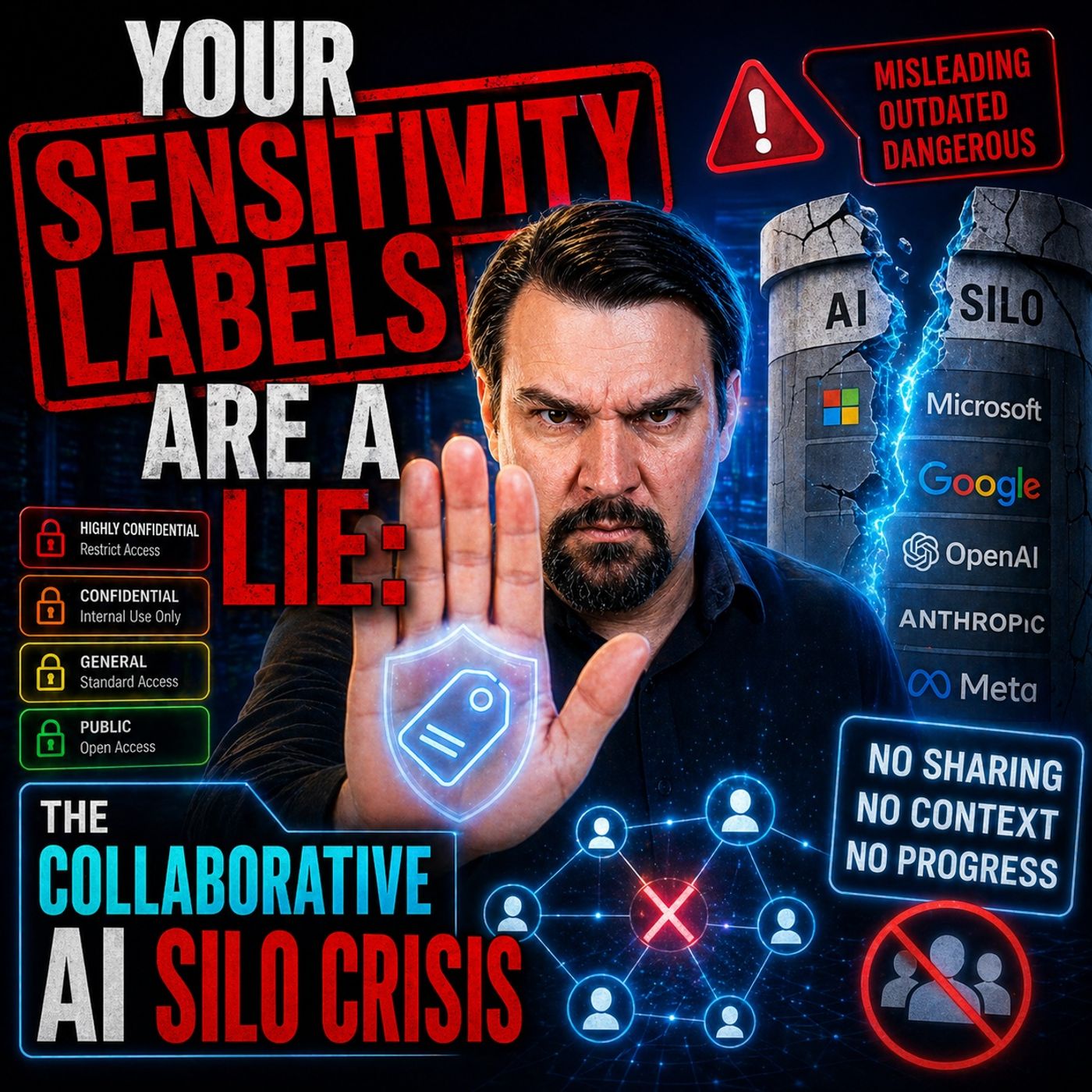
Collaborative AI Silo Crisis
You face new challenges when you use collaborative AI tools like Microsoft Copilot. These tools can break down old barriers, but they also create new risks. Employees may ask Copilot questions that reveal confidential strategies. Sometimes, the AI can access sensitive information even if you did not open those files yourself. The AI can also connect pieces of data in ways that go beyond your normal permissions.
Here are some common challenges you might see:
- Poor data classification and governance can lead to confusion about who should access what.
- Unmanaged agent proliferation means you may have too many AI agents acting without clear rules.
- Lack of incident response playbooks leaves you unprepared for unexpected leaks.
- Access escalation through AI can give users more power than you intended.
- Compliance gaps can put your organization at risk.
- You need user training and change management to keep up with these changes.
In regulated industries like healthcare and finance, Copilot can surface sensitive data in summaries or suggestions. This makes it harder to track who saw what, which complicates audits and compliance checks.
Static Labels vs. Dynamic Controls
Many organizations rely on static sensitivity labels to protect their data. These labels mark files as "Confidential" or "Internal," but they do not always stop leaks. If you do not enforce these labels with real controls, they become just words on a file. They give you a false sense of security.
Dynamic access controls work differently. They adjust in real time based on who you are, what device you use, and what you try to do. This approach gives you stronger protection. For example, a label that says "Confidential" does nothing unless you also set up encryption or access restrictions. Without dynamic enforcement, static labels are only decorative and do not protect your sensitive information.
You need to move toward dynamic, context-aware controls. This shift helps you keep your data safe as you use AI tools like Copilot.
Why Traditional DLP Fails
Traditional data loss prevention tools were built for simple, static environments. They use fixed rules and look for patterns in emails or documents. These tools cannot keep up with the fast, complex world of AI-driven workflows. Once your data enters an AI workflow, traditional DLP often loses visibility and control.
Here are some reasons why these tools fall short:
- They were designed for static channels and binary policies, not for AI.
- The dynamic nature of AI makes it hard for DLP to see and control data movement.
- Regex-based rules and static inspection points cannot protect data in AI environments.
You need a zero-trust mindset. Always verify who accesses your data, and never assume that old tools will protect you. By updating your governance strategy, you can better manage risks and keep your organization safe.
Compliance and Microsoft Copilot
Regulatory Risks
You face unique regulatory risks when you use Microsoft Copilot in industries with strict compliance requirements. If Copilot accesses or exposes confidential data, you may violate laws like HIPAA or GLBA. This can lead to fines or even a breach notification obligation. You also need to keep clear audit trails. Without proper logging of AI interactions, you may struggle during audits for regulations such as SOX or FDA. Using Copilot in unapproved scenarios can increase your risk of regulatory exposure and penalties if an incident occurs.
Tip: Always review your organization's compliance requirements before deploying Copilot in sensitive environments.
Here are some common regulatory risks:
- Unauthorized data exposure can trigger legal action or regulatory investigations.
- Inadequate audit trails make it hard to prove compliance during reviews.
- Unrestricted use of Copilot may result in errors that violate industry rules.
Legal and Privacy Concerns
You must also consider data privacy laws when you use Copilot. Laws like GDPR and CCPA set strict rules for how you collect, store, and use data. You need to make sure your Copilot deployment follows these laws to avoid legal trouble.
| Privacy Law | Compliance Strategy | Description |
|---|---|---|
| GDPR | Data Minimization | Only collect data needed for Copilot to work, reducing unnecessary exposure. |
| User Consent | Give users clear consent forms and let them manage or withdraw consent easily. | |
| Right to Be Forgotten | Allow users to request deletion of their personal data. | |
| CCPA | Data Subject Access Requests | Provide tools for users to access, correct, or understand their data use. |
| Opt-Out Options | Let users opt out of data sales and respect their choices. |
Microsoft acts as a data processor under strict agreements. Prompts and responses stay within the Microsoft 365 cloud boundary. The system uses encryption, tenant isolation, and role-based access controls to protect your data. Copilot does not use your data to train foundation models, which helps reduce privacy risks.
Protecting Intellectual Property
You need to protect your intellectual property when you use Copilot. Set clear guidelines on ownership and usage rights for anything Copilot helps create. Use strong data protection rules to address privacy and security concerns. Security measures like code obfuscation, encryption, and secure storage help keep your confidential information safe.
Note: Regularly review your security policies to ensure your data and intellectual property remain protected.
Best practices for intellectual property protection include:
- Establishing clear rules for IP ownership and usage.
- Applying data protection rules for privacy and security.
- Using encryption and secure storage for sensitive data.
By understanding these compliance challenges and following best practices, you can reduce the risk of data exposure, meet regulatory compliance, and protect your organization from a breach.
Fixing and Preventing Data Leaks

Review Copilot Permissions
You must start by reviewing permissions for Microsoft Copilot across your organization. Many data leaks happen because users or apps have more access than they need. You can reduce this risk by following a clear process:
- Check permissions in SharePoint, OneDrive, and Teams. Make sure Copilot only responds with approved content.
- Schedule regular reviews of file permissions and group memberships. This helps you spot changes or unwanted access.
- Audit your Microsoft 365 environment for over-permissioning. Scan for broad or inherited permissions that could lead to oversharing.
- Educate your team about prompt and data handling risks. Training sessions help users understand how to avoid a breach.
- Monitor Microsoft Graph and API access patterns. Look for unusual behavior that could signal a security issue.
- Start with a limited pilot program. Test your security policies and see how Copilot works in real situations.
- Use a human-in-the-loop review for high-risk cases. This adds an extra layer of governance.
- Set clear go/no-go criteria for each deployment phase.
Tip: Implement monitoring systems that flag policy violations in real time. Maintain audit trails to support compliance and security investigations.
Tracking user activity helps you understand adoption and spot unusual behavior. You can also monitor data access to support privacy audits and meet compliance requirements.
Map and Classify Sensitive Data
Before you enable Microsoft Copilot, you need to know where your sensitive data lives. Mapping and classifying data helps you set the right controls and avoid accidental exposure of confidential information.
- Use Microsoft Purview to map and classify data based on sensitivity levels. You can use predefined or custom sensitivity labels.
- Apply sensitivity labels and data protection policies either manually or automatically. This ensures consistent labeling and protection across all storage and sharing platforms.
- Enable sensitivity labels and Data Loss Prevention (DLP) policies for prompts and responses. This step helps you control what Copilot can access and share.
- Review container-level labels in Teams and SharePoint. Make sure item-level coverage is in place for better security.
- Apply sensitivity labels early. This ensures that Copilot respects labeling and access boundaries from the start.
Microsoft Purview also helps you classify files, chats, and emails. This keeps your data secure and supports your compliance goals.
Implement Dynamic Access Controls
Static labels alone cannot protect your data in a fast-changing environment. You need dynamic access controls that adjust in real time based on user behavior, device health, and risk level.
- Set device-based restrictions. Limit access from unmanaged devices or high-risk locations.
- Use behavioral analytics to spot unusual usage patterns. This helps you detect attempts to access information outside normal parameters.
- Establish time-based restrictions for sensitive functions. For example, limit access to financial data during non-business hours.
- Configure strict user permissions and data access policies. Follow the least privilege principle to reduce risk.
- Conduct regular access reviews and permission audits. Update permissions as roles and needs change.
Note: Regularly review and update access permissions to prevent unauthorized data exposure. Train employees on safe Copilot usage to minimize accidental sharing.
Dynamic controls give you stronger governance and help you respond quickly to new threats. You can measure the effectiveness of your strategies using key metrics:
| Metric Type | Metrics |
|---|---|
| Security Metrics | DLP policy violations, suspicious access attempts, oversharing incidents |
| Compliance Metrics | DLP policy violations per 1,000 Copilot actions, percentage of users completing security training, time to remediate permission issues, audit-ready status for compliance requirements |
| Access Governance Metrics | Number of users with unnecessary admin rights, MFA coverage percentage, device compliance rate, conditional access policy coverage |
| Risk Reduction Metrics | Percentage of sites with proper access governance, number of files with sensitivity labels, reduction in overshared sensitive files, time to detect and respond to access anomalies |
By following these steps, you can secure Microsoft 365 Copilot, protect confidential data, and reduce the chance of a breach. You also support ongoing compliance and strengthen your overall security posture.
Continuous Monitoring and Alerts
You need to watch your Microsoft Copilot environment at all times. Continuous monitoring helps you spot risks before they turn into real problems. You can use advanced tools that track how Copilot interacts with your data. These tools give you a clear view of who accesses what and when. They also help you find weak spots in your security.
Here is a table that shows important features you should look for in monitoring tools:
| Feature | Description |
|---|---|
| Unified Visibility | Shows data access across Microsoft 365, Azure, and Copilot. Helps you find exposure points. |
| Continuous Monitoring | Tracks Copilot’s actions with sensitive data in SharePoint and Teams. |
| Automated Detection | Finds misconfigured permissions and too much access. Stops leaks before they happen. |
| Policy Enforcement | Lets you set rules for Copilot’s data access. Keeps you in line with company policies. |
| Context-Aware Alerts | Sends real-time alerts for strange Copilot activity. Helps you act fast if something goes wrong. |
| AI Usage Control | Watches Copilot in real time. Spots risky patterns and high-risk use. |
| Risk Assessment | Finds unauthorized apps and hidden connections. Flags new security risks. |
You should set up alerts for unusual activity. For example, if Copilot tries to access files it should not see, you get a warning right away. This quick response can stop a data leak before it spreads. You also need to review logs often. Logs show you patterns and help you understand how users interact with Copilot. By using these tools, you keep your data safe and stay ahead of threats.
Update Policies and Training
You must keep your security policies up to date. Risks change fast, and old rules may not protect you anymore. Regular updates make sure your policies match the latest threats. You also need to train your team often. Training helps everyone understand how to use Copilot safely and what to do if something goes wrong.
- Update your security policies on a regular schedule. This keeps your defenses strong against new risks.
- Train your team often. Frequent training helps users spot dangers and avoid mistakes.
- Give clear guidance to everyone who uses Copilot. Simple instructions lead to safer results.
- Review your policies after every major update or incident. This helps you fix gaps and improve your response.
- Make training part of your onboarding process. New users learn safe habits from the start.
Tip: Regular updates and training help you stay ahead of threats. Clear rules and guidance make Copilot safer for everyone.
By keeping your policies fresh and your team informed, you build a strong defense against data leaks. You also create a culture of security that protects your organization as technology evolves.
Proactive AI Data Governance
You need to take a forward-thinking approach to managing AI in your organization. Proactive AI data governance helps you stay ahead of risks and make the most of Microsoft Copilot. You can build a strong foundation by using advanced tools and regular improvement cycles.
Ongoing Oversight
You should keep a close watch on how users interact with Copilot. Ongoing oversight gives you real-time coaching and support. When someone tries to share sensitive information, Copilot can give a warning right away. This helps users learn safe habits as they work. You can also use built-in tutorials and learning pathways. These tools teach your team how to handle information without slowing down their work.
- Real-time compliance coaching helps users follow rules.
- Interactive tutorials give hands-on practice.
- Instant feedback from Copilot reinforces good data handling.
Tip: Make oversight part of your daily routine. This keeps everyone alert and reduces mistakes.
Regular Audits
You need to check your systems often. Regular audits help you find weak spots and fix them before they cause problems. You can use Microsoft Purview to review sensitivity labels, DLP rules, and audit logs. This keeps your organization ready for any compliance review.
Here are the key components of a proactive strategy:
| Component | Description |
|---|---|
| Security Architecture | Uses Zero Trust, tenant isolation, and encryption to protect information. |
| Compliance Tools | Microsoft Purview supports governance with labels, DLP rules, and audit logs. |
| Deployment Phases | Five steps: readiness assessment, license mapping, pilot deployment, policy enforcement, improvement. |
You should schedule audits on a regular basis. This helps you spot trends and adjust your policies as needed.
Adapting to AI Evolution
AI changes quickly. You must adapt your governance framework to keep up. Start by using dynamic access controls that change based on user behavior and risk. Set up review cycles to check how people use Copilot. Define clear use cases so everyone knows what is allowed.
- Monitor policy violations and near-misses.
- Analyze usage patterns and new risks.
- Gather feedback from users to improve your policies.
Note: Continuous improvement keeps your governance strong as AI evolves.
By following these steps, you can protect your data, meet compliance needs, and get the most value from Microsoft Copilot.
You face urgent risks if you ignore data leaks from Microsoft Copilot. To prevent a breach, you should take these steps:
- Patch all Microsoft 365 systems and monitor for new vulnerabilities.
- Audit permissions and restrict Copilot access to only what is needed.
- Train users on AI risks and review Copilot activity logs.
Prioritize dynamic, context-aware governance. Stay alert as Microsoft and Copilot evolve, and make data protection a top priority.
FAQ
What is the main cause of data leaks with Microsoft Copilot?
You often see data leaks when users or apps have too many permissions. Copilot follows your existing access rules. If you do not review these rules, sensitive data may become exposed.
Can Copilot access all my files in Microsoft 365?
Copilot only accesses files you or your team can already see. It does not bypass your organization’s permission settings. You control what Copilot can reach by managing user access.
How do I know if Copilot leaked sensitive data?
Check your audit logs in Microsoft 365. Look for unusual access or sharing events. Set up alerts for suspicious Copilot activity to catch leaks early.
Does Copilot use my data to train its AI models?
No, Copilot does not use your organizational data to train its models. Your data stays within your Microsoft 365 environment and remains protected by Microsoft’s privacy standards.
What steps should I take before enabling Copilot?
- Map and classify your sensitive data.
- Review and update user permissions.
- Set up dynamic access controls.
- Train your team on safe Copilot use.
How can I stop Copilot from sharing confidential information?
You can use sensitivity labels, DLP policies, and dynamic access controls. These tools help you limit what Copilot can access and share. Regular reviews keep your controls strong.
Is Copilot safe for regulated industries like healthcare or finance?
Copilot supports compliance features, but you must configure them correctly. Always review your industry’s rules and set up strict access controls before using Copilot in sensitive environments.
What should I do if I suspect a data leak?
Act fast. Disable Copilot access for affected users, review audit logs, and update your security policies. Notify your compliance team and follow your incident response plan.
🎧 Listen to this episode
Want a practical explanation of Fix Sensitivity Labels and Data Silos for Microsoft Copilot? This episode breaks down the topic in clear language and shows why it matters for Microsoft 365, Azure, Power Platform, security, AI, and modern work.
Listen to this episode if you want to:
- Understand the key concepts behind Fix Sensitivity Labels and Data Silos for Microsoft Copilot
- See how it fits into the wider Microsoft technology ecosystem
- Learn where it can create practical value for your organization
You may also enjoy these related M365 FM episodes:
- Fix Microsoft 365 Copilot Data Quality and Leak Risks
- Fix 10 Data Problems That Weaken Microsoft Copilot
- Microsoft Copilot Governance Without Waiting for Perfect Data
- Why Microsoft Copilot Agents Fail—and How to Fix Them
- Fix Bad Data Upstream with T-SQL Contracts
Discover more practical Microsoft conversations on M365 FM.
Apple Podcasts · Spotify · YouTube · YouTube Music
Host: Mirko Peters