 EN
EN Deutsch
 Español
 Français
 Italiano
 Português
 Nederlands
 Polski
 Bahasa Indonesia
 Русский
 Українська
 العربية
 עברית
עברית हिन्दी
 日本語
日本語 한국어
한국어2026-07-21 · Season 3
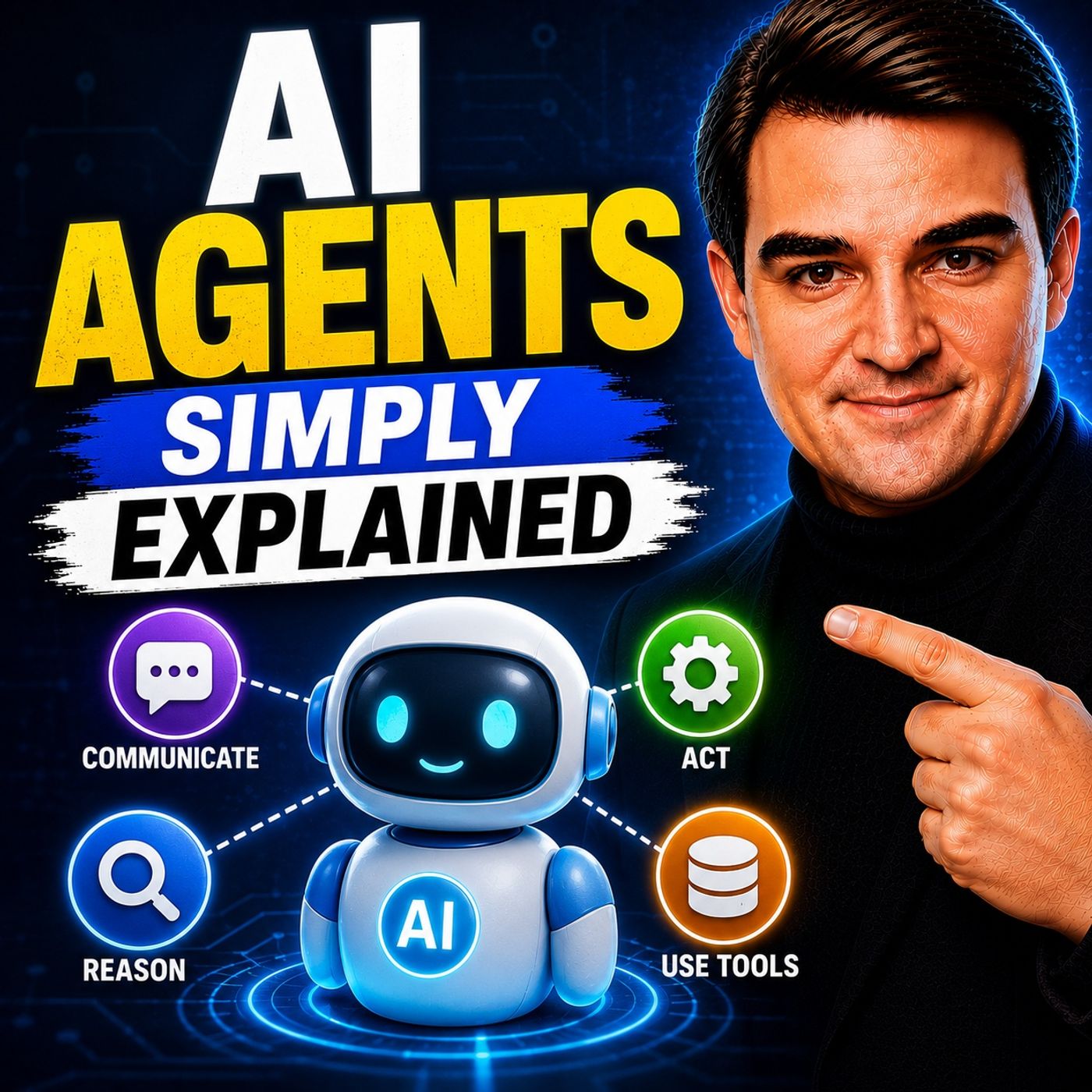
AI Agents - Simply Explained
Show notes
Welcome to another episode of Knowledge Nuggets with Mirko Peters. In this episode, we're exploring AI Agents—one of the fastest-growing concepts in artificial intelligence and the foundation of Microsoft's vision for the future of work. The term "AI agent" is often used interchangeably with chatbot, but they're fundamentally different. A chatbot answers questions. An AI agent pursues goals. It can reason, make decisions, interact with business systems, perform tasks autonomously, and report back when the work is complete. Throughout this episode, you'll learn what makes AI agents unique, how Microsoft enables them across Microsoft 365 and Azure, and which platform you should choose depending on your requirements. CHATBOTS VS. AI AGENTS The easiest way to understand AI agents is by comparing them with traditional chatbots. A chatbot is reactive. It waits for a user to ask a question, generates an answer, and the interaction ends. Its memory is usually limited to the current conversation, and it cannot perform work outside the chat interface. An AI agent works very differently. Instead of simply answering questions, an agent receives an objective and determines the necessary steps to accomplish it. It can access calendars, send emails, update SharePoint lists, create documents, interact with business systems, and complete workflows without continuous user supervision. Think of a chatbot as a receptionist answering questions at the front desk. An AI agent is more like a project manager who coordinates multiple tasks, communicates with different systems, and returns once the objective has been completed. WHAT MAKES AN AI AGENT? An AI agent combines several capabilities that extend far beyond language generation. Modern agents can:
- Reason through complex problems
- Plan multiple steps
- Use external tools
- Access enterprise knowledge
- Make decisions
- Execute actions
- Learn from context
- Work autonomously toward a goal
Rather than generating isolated responses, agents continuously evaluate what should happen next until the assigned task has been completed. This makes them ideal for business automation, customer service, IT operations, HR, procurement, finance, and countless other enterprise scenarios. MICROSOFT'S THREE AGENT BUILDING OPTIONS Microsoft provides three different approaches for building AI agents. Agent Builder Agent Builder is the simplest option. Included with Microsoft 365 Copilot, it enables users to create no-code agents simply by describing what they want in natural language. Knowledge can be sourced from:
- SharePoint
- OneDrive
- Teams
- Websites
- Uploaded files
- Organizational data
This makes Agent Builder perfect for departmental knowledge assistants and internal Q&A solutions. Copilot Studio Copilot Studio introduces low-code capabilities. Developers and power users can connect over a thousand business systems through connectors, build custom conversation flows, trigger workflows automatically, and publish agents to Microsoft Teams, Microsoft 365 Copilot, or external websites. It's designed for organizations that want AI agents capable of interacting with real business processes instead of simply answering questions. Azure AI Foundry Azure AI Foundry provides complete developer control. Organizations can choose different AI models, build multi-agent architectures, customize orchestration logic, integrate advanced memory, and deploy enterprise-scale AI workloads running on managed Azure infrastructure. Foundry is the platform of choice for professional AI engineering teams building production-ready AI solutions. KNOWLEDGE, MEMORY, AND TOOLS An AI agent becomes valuable because it combines reasoning with enterprise knowledge. Depending on the platform, agents can retrieve information from:
- Microsoft Graph
- SharePoint
- Teams
- OneDrive
- Dataverse
- Outlook
- External business systems
- Custom APIs
Unlike traditional AI models that rely only on their training data, enterprise agents continuously ground their responses using current organizational information. This dramatically improves accuracy while reducing hallucinations and ensuring answers remain relevant to the latest business data. DIGITAL IDENTITIES FOR AGENTS One of Microsoft's most significant innovations is giving AI agents their own digital identities. Each enterprise agent receives an identity within Microsoft Entra ID, similar to a human employee. This identity can include:
- A mailbox
- OneDrive storage
- Teams presence
- Security permissions
- Authentication credentials
Because agents authenticate through Microsoft Entra ID, they follow the same permission model as human users. If an agent isn't authorized to access a document, it cannot retrieve or use that information. This creates a secure foundation for enterprise AI adoption. WORK IQ AND ENTERPRISE GROUNDING Microsoft uses Work IQ to provide agents with organizational context. Instead of relying purely on general AI knowledge, Work IQ searches:
- Emails
- Documents
- Teams conversations
- Calendar events
- SharePoint content
- Microsoft Graph data
Every query respects existing security permissions. Users only receive answers based on information they are already authorized to access, preserving enterprise security boundaries while significantly improving response quality. REAL-WORLD PROCUREMENT AGENT The episode demonstrates Microsoft's procurement agent as a practical example. The workflow begins with an approved agent published through an internal agent catalog. After receiving procurement policies, supplier information, and purchasing guidelines, the agent can independently:
- Evaluate supplier options
- Compare pricing
- Review SLAs
- Create purchase orders
- Update SharePoint tracking systems
- Report progress through Microsoft Teams
Users simply assign the objective while the agent coordinates the individual tasks autonomously. This illustrates the transition from AI assistants toward digital coworkers capable of performing meaningful business work. Become a supporter of this podcast: https://www.spreaker.com/podcast/m365-fm-microsoft-365-azure-cloud-power-platform-ai--6704921/support.
Apple Podcasts · Spotify · YouTube · YouTube Music · Deezer
Host: Mirko Peters
Guests
Related articles
- Reactive vs. Deliberative: Choosing the Right AI Agent Architecture
- Model-Driven Apps or SharePoint Lists Which Fits Best
Transcript
Read the full transcript
Welcome to another episode of Microsoft Knowledge Nuggets on M365. FM, I'm your host, Mirko Peters. Today's topic is one you've probably heard everywhere, AI agents. But what are they really? Most people will tell you it's a smarter chatbot and that is actually the biggest misunderstanding right now. By the end of this episode, you'll understand what an agent really is, how it's different from a chatbot and the three ways you can build one inside Microsoft's ecosystem. Here's the simplest way to think about it. A chatbot is like a receptionist at a front desk. You ask a question, they answer, and that's it. An agent is more like a personal assistant who takes initiative. You give them a goal like book that meeting with the supplier and they figure out the steps on their own. They check your calendar, send emails, update files and come back to you when it's done. One answers questions, the other does work and that distinction matters because it's the foundation for everything we're about to cover. Chatbots versus agents, the core difference. Let's break down what actually separates a chatbot from an agent. A chatbot is reactive. Someone types a question and the chatbot responds. It uses short term memory, meaning it only knows what you've said in this conversation. Once the chat ends, that context is gone and the chatbot is limited to conversations. They can't do anything outside the chat window. An agent is different because it's proactive instead of waiting for you to ask something, it can take action on its own, like sending a reminder or updating a status. It can access other systems like your email, your calendar and your company's sharepoint. It even has its own identity inside Microsoft Entra ID, which means it can have its own mailbox, its own one drive and its own team's account. And it works autonomously. You give it a task and it goes off and does it without needing you to check in. Think of it this way. A chatbot is like a help desk employee with a printed FAQ. You ask a question. They flip to the right page and read you the answer. An agent is like a project manager who can access files, send emails, schedule meetings, follow up on tasks and report back without you guiding every step. Here's the key distinction. A chatbot lives inside the conversation while an agent can trigger workflows in the background. It can modify data in a database, create a purchase order in sharepoint while you're in a meeting and you don't have to watch it work. It just does the job behind the scenes and lets you know when it's done. So now you know what an agent is. But how do you actually build one? Microsoft gives you three parts and which one you choose depends on your skill level and what you need it to do. We'll cover those in just a moment. The three build paths and overview. Microsoft gives you three ways to build agents and each one matches a different skill level. The first is agent builder, which is the no code option. It lives right inside Microsoft 365 co-pilot. So anyone can create an agent just by describing what they want in plain English. You never have to write a single line of code. The second option is co-pilot studio. That's a separate web app you find at co-pilot studio. Microsoft.com. It's low code, meaning you still describe your agent using natural language, but now you can add, connect us to other services, define custom conversation flows and setup automated triggers. It gives you more power, but it does take a bit more setup. Then there's Foundry, which is Azure AI Foundry, Microsoft's professional platform for developers. Here you get full control over the AI model, the orchestration and the infrastructure. You can choose from hundreds of models like open AI, Claude or Lama. You can build multi agent systems. This one is for pro code teams that need enterprise scale production agents. Now, here's something a lot of people don't realize. The lines between these three are blurry. You can start building an agent in agent builder, then exported to co-pilot studio. If you need more power, you can start in co-pilot studio and move to Foundry later. They're not separate islands. They're more like a spectrum and Microsoft designed them to work together. Let's start with the easiest path, agent builder. If you already have a Microsoft 365 co-pilot license, you have access to this tool. Agent builder, no code agents for everyone. So what does agent builder actually look like? It's a simple form inside Microsoft 365 co-pilot. You open co-pilot, click the agent section on the left and hit create. No separate website, no setup, no configuration needed. You start by describing what you want. Type something like create an agent that answers questions about our company's HR policies. Co-pilot takes that description and auto generates a name, a set of instructions, and even suggested prompts for users to start with. You can refine those instructions if you want. Add rules like "Only use the sources I provide" or "If you don't know the answer, direct the user to HR". Then you give it knowledge sources and this is where the real power is. You can point it to files on your one drive, sharepoint sites, teams chats and channels, specific websites, or even your company's org chart. There's a critical setting here too, a toggle that says "Only use specified sources". Turn that on and the agent can't pull from the general knowledge of the AI model. It can only answer from the documents and sites you gave it. That's how you prevent hallucinations. The agent literally cannot make things up because it's locked to your data. You can also give the agent capabilities. Wanted to create word documents, flip the toggle. Wanted to generate images? That's a toggle too. Wanted to write code snippets? Same thing. These are optional, but they make the agent much more useful. Once you're done, you can share the agent with teammates. You choose who gets access. Specific people or everyone in your organization, they'll find it in their own co-pilot sidebar, ready to use. Here's a concrete example. Say you work in HR and you have a 50-page employee manual. You create an agent called HR Helper. You upload the manual as a knowledge source. You turn on "Only use specified sources". You write instructions saying "answer questions politely" and always cite the section of the manual you're referencing. Now anyone in your company can ask HR Helper about vacation policies, sick leave or dress code, and get accurate answers without calling HR every time. But agent builder does have limits. It cannot trigger actions automatically. It cannot connect to external systems like Salesforce or your accounting software. It cannot publish to a public website. It's designed for simple Q&A agents that sit inside your company's co-pilot. That works great for basic use cases. But what if you need your agent to take action automatically like when a customer email comes in? That's where co-pilot studio comes in. Co-pilot studio. Low-code power for business processes. So where do you find co-pilot studio? It lives at co-pilot studio, Microsoft.com and this is a full agent building platform, not just a simple form. If you already have a Microsoft 365 co-pilot license, you probably already have access. If not, there's a pay as you go option available. You still start by describing your agent in natural language. That part is the same. But now you can add automated triggers. For example, you can set up the agent to activate when a new item is created in SharePoint or when an email arrives in a specific mailbox. The agent doesn't wait for someone to ask it something. It starts working on its own when an event happens. So connectors are another big upgrade. Co-pilot studio has over 1,000 pre-built connectors to services like Salesforce, Dynamics 365, Excel, Outlook, Teams and more. Your agent can read data from Salesforce, create records in Dynamics, send emails through Outlook and post updates and Teams all from one conversation. That's pretty powerful. Knowledge sources are richer too. You can connect to Dataverse, that's Microsoft's data platform, plus SharePoint, Public Websites and uploaded files. The agent has more context to work with, so its answers are more accurate and more useful. Here's where things get interesting. You can define topics. These are custom conversation flows for specific scenarios. Say a user reports a workplace conflict. You can create a topic that says, "If the user mentions a conflict, don't try to resolve it. Instead, collect their name and department, then escalate to the HR director with a summary." The agent follows that flow every single time. It's like giving the agent a playbook for each situation before you publish. You can test the agent in a preview pane. Ask it questions, see how it responds, check the citations. When you're happy, you can publish the Teams, Microsoft 365, co-pilot, or even a demo website for external users. One thing to know about pricing. Co-pilot studio requires consumption credits if external users interact with your agent or if the agent takes autonomous actions. If you're the only one using it or you share it with colleagues who also have co-pilot licenses, credits aren't needed. But if you build an agent for customers or partners, your organization pays per interaction. Co-pilot studio handles most business scenarios, but for developers who need full control. Over the AI model, the orchestration and the infrastructure, there's Foundry. Foundry Procode Custom Agents. Now, if you're a developer who wants full control, there's Azure AI Foundry. This is Microsoft's professional platform for building and operating AI agents at scale. It's designed for developers, data scientists, and AI engineers who want to work with the Microsoft agent framework. And here's something that happened recently that matters. Microsoft merged two major frameworks into one, Semantic kernel, which was the enterprise-friendly option, and Autogen, which was more about research and multi-agent experiments. They're now a single framework, so you don't have to choose. In Foundry, you get access to a model catalog with hundreds of options, open AI models, of course. But also Claude from Anthropic, Lama from Meta, and many others. You pick the model that fits your use case, not the other way round. You also get full control over orchestration. That means you decide how the agent reasons, which tools it uses, and in what order. Foundry gives you prompt flow for designing those reasoning steps, an agent service for running everything at scale and built in evaluation tools to test the quality of your agent before it goes live. Here's a technical detail that matters for production. Agents built on Foundry run on managed infrastructure with near-instant start-up under 100 milliseconds, and there's zero idle cost. If the agent isn't actively processing something, you're not paying for compute. That's a big deal for cost-conscious teams. When you're ready to publish, you can push your agent to Microsoft 365 Copilot and Teams with a single pipeline. No rebuilding for each surface. One build, two destinations. Foundry is best for complex scenarios. Multi-agent systems where agents talk to each other, custom memory that persists across sessions. Advanced security requirements, high volume production workloads. If your agent needs to handle thousands of requests per minute across multiple systems with strict compliance rules, Foundry is the right choice. Now you know the three build parts. Agent Builder for instant no-code, Copilot Studio for business workflows, and Foundry for full developer control. But let's take a step back and look at what actually happens behind the scenes when an agent does its work. Because there's more to it than just AI. How agents actually work. Identity, data, and governance. Every agent has a digital identity in Microsoft Entra ID. That's the same system that manages your login. An agent gets its own Entra Agent ID just like you have a user account. That ID gives the agent its own mailbox, its own one drive, its own Teams account, and a set of permissions. So agents can access the same systems people do. They can read SharePoint documents. They can send emails. They can join Teams channels. But only within their permissions. If an agent doesn't have permission to a file, it can't read it. Same rule as a human employee. Now how does the agent know what data to use? That's where Work IQ comes in. Work IQ grounds agent responses in your company's data. When an agent needs to answer a question, it searches your emails, documents, meetings, and chats. But it respects permissions. If you can't see a document, the agent won't use it. The access boundaries stay intact. All of this identity and permission management happens through the Agent 365 control plane. That's a dashboard in the Microsoft 365 Admin Center. IT admins can see every agent in the organization who built it, what it can access, what it's been doing. Think of it like an employee directory, but for digital workers. Governance makes agents ready for your company. They follow the same compliance policies as people. Conditional access rules apply. Someone tries to access an agent from an untrusted device. Blocked. Data loss prevention stops them from sending sensitive data outside. This governance matters because agents can take real actions. They can create purchase orders. Send emails to customers, update records in databases. Without guardrails, that's risky. With Agent 365, IT has full visibility and control. Real-world example, the procurement agent. Let me show you how this works in practice. Microsoft Mechanics shared a great example of a procurement agent. It walks through the full life cycle. Here's the scenario. A coworker builds a procurement agent and submits it to IT for approval. Once IT signs off, it gets published to the company's agent store. Think of it like an app store, but for agents inside your organization. A procurement manager discovers the agent in that store. They set it up with just a couple of clicks. The agent introduces itself in teams and asks for what it needs. Supplyer policies. Approved supplier lists. A procurement playbook. The manager provides those documents by typing "Use this policy guide for your actions" and referencing a file from their OneDrive. That's it. The agent now has everything it needs. Now think about the agent's identity. Remember, "Entra Agent IDs". This agent has its own mailbox, its own OneDrive, its own Teams account. So when a customer order comes in for new laptops, the agent reasons over the request. It searches suppliers, checks SLAs, looks at pricing from recent orders. Using WorkIQ, it pulls contacts from across Microsoft 365. Based on fulfillment time, it recommends a supplier and asks the manager if it should proceed. The manager confirms. The agent creates a purchase order for the laptops. Then it logs that order into a purchasing tracker spreadsheet that lives in SharePoint, all autonomous. Here's the part that's real today, even though it sounds futuristic. The manager can ad-mention the procurement agent in teams, just like any coworker, and ask for status. The agent responds with what it's working on, what's been completed, and any pending items. This example shows the full life cycle. You discover the agent in the store, configure it with a few clicks and some documents. Let it work autonomously on real tasks, get reports when it's done. That's the power of giving an agent its own identity inside the tools you already use. But powerful agents need powerful security. Let's look at how Microsoft keeps agents under control. Security, compliance, and guardrails. Every agent runs inside a control center called agent365. It lives inside the Microsoft 365 Admin Center, and it gives IT a single dashboard to manage every agent in the organization. You'll see agents built in co-pilot studio, agents built in Foundry, even agents built on non-microsoft platforms, all in one place. No more hunting through different tools just to figure out what's running. From that dashboard, admins can review permissions, approve new agents before they go live, block any that shouldn't be running, and apply policy templates. Those templates are pre-built rule sets that enforce things like "Don't share content externally" or "Require approval" for any action that modifies data. Behind the scenes, three security services watch everything. Microsoft purview handles data loss prevention. If an agent tries to send sensitive information outside your company, purview stops it cold. Microsoft Entra manages access control via conditional access. If someone tries to reach an agent from an untrusted device that agent gets blocked, and Microsoft defends a monitor's agent for suspicious activity. If an agent suddenly starts signing in dozens of times an hour when it usually logs in twice a day, defends a flag set. Here's how that works in practice. Say an agent shows abnormal sign-in frequency. Entra conditional access automatically blocks it from accessing resources. The admin gets an alert in the agent365 dashboard, sees the risk and can block the agent entirely with one click. That agent is disabled immediately for current users and won't show up for new ones. There's also the agent map. It's a visual diagram that shows all your agents, their connections to each other, and their connections to workflows and data sources. If one agent in a chain starts throwing errors you see it on the map, drill into the details and take action. It turns agent management from a guessing game into something you can actually see and understand. So that's the full picture from simple no-code agents to enterprise grade autonomous systems all with proper security and governance. Your next steps. Let's bring this all together. Agents are not just smarter chatbots, they're autonomous workers with their own digital identity. They can access systems, take actions and report back all without you guiding every step. Microsoft gives you three ways to build them. Use agent builder inside Microsoft 365 co-pilot for instant no-code agents. Use co-pilot studio for business workflows with connectors and automated triggers. Use foundry if you need full control over models, orchestration and infrastructure as a developer. And wrapping around all of that is the governance layer, agent 365, Entra ID, purview and defender. That makes these agents enterprise ready. They follow the same rules as your human employees. Here's your homework, open Microsoft 365 co-pilot, go to the agent section, click create. Describe a simple agent, maybe one that answers questions about a project you're working on. Give it a knowledge source, turn on only use specified sources and see what it can do. Most people won't take this step, be different. In our next episode, we'll walk through building a real agent in co-pilot studio step by step. You won't want to miss it. This is Microsoft Knowledge Nuggets on M365 FM. Subscribe on your favorite podcast platform and share this with someone starting their journey. I'm Mirko Peters and I'll see you in the next episode.