 EN
EN Deutsch
 Español
 Français
 Italiano
 Português
 Nederlands
 Polski
 Bahasa Indonesia
 Русский
 Українська
 العربية
 עברית
עברית हिन्दी
 日本語
日本語 한국어
한국어2026-07-17 · Season 3
Azure ExpressRoute - Simply Explained
Show notes
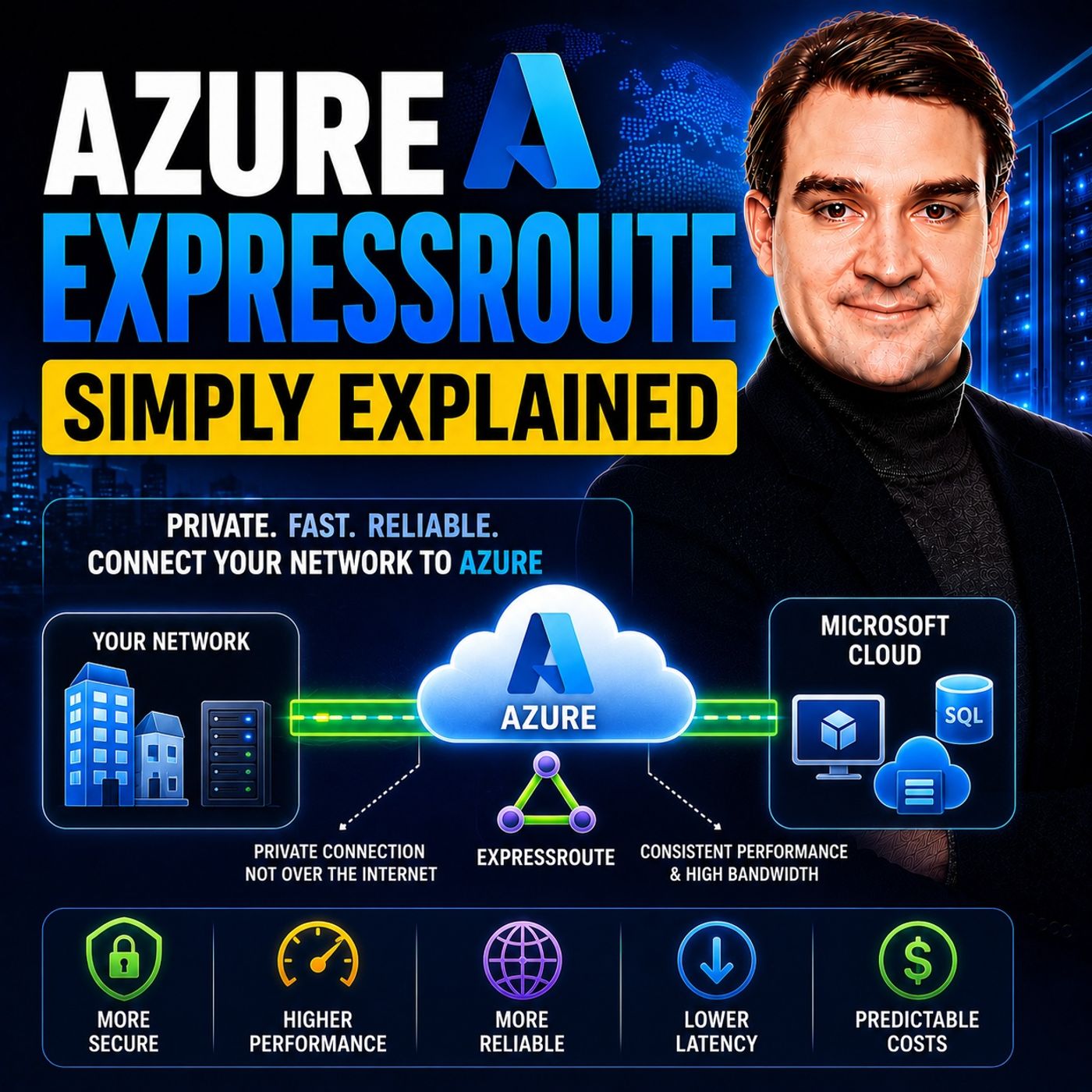
Azure ExpressRoute is Microsoft's private network connection service that links your on-premises infrastructure directly to Microsoft's global cloud network without using the public internet. Instead of sending your business-critical traffic across shared internet connections, ExpressRoute creates a dedicated connection through an approved connectivity provider, delivering predictable performance, lower latency, higher bandwidth, and enhanced reliability. It is designed for organizations running mission-critical workloads where consistent network performance and maximum availability are essential. WHY BUSINESSES CHOOSE EXPRESSROUTE While the public internet works well for everyday applications, it cannot guarantee consistent latency, bandwidth, or availability. Internet congestion, routing changes, and ISP outages can all affect application performance. Azure ExpressRoute solves this by providing a private connection directly into Microsoft's backbone network. Because traffic never traverses the public internet, organizations benefit from more predictable performance, improved reliability, and simplified compliance for sensitive workloads. Industries such as healthcare, finance, manufacturing, and government often rely on ExpressRoute to support business-critical applications where downtime or network instability is unacceptable. HOW AZURE EXPRESSROUTE WORKS An ExpressRoute connection starts with an ExpressRoute Circuit, which provides a dedicated private connection through a Microsoft connectivity partner such as Equinix or Megaport. The circuit includes built-in redundancy with dual physical connections for high availability. An ExpressRoute Gateway connects the circuit to Azure Virtual Networks using Border Gateway Protocol (BGP), allowing routes to be exchanged automatically between your on-premises environment and Azure. Organizations can configure Private Peering for Azure Virtual Networks and Microsoft Peering for Microsoft 365 and other Microsoft cloud services, enabling secure communication across a wide range of workloads. EXPRESSROUTE VS SITE-TO-SITE VPN Although both Azure VPN Gateway and ExpressRoute connect on-premises environments to Azure, they serve different business needs. VPN tunnels travel over the public internet while encrypting traffic with IPsec, making them affordable and quick to deploy. ExpressRoute, however, provides a completely private connection with significantly higher bandwidth, lower latency, and Microsoft-backed availability guarantees. VPN is an excellent choice for smaller environments, development workloads, or backup connectivity, while ExpressRoute is designed for production environments where network performance, reliability, and predictable connectivity directly impact business operations. Many enterprises use both services together, with ExpressRoute as the primary connection and VPN as a failover path. WHEN SHOULD YOU USE EXPRESSROUTE? Azure ExpressRoute is ideal for organizations transferring large volumes of data, running latency-sensitive applications, or operating under strict regulatory requirements. Common use cases include SAP workloads, enterprise databases, Azure VMware Solution, healthcare imaging systems, financial trading platforms, disaster recovery replication, and large-scale cloud migrations. ExpressRoute also supports hybrid cloud architectures where on-premises applications must communicate seamlessly with Azure resources. However, smaller businesses with modest bandwidth requirements and no strict performance demands will often find that Azure VPN Gateway provides sufficient connectivity at a significantly lower cost. BEST PRACTICES FOR A RELIABLE PRIVATE CONNECTION A successful ExpressRoute deployment involves more than simply ordering a circuit. Organizations should implement redundant circuits where appropriate, deploy multiple peering locations for maximum resilience, monitor connection health continuously, and configure backup VPN connectivity for additional protection. Choosing the correct bandwidth, planning routing policies carefully, and testing failover procedures regularly ensures business continuity during unexpected outages. Azure ExpressRoute provides one of the most reliable ways to connect enterprise infrastructure to Azure, making it a cornerstone technology for hybrid cloud environments that demand performance, availability, and enterprise-grade networking. Become a supporter of this podcast: https://www.spreaker.com/podcast/m365-fm-microsoft-365-azure-cloud-power-platform-ai--6704921/support.
Apple Podcasts · Spotify · YouTube · YouTube Music · Deezer
Host: Mirko Peters
Transcript
Read the full transcript
Welcome to another episode of Microsoft Knowledge Nuggets here on M365, FM, I'm Mirko Peters and today's topic is one that almost everyone has heard of but few people actually understand Azure Express route. What exactly is it? Is it just a fancy VPN or is it something completely different? Imagine you start a new company tomorrow. You rely on cloud apps, file sharing and remote work. Every day your connection to Azure goes over the public internet. That's like taking a highway with unpredictable traffic. It works fine for checking email. But when you move critical data or run real-time applications, speed and reliability start to matter a lot. Azure Express route is the private lane. A dedicated physical link from your office or data center directly into Microsoft's network. By the end of this episode you'll understand what Express route actually is, how it's built and whether your business should use it instead of a regular VPN. The private highway analogy. Let's picture the public internet as a busy two lane highway shared with everyone. You can see the trees, commuters and sites here at all clock the same road. Your data packets get stuck in that traffic. Every time someone streams a movie or downloads a large file, your business traffic slows down. That's the reality of sharing the road with the entire world. Express route creates a private, reserved lane that connects your on-premises network directly to Azure so your traffic bypasses the internet entirely. That means consistent speed, lower latency and higher security because your data never touches the public road. This isn't magic. It's a physical or virtual connection made through a partner like Equinix Megaport or directly with Microsoft via something called Express route direct. The result is predictable performance with no bandwidth fights and a Microsoft SLA that guarantees uptime. Here's the thing. This is the big idea. A private connection instead of a public one. Everything else is just detailed. Once you understand that, the rest of Express route makes sense. Building blocks. Circuit. Peering. Gateway. So how does that private highway actually get built? Let's break down the main components. An Express route circuit is the core. The physical cable or virtual link you order from a provider. It comes with two connections for built in redundancy. If one link fails, the other keeps working. That's built into every circuit by default. On top of that circuit, you configure something called Peerings. These are separate doors that allow different types of traffic and there are two main ones you need to know about. Private Peering connects to your Azure virtual networks. That's where your VMs, databases and internal applications live. This is the door you use for your private workloads. Then Microsoft Peering connects to Microsoft's public services like Microsoft 365, Dynamics 365 and Azure public endpoints. That's the door for accessing SaaS applications and other Microsoft services. Now, to connect the circuit to your Azure virtual network, you need an Express route virtual network gateway. Think of it as a special router that lives in your Azure network and speaks a language called BGP, border gateway protocol with the circuit. BGP is how both sides share routing information automatically. No manual route tables needed. The gateway comes in different sizes. You can create high performance, ultra performance depending on how much traffic you expect. There's also fast path, an optional feature that lets traffic bypass the gateway for even lower latency on high speed circuits. If you're running at 10 gigabits per second or higher, fast path can make a noticeable difference. These three pieces, circuit, peering, gateway, form the complete private highway from your office to your cloud workloads, each plays a specific role and together they create a connection that's reliable, fast and secure. Two ways to connect, provider versus direct. Most businesses go with the provider-based model. You work with a telecom partner like AT&T, Verizon, or a cloud exchange provider like Megaport or Equinix. The provider handles the physical connection from your location to the nearest Express route peering location and that's a Microsoft edge site where the actual handoff happens. You just give them a service key from your Azure portal and they take care of the rest. This approach is simpler and faster to set up. It supports bandwidth from 50 megabits per second all the way up to 10 gigabits. The provider manages the middle mile so you don't need to worry about the physical infrastructure between your office and Microsoft's network. The alternative is ExpressRoute Direct. With Direct you get two physical ports at a peering location that we're talking 1,100 or even 400 gigabits per port. Direct is for high volume scenarios like huge data migrations, regulated industries that need physical isolation or connecting multiple clouds through a single set of ports. Here's the trade-off. Direct gives you more control and higher speeds, but you're responsible for managing the physical connection yourself. Cross-connects in the data center, coordinating with the facility and handling any gear issues. For 90% of businesses, the provider model is the right choice. Direct is for the top tier. Organizations that need maximum throughput or have specific compliance requirements. Staying connected, resiliency and redundancy. Every ExpressRoute circuit comes with built-in redundancy, two physical connections to two separate Microsoft Edge routers. If one link fails, the other keeps your traffic flowing. That's the default. But here's the thing. Microsoft wants you to think bigger. The real danger isn't a single broken fiber. It's losing an entire peering location. Imagine a fire in the data center, a construction crew cutting the main fiber or a power outage that takes out the whole facility. That's the kind of event that kills a single circuit. Even with redundant links. You have three levels of resiliency to choose from. Standard is what you get by default. Two links in one peering location. High resiliency gives you one link in each of two different peering locations within the same metro area. Maximum resiliency goes all the way. Two separate circuits in two different peering locations. Each with its own pair of links. That's the gold standard. You can lose an entire peering location and still have connectivity running. Why does this matter? Because ExpressRoot often carries mission critical workloads. Down time means lost revenue. A hospital can't afford to lose access to patient records. A trading firm can't afford even a few seconds of interruption. So the extra investment in redundancy makes sense for those scenarios. You can also pair ExpressRoot with a backup VPN as a lower cost failover option. When ExpressRoot is down, the VPN handles less critical traffic or serves as a backup path for essential services. Many enterprises use this hybrid approach. ExpressRoot for the important stuff VPN has a safety net. The key takeaway is simple. Don't assume one circuit is enough. Plan for the unexpected. Your connection is only as reliable as your weakest link. ExpressRoot versus side to side VPN. Here's a question I hear all the time. Both services connect your on-premises network to Azure, but they work very differently. A VPN uses the public internet. Your data is encrypted so it's secure and transit. But you're at the mercy of internet congestion, ISP routing decisions and variable latency. The highest VPN gateway SKU tops out around 1.25 gigabits per second. That's fine for many scenarios, but it's a hard ceiling. ExpressRoot is private. No internet involved. Latency is predictable because your traffic stays on Microsoft's backbone network. bandwidth goes up to 100 gigabits per second. Microsoft guarantees 99.9% uptime for the connection itself. Cost is where the rubber meets the road. VPN is much cheaper. A typical small to medium business pays double to low triple digits per month for their VPN gateway. ExpressRoot starts around high triple digits and can climb into thousands, especially once you add provider fees. The provider charges for the physical connection, the cross connects, the last mile circuits, the port fees. Those costs often exceed what Azure charges for the circuit itself. Setup time is another big difference. VPN can be provisioned in hours. You create the gateway, configure the tunnel, and you're done. ExpressRoot takes days to weeks because the provider must physically configure the connection. You can't speed that up. Security works differently too. VPN has built in Ipsack encryption. Your traffic is encrypted end-to-end. ExpressRoot gives you a private path, but it doesn't automatically encrypt everything. If you need encryption over the private link, you need additional measures like maxac on ExpressRoot direct. For most businesses, the private path alone is sufficient. But if your compliance requirements demand encryption at the network layer, you need to plan for it. So when do you use each one? VPN is great for test and development environments, small offices with light workloads, or is it backup connection? ExpressRoot is for production systems, high bandwidth applications, compliance driven environments or anything latency sensitive. Many enterprises use both. VPN for less critical traffic express route for the important stuff. The takeaway is straightforward. VPN is good enough for a lot of scenarios. ExpressRoot is overkill unless you really need the performance, the predictability, or the compliance benefits. Don't pay for a private lane if a public road works fine. When real businesses use ExpressRoot? So where does ExpressRoot actually make a difference? Let's walk through some real world examples where the theory becomes practical. Health care is a big one. Think about a hospital that needs to move large MRI and CT scan files from on-premises storage to Azure for analysis. Over the public internet, variable latency can slow things down. A radiologist waiting for images to load isn't just frustrated. They're potentially delaying patient care. ExpressRoot gives them consistent speed, so those images arrive exactly when expected. Finance is another clear example. Accounting applications need low predictable latency. Even 20 milliseconds of jitter can cost real money. In high frequency trading, that's the difference between executing a trade and missing the window entirely. ExpressRoot gives them a guaranteed path with performance they can count on. Now let's talk about manufacturing. Factories with IoT sensors send continuous data streams to Azure and an internet interruption could shut down a production line. If a sensor stops reporting, the system might assume a machine is down and trigger an emergency stop. ExpressRoot provides the reliability those continuous data streams need to keep everything running. Disaster recovery is a big use case. Organizations replicate entire data centers to Azure, which means moving terabytes of data continuously. ExpressRoot provides the high bandwidth and SLA needed for synchronous replication. With a VPN, you might struggle to meet your recovery time objectives because the connection simply can't handle the throughput. Large data transfers are another place where ExpressRoot really pays off. If you're moving terabytes or petabytes to Azure, media files, research data, historical archives, the unlimited data plan on ExpressRoot can actually be cheaper than paying internet egress fees. At scale, the math flips. The fixed cost of the circuit becomes more economical than paying per gigabyte for massive data transfers. There's also multi-site connectivity. With ExpressRoot global reach, you can connect two remote offices using the same circuit, routing traffic across Microsoft's backbone instead of going through Azure that can replace or supplement a traditional one connection for some scenarios. These are the situations where the extra cost of ExpressRoot pays for itself, avoid it downtime, faster operations and compliance requirements met. When you run the numbers, the question flips. It's not, can I afford ExpressRoot? It's, can I afford not to have it? The provisioning process. So you've decided ExpressRoot makes sense. How do you actually get one? This is where a lot of people get confused because it's not like flipping a switch. It's a two-step process. Step one happens in Azure. You create the ExpressRoot circuit in the portal. This part is fast. The resource appears in minutes. You give it a name, pick your bandwidth, choose your provider. But here's the catch. The circuit exists in Azure, but it's not usable yet. It's like ordering a highway exit that hasn't been built. Step two is where the real work happens. You take the service key from your circuit. That's a unique identifier. And you give it to your provider. They then configure the physical connection from your location to the Microsoft Edge router at the peering location. This is the part that takes time. Days, sometimes weeks, it depends on the provider's backlog whether cross-connects need to be patched manually and whether there's available capacity at the peering location. Once the provider finishes their work, the provider status in Azure changes from "not provisioned" to "provisioned". That's your signal that the physical connection is ready. Only now can you configure peering and connect it to your virtual network gateway. After that, you create a connection object that links the circuit to your gateway. The BGP session establishes automatically and routes start flowing. Your private highway is open for business. Total time? Azure side? Provider side? Potentially weeks? The lesson is simple. Plan ahead. Don't wait until you need the connection to start the process. Order your circuit weeks before your migration window. Is it right for you? After everything we've covered, the big question is, should you actually get ExpressRoot? Let's be honest about it. Start by looking at what you really need. If you have workloads demanding consistent latency or high bandwidth, ExpressRoot might be worth it. But if you're just moving small amounts occasionally, a VPN does the job just fine. For a small business with a few users and cloud apps, ExpressRoot would be overkill and too expensive. Don't let marketing convince you that you need a private highway when a regular road works fine. Now, if you're a midsize or enterprise company running critical applications in Azure, or you have compliance requirements or healthcare, finance, government, that's when ExpressRoot starts to make real sense. The cost becomes an investment in reliability rather than just an expense. Here's a practical approach. Start with a smaller circuit, say 50 to 100 megabits, and pair it with a backup v. P. N. that keeps costs down while giving you a private path when you need it. You can always upgrade the bandwidth later without tearing down the connection. And remember, ExpressRoot isn't an all or nothing decision. Many companies take a hybrid approach. Private circuit for critical traffic, public internet for everything else. You don't have to root all your traffic through ExpressRoot, just the stuff that matters. The right answer depends on your performance needs, your budget, and your tolerance for risk. Be honest about what you actually need, and choose accordingly. So that's ExpressRoot, a dedicated private link from your network straight to Azure, completely off the public internet so you get no traffic jams, built with redundancy, high bandwidth, and an SLA. But it costs more and takes longer to set up than a VPN. For many a VPN is enough for others, this private lane is essential. Know your workloads, choose smart, and subscribe to Microsoft Knowledge Nuggets for more plain English breakdowns like this one.