 EN
EN Deutsch
 Español
 Français
 Italiano
 Português
 Nederlands
 Polski
 Bahasa Indonesia
 Русский
 Українська
 العربية
 עברית
עברית हिन्दी
 日本語
日本語 한국어
한국어2026-07-17 · Season 2
Azure Site Recovery - Simply Explained
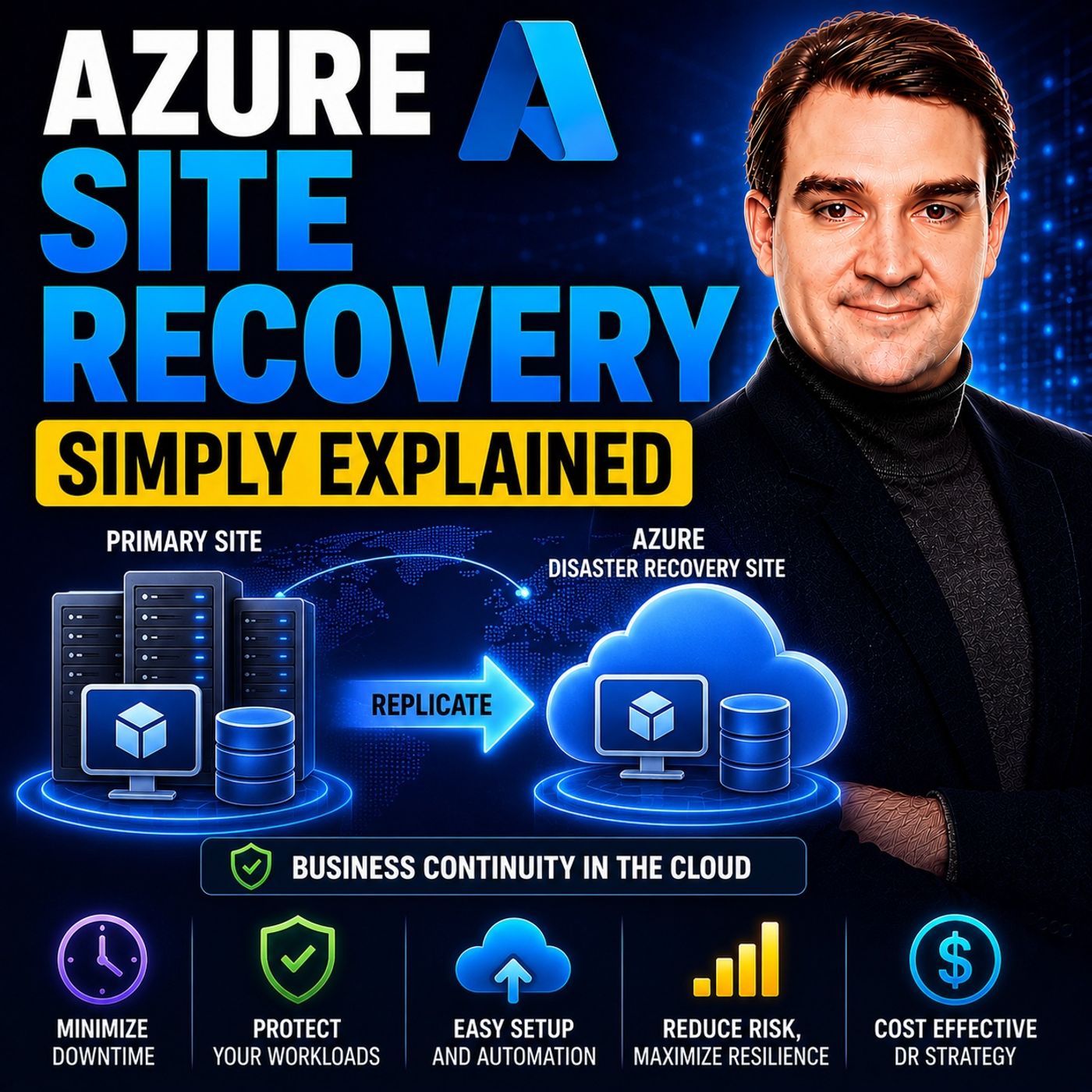
Show notes
Azure Site Recovery (ASR) is Microsoft's disaster recovery service designed to keep your business running when an entire server, data center, or Azure region becomes unavailable. Instead of simply backing up files, ASR continuously replicates entire workloads—including the operating system, applications, settings, and data—to a secondary location. If disaster strikes, you can quickly fail over to the replicated environment and resume operations within minutes. Azure Site Recovery is built for business continuity, helping organizations minimize downtime and maintain productivity during planned maintenance, hardware failures, cyber incidents, or natural disasters. WHY DISASTER RECOVERY MATTERS Every minute of downtime costs money, damages customer trust, and disrupts business operations. Traditional disaster recovery often relied on restoring backups to new hardware, a process that could take hours or even days before applications were available again. Azure Site Recovery changes this approach by maintaining a continuously synchronized replica of your workloads in another Azure region or in the cloud. Rather than rebuilding infrastructure after a disaster, organizations simply switch to their replicated environment and continue operating with minimal interruption. This dramatically reduces Recovery Time Objectives (RTOs) while improving overall business resilience. HOW AZURE SITE RECOVERY WORKS Azure Site Recovery continuously monitors your virtual machines and replicates disk changes to a secondary location in near real time. Only changed data blocks are transferred, making replication highly efficient while reducing bandwidth consumption. During a disaster, administrators initiate a failover, automatically creating virtual machines from the replicated disks in the recovery location. Once the primary environment is restored, workloads can be synchronized back through a failback operation. Azure Site Recovery also supports non-disruptive test failovers, allowing organizations to validate disaster recovery plans without impacting production systems. AZURE SITE RECOVERY VS AZURE BACKUP One of the most common misconceptions is that Azure Site Recovery replaces Azure Backup. In reality, they solve two completely different problems. Azure Backup protects data by creating recovery points that allow files, databases, or entire virtual machines to be restored after accidental deletion, corruption, or ransomware. Azure Site Recovery focuses on keeping applications running by maintaining live replicas that can be activated within minutes. Backup protects your data, while Site Recovery protects your business operations. For mission-critical workloads, organizations should use both services together to achieve complete disaster recovery and business continuity. WHEN SHOULD YOU USE AZURE SITE RECOVERY? Azure Site Recovery is ideal for organizations running mission-critical applications where downtime directly impacts revenue or customer experience. Financial institutions, healthcare providers, manufacturing companies, e-commerce platforms, and enterprise applications often rely on ASR to maintain continuous availability. It is equally valuable for hybrid cloud scenarios, on-premises to Azure disaster recovery, Azure-to-Azure replication, and cloud migration projects where organizations want to move workloads into Azure with minimal disruption. However, less critical workloads with longer acceptable recovery times are often better protected using Azure Backup alone. BEST PRACTICES FOR BUSINESS CONTINUITY Successful disaster recovery requires more than simply enabling replication. Organizations should regularly perform test failovers, create recovery plans that orchestrate multiple virtual machines in the correct order, monitor replication health continuously, and document recovery procedures for emergency situations. Networking, DNS, VPN connectivity, and application dependencies should all be validated before disaster strikes. Azure Site Recovery provides the technology to keep workloads available, but regular testing and careful planning ensure that disaster recovery works exactly as expected when it matters most. Combined with Azure Backup, Azure Site Recovery forms the foundation of a modern, resilient business continuity strategy. Become a supporter of this podcast: https://www.spreaker.com/podcast/m365-fm-microsoft-365-azure-cloud-power-platform-ai--6704921/support.
Apple Podcasts · Spotify · YouTube · YouTube Music · Deezer
Host: Mirko Peters
Related articles
Transcript
Read the full transcript
Imagine you're running a business and suddenly the server room floods or a cyber attack locks every single system. What happens to your company in that moment? Are you back online in minutes or are you watching your revenue disappear by the hour? Today's topic is one that almost everyone has heard of, but most people don't really understand. By the end of this episode, you'll know what as your site recovery is, how it's completely different from backup. And the simple mental model you need to think about disaster recovery in the cloud. Why disaster recovery matters? Here's the problem, downtime is expensive. Every minute your systems are down, costs you money, trust and productivity. And in some industries, a single hour of downtime can cost millions. The real question is whether your plan actually works when things go wrong, not whether you have one. Think of it this way. Imagine your business is a physical office building where the servers, applications, and data are the furniture and files inside. A disaster like a fire or a flood destroys the entire building and everything inside is gone. Now what do you do? 20 years ago, the answer was simple. You'd buy backup tapes every night, put them in a fireproof safe, and hope you never needed them. If the building burned down, you'd have to buy new furniture, rebuild the office from scratch and restore your data from those tapes, a process that was slow and painful and carried a lot of risk. In the meantime, your business just stopped. Here's the thing, cloud disaster recovery means you don't have to rebuild from scratch anymore. Instead, you have a second identical office building ready to go in a completely different location. So when disaster hits your primary building, you simply walk into the other building and keep working. No rebuilding or waiting, just business as usual in a different place. Now this is the key distinction most people miss. Disaster recovery focuses on keeping your business running not just saving your files. It's about business continuity, not data preservation. Backup saves your data, while disaster recovery saves your operations and those are two very different things. So now let's look at the specific tool as your provides to solve it. What is Azure Site Recovery Solids? So what exactly is Azure Site Recovery? Most people call it ASR for short. It's a managed service that takes your entire server, the operating system, the applications, the data, the settings, and replicates it to a secondary location in real time. Not just the files, but the whole machine, everything. Let's go back to our office building analogy. If your primary office is in one city, ASR builds an exact copy of that office in another city. Every desk, every file cabinet, every computer gets duplicated. The layout is the same, the furniture is the same, the only difference is the address. Here's the thing that trips people up. This is not a backup. I want to be crystal clear on that. Backup is like taking a photo of your office once a day. You get a snapshot of what things looked like at a specific moment. ASR is completely different. It's like having a live video feed of your entire office 24 hours a day, seven days a week, every change, every new document, every update gets captured instantly and sent to the other location. So what are the actual pieces? The system works through three main actions. Replication continuously copies your server's disks to as your storage in another region. It runs in the background, watching for changes and sending them over. Failover is the process of switching from your primary server to the replica when disaster strikes. You flip a switch and the replica becomes the live running server. Failback reverses that once your primary site is repaired and ready, switching production back to the original server. Most people never interact with ASR directly. It runs quietly in the background, protecting your workloads without any manual intervention. You set it up once and it just works. But when disaster hits, that's when you need to know what to do. Now let's break down how these pieces actually work together. How replication works. So how does the actual replication work? Here's the simplest way to think about it. ASR watches every single change made to your server's disks and sends those changes to Azure in near real time. Every new file, every edit, every delete gets captured and copied over. Let me give you a better analogy. Imagine you have a filing cabinet in your office. Every time you add a document, remove one or change something on a page, a copy of that change is instantly sent to a second filing cabinet in another building. Not the whole cabinet, just the change. That's what ASR does with your server disks. It's not copying the entire server every time. It tracks the differences and sends only those. Now there are three main scenarios for where you're replicating to and from. You can replicate between Azure regions from on premises to Azure or from Azure back to on premises. The first scenario, Azure to Azure is the simplest because everything stays inside Microsoft's network. The second on premises to Azure is the classic hybrid setup where you replicate your own data center servers up to the cloud. The third Azure to on premises is less common but possible for specific needs. So how fast does this replication actually happen? It's near synchronous meaning changes usually get copied within seconds to a few minutes, but the exact speed depends on your network connection and how much data is changing. If you have a slow internet link in a database that's constantly being updated, replication might lag a bit. If you have a fast connection in low change rates, it's practically instant. Here's something that catches people off guard. Every new protected instance gets 31 days free. That's right. You can set up ASR, test it, run failovers and validate your entire disaster recovery plan without paying a cent for the service itself for the first month. It's designed specifically for testing and proof of concept work but there's an important caveat you need to understand. ASR does not protect against ransomware or data corruption. It replicates whatever is on the disk including infections. If a ransomware attack encrypts your files, ASR will dutifully replicate those encrypted files to your secondary location. You'll fail over into the exact same mess you were trying to escape. That's why you need proper backup alongside ASR. Backup gives you clean and infected recovery points. ASR gives you continuity during a site outage. They solve different problems. Once replication is running, the next question is how you actually use it when disaster hits. Understanding failover and failback. So let's talk about failover. The idea is simple. When your primary server goes down, you flip a switch and the replica server in Azure becomes the live running server. Your users connect to the replica and business keeps going. But here's the thing, there are actually two types of failover and knowing the difference is critical. The first is test failover. Think of it as a safe isolated drill. You spin up the replica in a separate network to verify everything works. Does the application start? Can users connect? Are all the dependencies in place? You can test all of this without touching your production environment at all. The test runs in its own sandbox, completely cut off from your live systems. And when you're done, you clean it up and the test resources disappear. The second is actual failover. This is the real deal. You shut down your primary server and promote the replica to active duty. Your production traffic now flows to the replica in Azure. This is what happens during a real disaster. Now let me walk you through the step-by-step process. First, you trigger the failover from the Azure portal. It's a single button click, but behind the scenes, ASR is doing a ton of work. It creates a new virtual machine in the target region using the replicated disks. The VM boots up and is ready to serve users. Then you update your DNS records or use Azure traffic manager to root users to the new location. And just like that, your business is running again from a different region. Now, what about failback? Once your primary site is repaired and ready, you reverse the process. You replicate the changes that happened during the failover back to your original servers. Then you switch production back. It's the same process in reverse and ASR handles the orchestration for you. There's one key metric you need to know about here. It's called RTO or Recovery Time Objective. That's the time it takes to get your systems back online after a disaster. With ASR, this is typically minutes, not hours, not days, minutes. For a traditional backup and restore approach, you're looking at hours or even days. That's the difference ASR makes. This sounds powerful and it is. But there's a common confusion we need to clear up before we go further. The big myth, ASR versus Azure backup. So here's the confusion I run into all the time. Many people think Azure site recovery and Azure backup are basically the same thing they're not. And mixing them up can leave you with a false sense of security. Let me give you a simple way to think about it. Backup saves your data. ASR saves your running workload. Those are two different jobs. Imagine a car. Backup is like having a spare tire in your trunk. You get a flat, you pull over, you swap it out and you're back on the road. It solves a specific problem. But you're still stuck on the side of the road for a while and you're not going anywhere fast. ASR is different. ASR is like having a second identical car ready to drive. When something goes wrong with your first car, you don't fix the tire. You just switch vehicles and keep going. No stopping, no waiting, just a seamless hand off to the backup car. Now let's break down the key differences side by side because this is where the practical decisions live. First purpose. Backup protects against accidental deletion, data corruption and ransomware. Someone deletes a critical file. Backup has you covered. A virus scrambles your database. Restore from last night's backup. ASR protects against something completely different. Site level disasters. Power outages, floods, hardware failures, entire data centers going dark. These are events that take out everything at once, not just a single file or folder. Second recovery speed. This is the big one. A backup restore takes hours, sometimes days. You have to provision new infrastructure, restore the data, reconfigure settings, test everything. With ASR, failover takes minutes. You flip the switch, the replica boots up and you're back in business. That's the difference between losing a few hours of revenue versus losing a few minutes. Third, granularity. Backup lets you restore individual files or folders. Need that one spreadsheet someone deleted last week? Backup can give it back to you in seconds. ASR can't do that. ASR fails over the entire server. It's all or nothing. You don't get to pick and choose what comes back. Fourth, cost. Backup is cheaper because it stores snapshots. You're paying for the storage space and not much else. ASR costs more because of continuous replication and secondary storage. You're keeping a full copy of your server running in another region at all times. That infrastructure costs money. So when do you use each one? Here's the simple rule. Use backup for long term retention, compliance and granular recovery. If you need to restore a file from six months ago, that's backup's job. If an auditor asks for historical data, that's backup's job. Use ASR for keeping your business running during a disaster. If a hurricane takes out your data center, you don't want to restore from backup. You want to fail over to a running copy in another region. And for mission-critical workloads, use both. Backup for your data. ASR for your continuity. They're not alternatives. They're complementary. Together, they give you complete protection. Now that we've cleared that up, let's talk about when you'd actually use ASR in the real world. And to use ASR as your site recovery. So who actually needs ASR? The obvious answer is organizations like hospitals, banks and e-commerce sites, any business where every minute of downtime costs serious money. For these organizations, ASR isn't optional. It's a business requirement. But there are other scenarios where ASR makes a lot of sense. The hybrid cloud scenario is a big one for companies with aging on premises hardware that want to extend its life. Instead of buying new servers every three to five years, you keep your existing hardware running and use ASR as a backup data center. If your old server fails, you fail over to Azure and get modern resilience without a full hardware refresh. Then there's the compliance scenario for regulated industries like banking, healthcare and government, which often require data to be replicated across geographic regions. ASR gives you that cross-region replication out of the box, so your data lives in two separate Azure regions, hundreds of miles apart, satisfying most regulatory requirements without building your own secondary data center. And here's something people don't always realize. ASR can also be used for migration. You replicate your on-premises workloads to Azure, run a test failover to make sure everything works and then do a planned failover to permanently move your workloads to the cloud with no downtime or risky cutovers. It's a clean, controlled migration path. But ASR isn't right for every situation. Here's when you should not use it. If your RTO is measured in hours instead of minutes, backup might be sufficient. Not every workload needs instant recovery. If you can afford to be down for four hours, backup is probably fine and a lot cheaper. If you're protecting against ransomware, use backup with immutable storage instead because ASR will replicate the infection while backup with immutable storage gives you clean recovery points that can't be altered or deleted. If you have low-churn non-critical workloads, the cost probably won't justify the benefit because ASR is for workloads where downtime has real financial impact. It's not for every server in your environment. And let's be honest about cost. After the free period, ASR runs roughly $25 per instance per month, plus storage and data transfer costs. For a handful of critical servers that's manageable, but for 100 servers, it adds up fast. Only use it for workloads that justify the expense. Understanding the tool is one thing, but using it effectively is another, so let's talk about common mistakes and how to avoid them. Common pitfalls and best practices. So here's a mistake almost everyone makes. They replicate everything. Every VM, every server, every workload, and then they look at the bill and wonder why they're Azure costs have tripled. ASR is not for everything. Only replicate mission-critical workloads. If a server goes down and nobody notices for four hours, it doesn't need ASR, it needs backup. Be honest about what actually matters to your business. Another big mistake is never testing the failover. A disaster recovery plan, you never test is a false sense of security. You think you're protected, but you have no idea if it actually works. Run test failovers at least every six months. It's free during the 31-day trial period, and even after that, a test failover only costs you the compute time while the test VM is running. There's no excuse not to test. And there's the mistake of forgetting about dependencies. Your application probably isn't a single server. It's a web server, a database server, maybe an API server, and some caching layer. If you only replicate the web server and the database goes down, you're still down. You have to replicate everything your application needs and coordinate the failover so things come up in the right order. And ignoring networking is another common mistake. When you fail over to another region, IP addresses change and your users won't know where to connect. Plan for DNS updates, VPN tunnels, and traffic routing ahead of time. You can't figure this out during a disaster, figure it out now. So what should you actually do? Create recovery plans. ASR lets you group related VMs together, so failover happens in the right order. The database comes up first, then the web server, then the API. You can add scripts to update DNS or run validation checks. A recovery plan turns chaos into a repeatable process. Also monitor replication health regularly. ASR will alert you if replication falls behind or fails. So don't ignore those alerts. If replication is broken, you're not protected. You can't stop the health dashboard at least once a week and document your DR procedures when a real disaster hits you won't have time to figure things out. You need a written step-by-step plan that someone can follow even under pressure. Who triggers the failover? Who updates DNS? Who notifies the business? Write it down, test it, update it, and repeat. So here's the simple takeaway. As your site recovery is your business's fire escape plan. It keeps your workloads running when disaster strikes, not just your data safe. Backup saves your files. ASR saves your business. If you want to learn more about building a complete disaster recovery strategy, check out our episode on Azure Backup. Subscribe to Microsoft Knowledge Nuggets on your favorite podcast platform and share this with someone who still doesn't know the difference between backup and DR.