 EN
EN Deutsch
 Español
 Français
 Italiano
 Português
 Nederlands
 Polski
 Bahasa Indonesia
 Русский
 Українська
 العربية
 עברית
עברית हिन्दी
 日本語
日本語 한국어
한국어2026-07-15 · Season 3
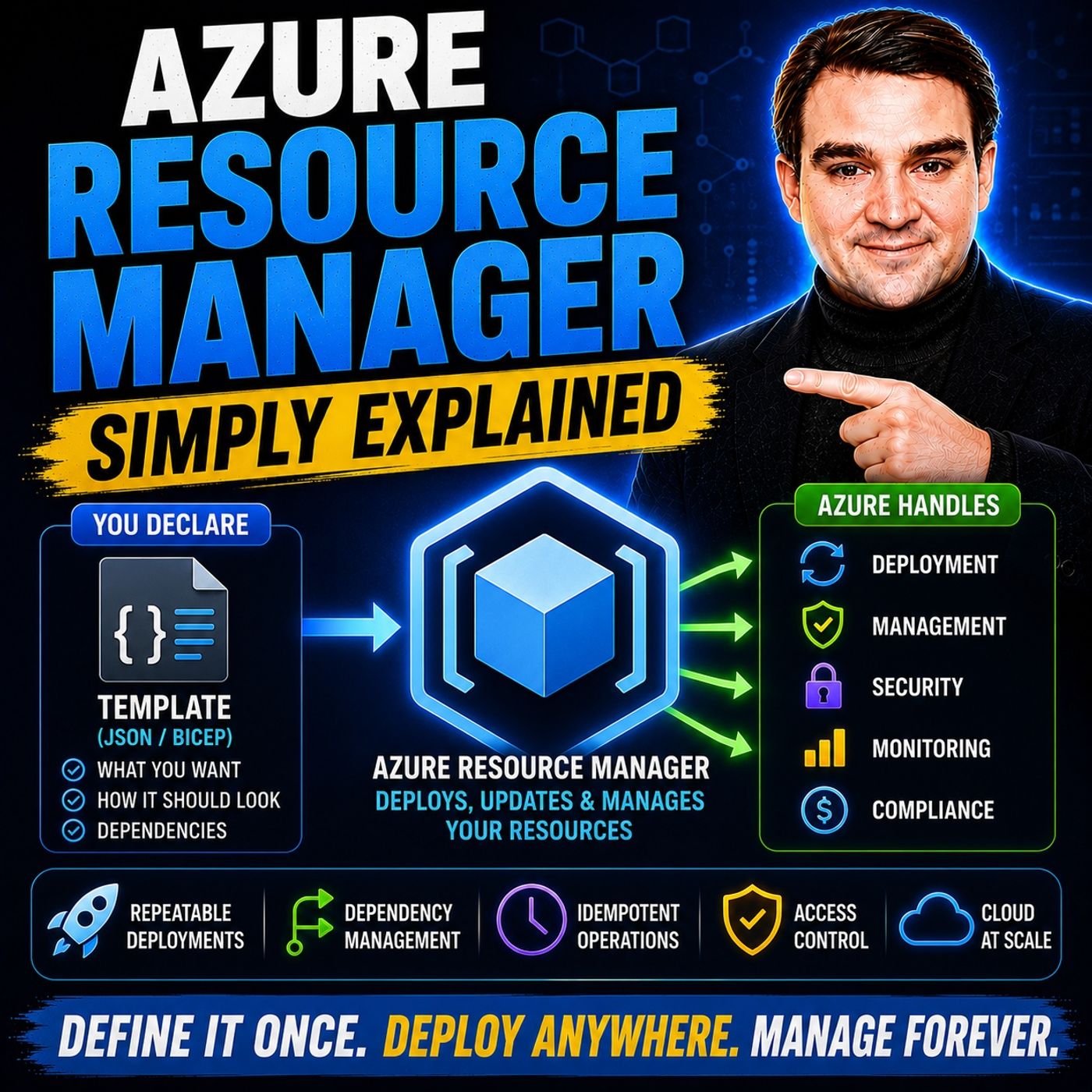
Azure Resource Manager - Simply Explained
Show notes
Every action you perform in Azure—whether you create a virtual machine, deploy a storage account, configure networking, or automate infrastructure with Bicep or ARM templates—passes through the same service: Azure Resource Manager (ARM). Yet most Azure users never realize it's there. In this episode of m365.fm, we explain Azure Resource Manager in plain English and show why it serves as the central control plane for the entire Azure platform. You'll learn how ARM authenticates requests, organizes resources, enforces governance, and enables Infrastructure as Code, making Azure deployments consistent, secure, and repeatable regardless of which deployment tool you use. Whether you're an Azure beginner or preparing for Microsoft certifications, this episode provides the foundation for understanding how Azure really works behind the scenes. THE CONTROL PLANE OF MICROSOFT AZURE Azure Resource Manager acts as the front door for every management operation in Azure. We explain how every request—whether it originates from the Azure Portal, Azure CLI, PowerShell, REST APIs, SDKs, Terraform, Bicep, or ARM Templates—is processed through the same control plane. You'll discover how ARM validates requests, coordinates Azure services such as Compute, Networking, and Storage, manages deployment dependencies, and delivers identical results regardless of which deployment method you choose. Through practical examples, you'll understand why ARM provides consistency across the entire Azure ecosystem while eliminating configuration conflicts and deployment inconsistencies. AUTHENTICATION, RBAC, AND RESOURCE GROUPS Before Azure creates any resource, ARM verifies your identity using Microsoft Entra ID and evaluates your permissions through Azure Role-Based Access Control (RBAC). This episode explains authentication tokens, authorization, role inheritance, subscriptions, resource groups, and the principle of least privilege using simple real-world examples. We also explore why every Azure resource belongs to exactly one Resource Group, how Resource Groups simplify lifecycle management, permissions, cost tracking, and monitoring, and why organizing resources around applications rather than technologies creates a far more manageable cloud environment. GOVERNANCE WITH TAGS, LOCKS, POLICIES, AND INFRASTRUCTURE AS CODE Azure Resource Manager provides much more than deployment orchestration. Learn how Tags improve organization and cost reporting, Resource Locks prevent accidental deletion of critical workloads, and Azure Policy automatically enforces organizational standards across subscriptions. We also explain Infrastructure as Code using ARM Templates and Bicep, demonstrating how declarative deployments, parameterization, idempotent execution, dependency management, and reusable templates make cloud deployments predictable, repeatable, and fully automated. Whether you're deploying one environment or hundreds, ARM enables consistent infrastructure through automation instead of manual configuration. BUILDING A MODERN AZURE DEPLOYMENT PLATFORM The episode concludes by bringing every Azure Resource Manager capability together into one complete deployment workflow. You'll follow a real-world web application deployment where ARM authenticates users, validates RBAC permissions, evaluates Azure Policies, applies governance rules, orchestrates networking, compute, storage, and databases, and performs automatic rollback if deployments fail. We also discuss best practices including grouping resources by application lifecycle, implementing Azure Policy from the beginning, exporting ARM templates from existing deployments, adopting Bicep for modern Infrastructure as Code, and using tags consistently across your environment. By understanding Azure Resource Manager, you'll gain the architectural knowledge needed to confidently deploy, automate, govern, and scale Azure environments of any size. Become a supporter of this podcast: https://www.spreaker.com/podcast/m365-fm-microsoft-365-azure-cloud-power-platform-ai--6704921/support.
Apple Podcasts · Spotify · YouTube · YouTube Music · Deezer
Host: Mirko Peters
Related articles
Transcript
Read the full transcript
You click Create in the Azure portal. A virtual machine appears, but what actually happens in between that gap between clicking the button and seeing your resource running, that's today's topic. We're pulling back the curtain on Azure Resource Manager, the engine that makes every Azure deployment work. Without ARM, your cloud would be a mess. Resources would conflict, permissions would be inconsistent, nothing would stay organized, with ARM, everything stays consistent and secure. We'll break this into five parts. What ARM actually is, how it checks who you are, how it groups your resources, how it enforces rules, and how you can automate the whole thing. Let's start with the simplest definition. What as your resource manager actually is, as your resource manager is the central control plane for everything in Azure, think of it like the reception desk and building management of a massive office tower. When you walk into that building, you don't just wander around looking for an empty room, you check in at the front desk, they verify who you are, figure out where you're supposed to go, and point you in the right direction. ARM does the same thing for your cloud resources. Every request to create, update, or delete a resource goes through ARM first. It doesn't matter how you make that request, whether it's through the Azure portal, the command line, power shell, or the SDKs, they all hit the same front door. ARM validates the request, checks your permissions, then forwards it to the right servers, that could be compute storage, network, or whatever needs to do the actual work. This unified layer gives you consistent results no matter which tool you use. 20 years ago, you'd use one tool to create a server and a completely different tool to set up networking. They might behave differently, they might have different rules. Now, with ARM, the portal and the command line produce the exact same outcome because they both talk to the same engine. Here's a concrete example. When you create a virtual machine, ARM doesn't build the VM itself, that's not its job. Instead, ARM coordinates the whole process. That tells the compute service to spin up the VM, the storage service to attach a disk, and the network service to connect it. All three happen together in the right order with the right settings. If you did that manually, you'd have to coordinate each piece yourself. ARM handles it automatically. What this means for you, you never have to worry about conflicting settings or different behavior across tools. Click the button, run the script, call the API, ARM treats them all the same way. So you can use whatever tool makes sense for the moment and trust the result will be identical, but before ARM does anything, it needs to know who you are. Authentication and authorization. ARM verifies your identity by working with Microsoft Enter ID, the directory that stores your users, groups, and applications. When you sign into Azure, Enter ID checks your credentials and hands you a token. Think of it as your ID badge. Every request you send to ARM includes that badge. And once ARM knows your U, it checks your permissions using Azure R-Back, which stands for role-based access control. That's the system that decides what you're allowed to do. It assigns roles at different scopes, and each role is a collection of permissions. Owner gives you full control, contributor lets you manage resources, but not grant access to others, and reader lets you see things, but not change them. Now here's the important part. These roles get assigned at different levels, the subscription level, the resource group level, or even down to a single resource. Permissions flow downward. If someone gives you contributor access at the subscription level, you inherit that role on every resource group and every resource inside that subscription. No need to be added separately to each one. Let me give you a real example. Imagine you have a development team and a production team. You can make a developer a contributor on the dev resource group, but only a reader on production. That developer can create and modify resources in the dev environment all day long. But if they try to touch anything in production, ARM blocks them. No extra configuration needed. RBAC handles it automatically because ARM checks those permissions on every single request. Here's what this means for you. You give people exactly the access they need, no more no less. That's the principle of least privilege. And because ARM enforces it at every level, you don't have to worry about someone accidentally deleting a production database just because they had too much access somewhere else. So now that ARM knows who you are, it needs to know where your resources live. Resource groups, the organizational unit. That's where resource groups come in. A resource group is a logical container for related resources. Think of it as a project folder on your computer. You wouldn't throw every file into one giant folder. You organize them by project. Same idea here. A resource group holds the resources that belong together, like a web app, its database, its storage account, and its networking all together in one place. Here's the rule you need to remember. Every single resource in Azure must belong to exactly one resource group, no exceptions. You can't have a virtual machine floating around without a group. When you create a resource, you pick which resource group it goes into and once it's there, that sits home. You can move it later if you need to, but at any given time, every resource has exactly one group. Why does this matter? Because resource groups share the same life cycle, a fancy way of saying they live and die together. If you delete a resource group, every resource inside it gets deleted too. All at once. No orphaned resources left behind, no half cleanup jobs. That's incredibly useful when you're done with a project. Instead of hunting down each individual resource and deleting it one by one, you just delete the group and you're done. Resource groups also share the same permissions and policies. If you assign a contributor role to someone at the resource group level, they can manage everything inside that group. And if you apply a policy to that group, every resource inside follows that rule. This makes management much simpler because you're not configuring things individually for each resource. Here's a concrete example. Say you're building a web application. You need a virtual machine to run the code, a database to store the data, and a storage account for files. Put all three in one resource group called MyWebApp and now you can manage them as a single unit. Need to give your developer access, assign the contributor role at the resource group level, done. Need to track costs for that application? The resource group gives you a single view of everything it contains. Need to delete the whole thing when you're done testing. Delete the group and three resources are gone in one click. What this means for you? You can manage, monitor, and secure an entire application as a single unit. That's the power of resource groups. They turn a collection of individual services into one manageable thing. But resource groups are just the start. Arm gives you even finer control. Governance tools, tags, locks, and policies. So you've got your resources organized into groups. That's the solid start. But what about the stuff that crosses group boundaries? What if you need to find every resource that belongs to the marketing department no matter which group it sits in? Or you want to make sure nobody accidentally deletes a critical database? Maybe you need to enforce a company rule like all virtual machines must be in Western Europe. Arm has tools for all of that. First up, tags. Tags are simple key value pairs. You create a label like environment production or cost center marketing and attach it to a resource. They don't affect how the resource runs. They're just metadata. But they're incredibly useful for organizing and reporting. You can filter resources by tag, group cost reports by tag, and even enforce tags through policies. If you ever need to figure out what something costs, tags are your best friend. I honestly can't overstate how helpful they are for billing. Next, locks, unlock prevents accidental changes or deletion. There are two types. A read-only lock stops anyone from modifying the resource, even if they have contributor or owner permissions. A delet lock stops deletion but allows changes. This is perfect for critical resources. You don't want someone accidentally deleting the production database because they clicked the wrong button. Locks prevent that. And because arm enforces them, it doesn't matter who makes the request. The most powerful tool is Azure Policy. Policies are rules that arm enforces across your entire environment. You can say only allow virtual machines in West Europe and arm will block any deployment that tries to create a VM anywhere else. You can say require encryption on all storage accounts and arm will reject any storage account without encryption enabled. You can even say every resource must have a cost center tag and arm will refuse to create a resource without one. Here's what makes policy special. They're evaluated at deployment time and continuously. When you try to create a resource, arm checks every applicable policy first. If your deployment violates a policy, it gets blocked right then and there. But policies also check existing resources if someone created a resource. Before a policy was applied, arm flags it as non-compliant. You can see exactly which resources are breaking the rules in the compliance dashboard. Let me give you a real example. Say your company has a rule that every resource must have a cost center tag for billing purposes. You create a policy that says if a resource doesn't have a cost center tag, automatically add one with a default value. Now when someone creates a new virtual machine and forgets to add the tag, arm applies it automatically. No emails back and forth, no manual corrections or policy handles it. What this means for you? You can enforce company standards without relying on people remembering to follow them. Policies, locks and tags work together to keep your environment organized, secure and compliant, automatically. Infrastructure as code with arm templates. Now imagine you need to deploy the same setup 100 times. Dev environment, test environment, staging, production, all identical, all configured the same way. You could click through the portal 100 times, but you won't. That's where arm templates come in. An arm template is a JSON file where you describe your desired infrastructure. You write down what you want. I need a virtual machine, a network, a storage account, configured this way. And you hand that file to arm. That's it. You don't tell arm the steps to follow. You don't say first create the network, then create the VM, then attach the disk. You just describe the end result. Arm is figures out the order and dependencies on its own. This is called declarative deployment. You declare what you want. Arm makes it happen. Templates are also idempotent. It's a big word, but it just means running the same template twice produces the same result. Run it once. You get your infrastructure, run it again, nothing changes. Everything is already in the right state. That's incredibly useful because you can deploy a template to dev, test it, fix any issues, then deploy the exact same template to production. No surprises, no differences between environments. Template support parameters, too. You can use the same template for dev and production by changing the parameters. Dev gets a small VM. Production gets a large one. Dev goes in East US. Production goes in West Europe. The template stays the same. The parameters change. That means one file, many environments. Now, Jason can get a bit heavy. Microsoft recognized that and created bicep. bicep is a simpler language that compiles to arm templates. It's easier to read, easier to write, and it does everything Jason templates do. If Jason feels like too much, bicep is your friend. Here's a concrete example. Say you're deploying a three-tier application. Web server application server database. You write one arm template with parameters for VM size and region, deploy it to dev with small VMs in East US, deploy it to test with medium VMs in West Europe, deploy it to production with large VMs in Southeast Asia, same template, different parameters, three environments, zero manual work. What this means for you? No more clicking through wizards. No more configuration drift between environments. Your infrastructure is version controlled, repeatable, and fully automated. You treat it like code because it is code. Let's see how all these pieces work together in a real scenario. Real world scenario, deploying a web app. So let's put it all together. Imagine you're deploying a web application. You need a virtual machine to run the code, a database for storage, a virtual network to connect everything, and a load balancer to distribute traffic. Four resources that all need to work together. First, you create a resource group called MyWebAppProd and every resource for this application goes into that group. Then you assign the contributor role to your DevOps team at the resource group level that lets them manage everything inside it but nothing outside it. Next, you apply a policy. You want every resource in this group to have an environment, production tag for cost tracking. So you create the policy, assign it to the resource group, and any resource created without that tag gets it added automatically. Now you write an ARM template. It defines the VM, the database, the virtual network, and the load balancer. It also specifies the dependencies, the VM needs the network to exist first. The load balancer needs the VM to be running so ARM handles the ordering. You run the template using Azure CLI with a single command like this. AZ Deployment Group create a resource group MyWebAppProd, template file webapp, JSON, that's one line. One line to deploy four resources with all their dependencies. So here's what happens next. ARM authenticates you against EntraID, checks your RBAC permissions to make sure you're allowed to create resources in that group, evaluates the policy to ensure compliance, validates the template syntax, and then starts orchestrating the deployment. ARM tells the compute service to create the VM, the database service to spin up the database, the network service to build the virtual network, and the load balancer service to configure traffic routing, all in the correct order, because ARM figured out the dependencies from your template. But here's the thing, if any single resource fails, say the database creation times out, ARM rolls back the entire deployment. Every resource that was created gets deleted, so you're back to a clean state with no half deployed mess ready to fix the issue and try again. What this means for you is that you can deploy complex environments in minutes with complete confidence. One command, one template, one resource group, and ARM handles everything in between. Connection, how it all fits together. So now you've seen the five pieces, but here's the thing. They're not five separate tools you need to learn. They're one system. ARM is the single entry point for every management operation in Azure. It's the brain behind the consistency you experience when you use the platform. Think of these five parts as a pipeline. First comes identity, ARM needs to know who you are, then authorization checks what you're allowed to do, followed by organization which figures out where your resources should live, then governance enforces the rules. And finally automation lets you repeat the whole thing reliably. Each step depends on the one before it. You can't enforce policies without proper R-back because ARM needs to know who's subject to those policies. And you can't deploy templates without resource groups because templates need a target to deploy to. Everything connects. But here's the real takeaway. ARM isn't a product you install or configure separately. It's the built-in layer that makes Azure a platform rather than a collection of separate services. Without ARM, Azure would be like a hardware store where you buy parts and assemble them yourself with ARM it's like ordering furniture that arrives preassembled. The integration is baked in. Most people think using the portal to create a virtual machine is just clicking through a wizard but behind the scenes. ARM is creating a resource group if you didn't specify one, assigning roles based on your permissions, applying any tags or policies that exist at that scope and effectively deploying a template even though you never saw a JSON file. The portal is just a friendly face on top of the same ARM engine. And this is where the interaction gets interesting. A policy can block a template deployment if it violates a rule, a lock can prevent accidental deletion even if someone has contributor rights. These aren't separate features that happen to coexist. They're designed to work together. Policy checks happen during template validation. Locks override our back permissions. Tags feed into cost reports that policies can enforce. It's all connected. This integration is why Azure feels cohesive. Not because every service was built the same way but because ARM sits in the middle, orchestrating everything with the same rules, the same security model and the same consistency guarantees. Actionable takeaways. So what do you actually do with all this? Three simple steps. Start them today and they'll change how you think about Azure. First, use resource groups the right way. Don't group by type. No more putting all VMs in one group and all databases in another. Group by lifecycle and application. Everything for your web app goes in one group. Everything for your reporting tool goes in another. That makes management, security and cost tracking much easier. One group, one application, one set of permissions. Second, apply at least one Azure policy. Keep it simple. Create a policy that restricts allowed locations. Say, only deploy resources in West Europe. One rule and it stops you from accidentally creating resources in the wrong region. It's a five minute setup that prevents hours of cleanup later. Quick win. Third, create your first ARM template. Don't write one from scratch. Go to an existing resource group in the portal. Find the export option and download the template. Open it, look at the JSON. See how your resources are defined. Then deploy that same template to a new resource group. Watch it recreate everything automatically. That's the moment it clicks. Seeing infrastructure as code in action for the first time. Bonus tip. Use tags from day one. Even if you don't need cost allocation yet, tags make searching and organizing resources effortless later. Start with environment and cost center. Two tags. That's enough. These three steps take less than an hour, but they'll change how you approach Azure. You'll stop thinking about individual resources and start thinking about systems. So that's Azure Resource Manager. Not a separate tool you need to learn, but the invisible control plane that makes Azure work. Once you see how authentication resource groups, policies and templates connect, the platform makes a lot more sense. Start with one resource group and one policy. That's your best move right now. Subscribe for more plane English breakdowns and drop a comment if something clicked.