 EN
EN Deutsch
 Español
 Français
 Italiano
 Português
 Nederlands
 Polski
 Bahasa Indonesia
 Русский
 Українська
 العربية
 עברית
עברית हिन्दी
 日本語
日本語 한국어
한국어2026-07-15 · Season 3
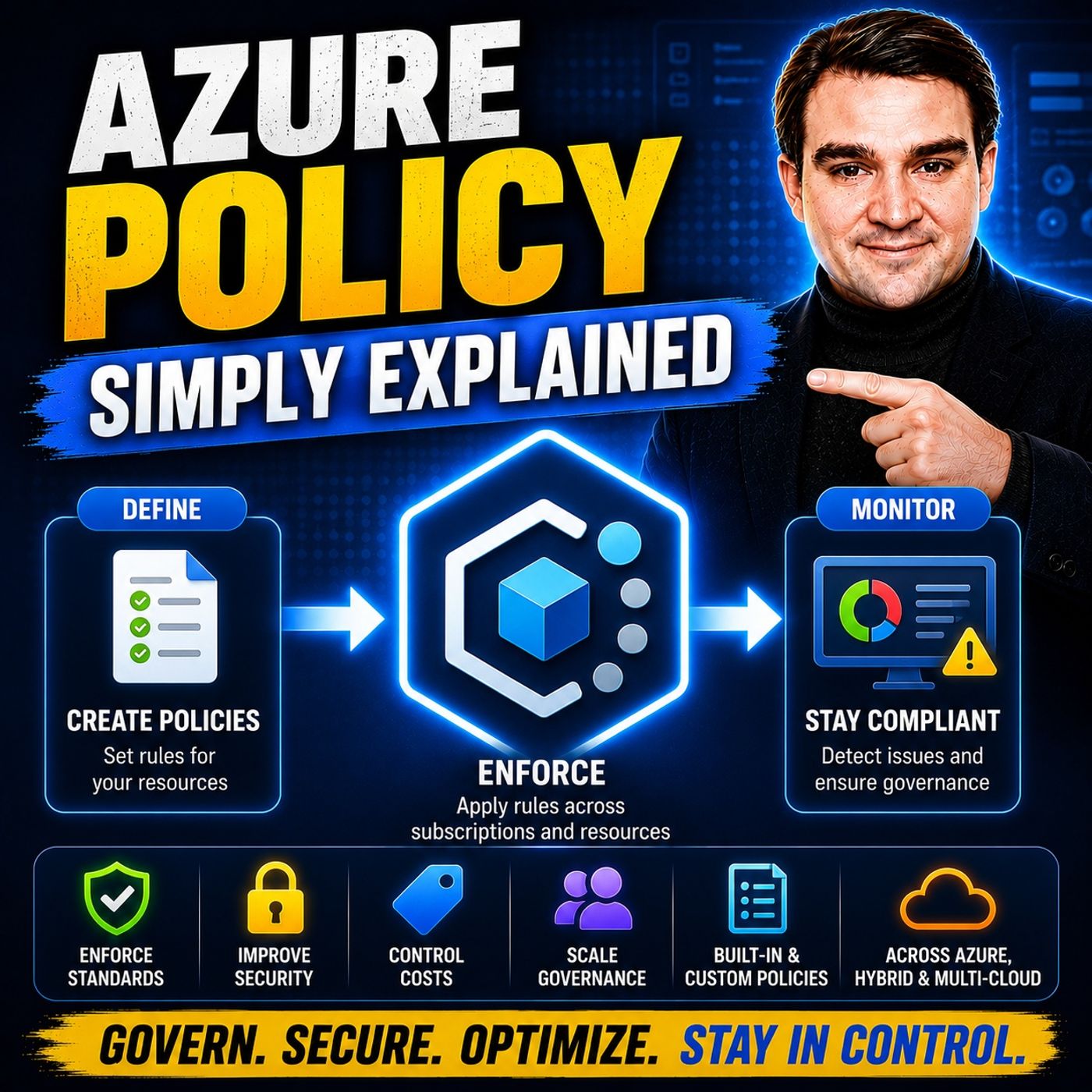
Azure Policy - Simply Explained
Show notes
As organizations move to the cloud, governance becomes one of the biggest challenges they face. In traditional datacenters, infrastructure teams reviewed every server request before anything was deployed. In Azure, developers and administrators can provision resources instantly through the portal, APIs, Infrastructure as Code, or automation tools. Without guardrails, this flexibility can quickly lead to security risks, compliance violations, inconsistent configurations, and unnecessary costs. In this episode of m365.fm, we explain Azure Policy in plain English and show how it acts as the invisible rulebook that automatically enforces your organization's standards across Azure. Whether you're an Azure administrator, cloud architect, security professional, or developer, understanding Azure Policy is essential for building secure and well-governed cloud environments. WHY CLOUD GOVERNANCE MATTERS The cloud makes deploying resources incredibly easy—but that convenience also creates new risks. Virtual machines may be deployed in the wrong region, storage accounts might expose sensitive data publicly, expensive GPU instances can be provisioned accidentally, and required governance tags are often forgotten. We explain why manual approval processes no longer scale in modern cloud environments and how Azure Policy automatically validates every deployment regardless of whether it's created through the Azure Portal, Azure CLI, ARM templates, Bicep, Terraform, or REST APIs. You'll discover how Azure Policy continuously enforces organizational standards without slowing down development teams. POLICY DEFINITIONS, ASSIGNMENTS, AND EFFECTS Every Azure Policy begins with a simple principle: If this condition is true, then perform this action. This episode explores Policy Definitions, Policy Assignments, inheritance, scopes, parameters, and exemptions using practical examples that make governance easy to understand. We explain how policies evaluate resource properties, how assignments work across Management Groups, Subscriptions, and Resource Groups, and why inheritance allows organizations to manage governance at enterprise scale. You'll also learn the differences between Deny, Audit, Modify, Append, and DeployIfNotExists effects, when each should be used, and how they automatically enforce security, compliance, and operational standards without requiring manual intervention. INITIATIVES, COMPLIANCE, AND REAL-WORLD GOVERNANCE Managing hundreds of individual policies would quickly become overwhelming, which is why Azure Policy supports Initiatives—collections of related policies grouped around common objectives. We explain how initiatives simplify compliance reporting, support regulatory frameworks like ISO 27001, CIS, PCI DSS, HIPAA, and the Azure Security Benchmark, and provide centralized visibility into your organization's governance posture. Through practical examples—including location restrictions, mandatory resource tagging, VM size limitations, storage account security, and naming convention enforcement—you'll see how Azure Policy helps organizations improve security, reduce cloud costs, and maintain operational consistency across thousands of Azure resources. BUILDING A MODERN AZURE GOVERNANCE STRATEGY Azure Policy is far more than a standalone governance service—it's one of the core building blocks of Microsoft's Cloud Adoption Framework. In this episode, we explain how Azure Policy integrates with Azure Resource Manager, Management Groups, Role-Based Access Control (RBAC), Microsoft Defender for Cloud, Azure Advisor, Policy as Code, Git repositories, and CI/CD pipelines to create a scalable governance platform. You'll also discover why Policy as Code has become a best practice for enterprise organizations, enabling version control, automated deployments, and consistent governance across multiple Azure environments. Whether you're managing a single Azure subscription or an enterprise cloud platform, this episode provides a practical foundation for implementing Azure Policy and building secure, compliant, and well-governed Azure environments from day one. Become a supporter of this podcast: https://www.spreaker.com/podcast/m365-fm-microsoft-365-azure-cloud-power-platform-ai--6704921/support.
Apple Podcasts · Spotify · YouTube · YouTube Music · Deezer
Host: Mirko Peters
Related articles
Transcript
Read the full transcript
Today we're talking about an Azure feature you've probably heard about but might not fully understand. Azure Policy is one of the most powerful governance tools in the whole platform yet most people either ignore it or think it's only for IT administrators. By the end of this episode, you'll know what Azure Policy actually is, how it works like an invisible rulebook, and why it's essential for keeping your Azure environment safe and under control. We'll break it down into clear building blocks starting with the problem it solves, grab your coffee, and let's dive in. The problem. Why Cloud needs guardrails? Think about the old way of doing things. On premises, when you needed a server, you'd submit a request to the operations team. They check the rules, company policies, security standards, maybe some regulatory requirements, and then provision the server for you. A human gatekeeper stood between you and the infrastructure. That person knew the rules and made sure nothing slipped through the cloud flips that completely. Now the app owner has direct access with no human in the middle. Click Create in the Azure portal and it happens instantly. You can also use the command line, an API, or infrastructure as code tools like Terraform. The point is nobody checks your work before the resource gets created. And that's where the problem starts. Most app owners don't know all the rules. Maybe they don't realize that company policy requires all data to stay in Europe. All that storage accounts must block public access. All that certain VM sizes are expensive and should only be used in production. So they go ahead and create resources and sometimes mistakes happen. A virtual machine gets deployed with a public IP and open ports to the internet. A storage account gets created with public blob access, exposing sensitive data. Someone spins up an expensive GPU instance for a quick test and forgets to delete it. These things happen all the time. What we need is an automatic enforcement system that works every time. No matter who creates the resource or how they do it, whether it's the portal, the CLI, an API call or a Terraform deployment, the rules should be checked automatically. And that's exactly what Azure Policy was built to provide. What is Azure Policy, the invisible rulebook? So what is Azure Policy? Here's the simplest definition. Azure Policy is a service that lets you define rules for your Azure resources and automatically enforces them. Think of it like the rulebook for a board game. The game has lots of possible moves, but the rulebook says which ones are actually allowed. You can't just move your piece anywhere you want. The rules tell you what's legal and what isn't. Now here's a critical distinction. Azure Policy is not the same as a role-based access control or R-back. R-back controls who can do something. It answers the question, who is allowed to create resources in this subscription? Azure Policy controls what can be done? Or more precisely what configurations are allowed. It answers the question, what kind of resources can be created? And how should they be configured? So R-back says, "Mirko can create storage accounts." And Azure Policy says, "Storage accounts must have HTTPS enabled." Two different things and you need both. Here's the key thing. Azure Policy is always on and it's always enforced. Every single request to create, update or delete a resource passes through Azure Policy and there is no way to bypass it. It sits between you and Azure Resource Manager. The control plane of Azure. Think of it as an automatic filter. Every request goes through this filter and if it doesn't match the rules, the request gets blocked or flagged and it doesn't just work for new resources. Azure Policy also evaluates existing resources so it catches configuration drift over time. If someone changes a setting on a resource that you've already deployed and that change violates a policy, Azure Policy will flag it. So how do you actually write these rules? That's where policy definitions come in. Policy definitions, writing the rules. So how do you actually write these rules? That's where policy definitions come in. A policy definition is the rule itself and it's written as a JSON document. JSON might sound technical but the structure is actually quite simple. It follows a basic pattern. If this condition is true, then apply this effect. Let me give you a real example. There's a built-in policy that says, "If a storage account doesn't have HTTPS enabled, deny it." That's it. When the condition is true, the effect kicks in and blocks the deployment. Every policy definition has three key parts. First, the conditions. That's the if part. What are you checking for? The resource type, the location, a specific setting. Second, the effects. That's the then part. What happens when the condition is met? Do you block the deployment or just flag it? Third, parameters. These are the fill-in-the-blanks that make the policy reusable. Parameters are where the real power comes in. Imagine you want to write a policy that only allows resources in certain regions. You don't want to write a separate policy for every possible combination of regions. Instead, you write one definition called "allowed locations." And you add a parameter for which regions are allowed. When you assign the policy, you fill in the blank. Maybe you say "west, Europe, and North Europe" for one subscription. And "east, US, and West, US for another." Same definition, different parameters. That's how you keep things manageable. Here's the good news. You don't have to write all of these from scratch. Microsoft provides hundreds of built-in policy definitions that you can start using immediately. They cover categories like "computer storage, networking, security center, tagging, cost management, and more." You can find them in the Azure portal, search for what you need, and assign them right away. No JSON required if you don't want to write it. But a definition sitting in a file doesn't do anything. You have to assign it to make it work. Policy assignments, putting rules to work. A policy assignment is where you take your definition and point it at a specific scope. The scope is just the boundary where that rule applies. You have three choices from the widest to the tightest. Assign at the management group level, and it covers a whole set of subscriptions. Drop it at the subscription level, and it covers everything inside that subscription. Or assign at the resource group level, and it only covers the resources inside that group. Now let's talk about inheritance. This is a key concept. When you assign a policy at the management group level, it automatically flows down to every subscription and resource group underneath. You don't need to assign it again and again. It's like posting a rule on the main bulletin board at the entrance of an office building. Everyone who passes through has to follow it. You wouldn't post the same rule on every floor. That's wasted effort. The rule just flows down. But what happens when you need an exception? Maybe your company says all data must stay in Europe, but one project has a legitimate reason to use a data center in Asia. You don't want to remove the whole policy that would leave everything exposed. So you create an exemption. Exemptions let you make carve-outs for specific resources or resource groups without killing the policy everywhere else. It's a clean way to handle edge cases. Here's the practical guidance. Assign your broad foundational policies at the management group level. Things like allowed locations or required tags should apply to everything. Then assign more specific policies at the subscription or resource group level. Maybe your dev subscription has looser rules than your production subscription. That's perfectly fine. The specific policies add on top of the broad ones. Now let's talk about what actually happens when someone breaks a rule. That's where effects come in. Effects. What happens when rules are broken? So you've written a rule and assigned it. What happens when someone breaks it? That's where effects come in. Effects are the then part of the policy. They decide what happens when a resource doesn't match the rule. There are four main ones you'll see. First up, deny. This is the most common effect for critical rules. When a deny policy is triggered, the deployment is blocked completely. The user gets a clear error message that says validation failed. And explains which policy stopped them. No resources created, no harm done. Use this for rules that must never be broken. Like no public blob access on storage accounts or no deployments outside approved regions. Second, audit. This one works differently. The deployment goes through, but the resource is marked as non-compliant in the compliance dashboard. Audit is incredibly useful when you're not sure how a new rule will affect your environment. You can see what's happening without breaking anything. It's like taking a measurement before you enforce a change. Third, modify and append. These effects automatically fix the problem instead of blocking it. Modify changes existing settings during deployment. Append adds something to an existing field. For example, you can create a policy that automatically adds a required tag with a default value. If someone forgets to add a cost center tag, the policy adds it for them, the deployment goes through and the resource is compliant without extra work. Fourth, deploy if not exists. This one handles situations where supporting resources missing. Say you want diagnostic logging enabled on every storage account. If someone creates a storage account without diagnostic settings, deploy if not exists kicks in and deploys the missing configuration automatically. It's like having a helper that cleans up behind you. Here's the best practice. Start with audit. See what's actually happening in your environment first. Find out how many resources would be affected by a new rule. Then move to deny. Once your confident the rule is correct and won't break legitimate deployments. Managing one policy is simple, but what if you need 50 of them all related to security or compliance? That's where initiatives come in. Initiatives bundling rules together. So what is an initiative? Think of it as a collection of policies all grouped around one common goal. Instead of assigning 50 individual policies one by one, you assign one single initiative that contains all of them. It's like a prepacked toolkit for a specific job. You don't pick up a hammer, a screwdriver and a wrench separately. You just grab the whole toolkit. Everything you need is in one place. The real advantage here is compliance reporting. When you assign an initiative, you get a single compliance view for the whole group. You can see at a glance whether your environment meets the overall standard. And if something is non-compliant, you can drill right into the specific policy that's failing. It's much cleaner than tracking 50 separate policies. Microsoft provides built-in initiatives that cover major compliance frameworks. Things like the Azure Security benchmark, CIS, NIST, PCI DSS, HIPAA, ISO 27001 and more. These are already created and ready to assign. You don't have to figure out which policies map to which compliance requirement. Microsoft has done that work for you. Some of these initiatives contain hundreds of individual policies. Imagine trying to assign all of those one by one. You wouldn't. You'd use the initiative. You can also create custom initiatives for your own standards. Maybe you have a production baseline that includes policies for encryption, logging and network security. Or a cost-control standards initiative that limits VM sizes and requires cost-center tags. Same idea. Bundle the policies, assign the bundle and track compliance as a single unit. Let's make this concrete with real-world examples of how people actually use Azure Policy. Real-world examples. Policy in action. Let's make this real. Here are five common scenarios where Azure Policy solves actual problems. First, region restrictions for data compliance. Imagine your company has a policy that all customer data must stay in Europe. You can assign the allowed locations built in policy at the root management group level and only allow EU regions like West Europe and North Europe. Now, when someone creates a new subscription, it automatically inherits that rule. They can't deploy resources in the US or Asia even if they try. The policy blocks it. No manual checks, no asking for permission. The rule is just enforced. Second, tag enforcement for cost allocation. Your finance team needs to track spending by department, but they can't do that if resources don't have the right tags. So you create a policy that requires a cost-center tag and an environment tag on every resource. But here's the smart part. You use the modify effect. If someone forgets to add the tag, the policy automatically adds it with a default value. The deployment goes through and the resource is compliant. Finance gets accurate cost data and developers don't get blocked by a missing tag. Third, cost-control in development. Development teams love to experiment, but experiments can get expensive fast. Someone might spin up a GPU instance with 24 cores just to test a simple script. So you create a policy that restricts VM sizes in dev subscriptions to smaller skews. Things like B-Series or D-Series with limited cores. If someone tries to deploy an expensive GPU or high memory VM, the deny effect kicks in and blocks it. Developers can still experiment, but they can't blow the budget. Fourth, security baseline for storage. Storage accounts are one of the most common places where security mistakes happen. Someone creates a storage account with public blob access. And suddenly, sensitive data is exposed to the internet. So you create a policy that requires HTTPS only traffic and blocks public blob access. And you use deploy if not exists to automatically enable diagnostic logging on every storage account that doesn't have it. The policy fixes the problem before it becomes a problem. Fifth, naming conventions. Your team wants all resources to start with prod or dev so they can easily tell which environment something belongs to. You create a policy that checks the resource name against the pattern. But instead of blocking the deployment, you use the audit effect. And the resource gets created, but it's flagged as non-compliant. Then you run a monthly compliance report and ask the team to fix the naming. It's a gentle way to enforce standards without breaking workflows. Every one of these examples follows the same pattern. Identify the problem. Choose or create the policy. Decide the effect, assign at the right scope, monitor compliance. That's the playbook. Now let's zoom out and see how all these pieces fit into the bigger as your governance picture. The big picture, how it all connects. So where does Azure Policy fit in the bigger picture? Let's think about it this way. Azure Policy works at the control plane level, sitting right on top of Azure Resource Manager. And it evaluates every single request that comes through. Every time someone creates updates or deletes a resource, Azure Policy checks the rules. It's the gatekeeper at the front door. Now, it's not the only tool in the governance toolbox. Azure Policy is just one piece of a bigger system. Management groups provide the hierarchy to organize your subscriptions and apply rules at scale. Roll-based access control decides who has access to what, while Azure Policy controls what configurations are allowed. Together, they form the foundation of cloud governance. Now, here's the thing. Azure Policy is also the engine behind other services you might already use. Microsoft Defender for Cloud uses Azure Policy to generate its compliance recommendations. When Defender tells you a storage account is non-compliant, it's actually running a policy evaluation. Azure Advisor pulls many of its cost and reliability recommendations from the same policy evaluations. And the compliance dashboard in the Azure Portal all built on policy data. So even if you've never created a policy yourself, you've probably been using them without knowing it. There's another practice called policy as code. Instead of creating policies through the portal, you store them as JSON files in a Git repository and deploy them through CI/CD pipelines just like application code. That gives you version control, code reviews, and automated testing for your governance rules. It's a more scalable way to manage policies across large organizations. Here's the most important thing to take away. Once you set up Azure Policy properly, it runs silently in the background. It's the automatic guardrail that prevents problems before they happen. Users may never know it's there, but they benefit from it every time they deploy a resource. You get consistent enforcement every single time without manual checks, approval tickets, or human error. So that's Azure Policy in plain English. It's an invisible rulebook that enforces your organizations, standards on every resource every time. If you want one single action from this episode, here it is. Go into the Azure portal, find policy, and assign the built-in allowed locations policy to a test subscription. Start with audit and see what happens. That's the fastest way to understand how this works. Subscribe for more Microsoft knowledge nuggets and share this with someone starting their Azure journey. Drop a comment with what you'd like me to explain next.