 EN
EN Deutsch
 Español
 Français
 Italiano
 Português
 Nederlands
 Polski
 Bahasa Indonesia
 Русский
 Українська
 العربية
 עברית
עברית हिन्दी
 日本語
日本語 한국어
한국어2026-08-19 · Season 3
Dynamics 365 Agents - Simply Explained
Show notes
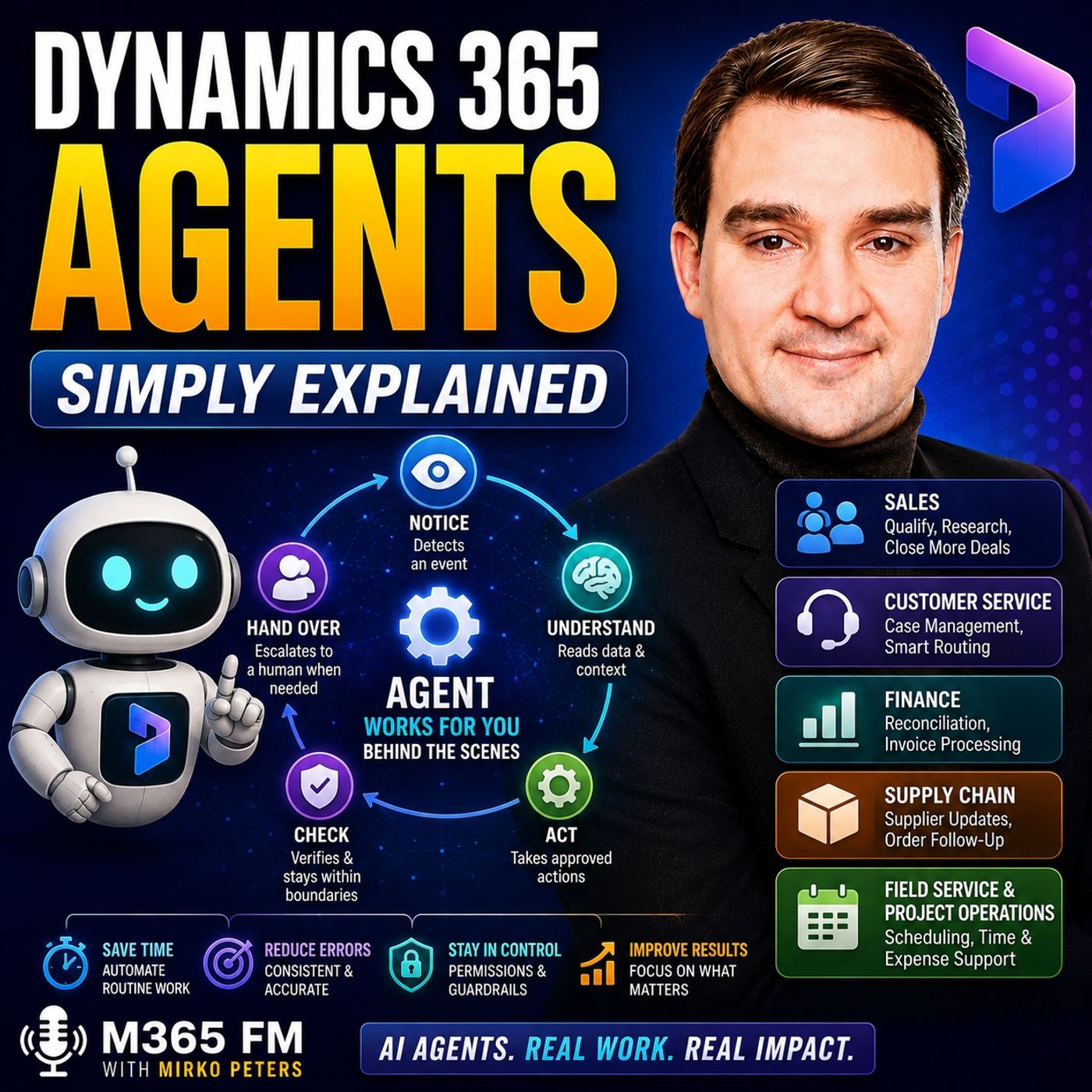
Dynamics 365 Agents take AI beyond answering questions and generating drafts. Instead of waiting for someone to ask https://www.m365.fm/categories/copilot-talk/ for help, agents can respond to defined business events, work with approved Dynamics 365 data, follow predefined rules, take permitted actions, and hand work to people when human judgment is required. In https://www.m365.fm/dynamics-365-agents-simply-explained/ of M365 FM, Mirko Peters explains how Dynamics 365 Agents work across sales, customer service, finance, supply chain, Business Central, Field Service, and Project Operations — and why permissions, guardrails, data quality, and human oversight are critical. ㅤ WHAT ARE DYNAMICS 365 AGENTS? ㅤ A Dynamics 365 Agent is AI configured to watch for a business event, understand approved information, follow defined rules, perform permitted actions, and report what happened. The important difference is that an agent doesn't simply wait for a user to ask a question. A trigger such as a new lead, customer email, supplier response, order request, or financial mismatch can start the process automatically. ㅤ COPILOT VS DYNAMICS 365 AGENTS ㅤ Copilot typically works beside the user. You open a customer case and ask for a summary, request information, or generate a draft. The interaction begins because you asked Copilot to help. An agent can continue working in the background according to its defined job. It can monitor an approved process, identify an event, collect relevant information, perform allowed actions, and escalate the work when necessary. Think of Copilot as an assistant sitting beside you, while an agent is a specialized team member with a narrow job description, specific permissions, and clear rules. ㅤ HOW THE AI AGENT LOOP WORKS ㅤ The basic agent process can be understood as: notice, understand, act, check, and hand over. The agent notices a defined event such as a new message or lead. It understands the situation using information and rules it has permission to access. It performs allowed actions, checks whether the result remains within its boundaries, and hands the work to a person when judgment or approval is required. This creates supervised automation rather than unrestricted AI autonomy. ㅤ GUARDRAILS, PERMISSIONS AND HUMAN CONTROL ㅤ Guardrails define what an agent can see, change, create, or send. An organization might allow an agent to create a draft email but prevent it from sending that message automatically. An agent could categorize a customer case but be prevented from issuing a refund. The same principle applies to supplier communication, financial transactions, customer promises, contracts, and other sensitive activities. The agent can prepare and route the work while people retain responsibility for higher-risk decisions. ㅤ DATAVERSE AND COPILOT STUDIO ㅤ Many Dynamics 365 applications use Microsoft Dataverse as the connected data foundation for customers, contacts, leads, cases, activities, products, and other business information. For custom agents, Copilot Studio provides a place where organizations can define instructions, connect approved knowledge sources, configure actions, and determine how an agent should respond. The quality of these agents depends heavily on the quality of the underlying data and processes. ㅤ SALES QUALIFICATION AGENTS ㅤ Sales agents can help close the gap between incoming interest and seller follow-up. A Sales Qualification Agent can research incoming leads, compare them against criteria established by the sales organization, prioritize potential opportunities, and prepare personalized outreach. Instead of sellers spending significant time performing the first round of research for every new lead, the agent can prepare information while the salesperson decides whether the prospect deserves further attention. ㅤ SALES RESEARCH AND OPPORTUNITY AGENTS ㅤ Sales Research Agents can gather approved information before customer conversations, helping sellers understand companies, previous interactions, existing opportunities, and relevant account context. Opportunity Agents operate later in the sales process. They can research active opportunities, surface deal context, identify potential risks, and highlight opportunities requiring attention. Sales Close Agents can support the final stages through follow-ups, customer engagement, product suggestions, and handling common objections within defined business rules. ㅤ CUSTOMER SERVICE AGENTS ㅤ https://www.m365.fm/dynamics-365-customer-service-simply-explained/ Agents can reduce repetitive administrative work around customer cases. A Case Management Agent can interpret incoming customer communications, create cases, extract useful details, associate customers, and route cases appropriately. Customer Intent Agents can identify why customers are contacting the organization and help direct requests toward appropriate queues, answers, or service representatives. This can reduce the time agents spend manually creating and categorizing cases before they can begin solving the customer's actual problem. ㅤ KNOWLEDGE MANAGEMENT AND QUALITY AGENTS ㅤ A Customer Knowledge Management Agent can analyze completed cases to identify gaps in an organization's knowledge base and help prepare draft knowledge articles for human review. Quality Evaluation Agents can evaluate larger numbers of customer interactions against standards established by service supervisors. This can help managers identify patterns and coaching opportunities without depending entirely on manually selected samples. ㅤ BUSINESS CENTRAL SALES ORDER AGENTS ㅤ In Dynamics 365 Business Central, a Sales Order Agent can process incoming customer order requests. It can read an order request received through email, identify the customer, extract requested products and quantities, and prepare order information for review. People remain responsible for exceptions such as unusual pricing, missing products, incorrect customer information, or orders that don't match established patterns. ㅤ SUPPLY CHAIN AND SUPPLIER AGENTS ㅤ The Supplier Communications Agent in https://www.m365.fm/dynamics-365-supply-chain-management/ can support repetitive supplier follow-up activities. It can request purchase order confirmations, ask suppliers for delivery updates, process incoming supplier communications, and associate responses with relevant orders. If a supplier reports a significant delay or another situation requiring a business decision, the agent can escalate the issue to a buyer or planner. ㅤ FINANCE AND RECONCILIATION AGENTS ㅤ Finance agents can support repetitive reconciliation work. An Account Reconciliation Agent can compare transactions and identify records that should match but don't, helping finance teams discover discrepancies earlier. Financial Reconciliation Agents can support preparation and cleanup of information required for reconciliation and financial reporting. Accountants still determine what discrepancies mean and approve the appropriate resolution. ㅤ FIELD SERVICE AND PROJECT OPERATIONS AGENTS ㅤ https://www.m365.fm/dynamics-365-field-service/ can use scheduling-focused agents to help optimize technician schedules when appointments, availability, priorities, or other conditions change. Project Operations can use agents to support administrative activities such as preparing time entries, processing expense information, and reviewing time, expense, and material records against organizational policies. These capabilities target repetitive administrative work while keeping people responsible for exceptions and consequential decisions. ㅤ WHY DATA QUALITY MATTERS ㅤ An AI agent can only work with the information available to it. Duplicate customers, incomplete product records, outdated supplier contacts, and inconsistent business data can quickly reduce the reliability of automated processes. Automation doesn't transform poor data into good decisions. Organizations need clean and consistent records before expecting agents to reliably connect incoming information with the correct customers, orders, cases, or suppliers. ㅤ HOW TO START WITH DYNAMICS 365 AGENTS ㅤ Start with one repetitive process that has clear steps, clear ownership, and a measurable result. Define what triggers the process, which records the agent can access, which actions it can perform, which actions require approval, and exactly when the agent must stop and involve a person. Testing should include normal situations as well as difficult exceptions. Organizations should inspect what the agent reads, prepares, changes, and escalates before expanding its permissions or applying the approach to additional processes. ㅤ THE KEY TAKEAWAY ㅤ Dynamics 365 Agents turn repetitive business processes into supervised AI-powered actions. They can respond to events, understand approved business information, execute defined tasks, and escalate exceptions across sales, customer service, finance, operations, supply chain, and project workflows. The objective isn't to give AI control of an entire department. Start with one clearly defined queue or process, establish permissions and guardrails, measure the result, and expand only after the process proves reliable. An agent can only perform as well as the process, data, rules, and boundaries you give it. Subscribe to M365 FM for more Microsoft Knowledge Nuggets and Simply E Become a supporter of this podcast: https://www.spreaker.com/podcast/m365-fm-microsoft-365-azure-cloud-power-platform-ai--6704921/support.
Apple Podcasts · Spotify · YouTube · Deezer
Host: Mirko Peters
Guests
Related articles
Transcript
Read the full transcript
Copilot is great when you ask it a question, but what happens when nobody asks? Leads pile up, cases go unanswered, invoices sit, and supplier emails keep coming. That autumn is exactly where Dynamics 365 agents come in. I'm Mercopeter's from M365 FM. By the end of this knowledge nugget, you'll know what these agents actually do, where they work, and where people stay in control. So what makes an agent different? Think of it like an office building. Copilot sits right beside you at your desk, helping with whatever you're working on. An agent is trained staff working behind the scenes, only allowed into the rooms you approve. They don't wonder. The simple definition, what is a Dynamics 365 agent? We'll start by putting Dynamics 365 in plain English. Dynamics 365 is Microsoft's connected platform for running business work, oh, it holds customer records, sales leads, service cases, finance data, supplier details, orders, schedules, and much more. It isn't one app. A sales team works with leads, a service team works with cases, finance handles accounts, and supply chain manages orders. They use different apps, but the work all connects. A customer who buys something can start as a sales lead, become an account, then call support. They order history, payment history, and pass service tickets all matter when someone helps them. That connected data is where agents become useful. Here's the simplest definition. A Dynamics 365 agent is AI, set up to watch for a business event, look at approved information, follow approved rules, take allowed actions, and report what it did. Notice the word approved. An agent doesn't get free access to everything. People decide what it can read, what it can change, and when it must stop and ask for help. So is it just co-pilot with a new name? No, co-pilot helps you in the moment. You open a case, ask it to summarize, draft an email, find details, oh, it responds because you asked. But an agent keeps working after you step away. For example, an agent can watch an incoming queue, notice a new request, check related records, create a draft response, update a case, or send the work to the right person. That work happens from a trigger, not because someone clicked a button. Co-pilot is a helpful colleague beside you. An agent is a trained team member with a narrow job, a written rule book, and a manager checking the results. Now you might think, isn't that just a chatbot? A chatbot mainly talks, oh, ooh, you type a question, it gives an answer or points you to an article. That helps, but the conversation is usually the whole job. An agent uses that conversation as a starting point, then works with business records and processes behind the scenes. It might read an incoming customer email, identify the customer, connect the message to an open case, check and approved knowledge article, and hand the case to a specialist if the issue needs a person. That's a bigger job than answering a question. The agent loop stays simple. Notice, understand, act, check, then hand over when needed. Notice means it sees a defined event, like a new lead or message. Understand means it reads the data and rules it can use. Act means it takes allowed steps like creating a record or preparing an email, check confirms if the work meets the rules, and if the task crosses a limit, looks unusual, or needs judgment, it hands the work to a person. An agent isn't an independent employee, oh, it doesn't remove accountability. The sales rep still owns the customer relationship, the service manager owns service standards, the finance team owns financial decisions. People set the goal, define the boundaries, approve sensitive actions, and review the outcome. Now let's follow one incoming customer message and see how that loop works in practice. From message to action, how an agent works behind the scenes. Picture this. A customer sends an email at 8.15 in the morning. My delivery has now attempt arrived. Can you tell me where it is? Without an agent, that message sits in a shared inbox. Someone has to open it, read it, find the customer, check the order and create a case. With an agent, the incoming email starts the process right away. The trigger is the event that wakes the agent up. That could be a new email or web form, a new sales lead, a supplier missing a delivery date, or a finance transaction that does no TimT match. The agent does know, watch everything in the company. It only watches the queue, record, mailbox, or process you gave it permission to watch. Once the email arrives, it needs context. A message that says, where is my order? Means very little on its own. The agent needs to find the sender out to him as customer record. Look for recent orders, check delivery details, read earlier messages and search approved help articles. That context turns a vague message into a work item. The agent might find one open order that left the warehouse yesterday with a carrier delay, or it might find three orders and no clear match. Those are very different situations. Based on the rules you set, the agent takes the next step. For a simple case, it creates a service case, fills in the subject and description, connects it to the right customer and order, then prepares a reply using the approved delivery information. For a less clear case, it asks the customer for an order number. If the customer has an urgent contract, the agent roots the case to a priority queue, and when a delay breaks a customer promise, it hands the work to a person instead of trying to smooth it over with an automated reply. That last part matters a lot. An agent should never guess its way through a situation where the wrong answer costs money, harms a relationship, or creates a promise your company cannot keep. So, guardrails come into play. Guardrails are the limits around the job. They include the data and agent can see, the records it can edit, the messages it can send, the rules it must follow, and the points where a person must approve its next move. For example, you might allow an agent to create a draft email but not send it. You might let it update a case category, but not issue a refund. You might let it chase a supplier for a delivery update while requiring a buyer to approve any change to a purchase order. The agent/autemus actions can also be recorded, so people can inspect what happened later. That gives managers a way to review results, fix poor rules, and answer a simple question. Why did this case go to that queue? Behind much of this work sits Dataverse. Dataverse is the shared data store used by many Dynamics 365 apps and Power Platform apps. Think of it as a digital filing cabinet where business records sit in connected drawers. Customers, contacts, leads, cases, activities, products, and more. An agent can only work well when it can find the right drawer and read the right file. If customer records contain duplicate names, missing email addresses or older details, the agent has less to work with. It may still spot a message, but it can now attempt to reliably connect it to the right customer or action. For Custom Agents, co-pilot studio is where teams build and manage the job. You define the instructions in plain English, connect approved knowledge sources, add actions, and decide how the agent responds when it can have them to continue. It totems where the job description becomes real. So the path for message to action is not metymagic. A trigger starts the work, a proof data gives it context, rules control its choices, and guardrails limit its reach. Then a person takes over whenever the work needs judgment. With those building blocks in place, we can look at the different jobs agents can handle across the business. Sales agents, turning interest into follow-up. Sales work often breaks down right between interest and follow-up. A person fills in a form, downloads a guide, or sends a message. The lead enters Dynamics 365 Sales, but the seller has meetings, existing customers, and a long list of records waiting for attention. That e-wyroms where sales agents take on a focused job. The sales qualification agent works at the start of the process. It researches incoming leads, compares them with the fit rules your sales team sets, and helps rank which leads to the service attention first. It also prepares personal outreach. Imagine a lead arrives from a manufacturing company. The agent checks the details already held in Dynamics 365, looks at the information it how, team cars allowed to use, and prepares an email based on the lead-o, TMS company and interest. The seller can review that message, change it, send it, or take over the conversation. The purpose is now to remove the seller. It attempts to stop good leads from sitting untouched because someone has noticed it had time to do the first round of research. Microsoft shared one early example from Sandvik Coromant in its first three weeks of a pilot. The company reported more than 120 hours saved and $19,000 saved. It also forecast a 5% revenue increase after a full rollout. Those numbers belong to one pilot, not every sales team. Still, they point to a simple problem agents can address. Sellers waste a lot of time looking for background details before they can start a useful conversation. The sales research agent focuses on that preparation work. Before a call, a seller wants answers. Who is this company? Which products do they use? What happened in earlier emails and meetings? Is there an open opportunity already? Finding that information can mean opening several records and searching through old activity notes. A research agent brings together the approved context, so the seller starts the call better prepared. Then you have the sales opportunity agent. When a lead becomes an active deal, the work changes. The question shifts from, should we contact this person? To what needs to happen next and where could this deal stall? The opportunity agent researches the opportunity, brings forward deal context, points out emerging risks, and helps the seller see promising opportunities that need attention. It does not admit decide whether to give a discount. Instead, it gives the seller a clearer picture before that decision. The sales-close agent sits later in the journey. It supports moving a deal to what a finished transaction, including customer engagement, follow-ups, product suggestions, and handling common objections within the rules the business sets. Think about a normal flow. A new lead arrives on Monday morning. The qualification agent checks the lead against your fit criteria and prepares outreach. The seller reviews the result, starts a real conversation and learns what the customer needs. As the deal develops, the opportunity agent helps keep the record current and brings attention to next steps. Near the end, the close agent helps reduce the small delays that often leave a deal sitting still. But the seller remains responsible for the relationship. People read the room, understand a customer out, tempts history, negotiate pricing, make promises, and decide when an exception makes sense. An agent can prepare work and keep follow-ups from slipping, but it can autehim own the outcome. Sales agents deal with people who may become customers. Service agents handle a different moment when a customer already needs help. Customer service agents, keeping cases from falling through the cracks. Customer service brings a different kind of pressure than sales. A sales lead can wait a while, but a customer with a broken order or a billing problem already expects an answer, which means your service team spends a lot of time reading messages, creating cases, sorting cues, and checking whether the customer actually got help. The case management agent handles some of that early admin work when a customer sends an email, starts a chat, or reaches out through another digital channel, this agent steps in to create a case and pull the useful details from the message A. It identifies the subject, adds a description, connects the customer record, and places the case in the right category. A service rep then starts with a usable case instead of a blank form, picture a customer writing, how I was charged twice for my subscription, A.O. The agent recognizes this as a billing issue, attaches the message to a new case, and roots it to the payments team. The rep still checks the account and decides what to do, but they don't need to copy the same details into five fields first. The customer intent agent looks for patterns across your customer conversations. Intent simply means the reason someone contacted you are they asking about a delivery, reporting a fault, trying to cancel or looking for an invoice. When the system spots that reason, it directs the request toward the right queue, answer path, or service rep. It also finds new reasons customers keep contacting support. Maybe after a product update, customers suddenly ask the same question. Your help center has no article for yet, which tells the service team something needs attention before the inbox fills up. Next up is the customer knowledge management agent. Support teams often know the answer to a common question, but that answer lives in old case notes, chat transcripts, or inside one experienced person's head. This agent looks at completed cases to find gaps in your knowledge base and helps create draft articles for review. The word draft matters who a person should check the article before it becomes customer facing content, especially when it covers refunds, contracts, safety, or product instructions. But the agent spots the repeated question and brings the raw material together, rather than leaving someone to find it months later, the quality evaluation agent works at another level. Most service managers only review a small sample of calls, chats, and emails because manual reviews take time, but this agent assesses more customer interactions against the standard supervisors define. Maybe the team checks whether the rep confirmed the issue, used approved wording, recorded the right details, or gave a clear next step. The agent helps supervisors see patterns across a larger set of conversations, so coaching focuses on real gaps instead of random samples. Copilot and agents work side-by-side in service. A service rep might use copilot during a live case to summarize a long conversation, search approved knowledge, or draft a reply. Meanwhile, service agents keep background processes moving out creating cases, finding intent, spotting knowledge gaps, and reviewing quality. Imagine a customer asks a question that keeps appearing after a new product release. The intent agent recognizes the type of question and the system either points the customer toward the right approved answer or roots the case to the right team when self-service won't solve it. Later, the knowledge agent notices the same question across many cases and prepares material for a better help article. Not every customer problem belongs in an automated path because of frustrated customer and unusual fault, or a complaint that needs empathy should reach a person quickly. Agents help clear routine work from the path, so people can spend more time on the cases where their judgment changes the outcome. That same pattern reaches beyond the customer inbox into order supplier follow-ups, schedules, and finance work that teams often spend their day chasing. Finance, operations, and supply chain agents, the work nobody wants to chase. Some business work doesn't arrive as a customer case or a sales lead. It arrives as an order email that needs typing into a system, a supplier who hasn't confirmed a delivery, a time sheet sitting unapproved, or numbers that don't match near the end of a finance period. These jobs are often repetitive, but they still affect cash, customer promises, and daily operations. In Dynamics 365 Business Central, the sales order agent helps with incoming customer orders. It reads an order request sent by email, finds the customer in Business Central, pulls out the requested items and quantities, and prepares the order information for review. Before lunch, your team might have 20 order emails to process. Without help, somebody opens each message, checks who sent it, searches for products, copies the details into an order, and checks for missing information. The agent handles the first pass, while a person reviews exceptions, unusual pricing, missing products, or any order that doesn't match the customer's normal pattern. That means your team spends less time retiping information and more time dealing with the order that actually needs attention. Supply chain teams face a similar problem with suppliers. A buyer sends a purchase order, waits for confirmation, then chases the supplier if no reply comes, and when a response finally arrives, somebody needs to read it, connected to the right purchase order, and decide what comes next. The supplier communications agent helps with that follow-up work inside Dynamics 365 Supply Chain Management. It sends reminders asking suppliers to confirm purchase orders or provide delivery updates, sorts incoming supplier emails, matches them with the right order, and responds within the rules the purchasing team sets. A buyer can allow the agent to send a polite reminder after a set number of days, but if a supplier reports a delay that could stop production, the agent should send that issue to a buyer or planner, who can then decide whether to contact another supplier, change a schedule, or speak directly with the customer. Finance teams have their own pile of work, and much of it appears around reconciliation, an account reconciliation agent in Dynamics. 365 Finance helps compare transactions between sub-ledgers and the general ledger, in plain English. It looks for records that should match, but don't. Instead of discovering a mismatch only at period end, the agent brings the difference forward earlier, suggests ways to resolve it, and supports the work of matching and clearing transactions. Accountants still decide what a difference means. A mismatch might come from timing, from a missing entry, or it might point to a real problem that needs investigation. The agent helps find and sort those differences, but it doesn't replace the financial judgment behind the final decision. The financial reconciliation agent supports a related part of the process by helping teams prepare and clean data for the reconciliation work that leads into financial reporting. Anyone who has spent hours trying to make spreadsheet data consistent will understand the appeal. The work still needs review, but the agent reduces the manual sorting before the finance team begins its deeper checks. Field service has a different kind of moving target. Dispatchers need to schedule technicians, equipment, and customer visits while dealing with traffic, cancellations, double bookings, and urgent requests that appear during the day. The scheduling operations agent helps improve those schedules based on the goals and rules of business sets, and it supports schedule changes when plans no longer fit the real day. A dispatcher still knows which customer needs extra care, which technician has the right experience, and when a promise matters more than the shortest travel route. The agent helps with the reshuffling, but the dispatcher owns the decision. Project operations also includes agents for admin work that often waits in queues. Time entry agents prepare draft time entries from project assignments, bookings, and past patterns while expense agents pull details from receipts and prepare expense entries, and approvals agents review time, expense, and material entries against policy documents before they reach a project manager. The result is simple. Fewer details copied from one place to another, fewer follow-up emails that someone forgets to send, and more time for the exceptions that need a person to stop, think, and decide. Still, none of these agents can fix a process that nobody understands, or data that nobody trusts. The parts you must put in place first. So here's the thing. Before you turn on an agent, pick one repeated job. Choose work with clear steps, a clear owner, and an outcome you can measure. Oh, like how long supplier confirmations take, how many sales leads get a first reply, or how many cases land in the right queue on the first try. Don't start with the messiest process in the company. Instead, start with a queue where people already agree on what good work looks like. Your business data needs attention first. If one customer shows up under three different names, product details are incomplete, or supplier contacts are outdated, the agent can only work with what it finds. It might act fast, but speed won't turn bad data into a good result. Clean, consistent records give the agent a solid foundation. Now, write the job in plain English. What starts the work? What records can the agent read? Which actions can it take? What action needs approval? And when must it stop and send the work to a person? These questions sound basic, but they prevent confusion later. Imagine an agent that follows up with suppliers. You might allow it to request a delivery date, but not agree to a changed price. Or you might let it create a draft customer reply, but not send an apology that includes a refund promise. Clear boundaries protect both the business and the person using the agent. Access also matters. Entra ID handles identity and permissions across Microsoft services. Think of it as the reception desk that checks who or what who can enter a room and what they're allowed to do once inside. An agent should only reach the records and actions needed for its specific job. A sales agent doesn't need permission to change finance records, and a supplier agent doesn't need access to every customer case. Limiting access keeps the job focused and reduces risk if something goes wrong. Make sure people stay involved when the stakes rise. Money movement, contract terms, customer promises, unusual cases, legal questions, and sensitive data all need clear human review points. The agent can prepare the work, collect the facts, and root it quickly, but a person should approve the action when the result carries real business risk. Testing comes before wider use. Run the agent against real examples, including the awkward ones. Check what it read, what it prepared, what it changed, and where it stopped. Then review its activity records, listen to the people handling the work and improve the instructions before you give it access to more processes. You'll also need to watch usage. Dynamics 365 agents use something called co-pilot credits, which follow a consumption model. Dynamics 365 premium plans include monthly credits per user, but the exact allowance and how they're used depends on the current licensing terms. Always review the official Microsoft documentation before planning a large rollout. Starts more, inspect the work, and prove that one queue improved before expanding further. Conclusion. Pick one queue dynamics. 365 agents turn repeated business tasks into supervised actions. They use the records and rules your teams already rely on. Don't start by asking AI to run an entire department. Instead, pick one queue this week, maybe unqualified leads, or open service cases, or supplier follow-ups, then write down every step and every approval. Subscribe to Microsoft Knowledge Nuggets on M365. FM share this with someone starting their journey and watch the next episode on co-pilot studio or Dynamics 365 Data Foundations. An agent can only act as well as the process you give it.