 EN
EN Deutsch
 Español
 Français
 Italiano
 Português
 Nederlands
 Polski
 Bahasa Indonesia
 Русский
 Українська
 العربية
 עברית
עברית हिन्दी
 日本語
日本語 한국어
한국어2026-08-19 · Season 3
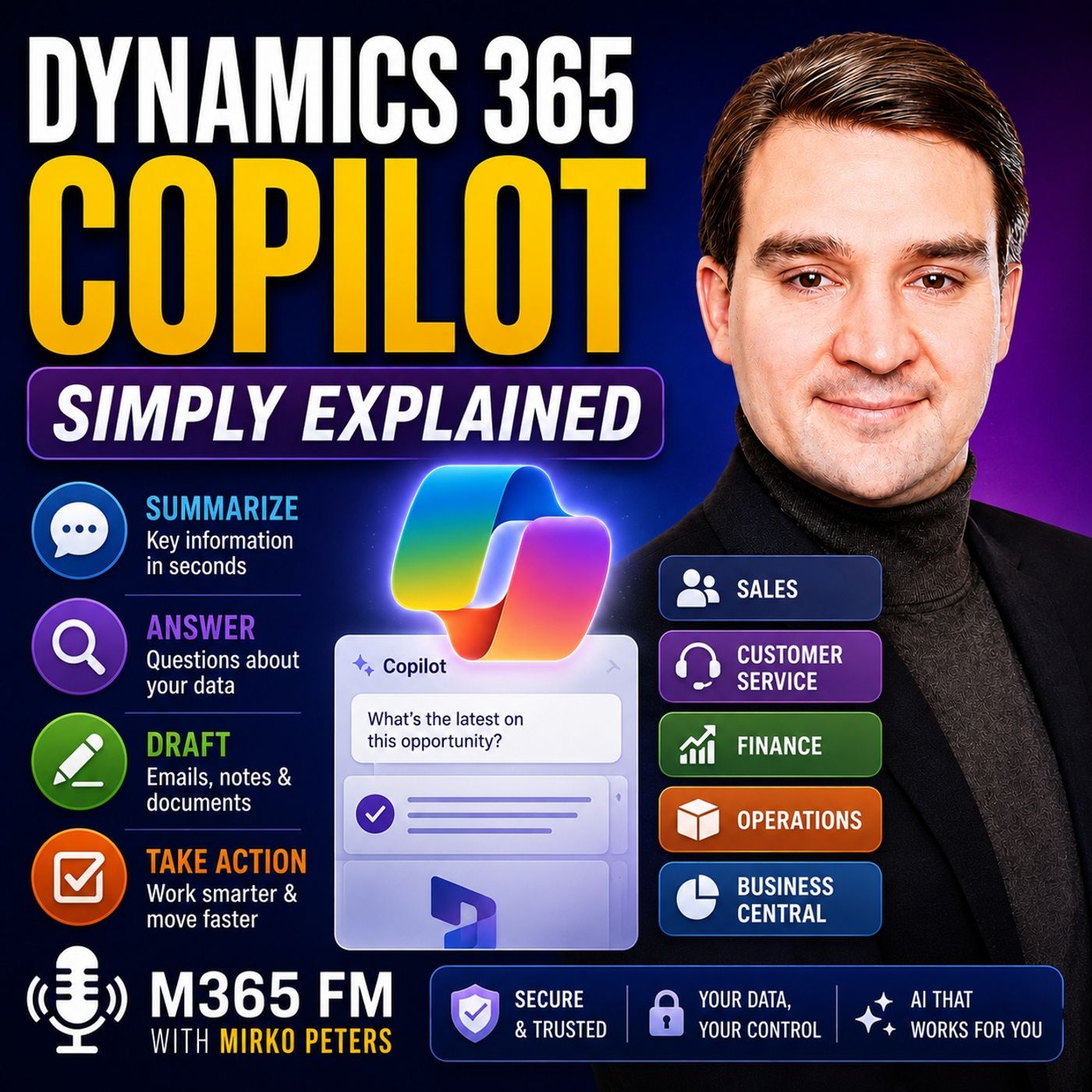
Dynamics 365 Copilot - Simply Explained
Show notes
Dynamics 365 Copilot brings AI directly into the business processes and records people already use across Dynamics 365. Instead of spending time searching through customer histories, sales opportunities, support cases, invoices, orders, emails, and reports, Copilot can summarize information, answer questions, prepare drafts, and help users determine what to do next. In this episode of M365 FM, Mirko Peters explains how Dynamics 365 Copilot works across sales, customer service, finance, operations, and Business Central — and why human approval remains essential when AI becomes part of business processes. ㅤ WHAT IS DYNAMICS 365 COPILOT? ㅤ Dynamics 365 Copilot is a collection of AI capabilities integrated into Dynamics 365 applications. Rather than replacing Dynamics 365, Copilot works with the business information users already have permission to access. Dynamics 365 remains the system containing business records such as customers, opportunities, cases, invoices, orders, inventory, and suppliers. Copilot helps users understand and work with that information faster. ㅤ HOW DYNAMICS 365 COPILOT WORKS ㅤ Much of Copilot's everyday assistance falls into three areas: summarizing information, answering questions about business data, and preparing drafts or proposed actions. A Dynamics 365 record can contain months of activities, notes, emails, meetings, changes, and other information. Copilot can summarize that history into a more manageable overview. Users can also ask questions using natural language rather than navigating through multiple screens and reports to locate information. ㅤ DYNAMICS 365 COPILOT VS MICROSOFT 365 COPILOT ㅤ Dynamics 365 Copilot and Microsoft 365 Copilot serve related but different purposes. Dynamics 365 Copilot operates close to business processes and records inside Dynamics 365 applications. Microsoft 365 Copilot operates primarily across productivity applications such as Outlook, Teams, Word, and Excel. The two can work together, bringing business context into everyday communication, meetings, and document workflows. ㅤ COPILOT VS AI AGENTS ㅤ Copilot generally helps users understand information, ask questions, prepare drafts, and make decisions. AI agents can go further by performing defined pieces of work according to rules established by the organization. Agents can support repeatable processes such as researching leads, preparing records, processing incoming information, or handling routine workflow steps. However, these agents still require clear boundaries, permissions, and human oversight. ㅤ COPILOT IN DYNAMICS 365 SALES ㅤ Dynamics 365 Sales Copilot can help sellers prepare for customer conversations by summarizing leads, accounts, opportunities, recent activities, and other relevant information. Before a meeting, sellers can quickly understand what changed with an opportunity, review previous interactions, and identify information requiring attention. Copilot can also summarize email conversations and prepare draft responses, reducing the time required to reconstruct customer context manually. ㅤ AI AGENTS FOR SALES ㅤ Dynamics 365 can extend sales assistance through task-focused agents covering areas such as lead qualification, opportunity research, and sales closing activities. For example, a qualification agent can research an incoming lead, collect relevant information, and help determine whether the prospect fits the organization's sales criteria. These capabilities can reduce repetitive work while allowing sellers to concentrate on higher-value customer conversations. ㅤ COPILOT IN DYNAMICS 365 CUSTOMER SERVICE ㅤ Customer service teams frequently work with cases containing long histories of emails, conversations, activities, and previous actions. Copilot can summarize this information so an agent taking over a case can quickly understand the customer's problem and what has already happened. Copilot can also help draft customer responses, summarize conversations, and surface relevant knowledge content. This can help agents find approved guidance without manually searching through extensive knowledge libraries. ㅤ COPILOT FOR FINANCE AND OPERATIONS ㅤ Dynamics 365 Finance and Operations users often work with complex business records, approvals, invoices, suppliers, purchase orders, inventory, and workflow histories. Copilot can help summarize processes and answer questions about structured business information using natural language. Instead of manually reviewing every workflow event, users can receive a concise explanation of where a process currently stands and what may require attention. ㅤ COPILOT IN BUSINESS CENTRAL ㅤ Microsoft Dynamics 365 Business Central also includes Copilot capabilities for finance, sales, and operational processes. Users can summarize customers, vendors, items, and sales orders or generate initial product marketing descriptions from existing item information. Copilot can also assist with tasks involving matching and reconciliation, such as identifying possible matches between electronic vendor invoice lines and purchase orders or helping identify potential matches during bank reconciliation. ㅤ AI AGENTS IN BUSINESS CENTRAL AND SUPPLY CHAIN ㅤ Agents extend AI assistance into more defined operational workflows. A Sales Order Agent can analyze customer requests arriving through email and help prepare corresponding sales order information. A Payables Agent can work with vendor invoices and prepare invoice drafts for review, while supplier-focused agents can support repetitive communication processes in supply chain operations. These agents can automate parts of routine work, but people remain responsible for reviewing exceptions and approving actions affecting customers, inventory, payments, and other important business processes. ㅤ DATA SECURITY AND PERMISSIONS ㅤ Copilot doesn't provide unrestricted access to every Dynamics 365 record. Its access follows the permissions of the signed-in user. If a user cannot access particular business information, Copilot should not make that restricted information available simply because the user asks for it. Dataverse plays an important role behind many Dynamics 365 applications by storing structured business information and supporting the access controls governing those records. ㅤ WHY HUMAN APPROVAL STILL MATTERS ㅤ Generative AI can summarize information and prepare useful drafts, but it can also misunderstand context, miss details, or generate inappropriate recommendations. Customer communications, refunds, payments, contracts, business policies, and other consequential decisions should therefore remain subject to human review. Copilot can prepare information and reduce repetitive work, but the person approving an action remains responsible for the outcome. ㅤ THE KEY TAKEAWAY ㅤ Dynamics 365 Copilot brings AI closer to the business records where everyday work happens. Across Dynamics 365 Sales, Customer Service, Finance, Operations, and Business Central, it can reduce the time people spend searching, reading long histories, preparing drafts, and completing repetitive tasks. The goal isn't to let AI run the business. Copilot provides context, drafts, summaries, and assistance while AI agents handle clearly defined tasks. People remain responsible for the decisions, customer promises, approvals, and exceptions that matter. Subscribe to M365 FM for more Microsoft Knowledge Nuggets and Simply Explained episodes covering Dynamics 365, Microsoft 365, Power Platform, Azure, Copilot, AI, security, governance, and the Microsoft ecosystem. Become a supporter of this podcast: https://www.spreaker.com/podcast/m365-fm-microsoft-365-azure-cloud-power-platform-ai--6704921/support.
Apple Podcasts · Spotify · YouTube · Deezer
Host: Mirko Peters
Guests
Related articles
Transcript
Read the full transcript
What exactly is Dynamics 365 co-pilot? Is it just another chat box or can it actually help when you're dealing with sales calls, customer cases, invoices, and orders? Think about a normal workday. Customer notes sit in one screen, emails in another, and the report you need might be buried under five menus. Dynamics 365 co-pilot helps you work with the business records you already use, so you spend less time hunting and more time deciding what to do next. By the end, you'll know where it fits, how it differs from Microsoft 365 co-pilot, and what happens when AI starts handling defined tasks. The foundation, Dynamics 365. Before co-pilot, before we talk about co-pilot, we need to look at the building it works in. Dynamics 365 is Microsoft's connected platform for running parts of a business. It stores the day-to-day facts that teams need to do their jobs. A sales team tracks leads, contacts, accounts, meetings, and possible deals. A customer service team tracks cases, messages, customer problems, and the steps taken to fix them. Finance tracks invoices, payments, budgets, and the movement of money. Operations and supply chain teams track stock, purchase orders, suppliers, warehouses, and deliveries. All of that information answers a simple question. What is happening in the business right now? Many people hear Dynamics 365 and think only about customer relationships. That part is called CRM, which means customer relationship management. CRM is where a company keeps track of people and conversations. A salesperson might open a customer account and see the people they know, previous meetings, open opportunities, emails, and notes from colleagues. Customer service uses the same sort of customer history in a different way. Instead of asking, "Oh, will this deal close?" Oh, the agent asks, "What happened to this customer and what do they need from us now?" Oh, then there is ERP, which means enterprise resource planning. That name sounds larger than it needs to. ERP is the part that tracks the work behind the customer promise. If someone orders a product, ERP can track whether the product is in stock, whether it needs to be bought, what it costs, when it ships, and when the company should send an invoice. So CRM looks toward the customer relationship. ERP looks at the business work required to deliver on that relationship. Think of Dynamics 365 like an office building. Sales works in one room, looking after leads and deals. Customer service works in another room, looking after cases. Finance has its own room for invoices and payments. Operations has rooms for stock, orders, and suppliers. Inside every room sit filing cabinets full of business records. Those records aren't just documents. A customer record can link to an order. An order can link to stock. A service case can link to the customer who bought the product. When the data connects, people don't need to rebuild the story from scratch every time. That sounds simple, but the old way of working often feels very different. You open a customer record, then you read weeks of notes, you search for the last email. You check the meeting history, you open a report, after that you copy the useful parts into an email or a status update. The information exists, but finding the useful part takes time. Imagine a seller with a customer call in 10 minutes. The customer record has activity from several colleagues along email chain and an opportunity that changed last week. Nothing is missing yet. The seller still has to read through it and work out the current picture. That is where Copilot enters the building. Copilot doesn't replace Dynamics 365. It works inside and around Dynamics 365, helping people understand the records they already have permission to see. Think of it as a helpful colleague sitting beside the filing cabinet. You can ask that colleague to pull together the recent activity, explain what changed, or prepare a first draft based on the files in front of you. The filing cabinet still matters. Dynamics 365 remains the place where the business records live. Copilot helps turn those records into something you can read, question, and act on more quickly. T-T, what Dynamics 365 Copilot actually does? So what does Copilot actually do when you type a question or open a record? In plain English, Dynamics 365 Copilot is a set of AI tools inside Dynamics 365 apps that helps you understand business data, prepare drafts, and move work forward. It doesn't replace the app. It helps you use the app without spending so much time clicking through pages, reading every note, or starting every message from a blank screen. Most of its day-to-day help falls into three areas. First, it can summarize. A Dynamics record can collect a lot of history. There might be notes from several people, emails, meetings, updates, dates, and changes to fields. Copilot can turn that history into a short explanation of what matters now. Maybe you open an opportunity and want to know what changed since you last looked at it. Instead of reading every activity one by one, you can ask Copilot for a summary of recent changes. It can pull together the current stage, recent activity, and details already stored in the record. The information isn't new. Copilot is helping you see it in a usable form. Second, it can answer questions about the data you can access. You don't always know where the answer lives. Maybe it sits in a customer record. Maybe it is in a case, an order, a workflow, or an approved document linked to the work. Rather than learning every filter and every report menu, you can ask a question in normal words. You might ask, oh, what are the latest changes on this opportunity? Oh, or. Ozemorize this customer case and suggest the next steps. Oh, the question sounds simple because it is simple. Copilot translates that request into a search across the approved business information it can use, then returns an answer in plain language. That doesn't mean every question has the same answer everywhere. A question inside a sales app focuses on sales records. A question inside a finance app works with finance and operations data. The answer depends on the app, the records, and your access. Third, Copilot can help create a first draft or propose an action. This is where many people first notice it. You may need to reply to a customer, write a case resolution note, prepare meeting notes, or fill in part of a form. Copilot can use the context around the work to give you a starting point. A starting point matters. Starting from a blank page sounds small, but it adds up across a week. Copilot can draft the first version while you bring the judgment, the customer knowledge, and the final decision. You still read it. You still change it when it needs changing, and you decide whether it should be sent, saved, or ignored. That human check is not optional, especially when a message reaches a customer or a change affects a business record. AI can misunderstand context, miss a detail, or phrase something in a way your company wouldn't use. Treat a copilot response like work prepared by a junior colleague. It may save you time, but your name still goes on the email, the case update, or the approval. Where do you see it? Sometimes copilot appears as a chat panel beside the app you are already using. Microsoft calls this a sidecar, but you can think of it as a conversation area next to your work. You keep the customer, order, or case open, and then ask a question without leaving the page. Other times, copilot appears directly inside a page. You may see a short record summary at the top of a lead, an opportunity, or a customer page. You may see suggested information while filling in a form. The AI help is part of the screen rather than a separate chat. There are also experiences outside Dynamics 365 itself. Microsoft 365 copilot works across tools such as teams, Outlook, Word, and Excel. It can connect to Dynamics 365 in certain situations, bringing business context into the places where people write emails, attend meetings, and work with documents. The distinction is simple. Dynamics 365 copilot works close to the business process and the records inside Dynamics 365, Microsoft 365. Copilot works close to your everyday Microsoft 365 work such as email, meetings, and documents. They can work together, but they aren't the same product wearing different names. Then there are agents. A copilot helps you ask, understand, draft, and decide. An agent focuses on a defined piece of work that it can carry out on the rules set by the business. For example, an agent may review incoming information, prepare a draft record or handle repeated steps in a process. That is more than answering a question, but it still needs clear boundaries and human oversight. One final point, there is no single copilot button that does everything in every Dynamics 365 app, sales, customer service, finance, supply chain, and business central, each deal with different types of work. Their copilot tools fit the records and tasks in that area. So let's follow the same customer through those different parts of the business, starting with the person preparing for the next sales conversation. Sales. Preparing for the next customer conversation. Sales work often looks simple from the outside. Find a customer, have a good conversation, and close the deal. But before that conversation, a seller may need to check the account, read the latest emails, look at open opportunities, find meeting notes, and see whether anything changed since the last call. That work can take longer than the call itself. Dynamics 365 sales copilot helps bring that context together while the seller is working with a lead, account, or opportunity. Imagine you have a meeting with a customer in 15 minutes. The opportunity record might show the expected deal amount and close date. Recent emails may contain a new concern. A colleague may have added a note after a call. There could also be a document in SharePoint that explains the customer I/O TN-SOL-S current project. Instead of opening every item one by one, the seller can use a record summary. A summary can pull together the details already connected to that lead, opportunity, or account. It gives the seller a quick picture of the customer, the current deal, recent activity, and any changes that need attention. That doesn't replace reading the record when the details matter. It gives you a faster starting point, so you know where to look next. Meeting preparation works in a similar way. When an upcoming meeting connects to an opportunity, copilot can help the seller prepare by gathering information from that opportunity. The seller can see the current status, past conversations, customer concerns, and other details recorded by the team. You walk into the meeting with context. That matters when several people work on the same account, or when a seller returns from holiday and needs to catch up quickly without guessing. Email is another common use. A seller may receive a long thread with questions, changes, and requests from several people. Copilot can summarize the conversation and help prepare a reply. The seller still owns the message. They need to check names, dates, promises, and tone before anything goes out. If a customer asks for a discount, a delivery date, or a contract change, the seller can't simply accept whatever draft suggests. Copilot prepares words. The seller makes the commitment. Sales copilot can also bring in news updates about accounts and prospects. That can help the seller spot a change worth mentioning in a conversation, such as a company announcement or a business event connected to the customer. Used well, this helps the seller sound prepared, rather than surprised. Still, outside news is context, not proof that a deal will close. A news story might point to a useful question for the customer. But it doesn't replace the customer out of his own answer. Some sales work now goes beyond summaries and drafts. Dynamics 365 includes task-focused agents for areas such as lead qualification, opportunity research, and sales closing work. These agents can take on defined work, such as researching a lead, looking for deal risks, or preparing outreach under the rules the business has set. Think about a lead that arrives through a website form. A sales qualification agent may research the lead and help judge whether the company fits the business. It can prepare outreach and collect information, while the sales team decides whether that lead deserves a real sales conversation. That can save time, especially when a team receives many leads that aren't a good match. Permission still follows. The person signed into Dynamics 365. Co-pilot in sales can only use records and files that the user already has access to. A seller can't use co-pilot to peek into a restricted account just because the question sounds reasonable. Sales is about preparing for the next conversation. Customer service begins when the conversation has already turned into a problem that needs fixing. Customer service, turning long-case histories into clear-next steps. Customer service has a different kind of pressure. The customer usually doesn't care which team owns the problem. They want someone to understand what happened and help them fix it without asking them to explain the same story for the third time. That can be hard when a case has moved between people. One agent handled the first email, another took a chat conversation, a specialist added notes later, and someone else may need to take over the case tomorrow. The full history exists, but it can run across messages, activities, case fields and knowledge articles. A new agent shouldn't need 10 minutes of scrolling before they can help. Dynamics 365 customer service co-pilot can create a case summary that pulls together the main issue, what the customer has already tried, work completed so far, and the next steps recorded in the case. It can also summarize chat and transcribed voice conversations. Imagine a customer contact support after a long exchange with a chatbot and two agents. Rather than beginning from zero, the next person can read a short account of the conversation and continue from where the last person stopped. That changes the feel of the support experience, the customer hears, "How I can see what you've already done, oh, instead of how can you explain the issue again, "AO co-pilot can also help draft a response." An agent may ask it to prepare an email using the details in the case, or use a prepared prompt for a common type of reply. The draft gives the agent something to work with when they need to explain a fix, ask for more information, or tell the customer what will happen next. But a draft isn't a finished answer. The agent needs to check that it matches the case, uses the right tone, and doesn't promise something the company can't deliver. A message can sound polite and still be wrong, especially when it mentions a refund, a service level, or a deadline. Good service still needs a person who understands the customer. Knowledge suggestions can help with that work too. Many support teams keep approved help content, such as setup instructions, known fixes, and internal guidance. While an agent works on a case, co-pilot can bring relevant knowledge content closer to the conversation instead of leaving the agent to search through a long library. That matters for new agents. They may know how to use the service workspace, but not yet know every product issue or company policy. Relevant knowledge gives them a stronger starting point while the agent checks whether it applies to this customer and the situation. Some service work can also move into task-focused agents. The case management agent can help with routine parts of the case lifecycle, such as creating, updating, resolving, or following up on cases. A customer knowledge management agent can use closed case details to help prepare and manage knowledge content. These tools suit repeatable work. They don't replace the person who decides whether a difficult case is truly resolved, whether a customer needs an exception, or whether a knowledge article gives safe advice. The service agent stays responsible for the answer that reaches the customer. So service co-pilot helps teams get context faster, prepare clearer replies, and find approved guidance without losing control of the conversation. Once that conversation leads to an order and invoice, a delivery question, or an approval, the work moves behind the customer facing screen and into finance and operations. Finance, operations, and business central, questions, documents, and daily work. Behind a customer conversation sits another kind of work. Someone needs to confirm stock, someone needs to create the order, check the invoice, approve the expense, or find out why a payment process stopped. Finance and operations teams often work with very detailed information. That detail protects the business, but finding one answer can mean opening several pages, checking a report, and tracing a process through its history. Co-pilot can reduce some of that searching. In Dynamics 365, Finance, and Operations apps, co-pilot can appear in a side panel beside the page you are using. You can ask for help in plain English without leaving the work in front of you. Maybe you are looking at an approval and want to know why it is still waiting, rather than reading every event in the workflow history, co-pilot can create a summary of that history. It can help you see where the process sits, what steps happen before, and what needs attention next. That is useful when a process has passed through several people. A finance user might ask a question about the business data they can access instead of building a report just to answer one immediate question. The answer comes from structured records in Finance and Operations, not from a general search of the internet. That difference matters. If you ask about a vendor and invoice, a purchase order, or a stock item, co-pilot works from the business data that the app holds and that your account can open. It is not guessing from public web pages. Business Central follows the same basic idea, but it is built for small and medium-sized businesses that need finance, sales, and operations work in one place. A user can ask co-pilot to summarize a customer, a vendor, an item, or a sales order. Instead of scanning through a record line by line, they can get a short view of the details already in Business Central. Co-pilot can also help create product marketing text from item information. That does not mean it knows the product better than the person who sells it. It gives that person a draft, which they can correct before it reaches an online store or customer. Some work involves matching and checking rather than writing. Business Central has helped for matching electronic vendor invoice lines to purchase order lines. It can also help with bank reconciliation by looking at unmatched transactions and identifying possible matches based on details such as dates, amounts, and descriptions. Possible matches are not final matches. A person still checks the result because a small error in finance can travel a long way. An incorrect payment match is not the same as a typo in a draft email, then we reach agents, which take on more defined work. A sales-order agent in Business Central can look at customer requests that arrive by email, analyze the request, and find the customer in Business Central. A payable agent can monitor a mailbox for vendor invoices, analyze their contents, and prepare invoice drafts for review. In supply chain management, a supplier communications agent can handle repeated supplier work based on rules set by the business. These agents can remove routine steps from a busy day. Still, they operate inside a process designed by people. The business decides the rules. People review the drafts, deal with exceptions, and remain responsible when the information is unclear or the outcome affects money, stock, or a customer promise. That brings us to the question most people ask next. What data can co-pilot actually see and who stays in control, data, security, and human approval? Some people hear, "Oh, I, in Business Data, I, "and picture a tool that can read every file, "every customer record, and every finance detail in the company." That is not how Dynamics 365 co-pilot is intended to work. Co-pilot follows the access rules already attached to the signed-in user. If you cannot open a customer record, co-pilot should not pull details from that record into an answer for you. The same rule applies to files and other connected information. Behind many Dynamics 365 customer apps sits Microsoft Dataverse. You do not need to know the technical details to understand the role it plays. Think of Dataverse as the shared data store that keeps business records and access rules in place behind the app screens. It helps make sure the right people can work with the right records. Microsoft 365 can add useful context around that business data. Email, threads, meetings, and documents may help a seller prepare for a call or help a service agent understand a case. But Dynamics 365 remains the business system where records such as leads, cases, orders, and customer details are kept and managed. A new example is co-pilot co-work, which can work across approved Dynamics 365 sales and customer service information. Together with Microsoft 365, work such as email and meetings. You might ask it to prepare for an account review. Look at open cases, identify deal concerns, draft updates, and prepare a message for your team. Yet it does not quietly write those updates back. When an action would change a record, create an update or send something outward, co-work can root that work through a choice to approve, edit, or dismiss it. You remain the person who decides whether the proposed work should happen. That is the right way to use this kind of AI. Use it for summaries when the history is long. Use it to prepare for meetings, create early drafts, locate approved information, and take care of repeatable work with clear rules. Do not treat it as an automatic decision maker. Never approve a customer message without reading it. Do not let an AI draft decide a refund, a payment, a contract promise, or a company policy. Those decisions need a person who understands the full situation and can be held accountable for the result. Co-pilot can prepare the work. The responsibility stays with the person who approves it. Conclusion? The helper inside each business room. Dynamics 365, co-pilot brings AI closer to the records where business work actually happens, helping people turn searching, reading, and first drafts into more guided work. It won't run your company for you and it shouldn't. Its job is to prepare information and handle defined tasks, while people remain responsible for the decisions, promises, and approvals that follow. For more planning-English knowledge and nuggets, subscribe on your favorite podcast platform and visit M365. FM, share this episode with someone who thinks co-pilot only lives in word and teams.