 EN
EN Deutsch
 Español
 Français
 Italiano
 Português
 Nederlands
 Polski
 Bahasa Indonesia
 Русский
 Українська
 العربية
 עברית
עברית हिन्दी
 日本語
日本語 한국어
한국어2026-08-19 · Season 3
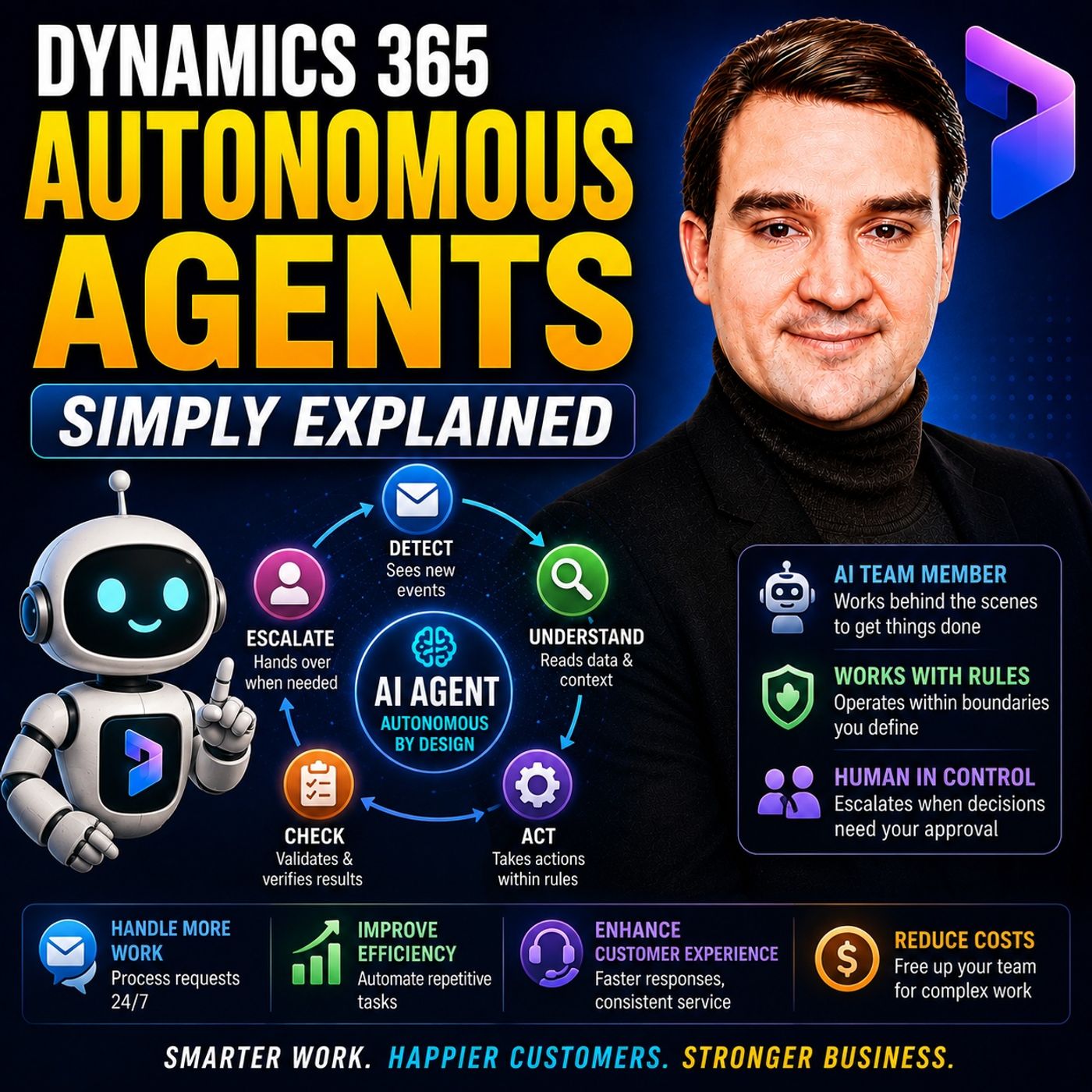
Dynamics 365 Autonomous Agents - Simply Explained
Show notes
Dynamics 365 Autonomous Agents move AI beyond answering questions and generating content. Instead of waiting for someone to prompt them, autonomous agents can watch for specific business events, understand the context stored in Dynamics 365, choose between permitted actions, and continue a defined process within rules established by the organization. In https://www.m365.fm/dynamics-365-autonomous-agents/ of M365 FM, Mirko Peters explains how autonomous agents differ from https://www.m365.fm/categories/copilot-talk/ and traditional automation, where Microsoft is applying them across Dynamics 365, and why permissions, guardrails, approvals, and human oversight remain essential. ㅤ WHAT ARE DYNAMICS 365 AUTONOMOUS AGENTS? An autonomous agent is a specialized AI tool designed to perform a narrow business job. It can review business information, choose from allowed next steps, and carry out work toward a defined goal. The important word is defined. An autonomous agent isn't given unrestricted control of a business process. Organizations determine its job, the information it can access, the actions it can perform, and when it must involve a person. Think of it as a digital team member with a specific job description rather than a general-purpose AI system. ㅤ COPILOT VS AUTONOMOUS AGENTS Copilot typically waits for a person to request assistance. A user asks a question, requests information, generates a draft, or asks Copilot to summarize something. An autonomous agent works differently. It can react when something happens, such as a new customer case arriving, a customer sending another message, a new sales lead entering the system, or an order requiring confirmation. A useful analogy is an office building. Copilot works at the reception desk helping people who approach it, while autonomous agents work behind the scenes performing specific operational jobs. ㅤ AUTONOMOUS AGENTS VS TRADITIONAL AUTOMATION Traditional automation is extremely useful when processes follow predictable rules: if something happens, perform a predefined action. Agents add another layer by interpreting context. They can read customer messages, examine connected records, use approved knowledge, and select between actions their configuration permits. Generative AI provides the language understanding, while autonomous behavior connects that understanding to business actions. The agent might identify an issue, find relevant knowledge, update a record, prepare a response, or escalate the situation to a person. ㅤ WHY DYNAMICS 365 DATA MATTERS Generic AI can understand a sentence such as "my delivery still hasn't arrived," but it doesn't automatically know which customer, order, shipment, previous conversation, or support case that statement relates to. Dynamics 365 provides the business context. Customer records, cases, orders, sales leads, financial records, previous conversations, and other connected information allow an agent to understand the situation within the organization's actual business process. This context is what turns general AI capabilities into practical business assistance. ㅤ CUSTOMER INTENT AGENT Customer service provides some of the clearest examples of autonomous agents. The Customer Intent Agent can analyze customer conversations and cases to identify patterns in why customers are contacting an organization. Customer questions continually change as companies launch products, modify services, change delivery partners, or introduce new billing processes. The agent can help identify emerging topics instead of requiring managers to manually analyze hundreds of customer conversations. These insights can help organizations improve self-service experiences, knowledge content, and support processes. ㅤ CASE MANAGEMENT AGENT The Case Management Agent helps with routine activities across the customer service case lifecycle. It can assist with creating cases, updating information, progressing work toward resolution, following up, and closing cases according to the organization's configured processes. The objective isn't to remove customer service representatives. Instead, the agent can reduce repetitive administrative work surrounding cases so service professionals can spend more time understanding customer situations and handling exceptions. Organizations remain responsible for defining when cases require review, approval, or direct human intervention. ㅤ CUSTOMER KNOWLEDGE MANAGEMENT AGENT Useful support knowledge frequently becomes trapped inside closed cases, agent notes, and previous conversations. The Customer Knowledge Management Agent can examine completed case information to identify potentially reusable knowledge and gaps in existing support content. However, not everything contained within an old case should automatically become official guidance. A workaround may be outdated, customer-specific, or based on an exception. The agent can surface useful material while people determine what should become trusted organizational knowledge. ㅤ SALES QUALIFICATION AGENT Sales teams can receive large numbers of inbound leads with very different levels of potential. Researching every prospect and deciding where sellers should focus can consume significant amounts of time. The Sales Qualification Agent for Dynamics 365 Sales can help research and prioritize inbound leads and develop personalized sales emails to begin conversations. Salespeople still determine which opportunities deserve attention, review communications, contribute their own customer knowledge, and build the relationships required to actually close deals. ㅤ SALES ORDER AGENT IN BUSINESS CENTRAL Order processing provides another example of repetitive business work. Customer orders can arrive through email and other channels, requiring employees to interpret the request, enter information, verify details, and prepare confirmation. The Sales Order Agent in Dynamics 365 Business Central can support the order intake process from initial entry through confirmation. This reduces manual data entry while allowing people to concentrate on exceptions, unusual requests, and customer situations requiring judgment. ㅤ FINANCIAL RECONCILIATION AGENTS Finance teams perform substantial amounts of repetitive preparation and reconciliation work, particularly around financial period closing. The Financial Reconciliation Agent can assist with preparing and cleansing datasets used during period-close activities. The Account Reconciliation Agent in https://www.m365.fm/dynamics-365-finance/ can help match and clear transactions between subledgers and the general ledger. Accountants remain responsible for investigating discrepancies and determining whether the organization's financial information is correct. ㅤ SUPPLIER COMMUNICATIONS AGENT Procurement teams frequently spend time contacting suppliers to confirm purchase orders and expected delivery dates. The Supplier Communications Agent for https://www.m365.fm/dynamics-365-supply-chain-management/ can support this communication and help identify potential delivery delays earlier. Instead of procurement specialists manually chasing every routine confirmation, the agent can support standard follow-up while people concentrate on supplier relationships and problems requiring negotiation or intervention. ㅤ SCHEDULING OPERATIONS AGENT Field Service schedules rarely remain unchanged throughout the day. Traffic, cancellations, urgent jobs, and conflicting bookings can disrupt carefully planned technician schedules. The Scheduling Operations Agent for https://www.m365.fm/dynamics-365-field-service/ can help dispatchers adjust schedules as circumstances change. Dispatchers remain responsible for decisions involving customer priorities, difficult commitments, and other situations where business judgment matters. ㅤ PERMISSIONS AND GUARDRAILS The critical question isn't simply whether an autonomous agent can take action. Organizations need to determine exactly which actions it is permitted to take. Can the agent read a customer record? Can it update the record? Can it prepare an email? Can it send that email without approval? Can it recommend closing a case, or can it actually close one? Clear permissions and guardrails turn a broad AI capability into a controlled business process. Agents should only have access to the information and tools necessary for their assigned job. ㅤ WHY HUMAN OVERSIGHT STILL MATTERS Autonomous doesn't mean unsupervised. Agents can misunderstand customer requests, operate on incomplete information, or produce responses that don't fit a specific situation. Processes involving customer promises, financial transactions, exceptions, privacy, or consequential business decisions require appropriate human control. Organizations should review agent activity, analyze employee and customer feedback, inspect affected records, improve instructions and knowledge sources, and adjust permissions when necessary. ㅤ HOW TO START WITH AUTONOMOUS AGENTS A sensible first autonomous-agent project is a narrow, repetitive process where mistakes can be identified and corrected. Organizations might begin with drafting follow-up messages for review, sorting incoming requests, researching leads, or completing routine case information. Teams can then measure the results, improve instructions, refine permissions, and determine whether the agent should receive additional autonomy. Starting small provides an opportunity to understand how the agent behaves before connecting it to more consequential processes. ㅤ Become a supporter of this podcast: https://www.spreaker.com/podcast/m365-fm-microsoft-365-azure-cloud-power-platform-ai--6704921/support.
Apple Podcasts · Spotify · YouTube · Deezer
Host: Mirko Peters
Guests
Related articles
- Beyond the Prompt: Copilot vs. Dynamics 365 Autonomous Agents
- Copilot vs Autonomous Agents in Dynamics 365: What Is the Difference?
Transcript
Read the full transcript
Imagine you run a busy customer service desk where messages keep coming in, cases need updates, and customers are waiting. While the answers they need are buried in old notes nobody has time to dig through. A copilot handles direct questions when someone walks up and asks, but an autonomous agent is different AU. It has a specific job, watches for work that needs doing, and takes action on its own within the rules you give it. I'm Mirko Peters from M365, FM. This knowledge nugget explains the idea in plain English. By the end you'll know what Dynamics 365 Autonomous Agents actually do, where they work and why people still stay in charge of the important decisions. Think of a business like an office building, copilot works at the front desk, helping visitors who walk up and ask, while agents handle the jobs that happen behind the scenes. The simple definition, a digital team member, with a narrow job. Repeat work eats up a lot of time in most companies. A sales rep sorts incoming leads, a service rep fills in the same case fields and accountant matches records before the book's close, and a supply chain worker chases a supplier for a delivery date, even though the purchase order already has most of the details. Each task looks small on its own, but the pile grows fast. So what exactly is an autonomous agent? It's a specialized AI tool that reviews business data, picks from a loud next steps, and carries out work toward a defined goal. It doesn't get a vague instruction like run the company AU. It gets a narrow job with clear boundaries and that narrow focus is the whole point. Imagine the office building again, copilot sits at the reception desk. You walk up and ask for help, and copilot answers your question, finds information, or helps you write something. Autonomous agents work in the rooms behind reception AU. One might handle the mail room sorting incoming requests, another works the service desk keeping cases up to date, and a third sits in the accounts office helping staff match financial records. Many people hear agent and think of a chatbot. A chatbot waits for you to type a question and then replies, "Oh, useful for a conversation, but it's just talking." An autonomous agent can react when something changes. When a new case arrives, a customer sends another message, or an order needs confirmation, the agent reviews the situation and continues the process without someone prompting every single step. That's the real difference. Old-style automation handles repeat work too, but follows a fixed path. If this happens, do that. If a field has this value, send that email. Fixed flow still work when everything stays predictable, and agent adds context. It reads the words in a customer message, looks at the connected record and chooses between actions its rules allow. It isn't blindly following a rigid list AU, it's working with the information right in front of it. Generative AI helps with the language part. It can read a long message, identify what the person needs, write a draft response, or pull a useful answer from your knowledge base. But writing text alone doesn't complete a business task. Autonomous behavior connects that understanding to action. For example, the agent might identify a common support request, suggest the right knowledge article, update a case field, or ask a person to review something outside its rules. Your business decides which of those actions it can take on its own. And this part often gets missed, an autonomous agent doesn't have free access to everything. Your organization sets its instructions, data access permissions and approval points, and the agent works inside that defined space AU, like a new team member who can enter certain rooms, use certain files, and complete certain kinds of work. So it's not magic or a general purpose robot. It's an AI worker with a narrow job, a set of rules and real business data to work from. Next, let's look at the office where those agents find that information. That's Dynamics 365, where they work Dynamics 365 as the business office. So where do these agents get the specific details they need to turn a general answer into something useful for your business? That outtems Dynamics 365. Think of it as the business office itself with connected rooms for customer records, sales leads, support cases, orders, money, and supply work. A customer record tells you who someone is and what they outtem, the bought. A case shows past conversations, fixes, and who owns the next step. An order reveals what was promised, where it should go, and whether anyone still needs to confirm. That context is what changes the answer. A generic AI tool here's the sentence, "Omi Delivery" still has no time to arrive. But it has no clue which delivery you mean, whether the order shipped, or if there are terms in open case. Dynamics 365 holds all those business facts in one place. Her outtems are real scenario. A customer sends a message asking where their order is, and that message enters a support conversation or becomes part of a case. But the message alone tells only half the story. The agent looks at the customer record connected to that message and sees if this person contacted support yesterday, if a colleague already replied, what product they ordered, and which knowledge article covers late deliveries. Then it suggests the next step or carries out an action the organization allows. Maybe it points the service rep to the right answer, updates the case with a summary, or prepares a reply for review. The exact job depends on how the company configured the agent. But here, ointments the thing, the agent does not want to work in a vacuum. It works with the record in front of it, the knowledge it can access, and the permissions attached to its role. When it lacks information, reaches a sensitive decision, or needs approval, a person steps in. People still handle the difficult cases. Like a customer disputing a charge, a shipment involving a serious failure, or someone asking for an exception to policy. Those situations need judgment, authority, and a conversation no agent should complete alone. Behind the scenes, the path is fairly simple. Information comes in, the agent reviews the relevant business record, and approved knowledge takes, suggests, or roots the next action. And the result goes back into the same record. That way the team can see what happened without hunting across separate tools. That record matters more than it sounds. Without it, a service rep might read a customer email in one place, search order details in another, check old notes somewhere else, and then type the same update into a case. Dynamics 365 brings those work areas together, so the agent uses the same context as the people on the team. Generic AI knows how language works, but a Dynamics 365 agent uses language while looking at the actual business situation connected to that customer, order, lead, or case. It does not mean just read the question. It connects the question to the work already happening around it, within the access and rules the organization sets. That do TMEs where these agents become easier to picture, especially in customer service, where incoming questions, case updates, and shared knowledge all meet in one place. Service agents, finding intent, managing cases, keeping knowledge. Current customer service gives us the clearest view of what autonomous agents can do, support teams deal with the same pattern every day. Our lots of conversations, lots of small updates, and useful answers trapped inside work people finished weeks ago. Let's start with the customer intent agent. An intent is the reason the customer contacts you, like our e-con-automate sign-in, our "oh, where is my order?" "A or A or A" I need to return this item. A/O support teams need to know these reasons, because they shape the help articles, self-service options, and training their people need. But customer questions don't know to to match these days still. A company launches a new product, changes a delivery partner, or updates a billing process, and then customers start asking new questions in their own words. The old list of topics no longer fits. The customer intent agent looks through past and current cases and customer conversations to find those patterns. Instead of a manager reading hundreds of chats by hand, the agent spots that many people mention the same problem and suggests a new intent for that topic. That helps keep self-service from going stale by recommending the knowledge article most likely to help with a customer-automass issue. That recommendation can support a customer trying to solve a problem alone, or it can help a service rep find the right answer faster during a conversation. The agent does no-mud-invent company policy, or it works with the knowledge the company approves while helping the team see where that knowledge needs work. Now think about the case itself, A/O. The work record for a customer problem, that includes the customer A/O, TM.piles.missage. Notes from service reps, the current status, and the steps taken to solve it. Creating and updating those records takes time, especially when a team handles a high volume of requests. The case management agent in Dynamics 365 Customer Service helps with the case lifecycle, out creating cases, updating them, moving them toward resolution, following up and closing them. A service rep spends less time filling in routine details, and more time reading the customer-autom situation carefully. Every support team works differently. One company wants a case closed only after a customer confirms, another needs a manager to review cases above a certain level, and some cases need a specific follow-up after a set period. Administrators shape the case management agent around those local rules, so it follows the company U/TMA's process rather than a generic path. It handles repeat steps, but the organization decides when a person needs to check the work or take control. There are terms another problem in service that many teams know well. A skilled support rep solves a tricky issue, writes useful notes, and closes the case. Later, another customer reports the same problem, but the answer sits buried in old case notes, a chat transcript, or a summary that nobody thinks to search. That U/Temarts, where the customer-knowledge management agent comes in, it examines completed case details to pull useful knowledge, find gaps, and keep knowledge current while checking for the company-autom that his compliance needs. Think of a support team, or a team as old case notes, like loose papers spread across many drawers. Someone may have written the perfect answer six months ago, but it would now, to may, it help the next customer if nobody can find it. The knowledge agent helps turn repeat answers into material the team can review and place in a shared knowledge folder. People still review what becomes official guidance because a case note can describe a one-time exception, an outdated workaround, or advice that only fit one customer. The agent helps surface the material, but people decide what should become a trusted article. Here out, Merser, real example, a customer writes, "Omi deliveries late again. Can you tell me what is happening?" A.O. the customer intent agent recognizes that this belongs to a delivery-related topic and points toward the right knowledge article. If the request needs a case, the case management agent helps capture the details, update the record, and support the next steps under the team i.e. our team's rules. After the issue closes, the customer knowledge management agent reviews the case for information that may improve the help content later. If the late delivery came from a new problem, many customers now report, a person investigates, approves a new article or speaks directly with the customer. The agents reduce the repeat admin work around the case, while the service team handles the judgment calls. Service agents focus on customer questions and shared answers. In other parts of the business, agents take on different jobs, from sorting sales leads to checking financial records and following up with suppliers. Sales, finance, and supply chain agents with different desks. Customer service is only one part of the picture. Actually, you'll find the same pattern everywhere, O. sales teams, finance teams, purchasing teams, dispatchers all have work that follows a routine where the details change from one record to the next, but the shape stays the same. So let's start with sales. Imagine a salesperson receives a large number of inbound leads. Some people are ready to talk, others are just looking around, and a few may not fit the company at all. Here's the issue. Someone still needs to research each one and decide who deserves attention first. That's where the sales qualification agent for Dynamics 365 sales steps. In now, it helps with that early sorting work. This agent can research and prioritize inbound leads, then develop personalized sales emails to start a conversation. But here's the thing, it doesn't close a deal by itself, and it doesn't replace the salesperson who builds trust with the customer. Instead, it helps the salesperson begin with a clearer list. Picture a crowded sales inbox on Monday morning where without help, a rep might spend hours opening messages, searching for company details, and drafting similar first replies. The agent can prepare that early work, so the rep can focus on the leads that look most ready for a real conversation. Now, a person still decides what good sales contact looks like. They review the email before it goes out, add their own knowledge, and decide whether a lead deserves a call while the agent handles the repeat research and drafting around the edges. Small and medium-sized businesses often face a related job after a customer decides to buy. An order arrives through email or another channel, and someone needs to enter it, check the details, capture the customer's preferences, and send confirmation. That work can take time, especially when orders arrive in different formats. The sales order agent in Dynamics 365 Business Central handles the order intake process from entry all the way through confirmation. This agent can interact with customers while gathering the information needed for an order, so the team doesn't need to copy every detail by hand before moving the order forward. Now, Finance has its own pile of repeat work. Before a financial period closes, teams need to prepare and clean data sets where numbers sit in different records, formatting needs attention, and people spend long stretches finding information that doesn't match. The Financial Reconciliation Agent for Microsoft 365 Co-Pilot for Finance helps prepare and cleanse data sets for that period-close work, think of it as sorting paperwork before the accountant begins the serious review. It doesn't decide whether the company's financial reports are correct or finance professionals still own that responsibility. There's another agent inside Dynamics 365 Finance, the Account Reconciliation Agent. It helps match and clear transactions between sub-ledges and the General Ledger O, those terms sound technical. So let's keep this simple. A sub-ledger holds detailed records for one area, like customer payments or supplier bills, while the General Ledger holds the larger financial record for the business. Accountants need those records to agree, and when they don't, someone needs to find the gap. The agent helps with the matching and clearing work, so accountants can spend more of their time investigating records that don't fit rather than checking every obvious match one by one. Supply chain teams have another kind of follow-up problem. A business sends a purchase order to a supplier, but the team still needs confirmation that the supplier can deliver it when expected. If nobody follows up, a delay can sit unnoticed until it becomes a customer problem. The Supply Accomunications Agent for Dynamics, 365 Supply Chain Management, handles collaboration with suppliers to confirm order delivery. It can handle work connected to confirming purchase orders and help spot possible delays earlier. That way, procurement specialists can spend more time on the supplier relationships and delivery problems that need a human conversation. Field service adds movement to the picture. A dispatcher may plan a technician's day carefully, but then traffic slows someone down, a customer cancels, or two bookings collide. The schedule that looked fine at 8 o'clock may create gaps and conflicts by lunchtime. The scheduling operations agent for Dynamics 365 Field Service helps dispatchers adjust schedules as those conditions change. It helps them work toward better schedules for technicians when the day refuses to follow the original plan. The dispatchers still decide what makes sense for their customers and their staff, especially when a change involves priority work or a difficult customer promise. So these agents work at different desks, but their jobs follow the same shape. The sales qualification agent works with leads, the reconciliation agents work with financial records, the supplier agent works with purchase orders and the scheduling agent works with technician appointments. Each one focuses on a defined business task, uses the data connected to that task, takes only the actions it has permission to take and leaves a record of the work for the people who follow. More action can save time, but it also raises a fair question who decides what an agent can read, change, and send. Control, trust, and the human team. Here's a myth I want to clear up right away. Don't ask whether an agent can act, ask who decided what it can do. Every action comes from choices the organization made before it ever touched a customer record and order or a financial transaction. People remain responsible. Your company chooses the job, sets the rules, and decides the data the agent can see, the actions it can take, and the moments where a human must approve the next step. An agent may handle the routine path, but it doesn't carry the responsibility for a bad customer promise, an incorrect payment or a sensitive decision. Let's bring back the reception desk analogy. Think of EntraID, Microsoft's identity service, as the reception desk for the digital workplace. When an employee signs in EntraID, helps confirm who that person is and what rooms they may enter. The same idea controls the agent O. It should only reach the records and tools needed for its assigned job, not wander through every part of the business that keeps the job narrow. Before an agent starts work, the organization needs clear guardrails. What may it read, what may it update, can it prepare an email or can it send one, can it suggest a case should close or does a service rep need to approve that closure? Those decisions are what turn a broad AI idea into a controlled business process. A sensible first project usually involves repeatable work where a mistake has a clear way back. Maybe the agent drafts follow-up messages for review, sorts incoming requests or fills in routine case details. The team can check the results, correct errors, and improve the setup before allowing more independent action. Start small, but that doesn't mean ignoring the risks. An agent can misunderstand a request, use poor information or produce an answer that doesn't fit the customer's situation. If it reaches data, it shouldn't see the problem grows quickly. Some industries also face strict rules about privacy, record keeping, and how decisions are checked. So the work continues after setup and teams need to review what the agent did, read feedback from employees and customers, and inspect the records it touched. If it repeatedly misses context, the organization can adjust its instructions, improve its approved knowledge, change permissions, or add a human approval point. The agent needs supervision just like any process that affects customers or money. This changes the human job, but it doesn't remove it. Instead of copying details between records or chasing routine updates, people can focus on the exceptions, the unclear cases, and the decisions that need experience and accountability. Someone still owns the outcome, and that's the simple rule to remember. An agent can carry out a defined piece of work, but people decide the boundaries and remain answerable for what happens inside them. Other. Conclusion. One job, clear rules, human oversight. So here's the bottom line. Dynamics 365 Autonomous Agents handle one specific job using context already in your work, but you set the rules, you approve the actions, and you own the outcome. That's the whole point. Subscribe on your favorite podcast platform for more plain English knowledge nuggets, and share this with someone who hears AI agents and still pictures a chatbot answering questions.