 EN
EN Deutsch
 Español
 Français
 Italiano
 Português
 Nederlands
 Polski
 Bahasa Indonesia
 Русский
 Українська
 العربية
 עברית
עברית हिन्दी
 日本語
日本語 한국어
한국어2026-08-17 · Season 3
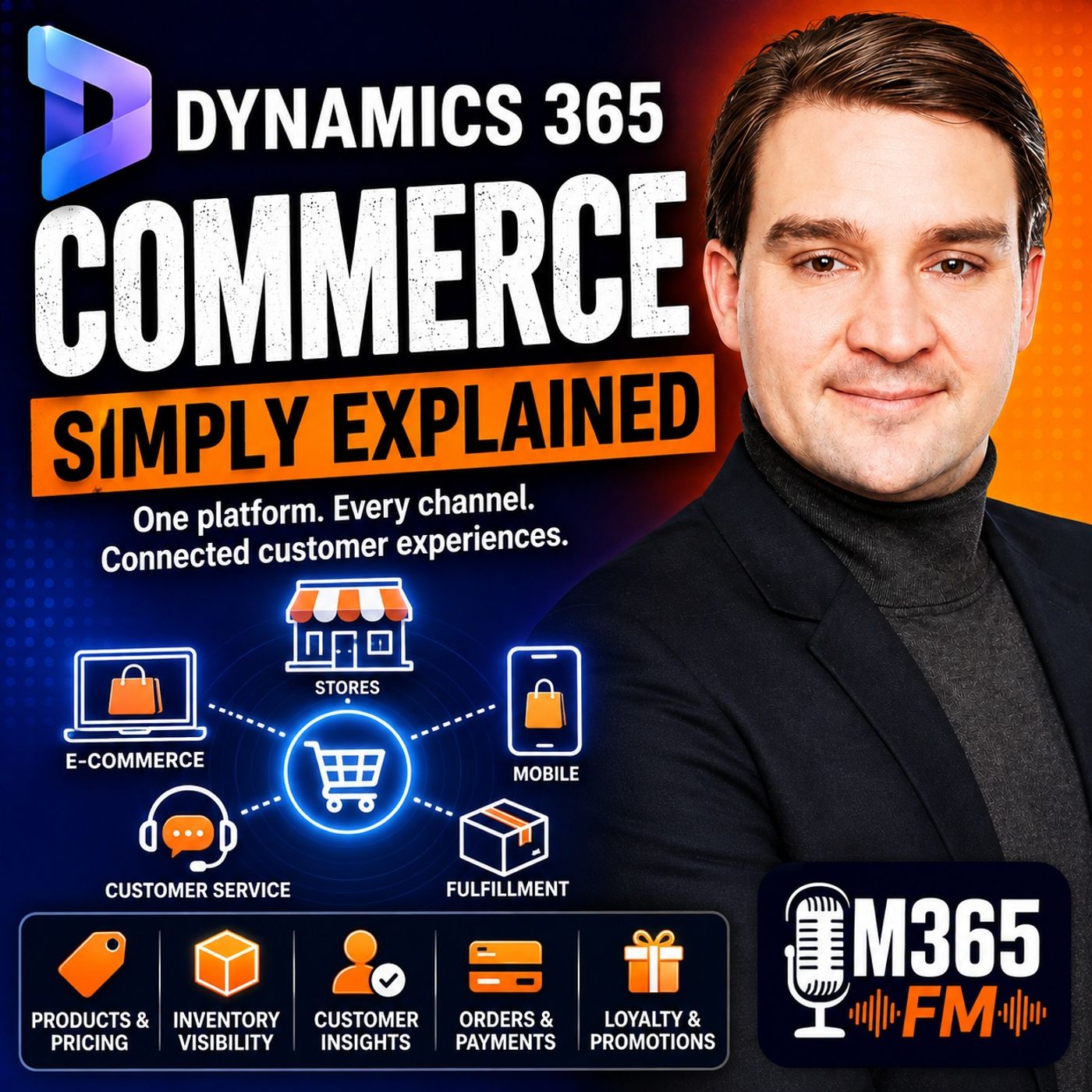
Dynamics 365 Commerce - Simply Explained
Show notes
A customer discovers a jacket online, checks whether it is available in a nearby store, orders it for pickup, and later returns it at another location. From the customer's perspective, this should be one simple shopping journey. Behind the scenes, however, that transaction can involve e-commerce, point of sale, inventory, customer information, pricing, fulfillment, payments, and returns.In this episode of Microsoft Knowledge Nuggets on M365 FM, Mirko Peters explains Microsoft Dynamics 365 Commerce in plain English and explores how it connects physical stores, e-commerce, point of sale, products, inventory, pricing, customers, orders, loyalty, fulfillment, and retail operations.Rather than treating stores, websites, and back-office systems as separate environments, Dynamics 365 Commerce provides a connected foundation for modern omnichannel retail. WHAT IS DYNAMICS 365 COMMERCE? Dynamics 365 Commerce is Microsoft's platform for connecting the processes behind selling products across physical stores, websites, and other commerce channels.Retailers need consistent answers to basic questions: What products do we sell? What does each product cost? Where is inventory available? Which orders require action? What has a customer purchased previously?When different systems provide different answers, problems quickly appear. A website might display one price while the store displays another. A product might appear available online even though the physical inventory is unavailable. Store employees may be unable to access an order created through the website.Dynamics 365 Commerce connects these activities around shared business information.It is therefore much more than an e-commerce website builder or point-of-sale application. FROM DYNAMICS 365 RETAIL TO DYNAMICS 365 COMMERCE Dynamics 365 Commerce evolved from Dynamics 365 Retail, which primarily focused on physical retail operations and point of sale.Modern shopping journeys no longer remain within a single channel.Customers might discover a product online, inspect it in a physical store, order it through their phone, collect it somewhere else, and later contact customer service.Commerce is designed around this reality.The individual channels become different entrances into the same connected retail operation rather than isolated businesses with separate information. OMNICHANNEL RETAIL Omnichannel commerce means customers can move between channels while the underlying business information remains connected.A customer might begin a purchase on a smartphone and complete it inside a store. Another customer might purchase online and collect the order from a local branch.Someone else might purchase online but return the item to a completely different physical store.The customer should not need to understand which internal system originally processed the transaction.Dynamics 365 Commerce connects customer-facing channels with products, prices, inventory, customer records, orders, and fulfillment information so retailers can create more consistent experiences across those channels. REAL-TIME INVENTORY VISIBILITY Inventory visibility is fundamental to omnichannel retail.If a website tells a customer that a product is available for collection, the business needs sufficient inventory information to support that promise.A product existing in the catalog does not necessarily mean it is physically available in the customer's preferred location.Dynamics 365 Commerce connects online shopping experiences with inventory information from stores and warehouses, allowing retailers to provide customers with more realistic availability information.This enables experiences such as checking local availability before visiting a store. BUY ONLINE, PICK UP IN STORE Buy Online, Pick Up In Store scenarios connect digital shopping with physical retail locations.A customer can find a product online, place the order, and select a nearby store as the collection point.Behind that simple customer choice, the retailer needs to know whether the selected location has appropriate inventory, whether the store can prepare the order, and when the product will realistically be ready.The store effectively becomes part of the e-commerce fulfillment network.This is one example of how Dynamics 365 Commerce turns physical retail locations into more than traditional sales floors. SHIP FROM STORE Stores can also become fulfillment locations.If a customer places an online order and a particular store has the required inventory, the retailer may choose to fulfill the order from that store rather than a central warehouse.This can potentially improve inventory utilization and give businesses additional options for fulfilling customer demand.The customer simply sees that the product can be delivered.Behind the scenes, Commerce helps connect the order with the location responsible for preparing it. CROSS-CHANNEL RETURNS Returns demonstrate why connected commerce information matters.Imagine a customer purchases an item online but later decides to return it at a physical store.In a disconnected environment, the employee might be unable to access the original online order and could tell the customer that online purchases must be handled through another system.With connected order and customer information, store employees can locate the relevant transaction and process supported return scenarios without treating the website and physical store as completely separate businesses.That creates a much more consistent customer experience. ENDLESS AISLE A physical store has limited shelf space. The retailer's wider inventory network does not necessarily have the same limitation.The endless aisle concept allows store employees to look beyond inventory physically available in their current location.If a customer wants a particular shoe size that has sold out locally, an employee may be able to check inventory elsewhere, place the order, and arrange delivery or pickup from another location.The physical shelf therefore stops defining the complete product selection available to the customer. DISTRIBUTED ORDER MANAGEMENT When several stores and warehouses can fulfill the same order, the retailer needs to determine which location should actually handle it.This is where Distributed Order Management becomes important.Dynamics 365 Commerce can use retailer-defined business rules to determine an appropriate fulfillment location based on factors such as available inventory, delivery commitments, and locations capable of fulfilling the order.Instead of every order entering a queue where employees manually determine the fulfillment location, the platform can help route orders according to established business rules.People still perform the physical work of picking, packing, shipping, and handing products to customers. STORE COMMERCE AND POINT OF SALE Physical store employees need fast access to information while customers are standing in front of them.The Store Commerce app provides point-of-sale capabilities for retail employees.Cashiers can use it at traditional checkout counters, while sales associates can use supported mobile devices around the store.According to the episode, Store Commerce supports environments including Windows, iOS, Android, and macOS, giving retailers flexibility in how employees interact with the platform.The point of sale becomes more than a payment terminal. It becomes an operational tool for helping customers. WHAT STORE EMPLOYEES CAN DO Store Commerce supports activities around the complete in-store customer interaction.Employees can process sales, find customers, check inventory, work with orders, handle returns, and access reporting.The platform can also support operational activities such as shifts and cash management.Different employees have different responsibilities, so role-based experiences can provide functionality appropriate to cashiers, managers, sales employees, or stock workers.The objective is to give employees access to the information required for their role without forcing them to navigate multiple disconnected applications. CONSISTENT PRICING AND BUSINESS RULES Customers expect prices and promotions to remain consistent across channels according to the retailer's policies.Commerce provides a shared foundation for product information, pricing, promotions, customer information, and order processing.Store employees might interact with this foundation through Store Commerce while online customers use the e-commerce storefront.Although the interfaces are different, they can rely on the same underlying commerce rules.This helps retailers reduce situations where customers encounter completely different information depending on which channel they use. WHAT IS THE COMMERCE SCALE UNIT? One of the important technical components explained in the episode is the Commerce Scale Unit.Think of it as an engine behind the customer-facing commerce experiences.A shopper might interact with a website. Another customer might use a mobile application. A store employee might use Store Commerce.Behind these different interfaces, the Commerce Scale Unit processes requests and applies commerce rules.Customers never need to know that this engine exists. They simply expect the correct product information, pricing, availability, promotions, and order actions. Become a supporter of this podcast: https://www.spreaker.com/podcast/m365-fm-microsoft-365-azure-cloud-power-platform-ai--6704921/support.
Apple Podcasts · Spotify · YouTube · Deezer
Host: Mirko Peters
Guests
Related articles
Transcript
Read the full transcript
Think about a customer who buys a jacket on your website, chooses store pick-up, then decides it doesn't fit and returns it at a different location. Are you sound simple enough, right? But for many businesses, that one purchase touches separate systems. The website knows the order, the store register knows the return, a stock system, tracks where the jacket sits, and customer details live somewhere else entirely. That creates gaps, delays, and awkward conversations at the counter. I'm Mirko Peters from M365FM, and this knowledge nugget breaks down Dynamics 365 Commerce in plain English. Imagine a retail business as an office building. The website and physical stores are different entrances, but behind the scenes they should all lead into the same connected space. So what exactly is Dynamics 365 Commerce? What Dynamics 365 Commerce actually is? Here's the problem a retailer faces. You need one shared view of the basics, what products you sell, what each costs, where stock sits, which orders need action, and what a customer has bought before. What that shared view people spend their day checking systems against each other, oh, a store worker sees one price, the website shows another, and someone promises an item that isn't actually available. Nobody enjoys that. Dynamics 365 Commerce connects the work behind selling products across stores, websites, and back office teams. It gives a business one connected platform that handles everything customer see and everything they don't. Now notice I didn't call it a website builder. A website builder helps you create pages, people browse online, and a cash register system helps someone take payment at a counter. Dynamics 365 Commerce can support both, but it also connects them to product details, stock, pricing, customer records, orders, and the wider business work behind them. That shared connection changes the conversation. Instead of asking which system has the right answer, your team works from the same business information even when customers enter through different doors. Commerce grew from Dynamics 365 retail, which focused on physical shops and point of sale, but Microsoft expanded it because shopping no longer stays in one place. The person might look at a product online during lunch, visit a store after work, and ask customer service for help later. The purchase can move between channels while the business keeps the same record. Picture that office building again, or O, the physical shop is one entrance, the online store is another, and a call center can be another. Behind each door, Commerce connects people to shared rooms for products, prices, stock, orders, and customers. That doesn't mean every business runs exactly the same way. A retailer can set up product ranges, prices, and promotions for the channels it runs, while back office teams manage the business rules. Store workers and online shoppers then use those rules through screens designed for their jobs. Commerce also connects with other Dynamics 365 apps and Microsoft services. Oh, supply chain management handles products, inventory, warehouses, transportation, and distribution. Finance manages the financial side of store and online activity, and Dataverse helps business apps share information. Each app has its own job, but Commerce connects selling activity to the rest of the business. Now let's follow one purchase through that building, because that's where this becomes much easier to see. One customer journey across every channel. Welcome to another episode. Today we're breaking down the customer journey across every channel. Let's dive in. Imagine Maya is looking for a jacket. She opens the retailer's website on her phone, finds the color and size she wants, and checks whether the nearby store has stock before she leaves home. That stock answer has to be right out. If the site says it's available, the shelf better have it. Next 365, Commerce connects the online shop to real-time stock from stores and warehouses, so customers see what the business can actually promise, rather than every product in the catalog. A jacket might appear in the product list, but that doesn't mean it's sitting on a shelf nearby. When Maya sees her size is available for pickup, she places the order online and collects it at the store. If the local branch doesn't carry it, she can choose home delivery instead. The business could even send the jacket from a different store that has the stock. For Maya, those choices appear during checkout. During the scenes, the business needs to know exactly where the item sits, which location can prepare it and how quickly it can reach her. A store isn't just a place where people walk in and buy things anymore. It can prepare online orders, hold pickup orders and ship items to customers. That gives shoppers more ways to buy without forcing them to understand how the retailer runs its stock. Now, here's where it gets interesting. Say Maya picks up the jacket, takes it home and changes her mind. A few days later, she visits another branch and asks to return it there. The staff member should be able to find the original online order, see what Maya bought, and process the return without asking her to contact the website first. The order and customer record travel with the purchase, even though the sale began online and the return happens in a different store. That removes one of the most common frustrations in retail, being told that an item belongs to a different system. There's another useful moment at the store counter, too. Maya visits a branch to try on shoes, finds the right pair, but learns her size has sold out at that location. A disconnected store can only shrug and center elsewhere. As an endless aisle approach, the sales worker can look beyond that one shop's shelves. They can check stock in another store or warehouse, place an order for Maya, and arrange delivery to her home or pick up at a location that works for her. The physical shelf stops being the full limit of what the store can sell. Of course, someone still needs to decide where each order should come from. If several stores and warehouses hold the same shoe, sending it from the wrong place can add cost, slow delivery, or leave a local shop short of stock. Dynamics 365 Commerce includes distributed order management for this job. In plain English, it uses business rules to choose a suitable place to fulfill an order based on the choices the retailer sets. Those rules account for available stock, the delivery promise, and the places that can fulfill the order. So an order doesn't just land in one big queue waiting for a person to guess what to do. The system directs it to a store or warehouse that fits the retailer's rules while staff handle the actual picking, packing, pick up, or delivery work. Maya sees a simple choice, pick up or delivery. The retailer sees a chain of connected decisions that has to hold together from the first product search through the final return. That customer journey only works when the people in the store can act on the same information and they need tools built for the counter, the shop floor, and the stock room. The physical store. Store commerce and point of sale. At the counter, staff need fast answers. They can't stop a customer mid-purchase to open several systems and search for an order while a queue grows behind them. They need one screen that lets them sell, return, check stock, and help the person standing right there. The tool is the store commerce app. Store commerce is the point of sale app I'll often shorten to PO cell for people working in a physical shop. Akashi uses it at a fixed register and a sales worker carries it around on a mobile device to help customers wherever they are. The same app runs on a desktop, tablet, or phone. It works on Windows, iOS, Android, and Mac OS. That gives retailers flexibility. A big store might use traditional checkout counters. A smaller shop might use tablets. But either way, the sale is the same kind of transaction. Each of this, a sales worker near Maya and the shoes. Maya asks if her size is available, the worker searches, checks stock, finds the item, and completes the purchase right there. If Maya wants to return something instead, the worker can find her customer record or order and start the return from the same tool. Normal stuff, right? But it all depends on good information. Store commerce supports cash and carry sales, customer lookups, inventory checks, order work, returns, and reporting. Store staff can also manage things around the sale, like shifts in cash management, rather than treating the register as nothing more than a payment machine. A point of sale becomes a work tool for the whole store. Connection quality matters too. Internet isn't always perfect in stores, especially large buildings, remote locations, or places where the network drops for a while. Commerce runs in the cloud, but it can also use edge setups closer to the store so retailers can plan for their local conditions. Customers still expect the counter to work. That doesn't mean a store worker needs to understand cloud systems or network design. They open the app, follow the steps for their role, and help the customer. In the scenes, the retailer chooses the setup that keeps stores operating when connectivity changes. Roll-based screens keep that practical. A cashier needs a simple way to process a sale. A store manager needs different options, a stock worker needs product info. Commerce can tailor the experience for each role instead of putting every button in front of everyone. And here's a key point. The store sale follows the same business rules as an online sale. Prices, product details, customer info, and order records don't need different rules for the website and the shop floor. Half-use store commerce shoppers use the store front, but both pull from the same commerce foundation that keeps the experience consistent and staff don't have to remember a bunch of exceptions. So a physical store becomes more than shelves and a register. It becomes a connected part of the whole operation where staff can help customers buy, collect, return, or order products using the information the business already manages. But all those staff screens need a shared brain behind them, one place that handles products, orders, and prices before any screen asks for an answer. The engine behind the storefronts. So that shared brain I've been talking about has a name of the Commerce Scale Unit. It sounds technical, but think of it as the engine room that runs every selling rule behind a retailer's channels. Whether a customer buys through a website, a store app, or a custom shopping app, the business builds, this engine handles every single request. Customers never see it. They see a product page, a checkout screen, or a sales worker's device. During the scenes, the Commerce Scale Unit takes the requests, those screens send, and applies the same Commerce rules everywhere people buy, one set of logic every channel. That's the magic of it. This brings us to Headless Commerce. Headless simply means the selling engine lives apart from the screen a person looks at. The engine doesn't care if a customer uses a website, a phone app, a self-service kiosk, or a store worker's tablet. It gets a request, runs the business rules, and sends back the answer. The screen is the face, the Commerce Scale Unit is the working part behind that face. Notice I didn't say the screen does nothing. Oh, it does a lot, but the logic stays separate. Separating the two lets a retailer change or build a custom experience without rebuilding all the rules for products, prices, stock promotions, and orders each time. Imagine a retailer launching a new mobile app. Without this approach, the team might need to rebuild the logic that checks product availability, calculates prices, applies discounts, and creates orders. With Commerce, the new app can just connect to the same engine already used by the online store and the store commerce app. Instead of rules, it supports many customer experiences. That's the whole point, and here's why that matters. Customers don't care which technical system answered their question. They care that the price on their phone matches the price in the store, and that an item shown as available can actually be ordered. The connection between the screen and the Commerce Scale Unit works through APIs. API stands for Application Programming Interface, but you don't need to remember the full name. Picture a service counter in a large store. A website asks the counter, "What's the price of this item?" The counter checks the Commerce rules and returns the price. Another request might ask, "Can this customer order this item for pickup?" Or, "Please create an order for these products." The API carries those requests between the customer facing screen and the Commerce Engine. The website doesn't need to know how prices or orders work behind the scenes, though, it just asks for the result through the counter, and the Commerce Scale Unit applies the retailers' rules before answering. That setup also gives businesses room to build something beyond the standard storefront. They might create a shopping experience inside their own mobile app. A partner could build another sales channel. The same Commerce Engine can support those experiences, so the business doesn't start over with a different set of selling rules every time it opens a new door. Dynamics 365 Commerce also comes with its own e-commerce storefront. That's the website system customers actually see and click through IO, product information, images, menus, search results, checkout steps. It uses React, a web development framework that helps teams build interactive web pages. You don't need to be a web developer to understand the practical part. The storefront can prepare parts of a page on the server before it reaches a customer's browser, and it can also update parts of the page in the browser as the customer clicks, searches, filters, or adds products to a cart. That combination helps the site load pages and respond quickly to customer actions. A retailer can also use Site Builder, the web-based tool for people who manage pages and marketing content. They can work on the customer facing site without changing the Commerce Engine that handles product, price, and order requests behind it. The site and the engine have different jobs, but retailers don't all run stores under the same conditions. One location may have stable internet and work well with cloud services, while another sits somewhere with weak or unreliable connectivity. Commerce accounts for that difference. A Commerce Scale Unit can run in Microsoft's cloud, where Microsoft manages the service. It can also run as a self-hosted unit closer to a store, where the retailer manages that local setup. A business can use a mix of both. That choice lets retailers plan based on how each location works, rather than forcing every shop into one technical setup. A self-hosted unit can keep the same Commerce Logic closer to a store where internet access may cause problems, while cloud units support channels through Microsoft managed Azure regions. Store staff don't need to think about any of this while helping a customer. They use the screen in front of them, a shop uses the website or app in front of them. Yet each channel depends on the engine room responding with the right product information, price, stock answer, and order action. Once those sales start flowing, the information needs to stay connected too, because products, customer records, and stock can't each live in their own separate drawer. Data, loyalty, and safer buying. Every time you make a sale, you're creating information. Product, price, store, customer order details, ooh, all of it. If that information stays scattered, a business can sell all day and still struggle to see what people are actually buying. Dynamics 365. Commerce connects business data, with dataverse and Azure Data Lake storage. Dataverse works like a shared business filing cabinet for Microsoft Business Apps. Sales and customer service can use it to store and share business information, so teams aren't forced to copy the same customer or account details between separate tools. That creates a clearer customer record. Here's the thing, a customer might buy from the website, speak to a sales worker in a store, then contact support later. When the connected apps use shared information, each team can work from the same customer details instead of starting the conversation from scratch. Azure Data Lake storage handles a different kind of job. Picture it as a large storehouse for business data. Business can send transaction data there, along with information from the online shop, so the business can study activity over time instead of only looking at the latest sale. This gives teams more room to ask useful questions, which products sell well in certain stores, which categories bring in sales but leave little margin, which channel drives the most orders. Commerce reporting can help managers look across products, categories, employees, terminals, stores, and selling channels. A store worker can also see reports connected to the point of sale, while people in the back office can review activity across the business after data sinks. The reports don't run the store for anyone. They give people a clear review of what happened, so a manager can spot patterns before deciding what to change with stock, pricing, or promotions. Customer loyalty sits in the same connected picture. A retailer can set up a loyalty program where purchases earn points. A customer can later redeem those points on a future purchase, whether the business allows that installs online or both. That turns a simple purchase into an ongoing relationship. When a customer chooses to identify themselves, commerce can also bring their purchase history into the conversation. A sales worker may see information that helps them speak more clearly about what that person has bought before, while the online shop can show product recommendations based on buying patterns. Recommendations don't read a customer's mind. They use shopping and purchase information to suggest items a customer might want to see. That can help people find related products, but the retailer still needs sensible product data and a shopping experience that treats customers with respect. Online reviews need care too. Employment commerce includes ratings and reviews for e-commerce storefronts, so customers can post feedback and retailers can show ratings on product pages. As your cognitive services can automatically filter profane words in 40 languages and retailers also have moderator tools for handling concerns, feedback, removal requests, and data requests. A review system needs more than a star school. It needs a way to keep product pages useful without leaving every problem for a person to find by hand. Payment fraud creates another concern, especially when orders arrive through digital channels. Dynamics 365 fraud protection can connect with commerce to support real-time fraud decisions. The service uses information from its fraud protection network, device signals, and rules set by the business to help assess transactions. No software removes every risk. A retailer still needs clear policies and people who can handle exceptions, but connected fraud tools can help the business review online orders without treating every customer as a problem. So commerce brings together selling data, customer loyalty, reviews, and fraud checks around the purchase. It sounds like a lot because it is, the next question is simpler, which businesses actually need this platform and what work does it still leave to people. Who uses commerce and what it does not matter place? Picture a clothing brand with physical shops and its own website. That business needs the same product info, prices, stock numbers, and order details available in both places. Dynamics 365 commerce connects all those channels so everything stays consistent out, no more emailing spreadsheets back and forth. Does it matter if you run one shop or 50? Not really. What counts is that the store, the website, and the back office team all use the same shared information instead of passing updates between separate systems. That do tips the core idea. Commerce also works for manufacturers and distributors that sell to other businesses. Say a manufacturer gives its distributors a self-service portal where they check inventory, browse products, and place orders. That outermost B2B commerce and commerce supports those buying experiences through its commerce APIs. Notice the buyer is now empty a walk-in shop at this time. It could be a company placing repeat orders, checking availability, or arranging delivery for their own customers. Now does commerce replace the people? No. Back office teams still handle product setup, pricing, and promotions, stock and order tracking, and sales and margin reports. Commerce gives those teams connected tools, but it does now, temity, you turn retail into a system that runs on its own. People are still essential. Most people here owe commerce, and think it only means building an online shop. An online shop can be part of it, but commerce reaches far beyond that to into the store counter customer records, loyalty programs, product setup, order handling, and all the data behind those jobs. It does noten t replace your warehouse, store workers, delivery partners, or return process. Software can root in order based on rules, but a real person still picks the item, packs it, hands it over or puts it back on the shelf. If your business has messy product details or unclear rules, commerce just connects that mess faster. It does now, to map clean it up. So who should use it? Companies where store operations, online selling, and back office work all need to share the same information. Go back to the building picture. Commerce does know, temity, build the products, stock the shelves, or greet customers at the door. It connects all the entrances to the same business inside. Conclusion, the connected retail building. Think of Dynamics 365 Commerce as the system that links every shopping entrance, A/O store, website, phone A/O to the same products, stock, orders, and customer info. No more separate silos or manual updates between systems, are you? Everything works from the same foundation. That wraps up another knowledge nugget. Subscribe on your favorite podcast platform for more Microsoft knowledge nuggets with me, Mirko Peters at M365FM. Then continue with the next plain English Dynamics 365 Building Block.