 EN
EN Deutsch
 Español
 Français
 Italiano
 Português
 Nederlands
 Polski
 Bahasa Indonesia
 Русский
 Українська
 العربية
 עברית
עברית हिन्दी
 日本語
日本語 한국어
한국어2026-08-17 · Season 3
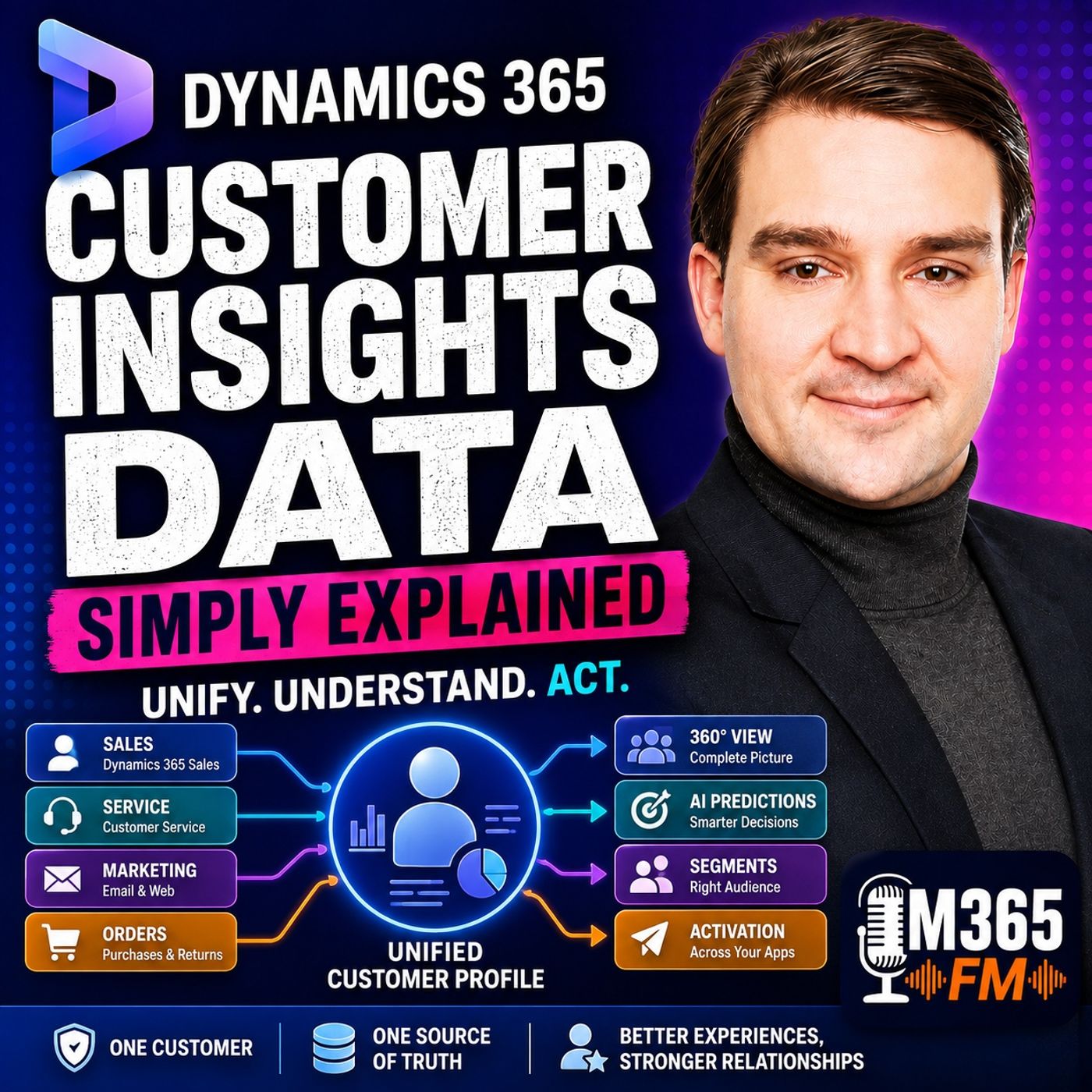
Dynamics 365 Customer Insights Data - Simply Explained
Show notes
What happens when the same customer appears in three different systems—and every system tells a different story?Sales sees an open opportunity. Customer service sees recent complaints. Marketing sees email clicks and website activity. An order system knows the customer has already purchased twice. Each department has useful information, but nobody has the complete picture.In https://www.m365.fm/customer-insights-data/ of Microsoft Knowledge Nuggets on M365 FM, Mirko Peters explains Microsoft https://www.m365.fm/dynamics-365-customer-insights/ - Data in plain English and explores how organizations can bring fragmented customer information together, unify records, create 360-degree customer profiles, calculate measures, build segments, use AI-powered predictions, and activate customer insights across Microsoft business applications.https://www.m365.fm/categories/power-platform-talk/ Customer Insights - Data is Microsoft's Customer Data Platform (CDP). Its purpose is not to replace CRM, sales, service, or marketing applications. Instead, it connects information from those systems to create a more complete and usable understanding of each customer. WHY SCATTERED CUSTOMER DATA CREATES BAD DECISIONS Most organizations already have significant amounts of customer data. The problem is that the information is often distributed across multiple systems.Dynamics 365 Sales may contain contacts, accounts, opportunities, calls, meetings, quotes, and notes. Customer service systems contain cases, complaints, product issues, and support conversations. Marketing systems track email opens, clicks, forms, event registrations, and website engagement. Order platforms contain purchases and returns.Every system provides a useful perspective, but none necessarily provides the complete customer story.This can create situations where sales approaches a customer who currently has a serious support problem, marketing sends an upgrade promotion to someone who just purchased the product, or customer service fails to recognize that the caller is one of the company's most important customers.The problem is not necessarily missing information. The information exists—it simply is not connected. WHAT IS DYNAMICS 365 CUSTOMER INSIGHTS DATA? Dynamics 365 Customer Insights - Data is a Customer Data Platform, commonly abbreviated as CDP.A CDP brings customer information from different approved sources together, identifies records that appear to represent the same customer, and creates unified customer profiles that other business processes can use.Think of it as a central customer records room.Sales contributes customer and opportunity information. Service contributes cases and interactions. E-commerce or order systems contribute purchases and returns. Websites contribute digital interactions. Other business applications contribute additional customer information.Customer Insights - Data organizes these records and attempts to connect the information belonging to the same customer. WHAT IS A 360-DEGREE CUSTOMER VIEW? The term 360-degree customer view sounds complicated, but the underlying concept is straightforward.Instead of understanding a customer from only one perspective, organizations can combine multiple types of information into a broader profile.That profile might show who the customer is, what they purchased, which service cases they opened, which events they attended, and how they recently interacted with the organization online.It is not a magical perfect view of everything about a customer.It is a more complete business view created from the customer information an organization has legitimately connected. CUSTOMER DATA TYPES Customer information can come in many forms.Demographic or profile information can include names, addresses, job titles, organizations, and contact information.Transactional data can contain purchases, payments, returns, subscriptions, or reservations.Behavioral information can describe actions such as visiting a webpage, opening an email, registering for an event, submitting a form, or using an application.Operational information can provide additional context from service processes, inventory systems, or connected devices.Combining these different types of data allows organizations to understand more than what appears in a single CRM record. CUSTOMER INSIGHTS DATA VS CUSTOMER INSIGHTS JOURNEYS Microsoft uses the Customer Insights name for two closely related areas, but their responsibilities are different.Customer Insights - Data brings customer information together, creates unified profiles, calculates insights, and builds customer segments.Customer Insights - Journeys focuses on customer communications and journeys across channels such as email and text messaging.An easy way to remember the distinction is:Data understands the customer. Journeys communicates with the customer.Customer Insights - Data can prepare the audience and customer context. Customer Insights - Journeys can then use that information when the organization decides how and when to communicate. CUSTOMER INSIGHTS DATA VS DYNAMICS 365 SALES Dynamics 365 Sales and Customer Insights - Data also perform different jobs.Dynamics 365 Sales gives sales professionals the tools required to manage leads, opportunities, accounts, activities, and customer relationships.Customer Insights - Data takes a broader perspective.It can incorporate information from Dynamics 365 Sales while also connecting approved information from service platforms, websites, order systems, cloud data platforms, and other sources.It therefore extends the customer context available around CRM processes rather than simply replacing Dynamics 365 Sales. BUILDING THE UNIFIED CUSTOMER PROFILE Creating a unified customer profile begins by bringing appropriate data sources into a Customer Insights environment.An environment acts as a controlled workspace where customer information can be imported, prepared, unified, and managed.Organizations then connect the sources containing relevant customer information.These sources may contain customer tables, order tables, service records, website interactions, or other structured business information.The challenge is that different systems rarely describe customers in exactly the same way. DATAVERSE, FABRIC, AZURE AND OTHER DATA SOURCES Organizations using Dynamics 365 and https://www.m365.fm/power-platform-simply-explained/ may already have significant amounts of customer information stored in Microsoft Dataverse.Customer Insights - Data can also work with data from platforms discussed in the episode including Azure Data Lake, https://www.m365.fm/microsoft-fabric-onelake-simply-explained/, and Azure Synapse Analytics.Power Query connectors provide another method for bringing information from databases, business applications, and other connected sources into the customer data environment.The purpose is to connect relevant customer information regardless of whether every source uses the same structure. DATA MAPPING Different systems often use different names and formats for the same information.One database might use a field called "Email Address." Another might simply use "Email." Phone numbers might appear with or without country codes. Names can contain different formatting, titles, or spelling.Mapping tells Customer Insights what those incoming fields actually represent.Organizations identify fields representing information such as names, email addresses, phone numbers, customer IDs, addresses, and other attributes useful for identifying customers.Relationships between business records also need to be understood.An order means little in a unified profile unless the system can determine which customer placed it. CUSTOMER MATCHING Matching is one of the most important parts of customer data unification.Suppose Alex Morgan appears in Dynamics 365 Sales using a work email address, in a support platform using a personal email address, and in a webinar registration using a name and telephone number.Those records may represent the same person.However, matching customer information is not as simple as automatically joining identical names.Two different people can have the same name. Family members may share email addresses. Customers change jobs and email addresses. Phone number formats vary.Customer Insights - Data therefore allows organizations to define matching conditions based on appropriate combinations of identifying information.The objective is to connect records when there is sufficient evidence that they represent the same customer. DUPLICATE REMOVAL Before creating the wider customer profile, organizations also need to deal with duplicate records.A customer might appear twice because someone submitted a web form more than once, an import created another contact, or another business process accidentally created duplicate information.Duplicate removal helps prevent a single customer from being represented multiple times before broader unification takes place.Clean source data therefore remains important even when sophisticated customer data technology is available. THE GOLDEN CUSTOMER RECORD After matching and deduplication, Customer Insights - Data can create a unified customer profile.This is sometimes described as a golden record.The term does not mean that the platform creates a magically perfect version of the customer.Instead, it represents the best combined customer profile that can be created from the approved information and matching rules provided by the organization.A unified profile might combine contact information from one source, account relationships from another, purchase histo Become a supporter of this podcast: https://www.spreaker.com/podcast/m365-fm-microsoft-365-azure-cloud-power-platform-ai--6704921/support.
Apple Podcasts · Spotify · YouTube · Deezer
Host: Mirko Peters
Guests
Also available in other languages
- شرح Dynamics 365 Customer Insights – Data: توحيد بيانات العملاء وملفات 360 درجة والشرائح (دبلجة بالذكاء الاصطناعي) (ar)
- Dynamics 365 Customer Insights – Data einfach erklärt: Kundendaten vereinen, 360-Grad-Profile und Segmente (KI-Synchronfassung) (de)
- Dynamics 365 Customer Insights – Data explicado: unifica datos de clientes, perfiles 360° y segmentos (Doblaje IA) (es)
- Dynamics 365 Customer Insights – Data expliqué : unifier les données clients, profils 360° et segments (Doublage IA) (fr)
- Dynamics 365 Customer Insights – Data בפשטות: איחוד נתוני לקוחות, פרופיל 360° ופלחים (דיבוב AI) (he)
- Dynamics 365 Customer Insights – Data dijelaskan: satukan data pelanggan, profil 360° dan segmen (Sulih Suara AI) (id)
- Dynamics 365 Customer Insights – Data spiegato: unificare i dati dei clienti, profili a 360° e segmenti (Doppiaggio IA) (it)
- Dynamics 365 Customer Insights – Data をやさしく解説:顧客データの統合、360度プロファイル、セグメント(AI吹き替え) (ja)
- Dynamics 365 Customer Insights – Data 쉽게 이해하기: 고객 데이터 통합, 360도 프로필과 세그먼트 (AI 더빙) (ko)
- Dynamics 365 Customer Insights – Data ലളിതമായി: ഉപഭോക്തൃ ഡാറ്റ ഏകീകരണം, 360° പ്രൊഫൈൽ, സെഗ്മെന്റുകൾ (AI ഡബ്ബിംഗ്) (ml)
- Dynamics 365 Customer Insights – Data uitgelegd: klantgegevens samenvoegen, 360°-profielen en segmenten (AI-nasynchronisatie) (nl)
- Dynamics 365 Customer Insights – Data ਸੌਖੇ ਸ਼ਬਦਾਂ ਵਿੱਚ: ਗਾਹਕ ਡਾਟਾ ਇਕੱਠਾ ਕਰੋ, 360° ਪ੍ਰੋਫਾਈਲ ਅਤੇ ਸੈਗਮੈਂਟ (AI ਡਬਿੰਗ) (pa)
- Dynamics 365 Customer Insights – Data w prostych słowach: łączenie danych klientów, profile 360° i segmenty (Dubbing AI) (pl)
- Dynamics 365 Customer Insights – Data explicado: unifique dados de clientes, perfis 360° e segmentos (Dublagem IA) (pt)
- Dynamics 365 Customer Insights – Data простыми словами: единые данные клиентов, профиль 360° и сегменты (ИИ-дубляж) (ru)
- Dynamics 365 Customer Insights – Data எளிமையாக: வாடிக்கையாளர் தரவு ஒருங்கிணைப்பு, 360° சுயவிவரம், பிரிவுகள் (AI டப்பிங்) (ta)
- Dynamics 365 Customer Insights – Data సులభంగా: కస్టమర్ డేటా ఏకీకరణ, 360° ప్రొఫైల్, సెగ్మెంట్లు (AI డబ్బింగ్) (te)
- Dynamics 365 Customer Insights – Data простими словами: єдині дані клієнтів, профіль 360° і сегменти (ШІ-дубляж) (uk)
Related articles
Transcript
Read the full transcript
What if one customer shows up in three systems and each one tells a completely different story? Sales, season, open deal, support, season, complaint, marketing, see someone who clicked an email last week, "Oh, but that same person has already bought from you twice. Nobody looking at a single screen can see the whole picture." I'm Mirko Peters from M365FM, and this knowledge nugget puts that picture back together in plain English. You'll see why scattered customer data causes real headaches, and why companies need one shared view before they can treat customers like people, instead of rows, in separate lists. Why scattered customer data creates bad decisions? Imagine you run a company that sells equipment to other businesses. Your sales team uses Dynamics 365 sales. They see contacts, accounts, calls, meetings, open opportunities, quotes, and notes from past conversations. That helps the salesperson prepare for a call, but it only shows work inside the sales system. Your support team handles work somewhere else. They see service cases, broken products, questions, complaints, and the conversations needed to solve a problem. An agent knows a customer contacted support three times this month, yet that history never shows up on the sales record. Marketing has its own set of information. They know who opened an email, clicked a link, filled in a form, visited a page, or signed up for an event. A marketer sees strong interest in a new product, while the support agent sees a customer frustrated with the product they already own. Here's the simple analogy. Think of it like an office building with separate rooms. Each room has its own window AU. Sales sees one view, support sees another, and marketing sees a third. Nobody has the whole picture until you open the doors between them. That's what a shared customer file does. Oh, it opens the doors. Nobody is doing anything wrong. The information simply lives in separate places, built for separate jobs. Sales needs to manage deals, service needs to solve cases, marketing needs to understand engagement, order sit in a different system, and website activity lives in an analytics tool. That split creates a strange situation. Here's an example. Take a customer named Alex Morgan. In the sales system, Alex has an account record with an old work email and an active opportunity. Over in the support system, Alex shows up under a personal email with two recent cases. And on the website, Alex signed up for a webinar using only a first name, last name, and phone number. Those records all belong to the same person, but without a way to connect them, the company sees three different Alex Morgan's. Sales prepares a friendly pitch, marketing sends a promotion for an upgrade, and support asks Alex to repeat the same details from the last call. From Alex's side, it feels disorganized. You've seen this yourself or you contact a company about an issue, explain it clearly, then receive a cheerful email asking whether you'd like to buy more. The company has the information, but its teams just don't share the same view of it. Bad data links create smaller problems too. A duplicate record leads to duplicate emails and old email address leaves the right person out of a message, and a missing connection between an order and a service case hides the reason a customer stopped buying. Then people start exporting lists into spreadsheets, marketing creates one list, sales creates another, service keeps its own report. Before long, teams debate whose list is correct while the customer waits for someone to understand the full situation. This affects decisions every single day. A sales manager chases customers who recently raised serious issues, a marketer sends a discount to someone who already purchased that full price. And a service leader doesn't know a caller is one of the company's largest customers. But the answer isn't to force every team into one app AU. Each team still needs tools built for its job. What they need is one shared customer file that can connect the separate records. That way, every team starts with the same person, not a different version of that person, or what customer inside's data actually is. So what joins those different customer records together, without forcing every department to use the same app, the answer is Dynamics 365 customer inside's data, Microsoft's customer data platform often called a CDP. With the simplest definition, a CDP pulls customer data from every system you use into one place, connects records that belong to the same person, and builds a lasting profile your business tools can work with. Picture it like a big filing room. Every department sends folders into that room, sales, sense, contact details, and deal history. Support sense case records, your website sends signups and page visits, and your order system sends purchases and returns. On their own, those folders might use different labels, different formats, even different customer numbers. Customer insights, data sorts through them all, and puts together one customer file from the records that belong together. That file gives you what people call a 360 degree view. You hear that phrase a lot, so here's what it means. A 360 degree view just means you can look at one customer and see more than one type of interaction. Who they are, what they bought, when they called support, and how they engaged with you online. It's a fuller picture, not magic. Customer data normally falls into a few common types. Demographic data describes the person, name, address, job title, company. Transactional data records an exchange, a purchase, return, payment, reservation, or subscription. Behavioral data captures actions like opening an email, visiting a product page, filling in a form, using an app, or registering for an event. Customer insights, data can also bring in operational data like inventory or service information, plus data from connected devices, Internet of Things or IoT devices. A company selling connected machines might want to look at machine activity alongside customer history. A service team could see that a customer called a "bout a problem" while the operational data shows the machine also reported an error. That context changes the conversation. Notice I'm saying customer insights data, not customer insights journeys. They're both under the customer insights name, but they handle different jobs. Data brings information together, prepares profiles, and finds useful patterns. Journeys uses those profiles and groups of customers to send emails, texts, and other communications. One side, organizes and understands the customer data. The other side uses that understanding when talking to people. You can picture data as the records room and journeys as the communications desk. Now, a lot of people confuse this with Dynamics 365 sales. Dynamics 365 sales helps a salesperson manage relationships and sales work by tracking leads, opportunities, activities, and account conversations, giving the sales team a place to do their job. Customer insights data takes a wider view. It can take information from Dynamics 365 sales, but it can also connect info from service systems, websites, order systems, data stores, and other approved sources. It doesn't replace sales. It adds the surrounding customer context that sales alone might not have. Behind the scenes, customer insights data runs on Microsoft Azure, meaning Microsoft provides the cloud foundation for storing, processing, and protecting the data. The product also includes tools for privacy, security, and governance. Governance is just the set of rules that controls who can access data and how the company can use it. A customer profile carries personal information, so those rules need to be part of the design from the start. Once you understand customer insights data as the place where separate customer records become one usable profile, the practical next question is, how do all those records get into the same workspace? Building the unified customer profile before customer insights. Data can connect anything. You create an environment. Think of an environment as a controlled workspace for this customer data work, giving your team one place to bring data in, prepare it, connect it, and manage who can work with it. Inside that workspace, you start by adding data sources. If you already use Dynamics 365, Microsoft Dataverse often supplies sales or service records, as Dataverse is the data store behind many Dynamics 365 and Power Platform apps. Customer insights data can also connect to Azure Data Lake, Fabric One Lake, and Azure Synapse Analytics. Those names sound technical, but the simple idea is that companies often keep large amounts of data in cloud storage and reporting systems. Power query connectors give you another way in. Power query is Microsoft's tool for bringing in data and shaping it before you use it, and it helps when the data sits in a database, a business app, or another connected source that doesn't look exactly like your Dynamics 365 records. Each source arrives as tables. A table is just a structured list, like a spreadsheet with columns and rows. One table might list customers, another might list orders, a third might hold service cases, and a fourth might record website signups. The hard part is that these tables rarely use the same names. One system might call a column email address, another calls it email, and a third stores a customer number with no email at all. No numbers may include country codes in one source and leave them out in another and names might arrive with different spelling, spacing, or titles. Customer insights. Data needs help understanding what each field means. This step is called mapping, and you tell the system which incoming columns contain a person's name, email address, phone number, customer number, address, or other details that can help identify them. You also map the business records connected to people. An order table needs to connect purchases to the right customer, and a case table needs to connect service history to the same person. Without those relationships, you have lists of events, but no reliable way to see whose events they are. Now, you might think matching records means looking for identical email addresses and joining everything automatically. Sometimes it does, but real customer data needs more care than that. Two people can share a household email address, a customer can change jobs and get a new work email, a small spelling difference can describe the same person, while two people with the same name can be completely unrelated. Customer insights. Data lets you set matching conditions. You might match records based on an email address, combine name, phone number, and postal details, or use a customer number if your business has one. The goal is to connect records only when there's enough evidence they belong to the same person. Then comes duplicate removal. Duplicates are repeated versions of the same record inside a source table. Maybe a web form created two entries after someone clicked submit twice, or a sales import added in existing contact again. Removing duplicates helps stop one person from looking like several people before the wider matching work even starts. After the system matches records and removes duplicates, it unifies the information into a profile. People often call this a golden record, but that phrase can sound grand. So let's use a simpler meaning. It's the best combined customer profile the system can build from the records you approved. It might bring together a current email from one source, and account link from another, order history from a third and service records from a fourth. It doesn't erase the original systems. Sales still keeps it sales records, your order system still owns the orders, and supports still works from its cases. Customer insights. Data creates a connected profile for understanding the customer across those sources, while keeping track of where the information came from. That source trail matters. If someone asks where an address, phone number, or purchase detail came from, your team should be able to trace it back to the source system rather than treating the unified profile like a mystery box. A profile also becomes more useful when it includes activities over time. Customer insights. Data can connect activities from the tables you bring in and place them on a chronological timeline, a purchase on Monday, a support call on Thursday, a product page visit the following week. Each event adds context when you look at the customer's recent relationship with the company. Imagine a salesperson opening a profile before calling a customer. Instead of seeing only an opportunity in a few call notes, they could see a recent order, a service case that closed yesterday, and a recent event registration. The salesperson doesn't need to guess what might shape that conversation. The profile supplies the context. Of course, a connected profile still starts as information. The next step is turning that information into answers your teams can use when they decide who needs attention, what changed, and what action makes sense. Adding. Meaning. Measures, Enrichment, and Predictions. So you can build a unified customer profile and your team can see a cleaner view of each person. But here, Tim is the thing. A list of records still one hour, Tim, to answer every business question on its own. You still need simple answers, who bought most often, who has not been ordered recently. Which customer's contacted support several times this month? Which ones look likely to leave? Customer Insights. Data answers many of those questions with something called Measures. Let our comes breakdown what a measure actually is. A measure is a calculation built from data you already have. Think of it as one agreed upon number your team tracks together. No more asking everyone to calculate it manually in Excel every time. Let our to missay you need total purchases over the past year. Create a measure or the number of days since the customer outtms last order outtms another measure. You could count service cases, calculate average order value or track event attendance. The exact measure depends on what your business needs to understand. For a subscription business, a measure shows how long someone has been a customer and whether their usage has dropped. For a retailer, it shows total spending, recent returns, or the gap between purchases. Measures turn lots of separate activity into a clear answer, that saves time. But more importantly, it helps teams use the same definition. If sales calls someone a high value customer while marketing uses a different calculation, the customer experience splits again. A shared measure gives everyone one agreed way to look at the question. Now some customer profiles still have gaps. Your system may know a person outtms name and purchase history, but not their location, company details, or other helpful information. Customer Insights. Data can enrich profiles using approved Microsoft or partner data sources. And just means adding more information to data you already have. It outmishes not an excuse to collect every possible detail. Your company should only add information it can use responsibly, and only when it fits the permissions and rules around that customer data. Used carefully, enrichment fills in missing context. For example, a business selling to companies may want clearer company information alongside its sales context, that helps a salesperson understand who they are automore speaking with before the conversation starts. Then there are predictions. Your insider insights data includes ready-made AI models that estimate churn likelihood and expected revenue. Churn means a customer stops buying, cancels a subscription, or stops engaging with your company. Expected revenue estimates what a customer relationship brings in over time. These predictions look for patterns in the data, considering purchase history, recent activity, or changes in behavior depending on the model and the data you provide. The result is a signal that helps a team decide where to look first. It outmys not a verdict about a person. A churn score does not empty mean that customer will leave. It means the available data looks similar to patterns of customers who left before, people still need to check the context and use judgment. Imagine a customer whose buying activity suddenly stops, a prediction flags that customer as a possible churn risk. Before anyone sends a windback offer, the team checks the profile and finds an open service case. Now the right action is to solve the issue first, not send a sales email that ignores the problem. Some organizations build their own AI models and use wider analytics tools for questions unique to their business. A manufacturer studies product use alongside service history. A company with its own data science team tests a model built around the signals that matter to its business. Customer insights. Data can become part of that work, but it does note them to remove the need for sound data or human review. Here are what terms the key takeaway. Measure and tell you what happened. Enrichment adds context. Predictions point you toward patterns worth checking. An insight that stays inside a profile does note them a change anything. Teams need a way to use those answers when they decide who to contact what support to give and where customer information should go next. Segment in activation. Turning profiles into action. A customer profile becomes useful when you can act on it, that automates where segments come in. A segment is a safe group of customers chosen by rules you set. Those rules use profile details, activities, behaviors and measures from customer insights data. Now it's time to manually picking names from a spreadsheet. Instead, you ask a business question and turn that question into rules. For example, show customers who opened a support case in the past 30 days have an hour time and bought anything in the past 90 days and agreed to receive communications. That group updates as customer information changes. If someone makes a purchase, they no longer fit the rules and leave the segment. If another customer opens a new case and stops buying, they enter it. Your audience stays connected to the customer information rather than becoming an old exported list. This changes how teams work. A service team uses a segment to identify customers who need extra care after repeated issues. Sales focuses follow-up on customers with a recent product interest and a history of buying similar products. Marketing creates an audience for people who attended an event but have an ultimate ask for a sales call. The point is no TNT to send more messages. It outens to make the next action fit what the company already knows. A customer with a recent problem needs an honest service update. A customer who has researched a new product for weeks needs a helpful sales conversation. Treating both people the same ignores the information your teams worked to connect. Customer insights data can also send unified profiles, segments and other prepared data to connect to destinations. A destination is another approved tool that needs the information we will. Maybe a marketing platform, an analytics tool, or another business system where your team works with customers. For organizations using Dynamics 365 apps, the customer card add-in brings customer context into other Dynamics 365 experiences. Picture a sales or service employee opening a customer record in the app they already use. The customer card places wider customer context close to their day-to-day work so their OTM says no need to search across several systems before each conversation. Customer insights journeys also uses audiences from this data work. Journeys handles customer communications like email, text messages and other planned interactions. Customer insights data prepares the people and context. These uses that audience when the company decides to communicate. Keep those jobs separate in your mind. Data answers, "Oh, who is this person and what do we know?" "Oh, journeys answers." "Oh." What communication should happen next? "Oh." That separation helps teams avoid a common mistake, building a segment does not make automatically mean you should contact everyone in it. A segment identifies a group based on facts and rules. Someone still needs to decide whether contact makes sense, which channel fits, and whether the message respects the customer's current situation. One shared segment also reduces the usual spreadsheet problem. Marketing does no OTM types need one manually cleaned list, while sales uses another version and service keeps a third list hidden in a report. Teams work from the same customer rules even when each team takes a different action. The data can travel, but it needs limits. Do you privacy, security and the CDP difference? So the bigger your customer profile gets, the more responsibility you take on, and that responsibility starts with privacy and security. When you connect names, contact details, purchase records, support history and online activity together, you need clear rules for handling that information. Consent, privacy rules and access control all matter before you start connecting. Customer Insights Data includes privacy, security and management tools that work behind the scenes. Think of it like the security desk in an office building. In plain English, you set rules about who can view customer information and how you use it. You think about customer permissions before you collect data connected, build a segment or send it to another tool. Here's the thing. More data doesn't mean you can use it however you want. The data has to match the permissions, laws and internal rules for each customer. That work happens at the beginning, not after a campaign goes wrong or a customer complains. So how is the CDP different from other customer tools? Let's break it down. Let's compare two common examples. Think about a CRM system. A tool like Dynamics 365 Sales helps sales and service teams record and manage direct relationships with customers. Sales people use it to work with leads, opportunities, calls and accounts. CRM does one job well, while customer insights data fills in the gaps across marketing and service, customer insights. Data works across a wider set of approved sources. It connects records into lasting customer profiles that other business tools can use. Think of it as extending your CRM rather than replacing where a salesperson manages a deal or a service agent tracks the case. Now compare that to an anonymous advertising audience tool. Advertising tools often group unknown people for targeting. Other insights data focuses on lasting profiles built from customer information you can connect and manage. One tool works with anonymous audience groups. The other helps you understand known customers across their entire relationship with your company. That's the difference between targeting a crowd and understanding a person. And here's the thing that shared view only works when access stays controlled. Conclusion one customer file dynamics 365 customer insights. Data lets you act from a connected customer profile instead of separate sales, service, marketing and purchase lists. I'm Mirko Peters and this has been your knowledge nugget. Subscribe on your favorite podcast platform and share it with someone who still sees customer data as separate lists because the next customer conversation might depend on information sitting in a system nobody checked.