 EN
EN Deutsch
 Español
 Français
 Italiano
 Português
 Nederlands
 Polski
 Bahasa Indonesia
 Русский
 Українська
 العربية
 עברית
עברית हिन्दी
 日本語
日本語 한국어
한국어2026-07-15 · Season 3
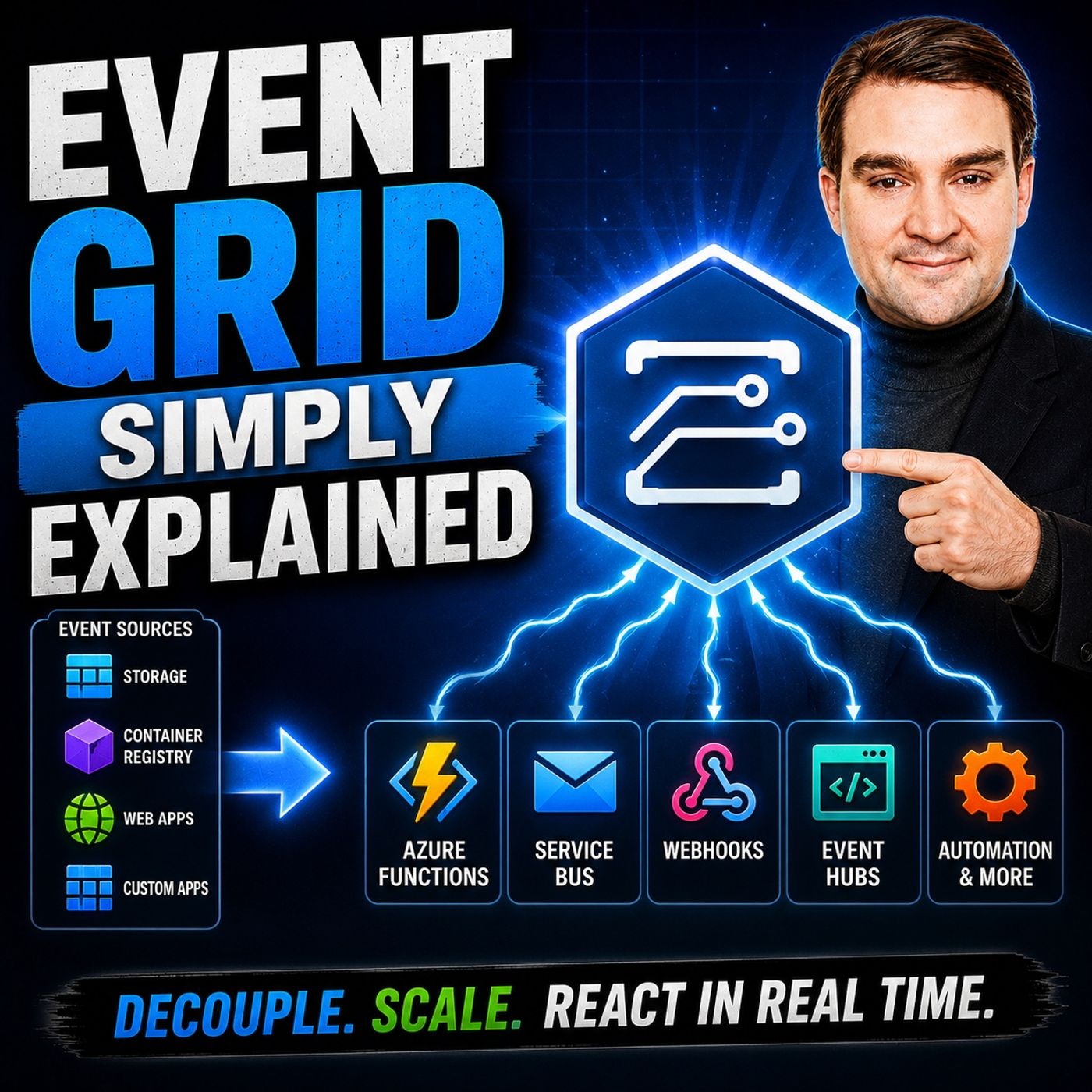
Event Grid - Simply Explained
Show notes
Learn Azure Event Grid in plain English: event sources, subscriptions, filtering, delivery, handlers, and practical event-driven Azure architecture. Modern cloud applications need to react instantly when something happens. A file is uploaded, a virtual machine is created, or an order is placed—and the right services should respond automatically without constantly checking for changes. In this episode of m365.fm, we explain Azure Event Grid in plain English, showing how it enables event-driven architectures that are faster, more efficient, and easier to scale than traditional polling-based systems. Through simple real-world examples and an easy-to-understand smart home analogy, you'll learn how Event Grid helps Azure services communicate automatically while reducing unnecessary compute, network traffic, and operational complexity. WHY POLLING IS HOLDING YOUR APPLICATIONS BACK Many applications still rely on polling, repeatedly asking whether something has changed even when nothing has happened. This creates unnecessary CPU usage, network traffic, and cloud costs while introducing delays between an event occurring and an application responding. We explain why event-driven architectures solve this problem by replacing constant requests with intelligent notifications. Instead of repeatedly checking for updates, applications simply wait until Event Grid tells them something important has happened, creating faster, more responsive, and significantly more efficient systems. EVENTS, TOPICS, AND SUBSCRIPTIONS EXPLAINED Understanding Event Grid starts with understanding its core building blocks. Learn the difference between events, topics, subscriptions, and event handlers, and discover how Azure services publish lightweight notifications that are automatically routed to the right destinations. We explain System Topics, Custom Topics, Azure Functions, Logic Apps, Webhooks, Storage Queues, and fan-out scenarios where a single event can trigger multiple automated workflows simultaneously. By separating publishers from subscribers, Event Grid creates loosely coupled applications that are easier to maintain, extend, and scale. FILTERING, RELIABILITY, AND EVENT DELIVERY Not every service needs every event. This episode explores Event Grid's powerful filtering capabilities, allowing subscriptions to receive only the notifications they actually need based on event type, resource path, prefixes, suffixes, or custom properties. We also cover enterprise-grade reliability features including automatic retries, exponential backoff, dead-lettering, and failure handling. You'll learn how Event Grid ensures important business events aren't silently lost while giving administrators complete visibility into failed deliveries and processing issues. EVENT GRID VS. EVENT HUBS VS. SERVICE BUS Azure offers several messaging services, and understanding when to use each one is critical. We compare Event Grid, Event Hubs, and Azure Service Bus, explaining the unique role each service plays within modern cloud architectures. Discover why Event Grid is designed for event notifications and serverless automation, Event Hubs excels at high-throughput telemetry and streaming workloads, and Service Bus provides reliable enterprise messaging with guaranteed delivery and ordered processing. Whether you're building cloud-native applications, automating Azure resources, or designing enterprise integration solutions, this episode provides the practical knowledge you need to choose the right Azure messaging service for every scenario. Explore more on M365.FM
- Full episode page with transcript, key takeaways and FAQ
- IoT Hub Message Routing vs Event Grid — Why Telemetry and Events Are Not the Same Problem
- Azure Event Grid - Simply Explained
- More Azure & Cloud episodes on M365.FM
- Best of Azure & Cloud: the most-listened episodes
Become a supporter of this podcast: https://www.spreaker.com/podcast/m365-fm-microsoft-365-azure-cloud-power-platform-ai--6704921/support.
Apple Podcasts · Spotify · YouTube · YouTube Music · Deezer
Host: Mirko Peters
Related articles
Transcript
Read the full transcript
Welcome to another episode of Microsoft Knowledge Nuggets here on M365. FM, I'm your host, Milco Peters. Today's topic is one that almost everyone in Azure has heard of, but few people can actually explain in plain English. It's as your event grid. So what exactly is event grid? Is it just another messaging service or is it something completely different? By the end of this episode, you'll understand what event grid actually is, why event-driven architecture matters and how to think about it using a simple smart home analogy. Imagine your phone didn't have push notifications and had to wake up every two seconds to ask the email server, do I have any new emails? Then it gets a response, no. Two seconds later it asks again and gets another no, all day long. That's wasted battery, wasted bandwidth and wasted time. And most software systems still work this way. There's a smarter approach instead of constantly asking, "You wait to be told, that's exactly what event grid enables, you'll see how Azure services can talk to each other automatically, without any manual intervention or wasteful polling." The problem, why polling is wasting your time? Let's start with the problem. Most software systems today communicate using something called polling. Polling is exactly what it sounds like. One server keeps asking another server, "Hey, anything new yet?" Over and over. Here's a real world example. Imagine you wrote a script that checks a folder on your server every 30 seconds for new files. Maybe it's looking for incoming invoices, new photos or reports from another system. Every 30 seconds the script wakes up, opens the folder, looks at every file, checks if anything changed and then goes back to sleep. 30 seconds later, it does it all over again. Now what happens most of the time? Nothing. No new files, so the script just checked an empty folder and wasted a tiny bit of compute in bandwidth. But here's the thing, multiply that by 10 scripts or 100 or 1000 services all polling each other. Suddenly you're burning CPU cycles, network traffic and electricity on checks that return nothing useful. The inefficiency is staggering because most polling checks return nothing. You're paying for compute in bandwidth to ask questions you already know the answer to. And the worst part is the more responsive you want your system to be, the more often you have to poll. Want near real-time reactions, you need to check every second, which means 86,400 empty checks per day for nothing. Now contrast that with an event-driven approach. Instead of asking anything new over and over, you simply say, "Tell me when something happens. Don't make me keep asking." It's like the difference between refreshing your inbox every two seconds and getting a push notification. One is constant work, the other is waiting to be told. So if polling is wasteful, what's the better way? That's where Event Grid comes in. What is Event Grid, the Smart Home Hub? Today's topic is Event Grid. What exactly is it? Is it just another Azure service? Or is it something much bigger? Here's the simplest definition. Event Grid is a fully managed event-rooting service in Azure. That's a mouthful, so let me say it in plain English. Think of Event Grid as the central hub in a Smart Home. In a Smart Home you have sensors everywhere, motion sensors in the hallway, door sensors on the front door, temperature sensors in the living room. Now imagine if each sensor had to talk directly to every device it needed to trigger. Your motion sensor would need to know about the hallway lights, the alarm system and the thermostat. The door sensor would need to know about the doorbell, the security camera and the welcome matte light. That's a mess. Every time you add a new device, you'd have to rewire everything. But in a real Smart Home, all those sensors talk to a central hub. The motion sensor just says "I detected motion." It doesn't know or care what happens next. The hub decides. It turns on the lights, triggers the alarm, and adjusts the thermostat. The sensor doesn't know who's listening. The lights don't know who triggered them. They just trust the hub. That's exactly what Event Grid does for your Azure services. When a file is uploaded to blob storage, it doesn't need to know which service should process it. It just publishes an event to Event Grid. Then Event Grid routes that event to whatever services are listening. There's maybe an Azure function that generates a thumbnail, a logic app that sends a notification, and a storage queue that archives the event. The publisher doesn't know the subscribers and the subscribers don't know the publisher. They just trust Event Grid to route the message correctly. And the pricing model, its paper event, the first 100,000 operations each month are free. So for most small to medium workloads, it costs essentially nothing. You're not paying for idle infrastructure. You're only paying when something actually happens. Now let's break down the pieces that make this work. Because Event Grid isn't just one thing, it's a collection of building blocks that work together. The building blocks events. Let's start with the most basic piece. The event itself. An event is simply a notification that something happened. That's it. It's not the data itself. It's a signal that says, "Hey, this thing just occurred." Think of it like a doorbell. When someone rings your doorbell, you know someone is at the door. But the doorbell doesn't tell you who it is, why they're there or what they want. It just tells you someone is there. You have to go look for yourself. Events work the same way. A blob created event tells you that a file was uploaded to a storage container. But it doesn't contain the file itself. It just says, "A file was uploaded." Here's the name. Here's when it happened. Go check it out if you need to. Now when Event Grid sends an event, it follows a specific format. You get a few key pieces of information. The event type tells you what happened. What could be blob created or blob deleted or resource write success. The subject tells you what resource it happened to. That's the exact path to the file or the resource ID. The event time tells you when it happened. An ID is a unique identifier for that specific event. And a small data field contains a few extra details like the file size or the URL to the blob. Notice I said, "Small data field." That's important. Events are lightweight. They carry just enough information to tell you something happened and where to look. They don't carry the full payload. If you need the actual file, you go get it. The event just points you in the right direction. This is a key difference between an event and a message. A message carries a payload. It's like a letter in an envelope. The letter contains the actual content. An event is more like a postcard. It says, "I'm here. Come find me." Events are notifications. Messages are deliveries. So events are the signals. There is something happened. Announcements. But where do they actually go? They don't just float around in the cloud hoping someone picks them up. They go to a topic. Topics. Where events get published. What exactly is a topic? Think of it as a mailbox for notifications. Messages send their events to a topic and the topic holds them until they're routed to the right place. Simple as that. Now, there are two types of topics in Event Grid. System topics and custom topics. Let's break them down. System topics are built in for Azure services. When you create a storage account, Event Grid automatically creates a system topic for it. You don't have to do anything. The events are already available. You can subscribe to them right away. Same with Azure Resource Manager, Event Hubs and many other services. These are the plug and play topics. They just work. No setup needed. Some topics are for your own applications. Let's say you build a custom ordering system. You want to publish events when an order is placed. So you create a custom topic and your application sends events to it. Then any subscriber can listen for those events and react accordingly. You control the topic. You control the events. Here's a smart home way to think about it. Topics are like channels on a radio. You have a motion alerts channel, a temperature changes channel, a door open channel. Senses published to the appropriate channel. Subscribers tune into the channels they care about. The motion sensor doesn't publish to the temperature channel. It publishes to the motion channel and only subscribers who care about motion listen there. So events go to topics. The topic is the mailbox. But a mailbox is useless if nobody checks it. So who's listening? That's the big question. Subscriptions and handlers who gets the news. So who's listening? That's where subscriptions and handlers come in. Let me explain. A subscription is a rule. It says send this topic's events to the specific destination. You create a subscription on a topic and you tell it where you want the events to go. That destination is called an event handler. Event handlers are the services that actually receive and process the events. They're the ones that do the work. An event grid supports a wide range of them. Let's go through the most common ones. Azure functions are probably the most popular. You write a small piece of code and when an event arrives, the function runs. No service to manage. Logic apps are another common choice. They let you build visual workflows without writing code. Great for automation. Web hooks let you send events to any HTTP endpoint even outside of Azure. And then you have storage queues and service bus which are useful when you want to buffer events for later processing. Now here's where it gets powerful. An event can trigger multiple handlers in parallel. This is called the fan out pattern. Let me explain with the smart home analogy. Imagine you arrive home. You walk through the front door. That single action arriving home could trigger multiple things. The whole way lights turn on. The thermostat adjusts to your preferred temperature. The security alarm disarms. The coffee machine starts brewing all from one event. The door sensor doesn't need to know about the coffee machine. It just says door opened. The hub handles the rest. Event grid works the same way. A single blob created event can trigger an Azure function to generate a thumbnail, a logic app to send a notification to your team and a storage queue to archive the event for later auditing all at the same time all from one event. The publisher doesn't know about any of them. It just published the event and event grid handled the routing. That's the magic of it. But here's a question. What if you don't want every handler to get every event? What if you only want certain events to reach certain handlers? That's where filtering comes in. But we'll cover that in another episode. Filtering only the events you care about. So what happens without filtering? Every subscription receives every single event published to that topic. It gets noisy and wasteful fast. Imagine your motion sensor triggers every time your cat walks by. You'd get a notification every few minutes and pretty soon you'd just ignore them. That's the problem with unfiltered events. Event grid gives you a way to filter those events. So each subscription only gets the ones it actually cares about. You can filter on the event type, the subject path, or even specific data fields inside the event. The idea is simple. Only deliver what matters. Here's a real example. Say you have a storage account with multiple containers. One holds invoices, another holds photos, and another holds logs. You want to trigger a process only when a new invoice shows up, not when a photo or log file appears. So you set up a filter on the subject field. The subject contains the full path to the blob. You tell event grid to only match subjects that start with, push, blob services, default or containers invoices. Now only files uploaded to that invoices container trigger your handler. Photos and logs are ignored completely. You can also use prefix and suffix filtering. Maybe you only want to trigger on files ending with post PDF or files that start with urgent. Event grid gives you that control without any extra code. Let's go back to the smart home analogy. You don't want your bedroom lights to turn on. Every time motion is detected anywhere in the house. You only want them on when motion happens in the bedroom and maybe only after sunset. That's filtering. It's about making sure the right events reach the right handlers and nothing else. So events are filtered and sent to the right handlers. That sounds great. But what happens when something goes wrong? What if the handler is down? What if the network fails? Reliability, retries and dead lettering. So events are filtered and sent to the right handlers. That sounds great. But what happens when something goes wrong? What if the handler is down? What if the network fails? Event grid handles this with retries. If a handler doesn't respond, event grid doesn't just give up and lose the event. It tries again using something called exponential back off. But first retry happens quickly maybe a few seconds later. If that fails, the next retry waits a bit longer. Then longer. Event grid keeps retrying for up to 24 hours. That's a lot of chances for the handler to come back online. But here's the thing. What if the handler is permanently broken? What if someone deleted the Azure function by accident? What if the endpoint URL changed and nobody updated the subscription? After 24 hours of retries, event grid still can't deliver. So where does that event go? That's where dead lettering comes in. Dead lettering is your safety net. You configure a storage location, usually a storage queue or a blob storage container. If all retries fail, event grid moves the event to that dead letter location. It's not lost. It's sitting there waiting for you to investigate. Why does that matter? Because in a real system, you don't want events to disappear silently. Imagine a payment processing pipeline, a customer places an order, an event fires. The handler that processes the payment is down. Without retries and dead lettering, that order is just gone. The customer thinks they ordered something, the system has no record of it, and you never know it happened. With retries, the system keeps trying. With dead lettering, if it still fails, you have a record of the failure. You can investigate, fix the issue, and reprocess the event. Let's go back to the smart home analogy. Imagine you arrive home and the hub sends a signal to turn on the hallway light, but the light bulb is broken. The hub doesn't just give up. It tries again a few seconds later. Nothing. It tries again. Still nothing. After a few attempts, it logs the failure. You get a notification that the hallway light needs attention. The event isn't lost. It's recorded. You know something went wrong and you can fix it. That's what event grid does. It doesn't just fire and forget. It keeps trying. And if it can't deliver, it tells you. Event grid sounds great. But when should you use something else? Because not every messaging problem is an event grid problem. Event grid versus event hubs versus service bus. Azure has three main messaging services and people mix them up all the time. Event grid event hubs and service bus. They all move data around, but they solve completely different problems. Let's break it down. Event grid is for discrete events and notifications. Think of it as a notification bell. When something happens, a file gets uploaded, a VM spins up or an order is placed. Event grid rings that bell and tells the right handler to react immediately. It's built for serverless triggers, automation and fan out patterns. If you need to react to something, this is your tool. Event hubs is for high throughput streaming. Imagine millions of IoT devices sending data every second, or application logs, or click stream data from a website. Event hubs ingests that massive stream and makes it available for analytics pipelines. It's not about reacting to individual events. It's about collecting and processing data over time. Think of it as a massive pipeline, not a notification bell. Service bus is for reliable messaging. This is your mail room. It handles queues and topics where order matters. Payment processing, order fulfillment. Any scenario where you need guaranteed delivery first and first out ordering or transactional messaging. Service bus ensures nothing is lost in everything stays in sequence. It's what you use when you can't afford a mistake. Here's a simple rule to remember. Event grid reacts. Event hubs streams. Service bus coordinates. If you need to trigger a function when a blob is uploaded, use event grid. If you need to ingest millions of sensor readings per second, use event hubs. If you need to process orders and sequence with guaranteed delivery, use service bus. And here's the thing, you can use them together. Event grid can root events to event hubs for long term storage and analytics. Event hubs feeds data into stream analytics. Service bus queues work for downstream processing. They're not competitors. They're complimentary tools in your architecture toolbox. So where does that leave us? Let's wrap this up. Event grid is the smart notification hub for your Azure services. It replaces wasteful polling with instant event driven reactions. Instead of constantly asking anything new, you wait to be told. And when something happens, event grid roots that notification to the right handlers with filtering, retries and dead lettering built in. The key takeaway is simple. Move from polling to event driven. Stop wasting compute and bandwidth on empty checks. Start building reactive systems that only do work when there's actual work to do. Here's your challenge. Think of one manual check in your environment. In script that pulls a folder, one service that queries a database every few seconds. Ask yourself, could this be an event instead? If the answer is yes, you know where to start. That's it for this episode of Microsoft Knowledge Nuggets. If you found this helpful, subscribe on your favorite podcast platform and share this with someone starting there as your journey. I'm Mirko Peters and I'll see you in the next episode.