 EN
EN Deutsch
 Español
 Français
 Italiano
 Português
 Nederlands
 Polski
 Bahasa Indonesia
 Русский
 Українська
 العربية
 עברית
עברית हिन्दी
 日本語
日本語 한국어
한국어2026-07-23 · Season 3
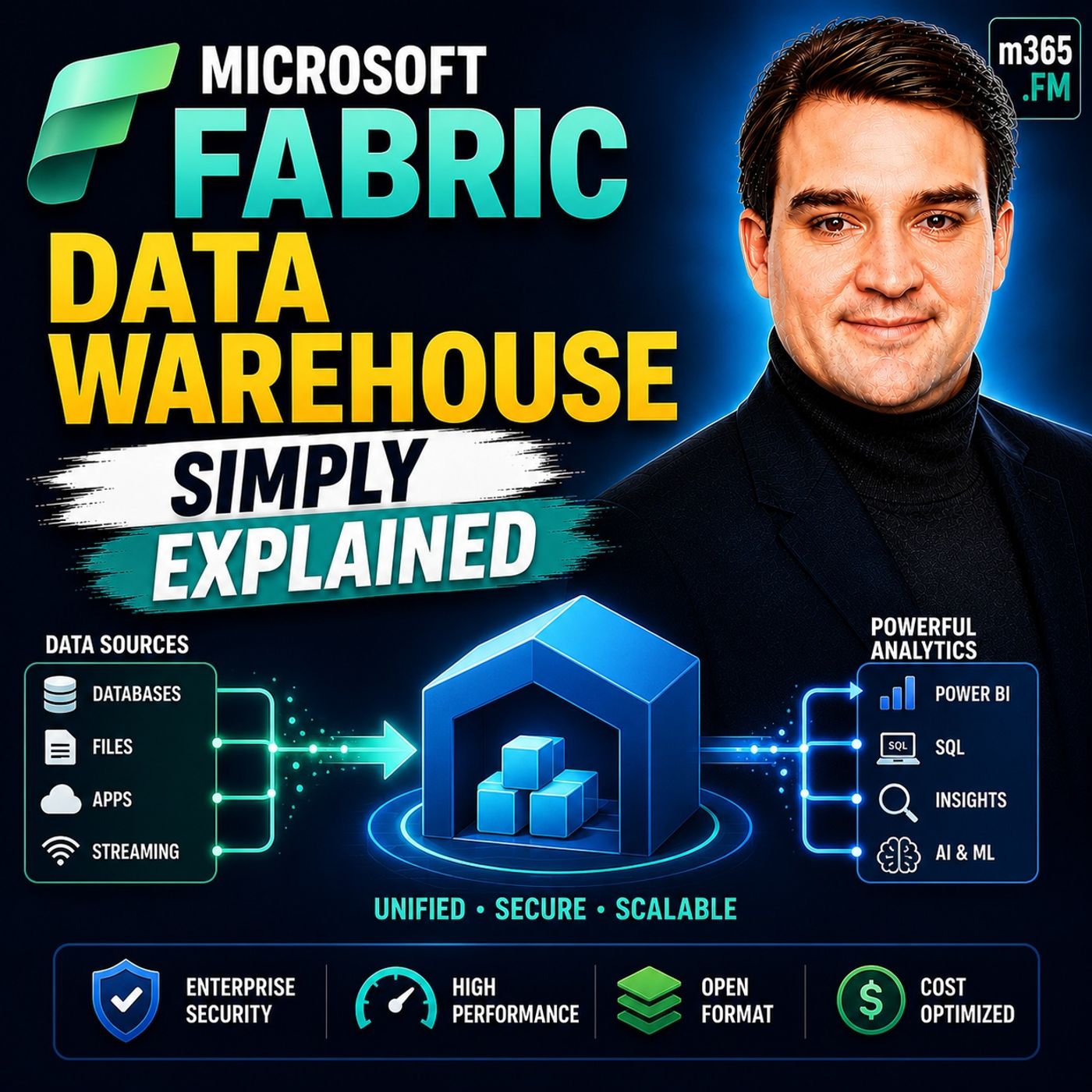
Microsoft Fabric Data Warehouse - Simply Explained
Show notes
Welcome to another episode of Knowledge Nuggets with Mirko Peters. Today we're exploring https://www.m365.fm/microsoft-fabric-simply-explained/ Data Warehouse, Microsoft's modern cloud-native data warehouse built as part of the unified Microsoft Fabric analytics platform. Most people hear the term data warehouse and immediately think of a traditional SQL database. They imagine tables, SQL queries, reports, and business intelligence. While Microsoft Fabric Data Warehouse certainly supports all of those familiar concepts, what happens behind the scenes is fundamentally different. Instead of storing data in proprietary database files tied to a specific server, Fabric stores everything in the open Delta Parquet format on OneLake, allowing the same data to be shared seamlessly across analytics, data engineering, machine learning, and https://www.m365.fm/categories/data-talk/. In https://www.m365.fm/microsoft-fabric-data-warehouse-simply-explained/, we'll explain what a Fabric Data Warehouse really is, how it differs from traditional data warehouses, how data is stored and queried, and why Microsoft has reimagined the modern warehouse for the era of cloud analytics and artificial intelligence. WHAT IS A DATA WAREHOUSE? Before understanding Microsoft Fabric, it's important to understand what a data warehouse is. A data warehouse is a centralized repository designed to store clean, structured, and optimized business data for reporting and analytics. Rather than processing thousands of small transactions like an operational database, a warehouse is built to answer large business questions such as total sales, customer trends, financial performance, or operational KPIs across millions—or even billions—of records. Traditionally, organizations purchased dedicated servers, installed database software such as SQL Server or Oracle, and managed storage, backups, indexing, and hardware themselves. As business requirements grew, organizations expanded infrastructure by purchasing larger servers, additional disks, and more processing power. While this approach worked well for many years, it also created significant challenges. Data became isolated inside proprietary systems, storage and compute resources were tightly coupled, and organizations frequently copied the same information into multiple platforms to support reporting, analytics, and machine learning. Microsoft Fabric was designed to eliminate these traditional data silos by moving warehouse storage into a shared cloud architecture built on OneLake. HOW FABRIC DATA WAREHOUSE WORKS At first glance, Fabric Data Warehouse looks remarkably familiar. Users create schemas, tables, views, and write standard T-SQL queries exactly as they would inside SQL Server. However, beneath that familiar interface lies a completely different storage architecture. Instead of storing data inside proprietary database files, Fabric saves every table as Delta Parquet files inside OneLake. This means data is no longer locked inside a single database engine. The exact same files can be accessed simultaneously by Spark notebooks, Power BI, SQL queries, data pipelines, and machine learning workloads without creating duplicate copies. OneLake serves as the shared storage foundation for every Microsoft Fabric experience. Rather than maintaining separate copies of data for different workloads, organizations maintain one authoritative dataset that every Fabric service can access directly. This shared architecture dramatically reduces storage duplication, simplifies governance, and enables far greater collaboration across analytics teams. THE BUILDING BLOCKS OF A FABRIC WAREHOUSE Developers familiar with SQL Server will immediately recognize the core objects inside a Fabric Warehouse. Schemas organize related database objects into logical groups, making large environments easier to manage. Tables store structured business data using familiar rows and columns, while views simplify complex queries by presenting reusable virtual datasets. Stored procedures and functions provide reusable business logic that automates common processing tasks using standard T-SQL syntax. Although these objects behave much like their SQL Server equivalents, every table is actually backed by Delta tables stored in OneLake. This provides capabilities unavailable in traditional relational databases, including open storage formats, improved interoperability, and advanced version management. Microsoft also includes visual query tools for users who are less comfortable writing SQL manually, making Fabric Data Warehouse approachable for both database professionals and business analysts. LOADING DATA INTO THE WAREHOUSE Fabric provides several methods for loading data depending on user experience and business requirements. Data Pipelines offer a graphical approach where users connect to sources such as Azure SQL Database, Excel, CSV files, or cloud storage before mapping columns into warehouse tables through guided workflows. Dataflows Gen2 provide a familiar Power Query experience for performing transformations visually before loading cleaned data into warehouse tables. Developers can also use the COPY INTO command to import external files directly using T-SQL, while data engineers often leverage Spark notebooks for highly scalable transformation and ingestion processes. Unlike the SQL endpoint of a Lakehouse, which primarily supports read-only SQL queries, the Warehouse fully supports INSERT, UPDATE, DELETE, and MERGE operations. This makes it the preferred destination whenever structured business data requires ongoing maintenance and transactional updates after loading. QUERYING DATA WITH SQL Working with Fabric Warehouse feels very familiar for anyone who has used SQL Server. Users connect through SQL Server Management Studio, Azure Data Studio, or Fabric's built-in query editor using standard T-SQL syntax. SELECT statements, joins, filters, aggregations, and stored procedures all behave as expected. Where Fabric becomes significantly more powerful is its ability to query across multiple Fabric storage experiences. Because both Lakehouses and Warehouses access the same OneLake storage layer, SQL queries can join information across different databases without physically copying data between systems. Reports, notebooks, and warehouse queries all work from the same underlying files, ensuring every workload references a single source of truth. Rather than building isolated databases connected through complex ETL processes, Fabric enables organizations to query information wherever it already exists inside OneLake. TIME TRAVEL AND ZERO-COPY CLONING One of the biggest advantages of Delta storage is the ability to work with historical versions of data. Time Travel allows users to query tables exactly as they existed at a previous point in time. If data is accidentally modified or deleted, administrators can simply query an earlier version without restoring backups or interrupting production systems. Another impressive capability is Zero-Copy Cloning. Instead of physically duplicating large datasets, Fabric creates nearly instantaneous table clones that reference the existing data files already stored in OneLake. Because no additional storage is required initially, organizations can safely create development, testing, or backup environments without dramatically increasing storage costs. These capabilities provide flexibility that traditional database platforms typically achieve only through complex backup, restore, and replication strategies. PERFORMANCE AND POWER BI INTEGRATION Microsoft continues investing heavily in Fabric performance. Recent GPU acceleration capabilities allow warehouse queries to execute dramatically faster under heavy workloads without requiring database administrators to redesign indexes or rewrite SQL code. Organizations simply enable GPU acceleration and benefit from significantly improved throughput for analytical workloads. Equally important is Direct Lake for Power BI. Traditional reporting solutions often require importing data into Power BI or continuously executing live queries against databases. Direct Lake eliminates this compromise by allowing Power BI to read directly from Delta files already stored in OneLake. The result is near real-time reporting performance without maintaining scheduled refreshes or repeatedly querying the warehouse, reducing both latency and compute costs while keeping reports continuously synchronized with the underlying data. This deep integration demonstrates Microsoft's broader vision of creating one unified analytics platform rather than several disconnected services. WHEN SHOULD YOU USE A WAREHOUSE? Microsoft Fabric provides several storage experiences, each designed for different workloads. A Warehouse is the best choice when organizations require highly structured relational data, transactional SQL support, and consistent business reporting. It is ideal for curated datasets, financial reporting, business intelligence, and enterprise analytics. A Lakehouse is better suited for exploratory analytics, raw files, semi-structured information, data science, and large-scale data engineering where schemas continue evolving. An Eventhouse focuses on high-volume streaming scenarios such as telemetry, IoT devices, and operational event data arriving continuously over time. Rather than competing with one another, these storage experiences complement each other. Organizations often begin by landing raw information inside a Lakehouse before publishing cleaned, business-ready datasets into a Warehouse for reporting and executive dashboards. Because all three share OneLake, data flows naturally between them without unnecessary duplication. KEY TAKEAWAYS Microsoft Fabric Data Warehouse combines the familiar experience of a traditional SQL database with a modern cloud-native architecture built on Delta Parquet a Become a supporter of this podcast: https://www.spreaker.com/podcast/m365-fm-microsoft-365-azure-cloud-power-platform-ai--6704921/support.
Apple Podcasts · Spotify · YouTube · YouTube Music · Deezer
Host: Mirko Peters
Guests
Related articles
Transcript
Read the full transcript
Welcome to another episode of Microsoft Knowledge Nuggets. I'm your host, Mirko Peters. Today's topic is one that almost everyone has heard of, but few understand Microsoft Fabrics Data Store. You've probably seen the marketing, one platform, unified analytics, end-to-end solution. But when someone inside Fabrics says data warehouse, what does that actually mean? Most people think it's just another SQL database. You create a table, run a select query, get results back, and on the surface, that's true. But underneath, it works very differently. That difference matters, especially if you're just getting started by the end of this episode, you'll understand what a fabric warehouse really is, how it's different from a traditional database, and why those differences matter for someone who just wants to work with data. No marketing fluff, no deep technical jargon, just plain English. So let's start with the basics. What is a data warehouse in the first place? What is a data warehouse? The old way. A data warehouse is a central place to store cleaned, structured data for reporting. Think of it like a library. Raw data comes in from different places, sale systems, customer databases, inventory logs, and it gets cataloged, sorted and organized. Then it sits on the shelves waiting for someone to check it out. That checkout is you running a report or a query. Traditional data warehouses have a few main characteristics. They store data, instructed tables with rows and columns. You talk to them using SQL. They're designed for analytics, not transactions. That's a big difference. A transaction system like a bank's database handles lots of small, fast operations. A data warehouse handles big, complex queries that scan millions of rows to answer questions like, what were our total sales last quarter? 20 years ago, if you wanted a data warehouse, you'd buy a server, install SQL server or Oracle. And that was your warehouse. You owned the hardware, managed the backups, worried about disk space, and your data was locked in proprietary formats. Moving it anywhere else meant exporting, transforming, and duplicating. The old model worked, but it had a big problem. Data warehouses were isolated. You had to move data into them, store it in whatever format the vendor required, and pay for separate compute and storage that lived in the same box. If you needed more power, you bought a bigger server, more space meant more disks. And if you wanted to use that same data in a different tool, like a machine learning model or a real-time dashboard, you had to copy it somewhere else. That's how data silos were born. Compare that to what we expect today. Cloud, scalability, no manual maintenance. The idea is that you can spin up a warehouse without provisioning hardware, without managing backups, without worrying about storage limits. That's the shift. And that's where fabric comes in. How fabric warehouse works under the hood. Fabric warehouse looks familiar on the surface. You open it, see schemers and tables, write SQL queries, but under the hood, it stores data in Delta Park K format on one lake. Exactly the same way a lake house does. Here's what that means in practice. Imagine a library where every book is stored in a universal format that any librarian or any tool can read. No special shelving or proprietary card catalog. A Python script can open the same file that Power BI reads, and a Spark notebook can process the same data that a T-School query scans. There's no translation layer. The format is open and accessible to everything. One lake is the foundation here. Think of it as the one drive for your data. You have one copy of your data, stored in one place, and every fabric experience can access it. The warehouse reads from the same Delta tables as your notebooks, data pipelines, and Power BI reports. There's no data movement between silos, and that's the big shift. Traditional databases couple compute and storage together. When you run a query, you're using the same hardware that stores the data. But in fabric warehouse, those two things are separate. You pay for compute when you query, and storage is shared across all fabric experiences. That means you don't need to provision a giant warehouse just to hold your data. You only provision compute for the queries you actually run. And because everything lives in one lake, you don't need to worry about which version of the data is the right one. There's one copy, your warehouse, lake house, and Power BI reports all read from it. If someone updates a table in the warehouse, that change is visible everywhere. There's no manual synchronization, so you never wonder if the report is looking at stale data. This is the fundamental difference between fabric warehouse and a traditional database. Traditional databases are islands, but fabric warehouse is a room in a connected building. The walls are still there. You still have schemas, tables, and sickle, but the data flows freely between rooms. The result is less duplication, less cost, and less confusion. The building blocks of a fabric warehouse, so what actually lives inside a fabric warehouse? If you've worked with any relational database before, the objects will look familiar. You have schemas, tables, views, stored procedures, and functions. The names and concepts are the same, but there's a twist under the hood. Let's start with schemas. Schemas are like folders that organize your data. You might have a sales schema that holds all your sales-related tables and an HR schema for employee data. It's a simple way to keep things tidy, especially as your warehouse grows. Without schemas, everything ends up in one big flat list, and that gets messy fast. Tables are where the actual data lives, rows and columns, with customer IDs, product names, sales amounts, dates, that part is exactly what you'd expect. But here's the twist. These aren't regular sickle-server tables. Under the hood, every table in fabric warehouse is a delta table. That means the data is stored as parquet files in one lake, with a transaction log that tracks every change. We'll come back to why that matters in a minute. Views are saved queries that act like virtual tables. Say you have a complex join that you run all the time, joining customer data with orders and products. Instead of writing that join from scratch every time, you save it as a view, and then you can query the view just like a table. Views are also useful for security. You can give someone access to a view that only shows certain columns, without letting them see the underlying table. Stored procedures are reusable blocks of SQL logic, where you can pass parameters, automate tasks, run updates, and handle more complex workflows. If you've used stored procedures in SQL server, the syntax is the same. You write your logic once, and then you can call it whenever you need it. And here's the important part. If you've used SQL server before, the interface, syntax and object navigation will all feel very familiar. But under the hood, every table is backed by delta files in one lake. That means your data isn't locked into a proprietary format. It's open, portable, and accessible to other tools without any extra work. One more thing worth mentioning. Fabric has a visual query editor. If you're not comfortable writing SQL from scratch, you can drag and drop tables onto a canvas, join them visually, and the tool generates the school for you. It's a nice entry point for beginners who want to explore data without memorizing syntax. Getting data into the warehouse. So you've got a warehouse. Now the big question, how do you actually get data into it? Let's look at the options, and most of them are easier than you might think. The first option is data pipelines. Think of a pipeline like a guided wizard. You pick a source. As you are SQL database, a CSV file in Blob storage, another fabric warehouse, or even a simple Excel file, then map the columns to your destination table and run it. That's all there is to it. It's a simple point and click process. And for beginners, this is the easiest way to get started. Next up is data flows Gen2, which is more visual and low-code. You build transformations using a graphical interface, and the output lands directly in your warehouse tables. If you're coming from Power Query in Excel or Power BI, this will feel familiar. For people who prefer writing SQL, there's the copy into command. It's a single T-secle statement that loads data directly from external storage, like Azure Blob storage or ADLS, into a warehouse table. You specify the file path, the format, and any options for handling headers or delimiters. It's clean, fast, and works with CSV and parquet files. And if you're a developer, you can use notebooks with Spark to transform and load data at scale. Notebooks give you the most flexibility, but they also have the steepest learning curve. Here's something important to understand about the warehouse versus the lake house. The lake house has a SQL endpoint that lets you query data, but it's read only. You can select from it, but you can't insert, update, or delete. The warehouse is different. It supports full DML, insert, update, delete, merge. That's a big difference. With a lake house, you can query data via SQL, but you can't modify it. With warehouse, you have full read write control. So if you need to clean data, fix errors, or run incremental updates, the warehouse is the right place to do it. Quarring your data, familiar SQL, new tricks. Once your data is in the warehouse, querying it works exactly how you'd expect. Fabric warehouse supports T-School, so if you know SQL Server, you already know how to query this. Select, join, group by, where. It all works the same way. You can connect using any tool you're comfortable with, SQL Server Management Studio, Azure Data Studio, or the query editor inside the fabric portal itself. They all work. Just grab the SQL endpoint from the warehouse settings, plug it into your tool, authenticate with your Microsoft account, and you're in. It feels like connecting to any remote SQL Server database. But here's where things get interesting. Because the data is stored in Delta Format under the hood, you get capabilities that a traditional SQL database doesn't have. One of the most powerful is cross database queries. You can write a single T-School query that joins data from your warehouse with data from a lake houses SQL endpoint using three-part naming, database, schema, table, and fabric resolves it across both stores. For example, you can join a table from your lake house with a table from your warehouse without moving any data. That's the power of one lake. Both stores read from the same underlying files, so the query just works. This is a big deal. In a traditional setup, if your data lives in two different systems, you have to copy one into the other before you can join them. Taking time, storage, and maintenance. In fabric, the data is already sitting in one lake, so the warehouse and the lake house are just different views into the same files. Cross database queries aren't a workaround. They're a natural feature. One thing to note, the SQL endpoint is at the workspace level. So when you connect, you see all the databases in that workspace. If you have a lake house and a warehouse in the same workspace, they both show up, and you can query across them freely. That's the kind of integration that makes fabric feel like a single platform rather than a collection of separate tools. Time travel and table cloning features you didn't know you needed. Today, I want to cover two features that are impossible in a traditional database. Time travel and table cloning. Both exist because your data is stored in Delta format, which keeps the transaction log of every change. Time travel is exactly what it sounds like. You can query a table as it existed at a previous point in time. It's like having a go-back button for your data. Say you accidentally deleted some rows. You can query the table as it was an hour ago before that delete happened. The syntax is straightforward. You write your select statement, then add for timestamp as of followed by the date and time in UTC format. Something like this, select from your table for timestamp as of 2026, 0115TE14, 012, which OZ. And just like that, you're looking at the data from that exact moment. This is great for recovery. In a traditional database, if someone accidentally truncates a table, you're restoring from backup. That takes time and means downtime. With time travel, you just adjust your query. See the data as it was, copy it back and keep moving. No backup restore needed. There is a limit, though, by default, the history is retained for 30 days. After that, the warehouse automatically cleans up older versions, so you can't travel back six months. But for most scenarios, accidental deletes, bad transformations, or what did this look like last week? 30 days is plenty. Table cloning is the second feature, and it's just as powerful. You can create an instant copy of a table using a simple, create table as clone of statement. And here's the keys. It's a zero-copy clone. That means it doesn't duplicate the underlying data. It just points to the same files in one leg. So the clone is nearly instantaneous to create and costs almost nothing in storage because no new data is being written. Here's when you'd use this, say you're about to run a big transformation on your sales table, updating thousands of rows, restructuring columns, maybe deleting old records. Before you start, you create a clone. If something goes wrong, you have your original data intact, no restore process, no waiting. You just drop the bad table and point back to the clone. You can also use clones for testing, create a clone of your production table, run your experiments on it, and when you're done, delete it. The original table never changes, or use it to create a development copy for a new team member to explore without risking production data. Both of these features, time travel and table cloning are built into fabric warehouse because of the delta format underneath. A traditional SQL server database doesn't have a transaction log that supports this kind of point in time querying. You'd need a separate backup strategy, separate restore procedures, separate everything. Fabric warehouse gives you these capabilities out of the box. Performance, the GPU acceleration and direct leg advantage. So it's flexible and recoverable. But how fast is it? In 2026, Microsoft added GPU acceleration to the warehouse and it's currently in preview. You enable it with a single toggle in the workspace settings, no code changes, no query rewrites. You flip the switch and the warehouse starts using Nvidia GPUs to run your queries. Microsoft published benchmarks using the TPCH standard at 100 gigabytes of data. At 1,000 users running queries simultaneously, the GPU accelerated warehouse finished in about eight seconds. While the same warehouse running on CPU alone took 43 seconds, that's roughly six times more throughput on the same capacity. Here's the thing for beginners. You don't need to learn any tuning tricks to get this benefit. No indexing strategies, no query plan optimization, no materialized views, the hardware does the heavy lifting. You enable the feature and your queries just run faster, especially under load. If you're building dashboards that dozens or hundreds of people will use, that's a big deal. There's another performance advantage that's less obvious but just as important, direct, lake mode for Power BI. In a traditional setup, Power BI connects to a warehouse in one of two ways. It either imports the data into its own in-memory engine, which requires a scheduled refresh or it uses direct query, which sends every chart interaction back to the warehouse as a live query. Import means stale data between refreshes and direct query means every click costs compute. Direct lake solves both problems. Power BI reads directly from the delta files in one lake. No import, no live query hitting the warehouse. The data is already in memory on the fabric capacity and Power BI just reads it. The result is near instant report performance with no refresh schedule to maintain and no per query compute charges. Your Power BI reports can query billions of rows and get results in seconds, no data movement, no latency. For someone building reports in an organization, this is a huge shift. You don't have to choose between fresh data and fast performance, you get both. And you don't need a separate data engineering team to maintain the infrastructure. It just works. When to use fabric warehouse versus lake house versus event house. So you've got three options, lake house, warehouse, event house. How do you actually choose? Here's the simplest way to think about it. Ask yourself one question, what kind of data system am I building? Not which tool sounds coolest, not what your friend recommended. What does your data actually need? Warehouse is for structured, model data that needs to give consistent answers. Think of it as your silver or gold layer in the medallion architecture. The data has been cleaned, transformed, and shaped. You know the schema, you know the relationships. When someone asks, what were our Q3 sales? The warehouse gives you a reliable, repeatable answer every single time. Lake house is the opposite end. It's for flexible raw data that's still taking shape. This is your bronze layer. You might have CSV files, JSON logs, images, or nested data that you haven't fully figured out yet. The lake house doesn't care about format. It accepts anything and lets you explore. It's the place to experiment before you commit to a structure. Event house is a different beast entirely. It's built for time-based append-only data. Think server logs, IoT sensor readings, real-time streams. Data flows in continuously, you query it over time windows, and you rarely go back and update old records. It's optimized for high ingestion and fast time range queries. Here's the practical guidance for beginners. Start with a lake house for exploration. Land your raw data, play with it, figure out what you have, then move the cleaned, structured version into a warehouse for reporting. They work together seamlessly because both read from the same one lake files. You're not duplicating data. You're just layering different views on top of it. The common pitfall is over-complicating this. People try to build everything in a warehouse because it feels more familiar. Or they try to force raw JSON into relational tables. Don't. Use warehouse when you need full transaction support, insert, update, delete, and a strict relational schema. Use lake house when you want to experiment and iterate. Use even house when your data is a firehouse of timestamps. Don't start with the tool. Start with the question you're trying to answer, then pick the store that fits. Your first step into fabric warehouse. So let's pull this together. Fabric warehouse looks and feels like a traditional database. You write SQL, you create tables, you run queries, but underneath it's built on modern Delta Parque storage in one lake. That one change unlocks everything. No data silos, built in time travel, zero copy cloning, GPU acceleration, and direct lake for Power BI. It's not just a warehouse. It's your relational data layer inside a unified analytics platform. Here's your homework. Create your first fabric warehouse today. Even if you just load a small CSV file and run a select query, feel how it works, see how the interface responds. And then try the time travel feature, modify some data, then query it as it was before. That's something you can't do in a regular SQL database. It'll click immediately why this matters. If you found this useful, subscribe to Microsoft Knowledge Nuggets on M365 FM. Share this episode with someone who's starting their fabric journey. And if you have questions, drop them in the comments. I read everyone. Thanks for listening. See you in the next episode.