 EN
EN Deutsch
 Español
 Français
 Italiano
 Português
 Nederlands
 Polski
 Bahasa Indonesia
 Русский
 Українська
 العربية
 עברית
עברית हिन्दी
 日本語
日本語 한국어
한국어2026-07-23 · Season 3
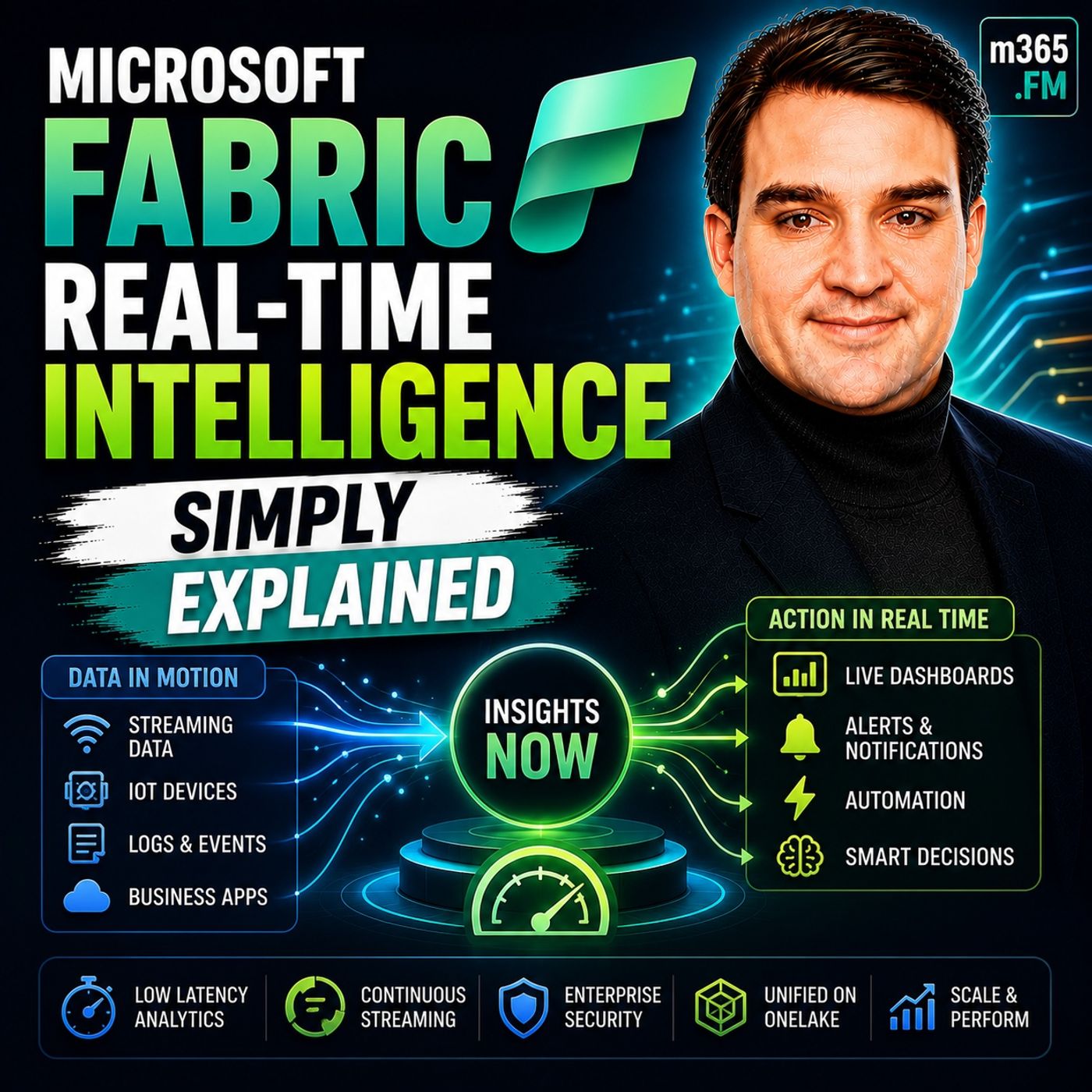
Microsoft Fabric Real-Time Intelligence - Simply Explained
Show notes
Welcome to another episode of Knowledge Nuggets with Mirko Peters. Today we're exploring https://www.m365.fm/microsoft-fabric-simply-explained/ Real-Time Intelligence, one of the most exciting workloads inside Microsoft Fabric that enables organizations to analyze, visualize, and act on streaming data the moment it arrives. When most people hear the term real-time analytics, they immediately think of faster https://www.m365.fm/categories/data-talk/ dashboards or reports that refresh every few minutes. While that's certainly part of the story, it misses the real purpose of Real-Time Intelligence. This workload isn't about making traditional reporting faster—it's about shortening the time between an event occurring and the business taking action. Whether it's detecting equipment failures, preventing fraud, monitoring live inventory, or responding to IoT sensor data, Real-Time Intelligence allows organizations to react within seconds instead of hours. In https://www.m365.fm/microsoft-fabric-real-time-intelligence-simply-explained/, we'll explain what Real-Time Intelligence actually is, explore its four major building blocks, understand how it differs from traditional batch analytics, and discover when real-time processing truly delivers business value. FROM BATCH PROCESSING TO REAL-TIME DECISIONS Traditional business analytics has always relied on batch processing. Data is collected throughout the day, stored inside databases, transformed overnight, and finally appears in reports the next morning. For many business scenarios—monthly sales reporting, financial analysis, marketing performance, or executive dashboards—this approach works perfectly well because the data remains valuable even hours or days after it was created. However, some information loses value almost immediately. Imagine a production machine beginning to overheat. Waiting until tomorrow's report means the equipment may already have failed. A stolen credit card used for a fraudulent purchase must be detected immediately—not during tomorrow's financial reconciliation. A refrigerated delivery truck carrying food needs instant monitoring because waiting even thirty minutes may result in spoiled products and significant financial loss. The key difference isn't simply speed. Batch analytics answers questions about what happened, while Real-Time Intelligence enables organizations to react to what is happening right now. Instead of waiting for someone to review a dashboard, the platform continuously monitors incoming events and immediately triggers actions whenever predefined conditions occur. That shift from reporting to action is what defines Real-Time Intelligence. WHAT IS MICROSOFT FABRIC REAL-TIME INTELLIGENCE? Microsoft Fabric Real-Time Intelligence is a collection of services designed to ingest, process, analyze, visualize, and respond to streaming data continuously. Rather than existing as a separate Azure solution requiring multiple independent services, Microsoft combines proven technologies such as https://www.m365.fm/azure-event-hubs-simply-explained/, Azure Stream Analytics, and Azure Data Explorer into a unified experience directly inside Microsoft Fabric. A useful analogy is to imagine a traditional database as a library where information waits patiently on shelves until someone comes looking for it. Real-Time Intelligence is completely different. Instead of a library, imagine an airport control tower constantly monitoring incoming flights. Information never stops arriving. The system watches every event, analyzes each situation, and immediately responds whenever action becomes necessary. Streaming data flows continuously through the platform rather than waiting inside storage until someone decides to query it later. Because Real-Time Intelligence is fully integrated with OneLake, Power BI, Spark, notebooks, and every other Fabric workload, organizations no longer need to stitch together multiple Azure services manually to build enterprise streaming solutions. BUILDING BLOCK ONE: EVENTSTREAMS Everything begins with Eventstreams. An Eventstream serves as the entry point for streaming data entering Microsoft Fabric. Whether information originates from IoT sensors, Azure Event Hubs, Kafka clusters, SQL databases, PostgreSQL, Cosmos DB, REST APIs, or custom business applications, Eventstreams provide a unified ingestion pipeline that brings everything into Fabric. Microsoft currently supports dozens of connectors, allowing organizations to begin collecting live information with very little custom development. Once events begin arriving, Eventstreams can immediately process the data while it is still moving. Incoming events can be filtered, transformed, enriched, aggregated, or validated before they reach downstream systems. Developers who prefer SQL can process events using familiar query syntax, while business users benefit from visual drag-and-drop processing experiences requiring little or no coding. Instead of simply transporting information, Eventstreams become intelligent pipelines that prepare streaming data for analytics before it ever reaches permanent storage. This dramatically simplifies the creation of modern streaming architectures while reducing the need for custom integration code. BUILDING BLOCK TWO: EVENTHOUSE Once streaming events arrive, they need somewhere to live. That's the responsibility of Eventhouse. Built on Microsoft's proven Kusto engine, Eventhouse is optimized specifically for enormous volumes of streaming information. Rather than handling thousands of business transactions like a traditional SQL database, Eventhouse is designed to ingest billions of events while still delivering sub-second query performance. Unlike relational databases that require carefully designed schemas before loading data, Eventhouse comfortably handles JSON, telemetry, logs, sensor information, and rapidly changing data structures without constant redesign. Another significant advantage is automatic indexing. Instead of requiring database administrators to tune indexes manually, Eventhouse automatically optimizes incoming data as it arrives, allowing organizations to focus on analytics rather than database maintenance. Organizations can also expose Eventhouse data through OneLake, making streaming information immediately available for Spark notebooks, historical analytics, Power BI, and every other Microsoft Fabric workload without additional copying or synchronization. This combination of speed, scalability, and integration makes Eventhouse the analytical engine behind Real-Time Intelligence. BUILDING BLOCK THREE: REAL-TIME DASHBOARDS Collecting and storing live information is valuable, but organizations also need to understand what's happening as events unfold. Real-Time Dashboards provide exactly that capability. Unlike traditional Power BI reports that refresh according to scheduled intervals, Real-Time Dashboards update automatically as new events enter Eventhouse. Charts, maps, tables, and visual indicators change continuously without requiring users to manually refresh reports or wait for scheduled dataset updates. This makes Real-Time Dashboards particularly valuable for operational monitoring scenarios such as manufacturing facilities, logistics operations, transportation systems, security monitoring, retail environments, and smart buildings. Because dashboards query Eventhouse directly, organizations receive immediate visibility into live operational conditions while still maintaining access to Power BI whenever deeper historical analysis becomes necessary. Rather than replacing Power BI, Real-Time Dashboards complement it by focusing specifically on operational awareness and continuous monitoring. BUILDING BLOCK FOUR: ACTIVATOR Perhaps the most powerful capability within Real-Time Intelligence is Activator. Instead of simply displaying information, Activator watches streaming events continuously and automatically performs actions whenever specified conditions occur. Imagine a temperature sensor exceeding forty degrees, a payment transaction appearing suspicious, or a manufacturing machine beginning to vibrate outside normal operating ranges. Rather than expecting employees to notice these situations manually, Activator immediately detects the condition and responds automatically. Actions might include sending Microsoft Teams notifications, triggering https://www.m365.fm/power-automate-simply-explained/ workflows, launching Fabric pipelines, executing notebooks, calling external APIs, or generating business events for additional downstream processing. Activator also includes anomaly detection capabilities that learn historical patterns and automatically identify unusual behavior without requiring organizations to build complex machine learning models. This transforms Real-Time Intelligence from a monitoring platform into an automated operational decision engine capable of responding continuously without human intervention. WHEN SHOULD YOU USE REAL-TIME INTELLIGENCE? One of the biggest mistakes organizations make is assuming every analytics workload needs real-time processing. In reality, real-time should be reserved for situations where immediate action creates measurable business value. Monitoring industrial equipment, detecting financial fraud, tracking logistics, monitoring cybersecurity events, managing IoT devices, supervising healthcare systems, and responding to live operational incidents are excellent candidates because delays directly increase business risk. On the other hand, monthly financial reporting, quarterly business reviews, employee performance dashboards, marketing analysis, and long-term trend reporting rarely require millisecond responses. Real-Time Intelligence complements traditional analytics rather than replacing it. Many organizations adopt a hybrid architecture w Become a supporter of this podcast: https://www.spreaker.com/podcast/m365-fm-microsoft-365-azure-cloud-power-platform-ai--6704921/support.
Apple Podcasts · Spotify · YouTube · YouTube Music · Deezer
Host: Mirko Peters
Guests
Related articles
Transcript
Read the full transcript
Today's topic is one that almost everyone has heard of, but almost nobody can explain in plain English. What exactly is real-time intelligence in Microsoft Fabric? Most people hear real-time and think faster dashboards, better power BI refresh rates, or a report that updates every few minutes instead of every day. That's not wrong, but it misses the point. Real-time intelligence isn't about making your existing reports faster, it's about doing something different with your data. By the end of this episode, you'll understand what it actually is, the four building blocks that make it work, and when you actually need it. Here's the thing. Making the difference between batch analytics and real-time intelligence saves you time, money, and tech headaches. Some people build expensive real-time systems they don't need. Others miss critical signals because they're using batch tools for a job that needs streaming. Let's start with the big picture. What problem does real-time intelligence actually solve? Why this matters? The shift from batch to streaming. When most people think about analytics, they think about looking at what happened yesterday, last week or last quarter. You collect data, store it somewhere, and then later hours or days later, you run a report. This is batch processing, and it's how most businesses have worked for decades. Data sits in a database, you run a nightly ETL job, and by morning you have a report. It works fine for a lot of things like sales reports, quarterly reviews, and marketing campaign analysis. If you're looking at trends over time, batch processing is adequate. But some data doesn't wait. It loses its value the moment you delay. The cost of waiting is measured in thousands of dollars per minute, which is why equipment sensors on a factory floor need real-time analysis. If a machine is vibrating at an abnormal frequency, you need to know now, not tomorrow morning, not even in an hour. By the time your nightly batch job runs, that machine could have failed, production stops, and parts need replacing. Consider fraud detection. Someone swipes a stolen credit card at a gas station. If your system catches it in milliseconds, you block the transaction. But if it waits until the next batch run, the money is gone. Or take inventory levels in a retail store where a popular item sells out at two o'clock on a Saturday afternoon. If you know immediately, you can restock from the back room or trigger a replenishment order. But if you find out on Monday morning, you've lost three days of sales. This is the shift. The difference between fast and real-time is about the relationship between data and action, not speed. Fast is a power BI report that refreshes every few minutes. But you still have to look at it and decide what to do. Real-time is data that triggers an action the moment it arrives. The system doesn't wait for you to check a dashboard at acts. Here's a simple example. Imagine a temperature sensor on a refrigerated truck carrying ice cream. If you check the temperature every hour by the time you see the problem, your ice cream might already be melted. But if your system detects the temperature spike in milliseconds and automatically re-roots the truck to a maintenance depot, you save the product, the delivery and the customer relationship. That's what real-time intelligence is about. Shortening the time between signal and action. Instead of data flowing into a database and waiting for someone to ask a question, data flows into a system that's already listening, watching and ready to respond. So what is Microsoft Fabric real-time intelligence? Just define it properly. What is real-time intelligence? The big picture. So what exactly is real-time intelligence? Here's the simplest definition. It's a set of tools inside Microsoft Fabric that lets you bring in data, process it, analyze it, visualize it and act on it the moment it arrives. Not later. Right now. Think of it like a control room for live data. Not a library where you look things up later, but a command center where things happen in real-time. Displays are updating, alarms are sounding and decisions are being made on the spot. That's the difference. Now Microsoft didn't build this from scratch. Real-time intelligence is built on proven Azure technology, event hubs, stream analytics and data explorer. These are mature services that have been running enterprise workloads for years. What Microsoft did was package them into a simple unified experience inside Fabric. You don't have to stitch together five different Azure services and manage the connections yourself. It's all they are working together under one roof. The key difference between real-time intelligence and traditional analytics comes down to one thing. Traditional analytics works on stored data. Stream intelligence works on streaming data, stored data is like a filing cabinet. You open the drawer, pull out a file and read it at your own pace. The data isn't going anywhere. Streaming data is like a conveyor belt. Packages keep moving past you and you can't stop the belt. You can't go back and look at something that passed by five minutes ago. At least not in the same way. You need to grab the right package as it comes past, inspect it and decide what to do with it, all in the moment. Real-time intelligence is built for that conveyor belt world. There are four main building blocks. Event streams are the pipes that bring data in. Event house is the engine that stores and queries it. Real-time dashboards give you a live view of what's happening. An activator is the piece that takes action when something needs to happen. All of this lives inside fabric, which means it connects to one lake, the single copy of your data. It shares the same security and governance as everything else you use. It works with Power BI, notebooks, Spark and all the other tools you already have. Let's start with the first building block. How does the data actually get in? Building block one? Event streams? Getting data in? Before you can analyze anything, the data has to arrive. That's what event streams do. An event stream is a managed pipeline that ingests streaming data from a wide range of sources. Think of it as the front door for all your real-time data. It doesn't matter where the data comes from, an IoT sensor in a factory, a web application sending click stream events, a database publishing changes, or a Kafka cluster streaming financial transactions. Event streams can connect to all of them. There are nearly 40 built-in connectors. MQTT for IoT devices, Kafka for enterprise streams, Azure Event Hubs, change data capture from databases like SQL Server, PostgreSQL and Cosmos DB and custom rest endpoints if you need to build your own. The list keeps growing and Microsoft is adding new connectors regularly, including a custom stream connector and private preview that lets you build your own connector and have fabric hosted for you. The important thing is that you don't need to write code to set up most of these. It's a simple click-and-connect experience. You pick your source, configure the connection details, and within minutes data is flowing. Once data is flowing, you can process it while it's in motion. This is where event streams get interesting. You can filter out noise, just drop events that don't matter. You can transform the format, converting JSON to a structured table. You can aggregate events, counting how many sensors are reporting above a threshold, and you can detect duplicates, catching the same ticket being scanned at two different gates. There are two ways to process data inside an event stream. If you're comfortable with queries, you can use SQL-based processing, write a select statement with filters, joins, and window functions. The system runs it against the streaming data as it arrives. If you prefer a visual approach, there's a no-code drag-and-drop editor. You add operators to a canvas, connect them, and configure them through forms, no SQL required. The schema registry is another feature worth knowing about. As data flows through your event stream, its structure can change over time. New fields appear, old fields get renamed. The schema registry tracks all of this, giving you a governance layer over your streaming data. That's important for compliance, for debugging, and for teams that need to know what their data looks like. Once the data is processed, where does it go? You have choices, it can go to Event House for storage and querying. Another option is to send it directly to Activator for Action. It can also go to another Kafka endpoint if your application needs it there. Or you can send it to a Spark notebook for custom processing using Python or Scala. Take this real example. A stadium operations team used event streams to ingest turn-style data via MQTT. Thousands of fans entering through dozens of gates. Within 120 seconds, the event stream detected the same ticket scanned at two different gates. It flagged the fraud and alerted staff within seconds. That's the kind of thing you can only do with streaming processing, not batch. Once the data is flowing through the event stream, it needs a place to land. That's where Event House comes in. Building block two, Event House, storing and querying. Now let's talk about the engine that actually stores and queries your real-time data. Event House. Think of it as a database on steroids, built for speed and volume. We're not talking about thousands of customer records. We're talking billions of events per day. It's built on the same custod technology that powers Azure Data Explorer and Microsoft uses this engine internally for their own telemetry at massive scale. It handles petabytes of data with sub-second query performance and that's not marketing fluff. One team at Microsoft demonstrated a table with 54 billion rows and 44 terabytes of uncompressed data. They queried it in under a second using just 32 capacity units. That's real performance for real workloads. So what's the big difference between Event House and a traditional SQL database? It's how they handle data. A traditional SQL database needs you to pre-define a rigid schema. So if your data doesn't fit, you have to change the schema. Event House doesn't work that way. You can ingest JSON, time series data, logs, telemetry, whatever shape it comes in. And the engine figures out the structure on the fly. That's critical for streaming data because the shape can change as new sensors get added and new fields get introduced. You don't want to redesign your database every time that happens. The query language is KQL, short for custochewary language. It's different from SQL, but it's not hard to learn. And if you prefer SQL, you can write SQL queries and the system translates them into KQL automatically. There's even a co-pilot integration where you ask questions in plain English and get KQL queries generated for you. One of the most impressive features is automatic indexing. When data arrives in Event House, the engine calculates statistics and builds indexes on the fly. You never need to think about which columns to index or rebuild indexes after a large data load. It just happens automatically, which is a massive productivity gain for anyone who's spend time tuning database performance. You can find the most important data in the database. That makes it available for Spark, notebooks, and Power BI direct Lake mode. You get the speed of event house for real time queries and the flexibility of one Lake for historical analysis all from the same data. Let me repeat that real world example because it's worth your time. A team at Microsoft demonstrated a table with 54 billion rows and 44 terabytes uncompressed and they queried it in under a second using 32 capacity units. That's the kind of performance event house delivers, not for a demo with carefully crafted test data, but for real production workloads. So now the data is stored and ready to query. How do you actually see what's happening? That's where real time dashboards come in. Building block three, real time dashboards, seeing it live. A real time dashboard is a live visualization that updates automatically as new data arrives in event house. It's not a report you refresh. It's a window into data that's moving right now. This is different from a Power BI report, which refreshes on a schedule. You set it to refresh every hour, every 15 minutes, or every minute if you're using direct query. But there's always a gap between when the data arrives and when the report shows it. Real time dashboards don't have that gap. They're built directly on top of event house. So the data flows from source to visualization in milliseconds, no intermediate layer, no caching, no refresh cycle. You create tiles by writing KQL queries and saving the results as visual elements like bar charts, time charts, maps, tables, whatever makes sense for your data. The system handles the rendering and the tiles update continuously as new events arrive in event house. One capability worth highlighting is geospatial support. If your data has latitude and longitude coordinates, you can plot it on a map with a few clicks. This is useful for logistics, fleet tracking, retail store monitoring, or any scenario where location matters. In the research, there's an example of monitoring bike rental stations across London. The dashboard shows live bike availability on a map with station level details, so you can see which stations are full, which are empty, and where the demand is shifting all in real time. You can also connect Power BI to event house using direct query mode. This gives you the full Power BI experience, including measures, hierarchies, bookmarks, and drill through with real time performance. The difference is that Power BI queries the event house directly, instead of importing data into a model. You get the flexibility of Power BI with the speed of event house underneath. Here's the key takeaway. Real-time dashboards are for operational monitoring, seeing what's happening right now. Power BI is for deeper analysis over time, they serve different purposes, and you can use both. But if you need to know what's happening this second, real-time dashboards are the tool. But seeing the data is only half the story. The real power of real-time intelligence is acting on it, and that's where activator comes in. Building block 4, Activator, taking action without code. So here's the fourth building block. Activator watches your streaming data and takes action when something important happens. And you don't need to write any code. No expressions, no custom logic. Just describe what you want in plain English, and Activator handles the rest. Let me give you an example. You set up a rule like this. If temperature exceeds 40 degrees, send a team's alert to the operations team. That's it. Type the condition, pick the action, and you're done. No query to write, no web hook to configure. Activator takes care of the rest. Your conditions can be simple, a threshold or a value crossing a boundary. But they can get smarter too. Look for patterns over time, like a temperature climbing steadily for 10 minutes. Or anomalies. Activator learns the normal pattern of your data and spots when something deviates. Even missing data works. If a sensor stops reporting, Activator detects that silence and sends an alert. The actions you can take are a lot. Send an email, post a team's message, run a power automate flow that connects to hundreds of other systems, trigger a fabric pipeline or notebook or call a custom API, and Microsoft keeps adding more all the time. Anomaly detection is built into Activator, pick a table in a field, and Activator looks at the historical pattern. It learns what's normal, the seasonality, the typical range, the expected variation. Then it automatically spots outliers as new data arrives. You don't need to be a data scientist. No model training required. It just works. And you can publish detected anomalies as business events that other systems can subscribe to. The operations agent takes this even further. Think of it as an autonomous AI agent that monitors your data, detects issues, recommends actions, and even executes them. You give it business goals and instructions in natural language. It connects to your data through the fabric ontology, that shared context layer that maps your business entities. It runs 24/7 watching for the conditions that matter. When it detects something, it alerts the team, recommends a course of action, and can execute that action if you approve it. Here's a real world example from the folks who built this. A hospital uses Activator to monitor patient vitals. When a patient's blood pressure crosses a critical threshold, Activator sends an alert to the nurses' station in teams. It automatically logs the event and even triggers a workflow that updates the patient's record. No human had to watch the dashboard. No one had to decide what to do. Activator handled it. So we've covered the four building blocks, event streams to get data in, even tells to store and query it, real-time dashboards to see it live, Activator to take action. But here's a question that doesn't get asked enough. When do you actually need real-time intelligence? When you actually need it, and when you don't. This is the most practical question, and it's one that doesn't get asked enough. The most common mistake is thinking you need real-time when you actually just need faster batch processing. Here's the thing, you need real-time when the time between data arrival and action matters. If waiting an hour causes a problem, lost money, broken equipment, a missed opportunity, you need real-time. If waiting an hour doesn't cause a problem, you probably don't. Think about IoT sensor monitoring. A machine on a factory floor sends temperature readings every second. If it overheats, you need to shut it down immediately. That's real-time. Or consider fraud detection. A credit card transaction happens in milliseconds. And if you don't catch it in that window, the money moves. For live inventory management in a retail store, a popular item sells out at 2pm on Saturday. If you know at 2pm, you can restock. If you find out Monday morning, you've lost the weekend. Equipment health monitoring works the same way. A vibration sensor on a pump detects an abnormal pattern, and you can schedule maintenance before the pump fails. Customer experience monitoring on a website. If your checkout page goes down, you need to know within seconds, not hours. Logistics tracking. A refrigerated truck deviates from its root. You need to know before the ice cream melts. On the flip side, you don't need real-time for monthly sales reports. So you don't need to know what happened last month within seconds. Quarterly financial reviews, same thing. Employee performance dashboards and marketing campaign analysis are all batch workloads. They work fine with nightly refreshes. The architecture costs matters too. Real-time intelligence uses fabric capacity. If you're processing millions of events per second, it costs fabric capacity units. Batch processing is often cheaper because you're not keeping compute running continuously. You pay for what you use when you use it. A hybrid approach often makes the most sense. Use event house for the hot path. Recent data that needs millisecond response times. Then let it feed into one leg for the cold path. Historical analysis in Spark or Power BI. You get the speed of real-time for operational decisions and the cost efficiency of batch for long-term analytics. The rule of thumb is simple. If you can describe the action you take with the data and that action needs to happen within seconds, real-time is for you. If you're just curious to see the number sooner, it's probably not. There's nothing wrong with batch processing. It's the right tool for a lot of jobs. The key is knowing which job you're hiring for. How it all connects to everything else in fabric. So, real-time intelligence isn't a separate island. It's a workload inside fabric which means it shares the same foundation as everything else you use. Let me show you how it all fits together. Think of one leg as a single filing cabinet for your entire company where eventhouse can publish data as delta-parkay files. That means your streaming data becomes available to leg houses, warehouses, notebooks and power BI. Why does that matter? You don't need to copy data around. It's all in one place, ready for whatever tool you need. Security and governance are unified too. If you manage access in fabric, those same rules apply to your streaming data. The same row-level security, column permissions and data sensitivity labels all carry over. You don't need to set up a separate security model for your real-time data. It inherits everything from the platform. Shortcuts work both ways. You can create a shortcut from a leg house table into an event house, letting you enrich your streaming data with reference data, product catalogs, customer lists, location hierarchies, without copying it. And you can create a shortcut from an event house table into a leg house, making your streaming data available for historical analysis in Spark notebooks or Power BI reports. It's like cross-referencing folders in a filing cabinet, but without the duplicates. Copilot is integrated throughout, so you can ask natural language questions and get KQL queries generated automatically. Describe the inside you want, and copilot writes the query. Describe the condition you want to monitor and activator sets up the rule. The AI is there to lower the barrier, not replace your judgment. It's like having a senior analyst right next to you. The real-time hub is the central place to see all your streaming assets. Event streams, event houses, activators, business events, it's all there in one view. You can discover data streams other teams have created, monitor the health of your pipelines, and see which rules are firing and which are silent. It's the command center for your real-time operations. Here's the bigger picture. Microsoft is building toward a unified intelligence platform where streaming data, stored data, and AI agents all work together. Real-time intelligence handles the now, fabric IQ handles the context. The business entities and relationships that give data meaning, and AI agents handle the action, monitoring, deciding, executing, together they form a system that can sense, understand, and respond in real-time. So now you understand what real-time intelligence actually is. Not just a faster dashboard or a better refresh rate, but a complete system for ingesting, analyzing, visualizing, and acting on data as it arrives. The four building blocks are event streams to get data in, event house to store and query it at massive scale, real-time dashboards to see it live, and activate it to take action when something needs to happen. If this episode helped you connect the dots, subscribe on your favorite podcast platform, and share it with someone who's just starting their journey into Microsoft fabric. Next time, we'll walk through how to build your first real-time solution step-by-step, from connecting a data source to setting up an alert that actually does something useful. I'm Mirko Peters and this is Microsoft Knowledge Nuggets on M365. FFM, thanks for listening.