 EN
EN Deutsch
 Español
 Français
 Italiano
 Português
 Nederlands
 Polski
 Bahasa Indonesia
 Русский
 Українська
 العربية
 עברית
עברית हिन्दी
 日本語
日本語 한국어
한국어2026-09-16 · Season 4
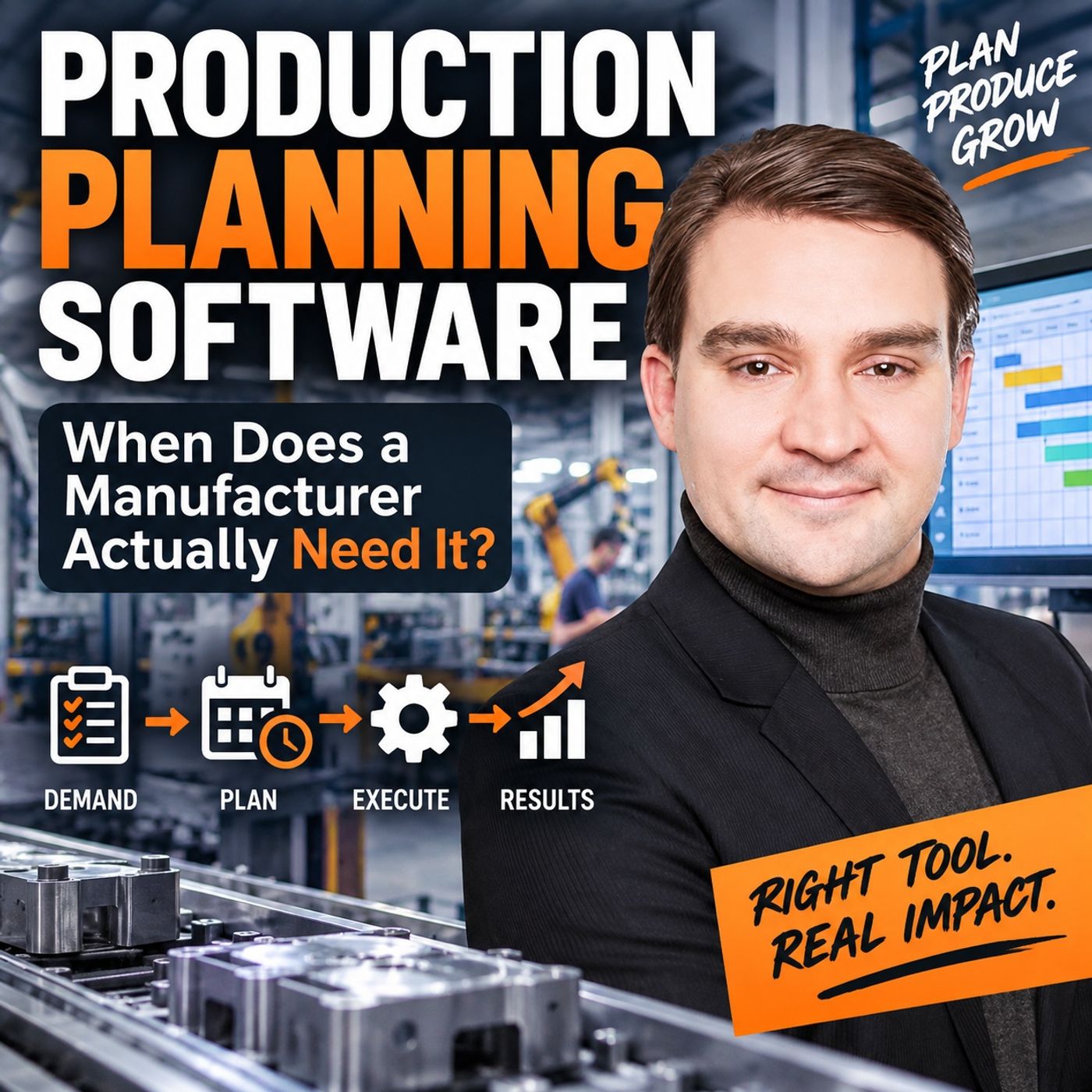
Production Planning Software: When Does a Manufacturer Actually Need It?
Show notes
When does a manufacturer actually need dedicated production planning software? It is not when the company reaches a certain size. It is not when Excel suddenly becomes “unprofessional.” And it is definitely not because a software vendor showed you a beautiful Gantt chart. The real threshold comes when production complexity, constraints, and constant change become too difficult for planners to reliably coordinate through ERP dates, spreadsheets, whiteboards, calls, emails, and experience alone. In this episode, we explore the warning signs that indicate your manufacturing planning process may have reached that point. WHEN MANUAL PRODUCTION PLANNING STILL WORKS Not every manufacturer needs advanced planning software. A stable factory with predictable demand, repeatable routings, relatively few shared resources, and experienced planners may work extremely well with ERP, Excel, planning boards, and direct communication. Simple tools become a problem only when the planning environment changes faster than people can reliably evaluate the consequences. SIX WARNING SIGNS TO WATCH We examine six signals that production planning may have outgrown its current tools: Plans change faster than people can replan. Machine breakdowns, rush orders, shortages, staffing changes, and changing customer dates create continuous replanning. Capacity exists on paper but not in reality. A machine may technically have available hours, but setups, maintenance, tooling, operator qualifications, material availability, and other constraints make that capacity unusable. The same order has different dates in different systems. ERP, MES, spreadsheets, sales, purchasing, and production may each have their own version of the expected completion date. Bottlenecks move but the plan doesn't. Today's constraint may be machining, tomorrow inspection, and next week a specific operator, tool, or downstream process. Expediting becomes the normal workflow. When almost every order becomes urgent, priorities begin replacing the production schedule. Critical dependencies live in people's heads. Experienced planners know which machines, tools, operators, routes, setups, and exceptions actually work — but the system doesn't. ERP VS. MES VS. PRODUCTION PLANNING SOFTWARE ERP remains essential for customer orders, bills of material, inventory, purchasing, production orders, routings, and MRP. MES provides the execution reality: what started, what finished, quantities produced, machine status, quality information, and what's happening on the shop floor. But neither automatically answers the detailed scheduling question: Given the factory as it exists right now, what work should run next — and what happens to everything else if we change the sequence? That's where dedicated production planning and scheduling software can add value. WHAT PRODUCTION PLANNING SOFTWARE SHOULD ACTUALLY DO A planning system should do more than display orders on a calendar. It should help planners create feasible schedules based on finite capacity, resource calendars, routing dependencies, setup requirements, material readiness, alternate resources, skills, tooling, maintenance windows, and current production conditions. More importantly, it should allow planners to test alternatives. If an urgent order moves forward, what gets delayed? If a machine goes down, where can the affected work move? If additional capacity becomes available, which orders benefit? If a supplier delivery slips, which customer commitments are now exposed? The goal isn't to remove human decision-making. It's to give planners better information about the consequences before they make the decision. PLANNING, SCHEDULING, OPTIMIZATION AND SIMULATION These terms are often treated as interchangeable, but they solve different problems. Production planning asks whether demand fits available capacity over a planning horizon. Scheduling determines the actual sequence of operations and resources. Optimization compares feasible alternatives against defined objectives. Simulation lets manufacturers test possible future scenarios before changing the live production plan. Understanding which problem you're trying to solve should come before selecting software. COMPLEXITY MATTERS MORE THAN COMPANY SIZE A large repetitive factory may have a relatively simple planning problem. A much smaller high-mix manufacturer can face enormous scheduling complexity because orders compete for shared machines, specialist operators, tools, inspection resources, alternate routings, and limited material. The need for production planning software therefore isn't primarily driven by employee count. It's driven by the number of dependencies and trade-offs planners need to evaluate — and how quickly those decisions change. START WITH ONE DECISION Before buying an APS platform or another planning application, identify one production decision that repeatedly causes problems. For example: When two urgent orders need the same constrained machine, can we determine which sequence is feasible and understand the delivery impact before production starts? Solve that problem first. Then expand the planning model as the organization learns which data, constraints, and rules actually matter. Because the objective isn't to automate the planner. It's to stop skilled planners from spending their day manually doing work that a planning system should already be helping them calculate. Production Planning Software: When Does a Manufacturer Actually Need It? explores where that boundary lies — and how manufacturers can recognize it before buying another platform. Become a supporter of this podcast: https://www.spreaker.com/podcast/m365-fm-microsoft-365-azure-cloud-power-platform-ai--6704921/support.
Apple Podcasts · Spotify · YouTube · Deezer
Host: Mirko Peters
Related articles
Transcript
Read the full transcript
Here's the problem most manufacturers don't talk about. The planner already acts as the planning system most days. They sit between ERP dates, calls from the shop floor, a whiteboard, emails from sales, and that spreadsheet nobody else wants to touch because one broken formula can ruin the whole morning. Then a supplier calls, a machine goes down, and someone asks whether a rush order can still ship on Friday. So the planner becomes the connector. They check the order in ERP, call production to see what's actually running, look for material, and remember that one machine can only run the job after a tool change and only if the right operator is on shift. Then they move dates in Excel, send a message, and hope the new plan reaches everyone before the next disruption hits. That work takes real skill. It's not just admin, but it's a fragile way to run a factory when the number of orders constraints and changes keeps growing. You can have more data than ever. ERP, MES, machine data, power BI reports, and still have less confidence in the plan people are meant to follow. Because data doesn't automatically settle a planning decision, that brings us to the real question. And it's not, should we buy production planning software because other manufacturers have it? That's just software buying pressure, and it rarely leads anywhere useful. The better question is simpler. When has manual coordination stopped giving your people enough time and enough context to make a feasible plan? That's where we need to start, with the planning problem itself. Until you name the gap between what the planner holds together and what the system should handle, you're just buying tools for a problem you haven't defined. What production planning actually means? Production planning sounds like one thing, but it covers several decisions that happen at different levels and at different times. Broadly, planning asks whether the factory can meet expected demand with the people, machines, material, and time available. Closer to the shop floor, the question becomes much more direct, which order runs next on which resource, with which setup, and what does that choice delay? That's a different job from taking an order. Sales might promise a delivery date based on what seems possible. ERP might create a production order with a due date, a bill of material, and a routing. Both matter, but neither automatically creates an executable shop floor plan. An executable plan deals with the physical world. It knows that a work order needs a certain machine, maybe one of two machines, but one of them already carries a higher priority job. It knows the material might exist in stock, but still sit in incoming inspection. It knows that the machine can run for eight hours on paper, but a setup, preventive maintenance window, shift hand over, and missing operator cut that time down very quickly. Think of planning as a set of linked choices. Over the coming weeks or months, you decide what work should happen. Rough capacity checks, purchasing needs, subcontracting decisions, and a view of where future load could exceed plant capacity. After that, you move closer to execution. The horizon shrinks, the detail rises, and rough assumptions stop being enough. Now you need to decide the order of operations, accounting for actual resource calendars, current work in progress, setup sequences, material readiness, and any rule that limits where an operation can run. That detailed part is usually called production scheduling. Planning says we need to produce these orders within this period. Scheduling says this operation starts after that operation on this machine during this shift, because this is the least damaging feasible sequence. The word feasible matters more than fast. A schedule can look neat and still fail the moment production tries to follow it. If two operations claim the same machine at the same time, it isn't feasible. If the plan assumes material before receiving has released it, it isn't feasible. If it puts work on a resource that lacks the right tool or qualified operator, it's just a list of intentions. Let's make this concrete. Picture a normal Tuesday in a plant that produces several product variants. One order runs late on an upstream operation because the first batch fails a quality check. That order now needs extra time, and its next operation shares a machine with two other orders already in the queue. A manual plan might simply push the late order forward because its customer date looks urgent, but what does that change? Maybe the late order requires a long setup that disrupts the family of jobs already grouped to reduce changeovers. Maybe moving it ahead delays in order with a contractual ship date. Maybe a part needed for final assembly still hasn't arrived, so rushing the earlier operation doesn't improve delivery at all or maybe another approved route exists, but it uses a resource that runs near full load during the next shift. A real planning decision compares those consequences. It doesn't just move a coloured bar, change an ERP date, or tell the supervisor to fit it in somehow. And yes, fit it in somehow remains one of the more widely deployed planning algorithms in manufacturing. You also have to consider a time dimension that people often blur together, longer term planning works with uncertainty. Demand may change, suppliers may miss dates, and actual cycle times may differ from standards. You aren't trying to schedule every minute months in advance, you're trying to spot likely overloads early enough to take action, like adding a shift, moving work, changing a promise date, or securing outside capacity. Near term scheduling works with more facts and less room to move. The work orders exist, material status is clearer and machine conditions and staffing have a direct effect. At that point, the plan has to help people decide what happens on the floor today and tomorrow. That's why production planning isn't a calendar. It's the process of turning customer demand into work that the factory can physically complete while dealing with limited capacity, changing conditions, and competing priorities. Production planning software becomes interesting when that process involves more constraints and more changes than people can reliably hold together through calls, memory, whiteboards, and spreadsheets alone. Still, that doesn't mean every factory needs it. The question is whether your factory has reached that point yet. When spreadsheets and experience still work, here's something most planning software vendors don't mention, a dedicated planning system isn't always the right next step. In some plants, a spreadsheet, a planning board, and people who know the work handle the job just fine. Take a factory with a stable product range, repeatable routes, and demand that shift slowly. The same products run through the same work centers, lead times stay predictable, and there aren't many decisions about where each operation can land. In that setting, the planner sees the whole picture without chasing facts across five systems all day. That kind of manual planning has a strength most software projects overlook. It stays close to the work. A planner can walk to production, talk to a supervisor, and adjust the day around something the formal data hasn't caught up with yet. A paper board often beats a complex application when the team only needs to decide which of a handful of jobs should run after lunch. Excel also works fine for simple load checks, material follow-up, and short term coordination, especially when the same people plan and supervise the work, there's nothing outdated about that. Factories don't need more technology just because a software vendor can draw a tidy gant chart. You need a better planning method only when the current one stops producing decisions people can trust. A whiteboard isn't the problem, and a spreadsheet isn't the problem. The real question is whether the method still matches the amount of variation the plant has to absorb. Think about a small machining area with a limited set of repeat customers. The team knows the parts, knows the machines, and knows which jobs normally run well together. One planner works closely with the production lead, and each morning they review the queue, check for anything unusual, then set the order for the day. That's a sensible control loop. It works because the planning knowledge stays close to the people doing the work, and because the number of changes stays low enough that they can think through the consequences, they don't need a mathematical optimizer to tell them that two jobs should run back to back, because they use the same fixture, they already know it, and the decision only affects a small set of work orders. Manual planning also works where the production flow itself creates stability. A repetitive line with a fixed sequence, stable cycle times, and a limited number of variants doesn't need the same detailed scheduling as a high mix job shop. The line already contains most of the plan. Material moves in a known direction, capacity follows a known rhythm and deviations show up fast. You might still need ERP, MES, quality data, and maintenance planning, but you don't necessarily need another layer to choose every next operation. The same goes for some make-to-order businesses, even when the work looks complex from the outside. If one experienced planner manages a modest order volume, the roots stay mostly consistent, and the plant has enough slack capacity, then direct coordination can stay faster than system-driven planning. That planner isn't relying on luck, they're applying judgment in an environment where judgment can still keep up. Now, here's what manual planning really depends on. It depends on direct access to information, on people knowing each other's constraints, and on changes arriving slowly enough that the plan survives long enough to be useful. And it depends on the planner having time to think, rather than spending every hour answering calls and correcting dates. When those conditions hold, simple tools work extremely well. The problem starts when a spreadsheet becomes a shared operational database, a scheduling engine, an approval workflow, and the only place anyone can find the current truth. That's when you start seeing version names like Final Plan V12 really final. Manufacturing has survived worse, but that's not a control method. A manual plan gets fragile when its speed comes from one person remembering rules that nobody else can inspect, or when the board in one area doesn't match the priorities in another. It gets even more fragile when a small disruption forces someone to call three people, open four files, and guess which promise date still means anything. That boundary doesn't arrive at a fixed company size. You can run a large but stable plan with fairly simple planning methods, and you can also run a small plant where shared machines, changing routes, short customer lead times, and constant exceptions, turn every day into a planning puzzle. The issue isn't whether people use Excel. It's whether Excel and experience can still keep pace with change. When changes start arriving faster than the planning team can test the consequences, the same tools that once gave people control start creating delay, uncertainty, and informal workarounds. The first warning sign, plans change faster than people can replan. Here's the first warning sign. The plan changes so often that nobody has time to plan anymore. A rush order from sales, a customer pulling a delivery date forward, a supplier missing a component, someone calling in sick, a machine stopping halfway through a job. None of those events are unusual on their own. Manufacturing has always dealt with disruption. The trouble starts when several disruptions hit during the same week and each one forces a new chain of decisions. Changing a date takes seconds, but testing whether that new date creates a workable plan takes much longer. The plan has to trace the effect through operations, resource availability, material status, shift patterns, and other customer commitments. If the only response is to move the order higher in a spreadsheet, you haven't solved the planning problem. You've just pushed the question downstream. Usually to the supervisor who now has to explain why two urgent orders both need the same machine. Let's walk through a scenario from a constrained production week in a hypothetical machining plant, the plant committed several orders for shipment by the end of the week. On Tuesday morning, a machining center stops with a fault. Maintenance expects it to stay down for several hours, though nobody can promise the exact time yet. That machine doesn't process just one order. It sits on the route for several jobs, including a part that finally assembly needs. The plan now faces real decisions, can the affected work move to another machine? If so, does that machine need a different fixture, program, or operator? Does moving it bump another order with a customer commitment? Can the team split the batch? Is their material ready for an alternate route? And if the breakdown lasts longer than expected, when does the plant need to tell sales that one promise date is no longer realistic? Those questions arrive before lunch. In a simple environment, an experienced planner can work through them. They talk to maintenance, production, quality, and purchasing, then decide what to do. But as order volume rises, the plant runs more shifts, and shared resources multiply, that same planner spends less time building a solid plan, and more time patching up the last one. That's a shift that matters. Planning becomes damage control. The official schedule turns into a starting suggestion, while the shop floor follows calls, messages, and local judgment, because people know the printed plan no longer matches reality. You might still publish a schedule each morning, but by mid-shift, it has already lost authority. When a plan loses authority, informal priorities take over. A production supervisor may run the work that keeps the machine busy, a sales manager may push the loudest customer request, and a material coordinator may hold work because one component looks uncertain. Each decision sounds reasonable from where that person sits. The problem appears when nobody can see the combined effect. This isn't a knock on the people involved, they're responding to what they know. But the factory now runs on a stream of local corrections, rather than a shared, tested plan. Planets become human message brokers. They ask for updates, compare dates, make calls, amend spreadsheets, send revised priorities, and then start over after the next disruption. The work feels busy because it is busy, yet the plant may still struggle to answer a basic question. What should run next and why? Let me separate two types of replanning. The first type is administrative replanning. Someone changes a due date, moves an order to a new day, or adds a note that the job is urgent. That keeps records current, but it doesn't prove the revised plan can actually happen. The second type is feasibility-based replanning. The plan attests a change against the actual rules governing production, then compares possible outcomes. One option might protect a high priority shipment, but delay two lower priority orders. Another might preserve setup flow, but require overtime. A third might wait for a material delivery because producing the earlier operation now doesn't improve the final ship date. That is the work people need support with. Production planning software doesn't remove disruption. Nothing does. But it gives the planner a way to test the consequences of disruption faster, using rules the team can inspect and challenge. When the system can show which orders, resources, and dates, a change affects, the conversation moves from guesswork to trade-offs. Still, faster replanning only helps if the plan understands what capacity really means, because many factories appear to have free capacity in the system right up until they try to use it. The second warning sign. Capacity exists on paper, but not in practice. Here's the next warning sign, and it's a tricky one, the kind that creeps up on you. Your system says there's available capacity, but the shop floor keeps burning overtime, expediting everything or shuffling work at the last minute just to hit the plan. On paper, a machine might show 43 hours next week. That number treats every hour as equally usable, but production knows better. Some of those hours go to setups, others belong to planned maintenance. The machine might need a specific tool, a program approval or an operator who only works one shift. Material might arrive at the building, but still sit waiting for inspection. So the capacity number looks comforting, the plan doesn't match it. Take two CNC machines that can both machine the same part. ERP might group them under one work center, which works fine for rough planning. The plan is sees open hours on machine B and assumes work can shift when machine A gets busy, but machine B might not have the probing setup that customer requires. Or its current fixture can't hold the part, it might run the part, but only with a qualified operator who won't be free until Thursday. The program could exist, but engineering hasn't released the latest revision to that machine yet. That's not spare capacity. It's a theoretical possibility with a list of conditions that nobody wrote down. Now, here's where finite capacity planning comes in. The phrase sounds more complicated than it is. Finite capacity planning just means the schedule accepts that a resource can only do so much work in a real period of time. If a machine already has work booked from eight in the morning until four in the afternoon, the next job can't start at nine, just because an ERP lead time calculation wants it to. The same thinking applies beyond machines. A resource could be a furnace, a test station, a specialist, a shared tool, a packing cell or an inspection step. Any of those can restrict the flow of work, and the plan needs to treat them as real limits, not as vague assumptions for production to figure out. Now, a finite capacity model doesn't need to capture every second of every shift. That approach usually turns into a master data project with a planning tool attached, and nobody enjoys that outcome. It needs to capture the constraints that regularly change your decisions. Maybe set up time matters because product families need to run together. Maybe a heat treatment batch needs a minimum and maximum load. Maybe only one technician can approve a certain test or maintenance blocks a machine every Wednesday afternoon. If these conditions repeatedly create late orders or urgent changes, they belong in the planning logic. Consider a plant with a forming process and a downstream assembly area. The forming machine runs with strong OEE, overall equipment effectiveness. And the team takes pride in keeping it busy. It produces parts all day, but downstream assembly can only handle a limited number of product variants before a changeover, and one component for the next assembly batch hasn't cleared incoming inspection. The forming machine keeps producing because it has capacity. The factory builds work in progress because the next step can't use those parts yet. Local capacity looks good, system capacity doesn't. This is why broad capacity buckets can mislead you. They show available hours by work centre for each week, but they don't show the sequence of work the tools required, the time lost when switching product families, or the point where work waits for a downstream operation. A bucket can tell you that capacity exists somewhere, but it can't always tell you whether that capacity helps the order currently at risk. You often spot this issue through behaviour before you see it in a report. The plant keeps adding overtime even though the planning view shows room. Supervisors ask for work to be released early, because they don't trust later capacity. Purchasing expedites material for orders that production can't start yet. The planar spends time hunting for a machine slot that supposedly exists only to find it comes with conditions nobody captured. That patent points to a gap between nominal capacity and usable capacity. In practical terms, nominal capacity is what the calendar says, while usable capacity is what the factory can actually turn into finished product under its current rules. People, material status and resource limits. Production planning software can help with that gap, but only if the model represents the limits people work around every day. It can test whether an operation fits on an approved resource, respect a resource calendar, consider a setup sequence, and expose the orders displaced when you assign a job elsewhere. It can't invent a qualified operator. It can't create a missing fixture, and it shouldn't pretend an open time slot means much when a material shortage blocks the next operation. Once the plan starts treating capacity as a set of real production constraints, people can stop arguing about whether hours exist somewhere in the system. They can ask the more useful question, which constraint stops this order from moving, and what choice creates the least damage elsewhere. The third warning sign, the same order has different dates in different systems. Here's another warning sign, and this one feels personal. The same order seems to have several delivery dates, depending on who you ask. Sales sees the customer promise date in ERP. The planner has a revised date in a spreadsheet. The manufacturing execution system, or MS, shows that part of the order finished one operation. Production has a whiteboard date based on what the supervisor things can run next. Purchasing works from a supplier date that changed the yesterday afternoon. Every date probably has a reason behind it. The trouble starts when nobody can explain which date drives the next production decision, and what assumptions sit behind that date. Then the planning meeting stops being about how to protect customer delivery. It becomes a meeting where people compare records and try to work out which version of the order is closest to the truth. That waste's time and worse, it removes trust. Let's make it concrete. Imagine an order for 100 assemblies. The MS records that 60 components completed machining, ERP still shows the full production order as open, because the finished assemblies haven't reached stock. The planner's file treats the 60 completed components as available for the next operation, because that's how the plan looked at the start of the day. But quality has held 10 of those components for review. Now each system reports something technically defensible, yet they don't describe the same planning situation. The MS reports execution, ERP reports the order at its business stage. The spreadsheet reports an assumption about what work can move forward. None of that becomes useful until the planner can connect quantity, quality status, routing step, material state and the remaining capacity needed to finish the order. A date conflict doesn't always mean bad data, factories change. An order may move because a customer changes a request, a machine needs repair, or a supplier slips. The systems won't all update at the same second, and they don't need to. The problem isn't that change exists. The problem is when changes have no shared process, no clear owner, and no way to test whether the revised date remains physically possible. Think about the questions people ask in this situation. Can we still ship this on Thursday? What's the real finished date? Why does the dashboard say green when production says the order is at risk? Those aren't reporting questions, they are planning questions disguised as date questions. A dashboard can show several dates side by side. That may help expose the problem, but it doesn't settle it. The team still needs a planning rule that answers which date comes from a feasible sequence of remaining work under the current constraints. Without that, an ERP due date can look firm even when it came from a fixed lead time. A plan is date can look practical even when it assumes material that quality hasn't released. And a sales promise can travel through the business without anyone testing it against the shop floor. That's how date drift becomes normal, people start using qualifiers. That's the system date. That's the planning date. That's the date we told the customer. Each qualifier signals that the factory lacks one shared view of what the order can actually do next. You don't solve this by forcing every system to own every date. ERP should still own commercial commitments and order data. MS should still record what happened on the floor. Planning needs its own logic for evaluating remaining work, resource limits and likely completion. The answer is a connected flow where execution facts update the planning view, planning consequences inform the business, and each date keeps a clear meaning. In practical terms, that means an order needs more than a due date. It needs context. Which operations remain? What quantity past quality? Which material is ready? Which resource can perform the next step? What work already claims that resource? And if the plan changes? Which promised dates? Move with it. Once people can answer those questions, dates stop competing with each other. They become different views of the same operational situation. That brings us to the deeper issue. When dates keep drifting, the factory usually doesn't just lack a better report. It lacks the planning context that connects an order to the work, resources and conditions that determine whether the date can hold. The fourth warning sign, bottle necks move but the plan doesn't. Here's warning sign number four. You're treating one resource as the bottle neck. But the real constraint has already moved somewhere else, and you haven't noticed yet. Most plants know their usual bottle neck. A paint line, a heat treatment furnace, a machining center, a test cell. They plan around it because it often limits output and that knowledge helps. But it can become a fixed belief, and fixed beliefs don't handle changing production conditions very well. The bottle neck you learned six months ago might not be the bottle neck you're fighting right now. A bottle neck is just the point that limits flow at this moment. And that point can change with product mix, machine condition, rework, a missing component, or who's on shift today. A resource that usually has spare time can become the constraint when several orders suddenly need the same inspection, the same tool, the same skill, or the same downstream assembly step. It happens fast. Take a plant that makes several configured products. They all move through machining then into final assembly. Normally machining gets most of the attention because it runs close to full load, so the team works hard to keep those machines producing. But one week the order mix shifts. Suddenly more products need a special inspection after machining. Only one inspection station has the right test setup. And at the same time a few parts need rework. Machining keeps producing at a strong pace, but finished parts start queuing before inspection and final assembly has nothing to work with. Even though machining looks busy and productive. The constraint has moved. If your plant still treats machining as the only bottle neck, it'll keep releasing more work into the same route. That builds queues, fills floor space, ties up material in work in progress. Nobody set out to create that mess, but the plant simply followed an old assumption after the operating conditions changed. Now overall equipment effectiveness, OEE, often gets misunderstood here. OEE tells you useful things about how a machine performs. It looks at availability, performance, and quality, and shows whether a machine loses time through stops, slow running, or rejected output. Production teams need that information because it helps them improve how a resource runs. But here's the thing, OEE doesn't produce a production plan. A machine can show strong OEE while the factory misses delivery dates, and that's not a contradiction. The machine may produce parts efficiently, but those parts could be waiting for a shared tool, a quality release, an assembly slot, or material for the next stage. Local machine performance and order flow are connected, but they answer different questions. Think about a high OEE cutting machine feeding a downstream coating process. The cutting machine stays loaded because its team wants to avoid idle time, so it produces a large volume of parts for several future orders. But the coating process has a limited number of color changes it can handle per shift, and an urgent customer order needs a color that isn't in the planned sequence. Now the plant faces a trade-off, it can keep the cutting machine busy with whatever comes next. That improves local output, but adds waiting stock, or it can change the upstream sequence to feed the coating process with the parts that protect customer delivery, even if that creates a less attractive setup or a short-gab at cutting. Neither option is perfect because production planning rarely gives you perfect options. It should give you visible consequences, so the plan needs to understand the root, not just the first resource. It needs to see which operations feed downstream constraints, which orders carry near-term commitments, and where releasing more work creates a queue rather than progress. And it needs regular feedback from execution, because yesterday's constraint may not limit flow today. That doesn't mean the planning system has to recalculate the entire plant every time a sensor changes state. That would create noise, and production already has enough noise. It means defined events that trigger a review, a major machine outage, a quality hold, a material delay, a staffing gap, or a shift in the order mix. The goal is to plan around the current constraint. Sometimes that constraint stays in the same place for months. In other plants it moves several times a week. The more it moves, the less useful a static plan becomes. People start reacting to visible cues, loud escalations, or whichever machine looks busiest, while the actual flow problem sits somewhere else. You can spot this pattern when local efficiency rises, but delivery performance stays unstable. Teams report strong output from individual areas, machines stay busy, OEE improves, yet orders still wait, lead time stretch, and planners can't give sales a confident answer about completion. The factory measures motion but not always flow. A planning tool can help connect those two views. It can model shared resources, downstream limits, and order dependencies, then test whether a proposed sequence feeds the constraint that currently controls delivery. That won't remove every cue. Some cues protect flow, but it can stop the plan from treating every available machine hour as equally useful. Because a production decision can't come from machine data alone. Machine data tells you what happened at one resource. Down time, rate, rejects, starters. To choose the next best sequence across the factory, you also need the relationship between that resource, the order, the next operation, the material state, and the customer date. The fifth warning sign, expedite work, becomes the normal workflow. Here's another warning sign, and it's one you can see from across the factory floor. Urgent work stops being the exception and becomes how the factory runs. Almost every manufacturer has to expedite an order sometimes. A customer with a line-down problem, a replacement part that needs to ship, a quality issue that created unexpected demand. Nobody needs a system to tell them that some situations deserve a fast response. The problem begins when every day brings a new "must run now" order, and nobody can explain what each priority override pushes out of the plan. Picture a shared production resource, a paint booth, a furnace, or a specialist machining operation. Sales escalates in order because the customer wants it sooner. The order moves to the front and production does its best to help, because the request sounds reasonable and the customer relationship matters. But that resource already has a sequence, one that may group products by material, color, tooling, or process conditions to protect another delivery date production has committed to four weeks. When the expedited order jumps ahead, people don't just gain time for that customer. They lose time through a changeover, disrupt the queue, and delay work that may become the next escalation tomorrow morning. Urgency moves through the factory. A planner can see that one order needs attention, but they may not quickly see the full cost of that decision, which orders move how much setup time the new sequence adds or whether the expedited job even has every part, approval, and resource it needs to finish. Or worse, it jumps the queue, consumes scarce capacity, and then waits at the next operation. That's why can we expedite this? That isn't the right question. A better question is, if we expedite this, what will it delay? And are we willing to accept that result? The first asks for effort, the second asks for a decision. That distinction changes the conversation between sales, planning, and production. Sales may still decide that a certain customer needs priority, but to say that's a valid commercial choice, but the decision should come with visible operational consequences. If moving order A ahead pushes order B past its promised date, somebody needs to own that trade-off before the floor gets another urgent message. Otherwise, the loudest voice becomes the scheduling method. You recognize this in the language people use. Just squeeze it in. Can we run this one first? This one really can't be late. Each request may be honest, but if the plan has no way to show displaced work, every request arrives as if it exists outside the rest of the factory. Production then carries the burden. Supervisors try to protect throughput while responding to calls from planning. Operators deal with broken sequences, more setups, and work that arrives without normal preparation. Planners negotiate priorities rather than test alternatives. And customers whose orders quietly slipped may hear about the delay only after the capacity has already been used elsewhere. Expediting can also hide deeper problems. If the same customer orders always need special treatment, maybe the promised date process is too optimistic. If shortages turn routine work into emergencies, material status may be entering planning too late. If every month ends with a rush through final operations, the plant may be releasing work without enough regard for where completion capacity actually sits. An expedite is a useful signal. It tells you that the normal planning process couldn't absorb a real business need. The right response isn't always too rejected. Sometimes it's too accepted, document the consequence, and revise the plan around that choice. But if nobody tracks the consequence, the exception process slowly replaces the plan that creates a strange situation. The official schedule still exists in ERP on a board or in a planning tool, but the actual schedule emerges through escalations, chat messages, hallway conversations, and whoever calls first. People work hard all day, but the factory loses a shared basis for deciding what matters most. Dedicated production planning software earns its place when it can test these changes against the full root of the order, showing whether the operation can move, which resource it needs, what work already claims that resource, and which completion dates change. It doesn't decide whether a customer deserves special treatment, people still own that decision, but it gives them a clearer view of the cost before they commit the factory. And to calculate that cost, the plan needs more than a list of orders and due dates. It needs to understand the dependencies that connect one operation to the next because an urgent order only looks simple until you follow it through the full routing. The sixth warning sign, too many dependencies. Live only in people's heads. Here's a warning sign you don't notice until someone leaves, takes a holiday, or moves to another shift. Your plan only works because certain people carry a detailed map of the factory in their heads. They know which product can use an alternate route, but only after quality approval, which customer won't accept a material substitute, even if engineering approved it for everyone else, and which tool technically fits two machines. But only one gives an acceptable surface finish on that part family. That knowledge comes from years of work, past failures, operator conversations, and solving the same awkward problems over and over. A good planner doesn't just see an order number, they see the exceptions around it, the risks nobody wrote down, and the small conditions that decide whether the plan will actually work. Now that kind of experience deserves respect, you don't want to lose it, but there's a real difference between expert judgment and a factory depending on undocumented rules. Expert judgment helps in unusual situations. Undocumented dependency means the normal situation works only because one person remembers how it runs. Consider a planner who gets a request to move an urgent job from one machine to another. On paper it looks easy. Both machines appear in the routing. The second machine has time, the material is available, and the order carries a near-term delivery date. Someone looking only at the system data might wonder why the planner hasn't moved it already. The planner knows the real reasons. The fixture is in use on another job. The next shift operator hasn't been approved for that customer's process, and even if both issues disappear, the alternate route adds a cleaning step because the first machine uses a different coolant. That extra step changes inspection timing, where another urgent order already waits. So the planner rejects the simple swap. That isn't resistance to change. It's planning context. The problem comes when the planner has to explain all of that through calls, notes, and memory every single time. And if they're absent, another planner might approve the move because the routing suggested should work, then production discovers the missing fixture. The order sits on the floor, people lose time, and trust in the plan drops another notch. You see the same issue with skills. A machine may have open time, but only a few people can set it up, program it, inspect the output, or sign off a regulated process. A calendar that counts machine hours without those qualification limits creates a schedule that looks feasible until the shift starts. The machine isn't the whole resource. The machine tool program material state and available skill together form the resource the order actually needs. That's more than a data detail. It affects how the plant responds to growth. When order volume rises more sites come online, or the business ads shifts, informal knowledge doesn't travel naturally. The planner can't stand beside every supervisor. The supervisor can't know every customer rule, and a new employee can't safely inherit years of exceptions from a folder of old emails. Retirement exposes this sharply, but you don't need to wait for retirement. A planner taking two weeks off can reveal which planning rules never enter the system. A shift handover can reveal that one team uses a workaround, another team doesn't know, and a new product can reveal that engineering defined a nominal route while production has already learned the route that works under real conditions. So production planning software can help. It gives you a place to model repeatable rules like approved alternate resources, two limits, setup families, operator qualifications, material substitution rules, or customer-specific process requirements. But the system doesn't need to capture every piece of human experience. If you try to turn all judgment into data, you usually end up with a model nobody can maintain. Instead, capture the rules that recur and that change planning decisions and keep the planner's judgment where it belongs. In exceptions, trade-offs, risk calls, and conditions, the model can't know. If a major customer relationship needs special treatment, a person should decide that. If an operator sees a problem, the data hasn't captured, the supervisor should challenge the plan. Software should support that conversation with clear assumptions, not silence it with a black box answer. Think of the planning model as shared operational memory. It records the rules the factory has already learned, so each planner doesn't need to rediscover them through disruption. When a rule changes, the team can discuss it, update it, and see where it affects future decisions. That gives experienced people more time for the cases that genuinely need experience. Once a factory needs to model those dependencies, it also needs to look closely at what the ERP can and can't carry. Why ERP planning often reaches its limit? Now, once you need those rules in a shared form, the fair question is, does the ERP already do production planning? Sometimes it does enough, and ERP should remain central because it holds the business facts that planning depends on. It knows customer orders, bills of material, inventory, purchasing status, production orders, and often the routines that describe how a product moves through the plan. It also connects production to cost, finance, and supply. You don't replace that role with a scheduling tool. ERP planning usually includes material requirements planning or MRP, which starts with demand. MRP looks at what customers have ordered, what forecasts suggest, what materials sit in stock, what suppliers need to deliver, and what components each finished product requires. From there, it proposes purchasing and production activity based on dates, lead times, and the product structure. That work matters. Without it, production planning starts with incomplete demand and uncertain material supply. An advanced scheduler can produce a very detailed sequence, but it can't help much if the order demand, bill of material, or purchase status coming into it is wrong. ERP gives the plant a commercial and material backbone. The issue appears when people ask ERP to answer a more detailed question than it was designed for. For example, you might need to decide which of 10 operations should run next Tuesday morning on a specific resource, given jobs already in progress, setup sequence, a maintenance window, current staffing, and the fact that one route is technically possible but undesirable for a certain customer. That question sits much closer to execution. Many ERP systems can hold work centers, calendars, rootings, and capacity data. They perform rough cut capacity planning, comparing expected load with available capacity at a broader level. They calculate dates from plant lead times, flag overloads, and help planners see demand building in a work center or period. That's useful planning, but rough capacity isn't the same as a feasible shop floor schedule. A weekly load picture might tell you that a work center faces more work than it's available hours but it can't decide the exact sequence that reduces setup loss, protects the due dates that matter most, respects every resource limit, and reacts well when the plan changes during the day. Think about the date in ERP gives an order. In many cases that date comes from a routing, standard operation times, queue time, transport time, and the calendar, reasonable planning assumptions that help create an initial expectation. Yet the date may not account for the actual queue in front of each operation, a tool already committed elsewhere, a temporary quality hold, or a shift where the only qualified person is absent. The ERP date tells you what the business expects, but it doesn't always tell you what the shop floor can still achieve. That isn't a floor in ERP. It's a question of architectural role. ERP needs to plan across purchasing inventory, customer demand, and the whole business, and it can't always carry every short term operational rule without becoming hard to maintain and slow to use. Here's what happens if you force every local production condition into ERP. People work around it anyway, they create side-spread sheets for real priorities, supervisors maintain local boards because the formal plan doesn't reflect current conditions, and plans keep private notes about alternate resources and setup rules. The ERP stays the system of record, but stops being the system people trust for the next production decision. That split creates trouble. The business and the floor drift apart. A better architecture keeps ERP in charge of what it does well. Owning demand, production orders, material structure, purchase signals, and the commercial facts around the work. A planning or scheduling layer can then use those facts, along with real capacity and production rules to test how the work can happen. The result should flow back when a constrained schedule shows an order can't meet its planned date that needs to inform customer communication, purchasing action, and management decisions. Planning shouldn't become another isolated system with its own private version of the future. It needs a controlled exchange with ERP where each system keeps a clear purpose. You can think of ERP as the system that asks what we need to make and what supply we need to support it. Detailed planning asks a different question. Given the factory as it is now, what sequence can we actually run? Both questions need answers. ERP can also struggle when conditions change quickly. MRP can react to revised demand and supply dates, but frequent recalculation doesn't automatically create a sensible sequence on the floor. A planner may see updated recommendations and still need to decide which operation gets scarce machine time first and what risk each choice creates. That gap becomes more visible when production starts feeding back real execution facts. The manufacturing execution system, or MES, can tell you that an operation started late, a quantity completed, a machine stopped, or quality placed material on hold. Those are facts the ERP needs, but facts alone don't select the next feasible plan. Why MES alone doesn't solve the planning problem? Here's what MES gives you that ERP never could on its own, a real view of what production is actually doing, not just what the plan said it should be doing. An MES tracks everything happening on the floor. It logs when an operation starts and ends, how much quantity move through, where material sits, who did the work, and where the quality released or held the result. In regulated plants, it also handles work instructions, traceability, and the records you need to prove compliance. And that kind of detail changes what your planning team can actually see. Say your plan assumes an order started at 8 in the morning. The MES shows it waited until 11 because the machine wasn't ready. Now planning has a real fact to work with instead of a guess. Same situation when an operation only finished part of its quantity or a quality check blocked the rest. The next plan needs to respond to what actually happened yesterday, not what we assumed. Now let's be clear about something. Visibility and planning are not the same job, even though people often act like they are. Picture a supervisor scanning their MES on a busy afternoon. They can see one machine stopped, another order halfway through its operation, a batch hanging at inspection. That tells them where work is right now. It doesn't automatically answer which of five waiting orders should get the next available slot, or which choice protects your most important customer commitments without creating a bigger problem downstream. That's the real distinction. The MES reports where you are today. Planning needs to figure out where you can go from there. That different sounds small until the plant hits a real disruption. Say the MES reports a machining operation finished two hours late. The execution record might be perfect, but the planner still has to figure out whether the next operation can start today, whether the material and tooling are ready, whether that resource is already claimed by another order, and what happens to the other jobs if we shift the late order ahead. Those are scheduling decisions, not execution questions. An MES often includes dispatching rules, queue views, and priority lists useful when a work area needs to know what to run next. But a dispatch list is only trustworthy if the logic behind it sees enough of the wider production context. Otherwise, the MES might tell the floor to run order 4-11T next because it has the earliest due date. Meanwhile, the planner knows order 4-23 should go first because it feeds a constrained final assembly step tomorrow morning. The execution system sees the status, planning sees the consequence across the whole route. Both views belong in the same operating loop. The plan gives you a proposed sequence and expected dates. The MES tells you what actually happened. A disruption changes the choices, planning produces a revised option, and production gets an approved priority. Without that loop, the schedule becomes a document created in the morning, and the MES becomes a file that explains why the document was wrong by noon. That feedback loop needs more than a nightly data transfer if the plant changes quickly and most plants do. For some planning decisions, a daily update is plenty. A rough weekly capacity view doesn't need second by second machine signals. But for near-term sequencing, the system needs current facts. Completed work, downtime, quality status, material release. At exactly the points where those facts change the next decision, the practical question isn't whether you need real-time data everywhere. It's which execution facts need to reach planning fast enough to actually change a decision. A machine state matters immediately if it's a constrained resource. A completed operation matters when it releases work into a bottleneck. A quality hold matters before the planner makes any promises to a customer. This also explains why an MES project can improve shop floor discipline without reducing planning chaos. The plant may record better execution data, traceability improves, and supervisors see more current status. But planners still reconcile priorities in calls and spreadsheets because no planning layer turns those facts into tested alternatives under real capacity, sequence, and due date rules. So here's where we land. MES should feed planning and planning should respond to MES. Neither system should pretend to own the other's job. The MES records and controls execution. A production planning system evaluates future options and decides how to use available capacity to support demand. ERP continues to own the commercial and material backbone around both. Once that boundary is clear, the next practical question becomes what dedicated production planning software should actually calculate beyond just a better looking schedule. What dedicated production planning software does? Dedicated production planning software takes the planning facts you already hold across systems and turns them into possible plans that respect the rules of the factory rather than just organizing orders by due date. That sounds obvious, but the keyword is possible. A list of orders sorted by due date isn't automatically feasible. A schedule is only useful when it tests whether the work can actually happen with the resources, time, material, and operating rules you have. Think about an order entering planning. It brings demand from the business side, quantity, requested date, customer priority, product definition. Its routing tells you what operations it needs. Then the planning model asks which resources can run those operations, how long they take, what constraints apply, and what work is already there. From there the system can produce options that are actually grounded in reality. It tests finite capacity, meaning it won't put more work into a shift than the resource can physically handle. It checks sequence rules so a product family can run after similar work to reduce unnecessary setup. It considers approved alternate resources where they genuinely apply. And it accounts for material readiness when that status determines whether a job can move forward. None of that means every rule needs automation. Some decisions belong to people. Customer relationships, commercial judgment, safety, unstable conditions. The planning engine has a different job. It handles the repetitive calculation work so the planner can see what each choice costs before committing to it instead of discovering the damage after work has already started. Let's put that into a factory scenario. A planner needs to decide whether to move a late order ahead of two jobs already scheduled on a constrained finishing resource. One option protects the late order's delivery date. Another protects a larger customer shipment later in the week. A third option sends part of the work to an approved alternate resource but that route adds time and creates risk around available labor. A proper planning system doesn't just place the late order at the top it calculates the impact of each option. When each affected order would finish where overload appears which setup sequence changes whether the alternate path still works. Then the planner and production lead can make the trade-off with their eyes open instead of hoping for the best. That is decision support, not scheduling theatre. The software may use different methods depending on the problem. Advanced planning and scheduling, APS for short, usually combines capacity aware planning with detailed scheduling. Constraint based scheduling applies hard limits like a required tool, a limited resource calendar or a mandatory operation sequence. Optimization compares many feasible plans against goals the factory has defined. Reducing lateness, cutting setup time, protecting a class of orders. Simulation does something different. It lets the team test assumptions before changing the live plan. Say a supplier delivery slips by two days. What if a weekend shift becomes available? What if a resource loses half a shift for maintenance? Simulation doesn't promise the future will happen that way. It gives people a structured way to test exposure before the disruption becomes urgent. These methods can overlap in one product, but they aren't interchangeable. A scheduler creates a feasible sequence without finding the mathematically best one. An optimizer searches for a better answer, but only against the goals and rules it receives. A simulation model may show risk across scenarios without issuing the daily dispatch order. Vendors sometimes throw all these words on one slide and let the listener sort it out later. That's a generous way to describe it. The practical test is simpler. Ask yourself what decision this tool needs to improve. If planners struggle to find a feasible next sequence, scheduling logic matters. If they need to choose between competing service, cost and setup goals, optimization may help. If management needs to understand the effect of likely disruption, simulation provides a safer way to explore options. The planning engine sits behind all of this. It isn't just a calendar with bars, colors, and drag and drop controls. Those views help people discuss a plan, but the view doesn't create the logic. A gant chart with poor resource rules just organizes confusion into neat horizontal lines. Good planning software creates a decision model. That model connects demand to operations, operations to resources, resources to constraints and constraints to completion dates. When someone changes a priority, adds capacity, shifts an order or reports a disruption, the model recalculates the affected choices and shows you the result. The system should also explain its answer. If it pushes an order later, the planner needs to know why. Resource limit material block another order priority, sequence rules. Without that explanation, people won't trust the schedule and they shouldn't. A plan that can't explain itself becomes another source of arguments rather than a tool for good decisions. So dedicated planning software earns its place when it helps people compare feasible options faster and with less guesswork. But feasibility depends on what the system knows about the factory. If it's rooting, resource rules, and operating constraints don't match the work people actually do. The software can calculate very quickly and still send the team in the wrong direction. That's not a software problem. That's a modeling problem that no algorithm can fix. The data model question, most buying projects skip. Here's the problem most manufacturers don't talk about before buying planning software. You get excited about screens and features, watch a demo where sample orders slide across a neat calendar and the plan looks solid. Then the project hits real data. The routing describes an ideal process but production follows a different one when the week gets tough. That gap decides whether the software actually helps or just creates another argument to have in meetings. So let's think about the planning model through three connected ideas, product, process, and resource. Product means what the order requires. The part or assembly, its revision, quantity, quality specs, and sometimes customer-specific conditions. Process is how that product moves through the factory. A routing may list cutting, machining, inspection, assembly, and packing. But a useful planning model needs more than operation names. It needs to know which steps must happen in sequence, which work can overlap, which operation can use an alternate path and where a batch can split or has to stay together. Then there's the resource. A resource isn't always just a machine. It can be a machine with a certain tool, a test cell with a qualified operator, a furnace with a loading rule, or a packing area that only handles certain product types. The plan becomes believable when the model connects a product requirement to a real process and then to the resources that can perform that process under current rules. That sounds basic, but in practice, those facts sit in different places. ERP may own the product master, builds of material production orders, and formal routines. MES records actual execution and status, maintenance holds planned downtime and repair information, quality manages inspection plans, holds, approvals, and non-conformance. Engineering controls revisions and technical instructions. No single team owns the full planning picture by default, and that isn't a failure. Each system and team has a reason for owning its part. The problem appears when a planning project assumes that collecting extracts from each system automatically creates shared meaning, which it doesn't. A resource code in ERP may refer to a broad work center. The same code in MES may point to a physical machine. Maintenance tracks that machine under an asset tag. Production calls it by a nickname that everyone understands until someone new joins the team. The software can't infer those relationships safely. Let's make this concrete. Imagine the ERP routing sensor product through machine group 12. On the floor, planners know most orders use one specific machine because it carries the preferred tooling. A second machine can run the work, but only for certain material grades, and quantity requires a different inspection step afterward. None of that appears in the formal routing. The routing isn't necessarily wrong. It captures the standard method that helps ERP create orders and plan demand, but production has learned practical conditions over time, and those conditions now shape daily decisions. When planning software receives only the formal routing, it may schedule work onto the alternate machine because the calendar looks open. The schedule then fails for a perfectly predictable reason. That's why data quality and planning is operational governance, not an IT cleanup exercise. Somebody needs to decide which route reflects approved practice, who can change an alternate resource rule when a setup condition matters, and how the plant treats exceptions that recur often enough to enter the model. That work needs planners, supervisors, engineering, quality, and maintenance in the same discussion. I'd can build the integration and data teams can help create a common structure and track lineage, but they can't decide whether an operation really takes 40 minutes, whether a route requires a skilled operator, or whether a quality hold blocks a downstream step. Those answers belong close to the work. Now, you also don't need to model every edge case before you begin. Trying to capture every possible exception creates a planning model so hard to maintain that people stop trusting it. Start with the relationships that repeatedly affect the decision you want to improve, if the same tool conflict, machine restriction setup rule, or quality condition causes disruption each week. Model that first, use the model as a living operational agreement. When a rule changes, don't bury it in a planner's private note or supervises memory. Review it, decide who owns it, and update the model where it affects the plan. Over time, the planning system gets closer to how the factory actually runs rather than how someone expected it to run when the routing first entered ERP. The purchasing question then changes. Instead of asking which planning tool has the most impressive demo, ask whether your product, process, and resource relationships contain enough shared truth for one real planning decision. That's a much less glamorous question, but it's the one that prevents a very expensive calendar from scheduling work that production already knows cannot happen. Minimum planning data before you buy. You don't need perfect factory data before you start, but you do need enough trusted data to answer one planning question without building the answer on guesses. Start with current demand. The open production orders you intend to plan, their quantities require dates and their current stage. If an order has already started, the planning model needs to know what remains, not treat the whole order as untouched. Next comes the root. For the product family or plant area in scope, you need the operations the work passes through, their normal durations and the order in which they occur. Those times won't be exact every day, and they don't need to be, but they need to be realistic enough that a plan can distinguish a short operation from one that consumes most of a shift on a constrained resource. Resource calendars matter just as much. A machine calendar should reflect when that resource can actually run, include shifts, planned shutdowns, and known maintenance windows, where they affect the decision. If a resource needs a skilled operator, and that skill limits when the work can run, capture that condition too, an apparently free machine doesn't help if nobody on shift can run the job. Material status belongs in the model when material regularly controls release decisions. You don't need a perfect live feed for every bolt, label and consumable, but if a shortage of a purchased component routinely stops final assembly, then the planning decision needs a usable indication of whether that component is available, expected, held, or uncertain. Otherwise, the scheduler can create a neat plan for work that cannot finish. Same goes for alternate resources. Only capture alternatives that production has approved and can use under known conditions. Don't list every machine that might possibly run a job after a week of engineering work, special tooling, and a lot of cross-fingers. A planning rule needs to describe the choices the factory can make within the horizon you're planning. Setup logic should enter early, where it creates recurring disruption. Say a finishing cell needs a long clean down between two material types. If the plan ignores that condition, it may create a sequence that looks productive in the model and collapses as soon as the team starts changing over. You don't need to model every preference on day one, but recurring setup loss belongs in the first version if it changes daily decisions. Here's a practical way to think about scope. Choose the constraints that repeatedly cause late orders, overtime, unnecessary work in progress, or planning arguments. Then model those constraints well enough to test one bounded decision. For example, can the plant produce a feasible daily sequence for the constrained machining group using open orders, approved routes, machine calendars, setup families, and material readiness for the parts that feed final assembly? That's a real first use case. It's much better than trying to model the full factory, every product, every exception, and every data source before anyone has used the planning system to solve a live problem. Perfection can become a very polite form of delay, especially when each department waits for another department to clean up something first. Planning data improves through use, when planners compare the proposed schedule with what production knows, gaps become visible. An operation time may need correction, a resource rule may belong at a more detailed level, or a material status may arrive too late to support the decision. Those are useful findings because they connect data work to an operational consequence. Still, don't confuse a data model with a planning process. You can have clean routes, sensible calendars, and current order status, then still create chaos if anyone can change priorities without agreement, or if the floor receives updates through five different channels. Before software automates decisions, the organization needs to decide who owns those decisions and how the plan changes when real life intervenes. Fix the planning process before automating it. Here's the problem most manufacturers don't talk about. Before you even look at software, you need to map how planning actually works today. Not the official procedure or the ERP workflow, I mean, who really changes priorities on a difficult Tuesday afternoon, who approves that change, and how the person on the floor finds out about it. Most factories discover that planning doesn't belong to one role. Sales changes a delivery date after a customer call, purchasing reports a delayed component, production asks for a different sequence because the machine needs attention, quality places a batch on hold, and the planner receives all of that and tries to turn it into one workable plan. Nobody's doing anything wrong there, they're responding to real pressure, but if every role can alter the plan through a different channel, the factory doesn't have one planning process. It has a series of well-ment interruptions. Think of it like this, picture a normal morning. Sales has promised an earlier delivery for a customer, purchasing knows a supplier shipment won't arrive until tomorrow. A supervisor wants to keep a machine loaded because the next setup takes time. Meanwhile, the planner is staring at a late order that needs the same resource, and quality has just held part of its material for review. Each person sees part of the problem, and without shared rules, each one may act on their own piece. Sales changes a date, purchasing sends an email, the supervisor rearranges work on a local board, and the planner updates a spreadsheet. By lunchtime, people have four versions of the same day, and none of them explains who approved the trade-offs. That's a process problem before it becomes a software problem. Start by asking who owns the plan at each level. Someone needs responsibility for the broad production plan across the coming weeks. Someone needs responsibility for the detailed sequence close to execution, and the factory needs a clear path for exceptions that affect customer commitments, safety, quality, or constrained capacity. Ownership doesn't mean one planner controls every decision alone. It means people know where a decision belongs. A supervisor can respond to a short local disruption without calling a committee meeting. A planner can revise the schedule when conditions change. Sales can request priority, but that request doesn't become a shop-flow instruction until someone tests and approves the consequence. Now you're ready for a planning cadence. For many manufacturers, a rough plan works best on a weekly cycle. It looks ahead at demand, capacity pressure, known shortages, and major commitments. The detailed plan may update daily, because that's where sequences, staffing, work release, and current resource status start to matter. Then there are event-driven changes. A machine breakdown, material shortage, quality hold, urgent order, or staffing gap, may require the plan to change outside the normal cycle. That's fine. Factories don't run on calendars alone. But each event needs a rule. Who reviews it, what information they need, who can approve a change, and how the revised priority reaches production. Otherwise, every disruption turns into a fresh negotiation. Here's the real challenge. Commercial priority and physical feasibility are different things. A customer may matter deeply to the business and they're automated serve priority, but priority doesn't create machine time, release held material, or put a trained operator on the night shift. The planning process needs to translate the commercial request into a physical question. What can move, what will slip, and who accepts that result. People often avoid this, because it creates uncomfortable conversations. Sales may not want to hear that an urgent order pushes another customer beyond their date. Production may not want to accept a sequence that adds setup time. Purchasing may not control the supplier delay, yet hiding those consequences doesn't remove them. It just lets the floor absorb them without a clear decision. A workable process gives each exception a root. For a shortage, the team needs to know whether to wait, substitute, split the order, or change the sequence. For a breakdown, they need to know whether an alternate resource exists, whether overtime is possible, or whether dates need revision. For an urgent order, they need to know who can approve the displacement of other work. Keep those rules practical. You don't need a thick governance document that nobody opens again. You need a shared habit. A change enters through a known path, the planner checks the impact, the right person decides, and production receives one approved instruction. That's what software should support it. If the current process relies on side conversations and informal authority, automating it only moves the confusion into a more expensive place. A planning system can calculate options quickly, but it can't decide who has the right to promise capacity that already belongs to another order. So before comparing planning tools, decide which planning decision needs to improve first. Start with one decision, not a platform purchase. Once you've mapped how the plan changes, resist the urge to start with a platform shortlist. I know that sounds backward, a most planning projects begin with product demos, but a platform purchase is a poor starting point if nobody can name the decision the software should improve. You'll get a lot of impressive scheduling screens, and each one will seem useful until someone asks what problem the plant is actually trying to solve on Monday morning. Start with one decision that keeps failing. Maybe sales needs a credible answer before promising a delivery date. Maybe the planner needs to sequence work each day on one constrained resource. Maybe production releases orders too early, only to discover that a material shortage stops them halfway through the route. Or perhaps several orders compete for one bottleneck, and people need a consistent way to decide which order receives the available time. Those are different problems, and they need different inputs, different rules, and sometimes different types of planning logic. A promise date check needs demand, route duration, resource availability, and a view of current load. Daily sequencing needs much more detail about work already in progress, setup conditions, shift calendars in the next few operations. Material constraint release depends on supply status and the risk of creating work that will only wait on the floor. So name the decision in plain language. For example, when two late orders need the same constrained machine, we need to choose a sequence that shows the delivery impact for both orders before production starts. That sentence does useful work. It identifies the decision, the condition that creates pressure and the outcome the team needs to see. It also stops the project from drifting into a vague ambition to improve planning, which usually means every department brings a different expectation into the same meeting. Now define the decision around five practical questions. What information enters the decision? That might include open order quantities, customer dates, current operation status, machine availability, setup family, and material release, which constraints can't be broken. Perhaps one machine must perform the operation. A tool is only available after a certain time or a batch can't split. What options are acceptable? The team may permit overtime and approved alternate route or a later date for one class of orders. Then ask who approves the choice. The planning system can calculate options but someone needs authority to accept the trade off. If one sequence protects customer A but delays customer B, the answer may need a planner, a production lead, or a commercial owner, depending on the rule. Put that authority into the process before the first automated recommendation arrives. The last question is easy to miss. What execution feedback tells you whether the decision worked? If the system recommends a sequence and production follows it, you need to know whether the job started when expected, whether the setup assumption held and whether the planned completion date survived contact with the shop floor. Without that feedback, the model never improves. It just repeats the same confident mistake faster, which leads to a practical scenario. Picture two orders waiting for the same machining center. Both are late, one belongs to a customer with a delivery commitment tomorrow. The other feeds a larger assembly that ships later in the week but only if machining finishes before a downstream test slot becomes available. A simple due date rule may push the first order ahead but a planner may suspect that the second order creates a bigger delivery risk if it waits. This is a good first use case because the conflict is real. The planning tool doesn't need to run the whole plant on day one. It needs to compare the feasible sequences for those two orders, account for the actual machine time in routing consequences and show why one choice creates less harm than the other. Then the planner can challenge the assumptions, approve the result, and explain the decision to production in sales. That explanation matters more than people think if the recommendation changes from one day to the next. The planner should be able to explain what changed. Maybe a machine lost capacity, maybe material cleared quality, maybe another order entered with a higher approved priority. If the system can't explain the change in terms, people recognize it won't become part of daily work. A planning project should pass a simple test. Can the planner describe the recommended decision? The constraints behind it and the consequences of choosing another option? If not, the scope is probably too broad, the data is too weak or the software is solving a question nobody actually owns. Once you start with one decision, the next distinction becomes much clearer. Planning, scheduling, optimization and simulation sound similar, but they answer different factory questions. Stick with me for the next section because that distinction is where most projects get off track. Planning, scheduling, optimization and simulation are different jobs. Let's cut through the hype. Planning, scheduling, optimization and simulation get thrown around like they're all the same thing, but they really aren't. That's where a lot of software discussions go off the rails. A plant asks for better planning and everyone in the room has a completely different job in mind. One person wants an earlier warning that demand exceeds capacity, another wants a clean list of what to run next, and a third wants help balancing customer service, set up time and overtime. Those needs overlap, sure, but each needs its own kind of logic. Production planning starts further out, looking at what demand and available capacity imply over a window of time, maybe a few weeks, a month or longer, depending on how the plant buys material, staff's shifts and commits to customers? Planning covers broad questions like whether there's enough capacity for the order book, where demand will pile up, which work centers feel pressure, when to release work, and whether a new customer order creates a problem that sales needs to discuss before promising a date. It works with an aggregated view. You might plan an hours per work center, days per production area, or capacity by product family. That level of detail supports decisions about overtime, subcontracting, staffing, purchasing and promised delivery dates, but it doesn't always tell an operator what job starts at 9 o'clock on Wednesday. That next job belongs to scheduling. Scheduling takes the broad production demand and turns it into a more exact sequence of operations, asking which order should use which resource, in what order and at what time. While respecting the limits the factory has decided to model. Machine calendars, shift patterns, setup families, tooling, qualifications, maintenance windows, material readiness, and the work already in progress. A schedule sits closer to the floor, dealing with the awkward reality that two jobs may both need the same machine, the same fixture, or the same trained person at the same time. A planning view might show that the work center has enough hours across the week, but a schedule must answer whether the jobs can run in an order that actually fits inside those hours. Think of planning as asking whether the factory can carry the workload. Scheduling asks how the factory will carry it. Optimization enters the picture when the plant has more than one feasible schedule and needs help choosing between them. It doesn't just ask, can we run the sequence? It asks, which feasible sequence best supports the goals we have chosen? Those goals need to be explicit. You might want to reduce late orders, cut changeovers on a constrained resource, protect customer commitments, reduce overtime, or avoid releasing work that will just sit between operations. Sometimes those goals conflict. A sequence that reduces setup time may delay an urgent order, but optimization makes those trade-offs visible through rules and priorities. It can search through many possible schedules faster than a person can test them manually, yet it doesn't discover your business priorities by itself. If you tell the engine that setup reduction matters more than due date performance, it may give you exactly that outcome. Software can calculate the consequence but people still need to choose what good means. Then there's simulation. Simulation does not create the life schedule you intend to run. Instead, it creates a controlled version of a possible future based on assumptions you choose, so the team can test the decision before committing the real factory to it. For example, imagine a plant expects a major customer order next month, but the order could arrive in several variants. The planning team might simulate each variant against current demand, expected material supply, resource availability, and known maintenance work, then see where each scenario creates risk. Or consider a proposed second shift, simulation can test what happens if that shift adds machine time, but not enough qualified labor, or if more output from one area creates pressure at a downstream inspection step. It won't predict the future with certainty because factories aren't that polite, but it gives people a structured way to test assumptions rather than arguing from instinct alone. Let's use one factory question to make the difference clear. A customer asks whether the plant can deliver new order in three weeks. Production planning asks whether the workload appears to fit available capacity and material supply. Scheduling asks whether new orders operations would sit among jobs already competing for machines, people, and tools. Optimization asks which feasible sequence best protects the dates and goals the business cares about, including the impact on existing orders. Simulation asks what happens if the supplier slips, a resource loses time, demand changes, or the plant adds temporary capacity. Same order different questions. This distinction matters when you evaluate production planning software. A tool built mainly for rough capacity planning may give useful long-range warnings, but struggle with detailed finite scheduling. A detailed scheduler may create a workable sequence, but not provide the scenario analysis management once for a larger capacity decision. And an optimization engine can produce a mathematically strong answer that nobody uses if the objectives don't match the way the plant actually runs. So don't start by asking which product has planning, scheduling, optimization, and simulation written on its website. Instead, ask which job your plant needs help with first, because that choice has far more to do with variation and constraints than with how many people work for the company. Complexity, not headcount, drives the need. Here's the real challenge most manufacturers face. A small factory can lead serious planning support, while a much larger factory may run fine with a board, a spreadsheet, and people who know the work. Company size doesn't settle the question. I've seen the wrong buying trigger used again and again. We've reached a certain number of employees, so now we need an advanced planning system. That may coincide with a real need, but headcount tells you very little about the number of planning choices people need to test before they release work. Think about two very different plants. The first runs are a repetitive product on a stable line, where the root rarely changes, and materials arrive on a predictable rhythm. The same teams run the same assets, and demand changes slowly enough that the supervisor can see trouble coming. That plant may employ many people, but its planning problem stays fairly contained. The second plant may employ far fewer people, but builds to order, where each customer configuration changes the root a little. Several jobs share the same specialist machines, tools, and inspection resources. Some products need external processing, and others can move through alternate paths, but only under specific conditions. A single, late component can change the feasible plan for work already on the floor. That is a different kind of workload. The planning challenge grows when the number of dependencies grows, and shared resources are one example. If ten orders compete for one specialist operation, the plan needs more than a broad capacity number. They need to know the sequence effects, the customer dates, the setup requirements, and what each choice does to the rest of the root. Rooting variation adds another layer. A product family may look similar in ERP, while the actual work differs by material, revision, inspection level, coating, packaging rule, or customer approval. That doesn't mean the plant needs to turn every variation into a software rule. Instead, it means the plant needs to understand which variations repeatedly change capacity and sequencing decisions. High mix and low volume often create this pressure early, because each order can bring a different combination of constraints. So the planer spends more time checking whether an old rule still applies. By contrast, a high volume repetitive operation may have a tighter production rhythm, but fewer choices, though it can still face planning problems, especially around changeovers, supply, or bottlenecks. The point is that volume alone doesn't explain the workload. Bad rules can increase complexity as well. Maybe work needs to stay together through heat treatment, maybe it can split before assembly, but not after a quality check, or a cleaning process might limit which materials can run together. These conditions can turn a seemingly open capacity slot into capacity that the order cannot actually use. Subcontracting creates another planning boundary. Once work leaves the plant, the plan depends on outside lead times, transport, supply or confirmation, and the remaining operations waiting when the work returns. A planer can manage that manually when the cases stay limited, but when outside processing touches many orders. Each supplier delay can create a chain of decisions inside the factory. More sites and more shifts at coordination load, even when the machines themselves don't change much. A resource at another site may carry spare capacity, but transfer time, material location, tooling, local skills, and quality approval may limit whether that capacity helps. Nightshift may create more available machine hours, but less access to engineering or specialist support, so the plan needs to reflect the operating conditions, not just count hours. Volatile demand has a similar effect. If customers frequently change quantities, mix or requested dates, the planning team must repeatedly check whether the revised demand still fits. That becomes difficult when every change forces people to search through emails, ERP notes, MESS status, supplier updates, and local knowledge before they can even compare options. That is a useful signal to watch. When planers spend most of the day finding facts instead of weighing feasible choices, the planning process has reached a limit. The issue isn't that people lack skill, but that the factory asks them to act as the connection layer between too many changing constraints. Production planning software can reduce that search effort if the model holds the relevant facts and relationships. It can bring the choices into one place, test them against agreed rules, and show the planner where the real conflict sits. It won't remove uncertainty and it won't make every change easy, but it can stop people from rebuilding the planning picture from scratch every time conditions move. Still, complexity by itself doesn't justify a software project. A planning system brings work of its own, data upkeep, rule ownership, integration, training, and ongoing support, so the next question isn't only whether manual planning feels difficult, it's whether the cost of keeping it manual now exceeds the cost and discipline of changing the process. The cost of doing nothing and the cost of buying too early. Here's the problem most manufacturers don't talk about. Planning software costs money, but so does keeping your current planning method when it can't keep up anymore. The cost just shows up in a different place. The cost of doing nothing doesn't show up on a single line in the budget. It shows up in late orders, overtime approvals, rushed freight, excess work in progress, and people spending their whole day chasing updates instead of managing production. When those things happen often enough, they become the way the plant operates. You start thinking of firefighting as normal because everybody's doing it. Nobody questions it anymore. Here's what a late order actually looks like on the ground. Customer service calls sales, sales calls planning, and planning asks production to interrupt the schedule, which means production pulls people onto the urgent work, and another order starts late right behind it. The plant might recover one promise while quietly breaking another one. That isn't always avoidable, I get it. Factories deal with real disruption every day. Equipment fails, suppliers slip, and customers change their minds. The real concern starts when the response becomes the same every single time. Put the latest urgent order at the front, work longer, and hope the rest sorts itself out. That's not a strategy, it's a survival habit. Work in progress often tells the same story. When people don't trust the plan, they release orders early just to keep everyone busy and material piles up between operations. Jobs wait for machines, inspections, tools, or missing components. The factory can look very busy while delivery performance stays unstable. That's one of the most expensive forms of false comfort you'll ever see. Planner workload carries a human cost too, and it's bigger than most people realize. A skilled planner can spend hours every day comparing dates, calling supervisors, checking material status, and updating files that go stale shortly after they save them. Over time, planning becomes damage control. The person with the most experience becomes the only one who can keep the work moving and their capacity turns into a production constraint all by itself. Yet buying software too early creates a completely different problem. If the plant hasn't agreed on routing, actual resource rules, setup assumptions, or authority for priority changes. A new scheduling tool just formalizes the confusion. The system may generate a schedule, but people will override it because they know the rules inside it don't reflect what actually happens on the floor. That's not a software failure, that's a process gap, and that's when the project gains a reputation. Supervisors go back to their local boards, planners keep the spreadsheet just for now, which often means indefinitely. Management sees a tool that nobody follows and concludes that production planning software doesn't work, when the real issue is that the project automated a model nobody had ever tested. Consider a detailed scheduler introduced into a finishing area. The tool receives order demand, operation times, and machine calendars, and it creates an orderly sequence for the week. But the model doesn't include actual clean-down time between material types, because that rule lives with the team on the floor and never reach the project team. Come Monday, production changes the schedule within the first few hours, they aren't rejecting the software. They're protecting the process from a plan that ignores a real condition. If that happens repeatedly, users learn that the scheduler produces a starting point at best and a distraction at worst. The software becomes another system, people have to update without ever trusting. The license cost is only one piece of the decision. You also need time from planners, supervisors, engineering, quality maintenance, and IT. Someone has to clean up the first dataset and decide who owns planning rules after go live. Integration needs design, testing, monitoring, and ongoing support. People need training. But more than that, they need time to test whether the recommended plan actually matches how work really moves on the floor. That's change cost, real change cost. It's the cost of teaching people a new way to work, and that's not something you can assign to a purchase order. It's not something you can solve with a line item in a budget. It's not an argument against software at all. It's an argument against pretending that a purchase order solves a planning problem. A planning system changes how people share information, how they approve exceptions, and how they explain trade-offs. If the current process can't name the decision, the constraints, and the person who owns an exception, software will only make the gaps easier to see. So compare both costs honestly. Doing nothing keeps charging the factory through late orders, overtime, expediting, excess work and progress, and planners who spend their day stitching together facts. Buying two early charges the factory through a model people don't trust, rules nobody owns, and a second system that the floor works around. The sensible point to act sits between those two extremes. When manual planning creates repeatable operational damage, and when the team can define one real decision, the data it needs, and the rules that make an answer feasible. Then the first implementation has something concrete to prove. A sensible implementation path. So you've got the green light. Here's a common trap. Don't try to replace the whole planning process overnight. Instead pick one area where the pain is obvious. One bottleneck, one product family, one production cell, or even just a single decision like whether a new order can hit its requested date. The point is to keep the first scope small and tied to a real problem people are feeling right now. Say you've got a machining group that's always the reason orders ship late because multiple product families share the same equipment. That's a solid starting point even if there's plenty else to fix. You can model the demand, routing's machine calendars, setup rules, and actual exceptions around that group without pretending you'll capture every factory rule on day one. Before you touch any tool, document how planning works there now. Talk to the planners. How do they build the sequence? Ask supervisors what they change after the plan hits the floor. Then capture the exceptions that keep happening, not just the dramatic one someone remembers from last month. You need a baseline or you could spend months building a model and never know if it actually reduced re-planning or just moved the work from one spreadsheet to another. It doesn't need a complicated scorecard, just an honest record of what disrupts the plan, how often decisions change and where people lose time. Then build that first constrained model with the people who know the work, the planner sees the demand pressure. The supervisor knows the resource's real capacity, maintenance understands the downtime windows. Engineering might know why a route has to follow a specific path and quality knows the release conditions that block the next operation. Bring them into the rule designer. It feels slower than just loading data into a tool because it forces people to turn working knowledge into explicit decisions. But the discussion itself uncovers assumptions. Maybe one person thinks two machines are interchangeable until the supervisor points out one lacks a fixture. Maybe an operation time in the routing looks fine until production explains it excludes a recurring inspection weight. The first model doesn't eat to settle every disagreement, just enough agreed rules to create a plan, people can challenge against real work. Treat it as a working model, not a final description of the plant. When it produces a result that seems wrong, don't instantly blame the software. But don't accept it just because it came from a computer either. Trace back the rule, the data and the assumption. That's where trust gets built. Run the new plan in parallel with the existing method before you change shop floor control. Let the current planning continue while the new model calculates the same decision alongside it. Then compare and focus on the differences. Some differences reveal missing rules. Others show the current method has habits nobody wrote down. Occasionally the model exposes a conflict manual planning missed because nobody had time to trace the full consequence. All three outcomes help as long as the team reviews them without turning every mismatch into a political argument. Picture a plan are pulling together tomorrow's sequence in the spreadsheet while the new system generates its own proposal. The spreadsheet might put a rush order first because sales call that morning. The model might put a different order first because delaying it would block a downstream assembly that can't recover later. Neither is automatically right. The key is the conflict surfaces before machine time is committed that gives the team a real conversation. During the parallel phase capture overrides too. If a planner or supervisor rejects the recommendation record why? Maybe the system missed an operator limit or an informal customer rule needs formal approval or the person overriding can't explain it beyond that's how we do it. Those cases tell you what to model, what to govern and what to leave to human judgment. Don't move the new planning method into daily control until planners trust the inputs understand the rules and can explain the output to the floor. Trust doesn't mean the plan never changes. In a live factory, a plan that never changes is probably ignoring the factory. Trust means people know what changed and why. Expand based on evidence, not just enthusiasm. If the first area improves the targeted decision and the team keeps the model current then extend to the next constraint, product group or related planning decision. Each expansion adds relationships and rules so give it the same care as the first scope. This is not a big bang replacement of ERP, MES or the planner's judgment. It's a gradual way to put repeatable planning logic where people can test, improve and use it under pressure. Once that work starts producing dependable facts you can also connect it to the wider Microsoft architecture without asking a reporting platform to become a production scheduler. Where Microsoft Fabric fits. So once your planning model is trusted, Microsoft Fabric can help tie that work into the broader data estate. Fabric wraps around the planning engine, not in place of it. Consider all the sources feeding into a production decision. ERP holds orders, routines, inventory and purchasing status. MES has execution facts from the floor, quality has release and holds status, maintenance has planned downtime and asset events, IoT data shows machine state, cycle signals, alarms, each answers part of the question. Fabric can pull those facts into a governed data foundation. Now planners, data teams and operations leaders all work from the same history instead of separate extracts. That helps when the planning model needs a consistent feed of current order status, run times, material risk or capacity loss from a bottleneck. But let's be clear, Fabric doesn't generate a feasible schedule. It stores data, transforms it, governs access and supports analytics. It connects the dots between IT and OT. Without a planning model and explicit rules, though it can't decide if order 847 should run before order 848, whether a setup sequence works or if an alternate machine meets a customer requirement. That logic stays in the planning engine and in the rules your factory owns. This distinction matters. I see manufacturers assume that just pulling ERP, MES and IoT data into one place automatically creates decision intelligence. It doesn't. Share data is a better starting point, but you still need a decision model to turn that data into a tested choice under real constraints. In practice, Fabric supports the planning process in three areas. First, it creates a common data history. Instead of fighting over which system has the right answer when a late order appears, the team can trace planned dates, actual starts, actual finishes, material events, quality holds an equipment downtime across systems. That history helps improve planning assumptions. Say your planning model expects an operation to start on time, but it always runs late when a specific component hits the root. Fabric can pull together order history, material receipts, MES status and quality events so the team can check if the issue is poor, operation times, a release rule, supplier uncertainty, or something else entirely. That's far better than changing a date in a spreadsheet and forgetting why. Second, Fabric supports data quality checks before the data reaches the scheduling process. A root might reference a resource that no longer runs that work. A production order might carry an old revision. MES completions might not match the remaining quantity in ERP. These aren't minor details when they feed a schedule, they change the decision. With a shared data layer, teams can spot those issues and root them to the right people. The goal isn't a giant central data project before planning can start. It's to make recurring data issues visible, traceable and easier to fix at the source. Third, Fabric supports plan versus actual analysis over time. The planning system produces an expected sequence and expected dates. The factory executes under real conditions. Fabric collects both views and helps the team investigate where the plan consistently drifts. Maybe a bottleneck loses more time than the calendar accounts for. Maybe a setup rule needs more detail. Maybe orders release too early and then wait. The planning engine needs those findings to improve its rules. Operations leaders need them to see if the process itself creates recurring disruption. So here's how the architecture comes together. ERP stays the system of record for orders, materials and commercial commitments. MES stays close to execution, traceability and shop floor status. Maintenance, quality, engineering and IoT keep their own roles. Fabric creates a shared data foundation across them. Then the planning engine pulls the facts it needs and applies the factory's constraint logic. That separation keeps every piece honest. Fabric gives governed data, history and analysis. The planning system gives feasible scheduling decisions and people still own the rules, the exceptions and the trade-offs when no option looks good. As a Microsoft MVP, I spend a lot of time figuring out where fabric fits in industrial architecture. For production planning, its strongest role is often before and after the scheduling decision. Prepping trusted inputs, tracing changes and learning from actual execution. But if every planning problem just ends in another report, the factory still needs someone to decide what runs next. Power BI, visibility before and before and after the decision. Here's the thing about power BI in planning. It sits around the decision, not inside the scheduling engine. That distinction clears up a lot of confusion from the start. A report can flag an overloaded work center, orders at risk or material shortages that keep stopping release, but it won't test every feasible sequence across machines, tools, operators and setup rules. Instead, it tells people where to look and whether the planning process is improving. That's its job. Before you lock in a plan, power BI can give planners and production leaders a shared view of where the system is starting to buckle. You might track backlog by work center, load against usable capacity, orders nearing their due date, material shortages or maintenance windows that eat into constraint time. The goal isn't another dashboard for the sake of having one. The goal is to get everyone in the planning conversation starting from the same operating facts, picture a daily review for a machining area. The team can see several orders due soon, but the real issue isn't total order count. A small group of jobs depends on one operation that has less available time than the plan assumed. Meanwhile, another group was released early and sits upstream, adding queue time without helping delivery that changes the discussion. Instead of asking why the area looks busy, the planner can ask which orders face a real delivery risk, what constraint is causing it, and whether releasing more work will help or just pile up work in progress. Power BI can bring that context together from the planning system, ERP, MES, quality and maintenance sources that gives people visibility before they act. After the decision, power BI becomes just as useful. A planning engine may propose a schedule, and the team may approve it, but the factory still needs to learn whether the assumptions behind that schedule held up during execution. Compare planned and actual start times, compare expected completion with actual completion, check how often the work center ran a different sequence from the approved plan and record why when the reason is known. Those comparisons should improve the planning rules, not punish people for normal disruption. Suppose an operation keeps starting late even though the scheduler places it early enough in the day. At first, someone may assume the resource calendar needs more buffer, but when you connect the planned schedule with MES progress and material status, a different pattern may show up. The operation starts late because the order often waits for a prior inspection release. That points to a release rule or a process dependency. Changing the machine calendar would hide the symptom while the real problem continues. This is where planned versus actual analysis gets practical. It helps the team ask whether the model used the wrong duration, missed a dependency, received status too late, or planned work before the factory could physically release it. A report can also surface patterns that stay invisible inside day-to-day firefighting. Maybe planners override the proposed sequence most often after a certain type of quality hold. Maybe the same product family misses its planned start, whenever a particular tool is shared across lines. Or maybe a work center shows decent OEE while order completion dates still drift because the queue arrives in the wrong order. Those are planning questions. Power BI gives the team a way to see repeated exceptions across weeks and months. Instead of treating every late order as an isolated event, it can help production, planning, quality and maintenance, discuss the same pattern with a shared history behind it, still. Don't let a dashboard become the decision maker. A red indicator doesn't tell an operator which job should run next. A capacity chart doesn't determine whether the plan should accept overtime, move work through an approved alternate route, or renegotiate a customer date. Those choices need planning rules, operational judgment, and clear authority. Think of Power BI as the feedback loop around the decision. It helps reveal where the plan faces pressure before execution. It helps compare the plan result with the actual result afterward. And it gives the factory evidence to adjust, routes, durations, release rules or resource assumptions when the same failure keeps returning. Once that visibility exists, the next question gets more practical. How do you capture exceptions, route approvals, and keep people working from the same revised plan without turning email into the unofficial production system? Power Platform, co-pilot and workflow boundaries. Once you can see planning, pressure and plan adherence, you still need a way to handle the exceptions that change the plan. That's where Power Platform fits in. Not as a replacement for a scheduling engine, but as the working layer around it, where people capture an issue, check the impact, approve a decision, and make sure the right team receives the revised instruction. Take a material shortage. Someone in purchasing learns that a component won't arrive as expected. Without a defined workflow, that information may travel through an email, a team's message, a call to the planner, and maybe a note in ERP. By the time the schedule changes, the floor may have already released work that depends on the missing part. A Power app can give that shortage a structured entry point. The buyer can identify the affected material, expected receipt date, affected orders, and confidence in the new date. The planner receives a planning exception instead of another unstructured message. If the shortage affects a customer promise or a constrained resource, the workflow can route it to the right person for review. The app doesn't decide the schedule. It captures the facts needed to revise it. Power Automate can then help move that exception through an agreed process. It can notify the planner, request approval for an overtime decision, record who accepted a delivery impact or alert production when an approved sequence changes. That matters because a revised plan only helps if people hear about it through a channel they trust. Otherwise, the planning system may hold the latest version while the floor runs yesterday's priorities. This also applies to urgent orders. Sales can submit a priority request with a requested date and customer reason. The workflow can require someone to review the planning impact before that request becomes a production instruction that doesn't slow the business down for the sake of process. It stops urgency from becoming an automatic overview.