 EN
EN Deutsch
 Español
 Français
 Italiano
 Português
 Nederlands
 Polski
 Bahasa Indonesia
 Русский
 Українська
 العربية
 עברית
עברית हिन्दी
 日本語
日本語 한국어
한국어2026-07-26 · Season 2
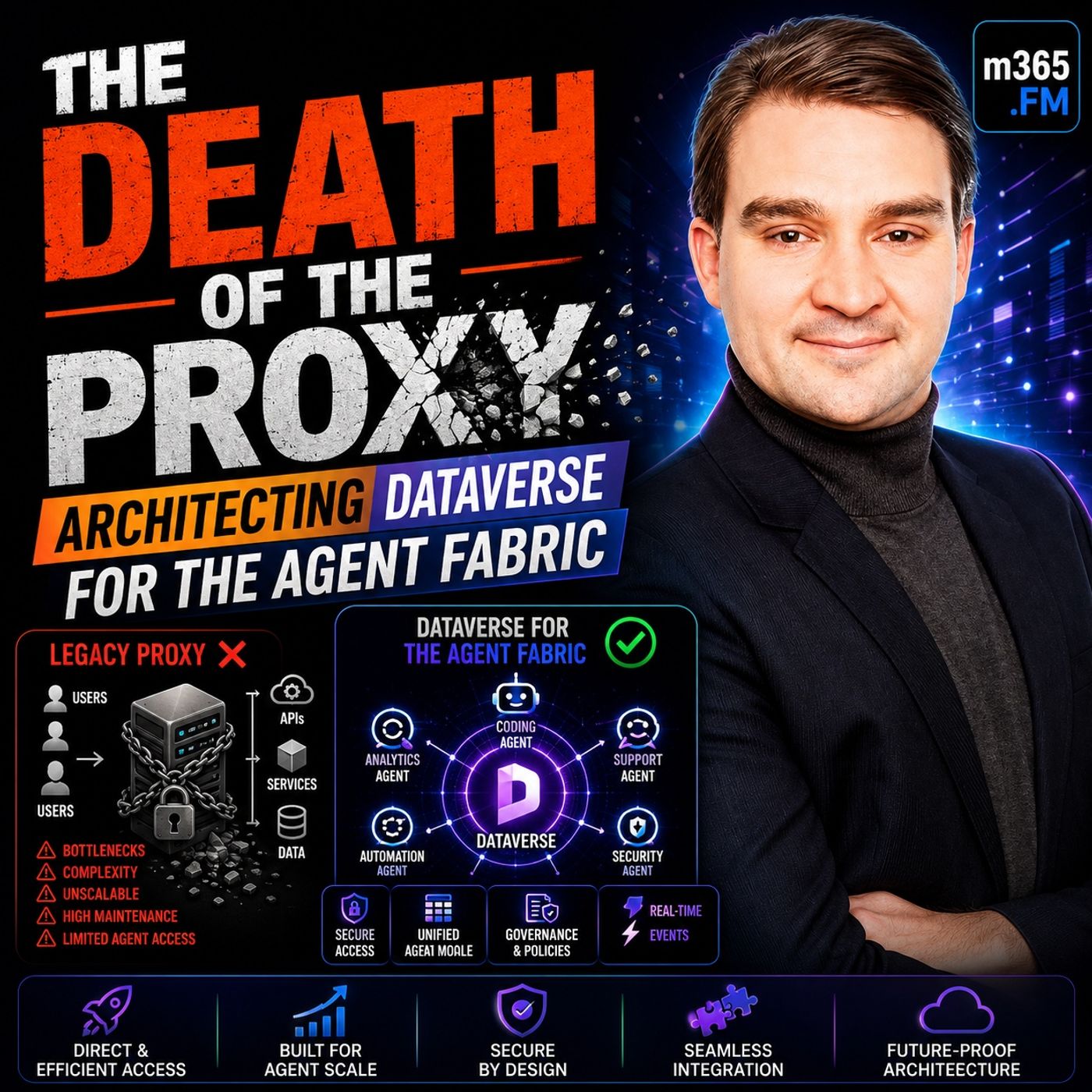
THE DEATH OF THE PROXY: Architecting Dataverse for the Agent Fabric
Show notes
For years, Microsoft's recommended architecture for connecting AI assistants like Claude Desktop to Dataverse relied on a local STDIO proxy. It was simple, easy to install, and perfectly suited for individual developers experimenting with AI-powered workflows. But enterprise AI has evolved. Organizations are no longer connecting a single assistant to a single application. They're connecting hundreds—or even thousands—of AI agents across multiple clients, platforms, and business systems. That architectural shift changes everything. This episode explains why the traditional proxy model has reached its limits, why Streamable HTTP fundamentally changes enterprise AI integration, and how Dataverse is evolving from the database behind Power Apps into the governed data backbone for the entire Agent Fabric. WHY THE STDIO PROXY WAS CREATED The original STDIO proxy solved a very specific problem. Early MCP clients like Claude Desktop needed a simple way to communicate with cloud services while running locally on a developer's machine. Instead of exposing an internet-facing endpoint, developers launched a local process that translated communication between the AI client and Dataverse. The advantages were obvious:
- Simple installation
- No HTTP server required
- No certificates
- Minimal infrastructure
- Isolated execution per user
For individual developers, this architecture worked remarkably well. Every proxy was independent, failures affected only one user, and deployment required little more than installing a small application. The problem wasn't that the proxy stopped working. The problem was that enterprise AI completely outgrew the assumptions behind it. THE PROXY SCALING PROBLEM The proxy architecture assumes one developer. Modern enterprises operate very differently. Instead of one Claude Desktop instance, organizations now deploy:
- Claude Desktop
- Claude Code
- GitHub Copilot
- Copilot CLI
- Custom orchestration services
- Internal AI assistants
Each proxy creates:
- Independent authentication
- Separate connection pools
- Individual infrastructure
- Separate monitoring
- Isolated failure domains
As organizations scale from ten developers to hundreds or thousands, operational complexity increases exponentially. Instead of managing one governed service, administrators find themselves maintaining hundreds of disconnected proxy processes with little centralized visibility or control. What began as a convenience gradually becomes operational debt. THE LATENCY MYTH One of the strongest arguments for STDIO has always been performance. Microbenchmarks show local inter-process communication taking only a few milliseconds, while HTTP introduces network latency and TLS negotiation. On paper, STDIO appears dramatically faster. However, those benchmarks ignore the actual workload. Most Dataverse operations spend hundreds of milliseconds—or even more than a second—executing business logic, security checks, and database queries. When those execution times are included, HTTP overhead becomes relatively insignificant. Even more importantly, enterprise HTTP deployments benefit from:
- Connection pooling
- Persistent sessions
- Horizontal scaling
- Long-lived services
- Shared infrastructure
Meanwhile, every new proxy instance pays startup costs, authentication overhead, and process initialization repeatedly. The presentation argues that organizations measuring end-to-end performance often find properly optimized HTTP deployments outperform local proxy architectures despite their higher transport latency. STREAMABLE HTTP CHANGES EVERYTHING Instead of every AI client running its own proxy, Dataverse now exposes a single Streamable HTTP endpoint. Every supported AI client connects to exactly the same service. Examples include:
- Claude Desktop
- Claude Code
- GitHub Copilot
- VS Code
- Custom AI orchestrators
Rather than multiplying infrastructure for every new user, organizations scale a single enterprise service. Additional capacity simply means adding more server instances behind a load balancer. Clients continue connecting to the same endpoint while the platform handles scaling transparently. The architecture shifts from isolated desktop utilities to enterprise-grade shared infrastructure. PKCE ENABLES SECURE PUBLIC CLIENTS Moving to HTTP introduces a new challenge: How do desktop applications authenticate without storing client secrets? The answer is PKCE (Proof Key for Code Exchange). Instead of embedding long-lived secrets inside client applications, PKCE generates temporary cryptographic values during authentication. This approach allows applications like:
- Claude Desktop
- Claude Code
- GitHub Copilot
to authenticate securely using Microsoft Entra ID without exposing credentials. Authentication becomes:
- Secret-free
- User-based
- Standards compliant
- Automatically renewable
This security model enables enterprises to deploy multiple AI clients without distributing confidential application secrets to every workstation. DATAVERSE BECOMES THE AGENT FABRIC Perhaps the most important architectural shift is how Dataverse itself is positioned. Historically many organizations viewed Dataverse simply as the database behind Power Apps. The presentation argues that this perspective is obsolete. Dataverse now becomes the central business data platform for AI agents. Every supported AI client communicates through the same endpoint. Every request uses:
- Shared governance
- Shared authentication
- Shared business logic
- Shared security
- Shared audit trails
Instead of building separate integrations for every large language model, organizations expose one governed platform that every compliant client can consume. This transforms Dataverse from an application database into enterprise AI infrastructure. Become a supporter of this podcast: https://www.spreaker.com/podcast/m365-fm-microsoft-365-azure-cloud-power-platform-ai--6704921/support.
Apple Podcasts · Spotify · YouTube · Deezer
Host: Mirko Peters
Related articles
Transcript
Read the full transcript
The documentation tells you to use a local STDO proxy, install it on your machine, wire it to Claude Desktop, connected to Dataverse. That guidance was sound a year ago, it's broken now. The issue isn't that the proxy fails to work technically, it works fine, the issue is the architecture behind it. Your building single threaded integrations when your enterprise needs a fabric. You're optimizing for the latency on one developer's laptop when you should be optimizing for a thousand agents. They all need to access the same business data across a govern platform. What changed? Two things. The clients got better. Claude GitHub Copilot and the rest all support remote HTTP endpoints now. The proxy isn't a necessity anymore, it's a liability. Second, enterprises figured out that if you're serious about AI, you can't afford one-off integrations for every LLM. You need a contract, a single endpoint, a model that scales. This is the story of that shift, why the proxy became a bottleneck, why the streamable HTTP endpoint is the only architecture that works at scale, and why this matters to your enterprise. Because Dataverse stops being the database under power apps and becomes the agentic backbone of your entire platform. One endpoint, any LLM, same governance, same security, same audit trail, the proxy is dead, the fabric is now. The STDIO proxy model, why it existed? The STDIO proxy exists for a reason. It was born from a real constraint. When MCP first appeared, local clients needed a way to talk to cloud services. Claude Desktop runs on your machine, while Dataverse lives in the cloud, so you have to bridge them somehow. You create a local process, a proxy. It sits on your machine and translates between the agent and the remote API. STDIO is the simplest possible mechanism for this. Standard input, standard output, pipes, no network, no HTTP, no TLS negotiation, just two processes on the same machine talking through streams. From a simplicity standpoint, this was elegant. One process per user, one session per connection, an isolated fault domain, if the proxy crashes, only that user is affected. There is no shared infrastructure and no blast radius that spreads across your organization. The virtue of the proxy was obvious because it removed operational complexity. You didn't need to manage HTTP servers or worry about horizontal scaling. You didn't need certificates or load balances or uptime guarantees. You just installed a tool, ran it, plugged in your credentials, done. But simplicity is not a strategy, it's a constraint. The proxy model assumes your building for one person, one machine, one integration. The mental model is a tool. The utility you install, use, and then discard. It doesn't compose. If you want Claude Desktop to access Dataverse and GitHub Copilot to access Dataverse, you run two separate proxies, two separate orth flows, two separate connection pools, two separate instances of every piece of infrastructure that could fail. It doesn't scale, it doesn't govern. And it doesn't answer the question, which Claude instance accessed, which record, when, under whose identity? The proxy assumes you'll never need to answer those questions. That assumption is what breaks. The latency lie, why STDO, looks faster? The latency argument for STDO is real. But in reality, it's a trap. If you look at the micro benchmarks, the numbers seem clear. A STDO call between two processes on the same machine takes about one to four milliseconds. HTTP adds overhead because you have the network, roundtrip, TLS negotiation, and parsing to deal with. You're looking at 50 to 100 milliseconds per call. On paper, that is a 25 to 100 times difference. On the surface, STDO wins. But this is where the benchmark tells you a lie. Those numbers only measure transport latency. They show you the pure protocol cost. What they don't measure is what actually happens in a real enterprise system. In the real world, a dataverse query doesn't execute in five milliseconds. A typical query to dataverse runs somewhere between 515 milliseconds. That is just the back-end work. The database, the business rules, and the security checks that happen after your request arrives. So let's add it up. You send a request over STDO, which takes one millisecond, dataverse executes for 1,000 milliseconds. The response comes back in another millisecond. Your total time is 1,000 and two milliseconds. Now do the same thing over HTTP. The request takes 100 milliseconds, dataverse executes for 1,000 milliseconds. The response takes another 100. Your total is 1,200 milliseconds. That is 200 extra milliseconds out of a total of 1,200. It's about 17% overhead. In an enterprise workload where you're chaining multiple queries together, that overhead is just noise. But there's another cost STDO carries that doesn't show up in the benchmark. Every time you start a proxy process, you pay a start-up cost. The process launches, the dataverse client libraries load, and the authentication context has to initialize. The first query always pays a penalty, and sometimes it's a big one. In Kubernetes environments where containers spin up and down constantly, you pay this cost over and over again. With HTTP, you run one long-lived server. Clients authenticate once, connections pool, and every call after that reuses the infrastructure you already built. The research on this is unambiguous. A MongoDB case study from 2026, compared STDO and HTTP endpoints, handling the same data access patterns. STDO averaged 6.4 seconds per query, while HTTP averaged 1.8 seconds. HTTP was 3 to 4 times faster end-to-end. It wasn't slower, it was faster. The HTTP deployment was tuned with connection pooling, caching, and horizontal scaling. The STDO deployment paid the cost of process management and cold starts that aren't obvious in the raw numbers. The latency advantage STDO appears to have evaporates when you measure what actually matters. The gap narrows even further when you add monitoring, retry logic, and resilience patterns. If you add a retry to your HTTP call, it costs you 30 milliseconds extra on a failure. If you add that same retry to STDO, you're spinning up a whole new process. That costs you more in startup time alone than the entire HTTP call, STDO wins the latency tournament, but latency isn't the tournament that matters. The scaling problem, why proxies die at enterprise scale? Once you move beyond one developer using Claude desktop on a laptop, the proxy architecture collapses. It fails because of the model behind it. Here's what happens when you scale. Imagine you have 50 people in your organization who want to use Claude with dataverse. Each person installs the proxy on their own machine. Now you have 50 separate processes running somewhere in your infrastructure. Each one is spawning its own connection to dataverse, each one is managing its own authentication, and each one is an isolated instance that nobody can manage centrally. Kubernetes doesn't like this. If you're running these proxies in containerized environments, you're creating a logistics nightmare. 50 short-lived processes means 50 scheduling decisions, 50 resource allocations, and 50 shutdown events. Every process that spins up needs its own configuration and every process that fails needs its own monitoring and recovery logic. If you scale this to 500 users, you are managing 500 independent failure domains. At that scale, process management stops being administration and becomes firefighting. The connection pooling problem becomes acute. Every proxy spawns its own dataverse client with no sharing and no pooling across users. Your dataverse environment sees 500 independent authentication sessions instead of one managed gateway. Your token budget gets consumed 500 times faster and your rate limits hit walls you didn't anticipate. The platform starts throttling you because it can't tell the difference between legitimate work and a coordinated attack. The memory footprint also explodes. Each proxy process consumes resources for process overhead, client libraries, and cached metadata. When you multiply that by 500, you're running infrastructure that is expensive to host and difficult to manage. Resource contention starts to appear. If your users are concentrated in the same region, you're fighting for bandwidth on shared networks. Your cloud bills go up and you have nothing to show for it, except operational complexity. But the worst cost is invisible until you need it. Observability breaks completely. When something goes wrong, like a data corruption incident or a security breach, you need to know which user accessed which record at what time? With 500 independent proxies, that information is scattered across 500 different machines. Some logs live on client laptops, some live in container logs that get deleted, and some are still in flight. None of it is centralized. Recreating the audit trail becomes an investigative archaeology project instead of a simple search. Governance also becomes impossible to enforce. You might want to say that a cloud instance can access the accounts table, but not the opportunities table. With distributed proxies, you have no central place to make that decision stick. You have no way to verify that the policy is being followed, and you have no audit trail to prove it. You're flying blind. The proxy becomes a single point of failure for every user, rather than a resilient service. It's not one gateway going down where everything stops. It's one user experiencing a broken proxy, and you have no way to diagnose why it happened. You can't tell if the installation is wrong, their authentication is stale, or if there is a network issue on their machine. You can't see across the system to answer those questions. At scale, the proxy stops being infrastructure. It becomes a liability. This is where streamable HTTP changes the game. Enter streamable HTTP, the remote endpoint. The architecture of this new approach is radically simpler. Instead of asking every client to run its own proxy, data versa itself exposes an HTTP endpoint. The endpoint lives at a predictable URL. For your organization, it looks like this. HTTPS/orgID. cpmlinomics.com/apirge/mcp That is it. One endpoint, stateless. Ready to accept mcp requests from any authenticated client? The moment you publish that endpoint, everything changes. A single HTTP endpoint can serve many clients at the same time. Cloud Desktop, Connects, GitHub Co-Pilot Connects, a custom orchestrator in your pipeline connects. They are all hitting the same service. They are running the same code. They are using the same connection pools to data versa. You do not multiply your infrastructure by the number of users. You scale the endpoint itself. If you need more power, you add capacity behind a load balancer. The clients do not care. They just keep sending requests to the same URL. This is horizontally scalable architecture. It is table stakes for any production service in the enterprise. But for AI integrations with business data, it has been absent until now. The proxy model forced you into vertical scaling. Bigger machines, more memory, more processes running on client devices. The HTTP model lets you do what every mature platform does. You distribute work across many instances. You balance the load, you fail over transparently. Cloud Desktop natively supports this. So does Cloud Code. GitHub Co-Pilot in all its forms. VS Code, the app, the CLI, they all speak HTTP to MCP servers. These clients already have the capability built in. They are just waiting for you to point them at the right endpoint. No installation, no local proxy to manage. You configure the URL once in the client settings and the client handles the rest. The authentication flow is elegant. You authenticate once the client receives a token. It caches that token. Subsequent requests use that cashed token until it expires or gets revoked. This is how web applications have worked for 20 years. It is a solved problem. The client libraries handle token refresh automatically. Users do not see the machinery. They see seamless access. The contrast with the proxy is instructive. With STDIO, every time a process starts, it authenticates independently. Every process holds its own alt context. Every process is a separate disconnected session to dataverse. With HTTP, you are building on top of standard OAuth infrastructure. Token management is centralized. Revocation is immediate. If a user loses access, that replication applies instantly across every connected client. Try doing that with distributed proxies. Under the hood, HTTP2 multiplexing means you are not opening a new connection for every single request. The client opens one connection to the endpoint and sends many requests over that same pipe. Connection pooling on the server side means dataverse does not see a flood of independent sessions. It sees a manageable number of persistent connections from the MCP server. And the server distributes the work across those connections efficiently. Load balances in front of the endpoint root requests to healthy instances. If one server fails, the traffic shifts to another. You have moved from a tool to an enterprise service. It is the same dataverse underneath. Same security model, same business rules, same audit trails. The tool surface. The MCP tools that let agents discover tables, query records, and create entities. Is identical to what the proxy exposes. You have not lost any functionality. You have gained the ability to operate at scale. To govern centrally. To observe comprehensively. And to manage everything as a unified platform. This shift from local execution to a remote service is architectural bedrock. Everything that follows. The governance, the multi-LLM strategy, the token efficiency, it all depends on this foundation. PKCE. The authentication that doesn't require secrets. The HTTP endpoint solves the scaling problem. But it introduces a security problem that traditional applications never had to solve. How do you authenticate when your client cannot keep a secret? This is not a hypothetical concern. Claude desktop is installed on a user's machine. The configuration file that points to your dataverse endpoint lives on that same machine. If that configuration file contains a client's secret. Which is basically a password that proves the application's identity. You have a problem. Anyone with access to that file can impersonate the application and request tokens from your authorization server. The same applies to GitHub co-pilot. The same applies to any client. You do not directly control. Traditional OAuth solved this by assuming the client was a web server running in a secure data center. The server could store secrets in environment variables or encrypted vaults. The secret never left the server. A public application could not use OAuth because it could not protect a secret. PKCE, proof-key for code exchange pronounced pixie, removes that requirement. It lets public clients authenticate securely without storing any secret at all. Here is how it works. Instead of a static secret, the client generates a random value called a code verifier. It hashes that verifier into a code challenge. The challenge goes into the authorization request. The authorization server receives the request, verifies who you are, and returns an authorization code. The client then redeems that code by sending the original verifier alongside it. The authorization server hashes that verifier, checks that it matches the challenge, and issues a token. The security comes from the verification. If an attacker intercepts the authorization code, they cannot use it because they do not have the verifier. The code is useless without the verifier. Only the original client can provide the verifier. Because only the original client generated it. The verifier never travels over the network. The challenge, which is derived from the verifier, is what crosses the wire. And you cannot reverse a hash to recover the original verifier. This is not theoretical. It is formalized in RFC 76636, and is now a required component of OAuth 2.1. Every major identity provider supports it. EntraID supports it, Claude supports it, GitHub co-pilot supports it. Data versus MCP server is built with the assumption that clients will use PKCE. The practical implication is straightforward. Your Dataverse MCP endpoint asks EntraID for tokens. EntraID authenticates the user. The user's browser opens, they sign in, they are redirected back to the client with an authorization code. The client exchanges that code with the verifier it generated and receives a token. No secret sits in the configuration file. No secret leaks into logs. No secret appears in the client's prompts or behavior. This is what enables the multi-LLM integration model. You can point Claude at your Dataverse endpoint. You can point GitHub co-pilot at the same endpoint. You can point the custom orchestrator at the same endpoint. They are all using PKCE. They are all securing themselves without requiring any shared secret that you have to manage, rotate, and protect across every client installation. The security model that makes multi-LLM integration safe is already built in. You just need to configure it correctly. Registering your EntraID app, the Blueprint. Now you're going to make this real. The theory ends here. The Blueprint begins. Log in to the Azure portal and navigate to EntraID to create a new application registration. This is the same process you'd use for any OAuth client, whether it's a web app, a mobile app, or a service. You're registering a new application that represents your Dataverse MCP consumers to the authorization system. So you should name it something meaningful like Dataverse MCP or ClaudePlus Dataverse integration. The name doesn't affect how the code runs, but it definitely affects your sanity when you're managing dozens of app registration six months from now. Once the app exists, you need to declare what it's allowed to do. This happens in API permissions, add a permission for MCP tools. This is the specific permission that grants MCP clients access to Dataverse through the MCP server. It's not a generic Dataverse permission. It's scoped to the MCP interface specifically. This granularity matters because you're saying this application can use the MCP protocol to interact with Dataverse, but it doesn't have a blank check for everything else. Copy the application ID and write it down. This identifier is going to appear in every client configuration you set up from here on out. It's the public face of your app registration, and it's the value that clients pass back to the authorization server to say, "This is who I am." Keep it visible. You'll reference it constantly. The next step happens in the Power Platform admin center, not the Azure portal. Navigate to your Dataverse environment and find the settings that govern MCP client access. Add your application ID to the allow list. This is the gate. Without this step, your app registration exists, but it's not permitted to touch this specific Dataverse environment. You might have multiple environments for development, staging, and production, and you can grant the same app registration access to some while denying others. This is how you prevent a test integration from accidentally touching production data. Then comes the critical configuration. Allow public client flows. Find this in the app registration's authentication settings. It's not enabled by default. You have to explicitly turn it on. This flag tells EntraID that this client cannot securely store secrets, so it needs to use PKCE based authentication flows instead. Without the setting, the PKCE flow won't work and the authorization server will reject every request from public clients. This setting is what makes the entire architecture possible, and it's the lock-and-key that allows Claude and GitHub co-pilot to authenticate without embedding secrets in their client code. Why is each step necessary? Because the security model depends on isolation. The app registration isolates this integration from others you might build, while the API permission isolates MCP access from other Dataverse capabilities. The environment allow list isolates which Dataverse tenants this app can reach, and the public client flows setting isolates the authentication mechanism to PKCE. Each step narrows the scope and adds a gate, and together they form a security posture where an attacker would need to compromise multiple independent systems to get in. This is not optional infrastructure. This is the foundation. If you skip any step, the architecture fails in ways that won't become obvious until you're deep in the integration and something breaks. Redirect URIs, the callback contract. With the app registered, you need to define the redirect URIs. This is where the architecture meets the real world. When a user authenticates through Dataverse MCP, they're going to see an authorization screen where they enter their credentials. Entra ID will verify them, and then the authorization server needs to send the user and the authorization code somewhere. Where? That's the redirect URI. Different clients have different callback URLs, and this isn't arbitrary. It's the contract between the client and the authorization server. Claude Desktop expects redirects to come back to HTTPS, ASA's Claude, IA, API, MCP, or callback. That's the endpoint in the Claude service that knows how to handle the authorization code, exchange it for a token, and send that token back to your local Claude Desktop instance. If you try to redirect to any other URI, Claude won't catch the callback and the authorization flow will just hang. The user will see a browser window waiting for something to happen, and nothing will happen. Claude code, which runs in your terminal, uses a different pattern. It expects HTTP, KAS-LASH, localhost, callback. The code is running locally on your machine, so the authorization server redirects to localhost. Claude code has a local HTTP listener waiting on that endpoint, and it catches the callback to process the authorization code, so the user's terminal session can be authenticated. GitHub Copilot uses HTTP/127.0.0.1. It's similar to Claude code conceptually, but the IP address is explicit instead of hostname based. Again, the difference isn't accidental, and it's exactly how the copilot client expects to receive its callback. You register all three redirect URIs in your app registration. When a user authenticates EntraID, looks at which client initiated the request and sends the callback to the URI registered for that specific client. If the callback doesn't match the registered URI, EntraID rejects it immediately. This is a security measure that prevents attackers from hijacking authorization flows by redirecting users to malicious sites. Why can't you use the same URI for all clients? Because each client has its own way of receiving and processing callbacks. A single URI assumes a single server waiting to catch the response, but you have many clients like Claude Desktop, Claude Code, and Copilot that aren't all servers. They are local applications with their own callback mechanisms, and each one needs its own configured URI that matches its specific architecture. For testing locally during setup, you might use HTTP/Localhost, but for production, you have to ensure the URIs align with where each client actually runs. Mis-matched redirects are the most common setup error I see where the authentication succeeds, but EntraID tries to send the callback to a URI that doesn't match what you registered. The request gets rejected, and the user sees an error instead of being authenticated. Register the URIs correctly, and the flow is seamless. Register them wrong and nothing works. Claude Desktop 0 friction setup. Connecting Claude Desktop is almost trivial once your EntraID app is registered, and your redirect URIs are set, open Claude Desktop, and head into the settings. Look for custom connectors or MCP servers and add a new one. You will see fields for a name and a URIL. The name is just a label, call it "Dataverse" or "business data". Whatever makes sense for you. The URIL is your production endpoint. HTPS are org ID. CRMDynamics.com API-MCP. Just make sure to swap that placeholder with your actual organization ID. But here's the problem with the old proxy approach. You used to have to manage connection details, credentials, and environment variables just to get things running. Now, all of that disappears. You only need two things, the name and the URIL. The application ID goes right into the client ID field. You don't need a secret. The client ID itself is public information that you already registered in Enter ID. Putting it in your configuration doesn't expose anything. Because a secret that was never generated can't be leaked. Save the configuration and Claude Desktop will recognize the new connector. The moment you ask a question that needs dataverse access, the authentication flow starts automatically. Claude launches your browser and shows you the Enter ID sign-in screen. You enter your credentials and hit consent. The browser sends you back. Claude catches the callback at your configured URIL. And the token arrives, authentication is finished. This only happens once. The token stays in a local cache on your machine so your next query doesn't trigger another sign-in. Claude uses that cache token to make requests work instantly. When the token expires after an hour or so, Claude refreshes it automatically without asking you for anything. You never have to see the machinery. From your perspective, Claude has access to dataverse. And it just works. The simplicity here is the point. There is no proxy to install. No processes to manage, and no terminal commands to run. You open an app, add a connector, and type in a URIL. You authenticate once and you're done. This is what zero-fixion looks like. It's the perfect model for power users and architects who need to explore data. You can ask Claude questions about your environment using natural language. Claude uses the described table tool to learn the schema. Then it queries records and gives you insights. It all happens through one HTTP endpoint, secured by PKCE, and tracked in the dataverse logs. Claude code, the developers' path. Claude code works differently because it's a terminal-based environment rather than a GUI. The setup reflects that. Open your terminal and run the command to add a new MCP server. Claude MCP add, transport HTTP, client ID, plush AP, ID, DVMCP server, MCP URL. Put in your application ID and your dataverse endpoint URL and hit enter. Claude code registers the server immediately. Claude Desktop uses a settings file. But Claude code integrates servers directly into the runtime through the command line. This is how developers actually work. They are comfortable with CLI tools and setup commands. They would rather run a command than click through menus. The CLI first approach fits the workflow. When you launch Claude code, it already knows about your dataverse server. Run the "ash MCP" command in the chat interface to see your registered servers and start the login. Select the dataverse server and an authentication URL will appear in the chat. Copy that link and paste it into your browser, sign in through EntraID and grant consent. The browser redirects to HTTP's farfetched localhost, callback, where Claude code is already listening. It catches the response, the token arrives, and you are authenticated. The context is what matters here. Claude Desktop is for quick answers. But Claude code is an environment where you spend hours building and automating. The CLI setup matches that reality. You sign in once and Claude code keeps the session alive. You can query dataverse from your editor, pull in live schema, and even generate code that calls the API is directly. This is where the value becomes real for a developer. You load the tool, authenticate once, and every task has access to live data. If you are writing a plugin, you can query the interface. If you are building an app, you can inspect the actual tables. The experience shifts from guessing how the schema works to seeing exactly what it looks like. The setup is still trivial. You don't have to maintain a proxy or manage custom credentials in your code, but the integration is much deeper. You aren't just asking questions. You are building inside a system that has governed access to the data. Both tools use the same endpoint and the same audit trail. The only difference is how you use them. Desktop is for exploring, and Claude code is for building. GitHub Copilot, the Enterprise Integration. Copilot sits in a different place in your infrastructure than Claude. Claude runs on your machine. It's a personal tool for personal use. One person, one install, one conversation at a time. Copilot is different. It lives inside your development environment and it scales across your entire engineering organization by default. When you setup Copilot to use Dataverse MCP, you aren't just enabling one person. You're opening Dataverse Access to every developer in your company who touches VS Code or the command line. The setup itself is almost nothing. Open VS Code. Go to Settings. Find MCP servers. Select Add Custom Server. Choose HTTP as the transport. Not STDIO, not some other protocol. Just HTTP paste in your Dataverse MCP endpoint URL and your application ID. And that's it. Two fields. No environment variables to wire up. No extra config files to hunt down. Click Sign In. That click kicks off the PKCE flow and your browser opens automatically. You land on the Entra ID screen and sign in with your normal work credentials. You might see a consent dialog asking you to approve Copilot's Access to the Dataverse MCP server. You approve it once. The browser redirects back to your local endpoint, the token arrives, and authentication finishes right there. Copilot now has access to your Dataverse environment and it didn't take more than a minute. So what actually makes this the enterprise integration and not just another client? Scope. When you set this up in VS Code, you're doing it for yourself, sure. But the same configuration doesn't have to stay yours. Your enterprise can push this out to every developer machine through policy, through team templates, through whatever deployment tooling you already used to manage dev environments. One configuration, deployed once, available everywhere instantly. Every developer in your organization gets Dataverse access through Copilot, authenticated with their own credentials and governed by the same Dataverse roles they already have. Nobody gets more access than their role allows and nobody needs a separate setup process. It's the same endpoint, the same PKCE flow just pointed at 100 machines instead of one. The Copilot CLI stretches this even further. Developers who live in terminals, platform engineers, DevOps teams, running deployment scripts, none of them need a GUI to get this working. They authenticate to Dataverse MCP straight from the command line and start pulling schema, querying records, or debugging infrastructure issues without ever opening an editor. Same authentication, same authorization, same endpoint, just a different door into it. But here's the capability that actually separates Copilot from everything else we've covered. Agent mode. Copilot doesn't just answer questions when you ask it something. It can run as an autonomous agent, reasoning through your code base and taking action on its own within the boundaries you've set. When Copilot runs in Agent mode with Dataverse MCP attached, it stops being a chat window and starts being infrastructure your teams build on top of. A platform team can stand up in agent that understands your entire data model. So other teams building integrations don't have to relearn your schema every time. A DevOps team can run an agent that queries Dataverse directly to inform deployment decisions, checking configuration records or environment settings before a rollout goes out. This is exactly where Copilot splits from Claude. Claude is individual oriented, one person, one question, one answer. Copilot is organization oriented, one config deployed across every developer running autonomously in the background of your engineering process. The same Dataverse MCP endpoint serves both of them, same PKCE flow, same governance, same audit trail underneath, what changes its scale. When one developer uses Claude to ask a question, that's useful. When your entire engineering organization has Copilot agents querying Dataverse autonomously day and night across every team, that's not a tool anymore, that's infrastructure. The setup took you five minutes, the implications don't stop. The 15 tool contract, what Dataverse exposes. Now that you have authentication working, you need to understand what you have actually unlocked. Claude does not get a raw, rest API to Dataverse. It does not get a database driver or in SQL shell. It gets a carefully bounded set of tools. In June of 2026, Microsoft formalized this tool shape. It isn't a vague promise of access. It is a concrete contract of 15 named tools. This precision is important. It isn't a limitation. It's a security boundary. The tools break down into families. Discovery tools let agents explore the structure. The list tables tool returns every table in an environment, while described table returns the schema, including column names and relationships. There is also a search tool. It lets agents find tables by keyword. And agent asking Claude about your data model doesn't need to know the schema in advance. It queries these tools to learn what tables exist and how they relate to each other. Retrieval tools let agents fetch data, the search data tool queries records with filters. An agent can search for all accounts in a specific region or opportunities above a certain threshold. The query happens server side. Dataverse applies security, row level security, field level security, and any restrictions on the user identity. The agent only receives data the user is authorized to see. The tool also searches across unstructured data like notes and files. The new agentic search index makes this fast and that six times improvement in performance is something agents can use directly. Mutation tools let agents take action. Create record inserts a new row. Update record modifies an existing one. Delete record removes a record entirely. But deletion carries a flag, requires confirmation. The client, Claude or Copilot must show the user a confirmation dialogue before the deletion executes. There is no silent data loss. No agent decides on its own to destroy records without a human in the loop approving the action first. Schema tools let agents understand relationships. A dataverse table might have lookup fields pointing to other tables. A contact might have a lookup to an account. An agent needs to understand this graph to reason correctly about which queries to run. Schema tools expose these relationships. They show which fields are read only and which ones have validation rules. File tools let agents work with documents. Dataverse can store files and an agent might need to upload or retrieve one. The initialize upload tool creates a storage location while upload chunk sends the actual data. These tools integrate with dataverse security. Files inherit the security of the record they are attached to. Business skills tools let agents call reusable process instructions. A business skill is a natural language description of a process stored in dataverse. An agent can query available skills and execute them. This is where governance and business logic converge. Instead of an agent improvising its response, it follows a skill. A documented and approved procedure that your organization has formalized. Different agents. Same skills. Consistency emerges. Why this boundary matters is straightforward. You aren't giving Claude or co-pilot unrestricted access to dataverse. You are constraining what they can do to operations. You have explicitly allowed. An agent cannot drop tables. It cannot change security roles. It cannot execute arbitrary SQL. It can discover tables. Query records and execute pre-approved skills. Those constraints exist for a reason. Agents hallucinate. They misunderstand context. They can cause damage through confusion rather than malice. The 15 tool contract prevents that. The boundary is also about governance clarity. When you audit what an agent did, you are auditing tool calls. Which of the 15 tools did it invoke? But what parameters did it use? The audit trail is easy to read because the surface area is small and intentional. Safe mutation. How destructive operations get gated? The 15 tool contract includes something subtle. It's a flag on specific tools that reads requires confirmation. You won't see this flag on read operations. You can search records. You can list tables. You can pull data all day without any friction. But on destructive operations, specifically delete record. That flag changes the entire flow. When an agent tries to call delete record, it doesn't just happen. The MCP protocol has built in support for this exact requirement. The client receives a response saying this operation needs a human to sign off before it can proceed. Claude sees the flag, GitHub co-pilot sees it. They don't just pass the request through to dataverse. Instead, they stop. They show you a confirmation dialogue. This agent wants to delete a record. Record details. User. Who authorize this? Confirm? You see the context. You make the final call. Only if you click yes, does the actual deletion happen. This isn't a workaround or a hack we bolted onto the protocol later. It's a core feature of how MCP handles governance. The requires confirmation flag tells the client that this is a decision point where a human must step in. The client respects that because the major vendors, anthropic GitHub and others, know that autonomous systems touching business data need these checkpoints. Why is this non-negotiable? Because agents will delete records. Not because they're malicious, but because they misunderstand the prompt. You might say remove in active accounts, meaning anyone who hasn't bought anything in a year, the agent might interpret that as any account that hasn't been touched today. Before you realize what's happening an entire year of data is gone. With the confirmation flag, you get a dialog box that shows you the scope. You see the mistake before it becomes permanent. This also solves the regulatory problem. In healthcare, HIPAA requires you to prove who authorized the deletion of sensitive data. In finance, SOIX demands an approval chain for every modification. A confirmation dialog in co-pilot or Claude paired with the audit trail gives you that evidence. A regulator can look at the logs and see the agent requested the delete. The user saw the prompt and the user clicked approve. The chain is unbroken and the authorization is fully documented. The audit trail is the second half of the safety net. Every single tool call, whether you confirm it or not, gets logged in the dataverse audit system. It tracks who called it, which agent was used, what the parameters were, and exactly when it happened. The confirmation dialog adds another layer to that log. It records that a confirmation was requested and shows whether the user said yes or no. If the deletion went through, the audit trail shows your approval, but if you clicked no, it shows the agent's request was denied. This trail is your forensic evidence for when things go wrong. If a record vanishes and nobody knows why, you just pull the audit log. You can see which agent tried to kill it, who approved it, and exactly what was lost. The entire history is right there, tamper evident and immutable. The difference between a powerful system and a reckless one is this checkpoint. A powerful system lets agents take action, but a reckless one gives them that power without any oversight. Dataverse MCP with the confirmation flag gives you the power with a built-in circuit breaker. The agent can do real work like creating records or modifying data, but on the operations that can't be undone, you get one last chance to catch a disaster before it happens. The governance layer, controlling who accesses what? You've authenticated Claude to Dataverse. You've made sure mutations require approval. Now we have to answer the question that keeps security teams awake at night. How do you control which Claude instances can talk to which environments? And how do you stop an authenticated agent from seeing data it shouldn't? The answer lives in layers. The first layer is the environment allow list in the Power Platform Admin Center. When you registered your EntraID app, you had to add it to a list for a specific Dataverse environment. This isn't an optional setting, it's a hard gate. If an app isn't on that list, it cannot connect, period. If you have dev, staging, and production environments, you can add your app to dev and staging, but leave production locked. Claude talking to your test data is fine, but Claude talking to your live customer data is forbidden. The allow list makes that a technical impossibility rather than just a policy hope. This matters because it prevents accidental scope creep. Maybe you set up Dataverse MCP for a small internal test, but six months later, a deployment script runs in the wrong place. Without the allow list, that mistake could expose your production data, but with the list, the connection just fails at the protocol level, no access, no risk, no incident. The second layer is Dataverse roles. You've authenticated as a specific user, and that user has roles like System Administrator or Sales Manager. Those roles have specific permissions. This account can create records but not delete them. That account can read opportunities but not close them. These permissions aren't new to MCP, they're the same ones, power apps and Dynamics 365 use every day. Here's the critical insight. The MCP server is just a thin layer. It isn't a new security boundary that tries to reinvent access control. It's just a protocol translator. When an agent calls the CreateRecord tool, Dataverse doesn't care that the request came through MCP. It applies the same role checks it always does. It asks if this user has permission to create records in this table, and if they don't, the tool call fails. The agent gets an error and the human sees that the action wasn't allowed. The third layer is Row Level and Field Level Security. These are the granular features that let you restrict access down to the specific cell. Maybe your sales team can see all accounts, but only the opportunities they actually own. Maybe Finance can see the transaction amounts, but they can't see the customer's payment method. These rules are defined inside Dataverse and they apply to everyone, whether they're using a REST API or MCP. If an agent queries data the user isn't allowed to see, those roles simply won't appear in the results. To the agent, it just looks like those records don't exist. The fourth layer is Business Rules. Dataverse lets you define logic where changing one field triggers another action. Maybe when an opportunity is marked as one, the system automatically creates an invoice. When an agent updates a status through MCP, that business rule still fires. The same automation that runs for a human in a PowerApp runs for the agent in MCP. The agent doesn't even need to know the rules exist because they are part of the system's DNA. This is fundamentally different from just giving an LLM access to a database. A raw database connection gives you a SQL, which lets you query or modify anything while bypassing constraints. In that world, you have to trust the person you're giving access to. Dataverse MCP gives you a governed interface instead. The allowless controls the environment, the roles control the records, and the field security controls the granularity. An agent can do real work, but it stays inside the boundaries you've already built. The system enforces those limits automatically. You don't have to audit every single move to make sure the agent's stayed in bounds. The bounds are built into the platform itself. Observability, seeing what agents do. We've spent a lot of time talking about what Claude or GitHub co-pilot can actually do. We've looked at the constraints and the permissions, but there's another side to governance that matters just as much. What can you actually see after the agent takes an action? The moment an agent calls a tool, that action is recorded. It doesn't matter if it's just looking up a record or creating a brand new one. That call gets logged immediately. This isn't happening in some separate audit system that you have to bolt on later. It's logged directly into the Dataverse audit trail. This is the same permanent record that tracks when a human changes a field in PowerApps or when a flow updates a row. From the perspective of Dataverse and agents' actions look exactly like human actions. They are both just modifications to the system of record. The log captures every specific detail you need. It tracks which agent made the request. This is vital because you might have several Claude instances running at once. You might have different versions of GitHub co-pilot across different teams or custom orchestrators for specific jobs. When something breaks, you have to know which specific agent did it. The audit trail gives you that answer. It also records which user was authenticated at the time. An agent never acts alone. It acts on behalf of a person. That person's identity is baked into the record. Then you have the tool itself. The log shows if it used search data, create record or update record. It captures the parameters like which table was queried and which fields were changed. It marks the exact time down to the millisecond. Finally, it shows if the action worked. If an agent tried to create a record but hit a validation rule, the audit log catches that failure. The fact that these logs are tamper evident is the most important part. These records are append-only. You can read them and you can query them, but you cannot change them. You can't delete a single entry just because you want to hide a mistake. The logs use cryptographic chaining where every entry points to the one before it. If an attacker gets into the storage and tries to forge or delete a line, the chain breaks. Any standard audit review will see that break and know something was erased. This isn't just theoretical security theatre. It's a technical wall that keeps the audit trail honest. That trail then feeds into your main compliance setup. If you use a CM for security monitoring, you can pull these data verse logs right into it. Your security team can see agent activity sitting right next to everything else in the company. You can even set up automated alerts. If an agent tries to delete more than three records in an hour, you get a notification. If it starts querying sensitive tables in the middle of the night, it gets flagged. The audit trail stops being a dusty history book and starts being a live security tool. We can go even deeper with open telemetry support. This is a standard for distributed tracing that lets you follow one request through every system it touches. An agent query might hit data verse, which triggers a business rule which then calls a power automate flow that talks to an external API. All of that shows up as one single trace. You can see the whole flow and find exactly where the bottlenecks are. For compliance, it means you can trace a data change from start to finish. You don't just see that an agent made a change. You see everything that happened because of it. This changes your relationship with AI from a black box to total transparency. You aren't just hoping the agent behaves well. You are watching it behave in real time. You are capturing every move and plugging it into your existing security world. If something goes wrong, the audit trail tells you what happened when it happened and who was involved. That isn't blind trust. That's governed autonomy. The fabric model from point integration to platform. Everything we've talked about, the logins, the governance, the audit trails only really make sense when you look at the big picture. We are seeing a massive shift in how systems are built. We think about how we used to do this. Claude needed to talk to data verse, so you built a proxy, GitHub co-pilot needed access, so you built another integration. Then a custom orchestrator came along and you built a third one. Even Dynamics 365 co-pilot needed its own separate configuration. Every single connection had its own login flow and its own security model. Each one had its own set of rules and its own maintenance list. You weren't running a single system. You were managing a messy pile of one-to-one connections. Every piece was a new burden. This way of building is tempting because it works at first. You can tweak each connection for one specific tool, but it creates a mountain of technical debt that just keeps growing. If you have 10 integrations, you need 10 sets of documents. You have 10 different ways to manage secrets and 10 different ways to monitor them. If a security hole pops up in how you handle credentials, you have to fix it in 10 different places. When a new tool comes out that you want to try, you have to start from scratch. That means weeks or months of work just to get connected. Then you have to maintain that code forever. The fabric model flips this completely. Data verse provides one single endpoint that endpoint uses one way to login, PKCE with EntraID. It offers one standard set of tools. Any client that understands the MCP protocol and PKCE can connect to it. Any of them, it's not just Claude and Copilot. It's literally anything, Claude, custom agents, or even tools from other vendors. They all see the exact same data verse. They all log in the same way and follow the same rules. They all write to the same audit trail. The fabric isn't a bunch of loose strings. It's a solid weave. This standardization isn't about forcing everyone to be identical. It's about creating a contract that is so clear that different tools can work together without even knowing the others exist. Claude doesn't need to care how GitHub Copilot logs in. Copilot doesn't need to know anything about Claude's internal setup. They don't have to talk to each other because they both know how to speak MCP. Data verse just speaks that one language back to everyone. This changes everything for your operations. Today, adding a new tool takes weeks of engineering. Under the fabric model, it takes minutes. If a vendor drops a new AI tool tomorrow, you just plug it in. You give it the URL, the ID, and the redirect info. That's it. It immediately gets the same data and the same tools as everything else. It follows the same governance and writes to the same logs. There is no custom integration work because the contract is already there. The cost of governance basically disappears. You aren't managing 10 different access policies anymore. You are managing one. You have one set of roles and one set of security rules. You have one business rule engine and one audit system. If you need to change who can see certain data, you change it once and it works everywhere. If you want to give your agents a new skill, you define that tool once and every agent can use it instantly. Compliance gets much simpler too. When an auditor asks who accessed your data, you don't have to hunt through 10 different logs. You have one single source of truth. Every action from every tool shows up in that same tamper evident trail. The story is consistent. This is how you scale. You might start with Claude and co-pilot, then add a custom orchestrator later. Maybe you add a third party platform after that. By the time you get to your 10th tool, your costs haven't actually gone up. But it's still just an endpoint and a login. The fabric doesn't break down as you add more pieces because you aren't adding more complexity. You are just plugging into the same surface. This architecture is built to last for years because it's based on a standard. It doesn't rely on what one specific vendor wants to do today. If Microsoft updates dataverse, the contract stays the same. If anthropic updates Claude, the contract stays the same. The fabric lasts because it's built on a shared language, not a one-off hack. Token efficiency, the hidden ROI. Most teams don't talk about the actual cost of building AI integrations, but here's the problem. You want Claude to answer a question about your dataverse records. The naive approach is to stuff the entire schema into the prompt. You list every table. You describe every column. You include sample data so Claude understands what lives where. You might even throw in business context, like what the tables mean or how they relate. All of that goes into the system prompt or the user's query. Now run that query and count the tokens. The schema alone runs 5,000 to 10,000 tokens. Sample data adds another 3,000 to 5,000. Business context adds even more. By the time Claude even understands your environment, you're at 10,000 to 50,000 tokens just for the setup. That's before Claude even answers the actual question. At current pricing, you're paying 15 cents to a $1.50 per query just in overhead. If you run 100 queries a day, you're burning hundreds of dollars on redundant context. If you have a support team running 1,000 queries, you're losing thousands of dollars every single day. The math breaks. Now contrast that with the MCP approach. Claude doesn't load the schema into memory upfront. Instead, when it needs to understand your dataverse, it uses a tool. Claude asks, what does the account table look like? The tool returns only the schema for that specific table. 200 tokens, that's it. Claude doesn't get a dump of every table you own. It gets exactly what it asked for. When it needs sample data, it calls the search tool and retrieves three examples. Not the entire table, just a few hundred tokens. The result is a massive shift in efficiency. Instead of 50,000 tokens of context, you're at 500. That's an 80% reduction in overhead. The impact compounds across every single query you run. In the old model, you have to include every schema upfront just in case. With MCP, Claude asks for what it needs as it needs it. If a query only requires the account schema, you only pay for that. The cost reflects the actual complexity, not a static overhead that waste your budget. Here's where this becomes a financial reality. A support agent that costs $2 per interaction under the old model costs 40 cents under the MCP approach. Same agent, same results, one waste's money on duplication and the other doesn't. Scale that across your organization. If you run 50 agents, you aren't looking at a small difference. You're looking at an 80-dollar daily saving. That's $24,000 a year, or because of a single architectural choice. But the benefit isn't just about the money. Fewer tokens mean faster responses. Claude processes smaller context windows much more quickly. It focuses its reasoning on what actually matters. The data and the question. The quality of the answer improves because Claude isn't distracted by a relevant noise. The user gets a faster, more accurate experience. This is why the business case for MCP isn't just about better technology. It's about a system that pays for itself while performing better. From semantic kernel to agent framework, the platform succession. A decade ago, if you wanted to orchestrate an LLM, you used semantic kernel. Microsoft released it as a general SDK for building intelligent apps. The mental model was simple. You had a kernel, you loaded plugins, you executed planners to decide which plugins to call. It worked and teams built real systems on it. Some of those integrations are still running today. But semantic kernel was born in a different era. The assumption back then was that your application would be a single unit. One app, one kernel, one orchestration engine. The framework assumed you owned both the AI and the application. You were weaving them together inside your own codebase. It was SDK-centric. You wrote code, you imported a library, and you extended it, everything lived in the code. That assumption has inverted. Today, you aren't building one LLM inside one app. You're building multiple agents that live in different places. Co-pilot studio, GitHub Co-pilot, custom orchestrators. They all need to talk to the same business data. The agent is no longer bundled with your application. The agent is a separate runtime that calls your data through a protocol. The framework can't be SDK-centric anymore. It has to be server-centric. It has to assume the agent might not even be written in the same language as your data. It has to think in terms of contracts. Not imports and function calls. This is why Microsoft released the agent framework in April of 2026. It is the official successor to semantic kernel. Agent framework is designed for this new reality. Instead of loading plugins into a kernel, the model is simple. Agents call tools. Tools come from anywhere. APIs, MCP servers, cloud services. The agent doesn't care about the source. It just knows its tool set and its goal. The engine is agnostic about where those tools live. It's not about the SDK. It's about the tool. And critically, agent framework is MCP native. MCP isn't an afterthought here. It's a first-class concern. When you define an agent, you define it in terms of tools. Those tools are naturally expressed as MCP servers. Dataverse is an MCP server. Your automation layer is an MCP server. Your external APIs are wired through MCP. The same agent definition works whether it runs in co-pilot studio or GitHub. Because the contract is the same across all of them. Semantic kernel still works. And Microsoft is still maintaining it. They aren't abandoning the people who use it. But the guidance from the platform team is very clear. Do not start anything new on semantic kernel. If you're building a new agent system in 2027, you start with agent framework. If you have existing code, there are migration parts available. They aren't always easy, but they are documented. Your investment isn't wasted. The codebase just evolves. Why does this matter for your roadmap? Because your framework choice determines how your agents connect to your data. Semantic kernel ties you to a specific way of working. Agent framework aligns you with where the entire industry is moving. The fabric we've been describing relies on one idea. Any client should be able to connect through one endpoint. That only works if you think in terms of tools and protocols. Agent framework encodes that assumption. Semantic kernel doesn't. If you're architecting for the future, the choice is obvious. The multi-LLM enterprise? Why vendor lock in is dead? Your enterprise doesn't run on just one LLM. You might think it does. You might have a policy that says you've standardized on OpenAI, Anthropic, or Azure. But underneath that policy, reality is more complex. The finance team is using GPT 4.5 for complex math because it's fast and accurate with numbers. Legal prefers Claude for long contracts because it doesn't lose focus on page 90. Your infrastructure team is running Yammer on premise to stay compliant with data residency laws. Research is experimenting with Gemini for scientific tasks. This isn't a shadow IT problem or a policy violation. It's rational optimization. Different models have different strengths and using the right tool for the job just gets better results. But here's the problem. About 60% of enterprises are running multiple LLMs at the same time and under the old model, that's an integration nightmare. Every vendor has a different API. OpenAI works one way and topic works another. Yammer is different again. When every model needs its own connection to dataverse, you end up building a separate integration for every single one. You build a connector for OpenAI, then a separate one for Claude, then another for Yammer. Each one has its own login flow, its own errors, and its own setup. That isn't integration. It's integration dead that gets heavier every time a new model hits the market. And one level deeper. You're locked in. If you've built your entire business process around one specific API, your team is trained on it, and your infrastructure is optimized for it. Then a competitor releases a better model at half the price. You want to switch, but you can't. Switching means rebuilding everything from scratch and retraining your entire team. The cost is so high that you stay stuck with a worse option. The vendor owns you. This is why MCP fundamentally changes the equation. Instead of building 10 integrations, you build one. Dataverse speaks MCP. The LLMs speak MCP. The same dataverse endpoint works for all of them. When a new model comes out, your connector doesn't change. The new model just connects to the existing endpoint and instantly has access to your tools, your data, and your security. No extra work, no rebuilding. Think of it like USB-C for AI. Before USB-C, every phone and laptop had a different plug, which created nothing but waste and frustration. Now one cable works with everything MCP is that connector. Dataverse is the platform. The LLM is just the device you're plugging in, because the protocol is a standard, you aren't locked into anyone, switching costs, nothing. The business case is simple. In the old model, adding a new vendor takes weeks of coding and a lifetime of maintenance. With MCP, it's just a configuration change. You add the endpoint, set up the login, and you're done. That is the difference between being flexible and being trapped. For most enterprises, avoiding lock-in is a requirement. You need to keep your options open so you can switch models based on cost or new regulations without tearing your house down. You can run five models at once without five times the work. The complexity stays the same, no matter how many LLMs you add. This is non-negotiable for any large organization. The moment you depend on one vendor for your core business, they control your roadmap. MCP takes that control back. Dataverse becomes truly multi-LLM, and you stay in charge of your own technology. Business skills, encoding process and data. Agents are powerful, but power without a process is just chaos. This is where business skills change the game. A business skill is simple. It's a description of a process written in plain English and stored as a record in Dataverse. It isn't code, it isn't a flow chart in a PDF. It isn't a wiki page that nobody looks at. It is a structured, versioned, and auditable record of how your company actually works. An agent can find these skills, read them and follow them. So why does this matter? Imagine your sales qualification process. It's probably documented in an email or stuck in someone's head. The rule might be if a prospect has five employees in North America, they're qualified. If they don't have a budget, nurture them for six months. It's basic logic that humans get immediately. Now, you want an agent to do this. The old way was to hard code that logic into the agent. You write the if-then statements and deploy the code. But three months later, the sales strategy changes. The budget rules shift. To update the agent, you have to call the developers, change the code, test it and redeploy. It's slow, it's expensive, and it creates friction. The business skill approach inverts this. You create a record in Dataverse that describes the rules in plain text. When the geography or the budget rules change, you just update the text in that record. The agent queries the business skills tool, reads the new instructions, and follows them on the very next lead. No developers, no code changes, no waiting. The business team owns the process directly. That shift is about control and velocity. In the old way, business teams are stuck waiting on engineering to update a simple rule. Engineering has other priorities, so the business waits, and the process becomes outdated. With business skills, the bottleneck is gone. If a sales leader needs to change a rule, they change the record in Dataverse, and it happens instantly. The governance side is just as big. Business skills are versioned, so you can keep the old rules while you test new ones. A manager can draft a new version of a skill and run it on a few agents to see if it actually closes more deals. Once it's proven, you promote it to the live version. The old version stays in the system for compliance, so you always have an audit trail. Approval workflows fit right into this. You can require that any change to a skill has to be signed off by a VP. The analyst drafts it, the VP approves it, and the whole decision trail is saved. When in order to ask why a process changed, you have the proof. You have the who, the when, and the why, all in one place. The system even captures the execution. When an agent uses a skill to make a decision, it logs everything. You see which agent ran it, which version of the skill it used, and what data it was looking at. If an agent makes a mistake, you can trace it back. It's not just the AI messed up. It's the agent followed version two of the skill which had a specific budget requirement this prospect didn't meet. The whole chain is transparent. This is the bridge between AI and real governance. Agents get the ability to handle complex logic without being hard coded. Business teams get to update that logic without calling IT. An auditor gets to see exactly how every decision was made. It's not agents running wild. It's agents following the exact processes that your business defined and approved. The 2027 trajectory, where this is heading. Today, Dataverse MCP is in public preview. The tool surface is formalized, but not final. The governance patterns are just starting to emerge, but by 2027. This shifts into a different phase entirely. General availability means you can finally plan production deployments without the asterisks. No more, this might change. No more, we're still refining the contract. Dataverse MCP becomes a stable supported platform with SLA, security patches, and a long-term commitment from Microsoft. That's not just a versioning number change. That is permission to build your most critical systems on this foundation. Organizations currently running pilots will move into full production, and new organizations will enter the space because the risk profile has fundamentally changed. The tool surface is going to expand. 15 tools today feels like a lot, but by 2027 expect that suite to grow significantly. This won't happen randomly. It will happen deliberately in response to what agents actually need to do their jobs. You'll see more granular schema operations and tools for managing Dataverse plugins and workflows directly. We'll see domain-specific tools for industry scenarios like financial tools for banking or clinical tools for healthcare. The contract grows, but the principle stays the same. Tools remain bounded, intentional, and governed. The expansion doesn't mean agents gain wild unchecked power. It means you get more precision. Remote MCP servers will solve a specific pain point that is becoming increasingly urgent. Today, if you want multiple environments like dev, staging, and production, you have to configure them all separately. By 2027, you'll be able to set up a single remote MCP server that roots to multiple Dataverse environments while managing credentials and policies centrally. One endpoint, different target environments based on rules, one deployment, multiple control planes. The operational burden drops significantly because the complexity is handled at the server level. Agent framework will become the default orchestration model across power platform, Microsoft 365, and your custom applications. It won't be an alternative to other frameworks. It will be the framework. Teams building new agents in 2027 won't even evaluate alternatives because this is where all the platform investment is concentrated. The documentation will be mature, the tooling will be stable, and the community will be massive. By sheer inertia and capability, it becomes the standard. Business skills will transition from an interesting experiment to the way we actually encode process. By 2027, your organization won't maintain process documentation in messy wikis and long email chains. You will maintain it in Dataverse as skills, sales processes, support escalation procedures, approval workflows, and compliance checks will all exist as queryable, versionable, and auditable records. Agents execute them, humans update them. The distinction between automation and process blurs because in this model, processes are executable by default. Governance and compliance tooling will mature around this architecture. Today, you're likely piecing together your own solutions, but by 2027, you'll have product-grade offerings built directly into power platform. You'll have centralized tool policies and role-based tool access. Data classification will automatically affect which agents can access which tables. And workflow approvals will trigger based on specific agent actions. The governance layer is no longer something you bolt on at the end, it's native. The agentic backbone becomes a standard piece of infrastructure. Today, agents are exciting because they're new, but by 2027, they are expected. You won't ask, "Should we use agents?" Instead, you'll ask, "Which processes should agents handle next?" The infrastructure supporting them, the authentication, the tool routing, the governance, and the audit logs becomes as foundational as the database itself. IT teams build it, support teams maintain it, business teams use it, it's not cutting edge anymore, it's just infrastructure. So why start now instead of waiting for 2027? Because the gap between a pilot and full production is six months at a minimum and usually much longer. If you wait until 2027 to begin, you'll be entering your first pilots just as your competitors are scaling their production. You'll be learning the hard lessons they've already mastered and you'll be paying the price for their early mistakes. The organizations that begin right now will have worked through the pilot phase by the time these GA features arrive. They'll have real agents in production, real user feedback, and real optimization. When dataverse MCP goes GA and the agent framework matures, they aren't learning. They're scaling. That is the competitive advantage. What you do Monday morning, stop planning, start doing Monday morning, register an enter ID app with pkce enabled and walk through the setup we covered in this episode. Test the streamable HTTP endpoint with claw desktop on your own machine just to verify that it works. Don't worry about an elaborate pilot yet. This is five minutes of configuration. Then identify just one use case. Find one process that agents could genuinely improve right now. It could be a support team qualifying tickets, a sales team researching prospects or an operations team checking inventory. Pick something real that has a clear owner. Map your dataverse schema to the MCP tool surface. Decide which tables matter, which fields are necessary, and what queries your agents would actually need to run. Document this. It doesn't need to be perfect, but it needs to be real. Choose your agents. Will Claude handle the work, or will you use GitHub co-pilot? Decide which environments each one connects to now, because planning this early prevents a massive misconfiguration later. Start with that one integration and that one use case with those agents in that environment. It's rate based on real usage, not theory. The proxy is dead, the fabric is now.